Best picks
Best SSD for iPhone ProRes in 2026: External Drives for iPhone 15 Pro to 18 Pro
The best external SSDs for recording ProRes and Apple Log on iPhone 15 Pro to 18 Pro, checked against Apple's rules: speed, 4.5W power, exFAT, 10Gb/s cable.
By thisUSB EditorialUpdated October 30, 20268 min read4 picks
Our picks at a glance
- See on Amazon
- See on Amazon
- See on Amazon
- See on Amazon4
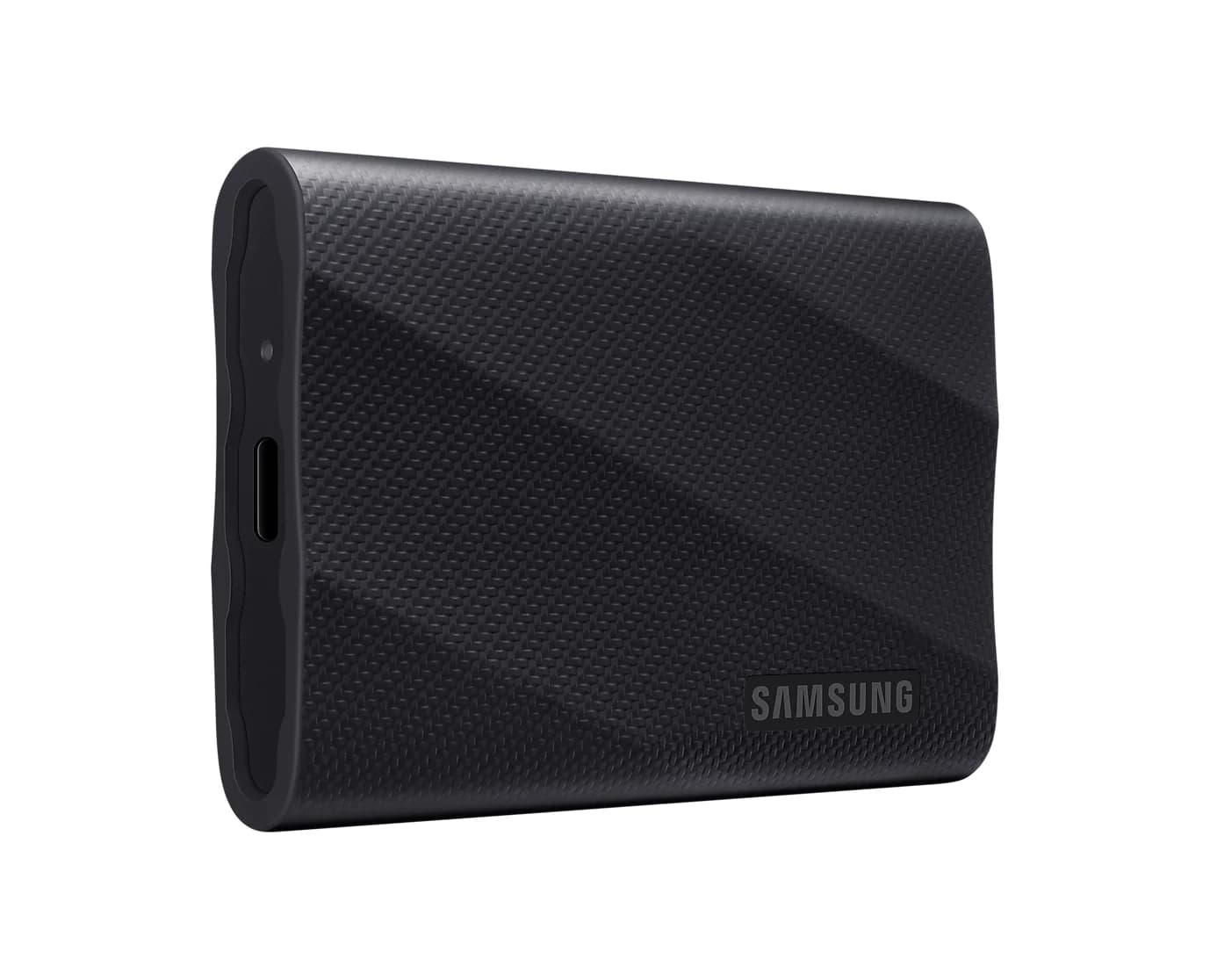
Best if you also edit on a 20Gbps PC
Samsung T9 Portable SSD (2TB, USB 3.2 Gen 2x2)20 Gbps data · 1 port
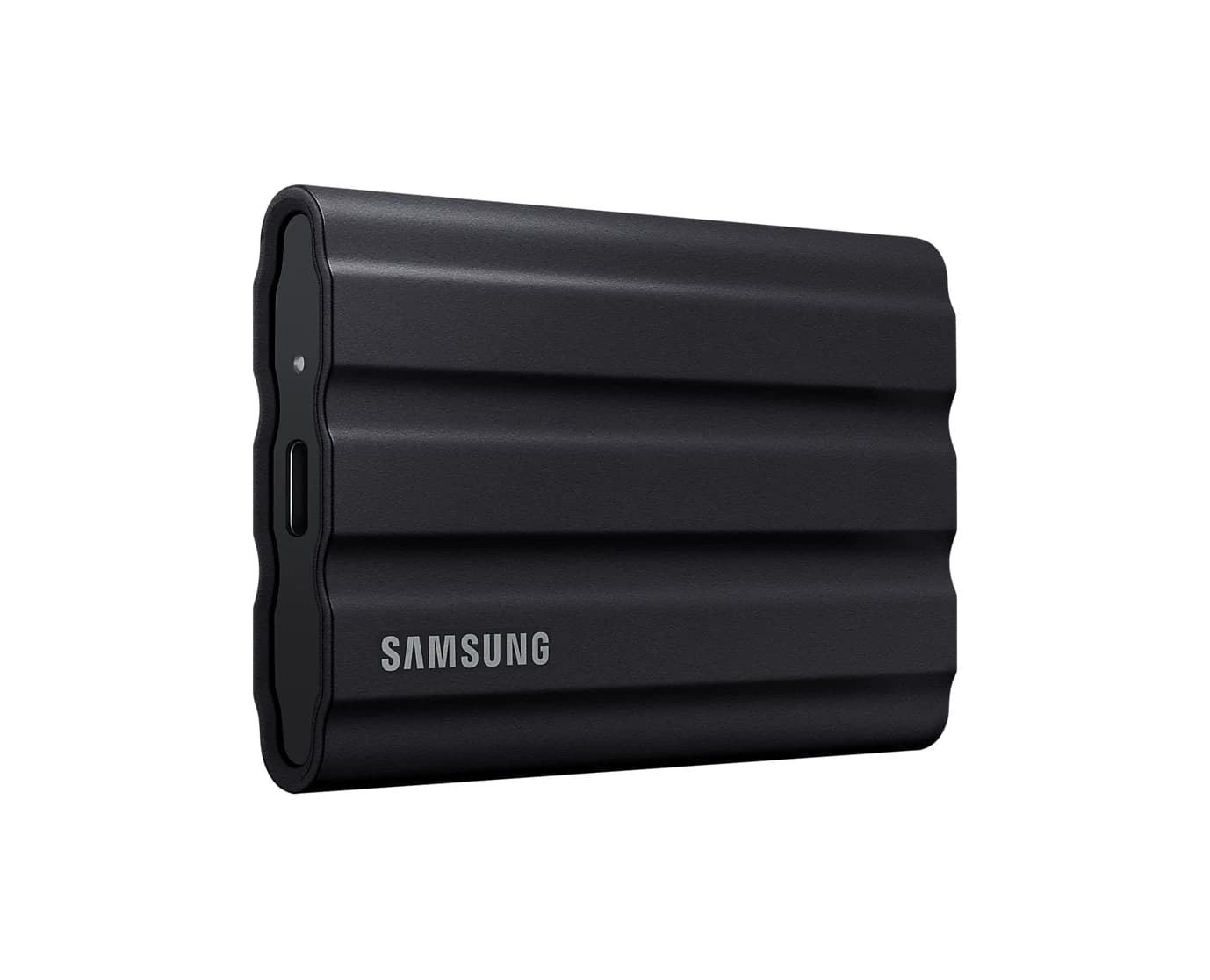
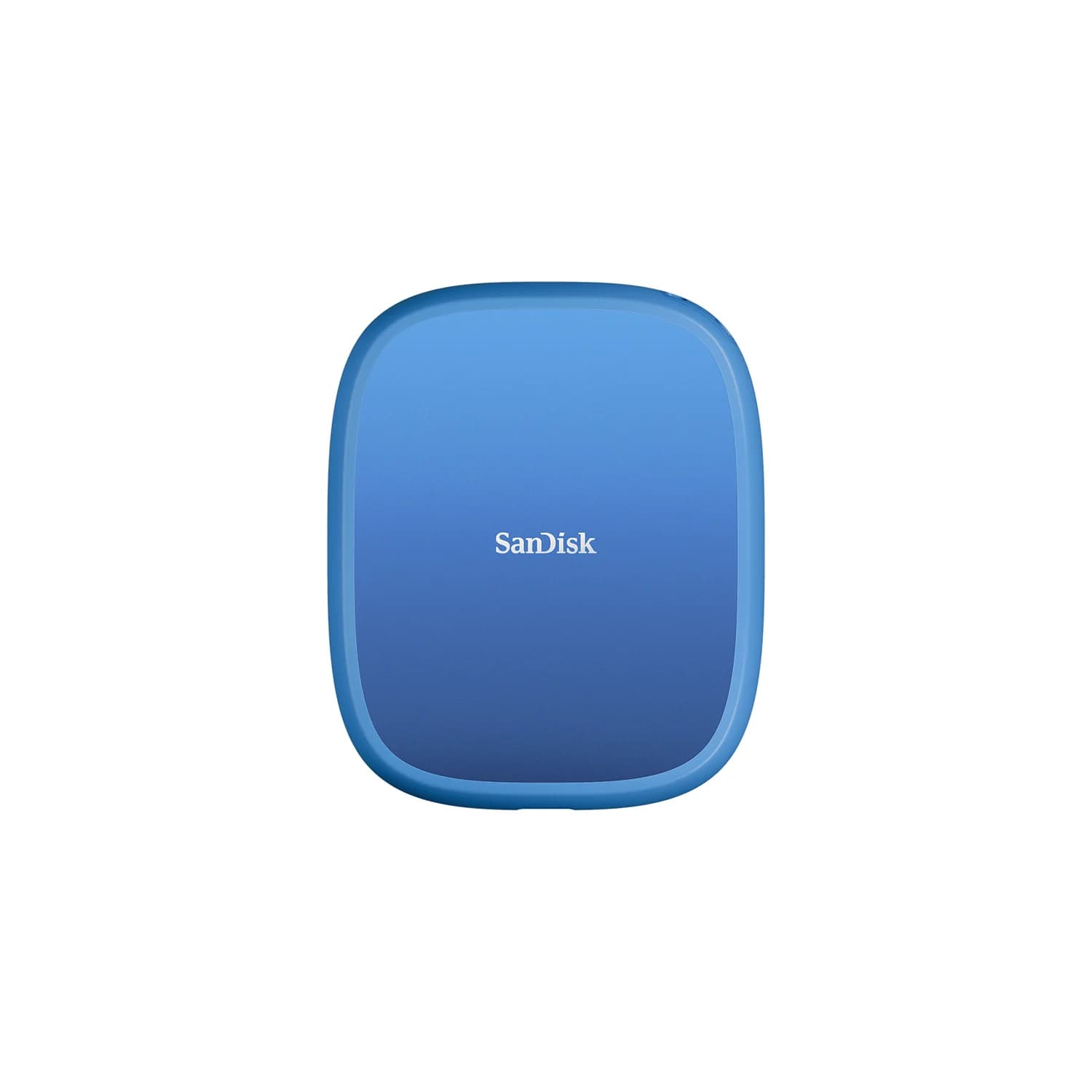
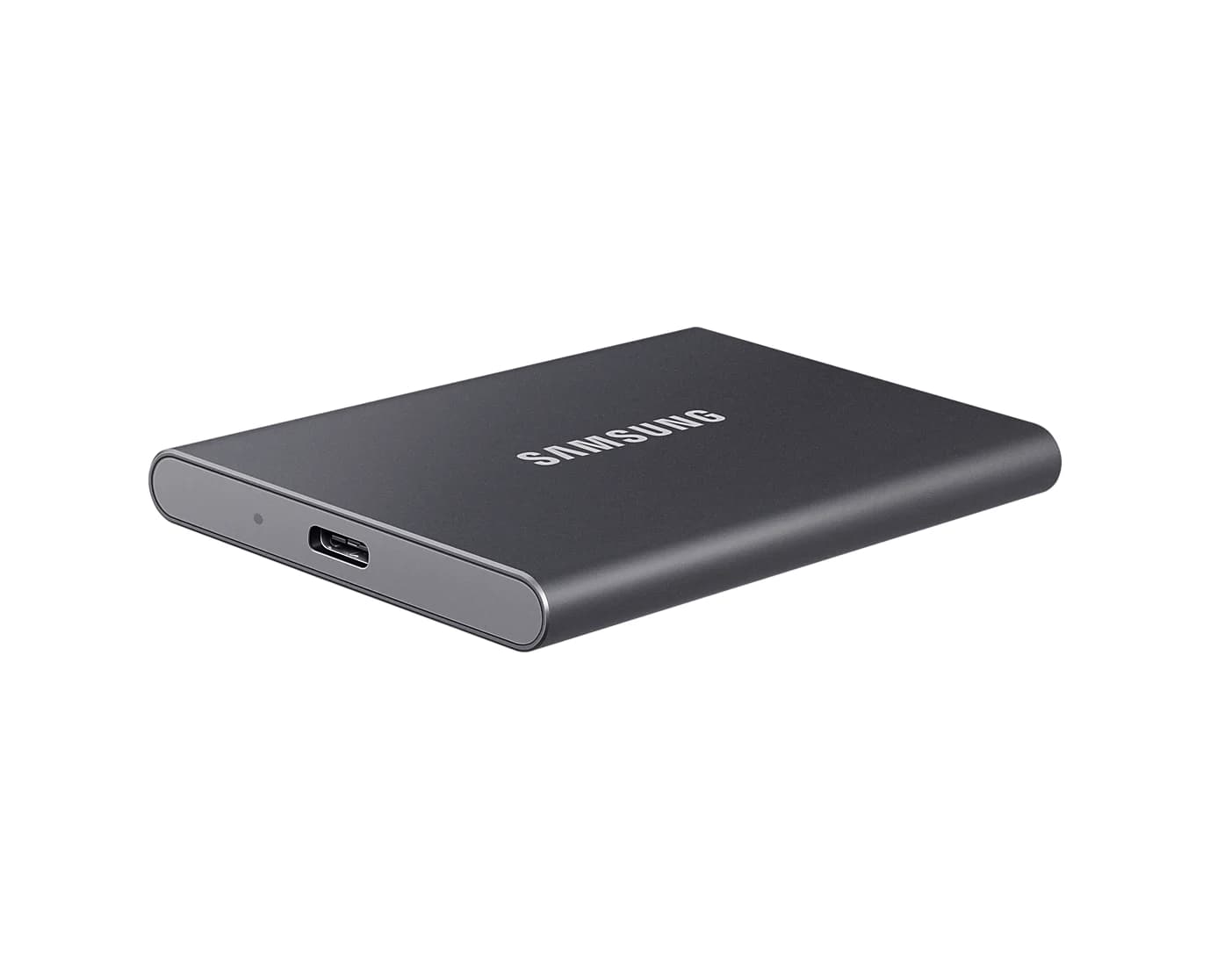
For most iPhone filmmakers the best SSD is the Samsung T7 Shield. Samsung says it meets Apple's power and speed requirements for 4K60 ProRes on iPhone, it's rated at 1,000MB/s write, and it survives drops and rain. If you shoot handheld, the SanDisk Creator Phone SSD snaps onto the back of a MagSafe iPhone, and the plain Samsung T7 is the value pick.
Any of them works with the iPhone 15 Pro, 16 Pro, 17 Pro and 18 Pro models, as long as you follow Apple's rules on format, power and cable. Those rules come first below, because they're where most setups fail.
- 220MB/sMinimum write speed Apple lists for 4K60 ProRes
- 440MB/sMinimum write speed for 4K120 ProRes
- 4.5WMaximum power draw Apple allows for the drive
- 10Gb/sUSB 3 cable rating Apple asks for
Quick picks
| Pick | Award | Rated read / write | Maker's iPhone ProRes claim | Weight |
|---|---|---|---|---|
| Samsung T7 Shield 2TB | Best overall | 1,050 / 1,000MB/s | 4K60 on iPhone 15 Pro; meets Apple's 4.5W limit | 98g |
| SanDisk Creator Phone SSD 1TB | Best for a handheld rig | 1,000 / 950MB/s | 4K60 ProRes; lists iPhone 16 Pro | 54g |
| Samsung T7 1TB | Best value | 1,050 / 1,000MB/s | 4K60 on iPhone 15 Pro; meets Apple's 4.5W limit | 58g |
| Samsung T9 2TB | Best if you also edit on a 20Gbps PC | 2,000 / 1,950MB/s (20Gbps PC) | 4K60 on iPhone 15 Pro; meets Apple's 4.5W limit | 122g |
What Apple requires for recording to an external SSD
These rules come from Apple's ProRes support page, the iPhone User Guide, the iPhone 18 Pro tech specs and Apple's USB-C connector page:
- Supported iPhones. iPhone 15 Pro and 15 Pro Max record ProRes to an external drive at up to 4K at 60 fps. iPhone 16 Pro, 17 Pro and 18 Pro models go up to 4K at 120 fps. On internal storage, ProRes tops out at 4K at 30 fps, and 128GB iPhone 15 Pro and 16 Pro models are limited to 1080p at 30 fps.
- Speed. The drive must write at least 220MB per second for 4K60 and 440MB per second for 4K120. A slower drive can trigger a Slow Recording Speed message.
- Power. For both 4K60 and 4K120, Apple sets a maximum power draw of 4.5W. The phone powers the drive, so a hungry drive won't qualify.
- Format. exFAT only, and password-encrypted drives aren't supported. Apple asks you to reformat the drive in the Files app before each 4K120 session.
- Cable. A USB 3 cable rated at least 10Gb/s.
Apple Log is part of this. Log is a ProRes encoding option on iPhone 15 Pro and later Pro models, and the iPhone 17 Pro and 18 Pro add a choice of Log or Log 2. On the iPhone 18 Pro, Apple has you configure Pro Video Storage, an internal space reserve for pro video, the first time you turn on ProRes. With Final Cut Camera, the iPhone 17 Pro and 18 Pro can also record ProRes RAW to an external drive.
- Yes: iPhone 18 Pro and 18 Pro Max: up to 4K at 120 fps
- Yes: iPhone 17 Pro and 16 Pro models: up to 4K at 120 fps
- Yes: iPhone 15 Pro and 15 Pro Max: up to 4K at 60 fps
- Partly: iPhone Duo: 10Gb/s USB 3, but its tech specs list only HEVC and H.264 video
- No: iPhone 17, iPhone Air, 17e and other non-Pro models: no ProRes recording
- No: APFS-formatted or password-encrypted drives: not supported for ProRes recording
A note on the iPhone Duo: Apple's USB-C page, updated October 22, lists it with the Pro models for external ProRes recording, but the Duo's own spec page doesn't list ProRes at all. We'll update this guide when Apple reconciles the two.
Best overall: Samsung T7 Shield (2TB)
Samsung
Samsung T7 Shield Portable SSD (2TB, Black)
A rugged, rubber-coated 2TB NVMe portable SSD over USB 3.2 Gen 2 with IP65 water and dust resistance.
- 10 Gbps data
- 1 port
Samsung is unusually specific about iPhone use. Its support FAQ says the T7 Shield meets Apple's requirements of under 4.5W and 220MB/s sustained writes at room temperature (25°C), and that Samsung's internal evaluation confirmed 4K60 ProRes recording on the iPhone 15 Pro and 15 Pro Max. Samsung adds that its portable SSDs can run on as little as 2.5W.
On paper the 1,000MB/s write rating is more than double the 440MB/s Apple asks for at 4K120. Samsung hasn't published a 4K120 or newer-iPhone claim, but Apple's requirements are the same for every supported Pro model. The rubber shell is rated IP65 with 3m drop resistance, which suits shooting outdoors, and the 2TB size gives long ProRes sessions room. It weighs 98g, ships as exFAT, and comes with USB-C to C and USB-C to A cables; Samsung recommends using its included cable with an iPhone.
See the Samsung T7 Shield on Amazon
Best for a handheld rig: SanDisk Creator Phone SSD (1TB)
SanDisk
SanDisk Creator Phone SSD (1TB, MagSafe-Compatible)
A 1TB MagSafe-compatible portable SSD over USB 3.2 Gen 2 that attaches to the back of an iPhone for recording ProRes video straight to the drive.
- 10 Gbps data
- 1 port
A drive dangling from a cable is awkward when you're filming. This one attaches magnetically to the back of a MagSafe-compatible iPhone, and SanDisk includes a magnetic ring so it can also stick to a laptop lid. SanDisk advertises recording Apple ProRes 4K at 60 fps straight to the drive and names the iPhone 16 Pro and 16 Pro Max on its product page.
It's rated at 1,000MB/s read and 950MB/s write, weighs 54g, ships as exFAT, and has an IP65 rating, 3m drop protection and a 5-year warranty. SanDisk doesn't list the iPhone 17 Pro or 18 Pro by name or claim 4K120, so treat 4K60 as the maker-backed figure. Like every drive here, it's no faster than a T7 when you offload to a laptop.
See the SanDisk Creator Phone SSD on Amazon
Best value: Samsung T7 (1TB)
Samsung
Samsung T7 Portable SSD (1TB, Titan Gray)
A pocket-size 1TB NVMe portable SSD over USB 3.2 Gen 2 with USB-C and USB-A cables in the box.
- 10 Gbps data
- 1 port
The plain T7 gets the same Samsung FAQ backing as the Shield: under 4.5W, at least 220MB/s sustained at 25°C, and 4K60 ProRes confirmed on the iPhone 15 Pro and Pro Max. It's rated at 1,050MB/s read and 1,000MB/s write in an 85 x 57 x 8mm metal body that weighs 58g, light enough to hang off a phone cage.
You give up the Shield's IP65 rating and rubber armor. 1TB fills quickly with ProRes, so step up in capacity if you shoot long takes. It includes USB-C to C and USB-C to A cables.
Best if you also edit on a 20Gbps PC: Samsung T9 (2TB)
Samsung
Samsung T9 Portable SSD (2TB, USB 3.2 Gen 2x2)
A 2TB NVMe portable SSD rated up to 2,000MB/s over USB 3.2 Gen 2x2 (20Gbps), with USB-C and USB-A cables included.
- 20 Gbps data
- 1 port
Samsung's FAQ lists the T9 alongside the T7 family as meeting Apple's 4.5W and 220MB/s requirements and recording 4K60 ProRes on the iPhone 15 Pro. Its USB 3.2 Gen 2x2 interface is rated up to 2,000MB/s read and 1,950MB/s write, but only on a computer with a 20Gbps port. The iPhone's port is 10Gb/s, so on the phone it behaves like a T7.
So buy it only if you offload to a Windows PC with a 20Gbps USB-C port. Macs don't support 20Gbps USB drives, as our portable SSD guide explains. It has a 5-year warranty and 3m drop resistance, but no water or dust rating, and at 122g it's the heaviest drive here.
Which cable?
Every drive here comes with its own USB-C to USB-C cable, so you shouldn't need to buy one; Samsung lists the T7 Shield's as USB 3.2 Gen 2 (10Gb/s) and recommends its own cables for iPhone use. For a spare or longer cable, look for a 10Gb/s, USB4 or Thunderbolt rating, such as the Plugable Thunderbolt 5 cable, which is backward compatible with USB-C devices. Charging-only cables, including most 240W braided cables, are USB 2 and won't work. Our USB-C cable types explainer shows how to tell them apart.
Source: Maker spec sheets and Apple's ProRes support page
Setting up the drive
- Plug the drive into the iPhone with the drive's own cable or another cable rated 10Gb/s.
- In the Files app, erase it as ExFAT if it isn't already, and again before each 4K120 session.
- In Settings > Camera > Formats, turn on Apple ProRes. On an iPhone 18 Pro, configure Pro Video Storage when asked, and choose Log or Log 2 here on the 17 Pro and 18 Pro.
- In the Camera app's Video mode, tap the resolution and frame rate to pick a ProRes option.
Apple's Camera app saves to the drive while it's connected. Disconnect the drive to record to the iPhone again.
How we choose
We haven't recorded with these drives ourselves. Our picks come from research:
- Apple's rules first. Supported models, speeds, the 4.5W power limit, exFAT and the cable rating come from Apple's support pages, user guide and tech specs.
- Maker claims, quoted as written. Samsung's support FAQ and SanDisk's product page are the only sources for each drive's iPhone and ProRes claims. Where a maker names only older iPhones or 4K60, we say so.
- Spec sheets and known patterns. Speeds, weights and ratings come from Samsung and SanDisk data sheets. None of them publishes a sustained-write figure, so we compare rated speeds against Apple's minimums with that caveat.
We left out Crucial's X9 and X10 Pro because Micron stopped shipping Crucial consumer drives in February 2026. Lexar's Professional Go plugs straight into the phone without a cable, but Lexar's pages list only the iPhone 15 Pro and 16 Pro, so it's out until Lexar lists newer models.
Buying tips
Buy capacity for the format you shoot. Apple says ProRes files are up to 30 times larger than HEVC, and Final Cut Camera notes that one minute of full-sensor ProRes RAW at 30 fps can take more than 10GB. A 1TB drive is fine for clips; choose 2TB for long takes or RAW.
Plug straight in. Connect the drive directly to the phone with its cable, so the whole path meets Apple's 10Gb/s cable rule and the 4.5W limit applies to the drive alone.
Offloading is a separate job. Any USB-C iPhone can copy finished videos to these drives, and so can a laptop. For small photo backups, a phone flash drive from our USB-C flash drive guide is cheaper.
Verdict
Buy the Samsung T7 Shield for the best-documented iPhone ProRes support, rugged protection and room for long sessions. Choose the SanDisk Creator Phone SSD if you film handheld and want the drive on the back of the phone, or the Samsung T7 to save money with the same Samsung backing. The Samsung T9 only makes sense if your editing PC has a 20Gbps port. Whichever you pick, format it exFAT and connect it with the drive's own cable or another 10Gb/s cable.
Frequently asked questions
Which iPhones can record ProRes to an external SSD?
Apple lists the iPhone 15 Pro and 15 Pro Max (up to 4K at 60 fps to an external drive) and the iPhone 16 Pro, 17 Pro and 18 Pro models (up to 4K at 120 fps). Other iPhones, including the iPhone 17, iPhone Air and 17e, don't record ProRes. Any USB-C iPhone can still copy photos and videos to an SSD in the Files or Photos app.
What cable do I need to record ProRes to an SSD on iPhone?
Apple asks for a USB 3 cable rated at least 10Gb/s. The USB-C cable that comes with the iPhone is USB 2, so it won't do. Each drive in this guide comes with its own USB-C to USB-C cable, and Samsung recommends using the one in its box. A spare cable rated 10Gb/s, USB4 or Thunderbolt also works.
Should an SSD for iPhone be formatted exFAT or APFS?
exFAT. Apple's ProRes page says the external drive must be formatted exFAT and that password-encrypted drives aren't supported. The iPhone's Files app can erase a drive as APFS, ExFAT or MS-DOS (FAT), so pick ExFAT. Every drive in this guide ships as exFAT, and Apple asks you to reformat before each 4K120 ProRes session.
How fast does an SSD need to be for 4K120 ProRes on iPhone?
Apple says the drive must write at least 440MB per second for 4K120 ProRes and at least 220MB per second for 4K60, with a maximum power draw of 4.5W. Every drive here is rated at 950MB/s or more on paper, but makers publish peak figures rather than sustained ones, and a slower drive can trigger a Slow Recording Speed message.
Do I need an SSD to shoot Apple Log on iPhone?
For high frame rates, yes. Log is an encoding option for ProRes, and Apple says ProRes on internal storage goes up to 4K at 30 fps, or 1080p at 30 fps on 128GB iPhone 15 Pro and 16 Pro models. 4K60 and 4K120 need a compatible external drive. On the iPhone 18 Pro you also set up Pro Video Storage before turning ProRes on.
Can the iPhone Duo record ProRes to an external drive?
Apple's own pages disagree right now. The iPhone Duo has 10Gb/s USB 3, and Apple's USB-C support page lists it among models that record ProRes to external storage, but the Duo's tech specs list only HEVC and H.264 video. Until Apple clarifies, treat a fast SSD as an offload drive for the Duo, not a ProRes recorder.
Related guides
Best USB-C Flash Drives in 2026 (USB-C and Dual USB-C/USB-A)
USB-C and dual USB-C/USB-A flash drives for iPhone, Android, Mac and PC: which speed your port can use, the format to pick, and when an SSD is better.
Updated October 30, 2026Read
Best Portable SSDs in 2026
The right portable SSD for a Mac, PC, iPhone Pro or console. 10Gbps, 20Gbps and USB4 drives compared, and why a 20Gbps drive runs at half speed on a Mac.
Updated October 30, 2026Read