Best picks
Best Webcams in 2026: USB-C, USB 3.0 and 4K60 Explained
Four name-brand USB webcams compared on the port and USB speed each needs, 4K30 vs 4K60, Mac, Windows, ChromeOS and iPad support, and how they behave on hubs.
By thisUSB EditorialUpdated October 22, 20269 min read4 picks
Our picks at a glance
- See on Amazon
- See on Amazon
- See on Amazon3
Best auto-tracking
Insta360 Link 2 Pro 4K AI Webcam with 2-Axis Gimbal (Graphite Black)0.48 Gbps data · 1 port
- See on Amazon
For most desks, the Logitech MX Brio is the webcam to buy. It records 4K at 30fps or 1080p at 60fps over a USB-C cable, with a privacy shutter and mics built in. It also shows the theme of this guide: Logitech requires a USB-C port that supports USB 3.0, so the port you plug into decides what you actually get. Streamers who want 4K at 60fps should get the Elgato Facecam 4K, and anyone on a budget or an older USB-A computer should get the Logitech C920s.
Quick picks
| Pick | Award | Top video mode | Camera port and cable | USB needed for the top mode |
|---|---|---|---|---|
| Logitech MX Brio | Best overall | 4K30, 1080p60 | USB-C; USB-C to USB-C 3.0 cable, 1.5 m | USB-C port supporting USB 3.0 |
| Elgato Facecam 4K | Best for streaming | 4K60 (MJPG), HDR up to 4K30 | USB-C; USB-C to USB-C 3.0 cable, 2 m | USB 3.0 (USB 2.0: up to 1080p MJPG) |
| Insta360 Link 2 Pro | Best auto-tracking | 4K30, 1080p60 | USB-C; USB-C cable + USB-A adapter | USB 2.0 rated |
| Logitech C920s Pro HD | Best budget, USB-A | 1080p30 | Attached USB-A cable, 1.5 m | USB 2.0 |
How much USB speed does a webcam need?
USB 2.0 carries 480Mbps. USB 3.0, now called USB 3.2 Gen 1, carries 5Gbps. Rough math shows why the difference matters. Uncompressed video in the common YUY2 format uses 2 bytes per pixel:
| Video mode | Uncompressed data rate (approx.) | Against USB 2.0 (480Mbps) | Against USB 3.0 (5Gbps) |
|---|---|---|---|
| 1080p at 30fps | About 1Gbps | About twice too much | Fits easily |
| 4K at 30fps | About 4Gbps | About 8 times too much | Near the limit |
| 4K at 60fps | About 8Gbps | About 16 times too much | Exceeds it |
So a USB 2.0 webcam always sends compressed video, usually MJPEG, and the computer decodes it. That's how the C920s fits 1080p30 into 480Mbps, and how Insta360 can rate the Link 2 Pro's 4K30 for USB 2.0. Uncompressed 4K30 sits near the limit of a 5Gbps link and 4K60 is well past it, which is why Elgato lists the Facecam 4K's 4K60 mode as MJPG.
What each maker says about ports is more useful than the math:
- Logitech MX Brio: "a USB-C port supporting the USB 3.0 standard." Logitech doesn't say what you get on USB 2.0.
- Elgato Facecam 4K: connect to a USB 3.0 port for best performance; "USB 2.0 ports work too, but only support up to 1080p resolution in MJPG format."
- Insta360 Link 2 Pro: connection listed as "USB-C Cable (USB 2.0) or USB-C to USB-A adapter," at 5V/1A.
- Logitech C920s: USB 2.0 over a USB-A cable.
USB-C or USB-A?
The connector and the speed are separate things. A USB-C port can be USB 2.0, and a blue USB-A port can be 5Gbps. Our USB-C vs USB-A explainer shows how to tell your ports apart.
For these four cameras:
- MX Brio: USB-C to USB-C cable only, with no USB-A adapter in the box. Plug it into a USB-C port that supports USB 3.0; Thunderbolt and USB4 ports qualify.
- Facecam 4K: USB-C to USB-C 3.0 cable. Elgato says USB-A needs a USB-C to USB-A adapter, which isn't included.
- Link 2 Pro: USB-C cable plus a USB-C to USB-A adapter in the box, so it plugs into either.
- C920s: attached USB-A cable. On a USB-C-only laptop, add an adapter such as the Anker USB-C to USB 3.0 Adapter.
Mac, Windows, ChromeOS and iPad
All four are standard UVC webcams, so they work without drivers. The companion software adds image controls and, on the Link 2 Pro, tracking settings. This table shows what each maker lists:
| Webcam | Windows | macOS | ChromeOS | iPadOS |
|---|---|---|---|---|
| Logitech MX Brio | 10 or later | 10.15 or later | Basic webcam use, no Logitech software | Not listed |
| Elgato Facecam 4K | 11 or later | 13 or later | Not listed | 17 or later, USB-C iPads |
| Insta360 Link 2 Pro | 10 or later (no ARM-based Windows for its software) | 11 or later | Not listed | Not listed |
| Logitech C920s | 8 or later | 10.10 or later | Listed | Not listed |
"Not listed" means the maker doesn't promise support, not that the camera can't work. If you use a Chromebook, the two Logitech cameras are the ones with ChromeOS on the spec sheet. On a Snapdragon (ARM) Windows laptop, Insta360's Link Controller app isn't supported, though the camera still works as a standard webcam.
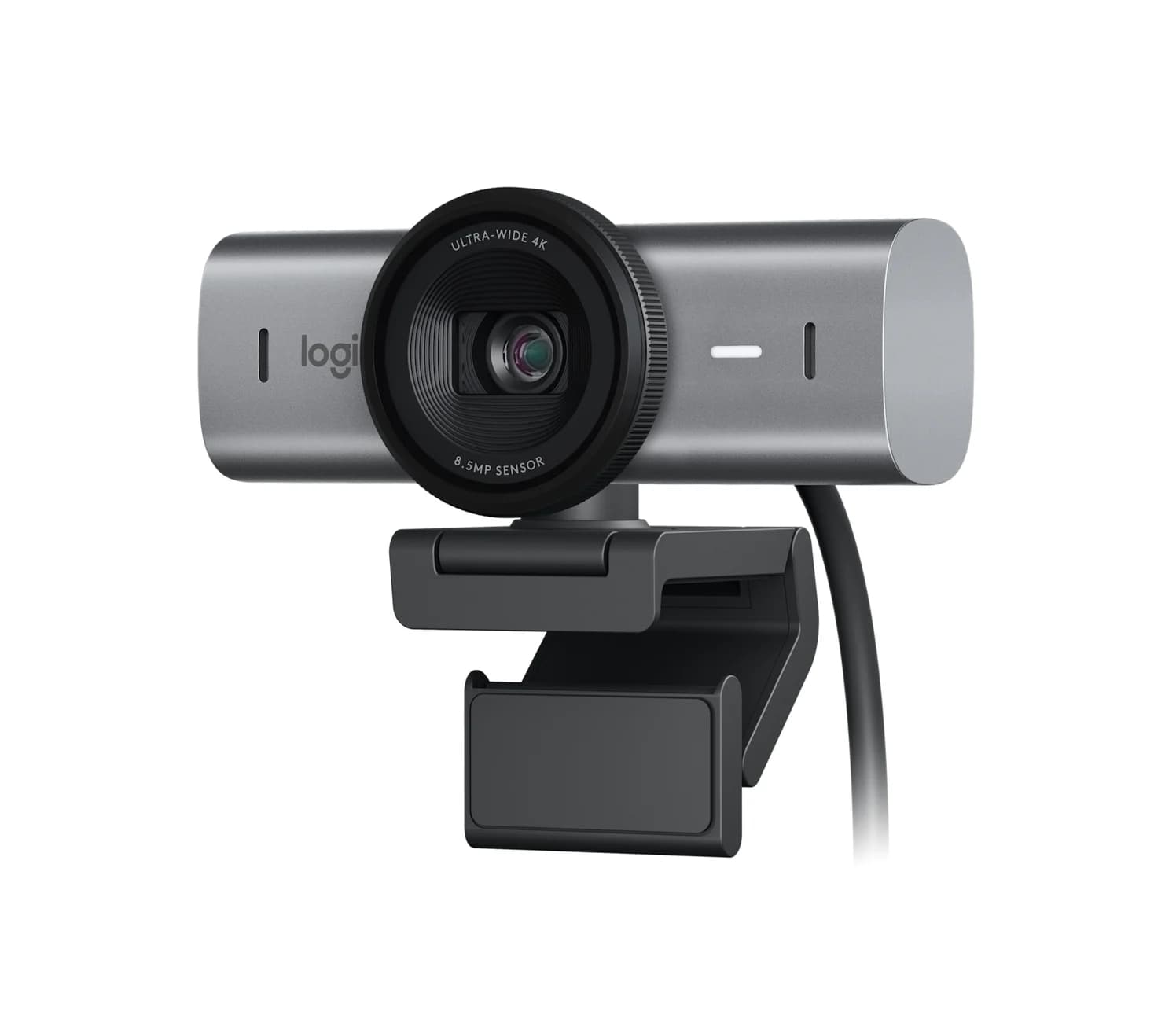
Best overall: Logitech MX Brio
Logitech
Logitech MX Brio 4K Webcam (Graphite)
Logitech's 4K30 / 1080p60 webcam with an 8.5MP Sony STARVIS sensor, dual beamforming mics and a built-in privacy shutter, connected by a detachable USB-C to USB-C cable.
- 5 Gbps data
- 1 port
The MX Brio pairs an 8.5MP Sony STARVIS sensor with 4K at 30fps or 1080p at 60fps. Logitech lists three fields of view (90°, 78° and 65°), dual beamforming mics, a privacy shutter that rotates over the lens, and a clip with a standard tripod thread.
Its cable is the detail that matters for USB. It's a detachable 1.5 m USB-C to USB-C cable rated for USB 3.0, and Logitech requires a USB-C port that supports USB 3.0. A modern MacBook, Windows laptop or Thunderbolt dock fits; an older PC with only USB-A ports needs a different cable.
Logi Options+ and G HUB add fine image controls on Windows and macOS. ChromeOS and Linux get basic webcam use without Logitech software. This listing is Graphite.
See the Logitech MX Brio on Amazon
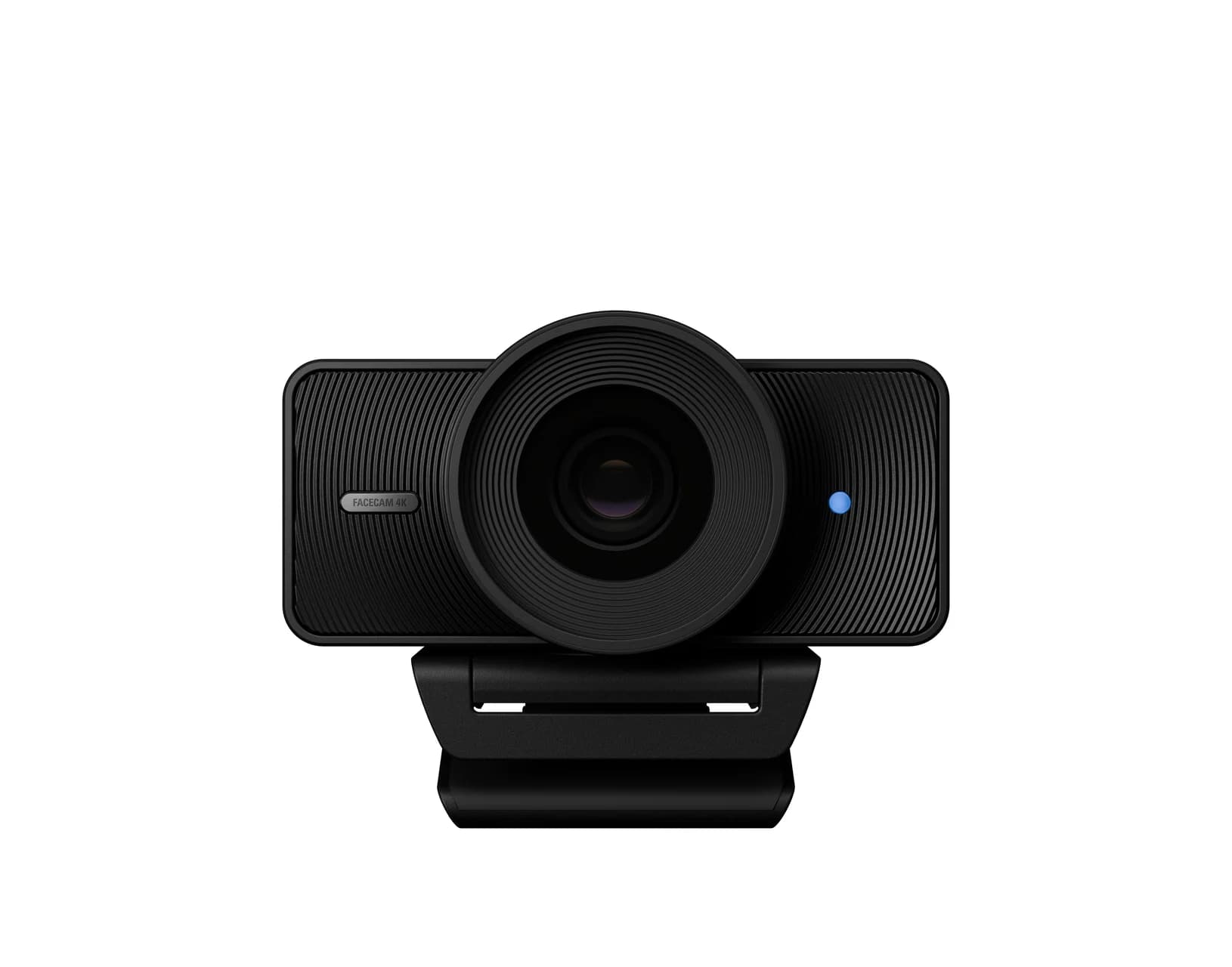
Best for streaming: Elgato Facecam 4K
Elgato
Elgato Facecam 4K Webcam (Black)
Elgato's 4K60 studio webcam with a 1/1.8-inch Sony STARVIS 2 sensor, fixed-focus f/4.0 lens and 49 mm filter thread, connected over USB-C with a USB 3.0 cable in the box.
- 5 Gbps data
- 1 port
The Facecam 4K is built for streamers and creators who control their own lighting. Elgato lists 4K at 60fps (MJPG), 1440p60 and 1080p60, plus HDR up to 4K30. It uses a 1/1.8-inch Sony STARVIS 2 sensor and a 49 mm thread for lens filters. Settings are stored in the camera, so they follow it from one computer to another.
USB 3.0 is the requirement here. On a USB 2.0 port, Elgato says it tops out at 1080p MJPG. The 2 m USB-C to USB-C 3.0 cable in the box is long enough to reach a desktop tower. It's also the only camera here with iPadOS on its spec sheet: Elgato lists iPadOS 17 or later on USB-C iPads.
There's no built-in microphone, by design, and no built-in shutter; Elgato sells a lens cap separately. Elgato lists only Windows 11 and macOS 13 or later. The colour is inferred from the default model number, Black.
See the Elgato Facecam 4K on Amazon
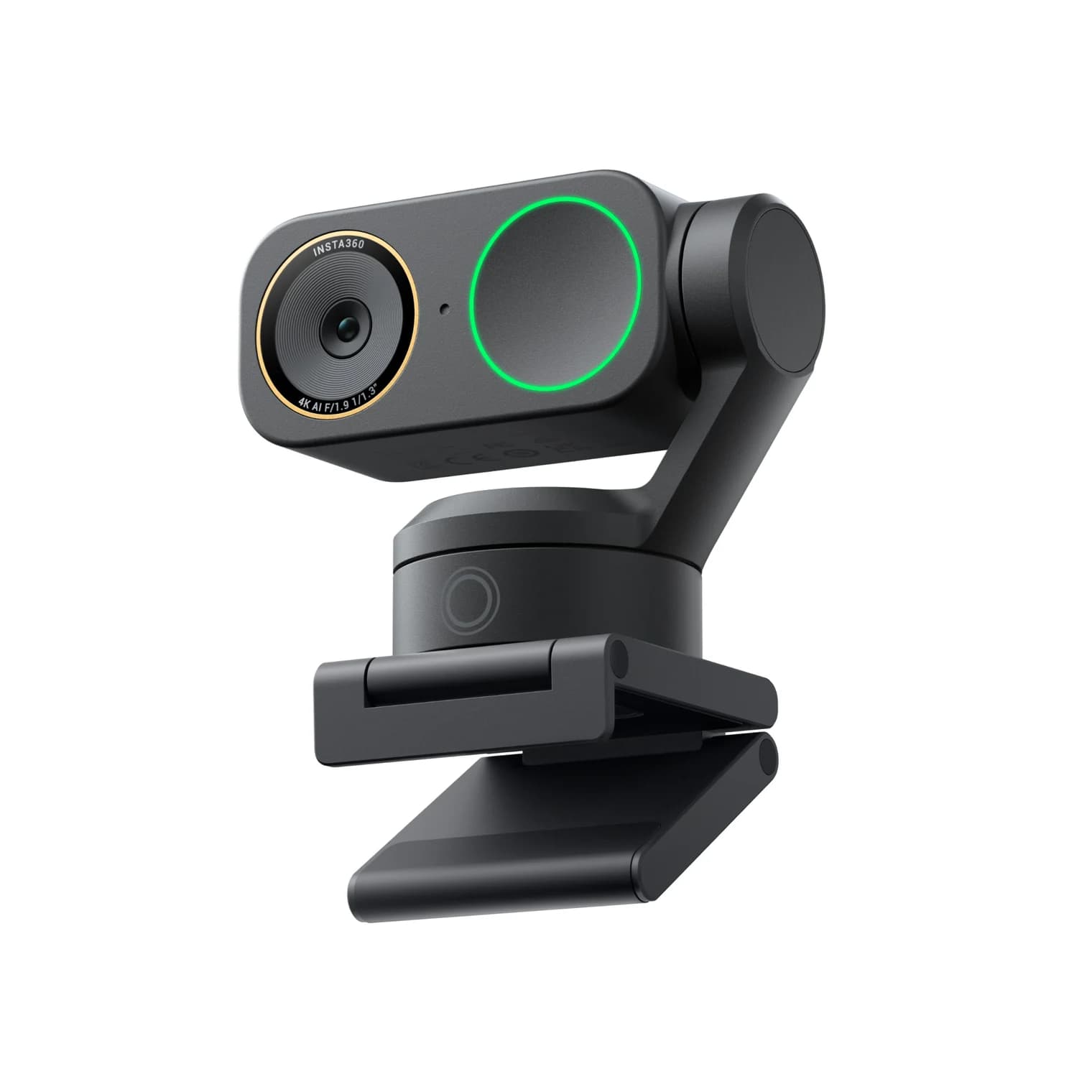
Best auto-tracking: Insta360 Link 2 Pro
Insta360
Insta360 Link 2 Pro 4K AI Webcam with 2-Axis Gimbal (Graphite Black)
Insta360's flagship gimbal webcam: a 1/1.3-inch sensor shooting up to 4K30 on a 2-axis motorized gimbal for AI tracking, connected over USB-C at USB 2.0.
- 0.48 Gbps data
- 1 port
The Link 2 Pro sits on a 2-axis gimbal that physically pans and tilts to keep you in frame, which helps if you stand, teach at a whiteboard or demo things on a desk. Insta360 lists a 1/1.3-inch sensor with an f/1.9 lens, 4K at up to 30fps, 1080p at up to 60fps, and HDR. Dual mics have AI noise cancelling. Don't confuse it with the Link 2C Pro, which has no gimbal.
It's the most forgiving camera here for USB. Insta360 rates the connection as USB 2.0 at 5V/1A and includes a USB-C to USB-A adapter. That suits older desktops and crowded hubs. Insta360 lists its power input as 5V/1A, so if it resets on a bus-powered hub, move it to a port on the computer or a powered hub.
The Link Controller app runs on Windows 10 or later and macOS 11 or later, but not on ARM-based Windows, and has no Linux version. ChromeOS isn't listed. This listing is Graphite Black, Standard Bundle.
See the Insta360 Link 2 Pro on Amazon
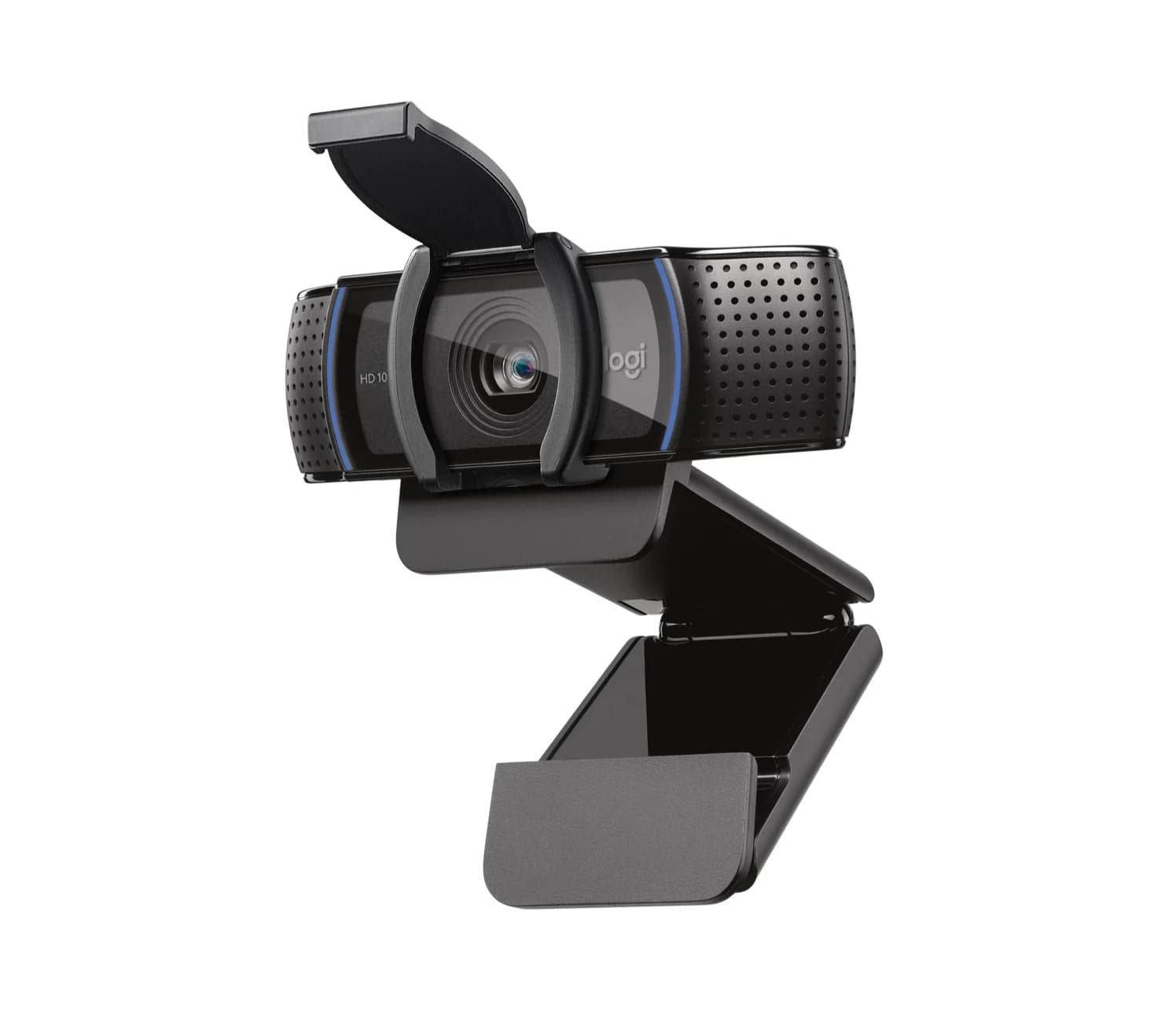
Best budget, USB-A: Logitech C920s Pro HD
Logitech
Logitech C920s Pro HD Webcam with Privacy Shutter (Black)
Logitech's long-running 1080p30 webcam with stereo mics, a clip-on privacy shutter and an attached USB-A cable.
- 0.48 Gbps data
The C920s is the long-running, widely recommended 1080p webcam, and its USB story is simple. It uses USB 2.0 over an attached 1.5 m USB-A cable, so it works on almost any computer, monitor USB port or hub. It tops out at 1080p at 30fps with a fixed 78° field of view. Stereo mics, a clip-on privacy shutter and a tripod-ready clip are included.
Logitech lists Windows 8 or later, macOS 10.10 or later and ChromeOS. Logi Tune, G HUB and Capture are optional. The limits are the attached cable, which can't be swapped for a longer one, and the lack of 60fps or 4K. On a USB-C-only laptop, add a USB-C to USB-A adapter. This listing is Black.
See the Logitech C920s on Amazon
Webcams and USB hubs
Most webcam problems on a desk come from the hub, not the camera. Four checks:
- Everything on a hub shares one link. A 5Gbps hub gives all its ports 5Gbps combined. A 4K webcam on the same hub as a portable SSD during a backup can drop resolution or frames. USB 3 hubs carry USB 2.0 devices on a separate 480Mbps path, which every USB 2.0 device on that hub shares.
- Know which ports are fast. Some hubs mix speeds. The UGREEN Revodok 105, for example, has one 5Gbps USB-A port and two USB 2.0 ports. A USB 3.0 webcam belongs on the fast one.
- Watch the power budget. A bus-powered hub splits what one laptop port supplies. If a webcam disconnects or resets, move it to a powered hub such as the Plugable 7-Port Charging Hub, which has its own 60W adapter and a 2-in-1 USB-C/USB-A host cable. Our powered USB hub guide explains the numbers.
- Give a 4K camera a direct or fast port. Plug it straight into the computer, or into a 10Gbps hub like the StarTech.com 10Gbps 4-port hub, whose USB-C ports take the MX Brio's and Facecam's USB-C cables directly.
For full desk hubs, see our desk setup hub guide and, for Macs, our MacBook hub guide.
How we choose
We haven't put these webcams on a test bench. Our picks come from research:
- Maker spec sheets. Resolutions, frame rates, sensors, cables and OS support come from Logitech, Elgato and Insta360. Where a maker doesn't say something, such as the MX Brio's behaviour on USB 2.0, we don't guess.
- USB standards. USB 2.0 and 5Gbps bandwidth figures, plus the rough data-rate math above, explain why some cameras need USB 3.0.
- Compatibility. Each maker's own OS list, including ChromeOS and iPadOS where they publish it.
- Reputation. Current models from established webcam brands with ongoing software support.
Buying guide
Match the camera to your port first. If your computer only has USB-A ports or a USB 2.0 hub, a USB 2.0 camera like the C920s or Link 2 Pro avoids surprises. A USB-C 3.0 port opens up the MX Brio and Facecam 4K.
Decide whether you need 60fps. For calls, 1080p or 4K at 30fps is plenty. 60fps matters for streaming and fast motion; only the Facecam 4K does it at 4K, and the MX Brio and Link 2 Pro do it at 1080p.
Check mics and privacy. The MX Brio, Link 2 Pro and C920s have built-in mics. The Facecam 4K has none, so plan on a separate microphone. Only the MX Brio has a built-in shutter; the C920s includes a clip-on one.
Mind the hub. A 4K webcam deserves a fast, uncrowded port, and anything that disconnects deserves a powered hub.
Verdict
Get the Logitech MX Brio for the best all-round USB-C webcam, as long as you have a USB-C port that supports USB 3.0. Streamers should get the Elgato Facecam 4K for 4K at 60fps. The Insta360 Link 2 Pro is the pick if you move around and want the camera to follow, and it's happy on USB 2.0. For a dependable 1080p camera on any USB-A port, the Logitech C920s remains the simple choice.
Frequently asked questions
Does a 4K webcam need USB 3.0?
It depends on the camera, so read the maker's wording. Logitech requires a USB-C port that supports USB 3.0 for the MX Brio. Elgato says the Facecam 4K needs USB 3.0 for 4K and drops to 1080p MJPG on USB 2.0. Insta360 rates the Link 2 Pro's 4K30 for USB 2.0. If a webcam lists USB 3.0, plug it into a 5Gbps or faster port.
Can I plug a webcam into a USB hub?
Yes, with two checks. Use a hub port that matches the camera's needs: a 5Gbps or faster port for a USB 3.0 webcam, not a USB 2.0 port. And remember every device on the hub shares its one link to the computer, so a 4K webcam next to a busy SSD can drop resolution or frames. If a webcam disconnects, try a powered hub.
Do these webcams work on a Mac or a Chromebook?
All four are standard UVC webcams, so they work without drivers. On Mac, Logitech lists macOS 10.15 or later for the MX Brio, Elgato macOS 13 or later and Insta360 macOS 11 or later for its software. For ChromeOS, Logitech lists the C920s and says the MX Brio gets basic webcam support without Logitech software. Elgato and Insta360 don't list ChromeOS.
Can I use a USB-A webcam on a USB-C laptop?
Yes. A USB-C to USB-A adapter or a hub with USB-A ports is all the C920s needs, because it only uses USB 2.0. The Insta360 Link 2 Pro works the other way round: it has a USB-C cable and includes a USB-A adapter. Logitech's MX Brio and Elgato's Facecam 4K ship with USB-C to USB-C cables only.
Does the Elgato Facecam 4K work with an iPad?
Elgato lists iPadOS 17 or later on iPads with a native USB-C port, alongside Windows 11 and macOS 13. Plug it straight into the iPad's USB-C port with the included USB-C to USB-C cable. Logitech and Insta360 don't list iPadOS for the MX Brio or Link 2 Pro.