Best picks
Best Powered USB Hubs in 2026
Powered USB hubs that keep drives, webcams and chargers stable. Compare 4, 7 and 10-port picks by adapter wattage, per-port charging and host connection.
By thisUSB EditorialUpdated September 27, 20266 min read3 picks
Our picks at a glance
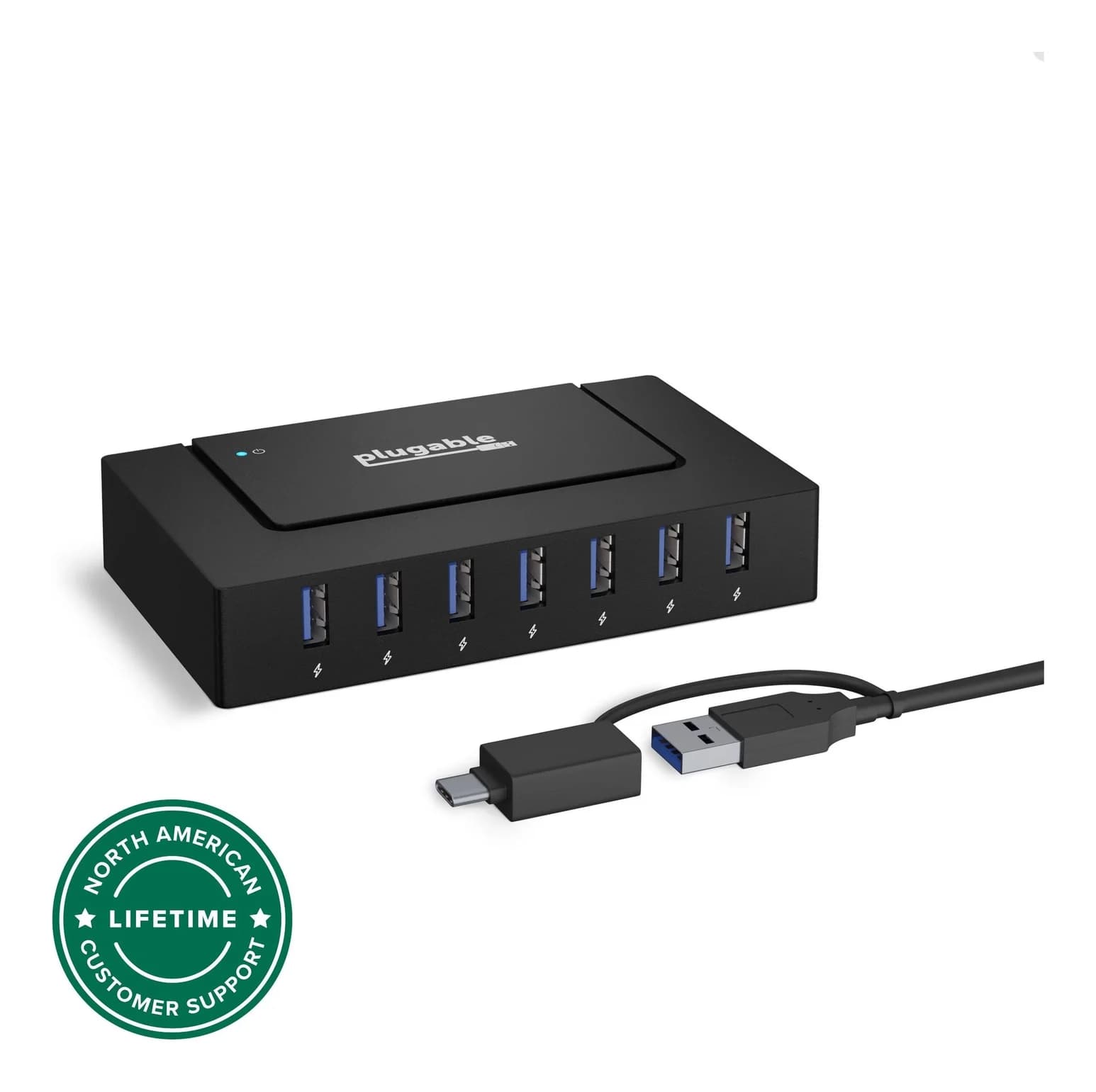
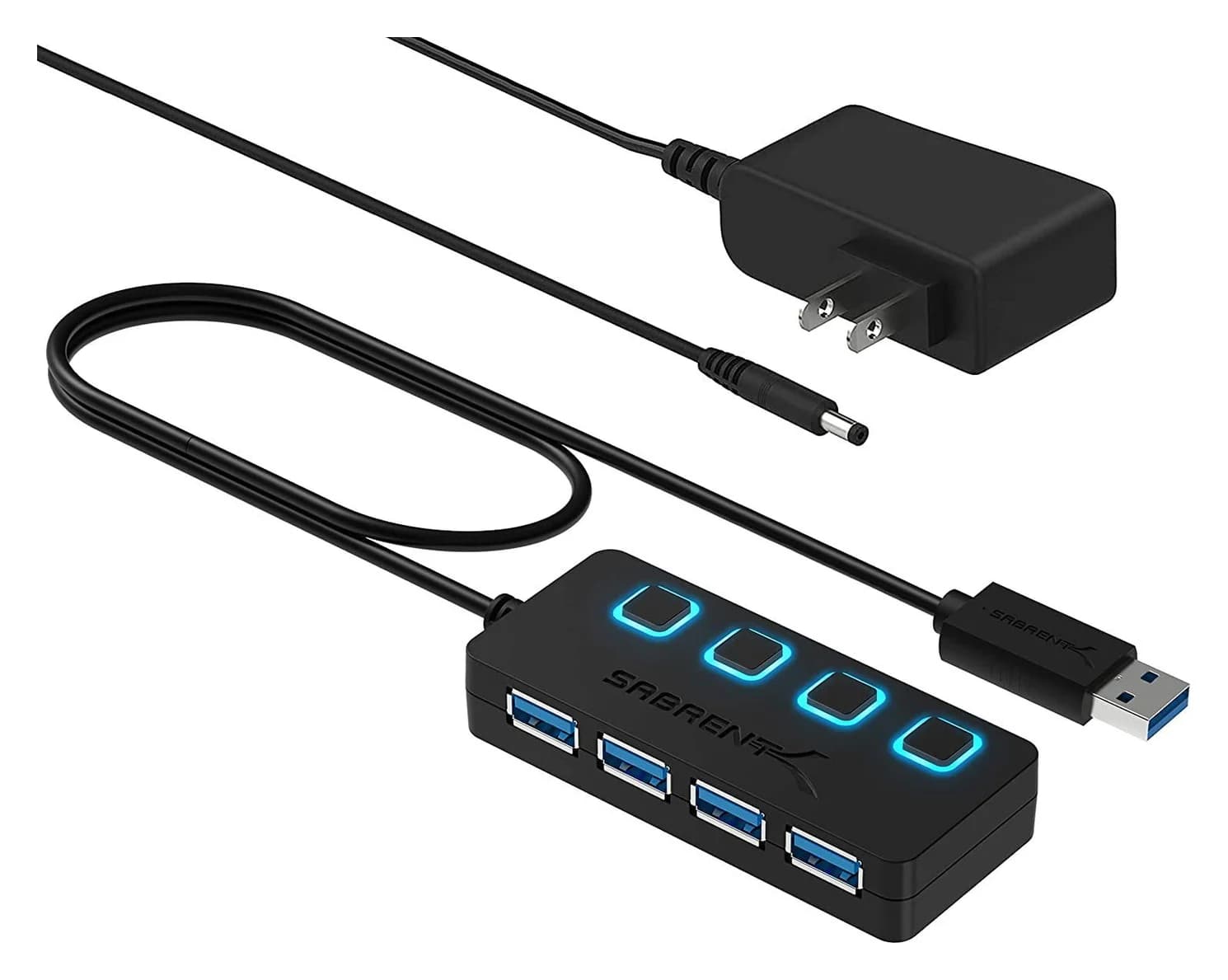
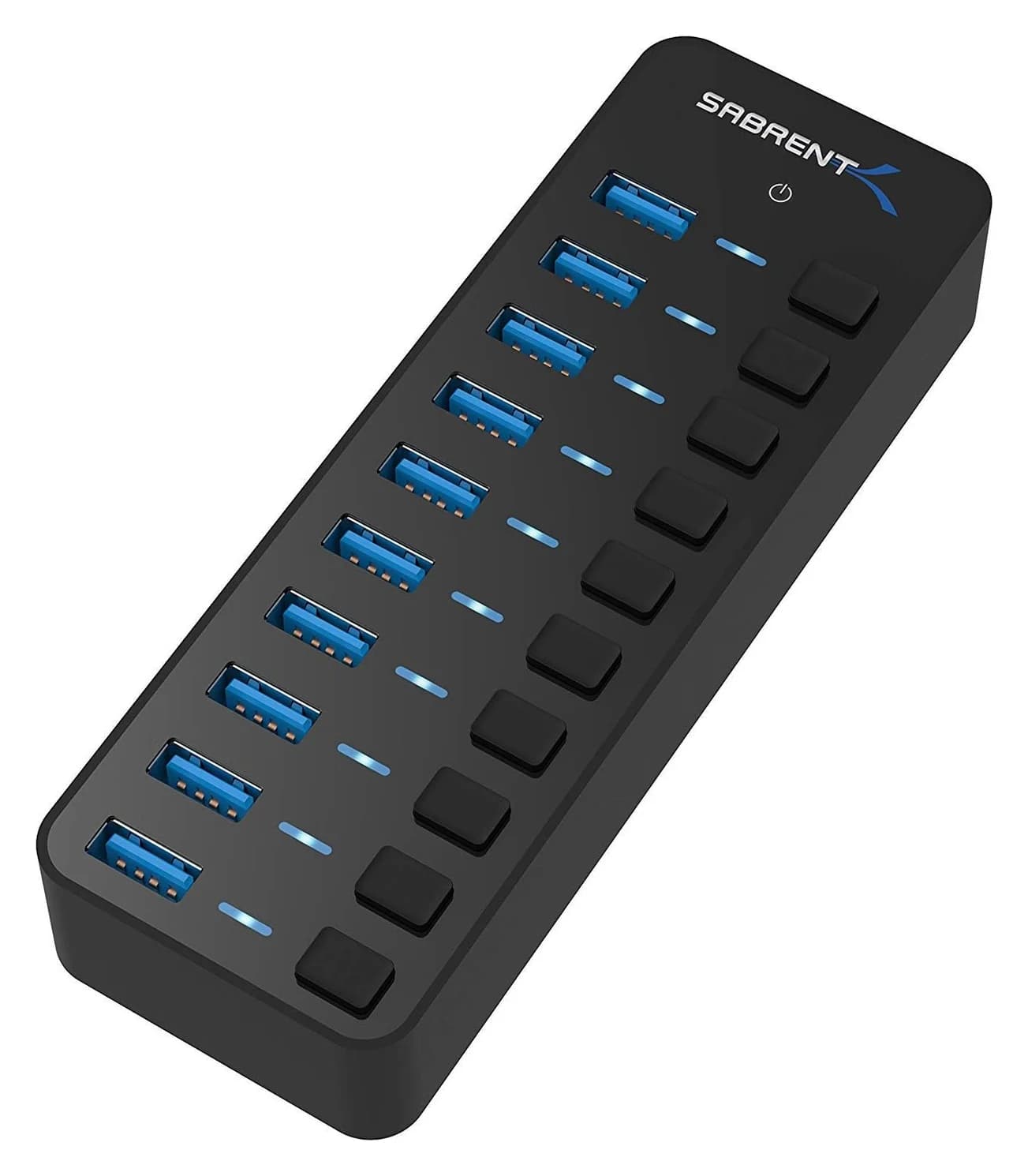
If your desk has more USB gear than your computer can power, get a powered hub. Our top pick is the Plugable USBC-HUB7BC. It has seven 5Gbps ports and a 60W adapter, and its hybrid cable connects to both USB-C and USB-A computers. For a small desk, the Sabrent HB-UMP3 adds four switched ports. For a workshop or lab bench, the Sabrent HB-BU10 has ten.
These are data-and-accessory hubs. They don't add HDMI and don't charge your laptop. For that, see our USB-C hubs with HDMI or Thunderbolt dock guides.
Quick picks
| Pick | Award | Ports | Host connection | Adapter | Extras |
|---|---|---|---|---|---|
| Plugable USBC-HUB7BC | Best overall | 7x USB-A 5Gbps | USB-C or USB-A (2-in-1 cable) | 60W (12V/5A) | Up to 2.4A per port as a standalone charger |
| Sabrent HB-UMP3 | Best compact | 4x USB-A 5Gbps | USB-A | 5V/2.5A | Per-port power switches |
| Sabrent HB-BU10 | Most ports | 10x USB-A 5Gbps | USB-A | 12V/5A (60W) | Per-port power switches |
Why a powered hub?
A single USB 3.0 port supplies 900mA at 5V, about 4.5W. An unpowered hub shares that across everything plugged into it. That's fine for a keyboard and mouse receiver. It isn't fine for two portable hard drives, a webcam and a phone. The usual symptoms are drives that disconnect mid-copy, webcams that reset, and audio that crackles.
A powered hub supplies its own power from a wall adapter, so each port can deliver what it's supposed to. It's the right tool for:
- Portable hard drives and SSD enclosures
- Webcams, USB microphones and audio interfaces
- Printers, scanners, label makers and card readers that stay connected
- Charging small gadgets while the computer's ports stay free
Best overall: Plugable USBC-HUB7BC
Plugable
Plugable USB 3.0 and USB-C 7-Port Charging Hub
A powered 7-port USB-A hub with a 60W adapter and a 2-in-1 cable that connects to USB-C or USB-A computers.
- 5 Gbps data
- 7 ports
This hub's advantage is the cable. Plugable includes a 1m 2-in-1 cable with USB-C and USB-A ends, so the same hub works with a new MacBook, an older Windows desktop or a Chromebook without an adapter. The seven USB-A ports are USB 3.0 (5Gbps), and no drivers are needed on Windows, macOS or Linux.
Power comes from a 60W (12V/5A) UL-certified adapter. Plugable's spec sheet lists BC 1.2 charging at 1.5A per port while connected to a computer, and up to 2.4A per port when the hub is used as a standalone charger. It measures about 1 x 5 x 3 inches, weighs 5 ounces, is stackable, and has a 2-year warranty.
Plugable is explicit about its limits: it doesn't charge the host laptop, and it has no video output.
See the Plugable 7-port hub on Amazon
Best compact: Sabrent HB-UMP3
Sabrent
Sabrent 4-Port USB 3.0 Hub with Power Switches
A compact powered 4-port USB-A 3.0 hub with individual LED power switches and a 5V/2.5A adapter.
- 5 Gbps data
- 4 ports
For a small desk with a predictable set of accessories, four ports is often enough, and a smaller hub is easier to hide. The HB-UMP3 adds four USB 3.0 ports (5Gbps) with an individual power switch and LED for each port. That's handy for turning off a device without unplugging it.
It includes a 5V/2.5A adapter, which is modest. It's plenty for peripherals and a flash drive or two, but not for several bus-powered hard drives at once. The upstream connection is USB-A, so USB-C laptops need a USB-C to USB-A adapter.
See the Sabrent HB-UMP3 on Amazon
Most ports: Sabrent HB-BU10
Sabrent
Sabrent 10-Port 60W USB 3.0 Hub with Power Switches
A powered 10-port USB-A 3.0 hub with individual LED power switches and a 12V/5A (60W) adapter.
- 5 Gbps data
- 10 ports
When you need a lot of ports, such as a lab bench, a device-flashing station or a busy creative desk, the HB-BU10 has ten USB 3.0 ports (5Gbps), each with its own power switch and blue LED. Sabrent includes a 12V/5A (60W) adapter and a 2 ft USB 3.0 host cable, and offers a 2-year warranty with registration.
Keep in mind that all ten ports share one 5Gbps upstream link. Copying from several drives at once will split that bandwidth. It's also larger than the others at 5.7 x 1.9 x 0.94 inches. When we checked, Sabrent's own store listed it as sold out, so confirm availability on the listing.
See the Sabrent HB-BU10 on Amazon
Powered hub vs USB-C hub vs dock
These three product types are easy to confuse, and they solve different problems:
| Need | Powered USB-A hub | USB-C hub (PD pass-through) | Thunderbolt / USB4 dock |
|---|---|---|---|
| More USB-A ports | Yes, many | A few | Several |
| Steady power for drives and gadgets | Yes, own adapter | Limited, shares the laptop charger | Yes, own power supply |
| Charge the laptop | No | Yes, from your charger | Yes, built in |
| HDMI / monitors | No | Usually one | Two or more |
| Ethernet | No | Often | Yes |
If your computer is a desktop tower, or a laptop that stays on a stand next to a charger, a powered hub is often the cheapest fix for "not enough ports." If you want to unplug one cable and take the laptop away, a dock does more.
Setup tips
- Plug drives in first, then power-hungry gadgets. If something disconnects, check the adapter is plugged in. A powered hub without its adapter behaves like an unpowered one.
- Use the rear ports on a desktop. They connect directly to the motherboard and tend to be more reliable upstream links than front-panel ports.
- Keep 2.4GHz receivers away from USB 3.0 traffic. Plugable notes that wireless mouse and keyboard receivers can suffer interference close to USB 3.0 devices. A short extension cable helps.
- Don't chain hubs unless you have to. Every extra hub adds another shared link.
How we choose
We haven't physically tried these hubs. Our picks come from research:
- Spec sheets. Port counts, speeds, adapter specs and charging currents come from Plugable's and Sabrent's product pages.
- Standards. We compare hubs against USB 3.0 port power (900mA), BC 1.2 charging (up to 1.5A), and the 5Gbps shared-upstream limit that applies to every hub here.
- Compatibility. We check which host connectors each hub supports out of the box and what adapters you'd need.
- Known buyer patterns. The most common complaint is drive disconnects on underpowered hubs.
We also check that each ASIN matches the maker's model. This guide's previous picks were listed under the wrong brand names: one "Anker" hub ASIN was actually the Sabrent HB-UMP3, and a "Sabrent 10-port" ASIN belonged to a different brand. We corrected both.
Buying guide
Size the adapter to your devices. Add up what you'll connect. Keyboards and receivers need almost nothing. Portable hard drives, webcams and phones need much more. For a desk with drives and charging, look for 36W or more. A 60W adapter leaves headroom.
Check the upstream connector. USB-A hubs work with USB-C computers through an adapter, but a hybrid cable like Plugable's is tidier. Upstream speed caps the whole hub. A 5Gbps hub shares 5Gbps across all ports.
Switches are more useful than they look. Per-port switches let you power-cycle a stuck device or keep a drive offline without unplugging it.
Know what a powered hub won't do. No HDMI, no Ethernet, no laptop charging. If you need those, see USB hubs for desk setups or USB-C hubs for Windows laptops.
Placement. Ports that face up or out are easier to use. Stackable or wall-mountable hubs help keep cables tidy.
Not sure whether you need USB-C or USB-A? Our USB-C vs USB-A explainer covers the differences.
Verdict
The Plugable USBC-HUB7BC is the easiest powered hub to recommend. It has seven ports, a 60W adapter, and a cable that works with both USB-C and USB-A computers. Choose the Sabrent HB-UMP3 if four switched ports is all your desk needs. Choose the Sabrent HB-BU10 if you need ten ports and don't mind a larger hub on the desk.
Frequently asked questions
What is the difference between a powered and unpowered USB hub?
An unpowered (bus-powered) hub shares whatever power your computer's single port supplies, which for USB 3.0 is 900mA at 5V. A powered hub has its own wall adapter, so each connected device can draw its full share without starving the others. That matters for external hard drives, webcams, audio interfaces and anything you want to charge.
Can a powered USB hub charge my laptop?
Not these. USB-A powered hubs send power to connected devices only, and Plugable states explicitly that its 7-port hub does not charge the host laptop. To charge a laptop through a hub, you need a USB-C hub with Power Delivery pass-through or a Thunderbolt dock with host charging.
Do I need a powered hub for an external hard drive?
Often, yes. Portable 2.5-inch hard drives draw noticeable power when spinning up, and two or more on an unpowered hub commonly cause disconnects. A powered hub with a 36W-60W adapter gives each drive steady power. Desktop 3.5-inch drives have their own power bricks and don't depend on the hub.
Will a USB 3.0 hub work with a USB-C laptop?
Yes, with the right cable or adapter. The Plugable 7-port hub includes a 2-in-1 USB-C/USB-A cable. The Sabrent hubs use a USB-A upstream cable, so a USB-C laptop needs a USB-C to USB-A adapter. Data speed is limited by the hub, 5Gbps in all three cases.
Related guides
Best USB-C Hubs for Windows Laptops in 2026
USB-C hubs for Dell, HP, Lenovo and ASUS laptops, picked from spec sheets. Covers 4K HDMI, dual monitors over MST, Ethernet and pass-through charging.
Updated September 27, 2026Read
Best USB-C Hubs for MacBook in 2026
Add HDMI, USB-A, SD cards and Ethernet to your MacBook Air or Pro. We compare four USB-C hubs on spec sheets, display limits and macOS compatibility.
Updated September 27, 2026Read
USB-C vs USB-A Explained: Speed, Power and Video in 2026
USB-C vs USB-A in plain English: what each connector can carry, what 5Gbps to 80Gbps means, how charging works, and which hub or dock fits your ports.
Updated September 27, 2026Read