Best picks
Best USB-C Hubs for MacBook in 2026
Add HDMI, USB-A, SD cards and Ethernet to your MacBook Air or Pro. We compare four USB-C hubs on spec sheets, display limits and macOS compatibility.
By thisUSB EditorialUpdated September 27, 20266 min read4 picks
Our picks at a glance
- See on Amazon1
Best overall for MacBook
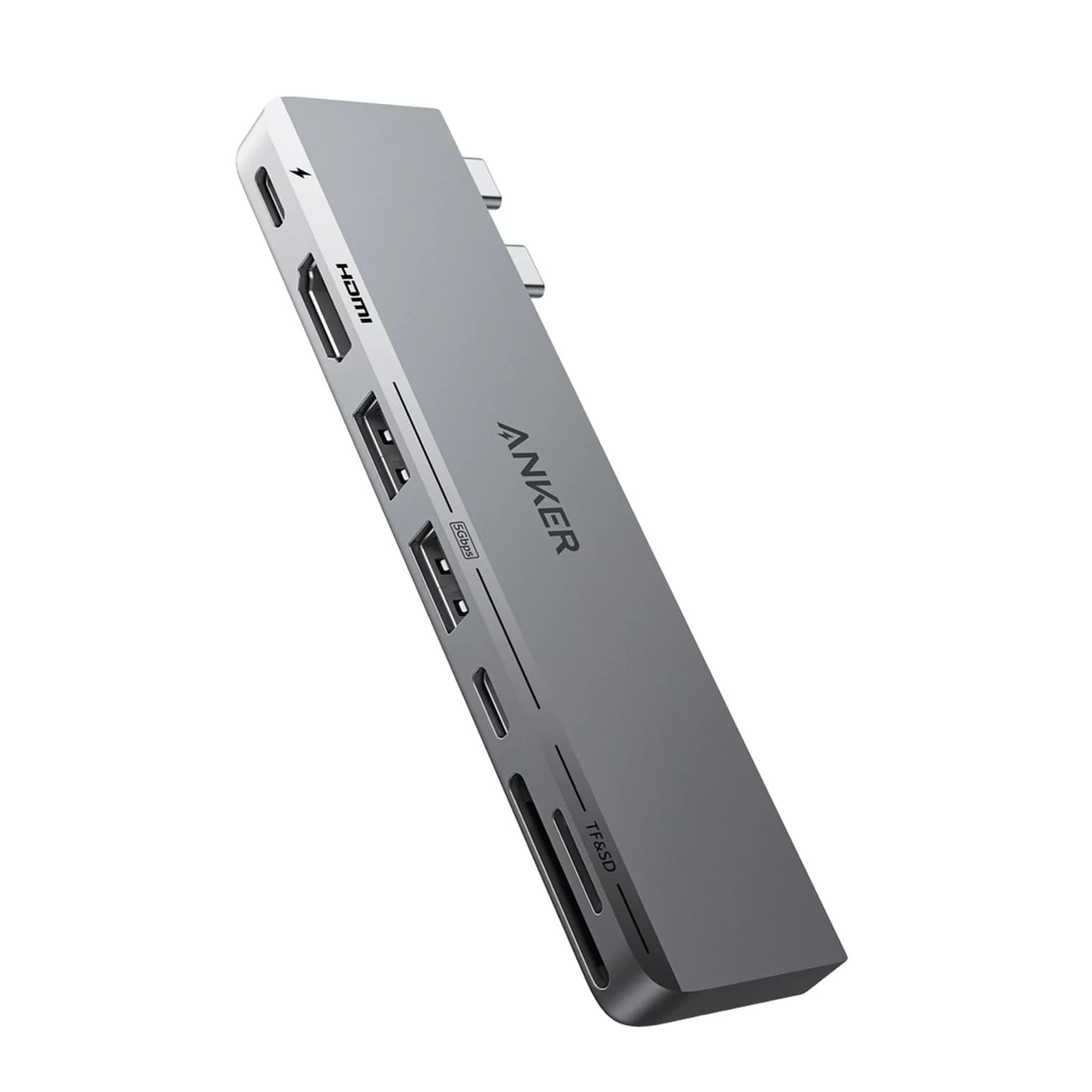
Anker 547 USB-C Hub (7-in-2, for MacBook)100W PD passthrough · 40 Gbps data · 4K60 video · 7 ports
- See on Amazon2
Best single-cable hub
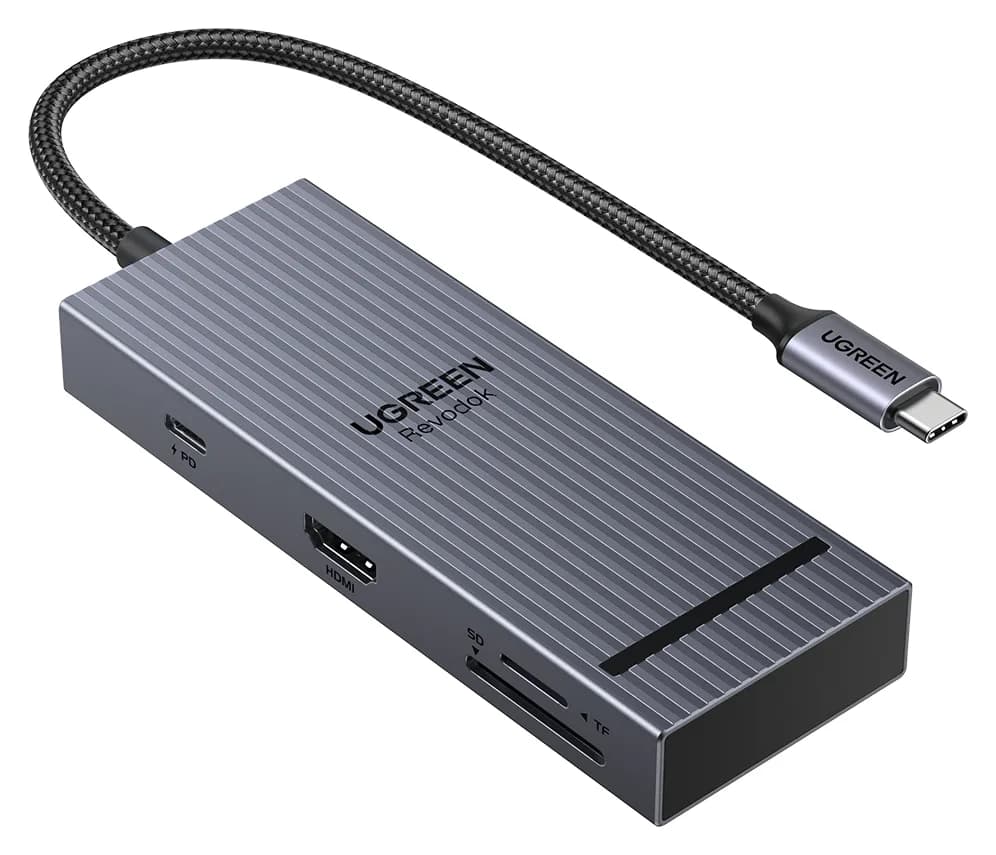
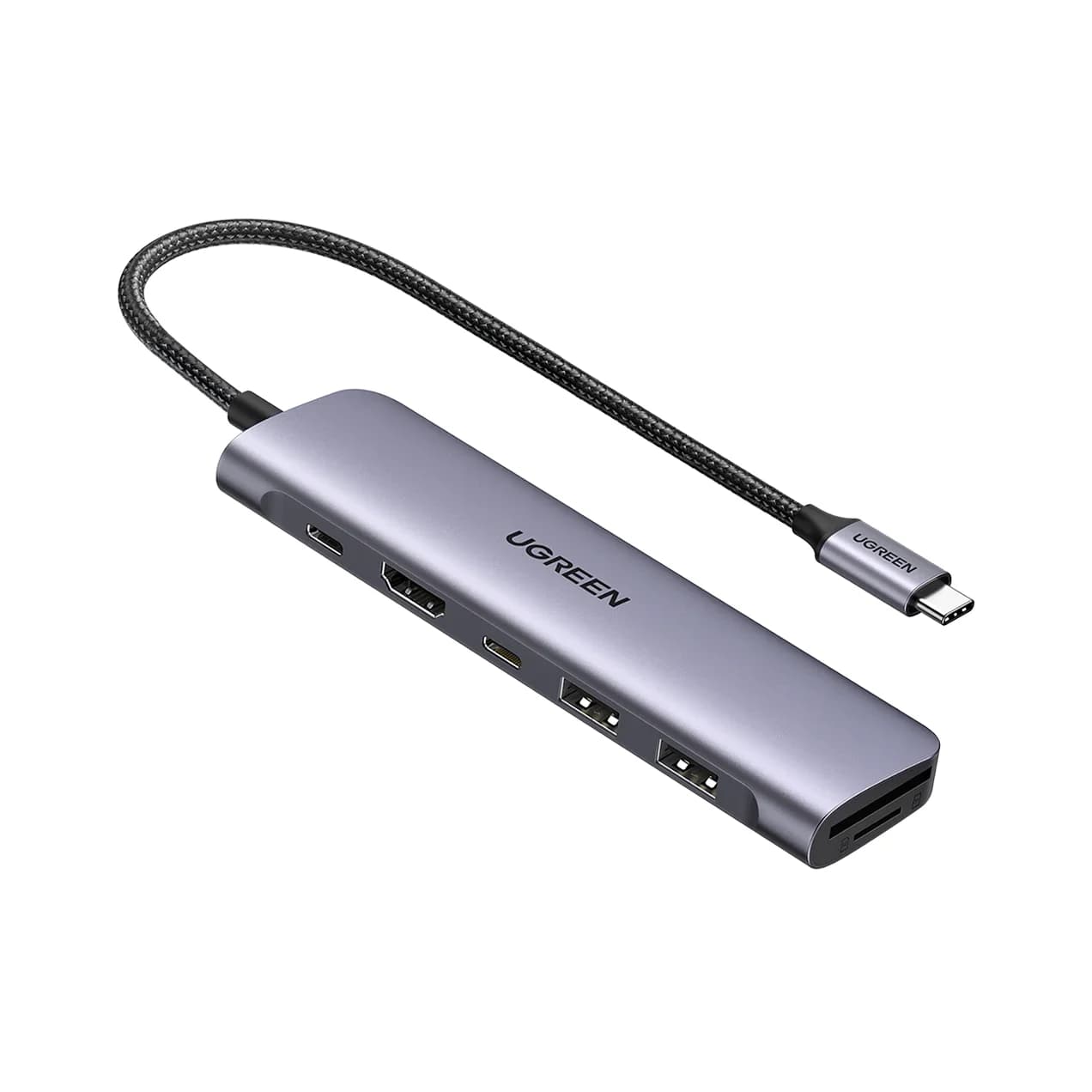
UGREEN Revodok Pro 108 USB-C Hub (8-in-1)85W PD passthrough · 10 Gbps data · 4K60 video · 8 ports
- See on Amazon3
Best with Ethernet
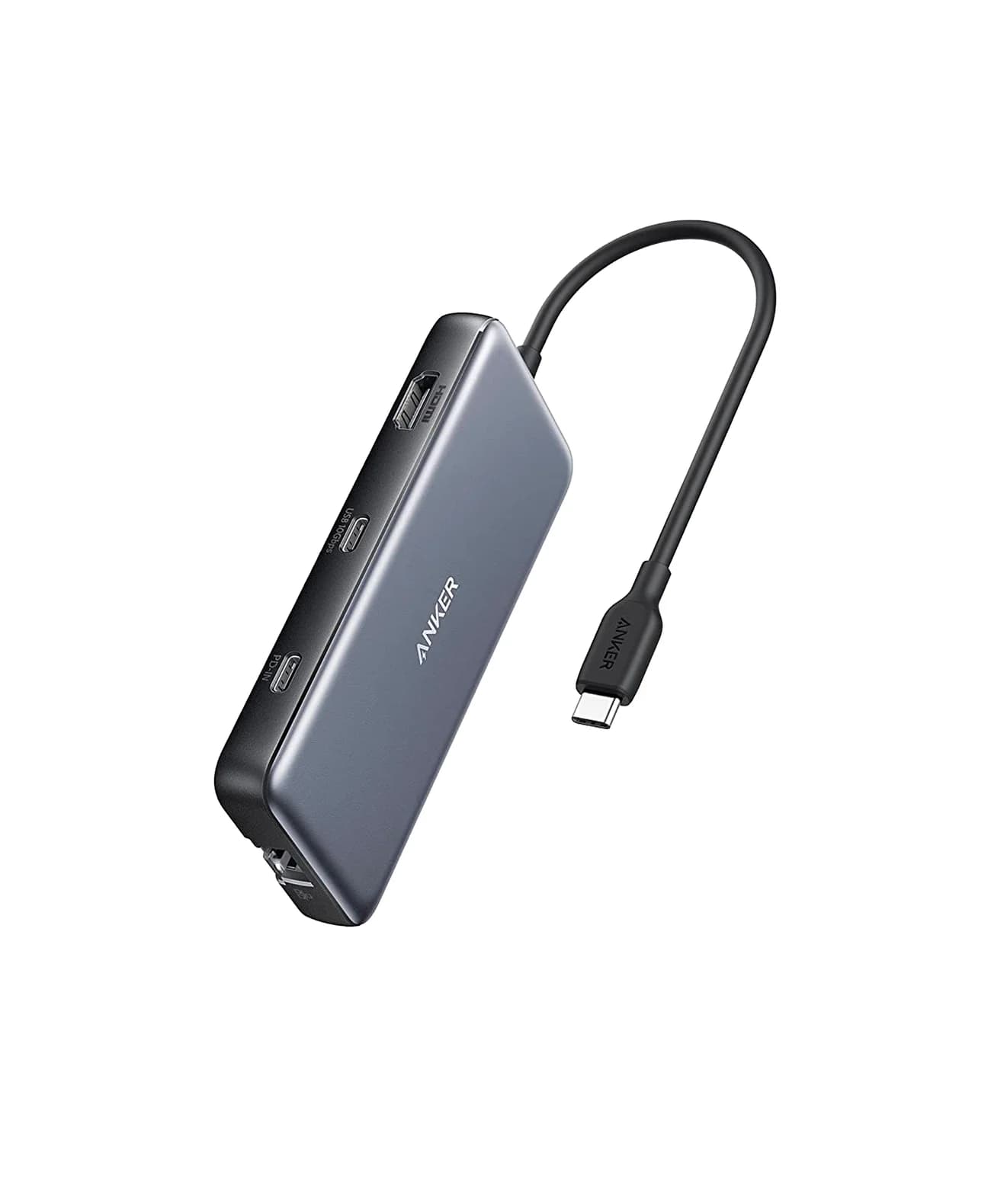
Anker 555 USB-C Hub (8-in-1)85W PD passthrough · 10 Gbps data · 4K60 video · 8 ports
- See on Amazon4
Best budget
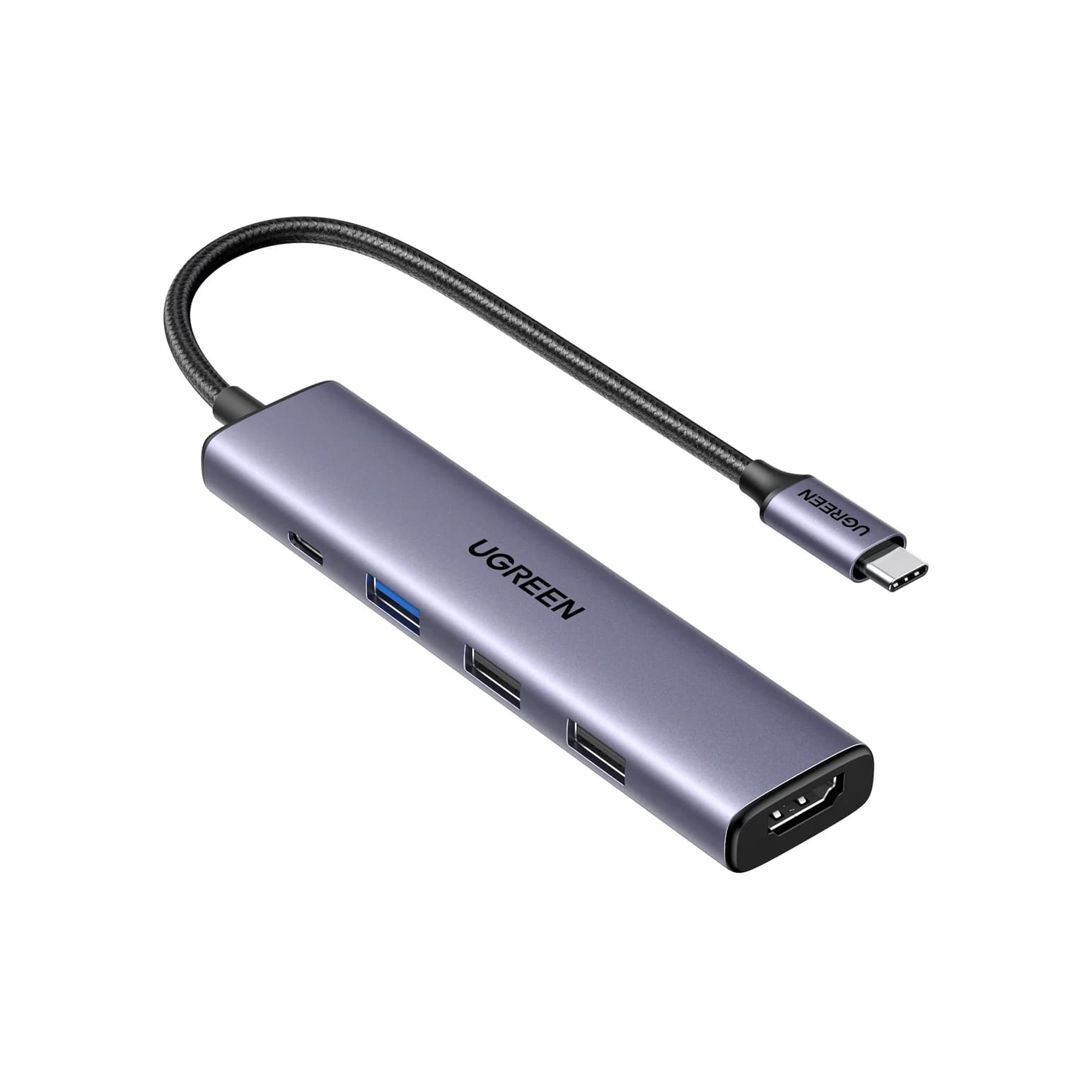
UGREEN Revodok 105 USB-C Hub (5-in-1)95W PD passthrough · 5 Gbps data · 4K30 video · 5 ports
If you have a MacBook Air or MacBook Pro and need HDMI, USB-A and a card slot, the Anker 547 USB-C Hub (7-in-2) is the best overall pick: it plugs into two MacBook ports and passes a full Thunderbolt connection through while adding 4K@60Hz HDMI. If you want a single-cable hub that also works with an iPad or a Windows laptop, the UGREEN Revodok Pro 108 is the better fit.
Every pick below was chosen from manufacturer spec sheets, macOS display rules and compatibility notes. We have not physically handled these hubs; where a spec is not on the official page, we leave it out.
Quick picks
| Hub | Best for | Video | Data | Laptop charging |
|---|---|---|---|---|
| Anker 547 (7-in-2) | MacBook desks and bags | HDMI 4K@60Hz + 5K via USB-C | Up to 40Gbps (passthrough) | Up to 100W |
| UGREEN Revodok Pro 108 | One cable, fast card reader | HDMI 4K@60Hz | 10Gbps USB-C | Up to 85W |
| Anker 555 (8-in-1) | Wired internet | HDMI 4K@60Hz (DP 1.4 host) | 10Gbps | Up to 85W |
| UGREEN Revodok 105 | Budget and travel | HDMI 4K@30Hz | 5Gbps (one port) | Up to 95W |
Check price on Amazon through the links above; prices change often, so we don't list them.
Best overall for MacBook: Anker 547 USB-C Hub (7-in-2)
Anker
Anker 547 USB-C Hub (7-in-2, for MacBook)
A 7-in-2 hub that plugs into two adjacent USB-C/Thunderbolt ports on a MacBook and adds HDMI, a Thunderbolt-passthrough USB-C port, USB-C and USB-A data, and SD/microSD slots.
- 100W PD passthrough
- 40 Gbps data
- 4K60 video
- 7 ports
The Anker 547 is built specifically for MacBooks. It plugs into two adjacent USB-C/Thunderbolt ports at once, which lets it do something single-cable hubs can't: one of its ports is a multi-function USB-C port that passes through up to 40Gbps data, up to 100W charging and video up to 5K@60Hz, according to Anker's spec sheet. You essentially keep one full Thunderbolt port and gain a hub on top of it.
On the hub side you get an HDMI 2.0 port rated for 4K@60Hz, a 5Gbps USB-C data port, two 5Gbps USB-A ports, and SD and microSD slots (UHS-I). Anker also designed the body so it doesn't block MagSafe.
Why it stands out: You don't lose Thunderbolt bandwidth, so a Thunderbolt SSD or a 5K display can still run at full speed through the passthrough port.
Watch out for: It only fits MacBooks, not Windows laptops or iPads, and Anker's current listing notes it does not work with MacBook Neo. Two external displays (HDMI plus the passthrough port) only work if your MacBook's chip supports two external displays.
Best single-cable hub: UGREEN Revodok Pro 108 (8-in-1)
UGREEN
UGREEN Revodok Pro 108 USB-C Hub (8-in-1)
A compact single-cable 8-in-1 USB-C hub with 4K@60Hz HDMI, 10Gbps USB ports, 170MB/s SD and microSD readers and 100W PD input.
- 85W PD passthrough
- 10 Gbps data
- 4K60 video
- 8 ports
If you'd rather use one port and one cable, the Revodok Pro 108 is the most capable compact option in this list. UGREEN lists a 4K@60Hz HDMI port, two 10Gbps USB-C data ports, two USB-A ports, SD and microSD readers rated up to 170MB/s, and a 100W PD input that passes up to 85W to the laptop. It weighs 80g and measures 11.9 x 4.5 x 1.6 cm.
The card readers matter for photographers: 170MB/s is faster than the UHS-I readers found in most hubs, including our top pick. Because it uses a single cable, it also works with an iPad Pro or a Windows laptop if you switch machines.
Why it stands out: Faster card readers and 10Gbps USB-C ports in a hub small enough to live in a laptop sleeve.
Watch out for: UGREEN says three of the USB data ports are 10Gbps, so one USB-A port is slower. The laptop gets up to 85W, not the full 100W. There's no Ethernet.
See the UGREEN Revodok Pro 108 on Amazon
Best with Ethernet: Anker 555 USB-C Hub (8-in-1)
Anker
An 8-in-1 USB-C hub with 4K@60Hz HDMI, gigabit Ethernet, 10Gbps USB-C and USB-A data ports, SD/microSD readers and 85W pass-through charging.
- 85W PD passthrough
- 10 Gbps data
- 4K60 video
- 8 ports
MacBooks have no Ethernet port, and Wi-Fi isn't always good enough for large uploads or long video calls. The Anker 555 adds a gigabit Ethernet port alongside a 4K@60Hz HDMI port, a 10Gbps USB-C data port, two 10Gbps USB-A ports and SD/microSD readers (UHS-I). Pass-through charging is up to 85W from a 100W charger.
Anker's spec sheet is clear about one condition: 4K@60Hz requires a laptop with DisplayPort 1.4 over USB-C. Apple silicon MacBooks meet that; older laptops with DP 1.2 get 4K@30Hz.
Why it stands out: Ethernet, fast USB and a card reader from one port, with no drivers on macOS 12 or later.
Watch out for: It's a little larger than the UGREEN, and the USB-C data port does not carry video.
Best budget: UGREEN Revodok 105 (5-in-1)
UGREEN
UGREEN Revodok 105 USB-C Hub (5-in-1)
A small 5-in-1 USB-C hub with 4K@30Hz HDMI, one 5Gbps USB-A port, two USB 2.0 USB-A ports and 100W PD input.
- 95W PD passthrough
- 5 Gbps data
- 4K30 video
- 5 ports
For a MacBook Air that only needs a monitor at a hotel desk and a couple of USB-A accessories, the Revodok 105 covers the basics. UGREEN lists one HDMI port (4K@30Hz), one 5Gbps USB-A port, two USB 2.0 USB-A ports, and a 100W PD input with up to 95W passed to the laptop.
The USB 2.0 ports are fine for a keyboard, mouse or wireless receiver. Use the 5Gbps port for a flash drive or external disk.
Why it stands out: Small, light, and it passes more of the charger's power to the laptop than most hubs.
Watch out for: 4K@30Hz feels sluggish for daily work on a 4K monitor; it's fine for 1080p or 1440p screens. No SD reader.
See the UGREEN Revodok 105 on Amazon
MacBook display rules that affect every hub
Hubs don't decide how many external displays a MacBook can drive. The chip does.
- Base-chip MacBook Air and 13-inch MacBook Pro models typically support one external display, and some newer models support two with the lid closed. Check Apple's tech specs page for your exact model.
- Pro and Max chips support two or more external displays, but each one usually needs its own port or a Thunderbolt dock.
- macOS does not support MST. A single-cable hub with two HDMI ports will mirror the same picture on both screens. If you need two different screens from one cable, you need a Thunderbolt dock or a DisplayLink adapter instead.
For a deeper look at 4K refresh rates and HDMI versions, read our guide to the best USB-C hubs with HDMI.
How we choose
We don't physically test products. Instead, we build each list from:
- Manufacturer spec sheets. Every port count, speed, wattage and resolution above comes from Anker's or UGREEN's official product pages, which are linked in each product card.
- Standards. We check claims against how USB 3.2, USB Power Delivery and DisplayPort Alt Mode actually work. For example, a hub quoting "4K" without a refresh rate usually means 30Hz.
- Compatibility notes. We read the fine print: which Macs are excluded, what the hub reserves for itself, what the data ports can't do.
- Well-known buyer patterns. Things buyers commonly run into, such as expecting two extended displays from a dual-HDMI hub on a Mac.
We also confirm each Amazon listing matches the product the manufacturer describes, and we drop products we can't verify.
Buying guide: what matters for a MacBook hub
Power pass-through. Look for a 100W PD input. Expect 85 to 95W to reach the laptop. That's more than enough for a MacBook Air. For a 16-inch MacBook Pro under heavy load, MagSafe is still the better charger. Pair the hub with a proper charger and cable; see our best USB-C chargers and best USB-C cables for fast charging.
HDMI refresh rate. 4K@60Hz is what you want for a 4K monitor. 4K@30Hz works but the mouse feels laggy. If your monitor is 1080p or 1440p, a 4K@30Hz hub is fine.
Data speed. 5Gbps is fine for a keyboard, mouse or flash drive. If you use a portable SSD, look for 10Gbps ports. If you're unsure which connector you need, our USB-C vs USB-A explainer covers it.
Card readers. Photographers should check the reader speed. UHS-I readers top out around 104MB/s; the Revodok Pro 108 is rated up to 170MB/s.
Hub or dock. If you want a permanent desk with two monitors, fast storage and one cable, compare these with our best Thunderbolt docks. For a hub that lives on the desk full time, see best USB hubs for desk setups.
Verdict
For most MacBook owners, the Anker 547 is the one to get, because it keeps a full Thunderbolt port available while adding HDMI, USB and card slots. If you want a single-cable hub that also works with other devices, pick the UGREEN Revodok Pro 108. Choose the Anker 555 if you need wired internet, and the UGREEN Revodok 105 if you just need HDMI and a few USB-A ports for travel.
Frequently asked questions
Do USB-C hubs work with MacBook Air and MacBook Pro?
Yes. Any hub that uses standard USB-C with DisplayPort Alt Mode works on Apple silicon MacBooks without drivers. The two limits to know are power and displays. Hubs keep some power for themselves, so the laptop gets less than the charger's wattage. And the number of external displays depends on the chip, not the hub. Check Apple's tech specs page for your model.
Can a USB-C hub run two monitors on a MacBook Air?
Only if the MacBook itself supports two external displays. Many base-chip MacBook Air models support one external display, some newer ones support two with the lid closed. A hub with two HDMI ports does not change this. macOS also does not support MST, so single-cable dual-HDMI hubs mirror the same image on both screens instead of extending.
Will a hub slow down my MacBook's charging?
A little. Most hubs reserve 5 to 15W to run themselves. The Anker 555 and UGREEN Revodok Pro 108 pass up to 85W from a 100W charger, which is plenty for a MacBook Air and fine for most MacBook Pro work. For heavy sustained loads on a 16-inch Pro, plug MagSafe in directly.
Is a Thunderbolt dock better than a USB-C hub for a MacBook?
A dock makes sense if you want one cable to a permanent desk with several displays, fast storage and 2.5GbE. A hub is smaller, cheaper and better for travel or a simple one-monitor desk. If you mainly need HDMI, USB-A and an SD slot, a hub is the right tool.
Related guides
Best Powered USB Hubs in 2026
Powered USB hubs that keep drives, webcams and chargers stable. Compare 4, 7 and 10-port picks by adapter wattage, per-port charging and host connection.
Updated September 27, 2026Read
Best USB-C Hubs for Windows Laptops in 2026
USB-C hubs for Dell, HP, Lenovo and ASUS laptops, picked from spec sheets. Covers 4K HDMI, dual monitors over MST, Ethernet and pass-through charging.
Updated September 27, 2026Read
USB-C vs USB-A Explained: Speed, Power and Video in 2026
USB-C vs USB-A in plain English: what each connector can carry, what 5Gbps to 80Gbps means, how charging works, and which hub or dock fits your ports.
Updated September 27, 2026Read