Black Friday: the specs to check before you buy
Buying guide
Updated November 6, 2026Which Elgato Stream Deck Should You Buy: Mini, MK.2, Plus or XL
Short answer
The Elgato Stream Deck is a keypad of customizable LCD keys — each key shows an icon and fires an action — that turns app shortcuts, macros and OBS scene changes into one-tap physical controls. For most creators the Stream Deck MK.2 is the right pick; if you constantly adjust volume, zoom or color, the Stream Deck + with its dials and touch strip is worth the step up.
Our picks at a glance
Best overallElgato
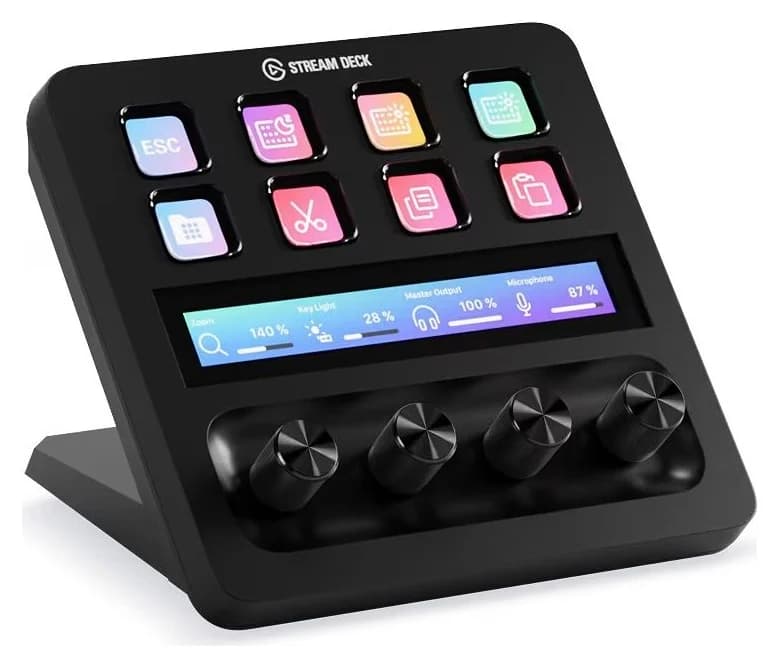
Elgato Stream Deck +
- host link
- USB-C
- Choose
- Eight LCD keys, four push dials and a touch strip make it the most versatile Stream Deck for the money.
- Limit
- Only 8 keys, a third of the 15-key MK.2 or 32-key XL; heavy hotkey users may run out of space
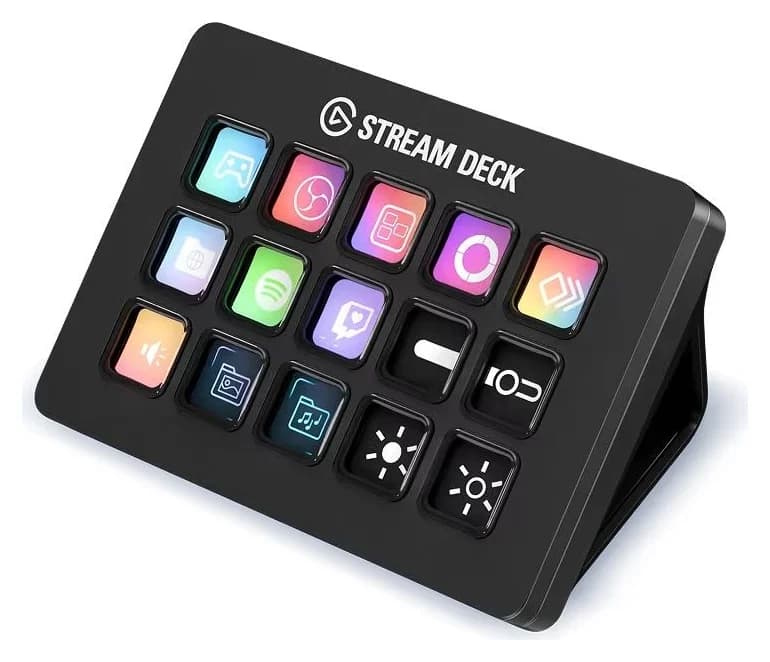
Best for most peopleElgato
Elgato Stream Deck MK.2
- host link
- USB-C
- Choose
- The classic 15-key deck that started it all, with a detachable USB-C cable and desktop stand.
- Limit
- USB 2.0 connection only; no dials or touch screen like Stream Deck +
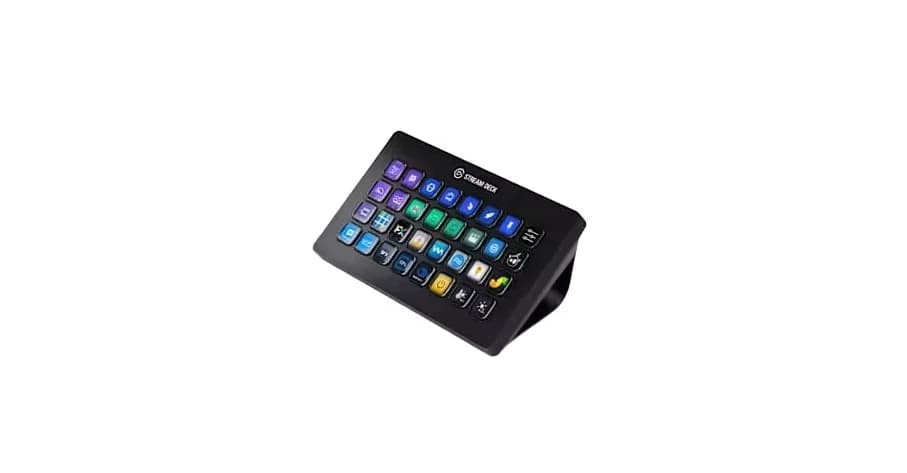
Best for power usersElgato
Elgato Stream Deck XL
- host link
- USB-C
- Choose
- A 32-key grid that keeps an entire streaming workflow visible on one page.
- Limit
- A big slab of desk real estate at 182 mm wide
- See on Amazon4
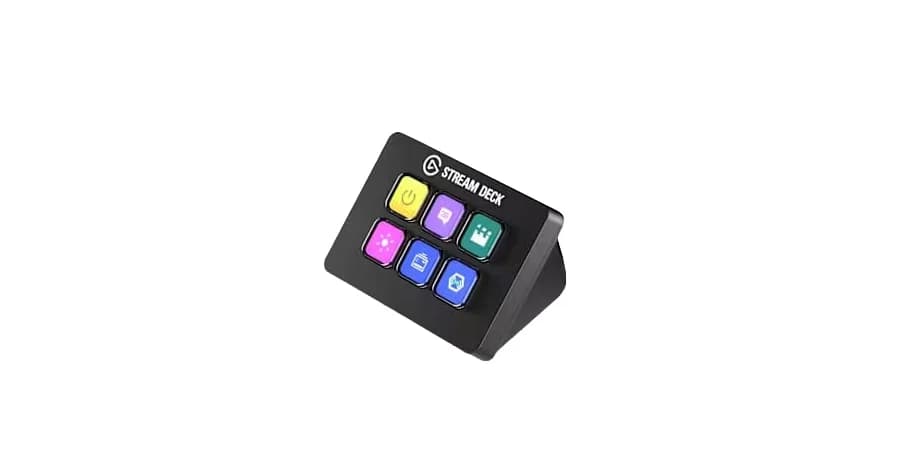
Best cheap, compact option
Elgato Stream Deck Mini
- See on Amazon5
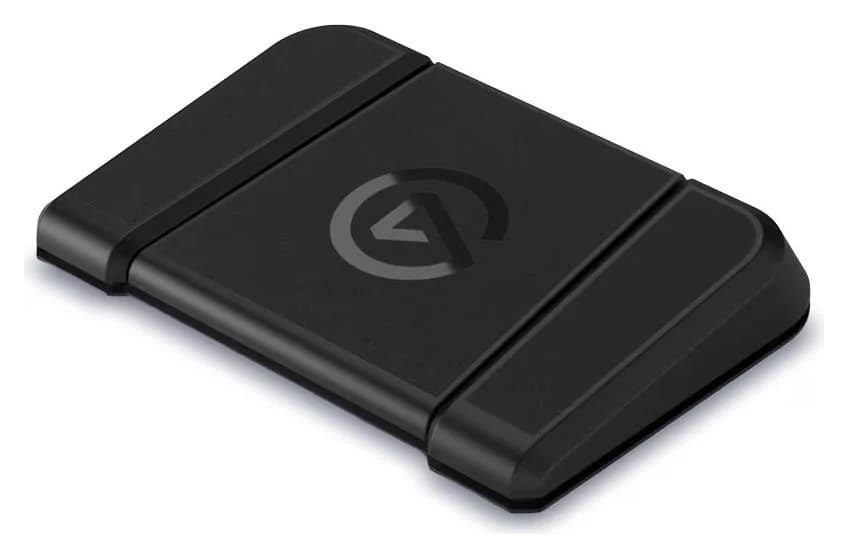
Best hands-free
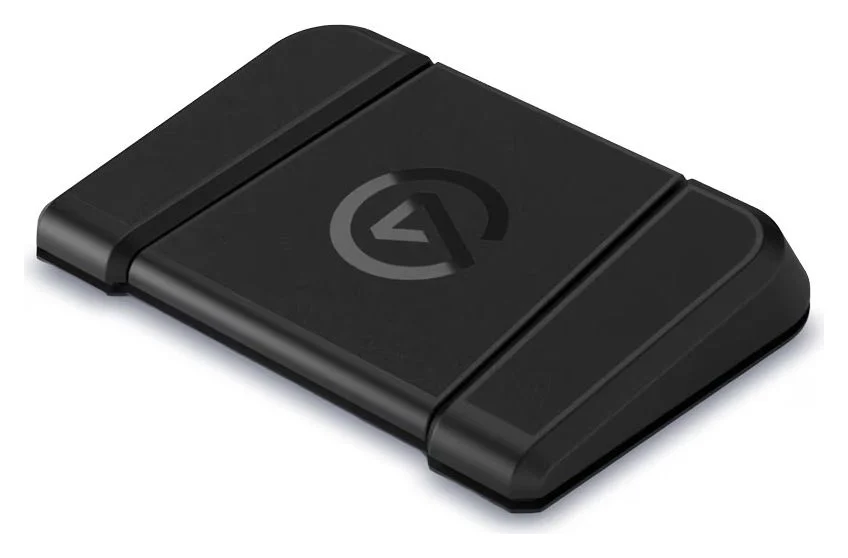
Elgato Stream Deck Pedal
Every model on this page runs the same free Elgato Stream Deck software on Windows and macOS, so the real decision is size and control type: 6 keys (Mini), 15 keys (MK.2), 8 keys plus 4 dials and a touch strip (Plus), 32 keys (XL), or three foot pedals (Pedal). Here is how they differ and which one fits your desk.
- 32LCD keys on the Stream Deck XL, the largest grid
- 4Push dials plus a touch strip on the Stream Deck +
- 15Keys on the classic Stream Deck MK.2
The Stream Deck lineup at a glance
| Model | Keys | Dials | Interface | Weight | Best for |
|---|---|---|---|---|---|
| Stream Deck + | 8 | 4 + touch strip | USB-C (USB 2.0; USB 3.0 Type-C host port recommended) | 465 g | The all-rounder |
| Stream Deck MK.2 | 15 | — | USB-C | 145 g without stand | Most people |
| Stream Deck XL | 32 | — | USB-C | 410 g without stand | Power users |
| Stream Deck Mini | 6 | — | USB-C | 160 g | Small desks, small budgets |
| Stream Deck Pedal | — | 3 pedals | USB-C | 960 g | Hands-free control |
Stream Deck + — best overall
Elgato
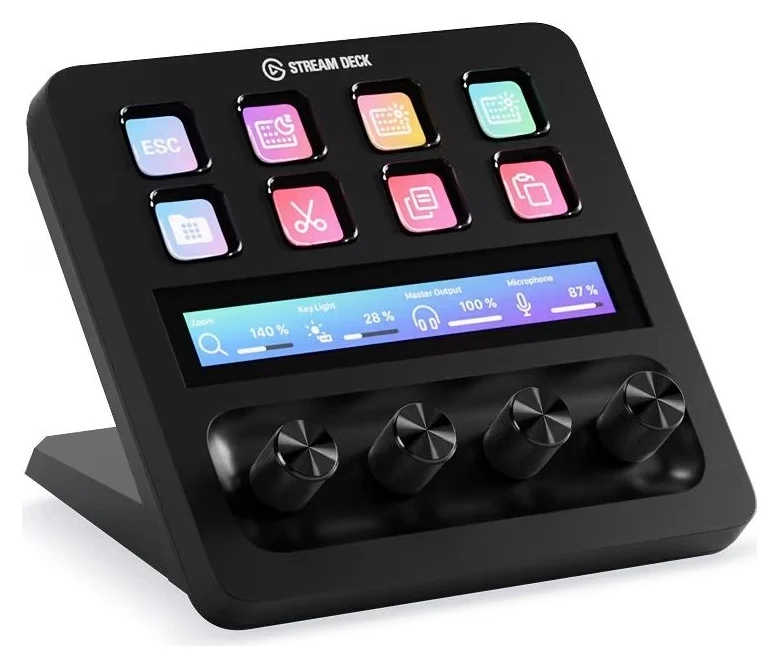
A USB control console with 8 LCD keys, 4 multifunction dials and an LCD touch strip that works as an audio mixer and studio controller.
The Stream Deck + is the most versatile deck Elgato makes: 8 customizable LCD keys, four 360° encoders with push function, and an LCD touch panel of 108 x 14 mm that doubles the workspace and switches pages with a swipe. Dials are what set it apart — keys can only trigger actions, but a dial adjusts volume, zoom, focus or color continuously, which is why Elgato pitches it as an audio mixer, studio controller and production console in one.
See the Stream Deck + on Amazon
Its plugin library is the same as every deck's — over 200 ready-made plugins — and you can create up to ten pages of console layouts. One compatibility note from the spec sheet: the device's data interface is USB 2.0, but Elgato lists a USB-C 3.0 port in the system requirements, so check your hub or laptop before plugging in. It connects with a USB-C to USB-C cable (150 cm | 59 in), and the whole unit weighs 465 g at 140 x 138 x 110 mm — sturdier and taller than the flat key-only decks.
Stream Deck MK.2 — best for most people
Elgato
A 15-key USB control pad with customizable LCD keys for launching actions, macros and app shortcuts while streaming or working.
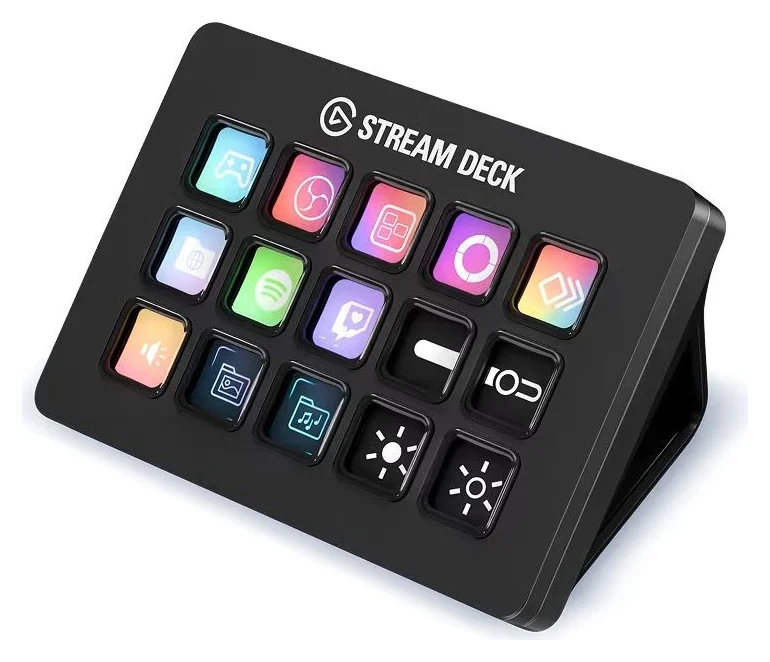
The MK.2 is the deck that defined the category: 15 customizable LCD keys with the classic membrane key feel, a detachable USB-C to USB-C cable with a 90-degree connector (150 cm / 59 in), and an included desktop stand. Elgato's own page now sells it simply as "Stream Deck" — the classic — but it is the same 15-key MK.2 hardware, SKU 10GBA9901, that creators have used since the model launched.
See the Stream Deck MK.2 on Amazon
Fifteen keys is the sweet spot for streaming: scene switching, mic mute, camera toggle, chat commands and clip saves all sit on one page without folders. It measures 118 x 84 x 25 mm without the stand and weighs 145 g without stand / 270 g with stand, so it stays put without dominating the desk. Like the Mini, XL and Pedal, it is a USB 2.0 device — any spare USB-C port on your computer or hub is enough.
Stream Deck XL — best for power users
Elgato
The large Stream Deck with 32 customizable LCD keys on an 8x4 grid, magnetic stand and USB-C connection, for complex streaming and productivity workflows.
If you outgrow folders, the XL is the answer: an expanded 8x4 grid with a grand total of 32 LCD keys, meaning a whole OBS setup, lighting scenes, chat moderation and audio routing can stay visible at once. It ships with a magnetic stand that holds solid at the perfect angle, and its USB-C to USB-C cable is detachable (150 cm / 59 in).
See the Stream Deck XL on Amazon
The tradeoff is desk real estate: at 182 x 112 x 34 mm without stand it is the widest deck in the lineup, and it weighs 410 g / 14.46 oz without stand. There are no dials — if you want both the big grid and continuous controls, pair the XL with the Stream Deck + or the Pedal rather than choosing between them.
Stream Deck Mini — best cheap, compact option
Elgato
A compact six-key control keypad with customizable LCD keys that trigger scenes, apps and macros from one tap.
The Mini is the entry point: 6 customizable LCD keys in a body of just 84 x 60 x 58 mm, weighing 160 g. Elgato describes it as big power in a compact form factor for tight setups and focused workflows, and pages and nested folders let you expand far beyond the six physical keys. It is the cheapest hardware route into the Stream Deck ecosystem.
See the Stream Deck Mini on Amazon
One design difference worth knowing: the cable is an integrated USB 2.0 cable (150 cm / 59.1 in) that does not detach. If the attached cable ever fails, the whole unit is affected, and you cannot swap in a shorter or longer one. Connectivity-wise it is modest — Elgato lists USB 2.0 (or later) Type-C — so it works happily on any USB-C hub port.
Stream Deck Pedal — best hands-free
Elgato
A three-pedal USB foot controller that triggers actions, macros and app shortcuts hands-free from under your desk.
The Pedal flips the form factor: 3 customizable foot pedals instead of keys, for hands-free control of your apps and tools — push-to-talk while gaming, scene changes while unboxing, macro triggers while editing. Spring tension is fully adjustable with included sets (4 x soft, 4 x medium, 4 x hard, 2 x stoppers), and its long USB-C to USB-C cable (250 cm / 98.4 in) reaches from a floor position back to a desktop tower.
See the Stream Deck Pedal on Amazon
It weighs 960 g / 2.1 lbs and sits 244 x 175 x 49 mm on the floor, so it is not competing for desk space at all. It pairs well with any key-based deck rather than replacing one — pedals for the actions you need mid-game, keys for everything else.
The keyboard with built-in Stream Deck keys: Corsair GALLEON 100 SD
If your search was "keyboard with built in stream deck" or "corsair keyboard stream deck", the product you want is the Corsair GALLEON 100 SD — a full-size mechanical keyboard with 12 LCD Stream Deck keys and dual encoders built in. The keys trigger commands with a press, double-press or press-and-hold and double as mini-displays; the dials push to perform an action and push-and-hold to swap to another.
It runs the same Elgato Stream Deck software and taps the Elgato Marketplace for profiles and plugins, so your key layouts carry over from a standalone deck. Two things to know from Corsair's spec sheet: it is a wired USB Type-A keyboard with a USB 2.0 Type-A passthrough, and while the Stream Deck software is compatible with Windows and Mac, the GALLEON 100 SD is designed for use with Windows — on Mac it functions as a standard keyboard, with some functions needing extra settings. Its MLX Pulse switches are guaranteed up to 80M keypresses and are hotswappable with compatible 3-pin and 5-pin mechanical switches. Details are on Corsair's GALLEON 100 SD product page.
How to choose a Stream Deck
Count your daily actions
Scene switch, mute, camera toggle, clip save, chat commands — if it is around 15 or fewer, the MK.2 fits without folders; more means XL.
Decide if you adjust values
Volume, zoom, exposure and color change continuously. Only dials (Stream Deck +) do that; keys just trigger.
Check your free USB port
Four of the five decks are USB 2.0 devices. The Stream Deck + specifies a USB-C 3.0 port, which not every hub offers.
Place it where your hands are
Busy hands during gameplay or filming? The Pedal adds hands-free triggers without touching your keyboard.
Software and compatibility. All current decks need Windows 11 or newer or macOS 13 or newer, plus the free Stream Deck software download. There is no Linux support on the spec sheets, so Linux creators should treat these as unsupported officially.
USB details. The decks profiled above are USB-C devices and are bus-powered. The Mini, MK.2, XL, Pedal and Plus are USB 2.0 data devices, so even a basic USB-C hub port can drive them — but the Plus specifically asks for a USB 3.0 Type-C host port. The detachable cables on the MK.2, XL, + and Pedal are standard USB-C to USB-C, so replacements are easy to source — see our USB-C cable types explainer if you need a longer run. The Mini's integrated cable is the one exception. Stream Deck Studio is different: Elgato lists Ethernet PoE+ or USB-C PD 3.0 power, with the USB-C power adapter not included.
Naming, decoded. Elgato's site now labels the 15-key deck just "Stream Deck" (the classic) — buyers know it as the MK.2. The rack-mounted Stream Deck Studio is different: it has 32 LCD keys and 2 encoders and is built to slot into standard 19-inch racks for broadcast control. And the perennial confusion: Stream Deck vs Steam Deck — despite the near-identical names, the Stream Deck accelerates creation and control while the Steam Deck is Valve's handheld gaming PC (our Steam Deck dock guide covers that side).
How we choose
Every spec on this page comes from the manufacturers' own product pages — Elgato's for the five decks and Corsair's for the GALLEON 100 SD — cross-checked against the included comparison tables on those pages, which also list sibling models (like the Stream Deck + XL's 36 keys and 6 dials) we deliberately did not attribute to the smaller decks. We rank by use case, based purely on the published spec sheets — key count, control types, port requirements, cable length and weight from the spec sheets, plus the software requirements each maker publishes. Pricing is left out deliberately — use the Amazon links for live prices.
FAQ
Is the Razer Stream Controller an alternative? Razer's Stream Controller line is not currently listed on Razer's own site, so we could not verify it against an official source and do not recommend it here. The Elgato decks and Corsair's GALLEON 100 SD all have live, spec-complete manufacturer pages, which is the bar our picks have to clear.
What is the best Stream Deck for beginners? The MK.2. Its 15 keys are enough to learn on, the desktop stand and detachable cable make it desk-friendly, and it uses the same free software as the bigger decks, so nothing is unlearned if you upgrade later.
What is the best Stream Deck for gaming specifically? The MK.2 or XL. Elgato's own guidance for games is to map in-game actions and hotkeys to buttons — check ammo, heal, drop loot or trigger voice lines with a single tap — and more keys means fewer in-game menus. Add the Pedal if your hands are fully occupied.
Does the touch strip on the Stream Deck + replace keys? No — it extends them. You swipe it to change pages and view dial information at a glance, but actions still live on the 8 keys and 4 dials.
Can I use two Stream Decks on one computer? Yes. The Stream Deck software manages multiple decks, and pages, profiles and plugins are shared across them, which is how streamers combine an XL for scenes with a Pedal for hands-free actions.
Verdict
For the money and flexibility, the Stream Deck + is the best overall Stream Deck — the only one that both triggers actions and adjusts values, with 8 keys, 4 dials and a touch strip in one unit. The MK.2 remains the default choice for most people and the best first deck; the XL earns its place the day your workflows stop fitting on one page; the Mini is the budget and small-desk entry; and the Pedal adds hands-free control to any of them. Whatever you pick, the free Stream Deck software and a spare USB-C port are all you need to start.
Frequently asked questions
Which Elgato Stream Deck should I buy first?
For most creators the Stream Deck MK.2 is the sensible first deck: 15 customizable LCD keys cover scene switching, muting and launching apps without diving into folders, and the USB-C cable detaches for easy desk routing. If you adjust audio or color values constantly, step up to the Stream Deck + for its four dials and touch strip.
Do Stream Decks need a fast USB port?
No. The Mini, MK.2, XL and Pedal are USB 2.0 devices, so any spare USB-C port works — even through a hub. The Stream Deck + is the exception: Elgato specifies a USB 3.0 Type-C port for it, which matters on older laptops and hubs with USB 2.0-only ports.
Is there a keyboard with a built-in Stream Deck?
Yes. The Corsair GALLEON 100 SD is a full-size mechanical keyboard with 12 LCD Stream Deck keys and dual encoders built in, running the same Elgato Stream Deck software. Corsair designs it for Windows; on Mac it functions as a standard keyboard with some functions needing extra settings.
What about a wireless Stream Deck?
The key-and-pedal decks profiled here are wired USB-C devices. The wireless option is the Stream Deck Mobile app: Elgato says its free tier has six keys, while the Pro upgrade unlocks up to 64 keys.
Is the Stream Deck software free?
Yes. Elgato's Stream Deck app is a free download for Windows and macOS and comes with every hardware deck. Actions, profiles, pages and the Marketplace plugin library all live in that one app.
Can a Stream Deck switch my HDMI inputs?
A Stream Deck can't switch HDMI by itself, but it can trigger the switching: assign hotkeys or plugins to keys to control capture devices, OBS scenes and monitor-control utilities. Pair a deck with a USB-C or HDMI switch whose software supports hotkeys and one key press flips inputs.