Black Friday: the specs to check before you buy
Best picks
Updated November 7, 2026Best USB Audio Interfaces in 2026 for Home Recording and Streaming
Short answer
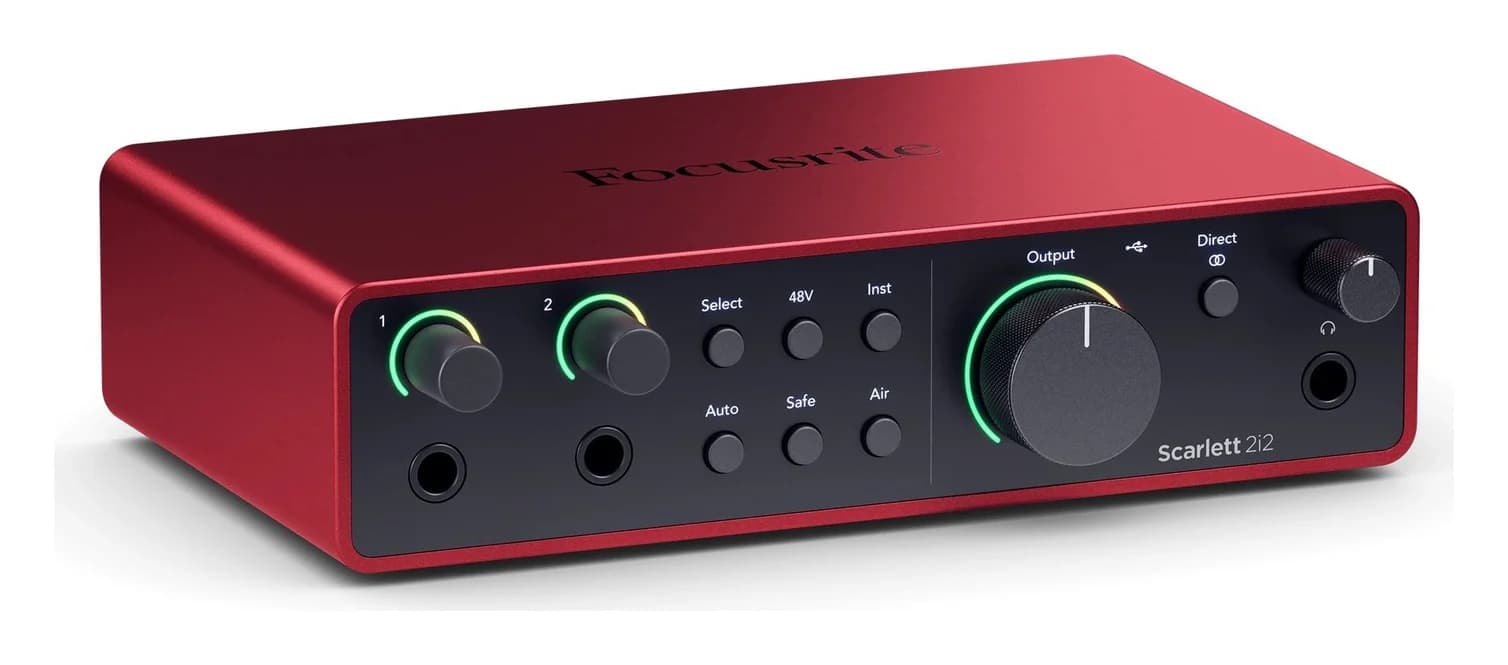
The best USB audio interface for most people is the Focusrite Scarlett 2i2 4th Gen: two ultra-low-noise preamps with a 69dB gain range, 24-bit/192 kHz recording, Auto Gain and Clip Safe to protect your levels, and loopback for streaming, in a USB-C body that Focusrite says also works over the USB-C to USB-A cable in the box. If you mainly stream or podcast, the MOTU M2 is the strongest alternative: 120 dB dynamic range on its outputs, a full-color LCD with meters for every input and output, and a 2.5 ms round-trip latency figure from MOTU's own drivers. And if the budget is the constraint, the PreSonus AudioBox GO is a bus-powered USB-C 2x2, 24-bit/96 kHz interface that still gives you 48V phantom power for a condenser microphone.
Our picks at a glance
- Find on Amazon
Best for iPad and iPhone
Universal Audio Volt 2
- Find on Amazon
Best for headphone monitoring
Solid State Logic SSL 2 MKII
- Find on Amazon
PreSonus AudioBox GO
- 192 kHzTop sample rate of every pick here except the AudioBox GO
- 120 dBDynamic range on the Scarlett 2i2's line outputs
- 2.5 msMOTU's round-trip latency figure for the M2 and M4, at 96 kHz
- 48VPhantom power every pick here supplies for condenser microphones
Quick picks
| Pick | Best for | Ins and outs | Sample rate | Connection |
|---|---|---|---|---|
| Focusrite Scarlett 2i2 4th Gen | Best overall | 2-in, 2-out | 24-bit/192 kHz | USB-C, USB 2.0, bus powered |
| MOTU M2 | Streaming and podcasting | 2-in, 2-out | 44.1 to 192 kHz | USB-C, bus powered |
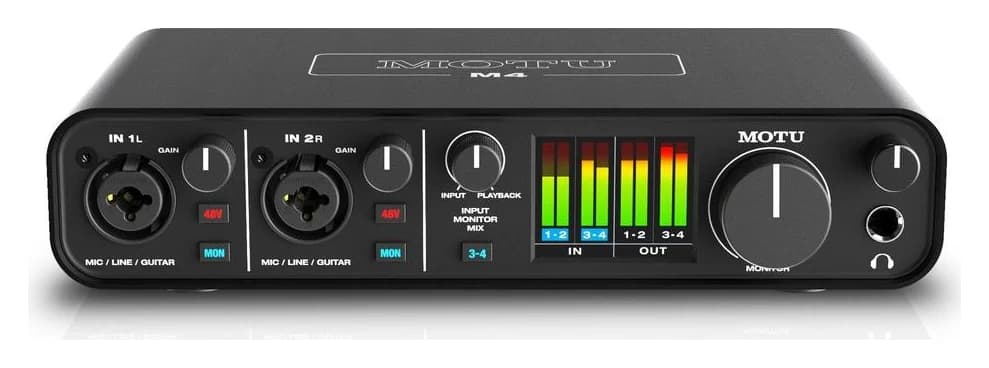
| MOTU M4 | A growing home studio | 4-in, 4-out | 44.1 to 192 kHz | USB-C, bus powered |
| Universal Audio Volt 2 | iPad and iPhone | 2-in, 2-out | 44.1 to 192 kHz | USB-C, USB 2.0, bus powered |
| Solid State Logic SSL 2 MKII | Headphone monitoring | 2-in, 2-out | 192 kHz converters | USB-C, USB 2.0, bus powered |
| Focusrite Scarlett Solo 4th Gen | Solo artists on a budget | 1 mic + 1 instrument in, 2-out | 24-bit/192 kHz | USB-C, USB 2.0, bus powered |
| PreSonus AudioBox GO | Cheapest way to start | 1 mic/line + 1 instrument in, 2-out | 24-bit/96 kHz | USB-C, USB 2.0, bus powered |
Our picks for streaming, podcasting and home studios
- Yes: USB-C connector on every pick, and a USB-C to USB-A cable in the box with the Scarlett 2i2, Scarlett Solo, Volt 2 and SSL 2 MKII
- Yes: Bus power by default: every pick here draws its power over USB, though Focusrite lists an optional 4.5W external supply for the Scarlett 2i2
- Yes: 48V phantom power on all seven picks, for condenser microphones
- Yes: Loopback for streaming and podcasting on the Scarlett 2i2, Scarlett Solo, MOTU M2, MOTU M4 and SSL 2 MKII
- Partly: Phones and tablets: Volt 2 lists iPadOS/iOS 14 or newer, AudioBox GO lists Apple and Android mobile devices, and MOTU lists iOS with an adapter kit and powered hub
- No: MIDI ports: only the MOTU M2, MOTU M4 and Volt 2 have them
Best overall: Focusrite Scarlett 2i2 4th Gen
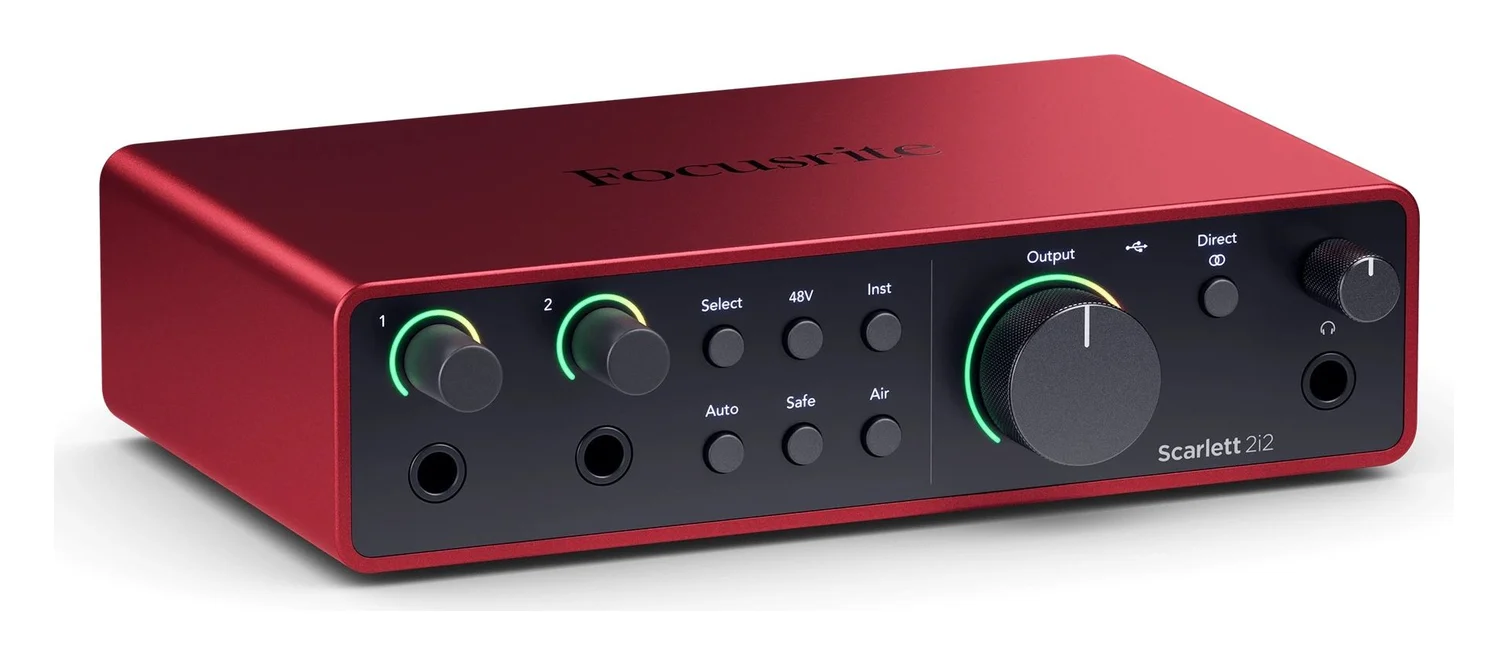
Focusrite calls the 2i2 "the original studio-quality 2-in, 2-out interface, remastered for the artist," and its spec page backs that up. Two ultra-low-noise mic preamps with line and instrument inputs on the front deliver a 69dB gain range, 120dB dynamic range, and 24-bit/192 kHz recording. Air mode adds two console-inspired voicings, Presence and Harmonic Drive, and the remote-control app is Focusrite Control 2 on Windows and macOS.
The features that make it the best pick for beginners are Auto Gain and Clip Safe: Auto Gain sets your levels and Clip Safe adjusts the gain automatically if you are in danger of clipping, so you never lose a take. Loopback is listed for streaming and podcasting. It is bus powered over USB-C at 900mA, Focusrite includes a 1m USB-C to USB-A cable, and its spec page lists support for Intel, AMD and Arm64 Windows processors as well as Apple Silicon and Intel Macs; the same specifications list an optional 4.5W external supply. Focusrite covers every Scarlett with a three-year warranty. At 0.595 kg and 180mm wide it is a desk unit rather than a pocket one.
See the Scarlett 2i2 4th Gen on Focusrite's site
Best for streaming and podcasting: MOTU M2
If your audio goes to an audience rather than an album, metering and loopback matter most, and the M2 has both. MOTU's spec page lists loopback channels that route computer output back into your host software, where you can mix it with live mics or guitar for live streaming or podcasting, and the M2's full-color LCD is the only one in its class with detailed level meters for all inputs and outputs.
The sound quality is high end on paper: the same ESS Sabre32 Ultra DAC technology MOTU uses in costlier interfaces, 120 dB dynamic range on the main outputs, and a measured -129 dBu EIN on the mic inputs. MOTU's Windows driver provides 2.5 ms round-trip latency at 96 kHz with a 32 sample buffer, and the optional Mac driver is required for the same latency figure and loopback. Each combo input takes a mic or a guitar, with independent preamp gain and 48V phantom power. I/O is two mic/line/Hi-Z inputs, two balanced 1/4-inch TRS outputs, two mirrored RCA outputs, a headphone output with its own volume, and MIDI in/out. It is bus-powered over USB-C, compatible with USB Type A, and MOTU's current spec page lists macOS 12 or later, Windows 11 23H2 or later on x86-64 or ARM64, and iOS 9 or higher with an adapter kit and powered USB hub.
See the MOTU M2 on MOTU's site
Best for a growing home studio: MOTU M4
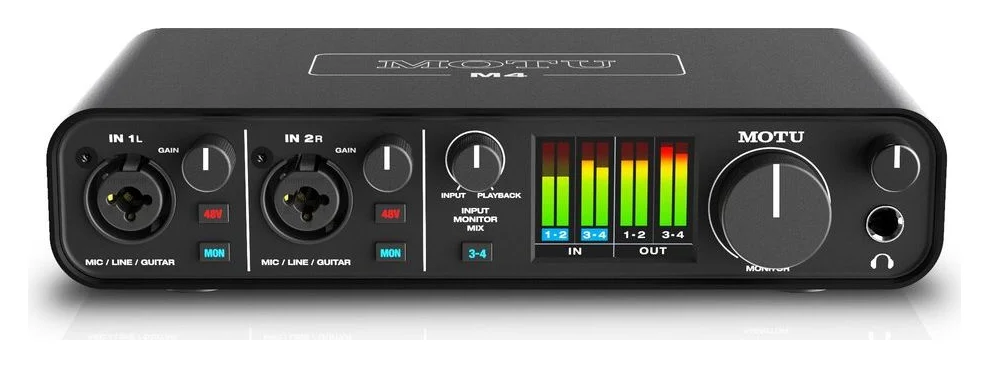
The M4 is the M2 for people who run out of inputs. You get the same ESS Sabre32 Ultra converters, 120 dB dynamic range, -129 dBu EIN, the same 2.5 ms latency figure and the same full-color LCD metering, but the rear panel grows: two mic/line/Hi-Z combo inputs, two balanced 1/4-inch line inputs, four balanced TRS outputs and four mirrored RCA outputs. That is 4-in/4-out routing, enough for a two-person podcast with separate headphone mixes or a small home studio with monitors and outboard gear.
It keeps everything that made the M2 the streaming pick: loopback, direct hardware monitoring, independent 48V phantom power, bus-powered USB-C that MOTU lists as compatible with USB Type A, and the same class-compliant Mac/iOS support with the optional Mac driver for 2.5 ms latency and loopback.
See the MOTU M4 on MOTU's site
Best for iPad and iPhone: Universal Audio Volt 2
Universal Audio's spec page lists the Volt 2 as bus-powered and class-compliant for macOS, Windows, iPad and iPhone on iOS 14 or newer, using the included USB-C to USB-A cable, which makes it the natural pick if your studio lives on a tablet or phone. Its USB port is one USB 2.0 port with a USB Type-C connector.
The sound has a signature: a Vintage Mic Preamp mode inspired by the UA 610 tube console preamp, switchable on the front panel, alongside 24-bit/192 kHz conversion, 48V phantom power and dedicated Hi-Z instrument inputs. The mic preamps offer 55 dB of gain, the mic inputs measure 112 dB dynamic range with -127 dBu equivalent input noise, and there is MIDI in and out on the rear, which the Scarlett and SSL picks here lack. Direct monitoring is built in. System requirements are a USB 2.0 or higher port, Windows 10 or Windows 11 64-bit or macOS Catalina 10.15 or newer, with Intel, AMD or Apple silicon processors.
See the Volt 2 on Universal Audio's site
Best for headphone monitoring: Solid State Logic SSL 2 MKII
SSL's page for the SSL 2 MKII (the current version of the SSL 2) leads with the features podcasters and late-night home studios need: two front-panel headphone outputs driven by high-current NJM headphone amps, with 119.5 dB dynamic range, alongside 2-in/2-out USB-C connectivity.
The two SSL-designed microphone preamps deliver a 64 dB gain range with 116.5 dB dynamic range and -130.5 dBu EIN, and can switch to LINE or INSTRUMENT mode for synths and guitars. The monitor outputs deliver 120 dB dynamic range, and are DC-coupled so you can send control voltages to synthesizers. SSL's Legacy 4K analogue enhancement circuit adds the character of its 4000 series consoles. Converters are 32-bit 192 kHz. It is USB 2.0 bus-powered for Mac and PC, class-compliant and plug-and-play on Mac OS 12 and above, with an included ASIO/WDM driver for Windows 10, Windows 11 and Windows 11 ARM. Loopback is listed, and the box includes both Type-C to C and Type-C to A cables.
See the SSL 2 MKII on SSL's site
Best budget one-channel: Focusrite Scarlett Solo 4th Gen
The Solo gives you most of the 2i2 in a smaller, cheaper body: one mic preamp with a 57dB gain range, one Hi-Z instrument input, 24-bit/192 kHz conversion, Air mode, Auto Gain and Clip Safe, and loopback. Its mic input carries the same -127dBu EIN noise figure as the 2i2's.
At 0.382 kg, 143mm wide and 96mm deep it is the compact Scarlett, bus powered over USB-C at 900mA, with the 1m USB-C to USB-A cable in the box and support for Intel, AMD and Arm64 Windows plus Apple Silicon and Intel Macs. It suits a solo singer-songwriter or a single-mic streamer; the moment you need a mic and guitar recorded simultaneously with a second mic, buy the 2i2 instead.
See the Scarlett Solo 4th Gen on Focusrite's site
Cheapest way to start: PreSonus AudioBox GO
PreSonus positions the AudioBox GO as an ultra-affordable, ultra-compact 2x2, 24-bit/96 kHz USB-C recording interface for home and mobile recording. Its XMAX-L preamp gives a mic input 50 dB of adjustable gain with switchable 48V phantom power, and the combo jack doubles as a line input; a separate TS instrument input records guitar or bass at the same time.
Monitoring is covered with two balanced TRS main outputs, one stereo headphone output, and a Mix control that blends your inputs with playback for zero-latency monitoring. It is bus powered from your connected USB-C device over a USB 2.0 connection, and PreSonus lists it for Apple and Android mobile devices as well as computers. The 96 kHz ceiling is the only real compromise against the other picks here.
See the AudioBox GO on PreSonus's site
How to choose an audio interface
Count your simultaneous sources
One mic plus one instrument covers most streamers and songwriters; two mics needs a 2-in interface; more than two needs the M4.
Match your computer's ports
Every pick here connects over USB-C and speaks USB 2.0, and four makers put a USB-C to USB-A cable in the box.
Check phantom power
All seven picks supply 48V phantom power, so any XLR condenser microphone works.
Decide on extras
Loopback for streaming, MIDI for controllers, an LCD with meters, and two headphone outputs each push you toward a specific pick above.
Sample rate is not a sound-quality shortcut. All but the AudioBox GO record at up to 192 kHz, and all of them at 24-bit; 24-bit/48 kHz is what most finished music and every podcast is delivered at, so buy on preamps, metering and features, not the biggest number.
Phantom power and preamp gain. Every pick supplies 48V phantom power for condenser microphones, and their preamp gain ranges differ on paper: 69dB on the Scarlett 2i2, 64dB on the SSL 2 MKII, 57dB on the Solo, 55dB on the Volt 2 and 50dB on the AudioBox GO. MOTU publishes EIN (-129 dBu) rather than a gain figure. More gain helps quiet microphones, including ribbons, which need phantom power switched off.
Gain ranges at a glance.
Source: Focusrite, SSL, Universal Audio and PreSonus spec pages; MOTU publishes EIN, not gain range
Latency and monitoring. MOTU's 2.5 ms round-trip figure at 96 kHz is the only latency number any of these makers publishes. Everyone else solves latency in hardware: direct monitoring buttons on the M2 and M4, direct monitoring on the Volt 2, and a Mix control on the AudioBox GO, all of which let you hear yourself without waiting for the computer.
Compatibility and fit: Windows, Mac, USB-C and microphones
Every interface on this page is a USB 2.0 device with a USB Type-C connector, which is why none of them needs Thunderbolt or a special port. Focusrite, Universal Audio and SSL each include a USB-C to USB-A cable in the box (SSL includes a Type-C to C cable as well), and MOTU lists the M2 and M4 as compatible with USB Type A, so older PCs and Macs are covered without an adapter. If you still need one, our USB-A to USB-C adapter guide covers the details.
On operating systems: Focusrite lists Intel, AMD and Arm64 Windows processors plus Apple Silicon and Intel Macs for the 2i2 and Solo; Universal Audio lists Windows 10 or Windows 11 64-bit and macOS Catalina 10.15 or newer; SSL lists Mac OS 12 and above, plus Windows 10, Windows 11 and Windows 11 ARM; MOTU's current spec pages list macOS 12 or later and Windows 11 23H2 or later on x86-64 or ARM64; PreSonus lists the GO as compatible with virtually all macOS and Windows operating systems. For phone and tablet use, Universal Audio names iPadOS/iOS 14 or newer, while MOTU names iOS 9 or higher and says iOS use requires an adapter kit and powered USB hub.
For microphones, any XLR microphone connects through the combo inputs on all seven picks, with 48V phantom power for condensers. Our USB-C audio adapter guide covers the smaller job of just adding a headset jack to a laptop.
How we choose
We have not put these interfaces on a test bench. Our picks come from research:
- Manufacturer spec sheets. Every number on this page comes from Focusrite's, MOTU's, Universal Audio's, SSL's and PreSonus's own product pages.
- Compatibility statements. Windows, macOS and mobile support is what each maker publishes, including Arm64 Windows and Apple Silicon.
- Feature fit. We compared loopback, metering, MIDI, headphone outputs and cable-in-box details across the spec tables, and matched them to streaming, podcasting and home-recording jobs.
- Buyer-reported patterns. The Scarlett line's popularity is widely recommended in the recording community, which we weighed alongside the spec sheets.
Verdict
Buy the Scarlett 2i2 4th Gen if you want one USB audio interface that covers home recording and streaming: 69dB preamps, 24-bit/192 kHz, Auto Gain, Clip Safe and loopback, with the right cable in the box for either a USB-C or USB-A computer. Streamers and podcasters who watch levels live should buy the MOTU M2 for its LCD metering, and the M4 when two inputs stop being enough. The Volt 2 is the pick for an iPad or iPhone studio, the SSL 2 MKII for two people sharing headphone mixes, and the AudioBox GO or Scarlett Solo when the budget is the deciding factor.
Frequently asked questions
What is the best audio interface for home recording?
For most home studios the Scarlett 2i2 4th Gen: two ultra-low-noise preamps with a 69dB gain range, 24-bit/192 kHz recording, Auto Gain and Clip Safe level helpers, and a USB-C to USB-A cable in the box. If you record more than two sources at once, or want separate line inputs, the MOTU M4's 4-in/4-out layout is the upgrade path, and the Scarlett Solo covers one mic and one guitar.
Are USB audio interfaces good for streaming and podcasting?
Yes, and loopback is the feature to check. It routes your computer's output back into the recording software so you can mix game or call audio with your microphone. The Scarlett 2i2, Scarlett Solo, MOTU M2, MOTU M4 and SSL 2 MKII all list loopback. The MOTU M2 adds a full-color LCD with level meters for every input and output, which makes it easy to keep levels where you want them show after show.
Will a USB-C audio interface work with a USB-A port on my PC?
Usually yes, because these are USB 2.0 devices, not Thunderbolt ones. Focusrite ships a 1m USB-C to USB-A cable in the box with the Scarlett 2i2 and Solo, Universal Audio includes a USB-C to USB-A cable with the Volt 2, SSL includes both Type-C to C and Type-C to A cables, and MOTU lists the M2 and M4 as compatible with USB Type A. If your laptop only has USB-A, our USB-A to USB-C adapter guide covers the cheap fix.
Do I need to install drivers on Windows or Mac?
Mostly no. Scarlett and Volt 2 are plug-and-play class-compliant on Windows and macOS. MOTU lists the M2 and M4 as USB audio class compliant on Mac and iOS; its Windows driver provides 2.5 ms round-trip latency, while the optional Mac driver is required for that latency figure and loopback. SSL's spec sheet lists the SSL 2 MKII as class-compliant and plug-and-play on Mac, and an included ASIO/WDM driver for Windows. Check the maker's support page for the current driver before a Windows session.
Can I use a USB audio interface with an iPhone or iPad?
Some, not all. Universal Audio lists the Volt 2 as class-compliant with iPad and iPhone on iPadOS/iOS 14 or newer. PreSonus positions the AudioBox GO for Apple and Android mobile devices. MOTU lists the M2 as iOS compatible, but with an adapter kit and a powered USB hub. Focusrite's spec pages for the Scarlett 2i2 and Solo list Windows and macOS only.
How many inputs do I need on an audio interface?
Two is the sweet spot for home recording and streaming: one microphone plus a guitar, keyboard or second voice, which is what the Scarlett 2i2, MOTU M2, Volt 2 and SSL 2 MKII give you. The Scarlett Solo and AudioBox GO trade down to one mic plus one instrument. Move up to the MOTU M4 only when you record more than two sources at once, like a podcast with multiple guests or drums with room mics.
Best overall
Focusrite Scarlett 2i2 4th Gen
Related guides
Best USB Headsets for Calls, Offices and Gaming (2026)
Compare the five best USB headsets of 2026: plug-and-play USB-C picks for Teams and Zoom, wireless work models, and a 120-hour gaming set, with specs.
Updated November 7, 2026Read
Best USB Microphones in 2026 for Podcasting and Streaming
The best USB microphones for podcasting, streaming and voiceover: clear picks with capsule types, polar patterns, headphone jacks and computer fit from makers' specs.
Updated November 7, 2026Read
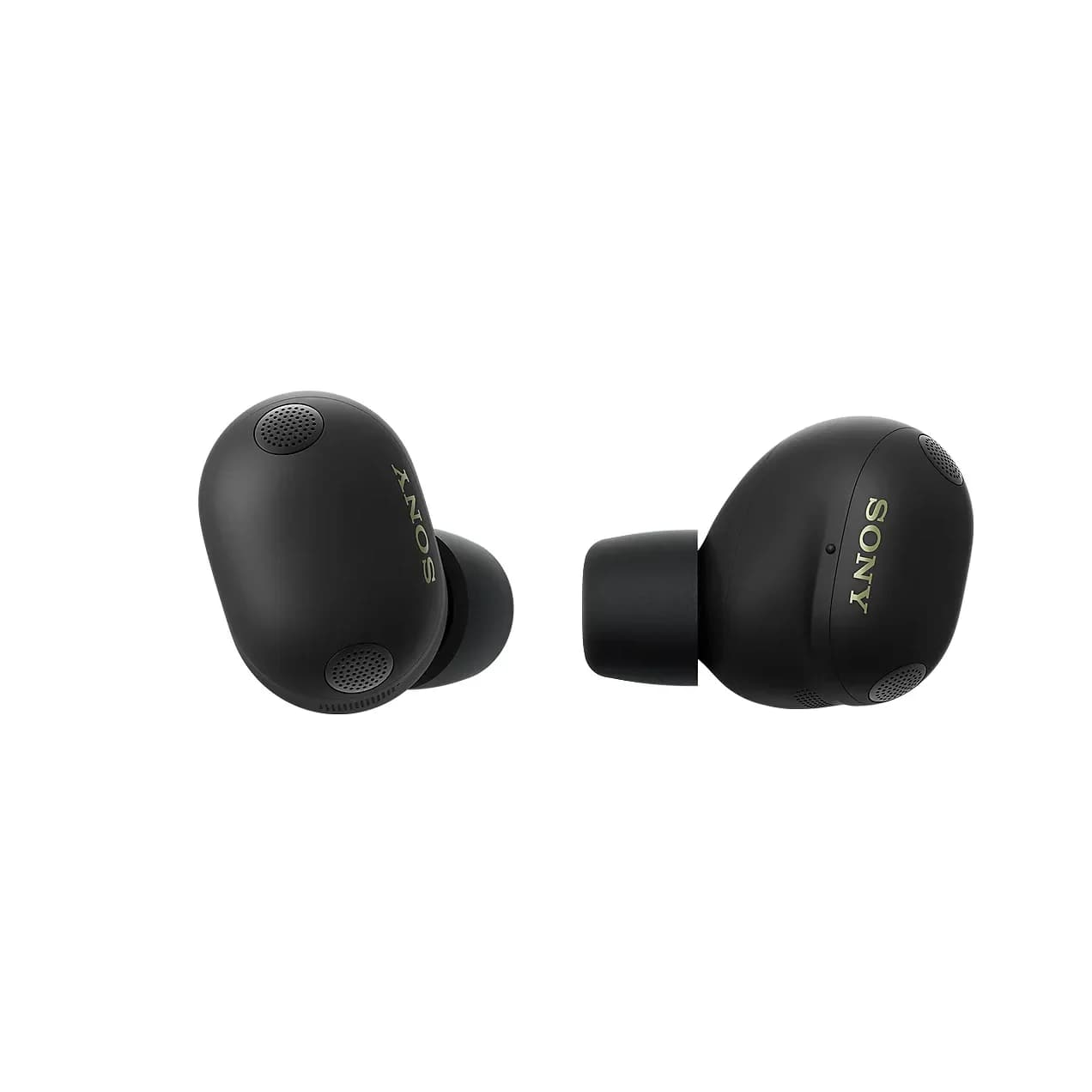
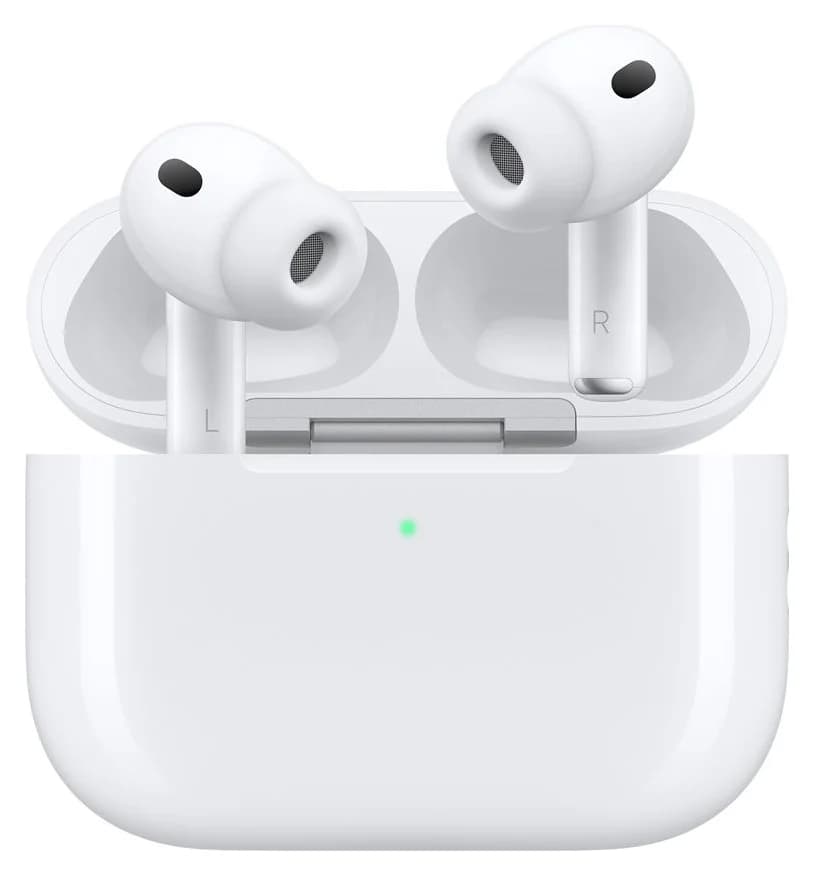
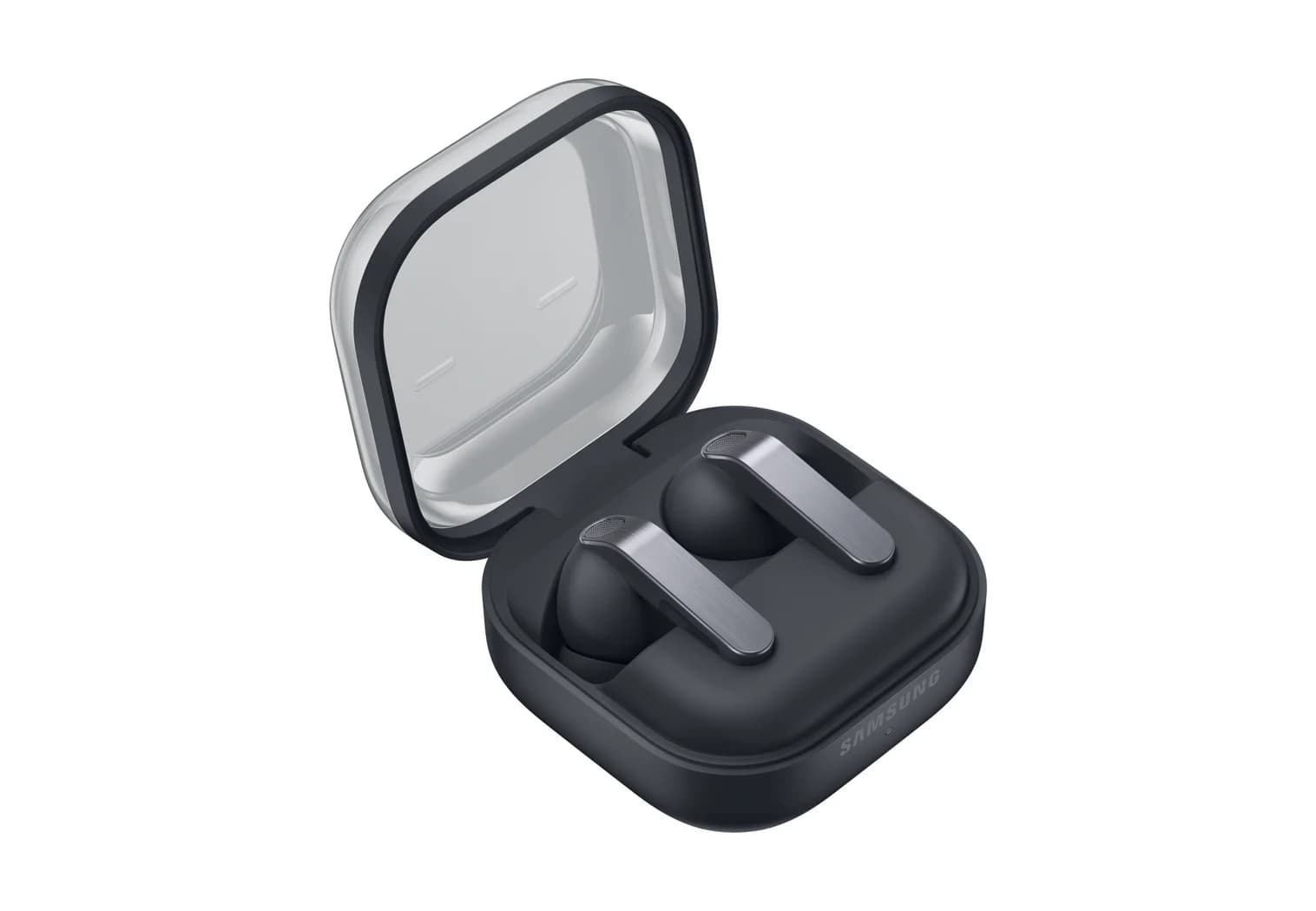
Best USB-C Earbuds and Headphones in 2026: Charging, Wired Audio and Phone Fit
USB-C earbuds and headphones compared on what the port really does: case charging, Qi and MagSafe, wired lossless audio, and which phone each pair suits best.
Updated November 8, 2026Read