Black Friday: the specs to check before you buy
Explainer
Updated November 3, 2026Satechi 145W Travel Charger Buying Guide: Plugs, Port Splits and Cables
Short answer
The Satechi 145W USB-C 4-Port GaN Travel Charger is our pick for a laptop-plus-phone trip with interchangeable regional plugs: use PD1 and PD3 for up to 100W + 45W, and bring your own charging cables. Choose the Anker 140W 4-Port if you need USB-A or want a high-power USB-C cable included. Before ordering Satechi, match the ST-W145GTM manual and plug set to the item offered: its linked storefront currently displays CT-W145C2, an unresolved model-code mismatch in Satechi's documentation.
Our picks at a glance
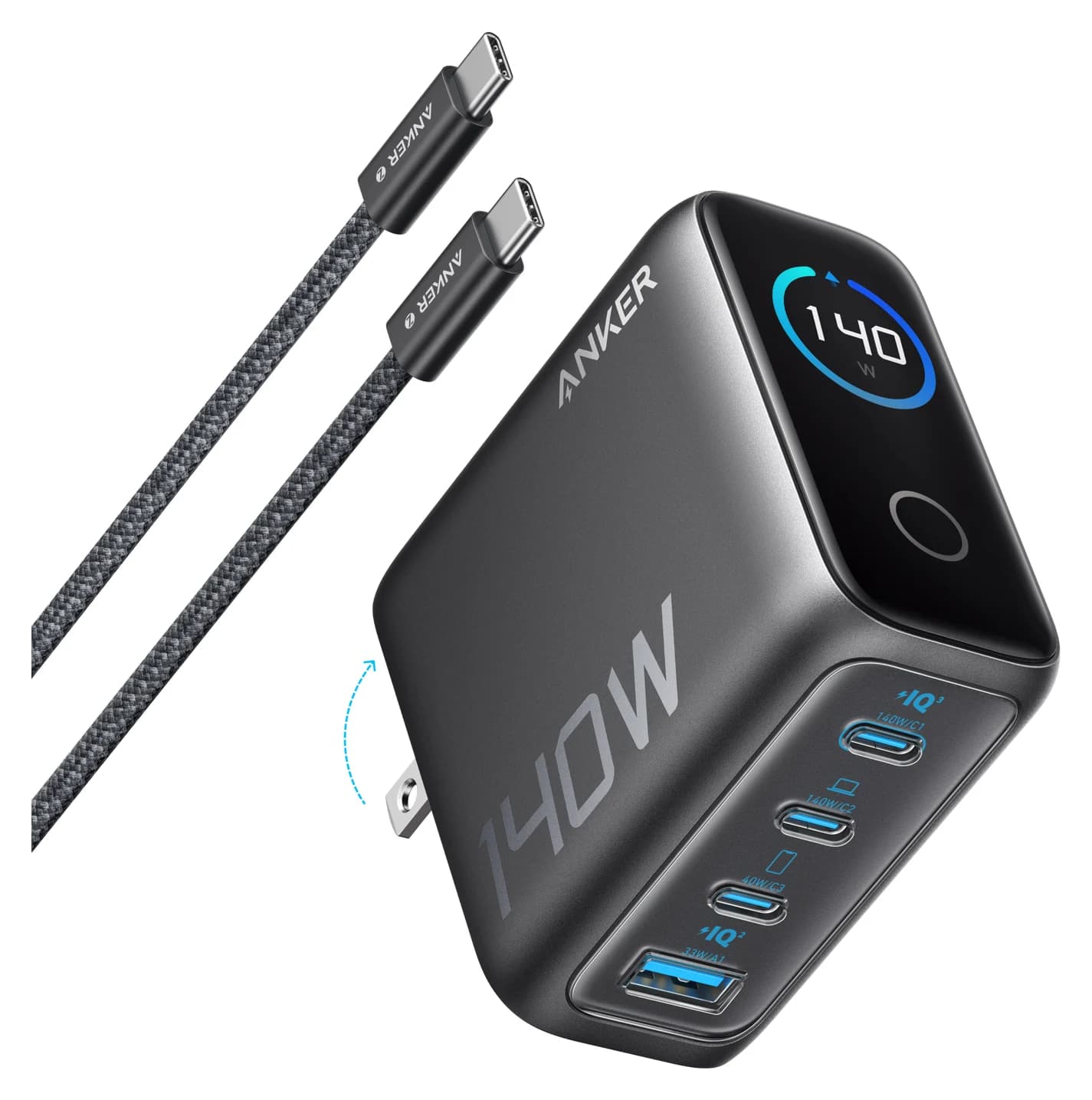
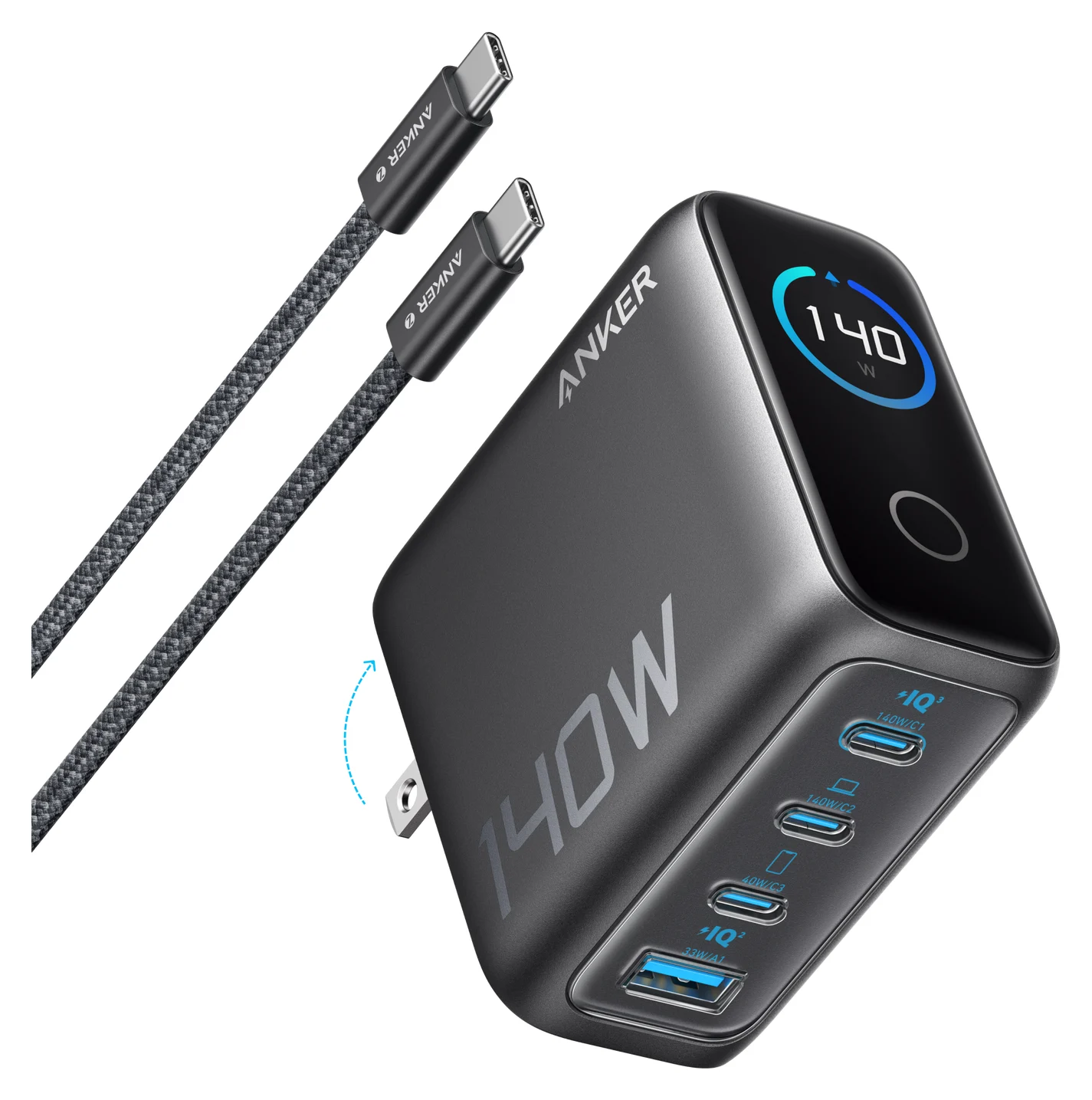
Best for USB-A and an included cableAnker
Anker Charger (140W, 4-Port, PD 3.1)
- max output
- 140W
- ports
- 4
- Choose
- Anker's 140W four-port cable kit has three USB-C ports, one USB-A port and a supplied 5 ft 240W USB-C cable.
- Limit
- Desk-sized rather than pocket-sized
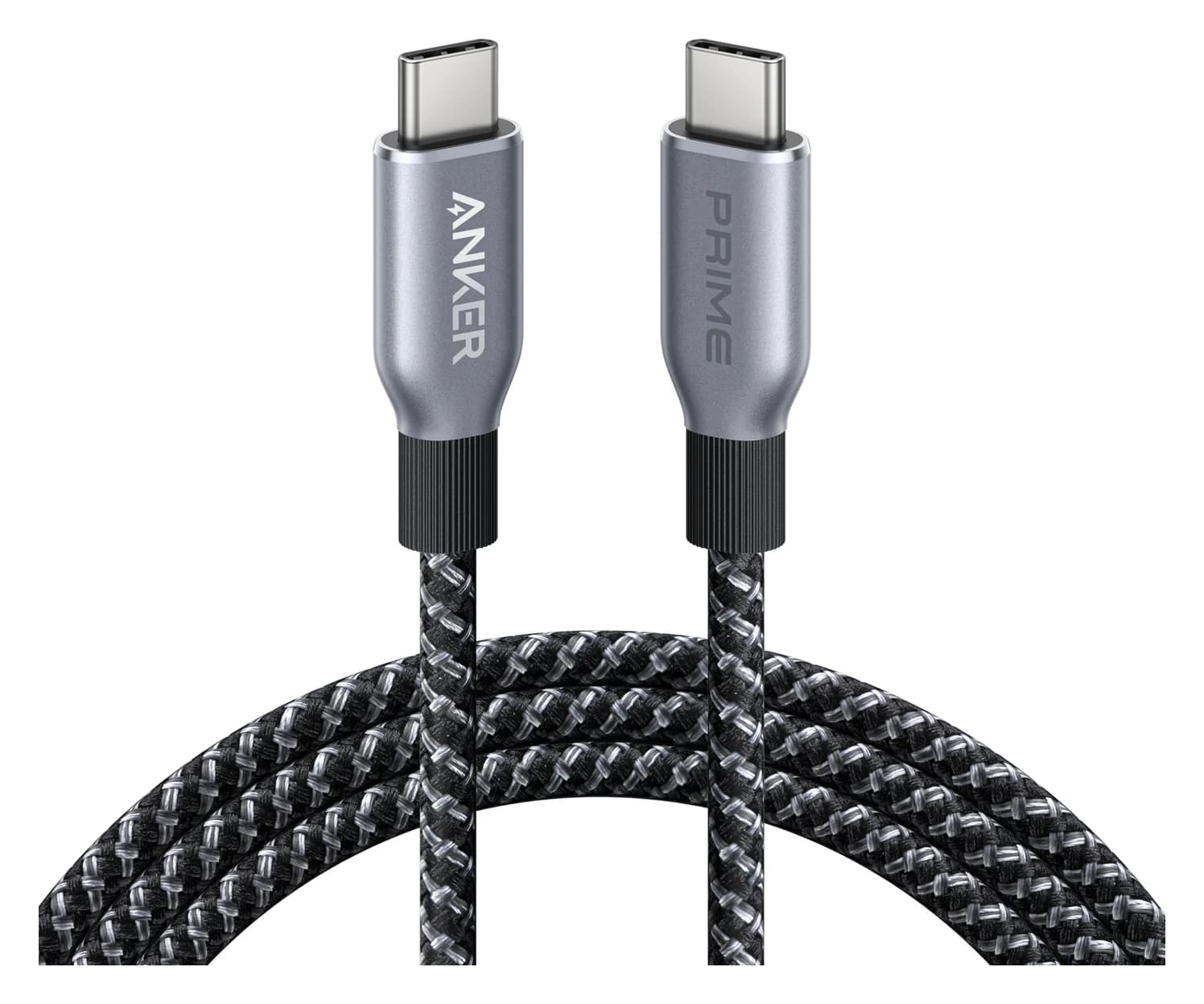
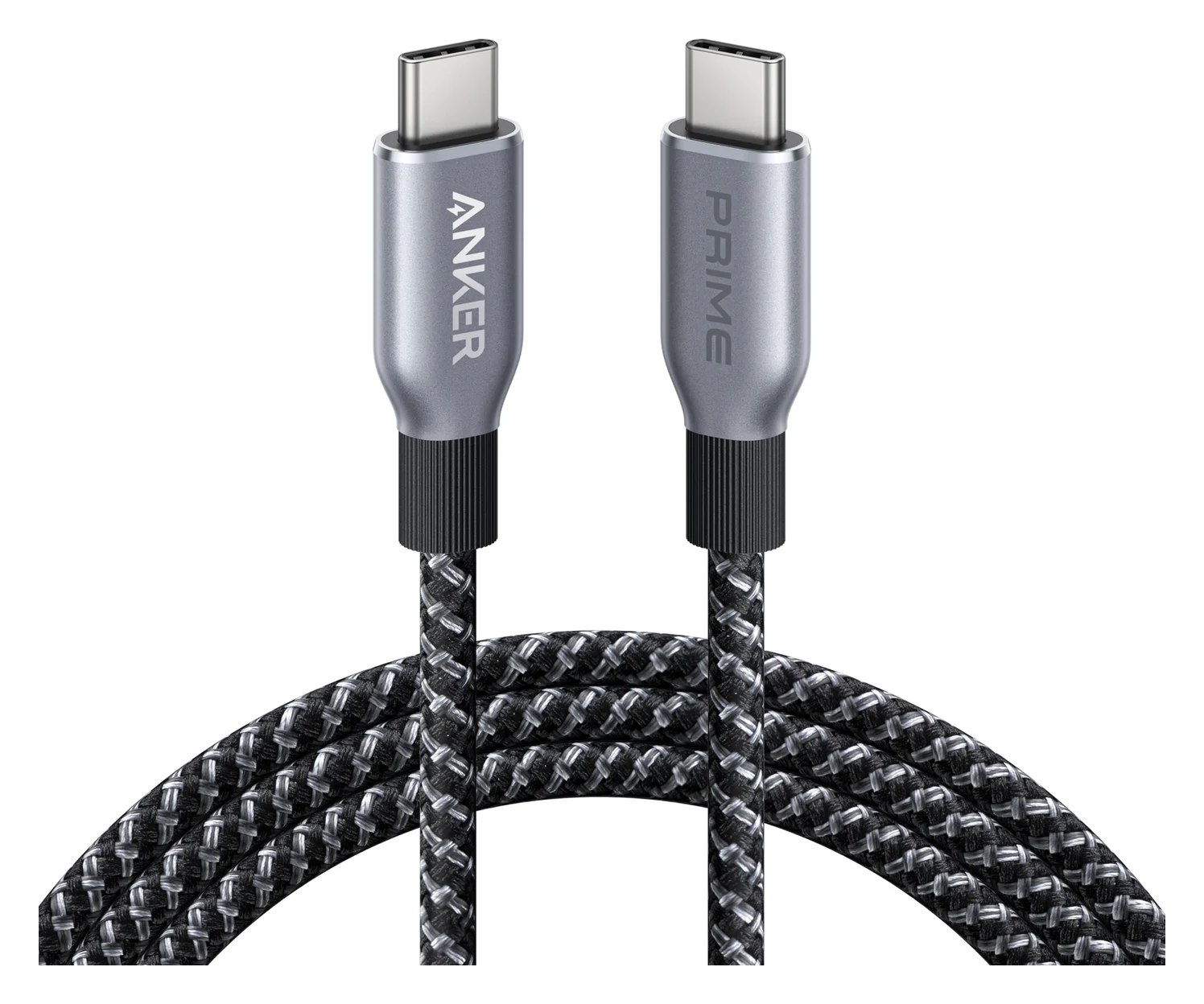
Cable add-on for USB-C laptop chargingAnker
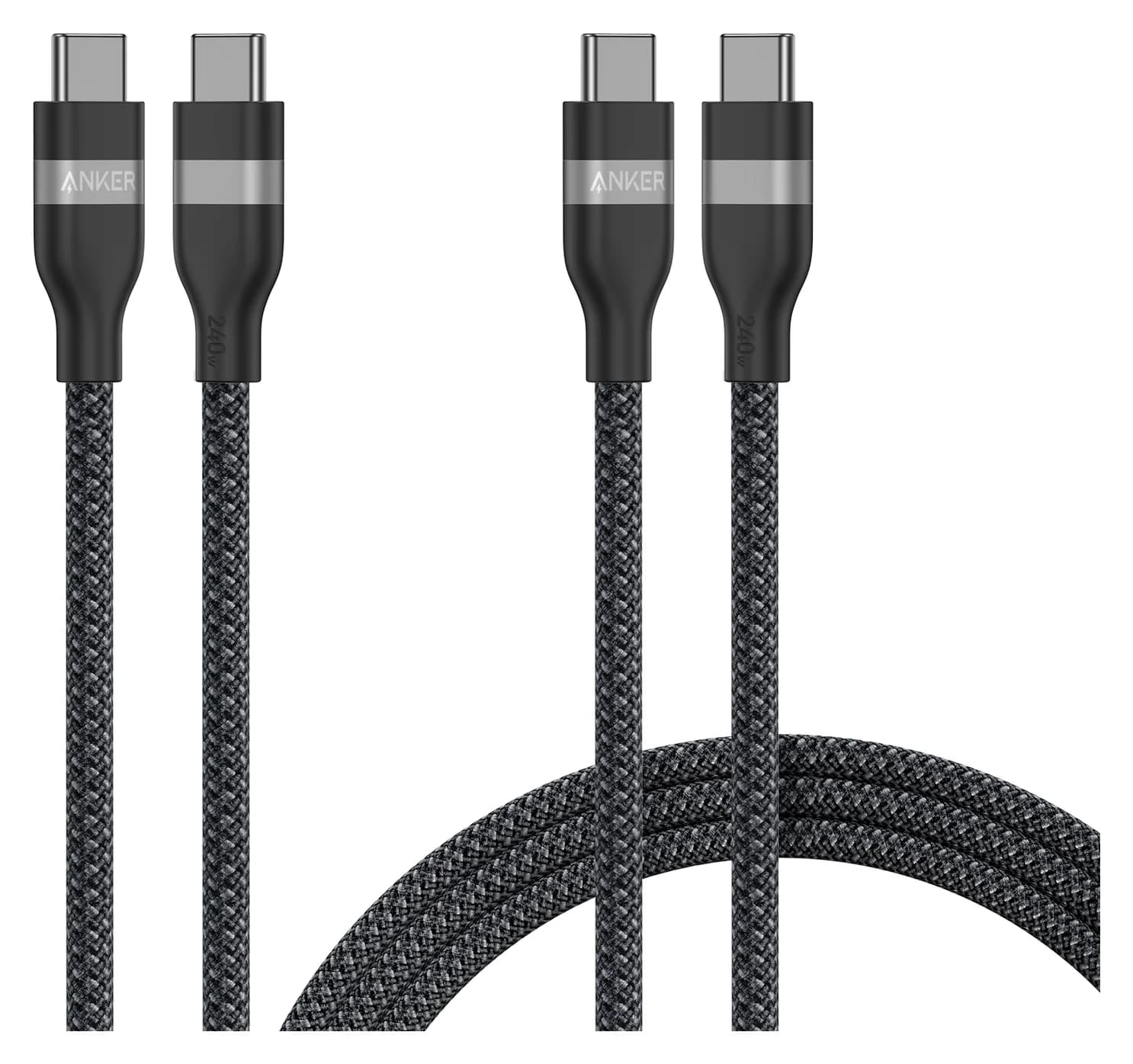
Anker Prime USB-C to USB-C Cable (240W, Upcycled-Braided, 6 ft)
- data
- 480 Mbps
- ends
- USB-C to USB-C
- Choose
- The 6 ft Anker Prime cable is USB-IF certified and rated for 240W; add it when you need a high-power USB-C charging lead.
- Limit
- 480Mbps data only
Quick picks
| Your priority | Pick | Purchase condition |
|---|---|---|
| Included regional heads and an all-USB-C kit | Satechi 145W, documented as ST-W145GTM | Confirm the model and included US/EU/UK/AU heads; supply charging cables |
| USB-A accessories or two laptops needing 70W each | Anker Charger (140W, 4-Port, PD 3.1) | Choose the cable kit, which includes a 5 ft 240W lead |
| A separate high-power USB-C laptop lead | Anker Prime 240W cable, 6 ft | Add only if a suitable cable is missing from your kit |
Best included international plug kit: Satechi 145W
Buy the documented standard kit rather than shopping for separate country bundles. Satechi's box-contents list includes the US head fitted by default, UK, EU and AU heads, mesh pouch and user manual. Its quick guide explicitly says charging cables are sold separately. You are choosing an outlet head and a cable setup, rather than a different wattage for each destination.
The ST-W145GTM manual specifies 100 to 240V AC, 50/60 Hz input. Within that input range, you need the right plug shape rather than a separate voltage converter for this charger. Check the accommodation's outlet: an “EU” label is not a promise that one head fits every European socket. The documented outputs are four USB-C charging ports; choose an AC travel adapter separately if you need to connect an appliance's mains plug. Our broader travel-charger guide covers that purchase.
Check the charger and included kit with Satechi
Port allocations: one laptop, two laptops or four devices
145W is a combined ceiling. Alone, PD1 or PD2 offers up to 140W; PD3 or PD4 offers up to 45W. All four ports together have a 140W ceiling, with the largest device's listed budget falling to 65W. The manual gives these allocations in port order:
| Ports occupied | Documented maximum allocation | How to use it |
|---|---|---|
| PD1 alone or PD2 alone | 140W | One high-power laptop, with all other ports unused |
| PD3 alone or PD4 alone | 45W | A compatible smaller device |
| PD1 + PD2 | 65W + 65W | Two laptops whose requirements fit those budgets |
| One of PD1/PD2 + one of PD3/PD4 | 100W + 45W | Our preferred laptop-and-phone arrangement |
| PD3 + PD4 | 25W + 20W | Two smaller devices; no high-power laptop allocation |
| PD1 + PD2 + either PD3 or PD4 | 65W + 30W + 45W | Budget for reduced power to the second laptop |
| Either PD1 or PD2 + PD3 + PD4 | 100W + 25W + 20W | Keep one laptop's budget higher with two smaller devices |
| PD1 + PD2 + PD3 + PD4 | 65W + 30W + 25W + 20W | Put the largest device on PD1 |
Source: Satechi's full manual. Its quick guide says PD1/PD2 can adjust allocation depending on where the largest device is connected; use the table's port order for planning and PD1 for the largest device when fully loaded. Do not assume a spare port can be filled without changing the laptop's budget.
Source: Satechi's ST-W145GTM manual
For MacBook Pro owners, Apple lists 96W and 140W adapter combinations for fast charging a 14-inch, and a 140W adapter for a 16-inch. On wattage alone, Satechi's 100W laptop-plus-phone setup clears that 14-inch adapter reference, while its fully loaded 65W allocation does not. Reserve the solo 140W arrangement for the 16-inch fast-charge wattage reference; these are specification comparisons, not measured charging times.
A phone on the 45W port does not necessarily take 45W. USB Power Delivery lets a device take the power it requires. Confirm your phone's charging protocol as well as its wattage before expecting its fastest advertised mode.
Best for USB-A and an included cable: Anker 140W 4-Port
Anker
Anker Charger (140W, 4-Port, PD 3.1)
A 140W USB PD 3.1 GaN charger with three USB-C ports, one USB-A port and a smart status display, sold with a 240W USB-C cable.
- 140W max output
- 4 ports
Choose Anker when an accessory still uses USB-A, or when two laptops each need more than Satechi's documented two-laptop allocation. Anker's A2697 specifications list three USB-C ports and one USB-A, with 70W + 70W on USB-C1 and USB-C2. Its USB-C1/C2 plus USB-C3 split is 100W + 40W.
| Buying difference | Satechi 145W, ST-W145GTM manual | Anker 140W, A2697 documentation |
|---|---|---|
| Charging connections | 4 USB-C | 3 USB-C + 1 USB-A |
| Best single-port ceiling | 140W | 140W |
| Laptop plus USB-C phone | 100W + 45W | 100W + 40W |
| Two laptop ports only | 65W + 65W | 70W + 70W |
| All ports, in order | 65W + 30W + 25W + 20W; 140W total | 65W + 45W + 12W + 12W; 134W total |
| Regional heads | US default, UK, EU and AU included | Interchangeable regional heads not listed in US box contents |
| Device charging cables | Sold separately | US cable kit includes a 5 ft 240W USB-C cable |
Sources: Satechi's manual and box list above; Anker's specifications and US cable-kit page. The Anker storefront calls this package B2697, while its support documentation identifies the charger as A2697. Match the full “140W, 4-Port, PD 3.1” description and supplied cable rather than assuming every Anker travel bundle is the same kit.
Plan a destination plug adapter separately for the US Anker kit: its documented box includes the charger, cable and manual, without Satechi's interchangeable-head set. Anker also instructs users to unplug unused cables because they can limit other ports' output. Both chargers therefore need deliberate port planning.
Cable add-on for USB-C laptops: Anker Prime 240W
Anker
Anker Prime USB-C to USB-C Cable (240W, Upcycled-Braided, 6 ft)
A 6 ft USB-IF certified USB-C cable rated for 240W (USB PD 3.1 EPR) charging with USB 2.0 data.
- 0.48 Gbps data
Add the 6 ft Anker Prime 240W USB-C to USB-C cable if you need a separate laptop lead. Anker's product family page also offers a 3 ft option. It lists USB-IF certification, 480 Mbps USB 2.0 data and no screen mirroring: buy this for charging, and choose another cable for a display or fast storage.
Satechi asks for certified e-marked charging cables. For a new high-power USB-C lead, look for the 240W rating; USB-IF's cable rules distinguish 60W and 240W power markings. A 60W-rated lead cannot deliver the 100W laptop budget above. An existing suitable high-power cable can save this purchase, and the recommended Anker charger kit already supplies a 240W lead.
For 140W to a MacBook Pro, check the cable route carefully. Satechi's product page specifically requires MagSafe 3. Apple also lists 140W with a 240W USB-C cable on 16-inch models from November 2023 onward. Those statements have different scopes: Apple's supported cable route does not verify this exact Satechi charger/device pairing. Use an existing compatible MagSafe 3 cable for Satechi's documented route, or get confirmation from Satechi before buying specifically for 140W over USB-C. Our fast-charging cable guide explains the wider cable choices.
Before buying a holiday bundle
Compare the complete kit, including the cables you would otherwise need to add. A seasonal label does not settle the model-code mismatch or tell you which ports can serve your devices together. Use this order before checking out:
Match the model
Compare the item label with the linked maker manual and resolve any conflicting code.
Match the outlet
Confirm that the supplied head fits the destination's actual socket.
Match the charging leads
Check connector, power rating and length; reuse suitable cables you already own.
Match the simultaneous load
Choose the documented port allocation before adding a bundle's extra accessories.
For Satechi, require the documented regional heads and pouch, and count charging cables as separate purchases. For Anker, check that the offer is the cable kit described above before adding another laptop lead. Skip a cable add-on if you already have the correct one. Our USB-C deal checklist covers further purchase checks.
Buy by device and destination
| Your trip | Our choice | Setup to plan |
|---|---|---|
| Laptop plus phone; outlet matches an included Satechi head | Satechi, after the model check | PD1 + PD3: 100W + 45W; bring suitable cables |
| Two laptops needing no more than 65W each; matching outlet | Satechi | PD1 + PD2 only: 65W + 65W |
| Two laptops needing 70W each | Anker | USB-C1 + USB-C2 only: 70W + 70W; plan the destination adapter |
| A 16-inch MacBook Pro where the 140W reference matters | Satechi only as a solo-device setup | PD1 alone, compatible MagSafe 3 cable and matching outlet head |
| A USB-A accessory alongside USB-C gear | Anker | Its USB-A port accommodates that cable; plan the remaining port budgets |
| Four devices, including a laptop that needs more than 65W | Neither for that laptop's full requirement | Keep a separate laptop charger or choose a different documented allocation |
How we choose
These are documentation-based recommendations. We compared Satechi's model-specific manual and quick guide with its storefront, Anker's specifications and package contents, Apple's cable combinations and USB-IF's cable guidance. The tables show published maxima, and our picks interpret those limits for particular travel kits. We have not physically evaluated these products. The unresolved Satechi model code remains a purchase condition rather than an assumed new version.
Verdict
Choose the Satechi 145W for the included regional heads and its 100W + 45W laptop-plus-phone setup, after confirming the model and kit. Choose Anker's 140W cable kit for USB-A or 70W + 70W laptop sharing; add the Anker Prime 240W cable only when a suitable USB-C lead is missing.
Frequently asked questions
Is the Satechi travel charger 145W per port?
No. The ST-W145GTM manual specifies up to 145W combined output, with up to 140W from PD1 or PD2 when only one device is connected. With all four ports occupied, its listed split is 65W, 30W, 25W and 20W, totaling 140W. Choose the allocation for your actual device combination rather than treating the product name as a per-port rating.
Which plug kit comes with the Satechi 145W charger?
Satechi lists a US adapter fitted by default, plus EU, UK and AU adapters, a mesh pouch and a user manual. Charging cables are sold separately. These are interchangeable outlet heads for the charger. Check your destination's actual socket against the appropriate head; the regional names do not establish compatibility with every outlet in those regions.
Do I need a 240W cable for the Satechi 145W?
A certified 240W USB-C cable is our add-on choice for high-power USB-C laptop charging, but it does not increase the charger's port budgets. Satechi requires certified e-marked charging cables and specifically directs MacBook Pro owners to MagSafe 3 for 140W. Apple also documents a 240W USB-C cable route on 16-inch models from November 2023 onward; that does not independently verify the exact Satechi pairing.
Can the Satechi 145W charge two laptops at once?
Yes, within the devices' requirements: the manual lists 65W each on PD1 and PD2 with those two ports in use. Adding another device changes that allocation, so do not plan around two 65W laptop outputs with more ports occupied. Anker's 140W alternative documents 70W each on its first two USB-C ports, making it our preference when both laptops need that extra budget.
Does the Satechi 145W need a voltage converter overseas?
The ST-W145GTM manual specifies 100 to 240V AC input at 50/60 Hz. Within that range, the charger itself does not need a separate voltage converter; it needs the correct outlet head. Its documented outputs are USB-C charging ports. Choose a separate travel adapter if you need an AC outlet for another appliance, and confirm a suitable adapter for sockets outside the included head set.
Related guides
Best Wireless Chargers in 2026: Qi2 Stands, Pads and 3-in-1 Stations
The best Qi2 wireless chargers of 2026, from maker spec sheets: 15W MagGo stands, foldable 3-in-1 stations, a Galaxy pad, and the adapter wattage each one needs.
Updated November 7, 2026Read
Anker Prime A2688 vs Satechi 100W Charger: Which to Buy?
Anker Prime A2688 vs Satechi 100W Compact GaN: exact port splits, sizes, cables and travel plugs from the makers, and which kit fits your laptop.
Updated November 5, 2026Read
Satechi 145W vs Anker Prime Fusion: The Four-Port Travel Charger Match
Satechi 145W vs the Prime Fusion-class pick: real port splits for one or two laptops plus phones, plug kits, cables and which complete travel kit wins.
Updated November 5, 2026Read