Black Friday: the specs to check before you buy
Comparison
Updated November 4, 2026Anker Nano 75W vs UGREEN 145W Retractable Car Charger: Which to Buy?
Short answer
Buy the Anker Nano 75W (A2738) for a tidy phone setup: its attached USB-C cable delivers up to 45W alongside up to 30W from the spare USB-C port. Choose the UGREEN Nexode 145W (55910) for a laptop and phone, with up to 100W from USB-C2 and 45W from the retractable cable together. UGREEN rates its built-in cable at 60W alone and 45W in that pairing, so the laptop recommendation includes a separate cable and a check of your vehicle socket's allowed load.
Our picks at a glance
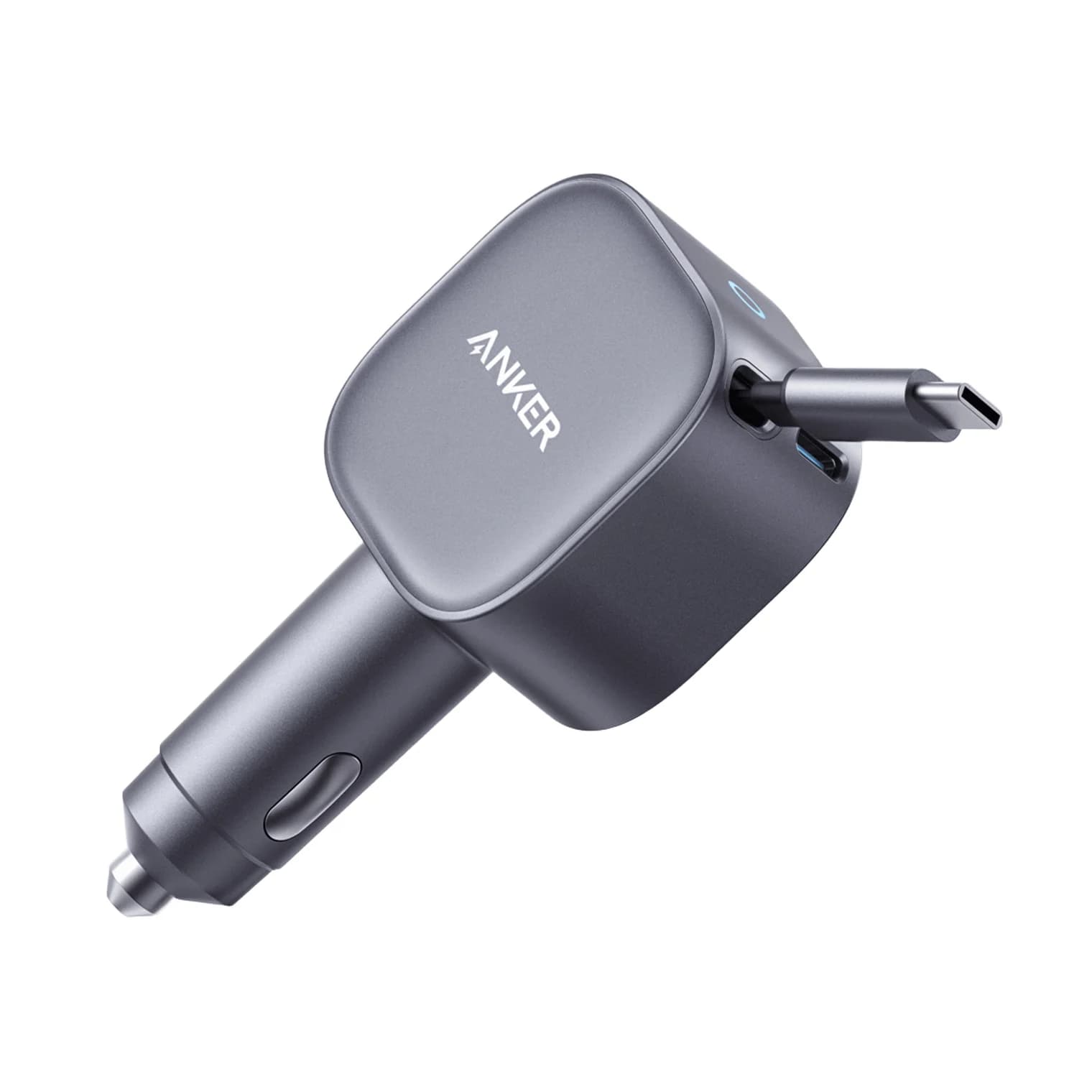
Best for phonesAnker
Anker Nano Car Charger (75W, Built-In Retractable USB-C Cable, Gray)
- max output
- 45W
- ports
- 2
- Choose
- The attached USB-C cable supplies up to 45W while a separate USB-C port supplies up to 30W, a straightforward two-device setup.
- Limit
- 45W is too little to keep a busy 14-inch or 16-inch laptop topped up
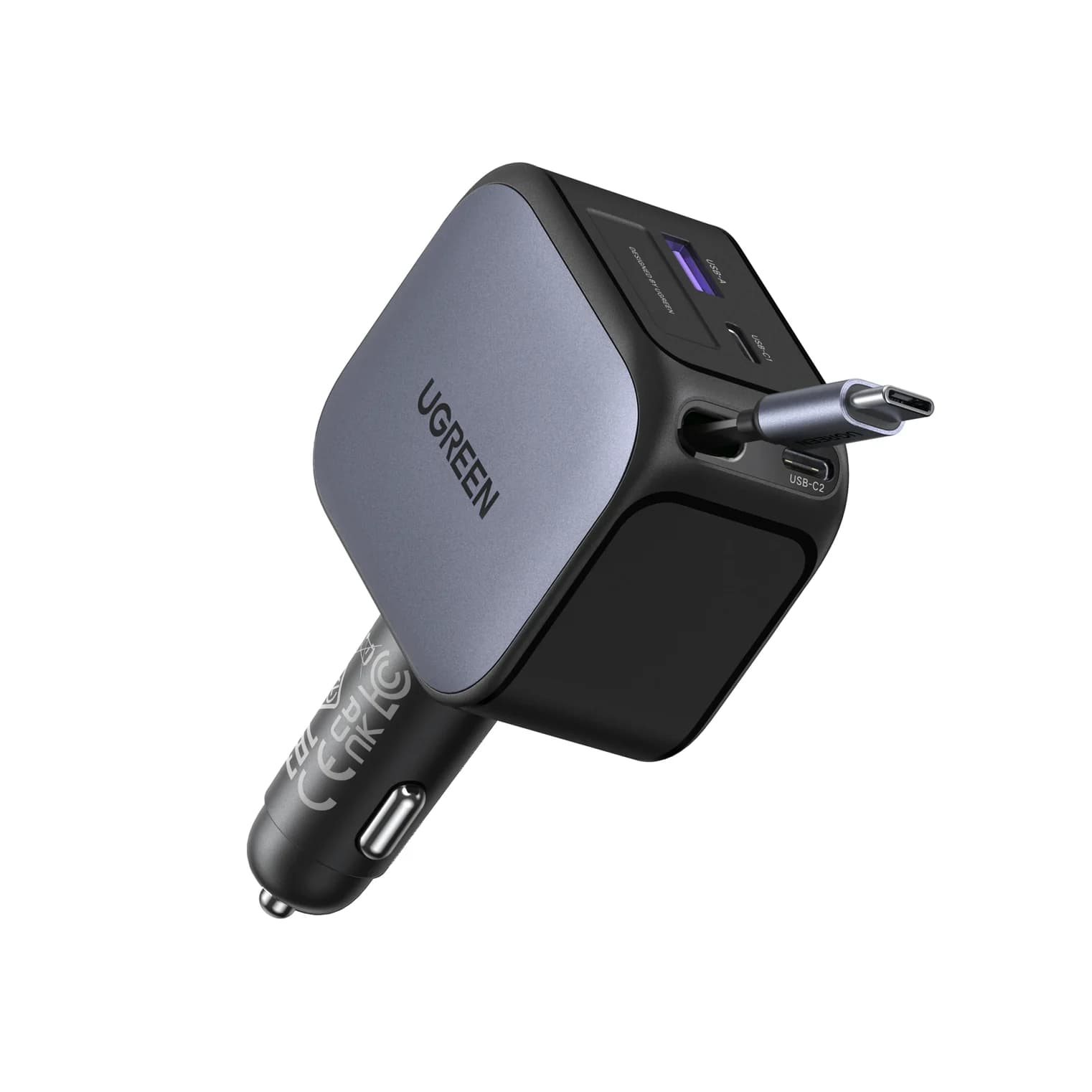
Best for a laptop and phoneUGREEN
UGREEN Nexode Car Charger 145W with Retractable USB-C Cable
- max output
- 100W
- ports
- 4
- Choose
- USB-C2 supplies up to 100W alongside 45W on the retractable cable, provided the vehicle socket supports the charger's input requirements.
- Limit
- The retractable cable drops from 60W to 45W when USB-C2 is also in use
Quick picks
| Your priority | Buy | Connection to plan |
|---|---|---|
| Phones and a tidy console | Anker A2738 | Attached USB-C cable; add your own cable for the second device |
| Laptop plus phone | UGREEN 55910 | Laptop on USB-C2; phone on the attached cable |
| A laptop using only the retractable lead | UGREEN 55910, if 60W suits the laptop | Attached cable alone; check the laptop's charging requirements |
| A long run to a rear passenger | Measure first | Attached reach is 75cm for Anker and 70cm for UGREEN |
For alternatives beyond this pair, see our USB-C car charger guide.
Exact models and cable reach
| Feature | Anker Nano A2738 | UGREEN Nexode 55910 |
|---|---|---|
| Attached connector | USB-C | USB-C |
| Retractable reach | Up to 75cm / 29.5 inches | 70cm / 0.7m; eight preset lengths |
| Extra sockets | One USB-C | Two USB-C, labeled C1 and C2; one USB-A |
| Attached cable, alone | Up to 45W | Up to 60W |
| Strongest extra socket, alone | USB-C: up to 30W | USB-C2: up to 100W |
| Advertised combined maximum | 75W | 145W |
These are the models identified in Anker's A2738 manual and UK product page, and UGREEN's 55910 specification table. Anker's US title says “Nano 75W Car Charger,” while its UK title says “USB-C Car Charger”; the model number is the useful identifier. Match A2738 or 55910 and the pictured connections before buying, rather than choosing by the Nano or Nexode family name alone.
Source: Anker specifications and UGREEN specifications
Best for phones: Anker Nano 75W, A2738
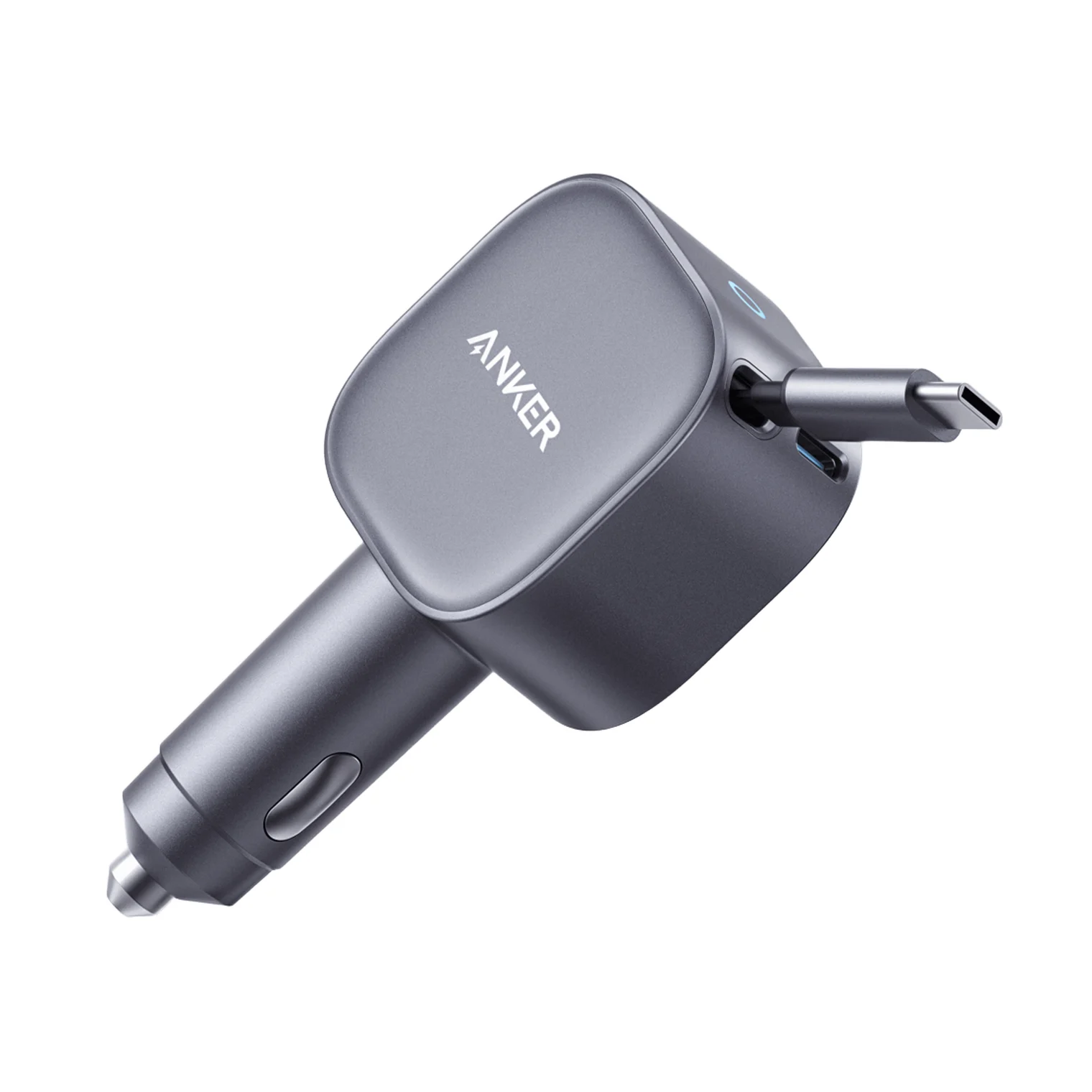
Anker
Anker Nano Car Charger (75W, Built-In Retractable USB-C Cable, Gray)
A two-output car charger with a built-in 29.5-inch retractable USB-C cable rated at 45W plus a separate 30W USB-C port, for 75W total from a 12V or 24V socket.
- 45W max output
- 2 ports
Choose the Anker when you want an attached phone cable and one spare connection, without planning a larger collection of devices. Anker explicitly describes the 45W cable and 30W port charging devices together; the second connection does not reduce the cable's stated allocation. That is the attraction of this USB-C car adapter: the complete documented arrangement is easy to remember.
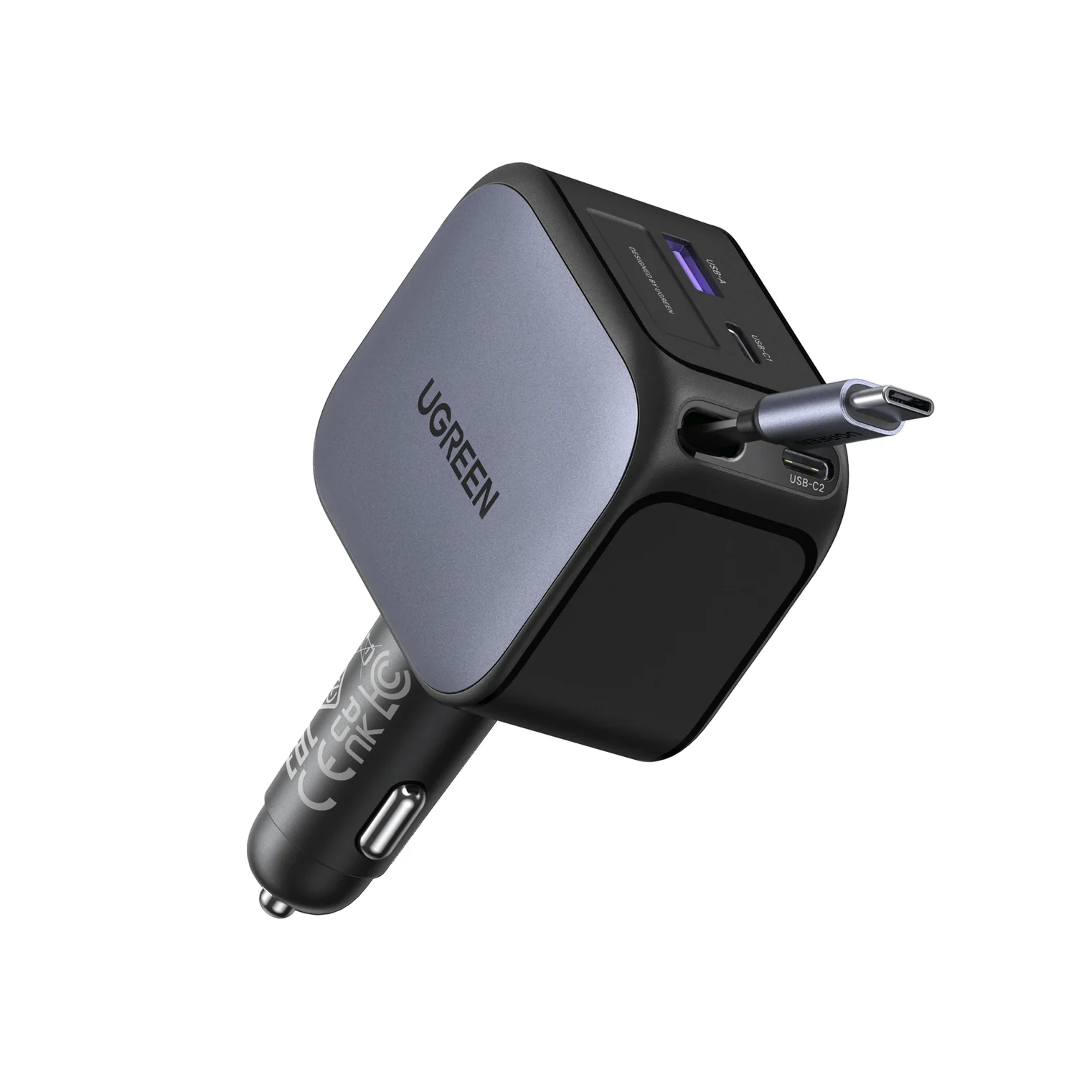
For a USB-C iPhone, use the built-in cable first if you need the stronger output. Its 45W rating clears the 40W adapter threshold Apple lists for the iPhone 17, 17 Pro and 17 Pro Max; the spare 30W port falls below that threshold. This is a comparison of specifications, not a promise of Apple's charge time in your car.
Anker's product page shows a cable extending to 75cm (29.5 inches) and says to pull it more than two inches to extend, then use a short pull and release to retract. Measure the actual route from socket to phone mount, including slack, before choosing a fixed-length retractable lead. For an older Lightning iPhone, budget for a separate USB-C to Lightning cable on the spare port.
Check price on Amazon for the Anker Nano 75W
Best for a laptop and phone: UGREEN Nexode 145W, 55910
UGREEN
UGREEN Nexode Car Charger 145W with Retractable USB-C Cable
A 145W car charger with a built-in 70cm retractable USB-C cable plus two USB-C ports and a USB-A port, rated for 12V and 24V vehicles.
- 100W max output
- 4 ports
Buy the UGREEN when the laptop is the deciding load. Its USB-C2 socket offers up to 100W at 20V/5A; the attached cable offers up to 60W at 20V/3A alone. For the documented two-device setup, put the laptop on USB-C2 and the phone on the cable: their allocations are 100W and 45W respectively.
That arrangement preserves the strongest laptop connection, but it still leaves a separate laptop cable in the car. Choose a USB-C cable explicitly rated for 100W or more and 5A; USB-IF describes 100W USB PD as 20V using a 5A cable. A suitable 240W cable also provides headroom, but cannot raise the charger's output beyond its own rating. Our fast-charging cable guide explains the markings.
The retractable lead is 70cm long with eight preset lengths. The added USB-A socket is useful if you already have that cable type, but plan its shared output before treating this as a fast charger for a full car.
Check price on Amazon for the UGREEN Nexode 145W
What happens when devices charge together?
These are manufacturer-published allocations, expressed as maximum output available at each connection. USB PD lets a device take the power it needs; a port rating is not a constant draw.
| Connected devices | Anker A2738 | UGREEN 55910 |
|---|---|---|
| Phone on attached cable only | Up to 45W | Up to 60W |
| Laptop on strongest spare USB-C only | Up to 30W; no 20V profile listed | USB-C2: up to 100W |
| Laptop plus phone | Laptop on cable 45W + phone on spare USB-C 30W | Laptop on USB-C2 100W + phone on cable 45W |
| Every connection occupied | Same 45W + 30W | USB-C output 65W + cable 45W + USB-C1 and USB-A 7.5W each |
UGREEN names the four-device 65W connection only as “USB-C” in that sentence. It appears to mean C2 because its specification table caps C1 at 30W, but that port identification is our inference. The important buying consequence is explicit: filling every connection does not preserve the 100W laptop allocation.
UGREEN's page documents the cable-plus-C2 combination and the all-device split, but does not specify every other pair or three-device arrangement. Do not assume that unplugging one small accessory restores 100W; use the documented laptop-and-phone combination when that allocation matters.
Single-device profiles: which connection should you use?
| Output | Maximum fixed-voltage profile | Variable-voltage specification |
|---|---|---|
| Anker attached cable | 20V/2.25A, 45W | 5–11V/3A; Anker does not name PPS in this table |
| Anker spare USB-C | 15V/2A, 30W | 5–11V/3A |
| UGREEN attached cable | 20V/3A, 60W | PPS 5–11V/3A |
| UGREEN USB-C1 | 12V/2.5A, 30W | PPS 5–11V/3A |
| UGREEN USB-C2 | 20V/5A, 100W | PPS 5–21V/5A |
| UGREEN USB-A | 12V/2.5A, 30W | PPS is not listed for USB-A |
The tables come from the linked Anker manual and UGREEN specification page; the variable ranges should not be read as delivering the headline wattage at every voltage.
Vehicle input: check the socket before buying
Both manufacturers list compatibility with 12V and 24V supplies. Anker's manual specifies 12.0V/8.0A or 24.0V/4.0A. UGREEN lists DC 12–24V /17.8A, without assigning separate currents to the two voltages. Neither source provides a separate output-allocation table for each input voltage, so there is no published basis here for calling the headline output a 24V-only feature.
There is an Anker source conflict: the UK product table compresses input to “12V/24V= 8A”, whereas the manual distinguishes the ratings above. Check the supplied unit's label and vehicle manual before relying on either summary.
The socket's allowed load is a separate check from its voltage. For example, Honda's accessory-socket instructions specify 12V accessories rated at 180W or less, with a current limit of 15 amps. UGREEN's stated 17.8A input rating exceeds the 15 amps allowed in that example, so its 145W output label alone does not establish suitability for full-power use there. Confirm the permitted accessory load for your exact socket before planning the maximum-output configuration. Anker's manual also specifies a maximum ambient temperature during use of 25°C, another condition to check before buying.
Buying guide: match the phone, laptop and complete kit
iPhone: Apple's fast-charge instructions specify a USB-C cable for iPhone 15 and later and a USB-C to Lightning cable for earlier models. For the iPhone 17, 17 Pro and 17 Pro Max's 40W adapter requirement, use either charger's attached cable in the documented two-device setup. For iPhone 18 Pro models and iPhone Duo, Apple asks for a 60W-capable adapter with AVS for its fastest wired figures; neither car charger's cited specifications document AVS. UGREEN's 60W cable rating alone therefore does not establish that newer fast-charge mode. Our iPhone charger guide covers the generation differences.
Galaxy: Samsung's charger advice says to check PPS support as well as watts. UGREEN explicitly lists PPS, with 5–21V/5A on C2 versus 5–11V/3A on its attached cable and C1. For the Galaxy S26 Ultra's 60W mode, C2 is the stronger candidate on paper: Samsung's own 60W adapter lists PPS 5–20V/3A. UGREEN does not confirm that phone's full-speed mode on this product page, so treat that as a profile comparison, not verified compatibility. Anker's 45W fixed-output figure likewise does not establish Samsung's 45W Super Fast Charging mode.
Laptop: Apple's fast-charge page lists a 70W adapter for MacBook Air, with its 67W adapter also listed for 13.6-inch models, and a 96W adapter for the 14-inch MacBook Pro. UGREEN's 100W C2 allocation clears those adapter ratings on paper; both attached cables fall below them. Neither charger reaches the 140W adapter rating Apple lists for fast charging a 16-inch MacBook Pro. For a Windows laptop, compare its required USB-C charging profile with the table, rather than assuming the connector alone guarantees adequate power.
Complete purchase: Either charger covers one USB-C device with its built-in lead; a second device needs another cable. Anker lists the charger and welcome guide in the box; plan on a separate laptop cable for UGREEN and compare included items at checkout. Compare the exact model, included cables and seller at checkout before deciding which kit is better value. Anker's manual says not to operate the charger with a damaged cord, so cable condition belongs in the ownership decision too.
Read the vehicle manual
Match the socket's permitted voltage and accessory load to the charger's input requirements.
Measure the cable route
Include the distance to your mount or passenger and leave slack at the connector.
Plan the occupied connections
Use the published combination for your devices, and include the separate laptop or Lightning cable in your purchase.
How we choose
These recommendations are based on manufacturer specifications, with no physical product evaluation. We compare the exact Anker manual and regional product pages with UGREEN's SKU-specific outputs, then check device requirements against Apple, Samsung and USB-IF documentation. Unpublished combinations and unconfirmed phone modes stay identified as gaps; charging times, heat performance and retraction durability are not inferred from output ratings. For the standard behind those numbers, see our USB Power Delivery explainer.
Verdict
Choose the Anker A2738 for phones and the straightforward 45W cable + 30W port arrangement. Choose the UGREEN 55910 for a supported laptop-and-phone setup using 100W USB-C2 + 45W cable, after checking the socket rating and adding a suitable laptop cable. If the attached lead alone is the reason to buy, compare 45W versus 60W and 75cm versus 70cm—those are the cable capabilities you will actually be choosing between.
Frequently asked questions
Which USB-C car adapter should I buy: Anker 75W or UGREEN 145W?
Choose the Anker A2738 for phones and a simple two-device setup: its retractable cable and extra USB-C port deliver up to 45W and 30W together. Choose the UGREEN 55910 for a laptop and phone, using USB-C2 for up to 100W and the attached cable for up to 45W simultaneously. Check your vehicle socket's allowed load first; the advertised output total does not establish vehicle compatibility.
Does UGREEN's retractable cable deliver 145W?
No. UGREEN rates the attached cable at up to 60W when used alone. In its documented laptop-and-phone combination, the cable supplies up to 45W while the separate USB-C2 port supplies up to 100W. Reaching that laptop-port rating requires a suitable separate USB-C cable. Buying the UGREEN for laptop power therefore still means planning an additional cable, rather than assuming the retractable lead handles the headline wattage.
Will either retractable charger work in a 12V car or 24V truck?
Both list support for those input voltages. Anker's A2738 manual specifies 12.0V at 8.0A or 24.0V at 4.0A. UGREEN lists DC 12–24V at 17.8A without separate current ratings by voltage. Your vehicle's socket limit still matters. Voltage compatibility alone does not confirm full-power operation, and UGREEN's page does not provide a separate reduced-output table for a lower-rated vehicle socket.
Can I charge an older Lightning iPhone with these?
Yes, using a separate USB-C to Lightning cable plugged into a USB-C socket on the charger. The attached USB-C cable fits an iPhone 15 or later directly, but does not plug into a Lightning iPhone. Apple specifies a USB-C to Lightning cable for fast charging earlier iPhones. If your household mixes connectors, include the separate Lightning cable when comparing the complete purchase.
Will these chargers add wired CarPlay?
Treat them as charging accessories. Apple directs wired CarPlay users to the USB port in the car; these chargers connect to the accessory power socket and publish charging outputs. Buying either one does not establish a CarPlay connection to the head unit. Keep using the vehicle's designated USB connection for wired CarPlay, or follow its wireless CarPlay setup if the car supports that.
Related guides
Best Wireless Chargers in 2026: Qi2 Stands, Pads and 3-in-1 Stations
The best Qi2 wireless chargers of 2026, from maker spec sheets: 15W MagGo stands, foldable 3-in-1 stations, a Galaxy pad, and the adapter wattage each one needs.
Updated November 7, 2026Read
Anker Prime A2688 vs Satechi 100W Charger: Which to Buy?
Anker Prime A2688 vs Satechi 100W Compact GaN: exact port splits, sizes, cables and travel plugs from the makers, and which kit fits your laptop.
Updated November 5, 2026Read
Satechi 145W vs Anker Prime Fusion: The Four-Port Travel Charger Match
Satechi 145W vs the Prime Fusion-class pick: real port splits for one or two laptops plus phones, plug kits, cables and which complete travel kit wins.
Updated November 5, 2026Read