Black Friday: the specs to check before you buy
Comparison
Updated November 3, 2026AOC I1601FWUX vs 16T20: Which Portable Monitor Should You Buy?
Short answer
For a portable AOC monitor used with a video-capable USB-C laptop, choose the I1601FWUX for its straightforward single-input setup and included Smart Cover. Choose the 16T20 if HDMI matters, provided the exact unit matches AOC's mini-HDMI-equipped regional specification and has the required power kit. Neither is a verified laptop-charging dock; check your host's video output before choosing either screen.
Our picks at a glance
Quick picks
- USB-C laptop work: I1601FWUX. Pick it when your laptop provides DisplayPort Alt Mode and power over USB-C.
- HDMI laptop or powered console setup: 16T20. Verify the mini HDMI port and adapter package first.
- USB-A-only laptop or guaranteed laptop charging: neither is a confirmed fit. Start with the host specification and a different connection plan.
Availability needs checking: AOC's US 16T20 page currently says "Currently not available." Use the official model links below to identify the hardware, then confirm the seller's exact unit and bundle.
I1601FWUX vs 16T20: the differences that matter
| Buying detail | I1601FWUX | 16T20 |
|---|---|---|
| Screen | 15.6-inch IPS; 1920x1080 | 15.6-inch IPS; 1920x1080 |
| Maximum refresh | 60 Hz | 60 Hz |
| USB-C | 1x USB-C, DisplayPort Alt Mode | 2x USB-C on US and Singapore pages; regional conflict below |
| HDMI | None documented; USB-C is the manual's sole input | 1x mini HDMI 2.0 on Singapore 16T20/69; verify US unit |
| Typical brightness | 220 cd/m² | 250 cd/m² on US and Singapore pages |
| Power | Notebook USB 5V; 6W typical, 8W at maximum brightness/contrast | US: 5VDC, 3.0A input; 10.0W typical, 15W stated maximum |
| Laptop-charging output | No output rating verified | No US output rating verified |
| Carry weight | 824 g, monitor only, per manual | 0.7 kg without stand; 1.099 kg with stand, per US page |
| Body thickness | 8.5 mm | 9.6 mm excluding base |
| Support | Smart Cover supports portrait or landscape | US: removable stand; Singapore: tilt via Smart Cover |
Both screens are 15.6-inch Full HD IPS displays with a maximum refresh of 60 Hz, so choose primarily by connection and kit rather than the model's leading digits.
- 15.6-inchScreen diagonal shared by both models
- 60 HzMaximum refresh listed for both models
Best for a USB-C laptop: AOC I1601FWUX
The I1601FWUX is our simpler laptop-work pick because AOC documents one USB-C DisplayPort Alt Mode input and notebook-supplied power. Its manual lists the monitor, USB-C cable, Smart Cover and CD manual in the box. The cover doubles as a portrait or landscape support.
AOC's manual rates consumption at 6W with its stated typical settings and 8W with brightness and contrast at maximum. Treat those as display consumption, not power sent back to the laptop. Because its sole USB-C connection is occupied by the display cable, plan to power the laptop through another charging connection.
There is no HDMI input in the manual's connector specification, so skip it for an HDMI-only source rather than shopping for a simple connector adapter. The same caution applies to USB-A: AOC's similarly named I1659FWUX uses USB 3.0, while I1601FWUX uses USB-C. Do not transfer connection advice between those codes.
For carrying it, use the manual's 824 g monitor-only weight and 8.5 mm depth. Automatic portrait/landscape rotation requires I-MENU; AOC's connection instructions separately say the computer should detect the display automatically.
See the I1601FWUX specification and downloads at AOC.
Best for HDMI, after checking the bundle: AOC 16T20
The 16T20 is our more flexible connection pick: AOC's Singapore page explicitly lists two USB-C ports and one mini HDMI 2.0 input. The US page lists the USB-C ports but omits HDMI from its connectivity section, while the US leaflet lists a mini-HDMI-to-HDMI cable. Get confirmation of the physical input on the unit you are ordering.
The US power specification is 5VDC, 3.0A, with 10.0W typical consumption and a stated 15W maximum. That is a monitor power requirement, not a laptop-charging promise. The same page also lists 16W under its separate EnergyStar-method field, conflicting with its stated maximum; do not treat these figures as a measured power budget.
Its US and Singapore pages list 250 cd/m² brightness, compared with 220 cd/m² for I1601FWUX. Both remain Full HD at 60 Hz; the HDMI version number does not upgrade the screen's resolution or refresh ceiling. For travel, budget for the stand: AOC's US figures are 0.7 kg without it and 1.099 kg with it.
See AOC's US 16T20 page and the Singapore 16T20/69 input specification.
How we choose
These are document-based recommendations; we have not physically evaluated either monitor. We compare AOC's US specifications, exact-model manuals and regional leaflets, then check the connection rules against VESA's DisplayPort documentation. We do not turn copied feature text or an unspecified power direction into a buying promise.
For more brands and screen types, see our portable monitor guide. For the connector and cable background, read USB-C cable types explained.
Buying guide: build a working connection kit
Check video support before buying a cable
VESA says a USB-C port without DisplayPort-over-USB-C support sends no picture to this type of display. Check your laptop's documentation for DisplayPort Alt Mode, then use a full-featured USB-C video cable; a charging wattage label alone is not a video specification. A plain USB-A adapter is not a documented video route for either AOC model.
An ordinary USB-C-to-HDMI converter is also the wrong purchase for feeding HDMI into I1601FWUX: VESA specifies that converter direction from a USB-C video source toward an HDMI display. For an HDMI source, choose a confirmed HDMI-equipped monitor rather than building an unverified conversion chain.
- Yes: I1601FWUX with a laptop supplying USB-C DisplayPort video and monitor power
- Partly: HDMI into 16T20: confirm the regional mini HDMI port and power package
- No: Plain USB-A-to-USB-C adapter as a verified picture connection for either model
- No: Buying either model on the assumption it will charge the laptop
Compare the complete kit
| Your setup | Include in the comparison | Confirm before paying |
|---|---|---|
| I1601FWUX laptop setup | Monitor, documented USB-C cable and Smart Cover; laptop's own charger | Host supports DisplayPort Alt Mode and supplies power |
| 16T20 laptop setup | Monitor, video-capable USB-C cable and regional stand/cover; power source as required | Exact USB-C port count, cable inclusion and power arrangement |
| 16T20 HDMI setup | Monitor, HDMI-to-mini-HDMI connection, separate monitor power and stand/cover | Mini HDMI input and appropriate monitor power equipment |
Compare the delivered total for that whole kit, including missing cables or power equipment, instead of the monitor alone. Check the seller's return window, return shipping, restocking terms and treatment of an incompatible host before ordering.
For a Nintendo Switch 2, Nintendo's documented TV-mode route uses its dock, its specified AC adapter and an Ultra High-Speed HDMI cable. A mini-HDMI-equipped 16T20 additionally needs a connection that fits its smaller input and its own monitor power. Confirm the complete HDMI chain against Nintendo's cable requirements rather than assuming the AOC box cable satisfies them.
Read regional bundles and lookalike codes carefully
The US 16T20 leaflet lists a power adapter and mini-HDMI-to-HDMI cable; Australia's page instead lists a USB-C-to-C cable and carrying case. Australia also lists one USB-C port where the US and Singapore list two. AOC explicitly warns that supplied cables and accessories can vary by country or region.
Even the specifications disagree: the US lists 1200:1 static contrast, while Singapore lists 800:1. The US 16T20 feature copy discusses 16T2 and I1601, and the downloadable leaflet opens with a 16T3E headline. Those references do not establish touchscreen, battery or stand features for the unit in your basket.
There is a separate I1601FWUX conflict: its US page lists an AC-mains power source, but the exact-model manual specifies notebook USB power. Use the manual's connection instructions, and request written confirmation whenever the seller's kit differs.
Warranty coverage also deserves a regional check: AOC's US statement identifies qualifying purchases from authorized US/Canadian sellers and says it does not grant refunds under that warranty. Check the seller's return terms separately.
Match the host
Read its video-output specification before choosing USB-C or HDMI.
Match the exact unit
Confirm the model code, region, physical inputs and stand or cover.
Price the whole kit
Include any missing video cable and monitor power equipment, then check the seller's returns.
Verdict
Choose I1601FWUX for a straightforward second screen on a compatible USB-C laptop, with the documented Smart Cover and cable. Choose 16T20 when mini HDMI makes the setup work, after confirming the regional port layout, power equipment and full kit. If charging the laptop through the monitor is essential, neither has a verified US output specification here; use the broader portable monitor shortlist to compare alternatives.
Frequently asked questions
Which portable AOC monitor should I buy for a laptop?
Choose I1601FWUX for a laptop with DisplayPort Alt Mode over USB-C when a simple second screen is the goal. AOC documents a USB-C cable and Smart Cover, and the notebook supplies the display's power. Choose 16T20 if you also need HDMI, after confirming the regional unit's mini HDMI input and supplied power equipment. Neither model has a verified laptop-charging output in the US sources used here.
Does AOC I1601FWUX work with USB-A?
AOC specifies USB-C DisplayPort Alt Mode, so a plain USB-A-to-USB-C adapter is not a documented video solution for I1601FWUX. VESA says a USB-C port without DisplayPort support produces no picture on a DisplayPort-over-USB-C display. Check the laptop's video-output specification before buying; if it offers HDMI instead, consider a confirmed mini-HDMI-equipped 16T20 kit.
Can the AOC 16T20 charge my laptop?
Do not buy it on that assumption: the US page specifies a 5VDC, 3.0A power source and two USB-C ports, but gives no laptop-charging output rating. Those input figures describe power for the monitor. The Australian page instead lists one USB-C port and power delivery up to 15 W, creating another regional conflict rather than establishing a US laptop-charging specification.
Does the AOC 16T20 have HDMI?
AOC's Singapore 16T20/69 specification explicitly lists one MiniHDMI 2.0 input alongside two USB-C ports. The US page omits HDMI from its connectivity list, although its box list names a mini-HDMI-to-HDMI cable. That supports choosing this family for HDMI, but request confirmation of the port on the exact US unit before purchase. The shared panel specification is 1920x1080 at 60 Hz.
Why is my AOC USB-C portable monitor showing no signal?
Check the source port first: VESA says a USB-C connector without DisplayPort support cannot send the required picture. Then use a full-featured USB-C video cable; the connector shape alone does not establish the cable's capabilities. For I1601FWUX, AOC says the computer should detect the display automatically once its USB cable is connected. Its automatic screen rotation separately requires AOC's I-MENU software.
Best for a USB-C laptop
AOC I1601FWUX
Related guides
InnoView INVPM406 vs ASUS ZenScreen MB16ACV: Which Portable Monitor?
Choose between the InnoView INVPM406 and the ASUS ZenScreen MB16ACV from maker specs: ports, USB-A driver rules, kit contents, stands and return checks.
Updated November 7, 2026Read
ASUS ZenScreen MB16NCG vs Lenovo ThinkVision M14d: Which Portable Monitor?
Choose between the ASUS MB16NCG and Lenovo M14d with panel, refresh, weight, stand and USB-C power differences explained, plus the travel kit each one needs.
Updated November 5, 2026Read
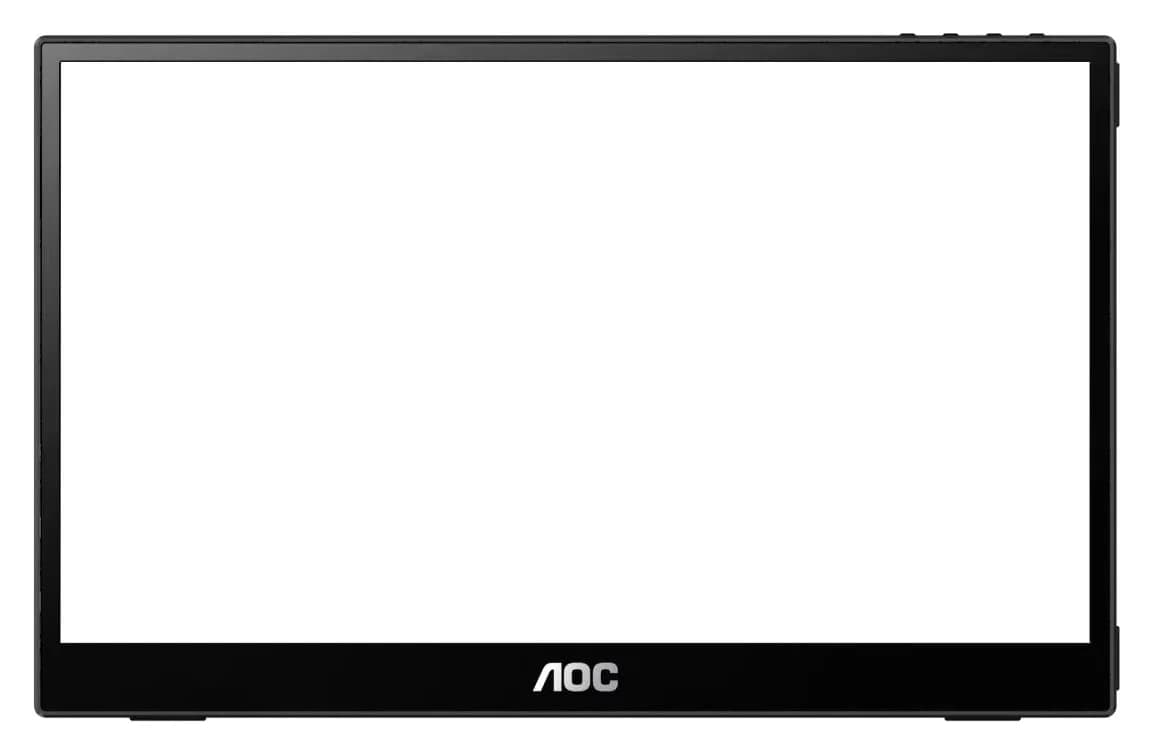
AOC 16T20 vs ASUS ZenScreen MB16ACV: Pick by Your Laptop's Ports
AOC 16T20 vs ASUS ZenScreen MB16ACV compared from official specs: inputs, power, drivers, stands and travel weight, so you buy a complete kit that works.
Updated November 5, 2026Read