Black Friday: the specs to check before you buy
Comparison
Updated November 5, 2026AOC 16T20 vs ASUS ZenScreen MB16ACV: Pick by Your Laptop's Ports
Short answer
For most buyers choosing between these 15.6-inch portable monitors, buy the AOC 16T20 if your laptop has USB-C video or HDMI: AOC lists two USB-C ports and, outside the US page, a mini HDMI input, with a power adapter and HDMI cable in its documented box. Choose the ASUS ZenScreen MB16ACV when your laptop only offers a USB-A port and you can install the required driver, or when a built-in kickstand beats carrying a separate stand. Both are 1080p IPS screens at 60Hz, so the connection kit, not the panel, is the decision.
Our picks at a glance
- 15.6-inchScreen diagonal both models share
- 250 cd/m²Typical brightness both makers list
- 60HzMaximum refresh rate on both specification pages
Quick picks
- USB-C laptop or HDMI source: AOC 16T20. See AOC's US 16T20 page. Two USB-C ports, regional mini HDMI and a documented power adapter cover the most connection types — after you confirm the exact unit's ports.
- USB-A-only laptop, with driver approval: ASUS ZenScreen MB16ACV. See the official MB16ACV specification. Its hybrid USB-C input can work from a USB-A host with ASUS's required driver.
- A laptop-charging dock: neither. No power output to the laptop is documented for either model; see the best portable monitors shortlist for the wider field.
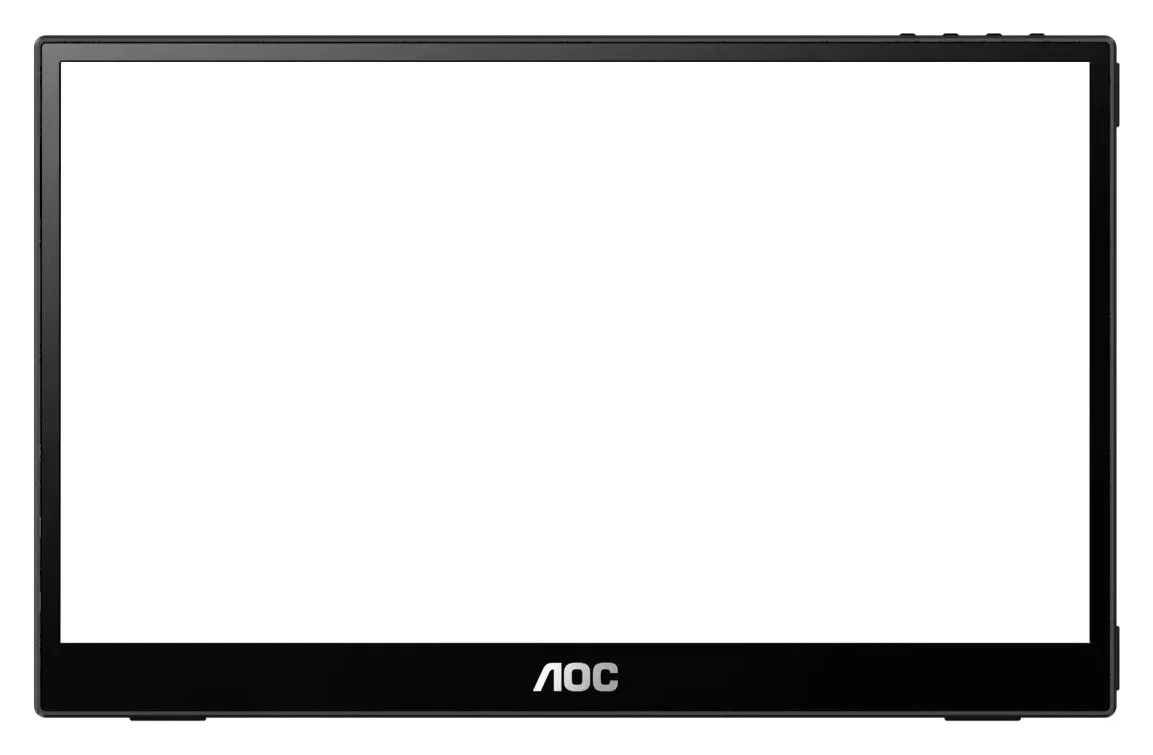
AOC's US 16T20 page currently says "Currently not available", with a "From 75.99 USD" where-to-buy figure that varies by seller. Use the official model links to identify the hardware, then confirm the seller's exact unit and bundle.
16T20 vs MB16ACV: the differences that matter
| Buying detail | AOC 16T20 | ASUS ZenScreen MB16ACV |
|---|---|---|
| Screen | 15.6-inch IPS; 1920x1080; 4 ms GtG | 15.6-inch IPS; 1920x1080; 5 ms GTG |
| Maximum refresh / typical brightness | 60 Hz / 250 cd/m² | 60Hz / 250cd/㎡ |
| USB-C video | 2x USB-C, both carrying power and video per AOC's US page | 1x USB-C (DP Alt Mode & USB 3.2) |
| HDMI input | 1x mini HDMI 2.0 on Singapore 16T20/69; verify the US unit | None listed |
| USB-A display route | Not documented | Hybrid signal with the required driver |
| Speakers | 1 W x 2, per US page | No |
| Power figures | 5VDC, 3.0A input; 10.0W typical, 15.0W maximum | DC: 5V, 3A input; 6.64W consumption |
| Stand | Removable stand (US page); tilt via Smart Cover (Singapore page) | Fold-out kickstand; portrait or landscape |
| Carry weight | 0.7 kg without stand; 1.099 kg with stand | 0.9 kg net |
| Body depth | 9.6 mm excluding base | 1.0 cm (10.5 mm in the manual's summary) |
| Documented box (US) | Power adapter, mini-HDMI-to-HDMI 1.4 cable, carrying case | ZenScreen sleeve, USB-C cable, warranty card, quick start guide |
Both specification pages agree on the fundamentals — 15.6-inch IPS, 1920x1080, 60Hz, 250 cd/m² — so screen quality is not the reason to pick either. The differences are the ports, the driver and the stand.
Source: AOC's US 16T20 page and ASUS's MB16ACV techspec
Best for USB-C and HDMI: AOC 16T20
AOC's US specification lists USB-C x 2 as the connectivity, and its feature copy describes one USB-C cable carrying power and the display signal. The US box list includes a power adapter, a mini-HDMI-to-HDMI 1.4 cable and a carrying case. The regional caveat is real, though: the US connectivity section omits HDMI, while the Singapore 16T20/69 page lists MiniHDMI 2.0 x 1 and the US leaflet prints the HDMI cable in the box. Get written confirmation of the physical ports on your unit before relying on HDMI.
Power is documented in input terms: a 5VDC, 3.0A internal supply, 10.0W typical consumption, 15.0W maximum, with a separate 16.0W EnergyStar-method figure that conflicts with the stated maximum. Nothing in AOC's documentation promises power delivery to a laptop, so treat the second USB-C port as a second input, not a charger output.
For travel, AOC's US figures are 0.7 kg without the stand and 1.099 kg with it, at 9.6 mm deep excluding the base. The US page lists a removable stand, while Singapore specifies tilt via Smart Cover — the stand arrangement you actually get is another detail to confirm per unit. Both pages give the same 3-year warranty period. One driver note: automatic pivot requires AOC's i-Menu software, and AOC warns that the regional package, cables and accessories can vary — the reason this guide's comparison is a kit comparison.
See AOC's US 16T20 specification
Best for a USB-A-only laptop: ASUS ZenScreen MB16ACV
The MB16ACV's advantage is the second connection route. ASUS's US techspec lists one USB-C input with DP Alt Mode & USB 3.2, and its product page says the hybrid-signal solution "enables compatibility with any laptop with a USB Type-C or Type A port" — with the footnote that a driver is required for hybrid-signal connections via USB Type-A. The manual is explicit: "In case the computer does not support Type-C interface but only USB3.0 interface, please install the official driver from ASUS website firstly." The 16T20 has no documented equivalent, so if your laptop's only spare port is USB-A, this is the only monitor of the pair with a maker-documented route.
The box is the other decision point. ASUS's US spec lists a ZenScreen sleeve, warranty card, USB-C cable and quick start guide, while the English manual and global specification add a USB Type-C to Type-A cable and leather case — the US and global accessory lists conflict, so confirm which cables ship with the unit you order before assuming the USB-A cable is included.
Auto-rotation is Windows-only, per ASUS's "Auto Rotate function only works with Windows OS" note, and it needs ASUS DisplayWidget software. Synaptics separately lists DisplayLink Manager for macOS Sonoma 14 through Golden Gate 27, but that is the chipmaker's generic list, not an ASUS guarantee for this model. Weight is 0.9 kg net, and the fold-out kickstand props the monitor in portrait or landscape with no separate stand to lose. There's no HDMI input, so an HDMI-only laptop is not this monitor's customer.
USB-C video: the check that decides this comparison
VESA states it plainly: "No video data will be received by the display, so there will be no image on the screen" when you plug into a Type-C port that does not support DisplayPort over USB-C. A USB-C port that only charges your laptop cannot feed either monitor's native route. Check your laptop's port specification before comparing anything else; our USB-C to TV connection guide walks through the same check.
If your USB-C port does support DisplayPort Alt Mode, one USB-C cable carries the picture and power on both monitors — AOC's "One cable is all you need" and ASUS's single USB-C (DP Alt Mode & USB 3.2) port agree on that. If it doesn't, your documented choices are the 16T20's mini HDMI route (with the power adapter or USB-C power) or the MB16ACV's USB-A route with the driver.
- Yes: 16T20 with a laptop supplying DisplayPort Alt Mode video and power over USB-C
- Yes: MB16ACV with a USB-C DP Alt Mode laptop, or USB 3.0 with the installed driver
- Partly: 16T20 HDMI route: confirm the mini HDMI port and power kit on the exact unit
- Partly: MB16ACV on a work laptop: the USB-A route needs an approved driver
- No: Any USB-C charging port without DisplayPort Alt Mode, for either monitor's native route
- No: Buying either model on the assumption it will charge the laptop
Buying advice: price the complete kit, not the monitor
Match the box to the route you'll actually use. The 16T20's documented US box (power adapter, mini-HDMI-to-HDMI cable, carrying case) and the MB16ACV's (sleeve, USB-C cable) cover different setups. If the 16T20 unit you buy lacks the adapter, the HDMI route needs separately sourced monitor power; if the MB16ACV lacks the USB-A cable, the USB-A route needs one. Compare the delivered total of monitor plus missing pieces, and check the seller's return terms before ordering — neither maker's warranty statement promises refunds.
The seller matters more than usual here. AOC's US page marks the 16T20 "Currently not available" at its own store, and ASUS notes that "specifications and features vary by model" and accessories "vary by region". Regional conflicts run through both records: the US 16T20 page omits HDMI that Singapore lists, and lists 1200:1 static contrast where Singapore lists 800:1; the MB16ACV's US and global cable lists disagree. The model code and region on the seller's listing, not the brand's global marketing page, is what arrives.
Don't pay extra for what neither delivers. Neither specification documents laptop charging, an internal battery, a touchscreen or a refresh rate above 60Hz. When paying more solves a real display need — higher brightness, higher resolution, Thunderbolt-level bandwidth — it is solved by a different product, not a pricier listing of either of these; the best portable monitors guide covers the step-up options, and our USB-C cable types explainer covers the full-featured video cable both setups depend on.
How we choose
This is a document-based comparison; we have not physically evaluated either monitor. We compared AOC's US and Singapore 16T20 specification pages and printed US leaflet, ASUS's US MB16ACV techspec and English manual, and VESA's DisplayPort over USB-C FAQ for the connection rules. Where official pages conflict, we name the conflict rather than pick a side, and we make no claim about prices, stock or seller quality.
Verdict
Buy the AOC 16T20 for the widest documented connection set — two USB-C ports, regional mini HDMI and a boxed power adapter — once you've confirmed the exact unit's ports and bundle. Buy the ASUS ZenScreen MB16ACV when the USB-A-with-driver route or the built-in kickstand is what your bag needs. If your decision point is really "which portable monitor overall", start with the best portable monitors shortlist instead of these two.
Frequently asked questions
Which portable monitor should I buy for my laptop: AOC 16T20 or ASUS MB16ACV?
Buy the AOC 16T20 if your laptop has USB-C with DisplayPort Alt Mode, or HDMI: AOC lists two USB-C ports, and its Singapore specification and US leaflet add mini HDMI and a power adapter. Choose the ASUS MB16ACV when your only route is a USB-A port and you can install its required driver, or when you need a fold-out kickstand with no separate stand to carry.
Does the ASUS MB16ACV work over USB-A without a driver?
No. ASUS says the MB16ACV's hybrid-signal connection supports USB Type-A only through a driver, and its manual instructs installing the official ASUS driver first when the computer has USB 3.0 instead of Type-C. Native USB-C DisplayPort Alt Mode does not need that driver. On a locked work laptop, get IT approval before buying.
Does the AOC 16T20 have HDMI?
AOC's Singapore 16T20/69 specification lists one MiniHDMI 2.0 input alongside two USB-C ports, and the US product leaflet lists a mini-HDMI-to-HDMI cable and power adapter in the box, but the US product page omits HDMI from its connectivity list. Request confirmation of the physical ports on the exact unit you are ordering before relying on HDMI.
Do these monitors charge my laptop over USB-C?
No power output to the laptop is documented for either. AOC's US page specifies a 5VDC, 3.0A input for the monitor itself, and ASUS specifies DC 5V, 3A input with 6.64W consumption. These are the monitor's own power figures, not laptop-charging ratings, so plan to charge the laptop through its own connection.
Can I power the MB16ACV from a phone or weak USB-C port?
The monitor's power demand matters more than the connector. ASUS's manual identifies insufficient power from the USB-C source as a cause of the blinking power LED or a repeating ASUS logo, and describes a safe-mode procedure to find the highest brightness a source can sustain. Use a proper laptop USB-C port, not a charger-wattage guess.
Which one is lighter to carry?
The 16T20's panel is lighter on AOC's own numbers: 0.7 kg without its stand versus 0.9 kg for the MB16ACV. But AOC lists 1.099 kg with the stand, while the MB16ACV's stand is built in, so the packed travel difference is smaller than the panel numbers suggest.
Best for USB-C and HDMI
AOC 16T20
Related guides
InnoView INVPM406 vs ASUS ZenScreen MB16ACV: Which Portable Monitor?
Choose between the InnoView INVPM406 and the ASUS ZenScreen MB16ACV from maker specs: ports, USB-A driver rules, kit contents, stands and return checks.
Updated November 7, 2026Read
ASUS ZenScreen MB16NCG vs Lenovo ThinkVision M14d: Which Portable Monitor?
Choose between the ASUS MB16NCG and Lenovo M14d with panel, refresh, weight, stand and USB-C power differences explained, plus the travel kit each one needs.
Updated November 5, 2026Read
Dell U2725QE vs ASUS PA279CRV for Mac mini: 4K Hub Monitor Comparison
Dell U2725QE vs ASUS PA279CRV for a Mac mini desk: charging, hub ports, Ethernet, KVM and color specs from the makers, and which complete kit to buy.
Updated November 5, 2026Read