Black Friday: the specs to check before you buy
Best picks
Updated November 7, 2026Best External CD DVD Drives in 2026
Short answer
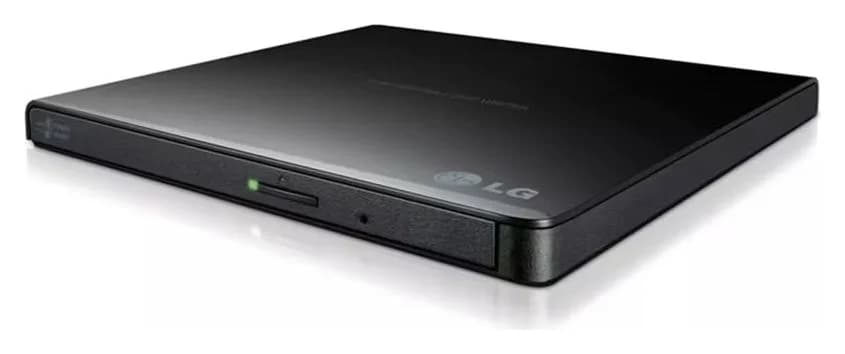
If your laptop lost its disc drive, a USB DVD drive brings it back. For most people the LG GP65NB60 is the pick: 8x DVD writing, 24x CD writing, M-DISC archival support and a 14mm, 200g body, still listed as a current product by LG. MacBook Air owners who want zero adapters should get the ASUS ZenDrive U9M (SDRW-08U9M-U), which carries both a USB-C and a Type-A connector.

Our picks at a glance
- Find on Amazon
Best budget
Rioddas External CD DVD Drive
- Find on Amazon
 5
Best for Windows and M-DISC backups
ASUS ZenDrive U7M (SDRW-08U7M-U)
- Find on Amazon
 6
Best business pick
Dell External USB Slim DVD +/-RW Optical Drive DW316
Everything below is grounded in the makers' own spec sheets and manuals — no testing claims, no fluff. Every drive here burns CDs and DVDs; none is a Blu-ray drive. ASUS still lists the portable SBW-06D2X-U Blu-ray writer in its US External Blu-ray Drive category, and LG still lists the BP60NB10 portable Blu-ray/DVD writer as discontinued.
- 8xMaximum DVD±R write speed of every pick here
- 24xMaximum CD-R write speed of every pick
- 4xWrite speed for archival M-DISC media
- 14Millimetres — the thickest pick, LG's GP65NB60
Quick picks
| Pick | Drive | Why it wins |
|---|---|---|
| Best overall | LG GP65NB60 | 8x DVD / 24x CD writer with M-DISC, 14mm slim, USB-powered |
| Best for USB-C laptops | ASUS ZenDrive U9M | USB 2.0 Type-C + Type-A: plugs into USB-C without an adapter |
| Best for Mac | Apple USB SuperDrive | Apple's own slot-loading drive, documented for Macs from 2008 onward |
| Best budget | Rioddas External CD DVD Drive | Embedded USB 3.0 cable rated to 5Gbps, Windows/Linux/macOS 10.16+ |
| Best for Windows and M-DISC backups | ASUS ZenDrive U7M | Official Windows 11 spec, M-DISC 4x, CyberLink Power2Go 8 bundled |
| Best business pick | Dell DW316 | Full CD/DVD format coverage plus M-DISC, with official Dell manuals |
Which pick for your laptop?
| Your situation | Get this | Why |
|---|---|---|
| Windows laptop, wants one solid DVD burner | LG GP65NB60 | Fully documented all-round writer; M-DISC for archival |
| MacBook Air or any USB-C-only Mac | ASUS ZenDrive U9M | Type-C connector built in; macOS 10.6 and above |
| You want an all-Apple chain | Apple USB SuperDrive | Apple documents the exact adapters to use |
| Tight budget, mixed household | Rioddas drive | USB 3.0 embedded cable, Windows, Linux and macOS 10.16+ |
| Burning archival M-DISC backups on Windows 11 | ASUS ZenDrive U7M | Windows 11 spec, M-DISC at 4x, bundled burning software |
| Office desk, Dell PCs | Dell DW316 | Dell-supported, full format coverage, plug and play with Windows |
Our picks in detail
Best overall: LG Ultra Slim Portable DVD Writer GP65NB60
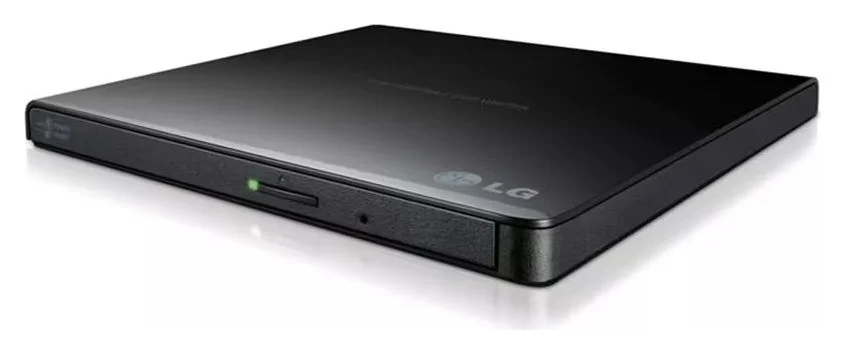
LG's GP65NB60 is the safest default: everything about it is documented, current and quick. LG's spec sheet rates it at a maximum of 8x DVD±R and 24x CD write speed, with DVD+RW at 8x, DVD-RW and dual-layer at 6x, and DVD-RAM at 5x. It reads DVDs at 8x and CDs at 24x. M-DISC support means you can burn discs LG calls a "permanent optical data storage solution" for long-term backups — at 4x maximum write.
The practical details are just as sensible: a 0.75MB buffer with under-run prevention, Silent Play to control read noise, and Jamless Play to skip past damaged sections of a disc during playback. The whole drive is 14mm tall and 200g, and LG's USB 2.0 interface (up to 480Mbits/s, USB 3.0 compatible) is plenty: LG rates its sustained DVD transfer rate at 11.08 MB/s. LG lists Windows 8.1 back to XP plus Mac OS X 10.7.5 — a list LG hasn't updated, so check ASUS if you want a Windows 11 spec in writing. If your machine is USB-C only, skip the adapter dance with the next pick.
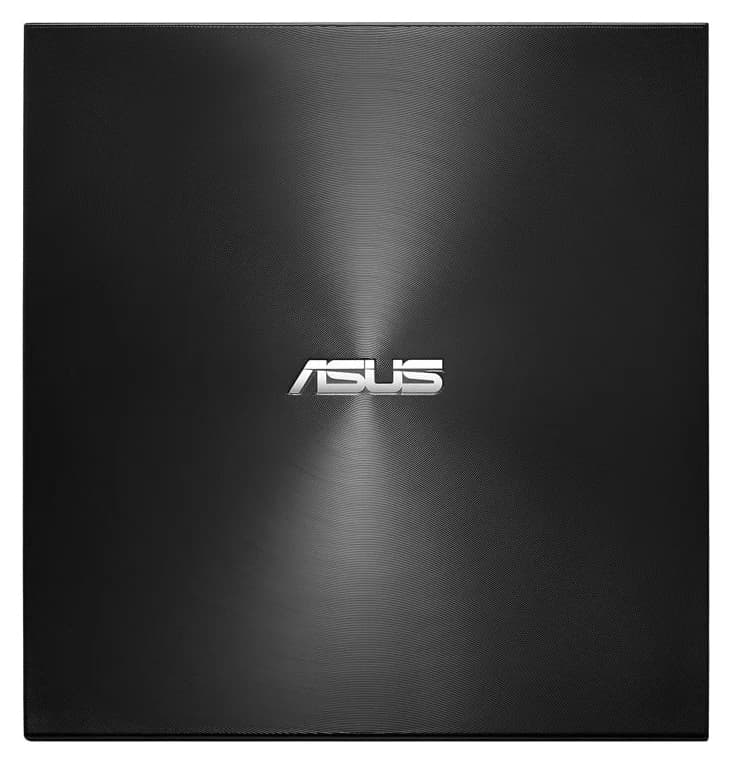
Best for USB-C laptops: ASUS ZenDrive U9M (SDRW-08U9M-U)
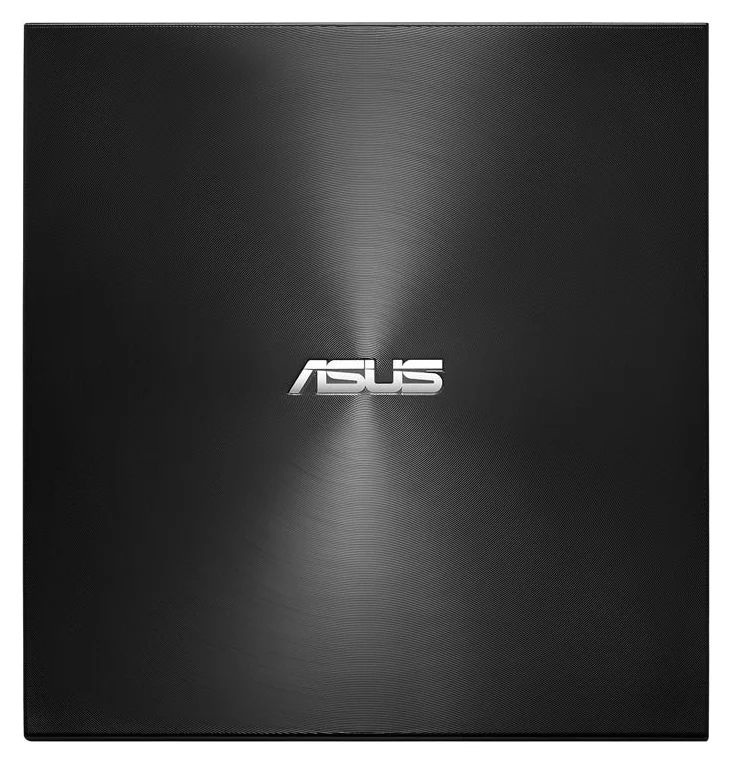
The U9M is ASUS's U7M with the one upgrade modern laptops need: its interface is listed by ASUS as "USB 2.0 (Type-C + Type-A)", so one drive plugs into a MacBook Air or an old USB-A desktop without adapters. ASUS officially lists Mac OS X 10.6 and above plus Windows 8/8.1, Windows 10 and Windows 11.
Speeds match the U7M: 8x DVD±R, 8x DVD+RW, 6x DVD-RW and dual-layer, 5x DVD-RAM, 24x CD-R/RW, and M-DISC DVD+R at 4x. The drive is 13.9mm thick, with a listed weight of 235 ± 20 g, in silver or black. Note the connector is USB 2.0 data over Type-C — 480Mbits/s, not 5Gbps-plus USB 3.x — still far more than DVD burning needs.
Best for Mac: Apple USB SuperDrive
The Apple USB SuperDrive is the zero-surprise option for Macs: Apple states it is "compatible with Mac computers introduced in 2008 or later that don't have a built-in optical drive" — every modern MacBook Air qualifies. It's slot-loading, with a fixed USB-A cable and an aluminum enclosure.
Two caveats from Apple's own support article. Modern Macs need an adapter: Apple lists its USB-C Digital AV Multiport Adapter, USB-C VGA Multiport Adapter or USB-C to USB Adapter. And hubs can defeat it — Apple says to connect the SuperDrive directly to a USB port on the Mac if it doesn't respond through an external display or USB hub. Apple publishes no drive speed specs for the SuperDrive, so we won't quote any. MacBook Air owners who'd rather skip the adapter should look at the ZenDrive U9M above.
Best budget: Rioddas External CD DVD Drive
Rioddas's own product page describes a plug-and-play drive: "powered by USB port. No external driver or power adapter needed," with USB 3.0 data transfer speeds up to 5Gbps (backwards compatible with USB 2.0). The embedded USB cable stores in the drive's body, so you can't lose it, and there's a physical eject button that releases discs even when the computer doesn't recognize the drive.
The page lists compatibility with Windows 11/10/8.1/7/Vista/XP, Linux and macOS 10.16+ (MacBook Pro/Air, iMac, Mac mini), for CD-ROM/R/RW, DVD-ROM/R/RW/DL and VCD media, and is equally explicit about what it won't do: "not compatible with ChromeOS, smartphones, tablets, TVs, projectors, vehicles, or Blu-ray/4K discs." Desktop users are told to connect to a high-power USB port on the back of the motherboard. No per-format write speeds are published, which is the main thing you give up at this price.
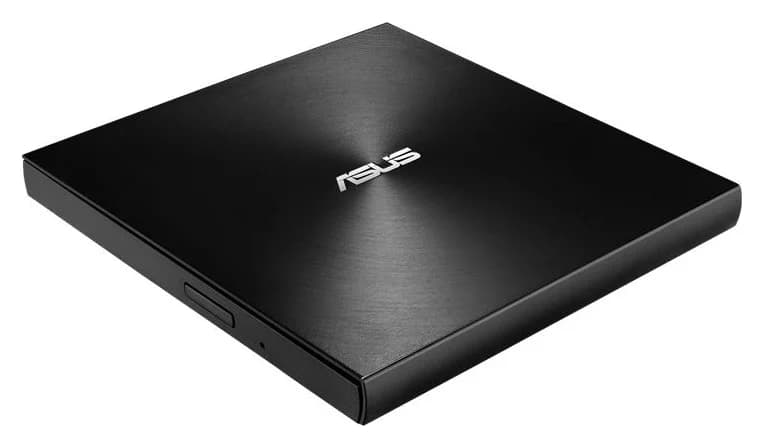
Best for Windows and M-DISC backups: ASUS ZenDrive U7M (SDRW-08U7M-U)
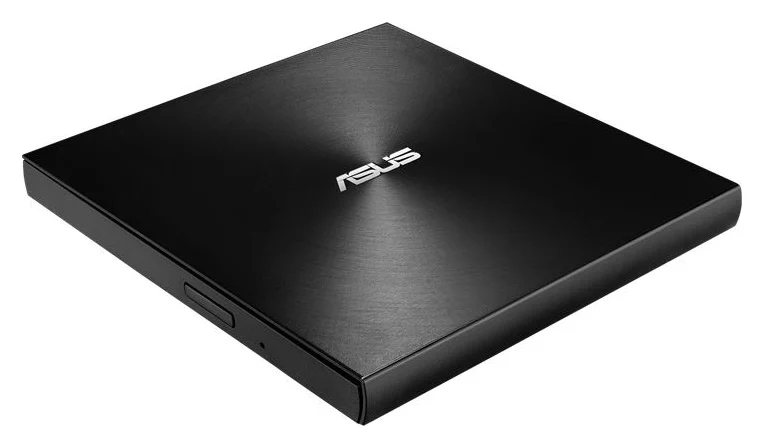
The U7M is the U9M's Type-A sibling, and ASUS's techspec page is the most current official document here: it lists Windows 11, Windows 10, Windows 8/8.1 and Mac OS X 10.6 and above. Write speeds match the U9M exactly (8x DVD±R, 24x CD-R, M-DISC 4x), and it's the same 13.9mm body at the same listed weight. On Windows it comes with CyberLink Power2Go 8, CyberLink PowerBackup 2.6, Nero BackItUp and E-Green in the box.
Two ASUS fine-print items worth knowing. The quick start guide says the eject button is for Windows only — on Mac OS the eject button cannot be used, so you eject from the Finder. And if a USB port can't power the drive, connect the second USB connector for additional power; that connector carries power only, never data.
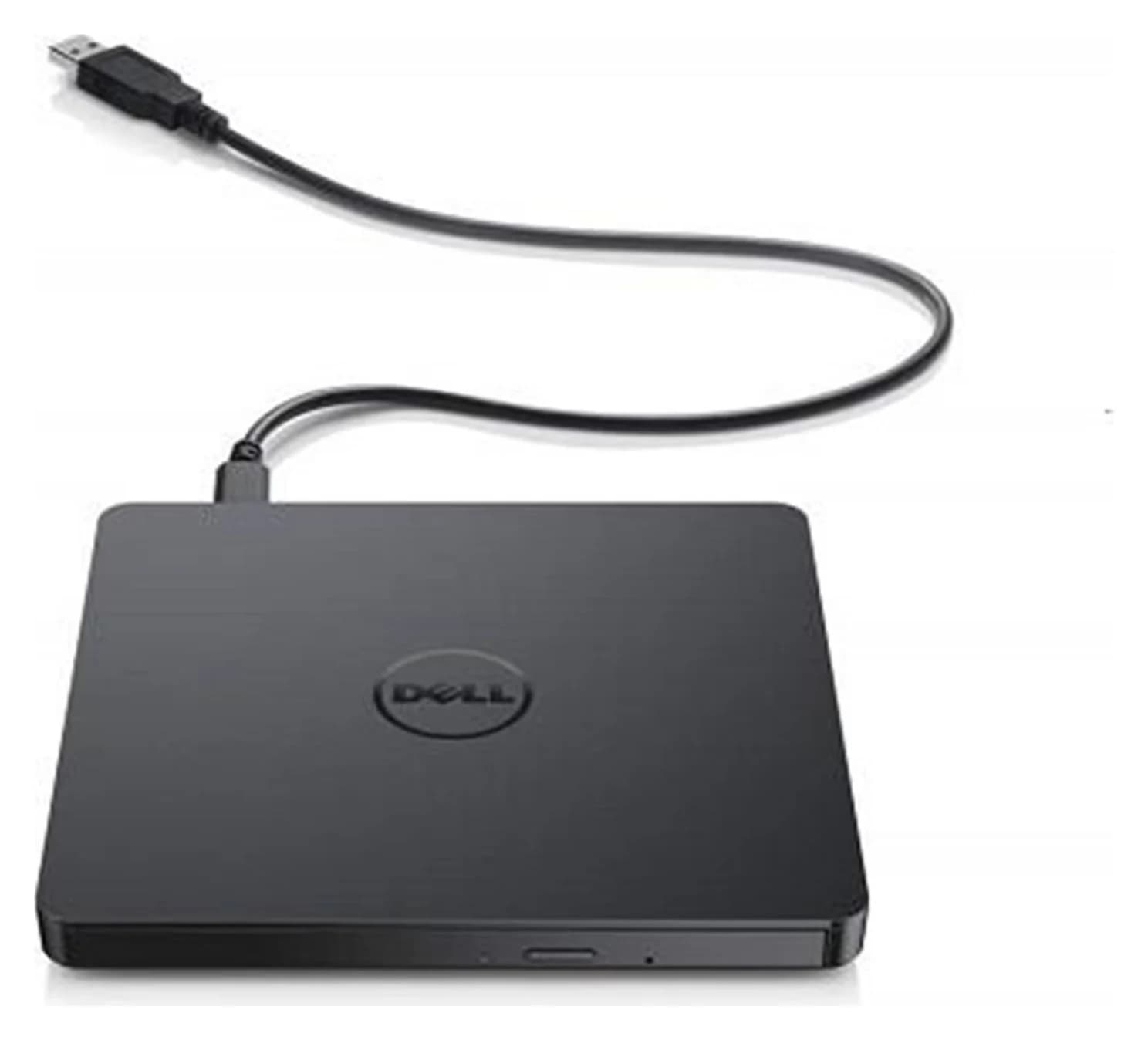
Best business pick: Dell External USB Slim DVD +/-RW Optical Drive DW316
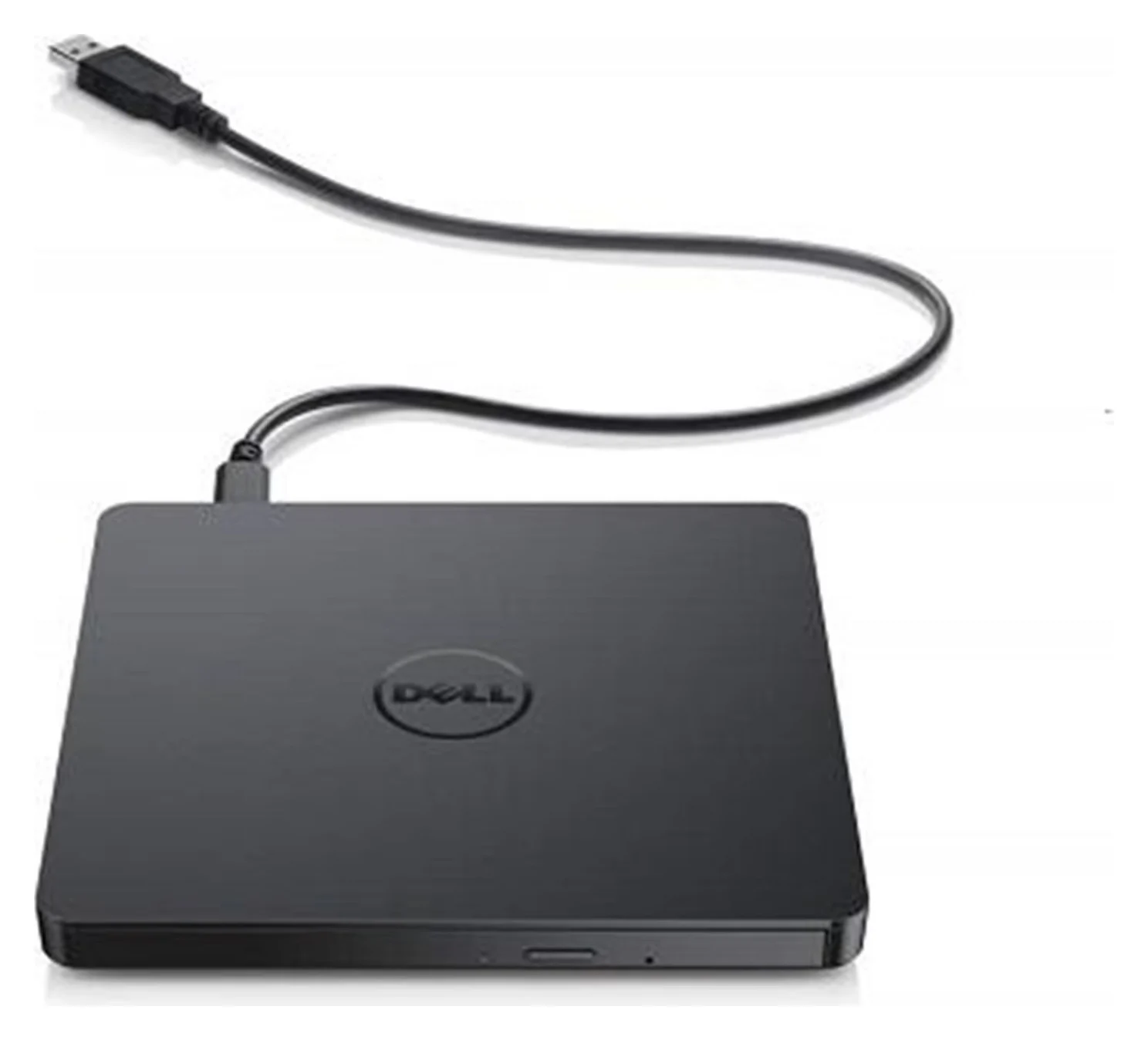
Dell's DW316 is the paper trail pick. Dell's user guide lists compatibility with CD-R/RW, DVD-R/RW/RAM/+R/+RW/+R DL/-R DL and M-DISC (DVD+R SL), read and write: every common CD and DVD format. Write speeds match the others (CD-R 24x, DVD±R 8x, dual-layer 6x, M-DISC 4x, DVD-RAM 5x), it has the same 0.75 MB buffer, it's 144mm wide, 137.5mm deep, 14mm tall and about 200g, and it's USB-powered with no AC adapter on a 600mm USB 2.0 cable.
One limitation decides its placement: Dell documents Windows only. The guide says the drive "supports the plug and play (not swap) function of Windows," and warns that non-powered USB hubs and daisy-chained connections can prevent it from working. If you run Windows fleets and want manuals and support behind the drive, it's a clean choice.
How we choose
We built this guide from maker documentation, not retailer listings. For each drive we pulled the official spec sheet or product page — LG's GP65NB60 data sheet, ASUS's techspec pages and quick start guide, Apple's support article, Dell's setup and user guides, and Rioddas's product page — and compared interface, write and read speeds, M-DISC support, OS compatibility, dimensions and power behavior. We favored drives their makers still list as current, and dropped what we couldn't verify: LG's portable Blu-ray writers are marked discontinued on LG's site, and one widely sold budget brand publishes no official product page we could fetch. Where maker sources disagree (ASUS markets a rounded-down form-factor number while its spec page says 13.9mm), we name both. We have not tested any of these drives; everything here is from the paperwork.
Compatibility and fit: Windows, MacBook Air and hubs
Pick the right port
Connect to a USB port on the computer itself. Apple, Dell and Rioddas all warn against hubs.
Match the connector
USB-A drive, USB-A port, or an adapter if your laptop is USB-C-only. The ZenDrive U9M carries Type-C and Type-A; the SuperDrive needs an Apple USB-C adapter on modern Macs.
Add power if needed
If the drive isn't recognized, ASUS's guide says to connect the second USB connector for additional power — power only, never data.
Eject the right way
On Windows use the drive's eject button; on Mac OS the ASUS eject button cannot be used, so use Finder or the keyboard eject key.
The MacBook Air question deserves a straight answer: the SuperDrive works with an Apple USB-C adapter, and the ZenDrive U9M plugs its Type-C connector straight in. Windows 11 users get a written guarantee only from ASUS, whose techspec pages list Windows 11 explicitly; LG's current GP65NB60 sheet stops at Windows 8.1 and Dell's DW316 guide documents Windows plug-and-play, so neither maker documents Windows 11 support.
Blu-ray is settled by two questions: does the drive support it (none of our picks do), and can you still buy a name-brand portable Blu-ray writer? LG marks its portable Blu-ray models discontinued on its US site. For more on why a hub can starve a drive, see our USB-C vs USB-A explained and best USB-C hub for MacBook Air guides.
Buying tips
- Match the connector to your laptop. USB-A drives are cheapest; USB-C-only laptops need an adapter or the U9M's dual connectors.
- Check M-DISC if you're archiving. Four of six picks burn M-DISC, at 4x — roughly double the burn time of DVD+R at 8x.
- Don't pay for interface speed. USB 2.0's 480Mbits/s already exceeds what 8x DVD writing (11.08 MB/s sustained, per LG's sheet) demands; USB 3.0 is headroom.
- Mind the eject button on Mac. ASUS's is Windows-only; the Mac ejects from Finder or the keyboard.
Source: LG, ASUS and Dell official spec sheets
- Yes: Windows laptops: every pick
- Yes: MacBook Air: SuperDrive (with adapter), ASUS ZenDrive U9M
- Yes: M-DISC burning: LG GP65NB60, both ASUS ZenDrives, Dell DW316
- Yes: USB-C without an adapter: ASUS ZenDrive U9M
- No: ChromeOS: Rioddas states its drive is not compatible with ChromeOS
- No: Blu-ray: none of these DVD drives
Verdict
Buy the LG GP65NB60 unless you have a specific reason not to: it's current, fully documented, burns every common CD and DVD format including M-DISC, and USB 2.0 is all a DVD writer needs. MacBook Air owners should look at the ASUS ZenDrive U9M for its built-in Type-C connector, Mac-first buyers at the Apple USB SuperDrive, budget shoppers at the Rioddas drive, Windows 11 archivists at the ASUS ZenDrive U7M, and IT fleets at the Dell DW316. Whichever you pick, plug it straight into the computer, and keep M-DISC media around if the backups matter.
Frequently asked questions
What is the best external CD DVD drive?
For most people, the LG GP65NB60: it writes DVD±R at 8x, CD-R at 24x and M-DISC archival discs, is 14mm and 200g, and LG still lists it as a current product. If your laptop only has USB-C ports, pick the ASUS ZenDrive U9M, which has a Type-C connector as well as Type-A.
Will an external DVD drive work with a MacBook Air?
Yes. The Apple USB SuperDrive is Apple's own option and works with Macs from 2008 onward without a built-in optical drive, though you need a USB-C to USB-A adapter on modern MacBook Air. The ASUS ZenDrive U9M plugs its USB-C connector straight in, and ASUS lists macOS 10.6 and above. ASUS lists macOS 10.6 and above; Apple documents SuperDrive compatibility with Macs introduced in 2008 or later without built-in optical drives.
Do I need an external power adapter for a USB DVD drive?
Usually not. Every drive here draws its power from the USB port: LG, ASUS, Dell and Rioddas all state their drives are USB-powered with no adapter needed. Two caveats: use a port on the computer rather than a non-powered hub, and if a port can't deliver enough power the ASUS quick start guide says to connect the second USB connector for extra power.
Is USB 2.0 fast enough for an external DVD drive?
Yes. USB 2.0 runs at up to 480Mbits/s, while LG rates its drive's sustained DVD transfer rate at 11.08 MB/s. LG, ASUS and Dell all ship USB 2.0 drives; the interface is not the bottleneck. The Rioddas drive's USB 3.0 rating of up to 5Gbps is headroom, not a speed increase you'll notice when burning discs.
Can an external DVD drive burn archival M-DISC discs?
Yes: the LG GP65NB60, ASUS ZenDrive U7M, ASUS ZenDrive U9M and Dell DW316 all list M-DISC support. Writing M-DISC is slower: LG's sheet rates M-DISC at 4x maximum write, and both ASUS and Dell list DVD+R(SL, M-DISC) at 4x as well. The Apple SuperDrive and Rioddas drive do not list M-DISC.
Can I watch Blu-ray discs with an external DVD drive?
No. A DVD drive reads CD and DVD media only. LG's current US portable DVD lineup is DVD-only; its BP60NB10 portable Blu-ray/DVD writer is marked discontinued. ASUS's US site still lists the portable SBW-06D2X-U external Blu-ray writer, so check that maker category if Blu-ray matters.
Why won't my external DVD drive work through a USB hub?
Power and depth. Apple explicitly says to connect the SuperDrive to a USB port directly on the Mac if it doesn't respond through a hub or display. Dell's manual warns that non-powered USB hubs and daisy-chained connections can stop the DW316 from working. Rioddas advises desktop users to connect to a high-power USB port on the back of the motherboard.
Best overall
LG Ultra Slim Portable DVD Writer GP65NB60
Related guides
Best SSD Enclosures in 2026: Turn NVMe and SATA Drives into Portable SSDs
The SSD enclosure that matches your drive: dual-protocol 10Gbps M.2 picks, a 40Gbps USB4 option, and a 2.5-inch SATA case, all from official spec sheets.
Updated November 7, 2026Read
Samsung T9 vs SanDisk Extreme V2: Which 2TB External SSD for Gaming?
Samsung T9 vs SanDisk Extreme V2 at 2TB, from the makers' own spec pages: real speeds on gaming laptops, Steam Deck, PS5 and Xbox, included cables, and which to buy.
Updated November 5, 2026Read
Samsung T9 vs SanDisk Extreme PRO USB4 for Gaming: Which to Buy?
Choose the right 2TB gaming SSD for your USB port: Samsung T9 vs SanDisk Extreme PRO USB4, with exact models, cable costs and honest game-loading limits.
Updated November 5, 2026Read