Black Friday: the specs to check before you buy
Best picks
Updated November 5, 2026Best USB Tech Gifts Under 100 Dollars: Complete Laptop Kits
Short answer
For a USB-C laptop owner, our first pick is the Anker Prime 100W A2688 plus a single Anker A82E2 240W cable. For a desk upgrade, choose the Anker 555 hub plus UGREEN's 65W cable bundle; for someone working away from outlets, consider the UGREEN 130W power bank plus that bundle. These are complete shopping lists for a strict 100-dollar delivered budget, with final checkout required before any kit qualifies.
Our picks at a glance
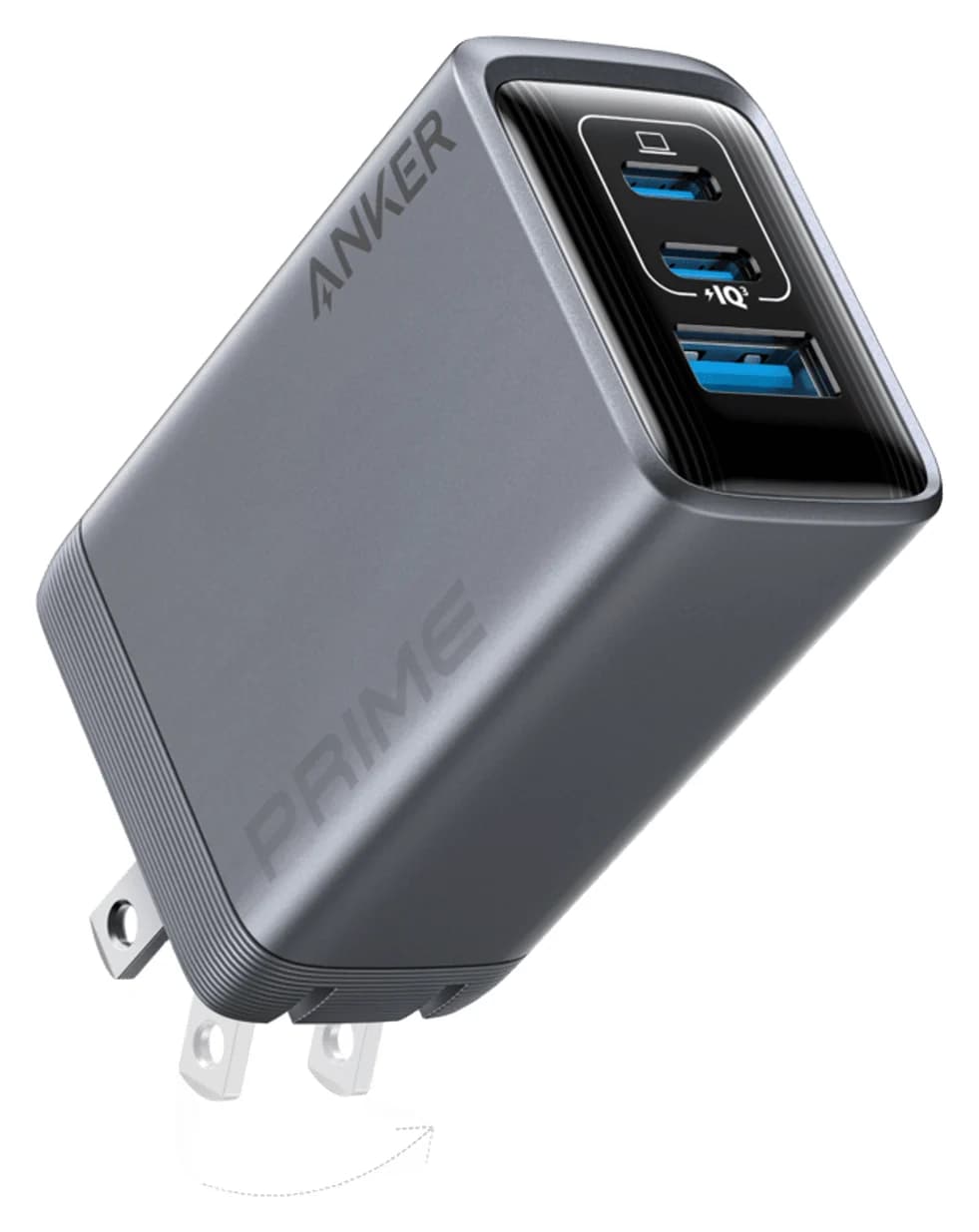
Best laptop charging kitAnker
Anker Prime Charger (100W, 3 Ports, GaN)
- max output
- 100W
- ports
- 3
- Choose
- Pair the A2688's up-to-100W USB-C output with a separately purchased A82E2 240W cable for a complete charging gift.
- Limit
- Needs a 5A e-marked cable to deliver more than 60W
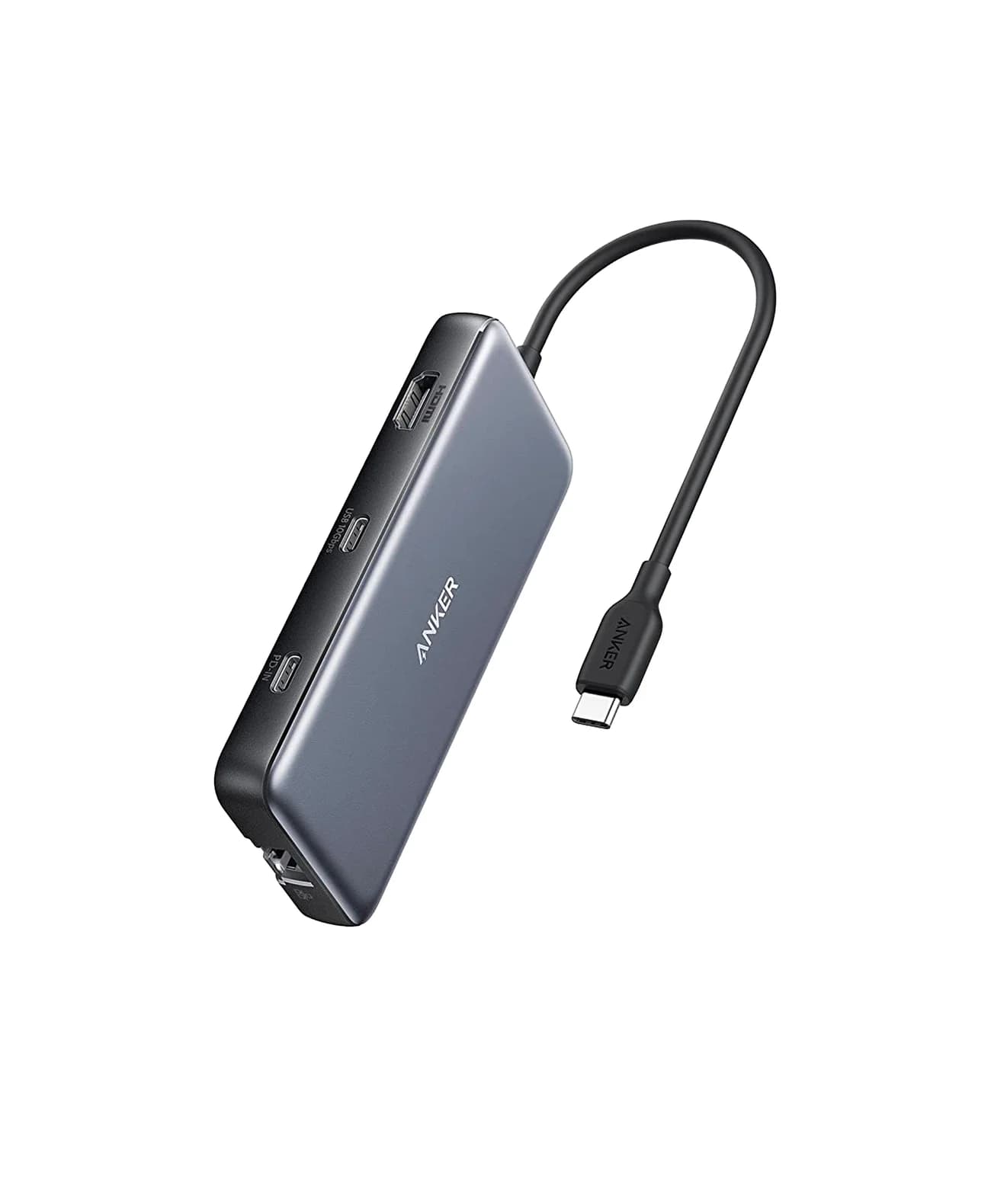
Best desk kitAnker
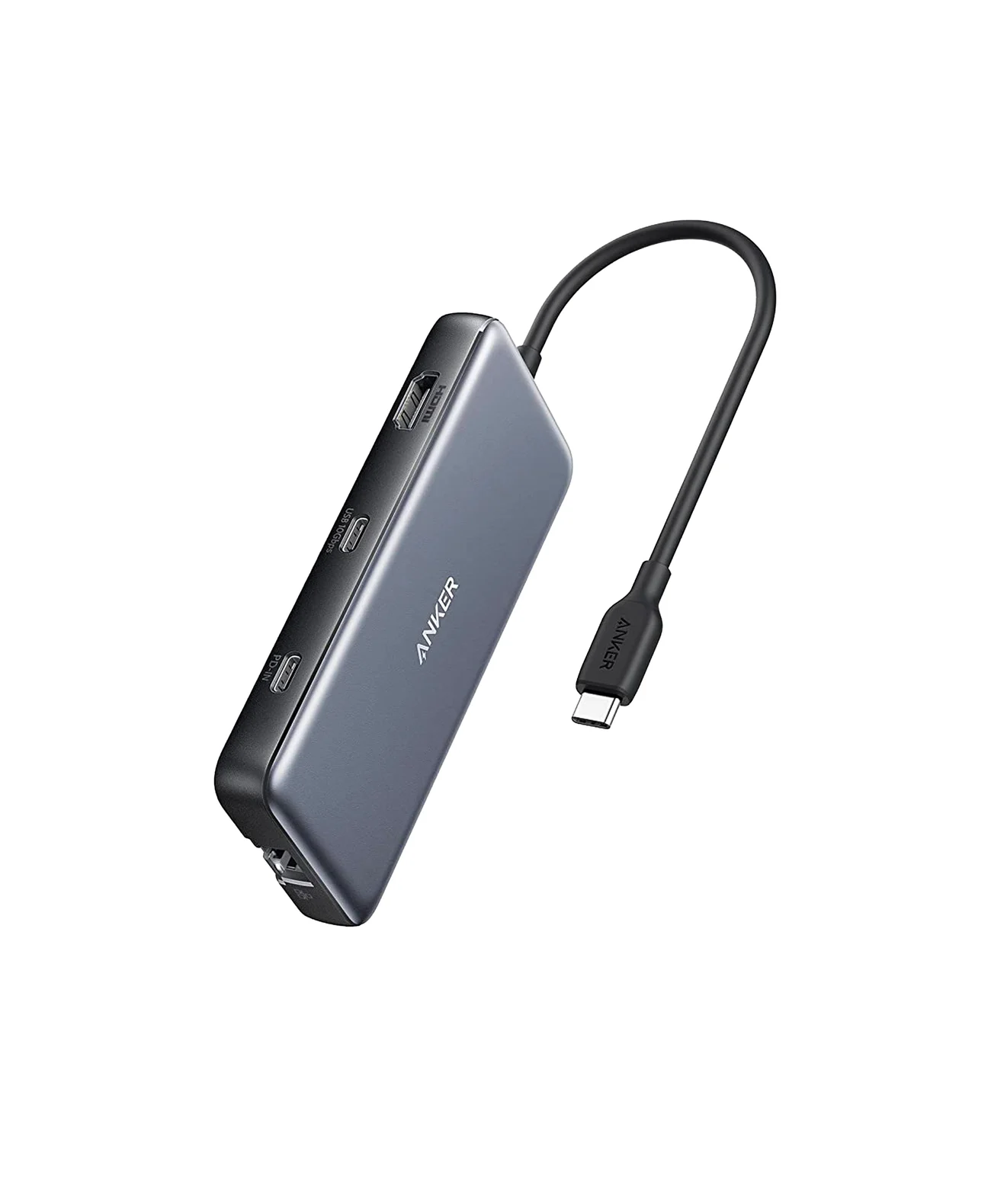
Anker 555 USB-C Hub (8-in-1)
- to laptop
- 85W
- data
- 10 Gbps
- video
- 4K60
- Choose
- The Anker 555 combines up-to-4K@60Hz HDMI, 10Gbps USB data and Ethernet; add the UGREEN 65W cable bundle for power.
- Limit
- 4K@60Hz needs a DP 1.4 host; DP 1.2 hosts get 4K@30Hz
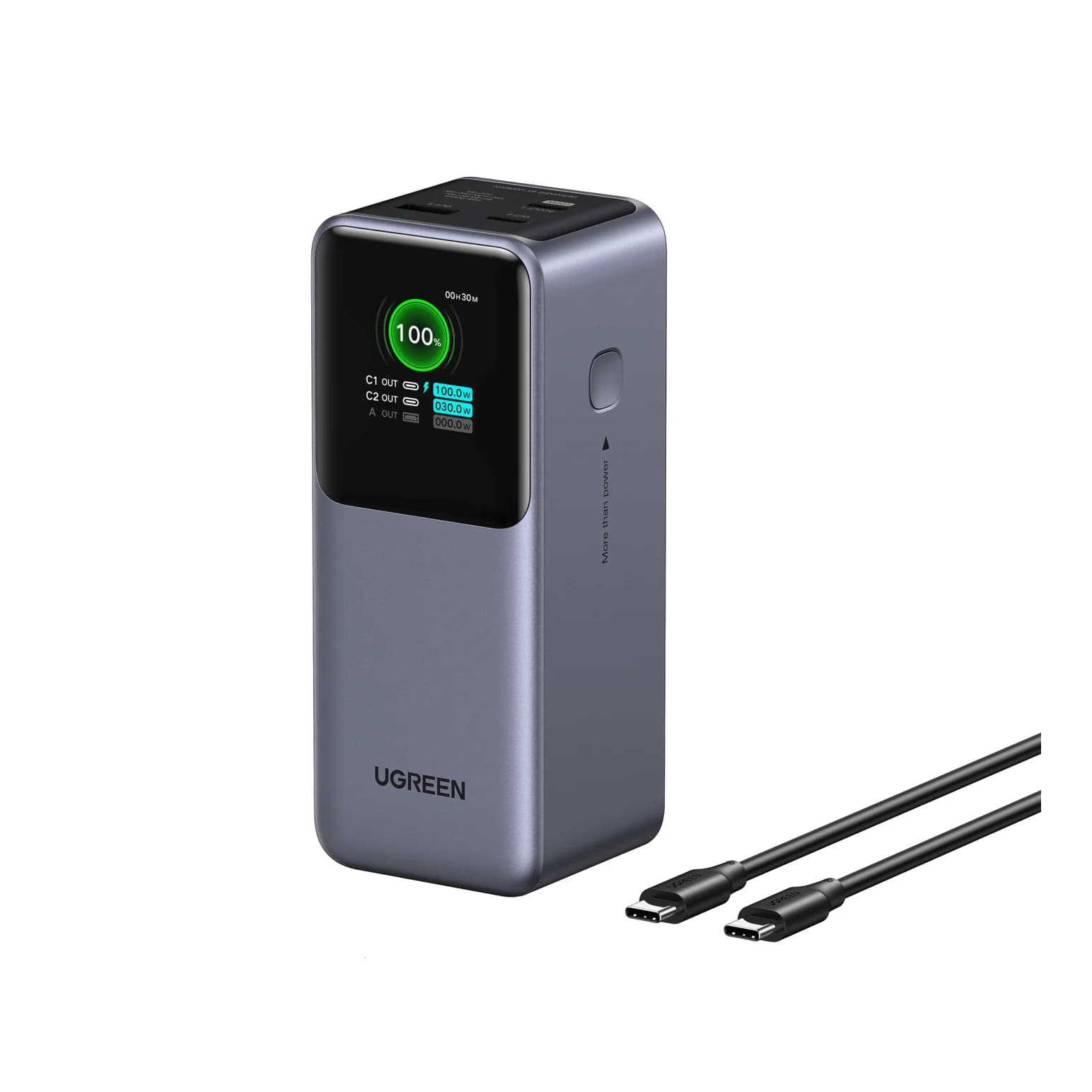
Conditional power-bank kitUGREEN
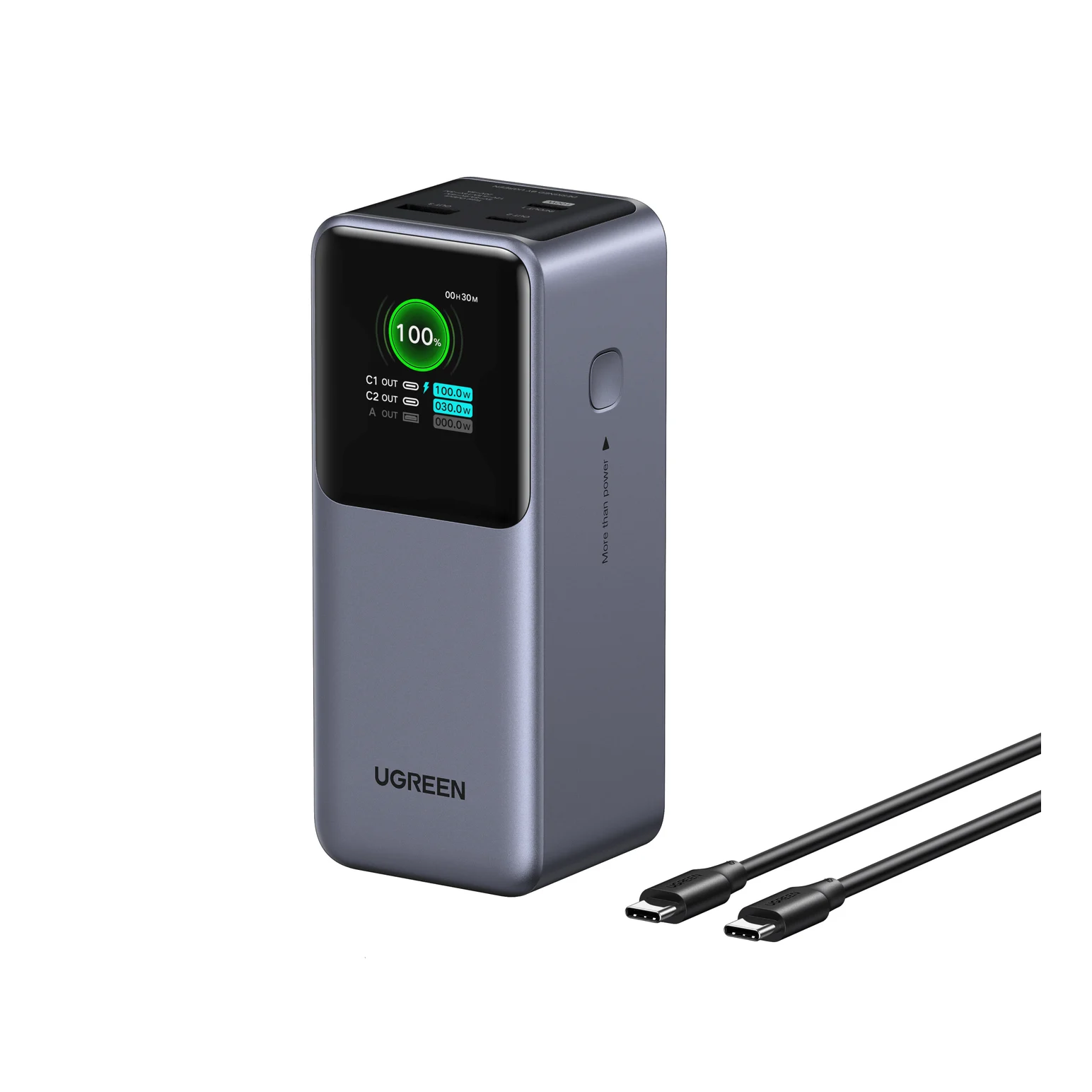
UGREEN Nexode Power Bank 20000mAh 130W with Smart Digital Display
- max output
- 100W
- ports
- 3
- Choose
- The UGREEN 35524 supplies up to 100W on USB-C1 and accepts up to 65W for refilling; count a charger and rated cables in the budget.
- Limit
- Only one port reaches 100W; the second USB-C port tops out at 30W
Quick picks: compare the complete gift
| Recipient and kit | Buy together | Main capability | Recipient must already have |
|---|---|---|---|
| Laptop charging: Anker Prime A2688 | Charger + single A82E2 240W USB-C cable | Up to 100W from either USB-C port alone | A laptop that accepts USB-C PD at an appropriate wattage |
| Desk: Anker 555 A8383 | Hub + UGREEN 65W bundle with two 3.3 ft 100W cables | HDMI up to 4K@60Hz, 10Gbps USB data, Gigabit Ethernet | A video-capable USB-C host; an HDMI display and lead if using video |
| Away from outlets: UGREEN 35524 | Power bank + the same 65W cable bundle | USB-C1: up to 100W out, 65W in; USB-C2: up to 30W out | A compatible USB-C device; a qualifying cart offer for the complete kit |
Budget status: checkout required for every row. No delivered total is verified here. Include tax, required shipping and missing accessories before comparing the finished cart with your limit. The power-bank kit is particularly offer-dependent; if it fails the cap, choose the charging kit instead of removing its refill equipment.
The budget USB gifts guide covers smaller individual gifts. For recipient-specific shopping, use our MacBook gift guide or iPhone gift guide.
Best laptop charging kit: Anker Prime 100W plus a cable
Anker
Anker Prime Charger (100W, 3 Ports, GaN)
A 100W GaN wall charger with two USB-C ports and one USB-A port and a foldable plug.
- 100W max output
- 3 ports
Shopping list: the A2688 charger and a single 3 ft A82E2 USB-C cable. Anker explicitly excludes charging cables from the charger package, so the cable belongs in the budget.
According to Anker's A2688 specifications, either USB-C port supplies up to 100W alone. There are two USB-C ports and a USB-A port. This is our starting choice when the recipient wants a separate laptop charging station, provided their laptop accepts USB-C PD and its power requirement fits that output.
Sharing changes the recommendation. Anker's support table gives 65W + 35W across USB-C1 and USB-C2. Use the upper USB-C1 port for the laptop. Someone who needs the full single-port output should leave the other ports unused while charging it.
There is also a maker wording conflict: the store's three-port table says 89W total, while the support page's marketing paragraph calls multi-port mode 100W total. Avoid promising that every connected combination reaches the headline figure.
The single A82E2 cable is rated for 240W; that rating supplies cable headroom, not extra charger output. USB-IF explains that USB PD lets each device take only the power it requires. Check the laptop maker's input recommendation before buying; for Macs, Apple recommends at least the model's minimum adapter wattage.
Buy this kit for: a known USB-C charging laptop, especially when charging it alone. Check the listing's model is A2688 before ordering.
Check price on Amazon: Anker Prime 100W. Add the cable through the maker link above; select the single-cable length deliberately.
Best desk kit: Anker 555 hub plus the UGREEN cable bundle
Anker
An 8-in-1 USB-C hub with 4K@60Hz HDMI, gigabit Ethernet, 10Gbps USB-C and USB-A data ports, SD/microSD readers and 85W pass-through charging.
- 85W PD passthrough
- 10 Gbps data
- 4K60 video
- 8 ports
Shopping list: Anker 555 A8383 and the UGREEN 65W charger bundle with two 3.3 ft 100W USB-C cables. Account for an HDMI cable and, for wired networking, an Ethernet lead unless the recipient already has them.
The 555's official port list includes HDMI up to 4K@60Hz, a USB-C data port and two USB-A data ports rated up to 10Gbps, Gigabit Ethernet, and SD and microSD readers. That makes this the more versatile desk gift here. Its USB data ports do not charge devices, and its USB-C data port does not output video: use HDMI for the monitor.
The power supply determines how to connect it. Anker lists 100W PD input and up to 85W to the laptop, reserving 15W for operation. Its larger marketing heading also says “100W pass-through”; the detailed specification distinguishes input from laptop output. A 65W adapter does not unlock the 85W ceiling.
For a laptop that needs the bundle charger's full 65W, connect that charger directly to the laptop and put the hub on a separate video-capable USB-C port. Anker says the hub functions without a wall charger; external power is needed when charging the host through it. Check that the laptop has the spare port before buying this arrangement. For charging through the hub, allow for its power reservation and check the laptop's requirements instead of assuming the charger's entire output reaches it.
VESA explains that DisplayPort over USB-C uses Alternate Mode. Confirm video support and the intended display resolution in the exact laptop's documentation. A USB-C socket's shape alone is not enough reason to buy a monitor kit.
- Yes: HDMI display connected to the 555's HDMI port: the hub's video route
- Yes: Direct laptop charging with the bundle: confirm a separate USB-C port for the hub
- Yes: SD and microSD readers: included on the 555
- Partly: Charging through the hub: allow for its power reservation
- No: USB-C data port on the 555: no display output or device charging
Budget fallback: the Anker 332 has up-to-4K@30Hz HDMI and 5Gbps USB data. Its smaller port list omits the 555's Ethernet and card readers. Choose it only if those trade-offs match the recipient, keeping the charger and cable bundle in the shopping list.
Check price on Amazon: Anker 555. Buy the power bundle from the maker link above; the charger-only listing is a different package.
Conditional power-bank kit: UGREEN 130W plus refill equipment
UGREEN
UGREEN Nexode Power Bank 20000mAh 130W with Smart Digital Display
A 20,000mAh (72Wh) three-port power bank with a 100W USB-C port, a 30W USB-C port, a USB-A port and a color status display, rated 130W total.
- 100W max output
- 3 ports
Shopping list: the UGREEN power bank, SKU 35524, plus the same UGREEN 65W bundle and its two 100W cables. Count that full package even if the bank's listing photo shows a cable; use the bundle to make the required leads explicit.
UGREEN's technical specifications list 20,000mAh / 72Wh, up to 100W output on USB-C1, and up to 30W on USB-C2. The 130W name does not mean a laptop receives 130W through one connector. Put the laptop on USB-C1 and compare its required USB-C input with that port's rating.
Refilling also uses USB-C1, at up to 65W. The bundle's charger can supply that rating when used alone, and its 100W-rated cables cover both the bank's input and its laptop output. Use a cable to refill the bank, then move it to the laptop for portable power. Plan around that sequence; don't depend on simultaneous refill and laptop charging without explicit manufacturer confirmation for the model.
This is the conditional choice, not an automatically qualifying budget kit. UGREEN's page displays a promotional code as well as differing headline and lower-page offer amounts. Confirm the actual cart discount before counting it. If the bank, refill bundle and delivered charges exceed your cap, give the charging kit instead.
Check price on Amazon: UGREEN 35524 power bank. Compare the complete cart, including the separately linked refill bundle.
Choose the exact cable and package
Anker A82E2 single versus two-pack. Our charging list uses a single 3 ft cable. The separate two-pack page offers matching-length and mixed-length combinations and currently says Sold Out; don't assume the mixed pair is available because the single-cable page is. Anker specifies 480 Mbps data and no screen mirroring for this cable family. It belongs on the charging side of the hub, not between a monitor and the laptop.
UGREEN charger-only versus bundle. Select “+ 3.3FT 100W USB C Cable 2 Pack”, identified in UGREEN's page data as 10334+70427P. The page also offers a longer 6.6 ft cable-pair variant. The separate charger page has an “Only Charger” option; don't count cables when selecting that package. Either USB-C port on the charger is rated for up to 65W alone; the maker says power is shared when multiple ports are used. Keep its other ports idle when refilling the bank at the full input rating.
How we choose
These recommendations come from manufacturer specifications and support pages, USB-IF's Power Delivery explanation, and VESA's video documentation. They are research recommendations without physical testing or measured charging times. We compare useful per-port output, package contents, host requirements and the accessories needed to finish the gift.
Availability needs its own check. Anker's US store pages offer the A2688, single A82E2 and 555 for purchase. UGREEN's UK page for the alternative Revodok Pro 108, model 75027, says sold out; that regional page doesn't tell you US stock or a delivered US kit. The 555 is our desk choice here. Manufacturer availability does not establish the stock or delivery promise of the seller you select.
Buying guide: enforce the total budget
Build the complete cart before choosing the gift. Include the charger, all required cables, tax and required shipping. Subtract a coupon only after it applies to your order; don't rely on a personal membership benefit or an unavailable coupon. A kit qualifies only when the final delivered total is below 100 dollars. Leave some room before checkout instead of spending the entire allowance on the headline accessory.
Use existing equipment only after confirming the exact charger rating, cable capability and connector. For the hub, confirm that the recipient already owns the display and leads you are excluding from the purchase. Otherwise add the missing leads and rerun the total. If buying the display as part of the gift, count that too.
Match the device
Check the exact laptop's charging requirement, video support and available ports.
Finish the shopping list
Choose the stated package and count every missing charger and cable.
Check the delivered cart
Add tax and required shipping; count only a discount that actually applies.
Check arrival and returns
Confirm the chosen seller's delivery estimate, return terms and gift receipt option.
Repeat those checks over Black Friday and Cyber Monday, and again before placing the order. Confirm the exact model, cable length, package and delivery estimate each time; a seasonal banner is not a delivery commitment. Keep a gift receipt and the package details with the gift.
Verdict
Start with the A2688 and single A82E2 cable for laptop charging. Choose the Anker 555 and UGREEN 65W cable bundle for a desk upgrade after checking video and charging ports. Choose the UGREEN 35524 and refill bundle only when the complete cart clears the budget. The finished, compatible kit is the purchase to approve.
Frequently asked questions
What is the best USB tech gift under 100 dollars?
For a laptop that charges over USB-C, start with the Anker Prime A2688 and a single Anker A82E2 charging cable. The charger offers up to 100W from either USB-C port alone, and the cable is rated for 240W. This is a conditional shopping list: buy only if every required part, tax and shipping keeps the delivered total below your budget.
What should a complete USB-C gift kit include?
A charging kit needs a compatible charger and a correctly rated cable. Our desk kit adds a hub, with an HDMI display and HDMI cable either already owned or explicitly accounted for. Our battery kit includes a wall charger and cables for refilling. Confirm the recipient's laptop model and USB-C charging and video support before choosing a kit.
Does a 100W charger give every device 100W?
No. Anker rates the A2688 at up to 100W from either USB-C port when used alone. Its support table gives 65W on USB-C1 plus 35W on USB-C2 when both are connected. Match the recipient's required input to the port allocation they will actually use; the combined headline does not promise full laptop power while charging other devices.
Can the Anker 240W charging cable connect a monitor?
The A82E2 cannot: Anker specifies 480 Mbps data and says it does not support screen mirroring. Use it between a charger and the hub's PD input, or directly to the laptop for charging. The Anker 555's HDMI connection handles the external display; confirm that the laptop supports video over USB-C and that an appropriate HDMI cable is available.
Can the UGREEN 130W power bank charge a laptop at 130W?
UGREEN's model 35524 lists up to 100W on USB-C1 and up to 30W on USB-C2. The 130W product name is not a single-port laptop rating. Refilling is different again: USB-C1 accepts up to 65W. Count the wall charger and charging cables before deciding whether the complete gift fits your budget, even when the bank itself looks affordable.
Related guides
Best USB-C Gifts for Remote Workers: Calls, Power and Desk Ports
Find useful gifts for remote workers by the problem they solve: better calls, fewer chargers or more desk ports, with laptop checks and complete kit advice.
Updated November 4, 2026Read
iPad Magnetic Charging Docks: Which Version Fits Your Pro or Air?
Find the KUXIU magnetic charging dock variant for your iPad Pro or Air, compare desk and arm stands, and check case fit, software and the complete power kit.
Updated November 3, 2026Read
Gifts for iPhone Users in 2026: Qi2, MagSafe and USB-C Picks
USB-C gifts for iPhone 15 to iPhone 18 Pro and iPhone Duo owners: Qi2 25W chargers, a power bank, a fast charger, a car mount, AirPods and a ProRes SSD.
Updated October 30, 2026Read