Black Friday: the specs to check before you buy
Gift guide
Updated November 4, 2026Best USB-C Gifts for Remote Workers: Calls, Power and Desk Ports
Short answer
For a remote worker whose laptop supports USB-C Power Delivery, our first choice is the Anker Prime 100W A2688 plus the Anker Prime 240W USB-C cable: the charger supplies up to 100W from either USB-C port used alone, and the cable completes a gift otherwise sold without charging cables. If you do not know their computer, choose VELCRO Brand ONE-WRAP ties, adjustable, reusable ties for charging cables. For calls or desk connections, use the recipient checks below before picking electronics.
Our picks at a glance
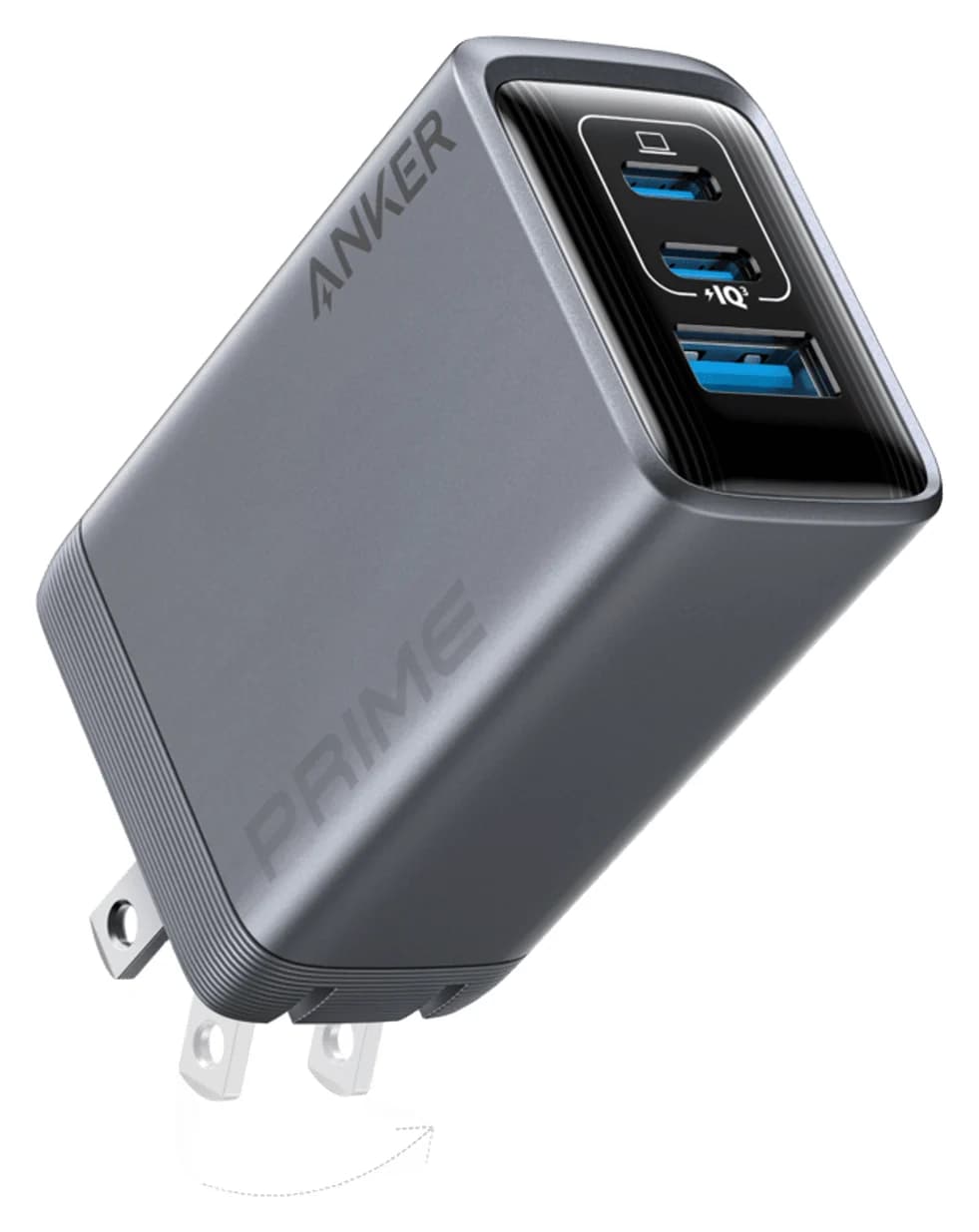
Best charging gift, with a cableAnker
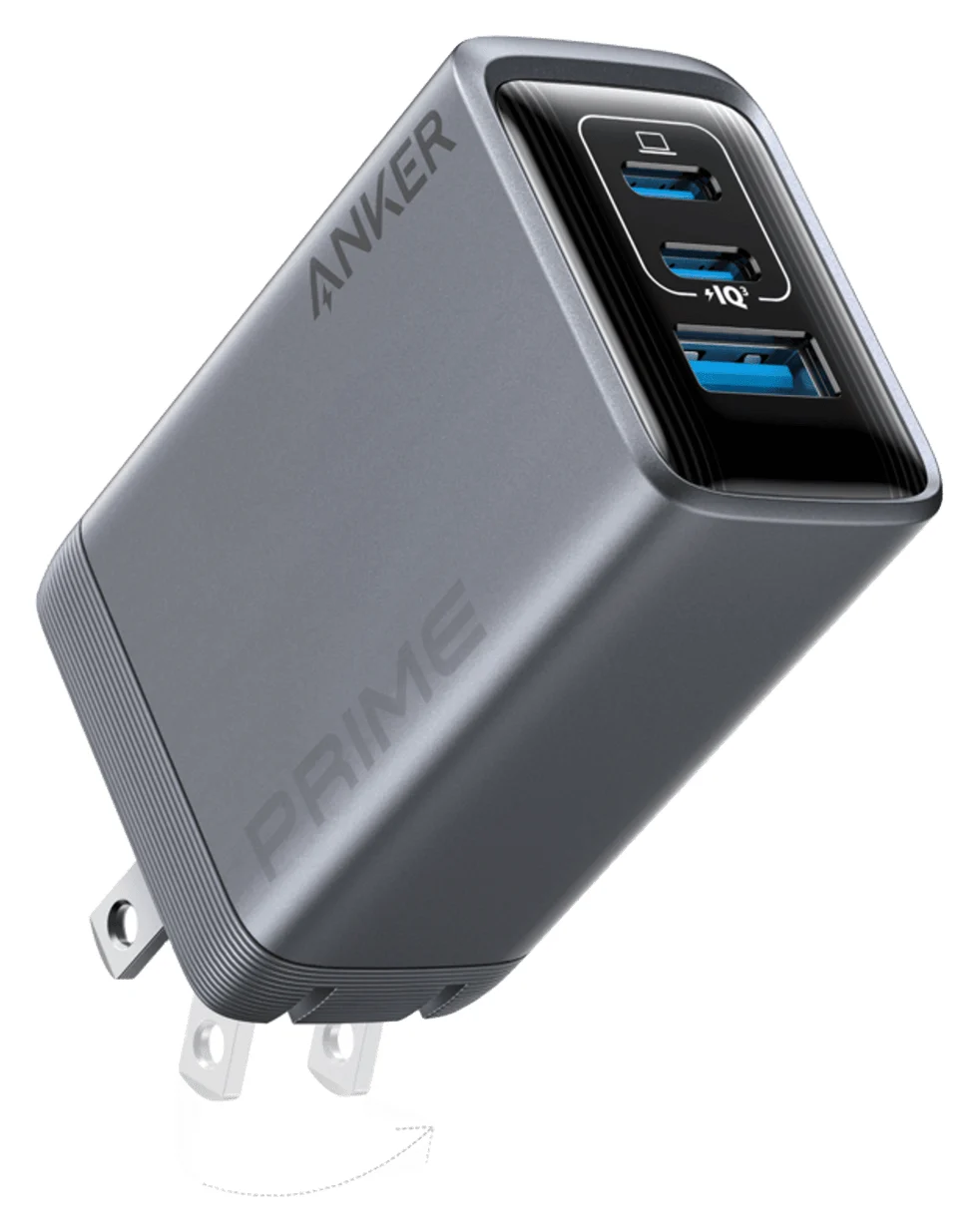
Anker Prime Charger (100W, 3 Ports, GaN)
- max output
- 100W
- ports
- 3
- Choose
- The A2688 delivers up to 100W from either USB-C port alone; add a suitable cable because charging cables are not included.
- Limit
- Needs a 5A e-marked cable to deliver more than 60W
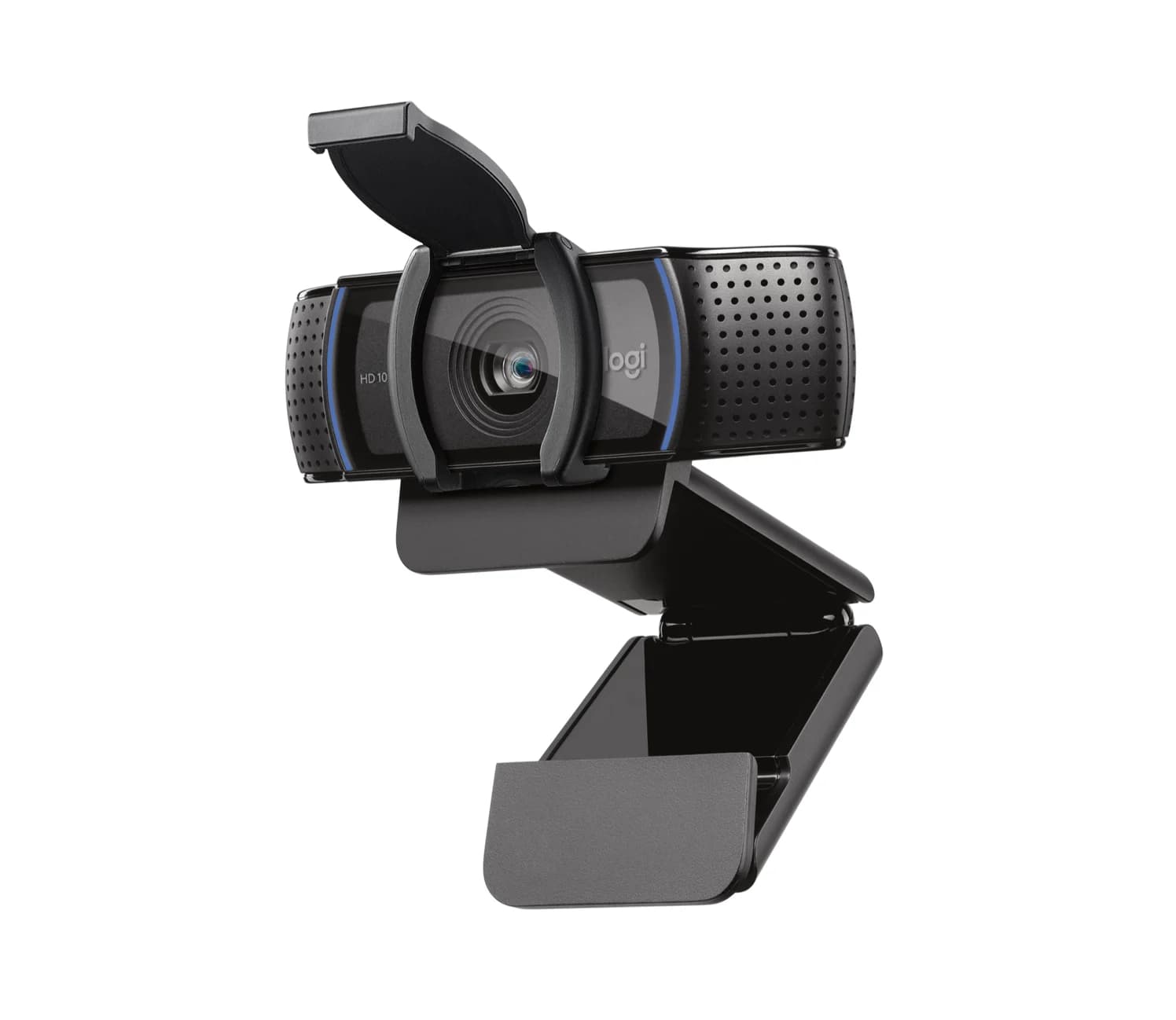
Best everyday webcam for USB-ALogitech
Logitech C920s Pro HD Webcam with Privacy Shutter (Black)
- data
- 480 Mbps
- host link
- USB-A
- Choose
- The C920s supplies 1080p at 30fps through an attached USB-A cable, with a privacy shutter included.
- Limit
- USB-A-only attached cable: USB-C-only laptops need an adapter or hub
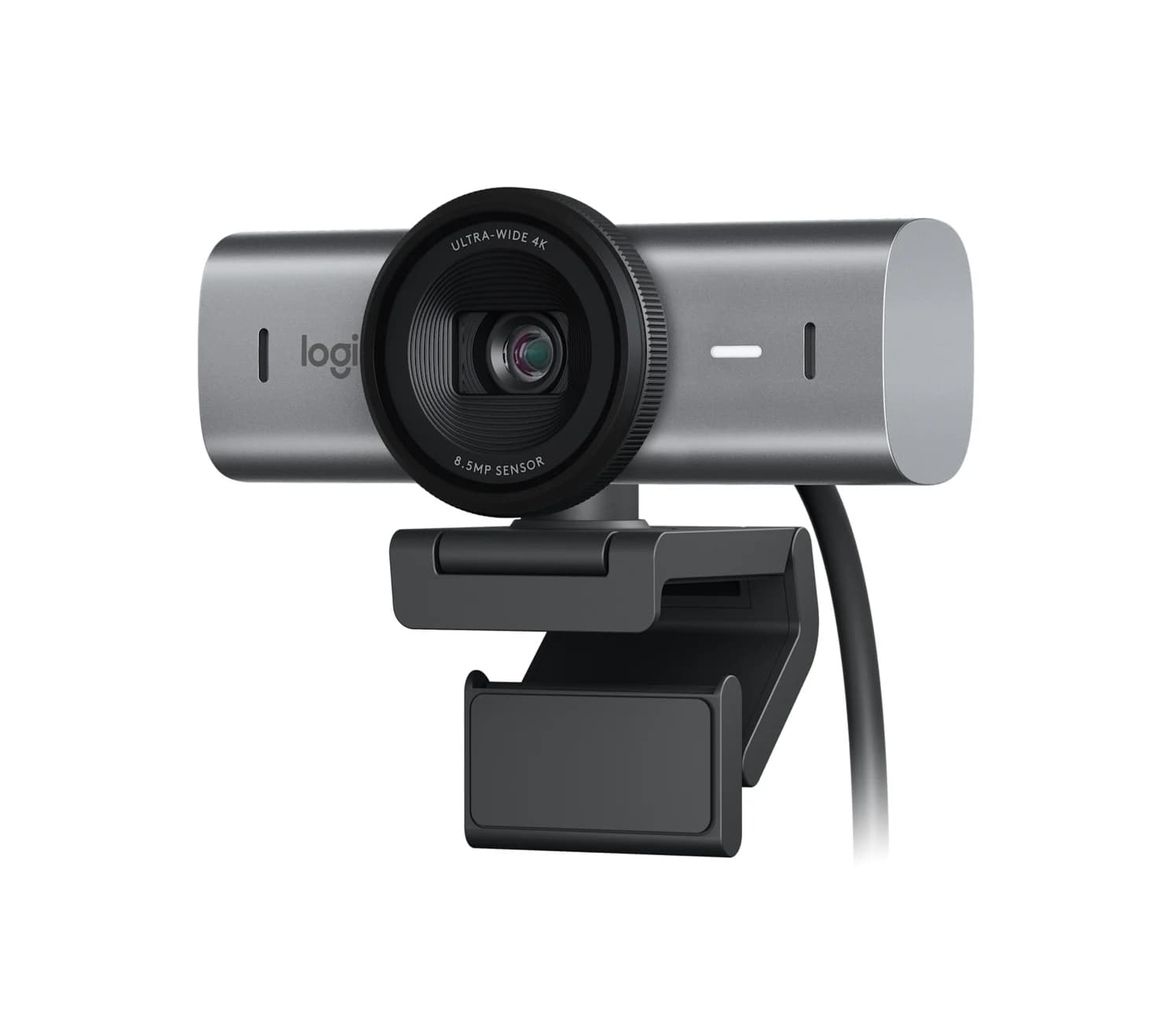
Best webcam for a checked USB-C setupLogitech
Logitech MX Brio 4K Webcam (Graphite)
- data
- 5 Gbps
- port
- 1
- host link
- USB-C
- Choose
- The MX Brio offers 4K at 30fps or 1080p at 60fps and requires a USB-C port supporting USB 3.0.
- Limit
- Logitech requires a USB-C port that supports USB 3.0; no USB-A adapter in the box
- See on Amazon4
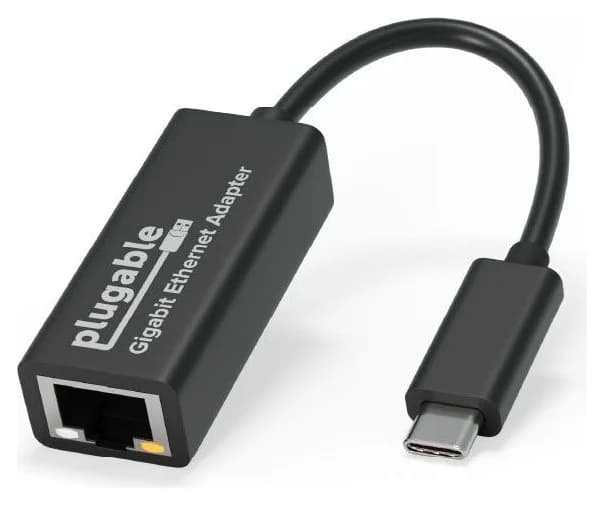
Best dedicated wired-network gift
Plugable USB-C Gigabit Ethernet Adapter (USBC-E1000)
1 port
- See on Amazon5
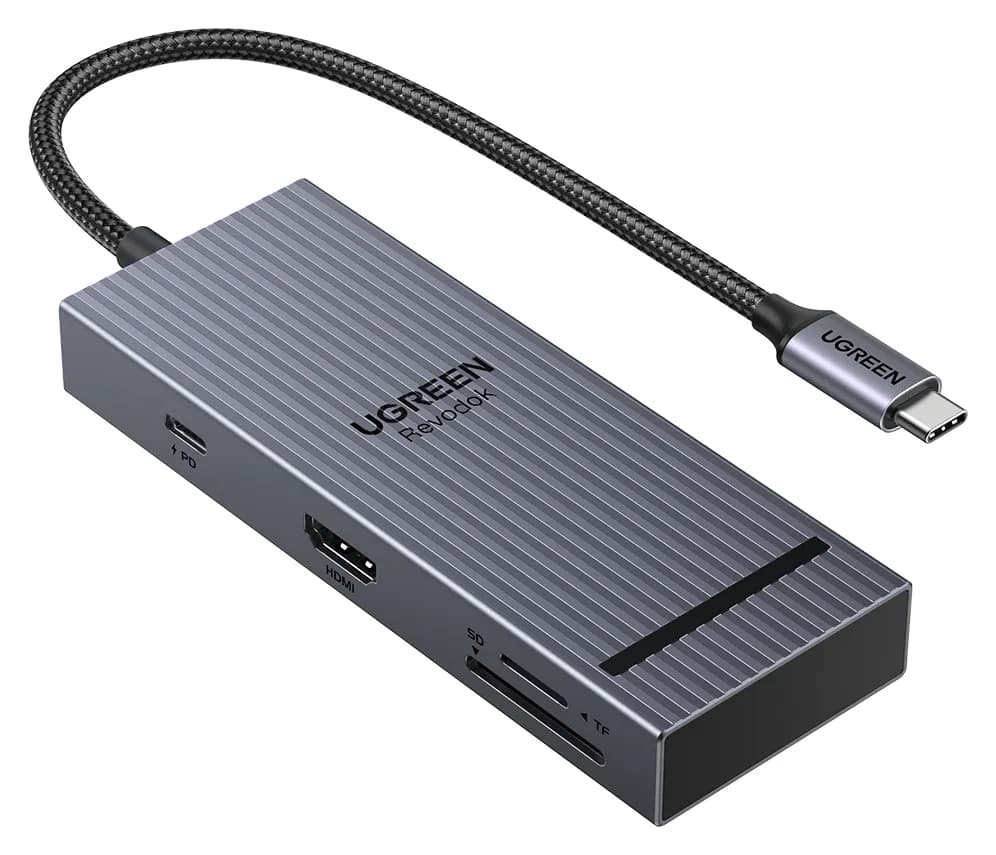
Best for HDMI and extra desk ports
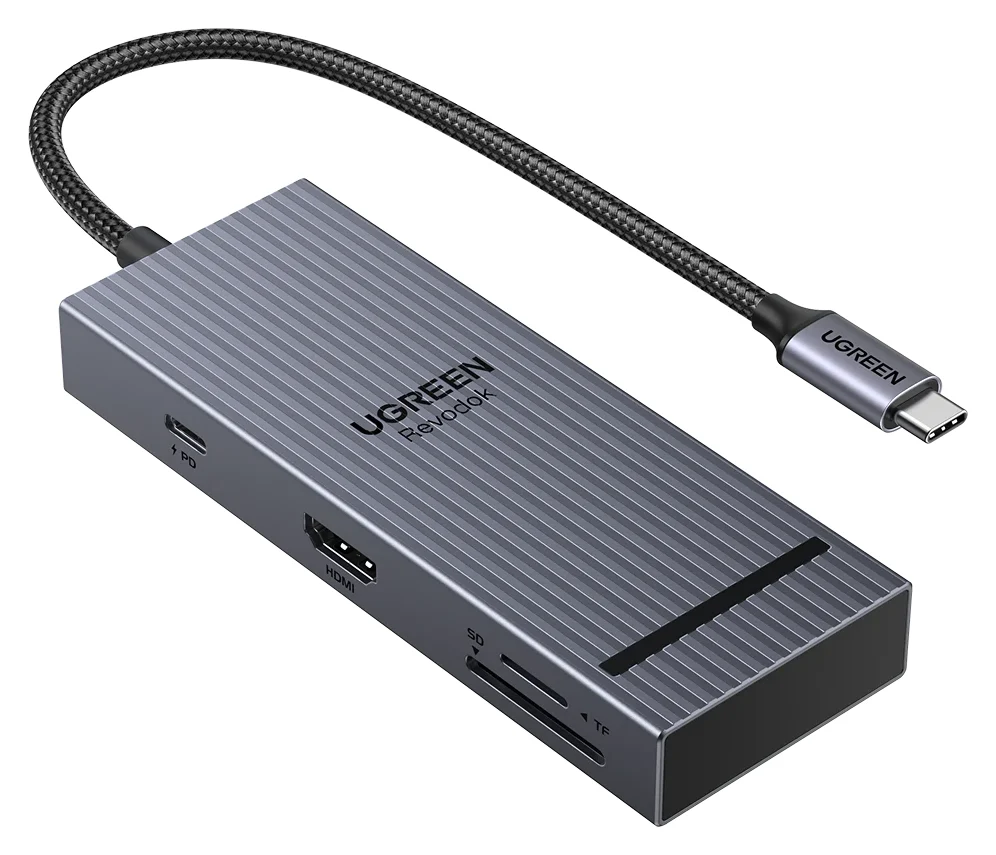
UGREEN Revodok Pro 108 USB-C Hub (8-in-1)
85W PD passthrough · 10 Gbps data · 4K60 video · 8 ports
- See on Amazon6
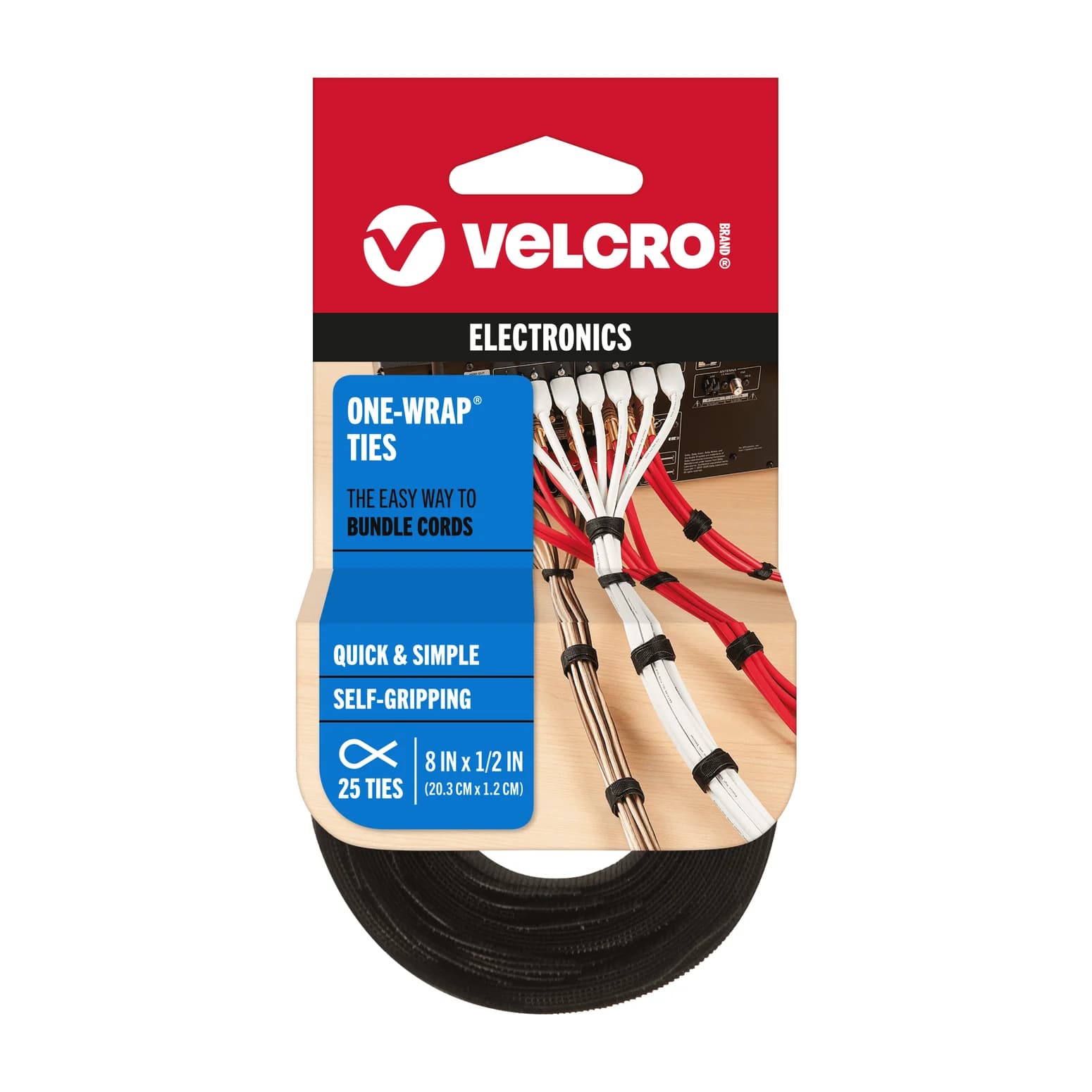
Best when the laptop is unknown
VELCRO Brand ONE-WRAP Cable Ties (8 in x 1/2 in, Black, 25-Pack)
Quick picks: buy for the work problem
These are our editorial picks from manufacturer documentation. The final column is a shopping checklist, not a promise that everything comes in the box.
| Recipient's problem | Gift | Connection or limit to check | Complete the gift |
|---|---|---|---|
| Too many chargers | Anker Prime A2688 + Prime cable | Up to 100W alone; 65W + 35W using both USB-C ports | Add the cable; confirm the laptop accepts USB-C PD |
| Everyday video calls | Logitech C920s | Attached USB-A cable; 1080p at 30fps | Privacy shutter included; plan a data adapter for a USB-C-only laptop |
| Calls plus desk demonstrations | Logitech MX Brio | USB-C supporting USB 3.0; 4K at 30fps or 1080p at 60fps | USB-C cable and mount included; check work approval |
| Wants a wired network connection | Plugable USBC-E1000 | USB-C Gigabit Ethernet, up to 1000Mbps on a supported network | Add an Ethernet cable and confirm a usable network jack |
| Needs HDMI and more ports | UGREEN Revodok Pro 108 | 4K at 60Hz needs DP 1.4 Alt Mode; up to 85W charging | Check HDMI cable, charger and charging cable needs; power accessories excluded |
| You know little about their setup | VELCRO ONE-WRAP ties | Adjustable, reusable cable ties | Check the selected pack's dimensions and quantity |
For a broader gift shortlist, see our USB tech gift guide; for an Apple-specific recipient, use gifts for new MacBook owners.
Best charging gift: Anker Prime A2688 plus a cable
Anker
Anker Prime Charger (100W, 3 Ports, GaN)
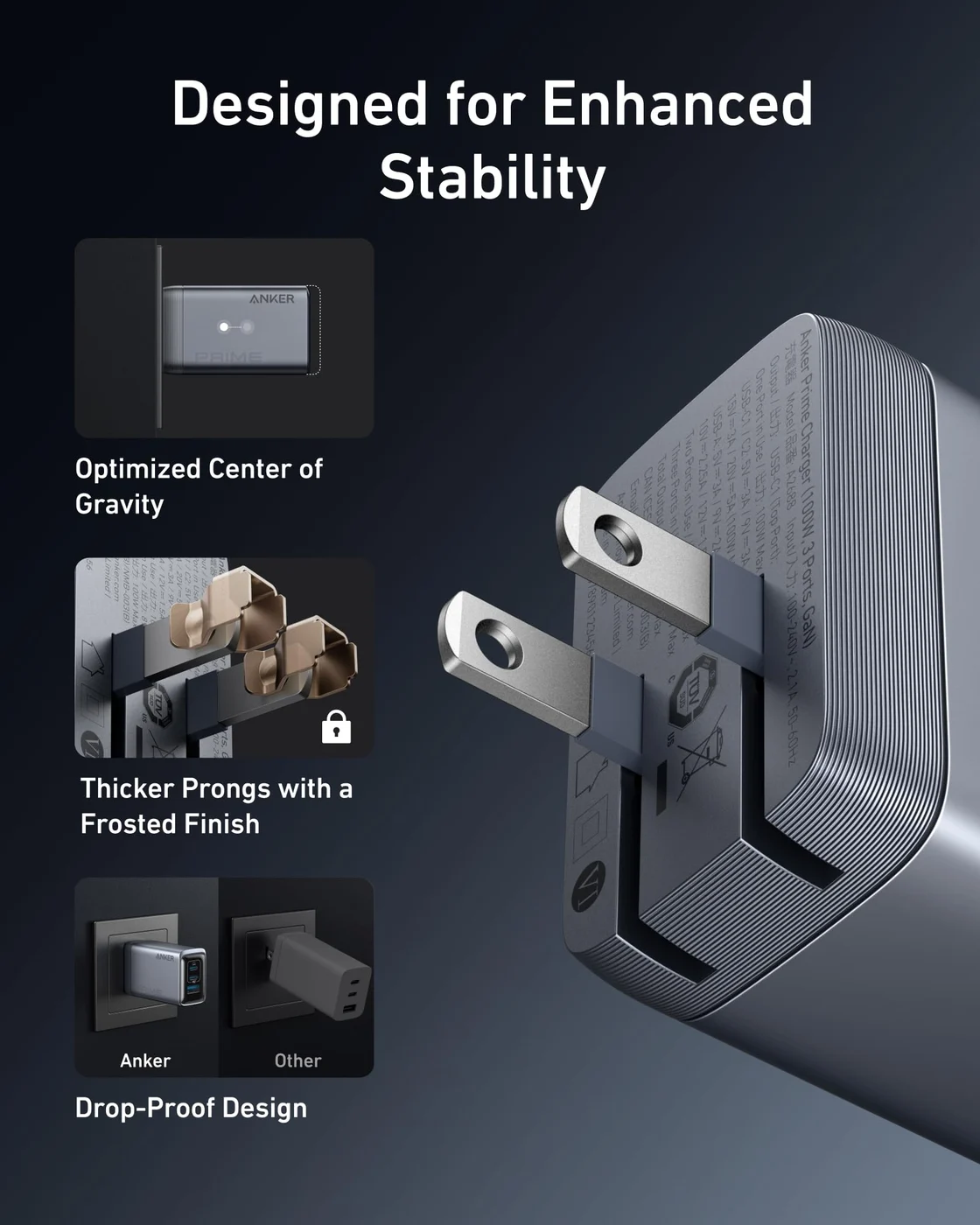
A 100W GaN wall charger with two USB-C ports and one USB-A port and a foldable plug.
- 100W max output
- 3 ports
Choose this for someone who wants a separate desk charger and whose laptop's charging requirements you can confirm. Anker's A2688 has two USB-C ports and a USB-A port; either USB-C port supplies up to 100W when used alone. Ask for their laptop model and the specification of its recommended adapter before ordering.
Sharing changes the gift's usefulness. Anker's support table gives 65W + 35W across the USB-C ports, and Anker tells you to put the laptop on the upper port. With every port occupied, the stated total is 89W. A laptop that needs more than 65W while charging alongside a phone is a reason to choose another charger. Avoid the lower USB-C and USB-A pairing for a laptop: Anker lists only 12W each for that combination.
Make it a kit. Charging cables are excluded, and Anker calls for an E-Marker cable for optimal 100W output. Add the Anker Prime A88E2 USB-C cable, selecting the 6 ft version; Anker also offers 3 ft. The cable is rated for 240W, but this charger still tops out at 100W. Anker specifies USB 2.0 data at 480Mbps and no screen mirroring for the cable, so keep it for charging rather than a monitor connection.
The charger specifications, power-sharing table and cable page support this pairing. Match A2688 on the charger, and check the regional wall plug and cable length before checkout.
Check price on Amazon: Anker Prime charger · Check price on Amazon: companion cable
Best everyday webcam for USB-A: Logitech C920s
Logitech
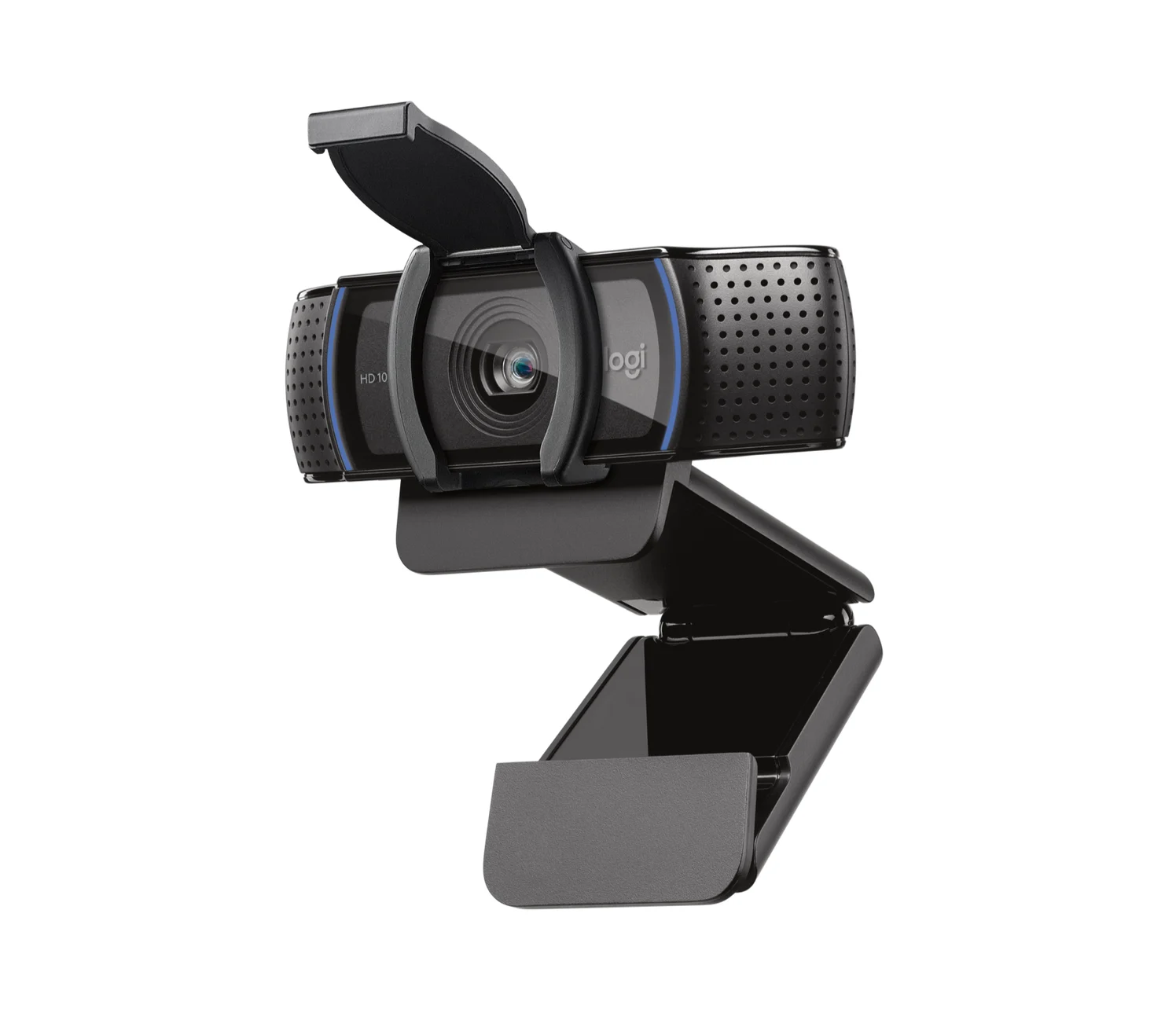
Logitech C920s Pro HD Webcam with Privacy Shutter (Black)
Logitech's long-running 1080p30 webcam with stereo mics, a clip-on privacy shutter and an attached USB-A cable.
- 0.48 Gbps data
Buy the C920s for someone who wants a straightforward call camera and has an available USB-A data port. Logitech lists 1080p at 30fps, autofocus and stereo microphones. A privacy shutter is included. Choose it for that complete call setup rather than chasing a higher resolution label.
The practical catch is its attached USB-A cable, listed at 5 ft / 1.5 m; the camera uses USB 2.0. Check the route from the monitor to the laptop before buying, and plan a compatible USB-A data adapter if the laptop only has USB-C. Ask whether the recipient already uses a preferred headset before treating the camera's microphones as the reason to upgrade.
Match the C920s with privacy shutter. Logitech's US page identifies its black version as 960-001257; confirm the exact regional part and box contents rather than relying on a similar webcam name. See the maker's page and USB specifications.
Check price on Amazon: Logitech C920s
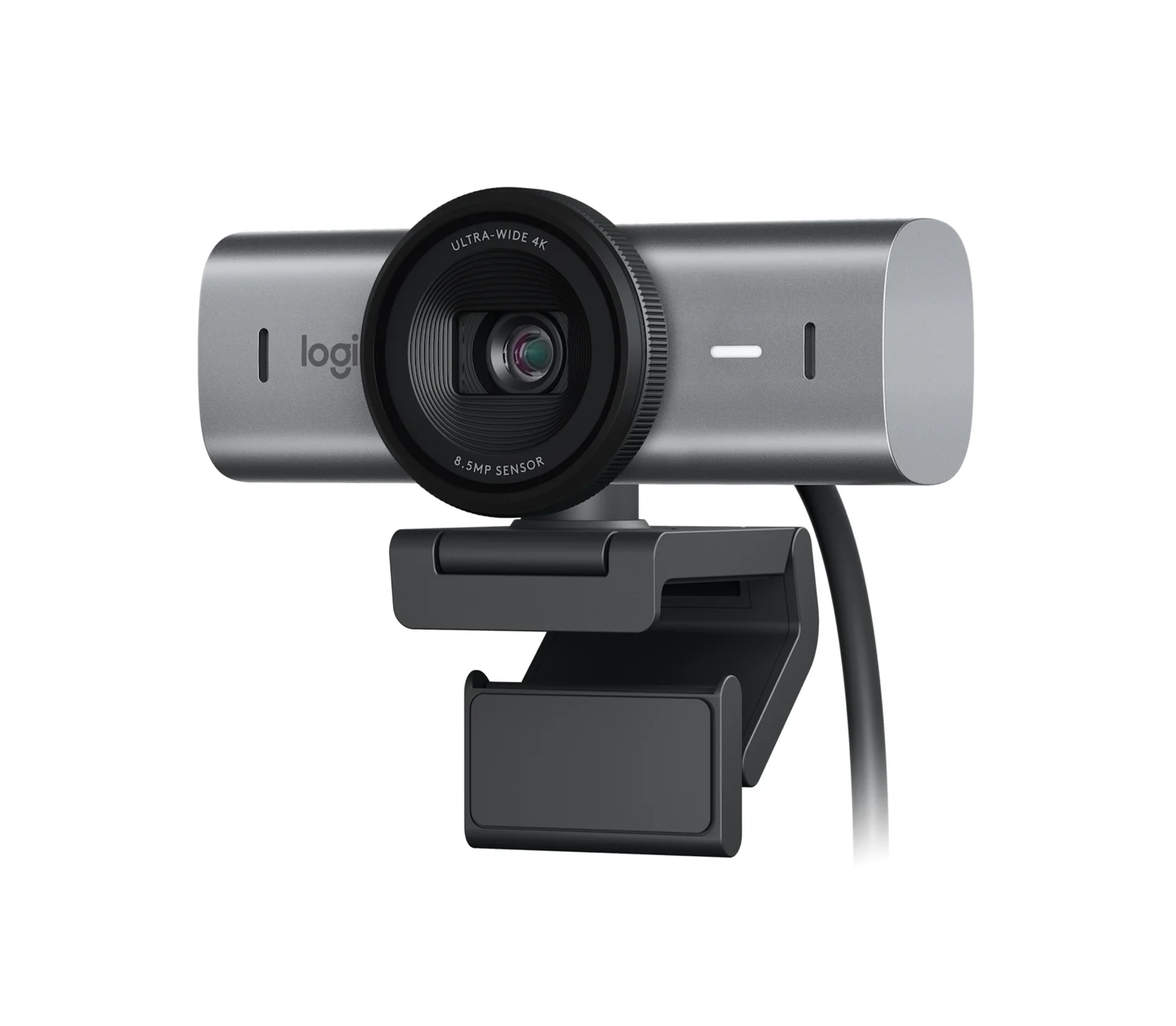
Best webcam for a checked USB-C setup: Logitech MX Brio
Logitech
Logitech MX Brio 4K Webcam (Graphite)
Logitech's 4K30 / 1080p60 webcam with an 8.5MP Sony STARVIS sensor, dual beamforming mics and a built-in privacy shutter, connected by a detachable USB-C to USB-C cable.
- 5 Gbps data
- 1 port
Choose MX Brio for someone who wants more camera control or shows work on their desk: it offers 4K at 30fps or 1080p at 60fps, and Show Mode lets them tilt it down to share notes and sketches. Its privacy shutter rotates closed over the lens.
Logitech explicitly requires a USB-C port supporting USB 3.0. The box contains a detachable USB-C to USB-C cable supporting USB 3.0 and a mounting clip. Check the actual laptop or dock port against that requirement, and keep the included cable with the camera: the charging cable above is USB 2.0.
For a managed work computer, establish what the recipient can actually use. Logitech lists basic UVC support on Windows, macOS, ChromeOS and Linux; its customization software is for Windows and macOS. Logi Options+ and G HUB provide fine image controls. Ask IT about peripheral and app approval before buying for those controls.
The selected camera is Logitech MX Brio. Use the MX Brio specifications and box/setup guide; verify the exact color and regional part number on the seller's listing before ordering. Compare alternatives in our webcam guide.
Check price on Amazon: Logitech MX Brio
Best dedicated wired-network gift: Plugable USBC-E1000
Plugable
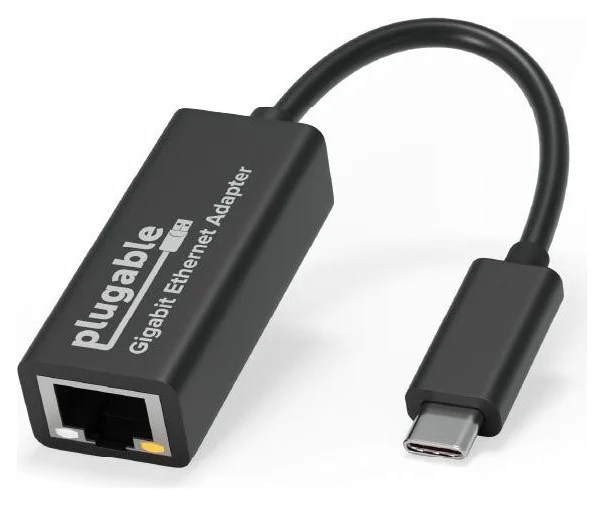
Plugable USB-C Gigabit Ethernet Adapter (USBC-E1000)
A small bus-powered adapter that adds a gigabit Ethernet (RJ45) port through a USB-C, USB4 or Thunderbolt port, with built-in driver support on ChromeOS, Windows 10/11, macOS and iPadOS.
- 1 port
Choose this when the recipient specifically wants wired networking and can reach an enabled router or wall socket. The USBC-E1000 connects through USB-C, draws power from the computer and supports up to 1000Mbps on a supported gigabit network. Treat that as a connection specification rather than a promised improvement to their internet service.
Add an Ethernet patch cable of the right length: Plugable lists the adapter and a quick-start guide in the box. This is a dedicated adapter, so check that the laptop has a free port after its other desk connections.
Check the hardware revision for a work Mac. Plugable's product page names an AX88179B chipset with no driver to download, while its driver page calls post-mid-2023 units AX88179A. The driver page says older units from before that change are not officially supported on macOS 10.15 or later, while newer units are plug-and-play. Those names conflict; confirm the supplied revision and OS support with Plugable before buying an older or open-box unit. For a locked work laptop, ask IT to approve the exact adapter.
Check price on Amazon: Plugable USBC-E1000
Best for HDMI and extra ports: UGREEN Revodok Pro 108
UGREEN
UGREEN Revodok Pro 108 USB-C Hub (8-in-1)
A compact single-cable 8-in-1 USB-C hub with 4K@60Hz HDMI, 10Gbps USB ports, 170MB/s SD and microSD readers and 100W PD input.
- 85W PD passthrough
- 10 Gbps data
- 4K60 video
- 8 ports
Buy this after checking the recipient's monitor and laptop specifications. The 75027 model combines HDMI, USB-C data ports, USB-A data ports, SD and microSD readers, and USB-C PD input; Ethernet is absent from that inventory. For its advertised 4K at 60Hz, UGREEN requires DisplayPort 1.4 Alt Mode from the laptop's USB-C port. Use our desk hub guide if their setup needs a different port mix.
Its 100W PD input delivers up to 85W to the laptop, reserving 15W for the hub, and that maximum needs a compatible 100W PD charger and cable. UGREEN excludes the wall charger and charging cable. If the recipient needs more laptop power, choose a different desk solution. Check the required HDMI cable as well as the power kit.
If you pair it with the Anker charger above, leave the charger's other ports unused for that input rating: sharing its USB-C ports drops the upper port's output to 65W, below UGREEN's specified 100W input for maximum laptop charging.
The connections have distinct jobs: HDMI supplies video, the USB-C data ports do not support display or charging, and the PD input supports charging only.
- Yes: HDMI: the hub's video output
- No: USB-C data ports for display or charging: unsupported
- No: USB-C PD input as an extra data port: charging only
Match Revodok Pro 108 / 75027 against UGREEN's product and compatibility notes.
Check price on Amazon: UGREEN Revodok Pro 108
Best when the laptop is unknown: VELCRO Brand ONE-WRAP ties
VELCRO Brand
VELCRO Brand ONE-WRAP Cable Ties (8 in x 1/2 in, Black, 25-Pack)
Pre-cut, reusable hook-and-loop ties for bundling charging cables and cords.
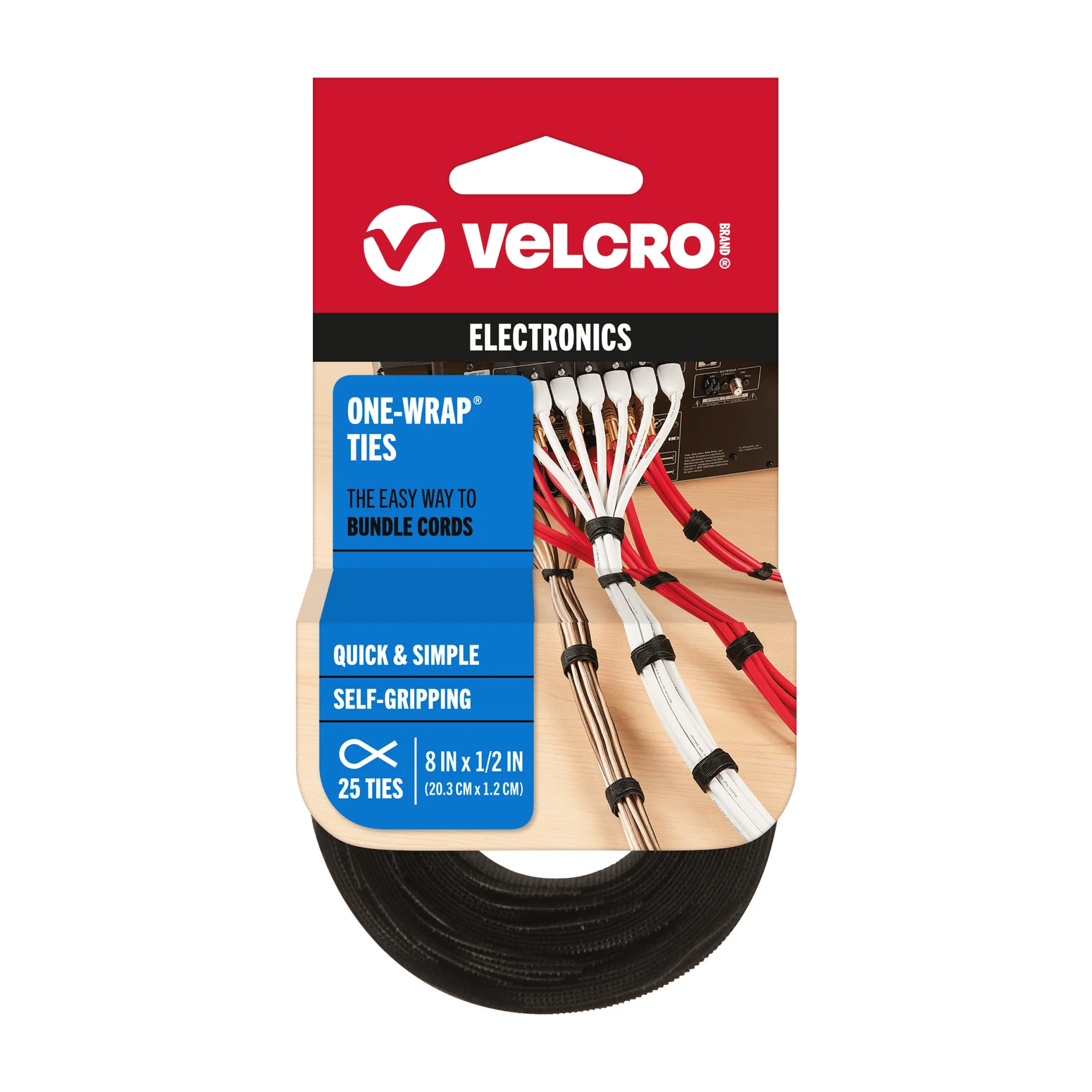
This is our fallback when you cannot check the computer or employer rules. VELCRO describes pre-cut, adjustable, reusable ties for charging cables; a slotted head keeps the strap on the cord. Thread the end through the slit, then wrap the tie around the organized cord and back onto itself.
It is a practical add-on for someone who wants cable organization. The official family page supports the design, but does not specify the linked retail pack's dimensions or quantity. Check those on the exact selected pack; do not assume every ONE-WRAP option is identical.
Check price on Amazon: VELCRO ONE-WRAP ties
How we choose
These recommendations come from manufacturer product pages, setup guides and support tables, with USB-IF documentation for power negotiation. We prioritize the job solved, the required host connection and the complete gift kit. They are research-based recommendations without physical product testing. Where official pages disagree, we flag the uncertainty.
Before buying: check the recipient and the complete kit
Ask for the laptop model, operating system, free ports, recommended charger specification and the annoyance they want fixed. For work equipment, ask whether IT permits an external camera, a network adapter and any customization app. Do not ask the recipient to bypass a restriction to use a gift.
Identify the work problem
Pick calls, charging, desk ports, wired networking or cable organization.
Confirm the computer and work approval
Check the exact laptop specifications and ask IT where needed.
Finish the kit
Include the necessary cable or adapter, then save the gift receipt.
Check the meeting app before upgrading the camera. For example, Google's Meet settings list 1080p sending with camera and processing requirements, and limit it to eligible account editions. Do not buy MX Brio solely on the expectation that every call will transmit at its maximum camera resolution.
Recheck the offer when ordering. Match the model, color, cable length, pack quantity, regional plug and included accessories. Check the seller, save the order date and delivered total, and confirm the return deadline covers when the gift will be opened. Get the seller's holiday terms for that exact order and include a gift receipt.
Verdict
Choose the Anker charger plus cable after confirming the laptop's power needs; choose C920s for an available USB-A port, or MX Brio after checking USB-C with USB 3.0 support. Choose Plugable for a checked wired-network setup and UGREEN for compatible HDMI and desk-port expansion. If those recipient details are missing, our choice is ONE-WRAP ties and a gift receipt.
Frequently asked questions
What is a useful gift for a remote worker if I do not know their laptop?
Our lowest-compatibility-risk choice is VELCRO Brand ONE-WRAP ties: the maker describes adjustable, reusable ties for charging cables. If you want to give electronics, first learn the laptop model, the connection they have free and the problem they want solved. Ask before choosing a hub or webcam for a work computer, and include a gift receipt.
What should I buy with a USB-C charger as a gift?
Buy a cable as part of the gift: Anker does not include charging cables with the Prime A2688 and specifies an E-Marker cable for optimal 100W charging. Our companion choice is the Anker Prime 240W USB-C cable, selected here in the 6 ft version. Match the laptop's required charging specification before buying; the cable's rating does not increase the charger's output.
Can a webcam work on a company laptop without installing an app?
Logitech specifies basic UVC webcam support for the MX Brio on Windows, macOS, ChromeOS and Linux. Its optional image-customization tools are Logi Options+ and G HUB, with Logitech software limited to Windows and macOS. Before gifting, ask IT whether external cameras and customization software are permitted. Basic webcam compatibility does not establish your employer's approval.
Will a USB-C hub also add wired networking?
Check the exact hub's port list. The Revodok Pro 108 selected here has HDMI, USB data ports, card readers and PD input; its listed connections do not include Ethernet. For wired networking, our separate pick is the Plugable USBC-E1000 USB-C Gigabit Ethernet adapter. Confirm an enabled network socket near the desk and add a suitable Ethernet cable to the gift.
Related guides
iPad Magnetic Charging Docks: Which Version Fits Your Pro or Air?
Find the KUXIU magnetic charging dock variant for your iPad Pro or Air, compare desk and arm stands, and check case fit, software and the complete power kit.
Updated November 3, 2026Read
Best USB Tech Gifts Under 100 Dollars: Complete Laptop Kits
Find tech gifts under 100 dollars with complete USB charger, hub and power-bank kits. Compare laptop fit, cable bundles and the full delivered checkout total.
Updated November 5, 2026Read
Gifts for iPhone Users in 2026: Qi2, MagSafe and USB-C Picks
USB-C gifts for iPhone 15 to iPhone 18 Pro and iPhone Duo owners: Qi2 25W chargers, a power bank, a fast charger, a car mount, AirPods and a ProRes SSD.
Updated October 30, 2026Read