Black Friday: the specs to check before you buy
Buying guide
Updated November 3, 2026Micro-USB Cable Buying Guide: Choose the Right Plug and Length
Short answer
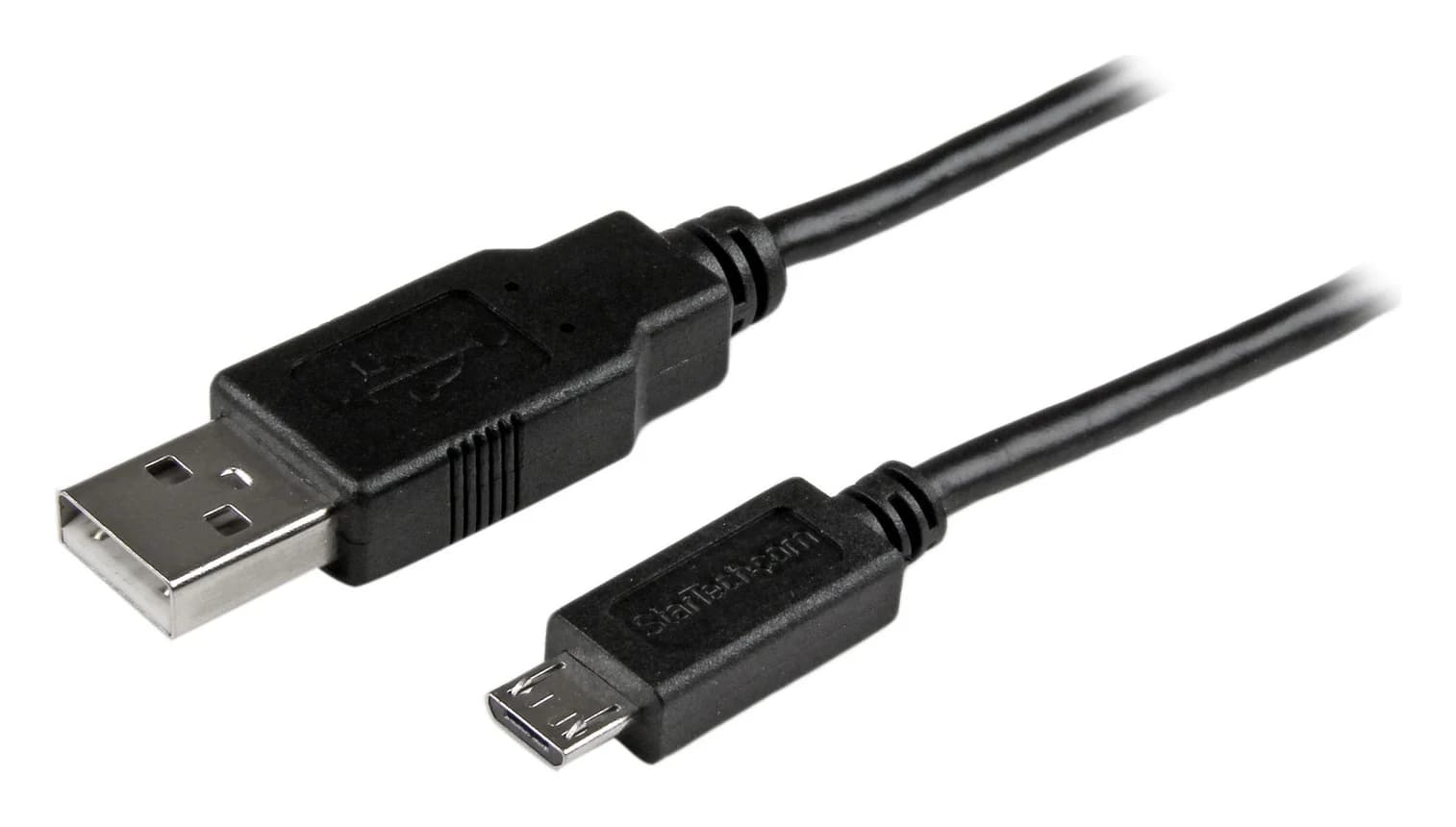
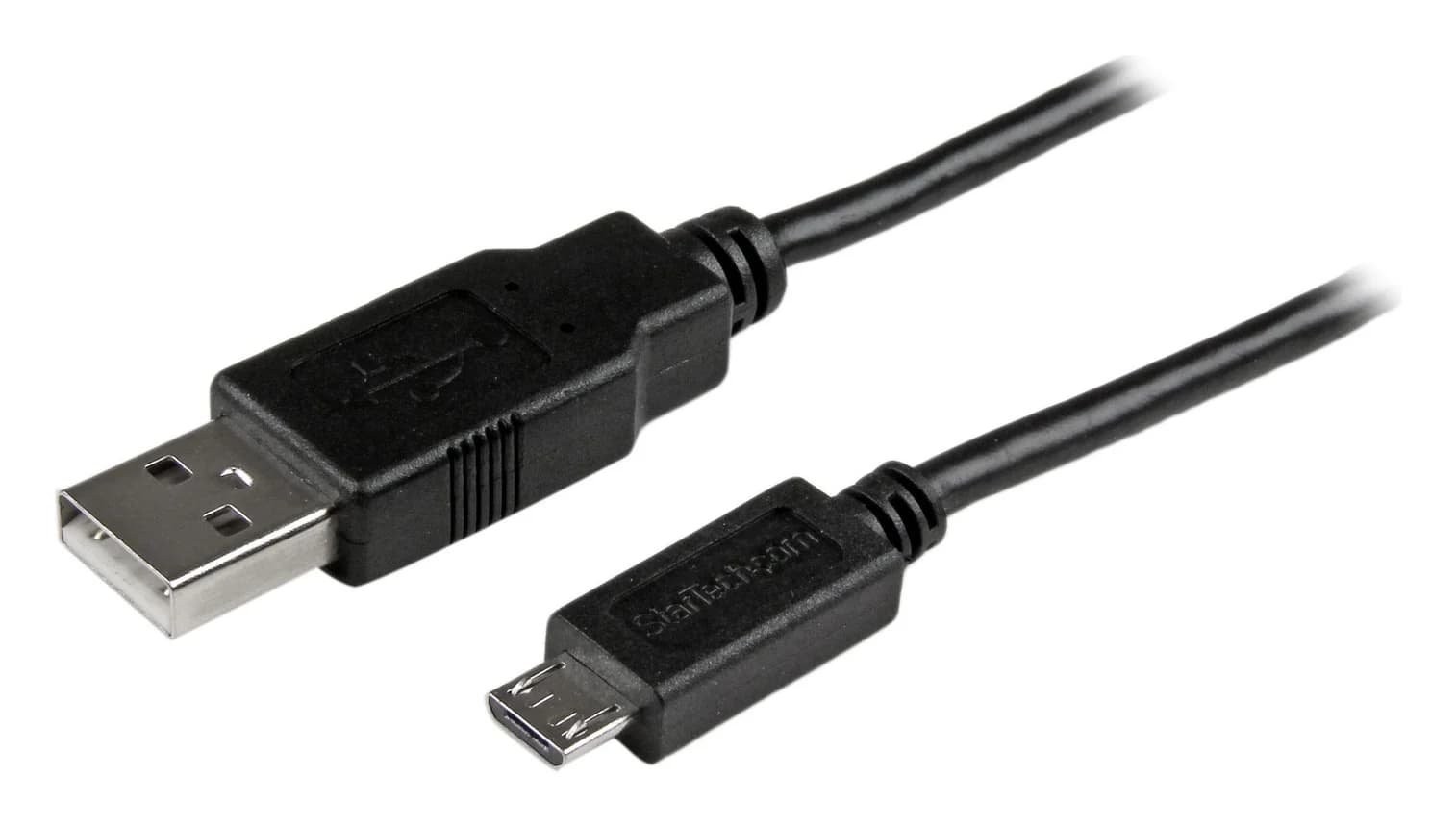
For an older phone, controller or camera with a narrow Micro-B socket, our default USB-A replacement is the StarTech USBAUB3BK: a 3 ft charging and data cable; choose Cable Matters 201003 when the computer or charger has USB-C. For a drive with the wide USB 3 Micro-B socket, choose StarTech USB3AUB50CMB for USB-A or USB31CUB1M for USB-C. Match the device socket first, then the host end, then length—before comparing checkout totals.
Our picks at a glance
- Find on Amazon4
Best short USB-A drive cable
StarTech USB3AUB50CMB, black, 0.5 m / 50 cm
- Find on Amazon
 5
Best USB-C drive cable
StarTech USB31CUB1M, black, 1 m / 3.3 ft
Identify the device connector before ordering
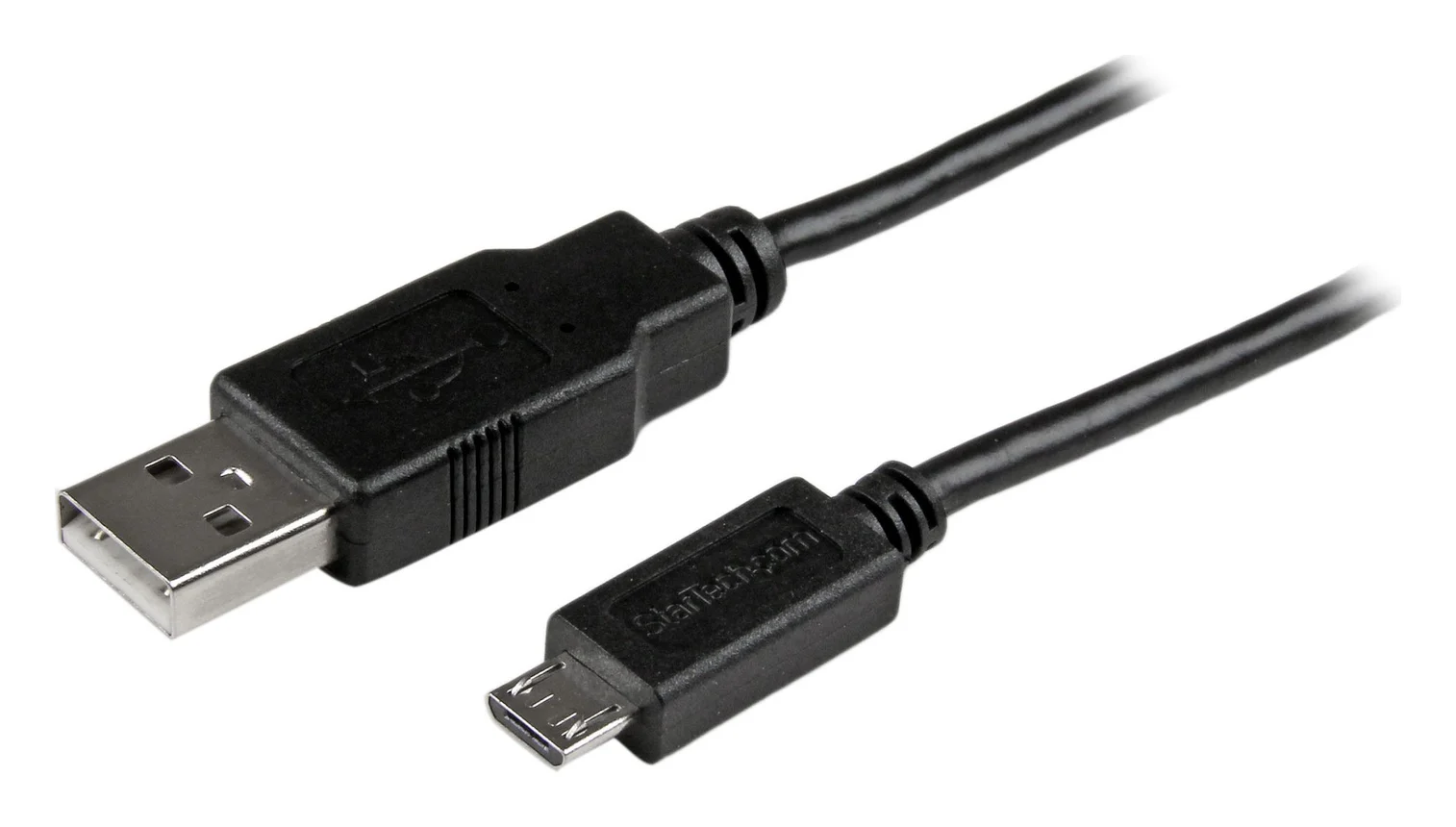
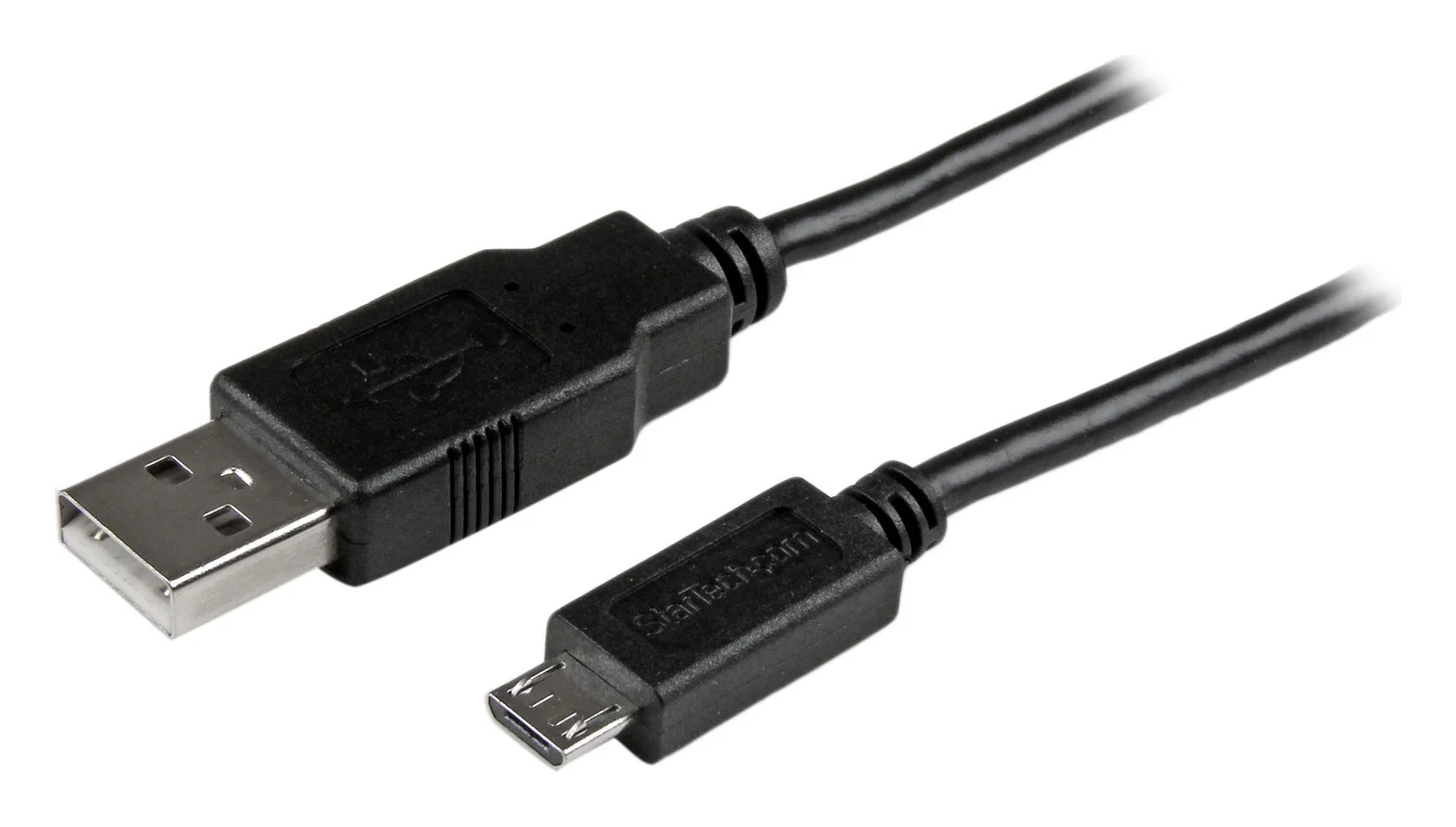
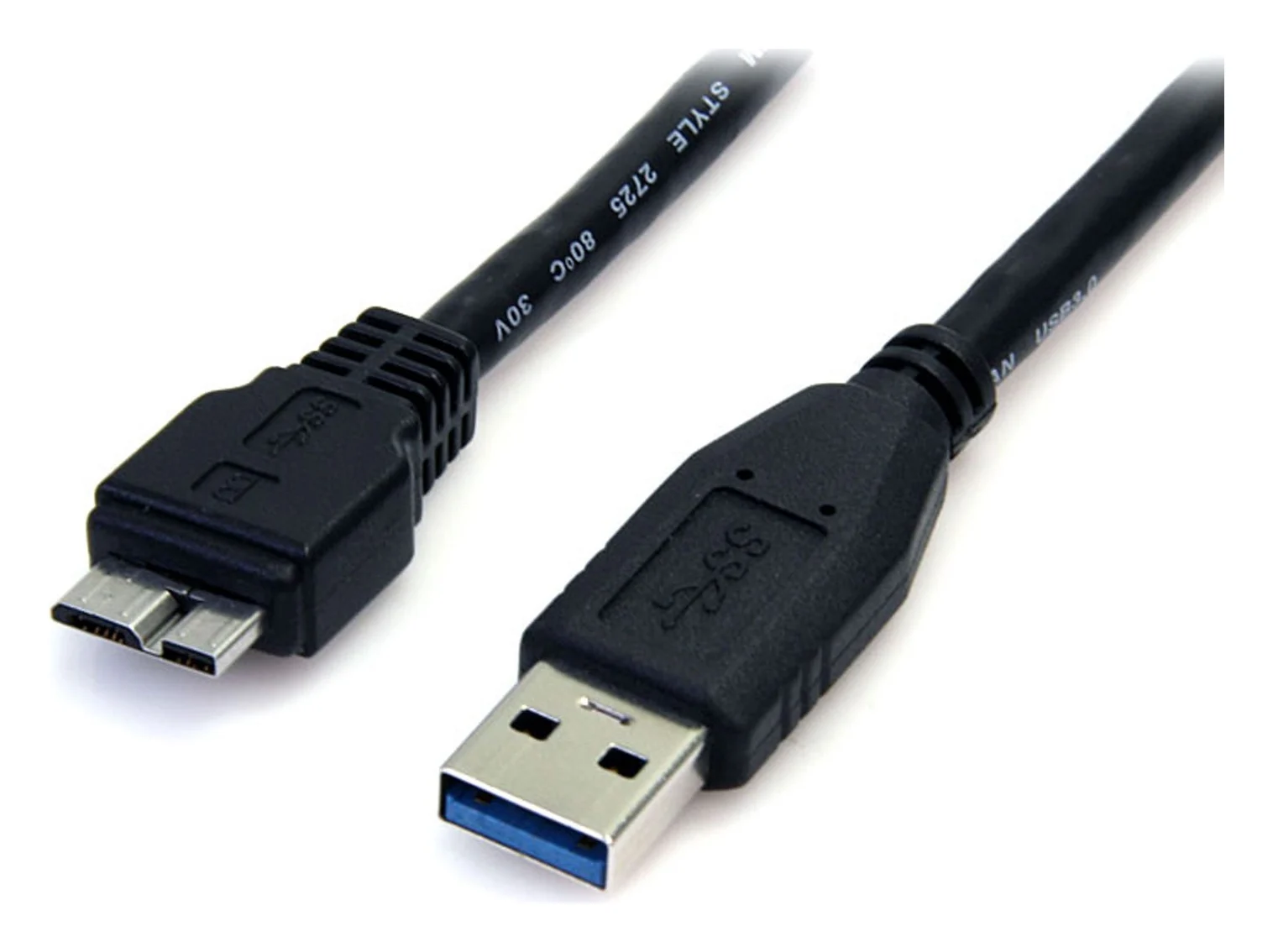
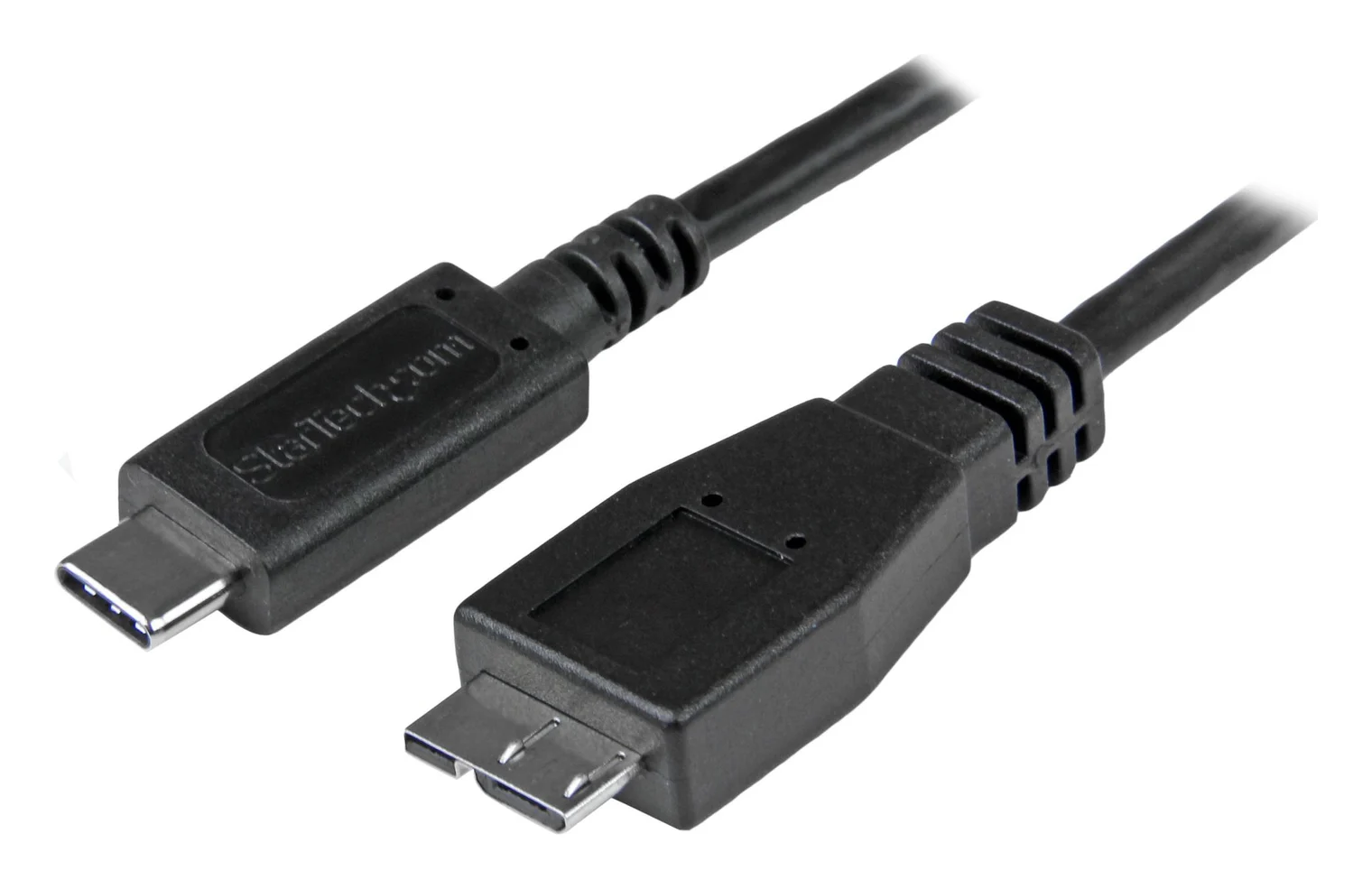
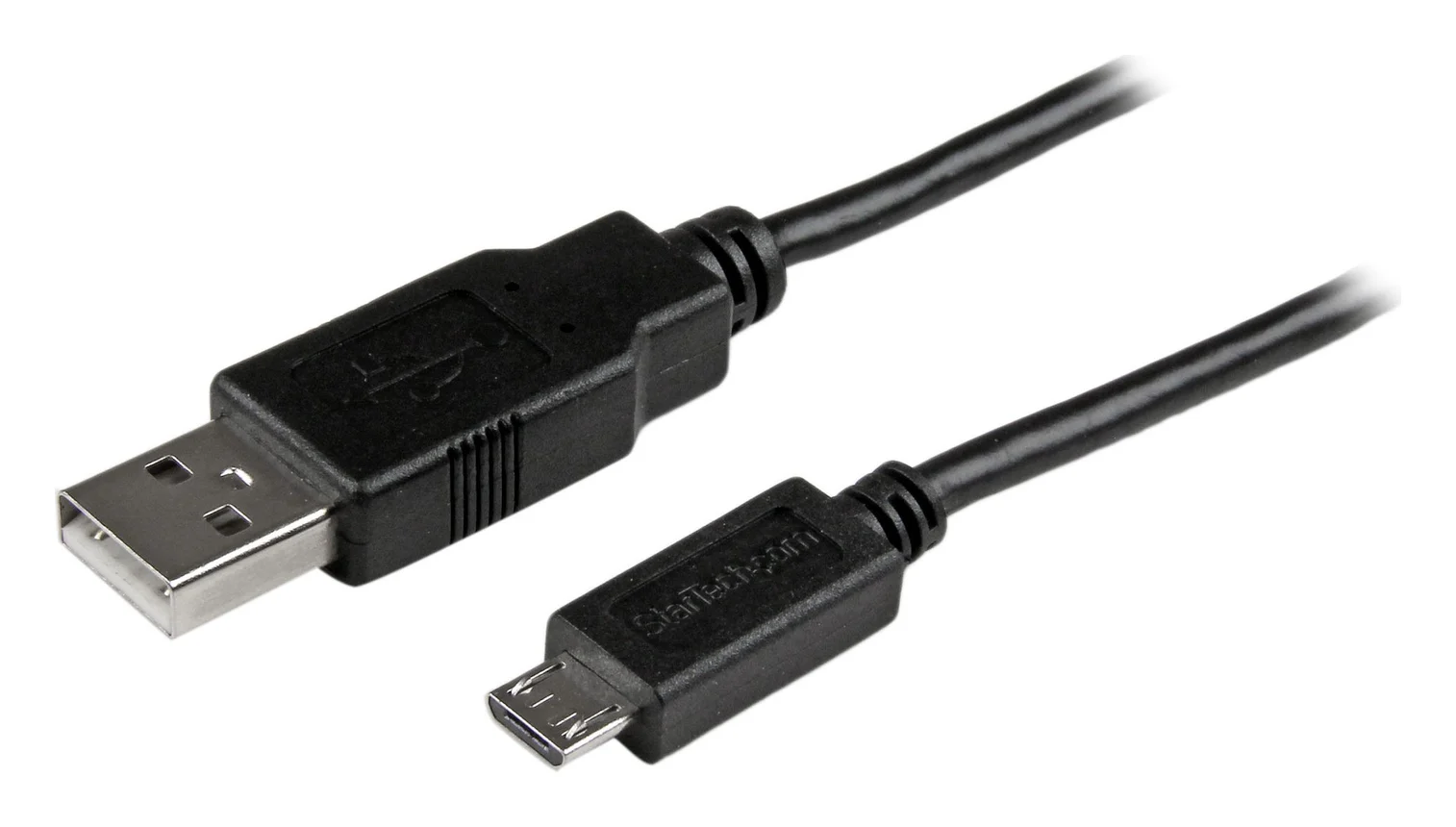
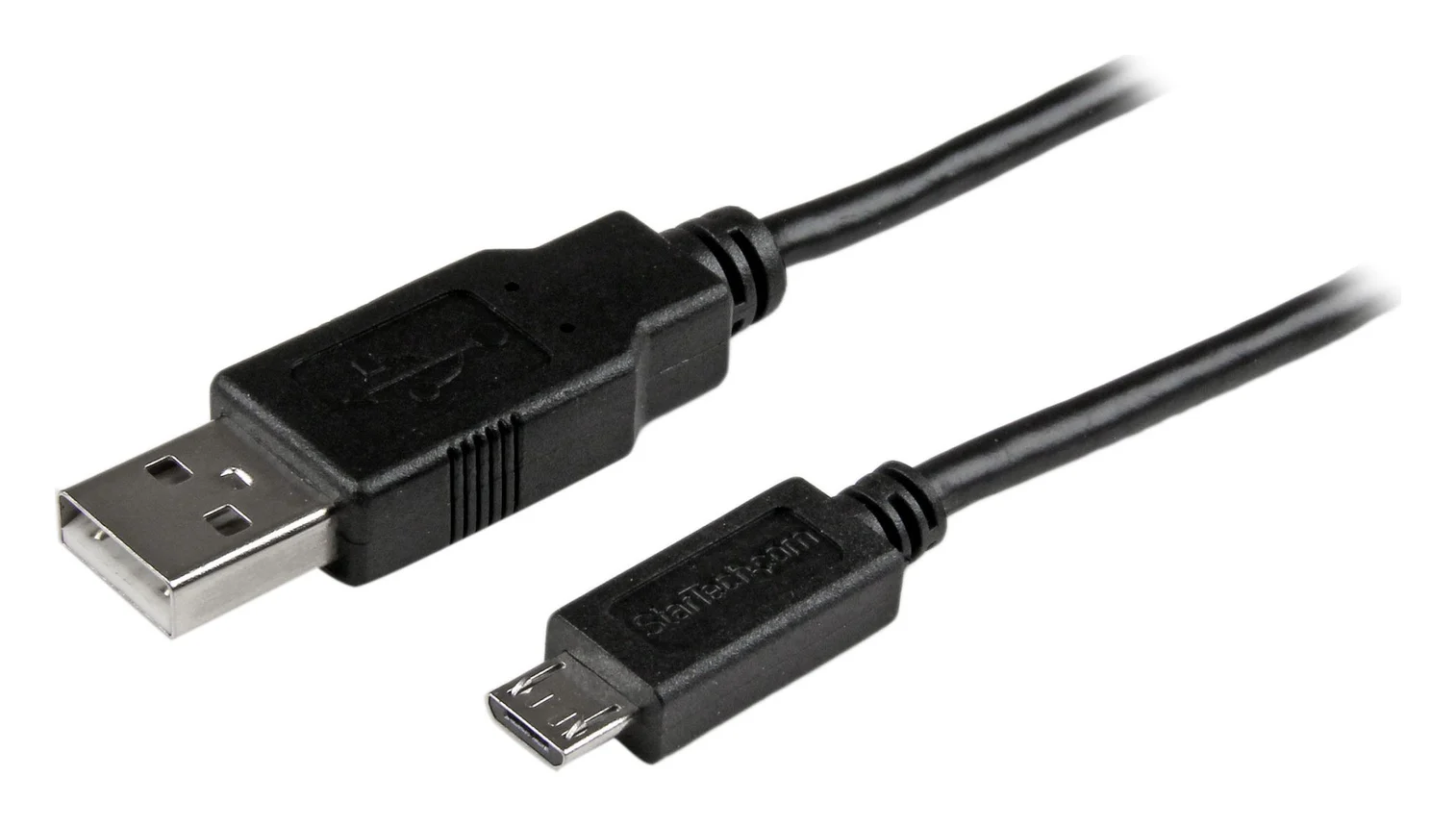
Compare the socket with the manufacturer's connector photograph, using the links below. Samsung describes ordinary Micro-B as asymmetric, with ridges on one face and a flat opposite face; forcing it in the wrong way can damage the port. Samsung's connector guidance explains the orientation.
| Device-side connector to match | What to buy | Useful identification check |
|---|---|---|
| Narrow Micro-B, also called Micro USB 2.0 | Narrow Micro-B to USB-A or USB-C | Cable Matters' connector pictures; its compatibility list includes DualShock 4 |
| Wide USB 3 Micro-B, with an extra connector section | USB 3 Micro-B to USB-A or USB-C | StarTech's drive-cable pictures; Seagate Backup Plus Slim specifies USB 3 Micro-B |
| Larger Mini-B trapezoid | A Mini-USB cable, outside this shortlist | Cable Matters' Mini-B page distinguishes PS3 from PS4 controllers |
| Oval, symmetrical USB-C | A USB-C cable | Use our USB-C cable selector |
TE's connector guide describes the Mini and USB-C shapes. Its USB 3 connector documentation describes Micro-B's extra SuperSpeed section and backward compatibility: a narrow USB 2 plug can use the corresponding drive socket, at USB 2 speeds. Cable Matters nevertheless excludes Micro-B 3.0 from its 201003 compatibility; follow that product guidance and buy a USB 3 cable for the drive.
Quick picks and exact variants
These are manufacturer data-rate ceilings, not measured file-copy speeds. Each selection already has the stated host connector; choose the row that fits your existing computer or charger.
| Your connection | Exact model and selected length | Maximum data rate | Cable count stated by maker | Options |
|---|---|---|---|---|
| USB-A → narrow Micro-B; nearby device | StarTech USBAUB3BK, black, 3 ft | 480 Mbps, USB 2.0 | 1 | Check current options |
| USB-A → narrow Micro-B; more reach | StarTech USBAUB6BK, black, 6 ft / 1.8 m | 480 Mbps, USB 2.0 | 1 | Check current options |
| USB-C → narrow Micro-B | Cable Matters 201003, black, 3.3 ft / 1 m selection | 480 Mbps, USB 2.0 | Confirm at checkout | Check current options |
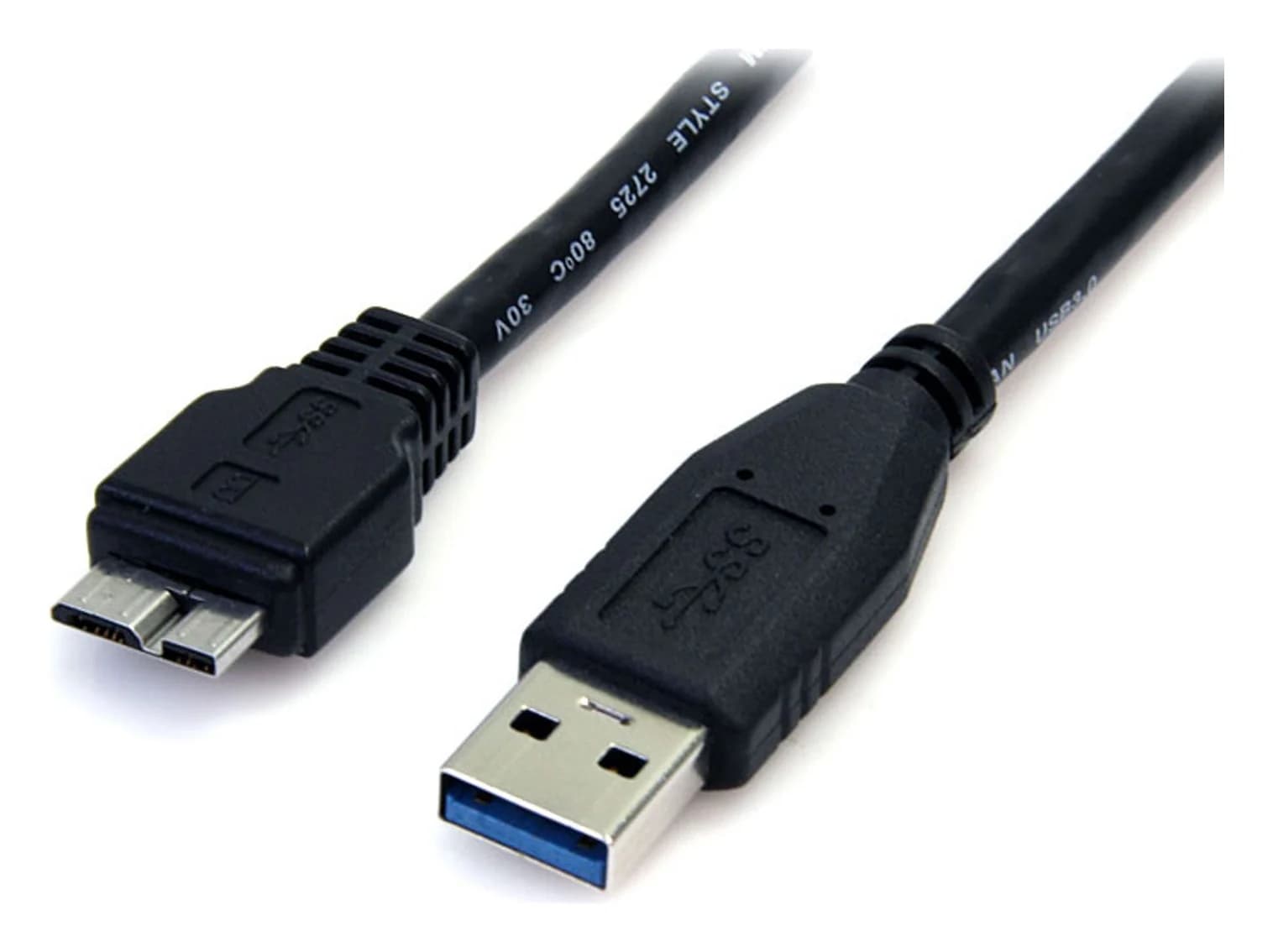
| USB-A → wide Micro-B; drive beside laptop | StarTech USB3AUB50CMB, black, 0.5 m / 50 cm | 5Gbps, USB 3.0 | 1 | Check current options |
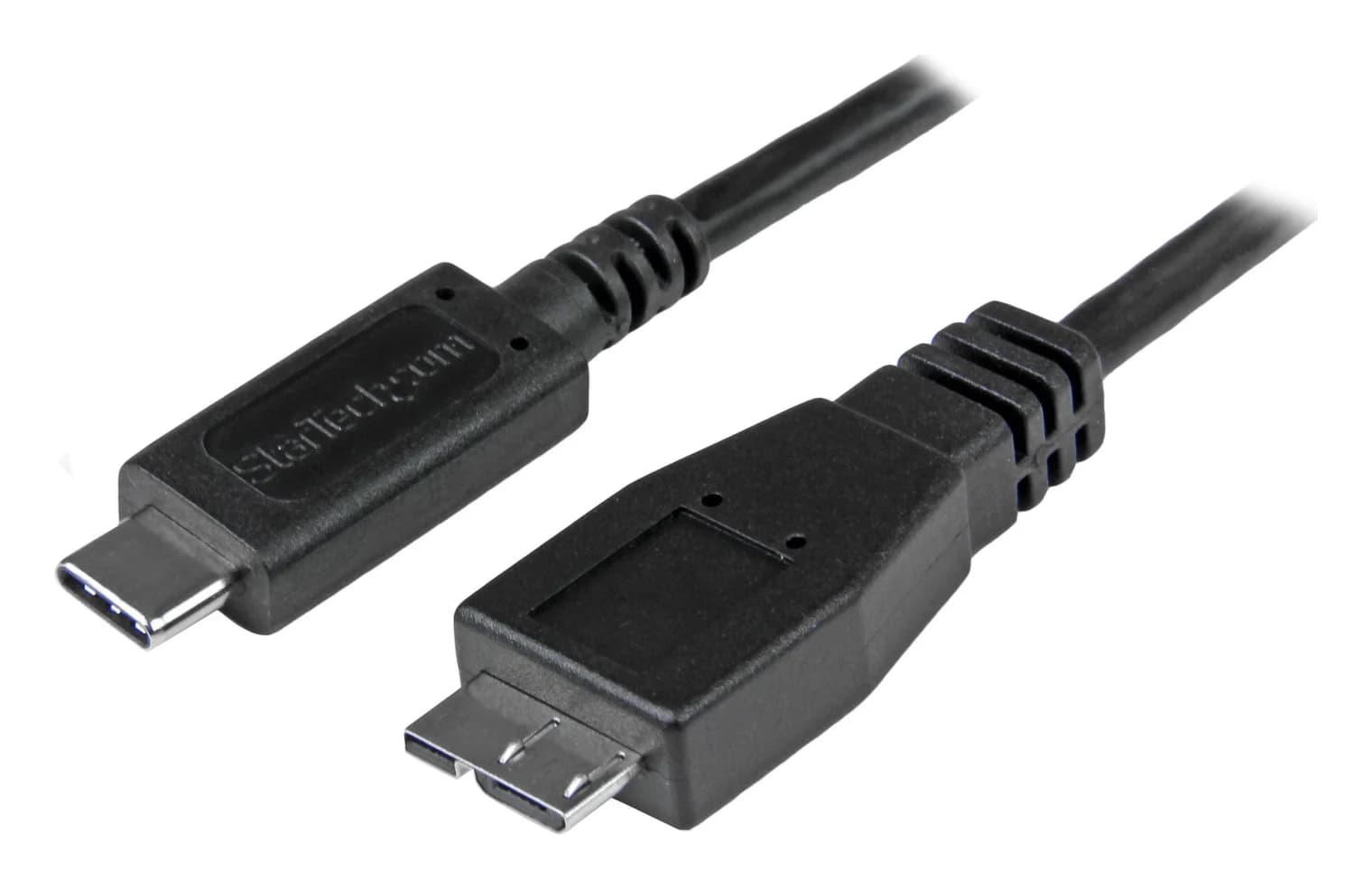
| USB-C → wide Micro-B; external drive | StarTech USB31CUB1M, black, 1 m / 3.3 ft | 10Gbps with matching host and device | 1 | Check current options |
The StarTech rows use the matching manufacturer datasheets: standard, long, short drive and USB-C drive. Cable Matters' page supplies its specifications and length choices.
Best standard USB-A replacement: StarTech USBAUB3BK
Choose this for a nearby narrow Micro-B device when you already have a USB-A socket. StarTech specifies 3 ft, charging and syncing, and USB 2.0 data up to 480 Mbps. It is a straightforward replacement when you need both charging and a computer connection, rather than an unspecified charging cord.
The useful physical detail is its slim Micro-B housing: StarTech gives the molding as 10 mm wide and 6 mm high. Compare that with a recessed socket or the opening in a protective case; the maker's case-friendly description is not a fit guarantee for every case. The package contains one cable. See the specifications and current options.
Best longer USB-A replacement: StarTech USBAUB6BK
Choose the 6 ft / 1.8 m USBAUB6BK if the shorter cable will not reach your charging location. Its connectors remain USB-A and narrow Micro-B, and StarTech specifies the same 480 Mbps USB 2.0 ceiling and charging/syncing function. Length changes the reach; this is not a faster data version.
StarTech again lists one cable and the 10 mm by 6 mm Micro-B housing. Measure the route from the socket to where the device rests, allowing slack at both ends, before choosing the longer version. Neither narrow StarTech pick is our recommendation for a wide drive connection. Check the exact long model.
Best for a USB-C host: Cable Matters 201003
Choose 201003, selecting Black and 3.3 ft / 1 m, for a USB-C computer or charger and a narrow Micro-B device. Cable Matters specifies a braided jacket, 480 Mbps USB 2.0 data, and a 3A/15W charging rating. It explicitly says actual charging speed depends on the device and charger, so treat that power figure as a cable rating.
The same page offers 1 ft and 6.6 ft choices. Check the selected length before checkout; the family number alone does not identify your choice. Confirm pack count before comparing a bundle. The cable is for charging and data, and the maker explicitly excludes video output and Mini-USB. Check the connector and select the length.
Best short USB-A drive cable: StarTech USB3AUB50CMB
For a wide Micro-B drive sitting beside a USB-A laptop, choose this 0.5 m / 50 cm cable. StarTech specifies up to 5Gbps and includes one cable. Its short length makes it our bag-friendly choice when you do not need to reach behind a desk.
There is a length-label discrepancy: StarTech's title says 1.5 ft, while its dimension table says 19.7 in [50 cm]. Use the metric dimension when planning the route. This is a drive cable, so compare the connector photo with the drive before ordering. Check the model and its datasheet.
Best USB-C drive cable: StarTech USB31CUB1M
Choose this 1 m / 3.3 ft wide Micro-B cable to connect a suitable external drive directly to USB-C. StarTech rates it for up to 10Gbps with a matching host and device, and explicitly lists up to 5Gbps with older USB 3.2 Gen 1 peripherals. The package contains one cable. A higher cable rating does not upgrade the drive's interface.
Its power wording also needs care: the description says up to 3A, while the connector specifications say 4.5W. Those statements do not establish one clear charging-power recommendation; this pick is for drive data connectivity. Check StarTech's specifications. Seagate's One Touch instructions explicitly allow a Micro-B to USB-C cable with a USB-C port supporting USB 3.0 or higher.
How we choose
These are research-based recommendations, without physical product testing. We compare official product pages, matching model datasheets, connector requirements and device-maker instructions. We prioritize an exact connection and useful length over durability slogans or unsupported charging claims. The sources above support the specifications; the awards reflect our judgment about which connection each cable suits.
Buying guide: data, charging and the complete order
Charging does not prove data support
Google's file-transfer troubleshooting warns that not all USB cables transfer files. Cable Matters additionally warns that a device's Micro-B socket may support charging only. Buy an explicit data cable for photo imports, backups or controller connections, then check the device's instructions.
Sony's DualShock 4 instructions use a USB connection to pair the controller with the console. For an Android phone that charges but does not show files, Google's current instructions say to unlock it and select File Transfer in its USB options; wording can vary on older devices.
- Yes: These narrow Micro-B picks explicitly support charging and USB data
- Partly: File transfer also requires a device port that supports data
- No: Cable Matters 201003 does not provide video output or an HDMI connection
Check the charging system, not just cable lettering
Do not replace an older fast-charging setup on the strength of a cable's current rating alone. Samsung's Galaxy S7 active specification requires an AFC-compatible charger for Adaptive Fast Charging. Cable Matters makes no promise that its cable's maximum rating is what every connected phone receives. Check the phone and charger together; our fast-charging USB-C cable guide covers a different device-side connector.
For a drive, check the whole connection
Seagate says a compatible USB 3 drive connected through USB 2.0 transfers more slowly, and recommends trying a direct computer connection if a hub causes detection or disconnection problems. Before replacing another cable, follow that drive troubleshooting advice. A cable's advertised link rate is not a promise of a particular backup time.
Compare delivered cost for the exact order
Compare the checkout total including delivery and any adapter you would actually need. Then compare it with the number of useful cables in the package. A spare earns its place only if it has the right connector and length; do not value an unusable bundle member as a replacement.
Match the device connector
Compare the whole plug with the maker's photo and device manual.
Match the other end
Choose the USB-A or USB-C version for your existing computer or charger.
Check the selected variant
Confirm the exact model, length and pack contents at checkout.
Check the intended task
Require explicit data support for file transfer; verify charging requirements separately.
Verdict
Buy USBAUB3BK for an ordinary USB-A to narrow Micro-B replacement, or USBAUB6BK when you need more reach. Choose Cable Matters 201003 for that narrow device connector with a USB-C host. For a wide Micro-B drive, choose USB3AUB50CMB beside a USB-A laptop or USB31CUB1M for USB-C, after checking the drive's connector and host requirements.
Frequently asked questions
Which Micro-USB cable should I buy?
For a device with the narrow Micro-B socket and a USB-A computer or charger, choose StarTech USBAUB3BK; use USBAUB6BK if you need more reach. For a USB-C host, choose Cable Matters 201003. A drive with the wide USB 3 Micro-B socket needs a different cable: USB3AUB50CMB for USB-A or USB31CUB1M for USB-C. Match the device connector before choosing length.
Are Micro-USB and Mini-USB the same?
No. They are different connector types, so check the device manual or compare its socket with the maker's connector photograph. Cable Matters specifically distinguishes the Mini-B connection on a PS3 controller from the Micro-USB connection on a PS4 DualShock 4. A camera's age alone is not enough to identify its socket; order the connector its own documentation names.
Can a Micro-USB cable transfer data, or only charge?
It depends on the cable and device. Google warns that not all USB cables transfer files. The narrow Micro-B picks here explicitly support up to 480 Mbps data, but Cable Matters also warns that a device's port may support charging only. For backups, photo imports or controller connections, buy a cable with an explicit data specification and check that the device supports that task.
Will USB-C to Micro-USB make my old phone charge faster?
The USB-C connector alone is no guarantee. Cable Matters rates its 201003 cable for up to 3A/15W, while saying charging speed depends on the device and charger. Samsung's Galaxy S7 active documentation separately requires an AFC-compatible charger for Adaptive Fast Charging. Check the phone's charging requirements before replacing its original charger; a cable rating does not promise that your phone will receive that power.
Can I use the wide Micro-B drive cable with a narrow Micro-USB phone?
No. Cable Matters explicitly excludes Micro-B 2.0 ports from its USB 3 Micro-B cable's compatibility. Backward compatibility runs the other way: TE describes USB 3 Micro connectors as backward compatible with USB 2.0 Micro connectors, allowing a narrow plug in the corresponding drive socket. That does not provide USB 3 performance. Buy a proper drive cable when replacing the drive's original lead.
Does a 10Gbps cable make an older USB drive faster?
It does not upgrade the drive's interface. StarTech specifies USB31CUB1M for up to 10Gbps only with a matching host and device, and lists up to 5Gbps for older USB 3.2 Gen 1 peripherals. Seagate also notes that connecting a compatible USB 3 drive through USB 2.0 limits transfer rates. Check the computer port, cable and drive together before paying for a higher cable rating.
Best standard USB-A replacement
StarTech USBAUB3BK, black, 3 ft
Related guides
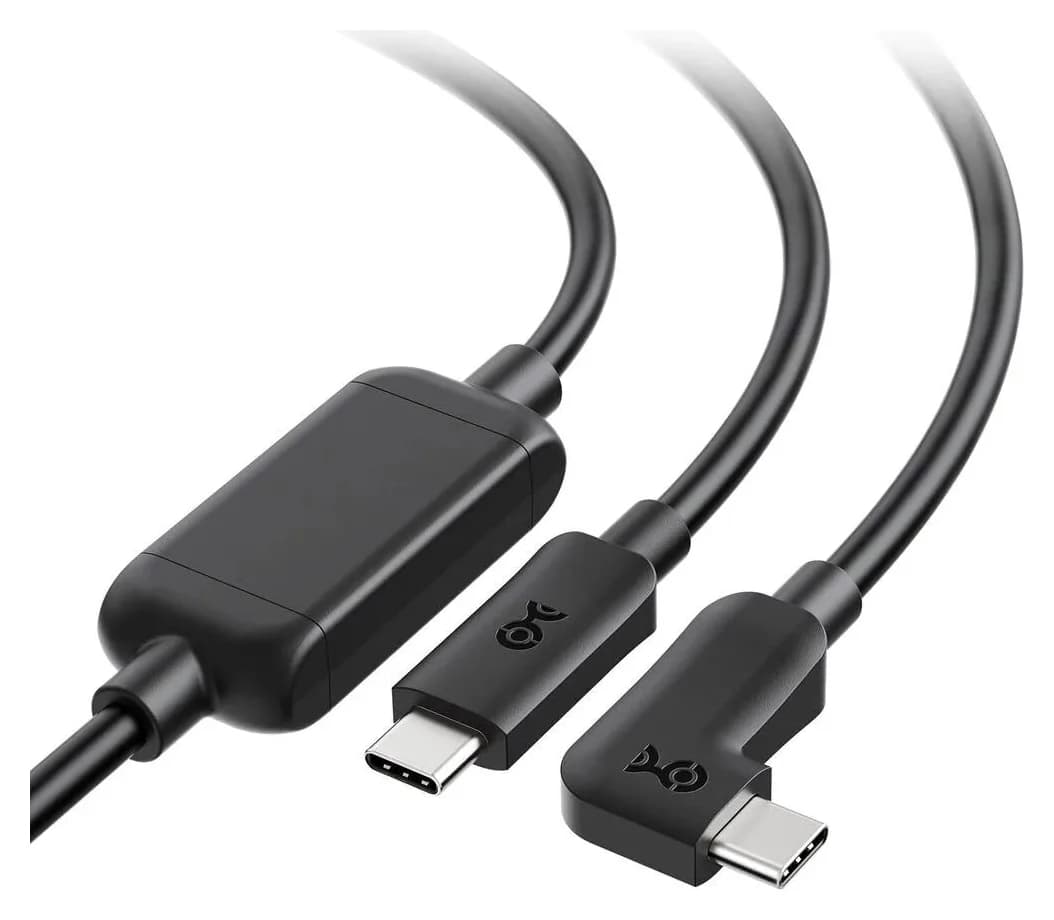
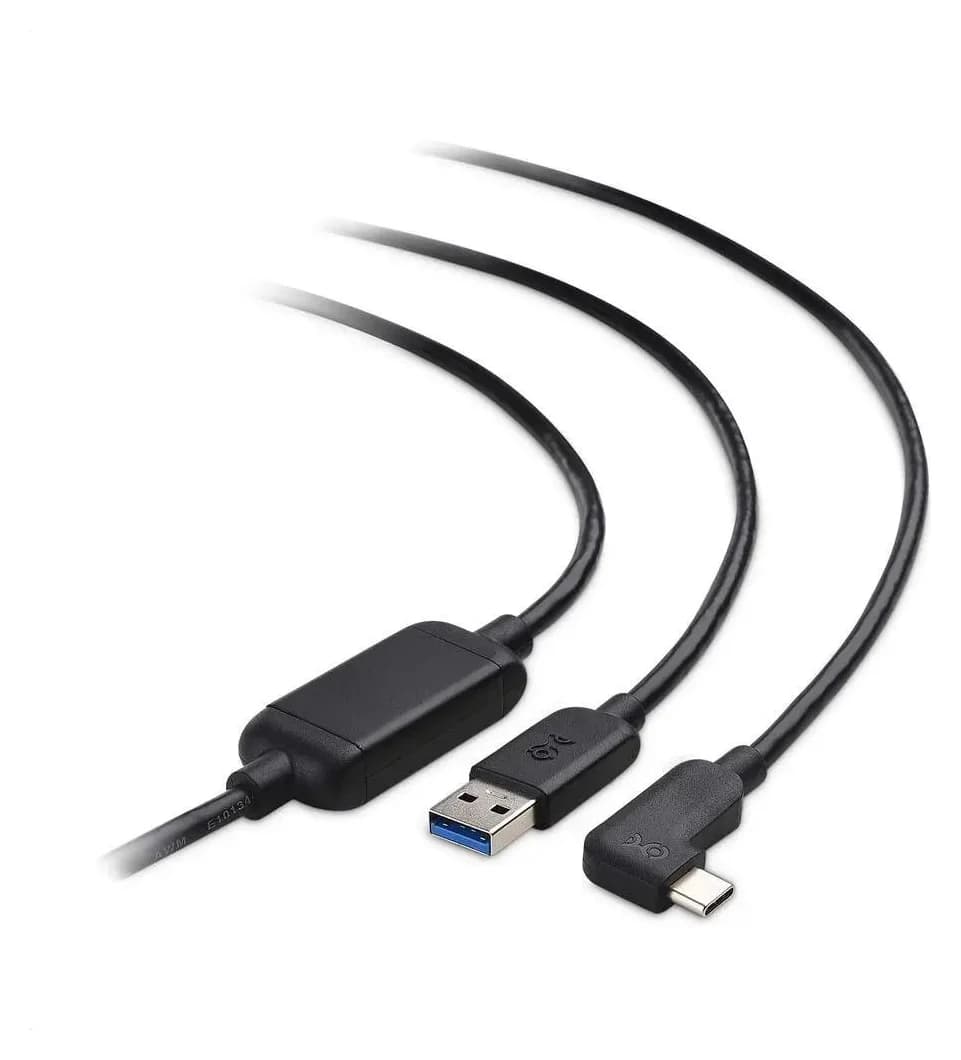
Best Link Cables for Meta Quest 3: USB-C Specs That Actually Work
The best link cable for Quest 3 and older Quest headsets: Meta's own fiber cable, a charge-while-playing pick, and long active cables, per Meta's USB rules.
Updated November 8, 2026Read
Anker 100W vs Baseus 100W USB-C Cables: Which Should You Buy?
Compare Anker A8758 10 ft with Baseus CAWJ020001 3.3 ft: charging, data, lengths, pack sizes and variant traps, plus how to judge an Anker 100W USB-C cable deal.
Updated November 5, 2026Read
Beats USB-C vs Apple USB-C Cable: Which Should You Buy?
Choose between the Beats USB-C woven cable (60W, USB 2.0) and a full-feature Thunderbolt 5 USB-C cable: charging, data, docks, displays and the exact SKUs.
Updated November 5, 2026Read