Black Friday: the specs to check before you buy
Comparison
Updated November 5, 2026Anker 100W vs Baseus 100W USB-C Cables: Which Should You Buy?
Short answer
Choose Anker A8758 100W (10 ft) for charging across a room, and Baseus 100W (SKU CAWJ020001, 3.3 ft) for a cheap connection to a charger that sits next to you. Both makers specify up to 100W, 480Mbps data and an e-marker chip, so no published specification makes either one charge faster. The real differences are reach and pack format: Anker's page sells this model as a single 10 ft cable, while Baseus sells one product page spanning 3.3 ft to 10 ft in 1-pack and 2-pack styles. (Anker, Baseus)
Our picks at a glance
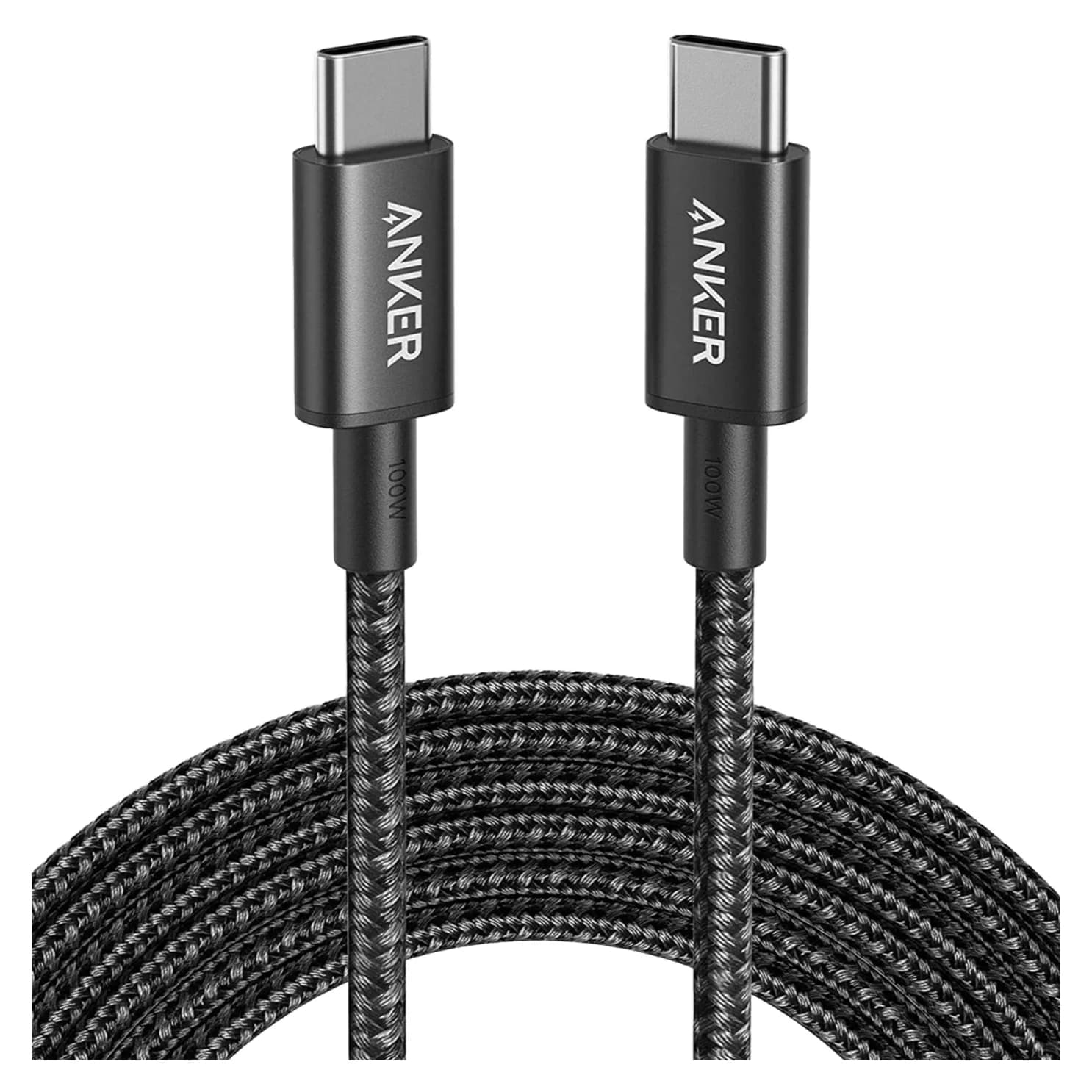
Best for long reachAnker
Anker Nylon USB-C to USB-C 100W Cable (10 ft)
- data
- 480 Mbps
- ends
- USB-C to USB-C
- Choose
- The A8758 is the 10 ft option, rated up to 100W with an e-marker chip in each end.
- Limit
- 480Mbps data only; no video or fast SSD use
- 100WMaximum power both makers specify for their USB-C to USB-C cables
- 480MbpsData ceiling on both, from Anker's and Baseus's own product pages
- 10 ftThe longest variant each brand sells under this rating
Quick picks and exact-model comparison
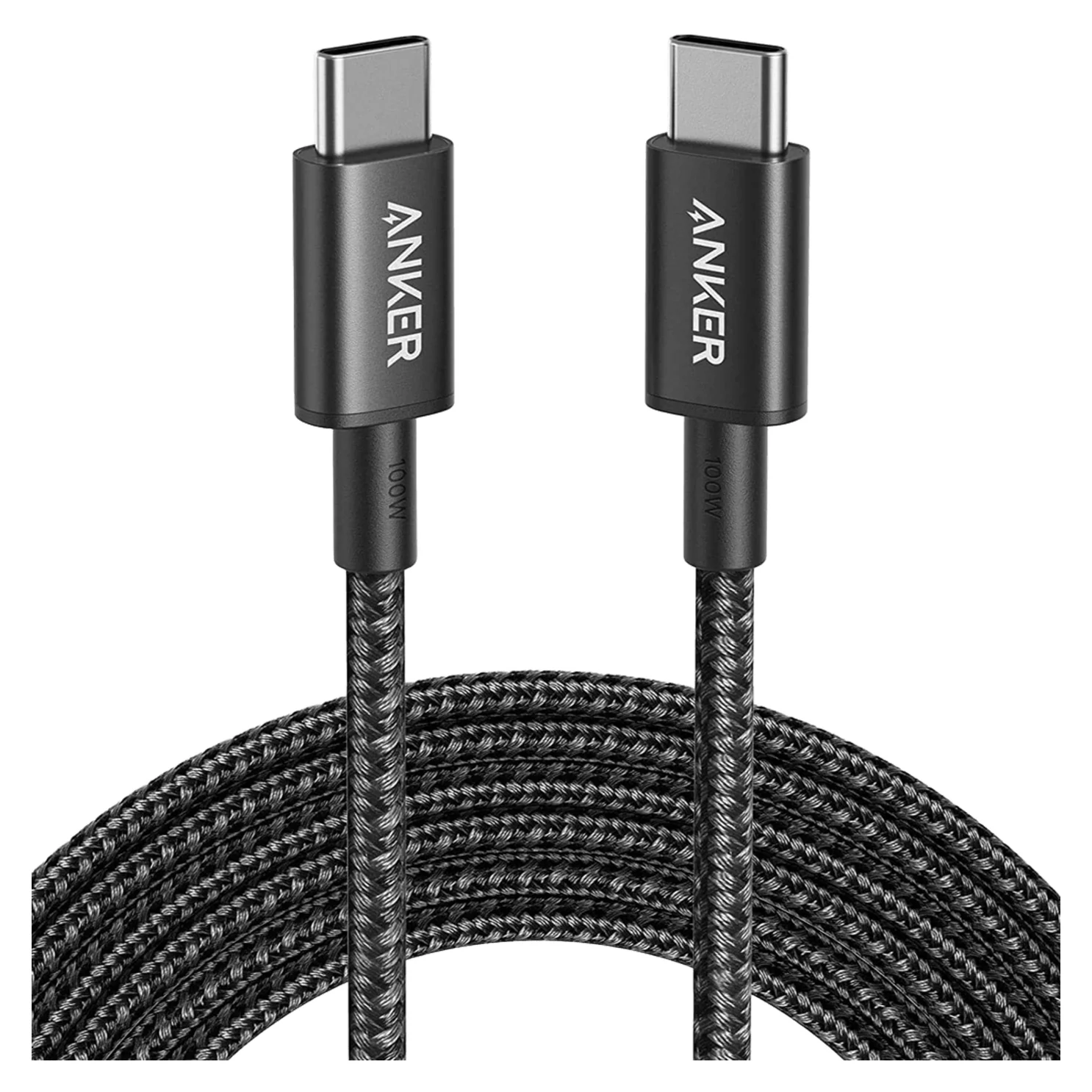
| What matters | Anker Nylon 100W | Baseus USB-C to USB-C Cable 100W |
|---|---|---|
| Exact identity | A8758, 10 ft | SKU CAWJ020001, 3.3 ft (one variant of a family) |
| Our pick for | Wall-to-sofa or distant outlet | Budget short run, or a 2-pack of spares near a desk |
| Lengths on the maker's page | This model: 10 ft | 3.3 ft, 6.6 ft, 10 ft |
| Pack sizes | One cable per pack for A8758 | 1-Pack or 2-pack at every length |
| Maximum charging | 100W | 100W (PD fast charging) |
| Power identification | E-marker chip in each end | Certified E-Marker chip |
| Data ceiling | 480Mbps | 480Mbps |
| Construction | Two-shade braided nylon | Braided nylon, zinc-alloy connector |
| Durability claim | Up to 12,000 bends | Tested to withstand 20,000+ bends |
| Next step | Check price on Amazon | Check price and variants at Baseus |
Specifications: Anker A8758 and Baseus's product page. Bend figures are separate manufacturer claims for different marketing purposes, not the same test.
Best for long reach: Anker A8758 100W, 10 ft
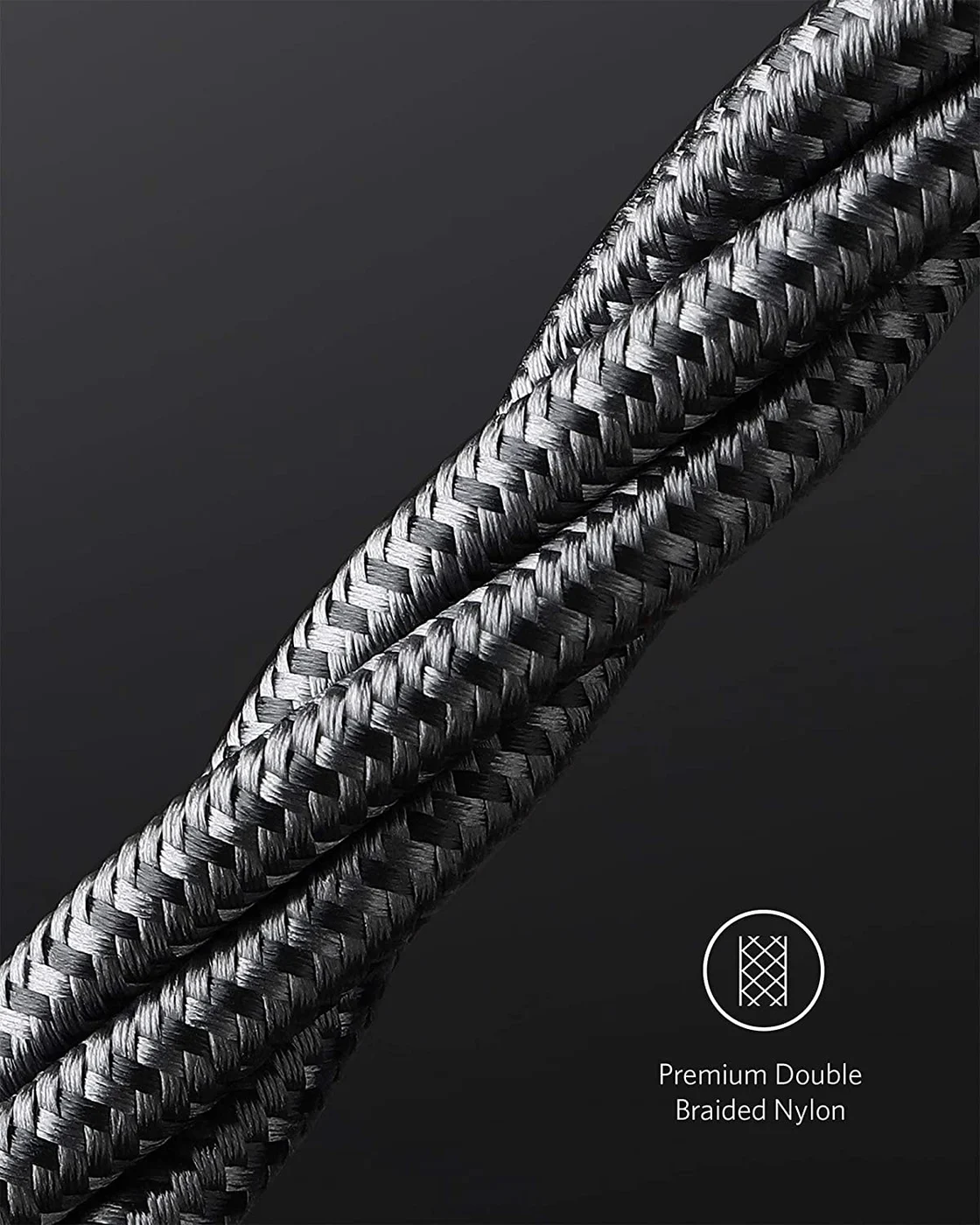
Anker
Anker Nylon USB-C to USB-C 100W Cable (10 ft)
A 10 ft braided USB-C to USB-C charging cable rated for 100W, with USB 2.0 data.
- 0.48 Gbps data
Anker wins this comparison when the outlet is far from where you sit. The A8758's published 10 ft length gives more routing room than Baseus's 3.3 ft default selection, and Anker says the length "gives you the freedom to charge from anywhere in the room." The recommendation is about reach, not a claim that longer cables charge faster.
Anker specifies a max output of 100W, an e-Marker chip in each end of the cable to communicate power requirements with connected devices, tough two-shade braided nylon, and data speeds of up to 480Mbps. The maker's Declaration of Conformity identifies the model as A8758, useful when a listing title omits it. (Product specifications)
Buy it for charging. With a max output of 100W, Anker says this cable can charge "anything from phones to laptops," and its own example pairs it with a 100W USB-C Power Delivery charger for a 16-inch MacBook Pro. It is still a charging cable: 480Mbps data and no video output mean it is not the cable for a monitor or a fast external drive. And if your charger sits beside your laptop, a 10 ft cable is mostly coil; choose the shorter route. Check price on Amazon for the Anker 10 ft cable
Best short and two-pack value: Baseus USB-C to USB-C Cable 100W, 3.3 ft
The Baseus pick is a family rather than one SKU. Baseus's page sells the USB-C to USB-C Cable 100W in 3.3 ft, 6.6 ft and 10 ft sizes, each offered in 1-Pack and 2-pack styles. That is the practical difference from Anker's model here: if you want two cables for a desk and a bag, or a 6.6 ft middle length, Baseus's page offers it under the same product name; the Anker A8758 listing in this comparison is the 10 ft cable.
Baseus describes the cable as a PD fast charging cord rated for an output of up to 100W and a data transfer speed of up to 480Mbps, with a braided nylon jacket tested to withstand 20,000+ bends, a zinc-alloy connector and a certified E-Marker chip. (Baseus specifications)
Match the variant at checkout, not the page title. The store's variant data maps the lengths to distinct SKUs:
| Baseus length selection | Actual SKU |
|---|---|
| 3.3 ft, this comparison | CAWJ020001 |
| 6.6 ft | CAWJ020101 |
| 10 ft | CAWJ020201 |
Each length also has a 2-pack style. A "Baseus 100W cable" listing elsewhere can be any of the six; confirm the length, pack count and price per delivered cable before comparing it with the Anker. (Baseus store data)
Check price and variants at Baseus
Which phones and laptops actually need the 100W rating?
100W is what a cable can carry, not what every connected device receives. USB-IF describes the pre-3.1 Power Delivery arrangement as up to 100W using 20V through USB Type-C cables rated at 5A, in a system where connected devices take the power they require. A higher-capacity cable alone does not make a phone charge faster; the charger and the device negotiate. (USB-IF Power Delivery)
For a USB-C cable for Mac charging, Apple's fast-charge combinations give useful boundaries:
- MacBook Air introduced in 2022 or later, and 14- and 16-inch MacBook Pro introduced in 2021 or later: Apple says the appropriate power source and cable fast charges these up to 50 percent battery in around 30 minutes.
- 14-inch MacBook Pro: Apple's adapter combinations top out at 96W plus a USB-C charge cable. Both cables here have the published capacity for that combination on paper.
- 16-inch MacBook Pro: Apple's adapter-based fast charging needs 140W, above what either cable carries. For models from November 2023 onward, Apple pairs its 140W adapter with a 240W USB-C Charge Cable over USB-C; its MagSafe combination uses the USB-C to MagSafe 3 cable.
For phones, both cables' 100W capacity clears what any phone draws; choose by reach and price. These are cable-capacity comparisons, not charge-time measurements of either third-party cable. Our MacBook Pro charger guide picks the power source.
Data, monitor and dock jobs these charging cables do not replace
Both makers cap data at 480Mbps, and Anker's page does not advertise video output from this model. That makes these charging-and-basic-data cables:
- Yes: Charging phones, tablets and laptops within the published 100W limit
- Yes: Ordinary file transfers at up to 480Mbps
- No: USB-C monitor video: charging cables are not display cables
- No: Fast external-SSD transfers beyond USB 2.0-class speed
- Partly: Dock and hub use: charging from a PD port works, but neither cable can replace the dock's data-and-video host cable
Keep the cable that came with a dock, monitor or fast SSD, or buy a replacement specified for its data, video and power. Our USB-C cable types guide explains the markings, and the fast-charging cable selector covers more options.
Connector fit, reach and documented durability claims
Fit is a physical check neither spec sheet settles: a braided jacket and zinc-alloy or nylon housing say nothing about whether the plug clears a thick phone case or a recessed laptop port. Measure before ordering.
Durability is documented but not comparable. Anker says the A8758 was "proven in strict laboratory settings to withstand up to 12,000 bends." Baseus says its braided nylon jacket was "tested to withstand 20,000+ bends." Both are manufacturer claims; treat the totals as marketing-grade figures for different cables, not a measured lifespan ranking. (Anker, Baseus)
On reach, the practical rule: buy the length you can use, because a cable that falls short is worthless and a cable that coils up is wasted spend. Baseus's 6.6 ft is the middle ground the Anker model here does not offer.
Full kit cost and price per usable cable
For an Anker 100W USB-C cable deal, the exact product is the A8758, a 10 ft cable. Compare it only against a Baseus variant of the same length — the 10 ft, 1-Pack — or concede the reach difference deliberately. A cheaper 3.3 ft cable is not the same purchase.
Compare delivered cost per usable cable: checkout total, shipping and any required charger, divided by the number of included cables you will actually use. Baseus's 2-pack at your length may reduce that figure; confirm the pack count and delivered price at checkout, because a "2-pack" in a title is not the same as two cables in the box.
A complete laptop kit also needs a USB-C PD source. Our best USB-C chargers roundup covers 100W-class chargers that pair with either cable; Anker's page itself recommends pairing the A8758 with a 100W USB-C Power Delivery charger. If you only need a replacement cable, leave a suitable charger you already own out of the basket.
Black Friday and Cyber Monday: compare matching listings
Sale headlines on "100W USB-C cables" do not identify the product. During the sales, apply the same checks:
Match the exact product
Confirm brand, model or SKU, length and pack count: Anker A8758 is the 10 ft cable; Baseus CAWJ020001 is the 3.3 ft 1-Pack.
Match the job
Check the device's charging requirement and whether you actually need video or fast data, which these cables do not carry.
Compare per usable cable
Divide the sale total, shipping included, by the cables you will use; a 2-pack at half the per-cable price only wins if you need both.
Skip headline math
An old discount number on a different variant or length is not a deal on the cable you want.
When a 60W, 240W or Thunderbolt cable is the better purchase
- A 60W cable can be enough for lower-power phones, tablets and laptops, and may cost less. But it caps the source at 60W, below the 96W line a 14-inch MacBook Pro can use, so it is the wrong economization for that laptop kit. Check the device's charging requirement before choosing a lower rating.
- A 240W cable is the forward-proof choice. USB PD 3.1 adds 28V, 36V and 48V fixed voltages, respectively described by USB-IF as above 100W, above 140W and above 180W; the overall revision enables up to 240W. For a 16-inch MacBook Pro fast charging over USB-C, it is the required class. Note the same trap: a higher power marking alone does not make a cable a fast-data or video cable, so check its data and display specifications.
- A Thunderbolt cable is for the dock and monitor job: fast data plus video plus high power on one certified cable.
How we choose
We have not put these cables on a test bench. This comparison comes from the two makers' own product pages — Anker's A8758 page and Baseus's USB-C to USB-C Cable 100W page — plus USB-IF's Power Delivery documentation and Apple's fast-charge pages for the device-side boundaries. Where a maker does not publish a spec, we say so instead of guessing. See the UGREEN version of this comparison and our Anker cable versions guide for other 100W pairings.
Verdict
Buy the Anker A8758 10 ft if the outlet is across the room: 100W, an e-marker in each end, and reach the short Baseus default cannot match. Buy the Baseus 100W for a desk-length run or a lower-entry short cable — just confirm the exact length, SKU and pack count at checkout, because one Baseus page covers six variants. On paper the charging and data specs are a tie; reach, length options and the delivered price per usable cable decide it.
Frequently asked questions
Is Anker or Baseus better for a 100W USB-C cable?
Choose by reach and the exact variant, not by brand. Anker A8758 is one 10 ft cable; the Baseus product page spans 3.3 ft, 6.6 ft and 10 ft in 1-pack and 2-pack forms. Both makers specify up to 100W charging, 480Mbps data and an e-marker, so the published specifications do not establish a charging-speed winner. We favor Anker for wall-to-sofa reach and Baseus for a cheap short or two-pack near a desk charger.
Is the Baseus 100W cable a 10 ft or a 3.3 ft cable?
It is a family, not one cable. Baseus sells the USB-C to USB-C Cable 100W in 3.3 ft, 6.6 ft and 10 ft, each in 1-Pack and 2-pack styles. Its store data lists the 3.3 ft 1-Pack as SKU CAWJ020001, 6.6 ft 1-Pack as CAWJ020101 and 10 ft 1-Pack as CAWJ020201. An Anker-versus-Baseus comparison only means anything between two exact, matching lengths; confirm the selected variant at checkout.
Will either 100W cable fast charge a MacBook Pro?
Either has the published cable capacity for Apple's 96W adapter combination for a 14-inch MacBook Pro introduced in 2021 or later, provided your charger supports it. Apple lists the 140W adapter combination for the 16-inch, and for USB-C fast charging on a 16-inch from November 2023 onward it pairs that adapter with a 240W USB-C Charge Cable. Neither cable here is rated above 100W, so neither is that cable. MagSafe charging uses a different cable again.
Can these cables connect a USB-C monitor or Thunderbolt dock?
No. Both are charging-and-basic-data cables. Anker lists 480Mbps transfer speeds and no video output; Baseus lists up to 480Mbps. Charging a laptop from a dock's power delivery is a separate job from carrying the dock's displays and fast data. Keep the dock's or monitor's supplied cable, or buy a replacement specified for its data, video and power requirements.
Will buying a 100W cable make my phone charge faster?
The rating is a capacity ceiling, not a promise that a phone receives 100W. USB-IF's Power Delivery description is a negotiation in which connected devices take the power they require. A higher-capacity cable alone does not establish a faster charge; the charger and the device set the pace. Keep a suitable existing cable unless you need different reach, a spare, or the device's charging requirements call for a replacement.
Should I buy 100W or 240W when both are on sale?
Choose the length you can use first. For any device whose charging stays within 100W, either cable here can be suitable on paper. For charging above 100W, choose an Extended Power Range cable; USB-IF's certification program uses the 240W class, and USB PD 3.1's new 28V, 36V and 48V levels reach up to 140W, 180W and 240W. A higher power marking alone does not establish that a cable can connect a monitor or a fast drive.
Related guides
Best Link Cables for Meta Quest 3: USB-C Specs That Actually Work
The best link cable for Quest 3 and older Quest headsets: Meta's own fiber cable, a charge-while-playing pick, and long active cables, per Meta's USB rules.
Updated November 8, 2026Read
Beats USB-C vs Apple USB-C Cable: Which Should You Buy?
Choose between the Beats USB-C woven cable (60W, USB 2.0) and a full-feature Thunderbolt 5 USB-C cable: charging, data, docks, displays and the exact SKUs.
Updated November 5, 2026Read
The 5 Best USB-A to USB-C Cables (and Which to Avoid)
Which USB-A to USB-C cable to buy for charging, data or the car: why none of them do Power Delivery or video, and the exact picks for each port.
Updated November 8, 2026Read