Black Friday: the specs to check before you buy
Buying guide
Updated November 8, 2026Best Link Cables for Meta Quest 3: USB-C Specs That Actually Work
Short answer
The best link cable for Quest 3 (and Quest 2, 3S, Pro or 1) is whatever reliably meets Meta's own bar: a USB-C 3.2 cable supporting at least 5 Gbps, plugged into a USB 3.2 port, that carries data and power and reaches at least 3 meters (10 feet). For most people that makes Meta's Quest Link Cable the safe first choice, since the maker sells it on its own store and it matches every requirement it publishes. If you want to charge while playing, the KIWI design L1 Plus is the standout; if you need maximum reach or only have USB-A ports, Cable Matters' active cables cover both.
Our picks at a glance
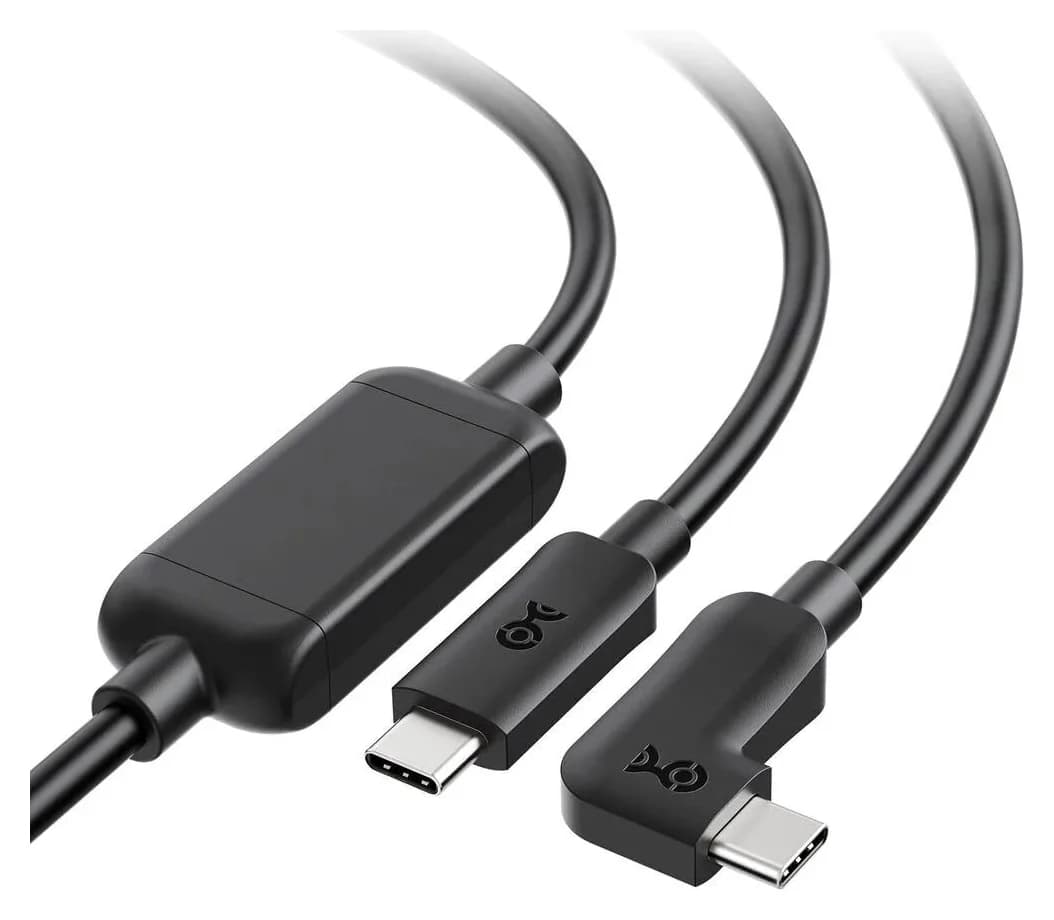
Best USB-C long cable: Cable Matters Active USB-C 201094Cable Matters
Cable Matters Active USB-C to USB-C Cable for VR Headsets (16.4 ft / 5 m)
- data
- 5 Gbps
- ports
- 2
- ends
- USB-C 3.1 Gen 1
- Choose
- An active 5-meter USB-C to USB-C cable whose repeater chipset holds 5 Gbps over the full length, with a 90-degree headset plug.
- Limit
- Uni-directional: it only works from the host plug to the headset plug, not the reverse
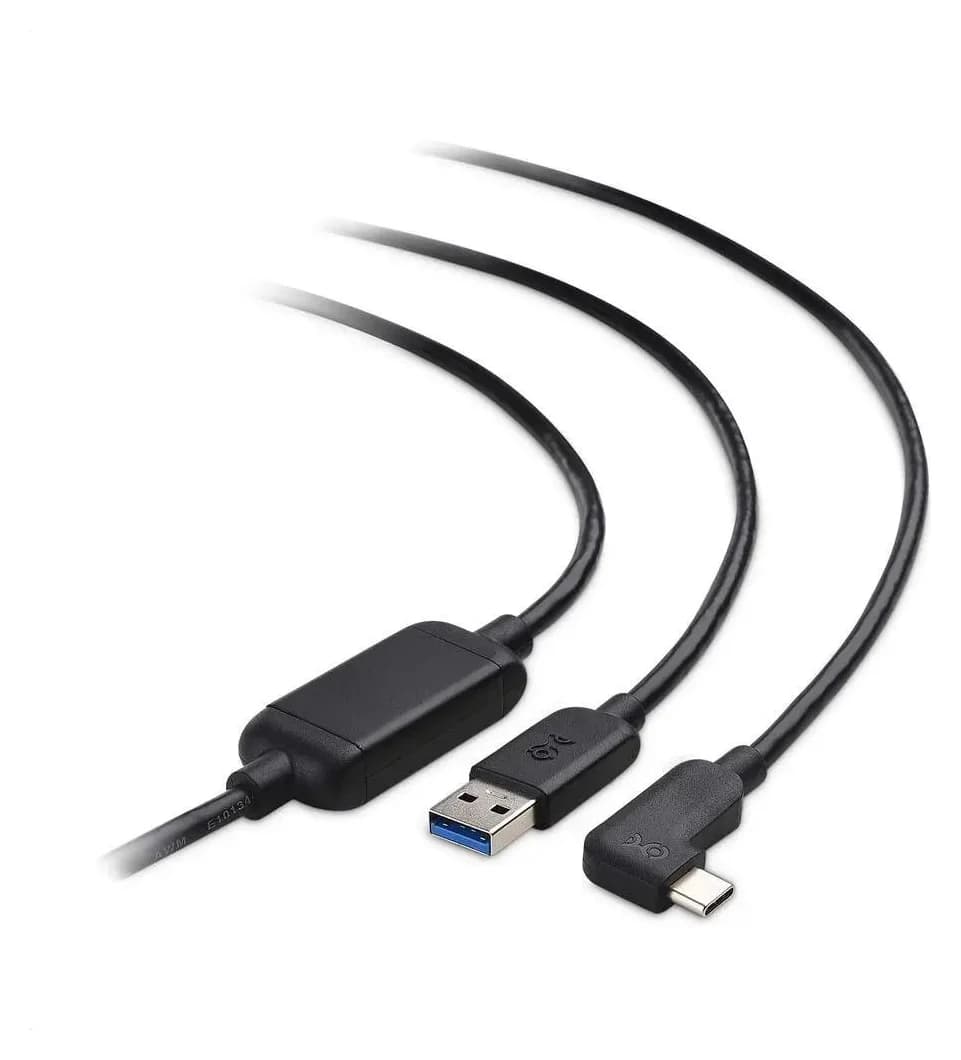
Best for USB-A ports: Cable Matters Active USB-A 201084Cable Matters
Cable Matters Active USB-A to USB-C Cable for VR Headsets (24.6 ft / 7.5 m)
- data
- 5 Gbps
- ports
- 2
- ends
- USB-A 3.1 Gen 1
- Choose
- The 7.5-meter active USB-A to USB-C sibling for PCs whose fastest spare port is USB-A, with the same 5 Gbps repeater chipset.
- Limit
- Uni-directional: it only works from the USB-A source plug to the USB-C plug, not the reverse
- 5 GbpsMinimum data rate Meta requires of a Link cable
- 3 m (10 ft)Minimum cable length Meta recommends for Link
- 18 WCharging port that keeps the KIWI design L1 Plus headset powered during play
Quick picks
| Pick | Cable | Why |
|---|---|---|
| Best overall | Meta Quest Link Cable | Fiber-optic first-party cable from Meta's store; meets every published requirement |
| Charging while playing | KIWI design L1 Plus | 13-foot, USB 3.2 Gen 1 up to 5 Gbps, dedicated 18 W charge port |
| Long USB-C reach | Cable Matters Active USB-C (201094) | 5 m active cable holding 5 Gbps, 90-degree headset plug |
| USB-A PCs | Cable Matters Active USB-A (201084) | 7.5 m active cable for USB-A 3.0 ports, same 5 Gbps chipset |
What Meta actually requires
Meta's Link setup guide is unusually specific, which makes cable shopping easier than for most accessories. Three rules matter:
- Speed: "A USB-C 3.2 cable that supports a minimum of 5 Gbps to use Link."
- Port: "Plug your USB-C 3.2 cable into a USB 3.2 port on your computer, then plug the other end into your headset."
- Length and power: "Meta Horizon Link requires a high-quality USB cable capable of supporting data and power. You'll also want to make sure that the USB cable is at least 3 meters (10 feet) for an optimal and comfortable experience."
- Yes: USB-C 3.2 cable specified for 5 Gbps or more, into a USB 3.2 port on the PC
- Yes: A USB-A 3.0 port with an active USB-A to USB-C VR cable, such as Cable Matters 201084
- Partly: Shorter cables work electrically but fail Meta's 3 m (10 ft) comfort recommendation
- No: USB 2.0 or charge-only USB-C cables: below the 5 Gbps minimum
- No: Cables that don't support power alongside data
The picks
Meta Quest Link Cable — best overall
Meta sells its own Link Cable on the meta.com accessories store, and it is the one cable you can buy without cross-checking anything: Meta describes it as "this blazing-fast fiber-optic cable [that] connects your Quest to your PC to add stunning graphics to your VR experience," and its requirements page points to this branded cable as the accessory for Meta Horizon Link. The store page's description covers connecting a Quest 2 or Quest to a compatible gaming PC for PC-powered VR games, and the cable was listed as in stock at the time of research.
The fiber-optic construction is the practical reason to prefer it: glass keeps a long cable thin and light compared with copper at the same length, which matters when a cable hangs from your head. The trade-offs are cost relative to third-party cables that meet the same published specs, and buying from a single store: availability and warranty terms are whatever Meta's store offers at the moment, and the store page does not publish a durability figure. If you want zero doubt and one-click correctness, this is the cable.
KIWI design L1 Plus — best for charging while playing
Every cable in this guide except this one shares a weakness: the headset slowly drains during long PC VR sessions. The L1 Plus is built around solving that, with a dedicated branch: "The dedicated 18 W charging port helps maintain headset power during PC VR sessions when paired with a compatible charger." You keep the data line to the PC and add a charger, so long sessions don't end at 10% battery.
The rest of the cable meets Meta's bar directly: "Fast USB 3.2 Gen 1 Data Transfer: Supports transfer speeds up to 5 Gbps for a stable wired PC VR connection," in a 13-foot length that clears the 3-meter minimum with room to move. KIWI design's compatibility list is the widest of any pick here, covering Meta Quest 3S, Quest 3, Quest 2, Quest 1, Quest Pro and PICO 4, and its FAQ says no additional software is needed because the Meta software on the PC recognizes the headset automatically. The connector is tested for more than 10,000 plug-in cycles and the cable carries an 18 month warranty. One honest caveat from the maker itself: real bandwidth when connected to a Quest lands at 2.5–3.2 Gbps depending on your computer, which is normal for the protocol, not a defect of this cable. You need a separate compatible charger to use the charging port.
Cable Matters Active USB-C (201094) — best long USB-C cable
Cable Matters
Cable Matters Active USB-C to USB-C Cable for VR Headsets (16.4 ft / 5 m)
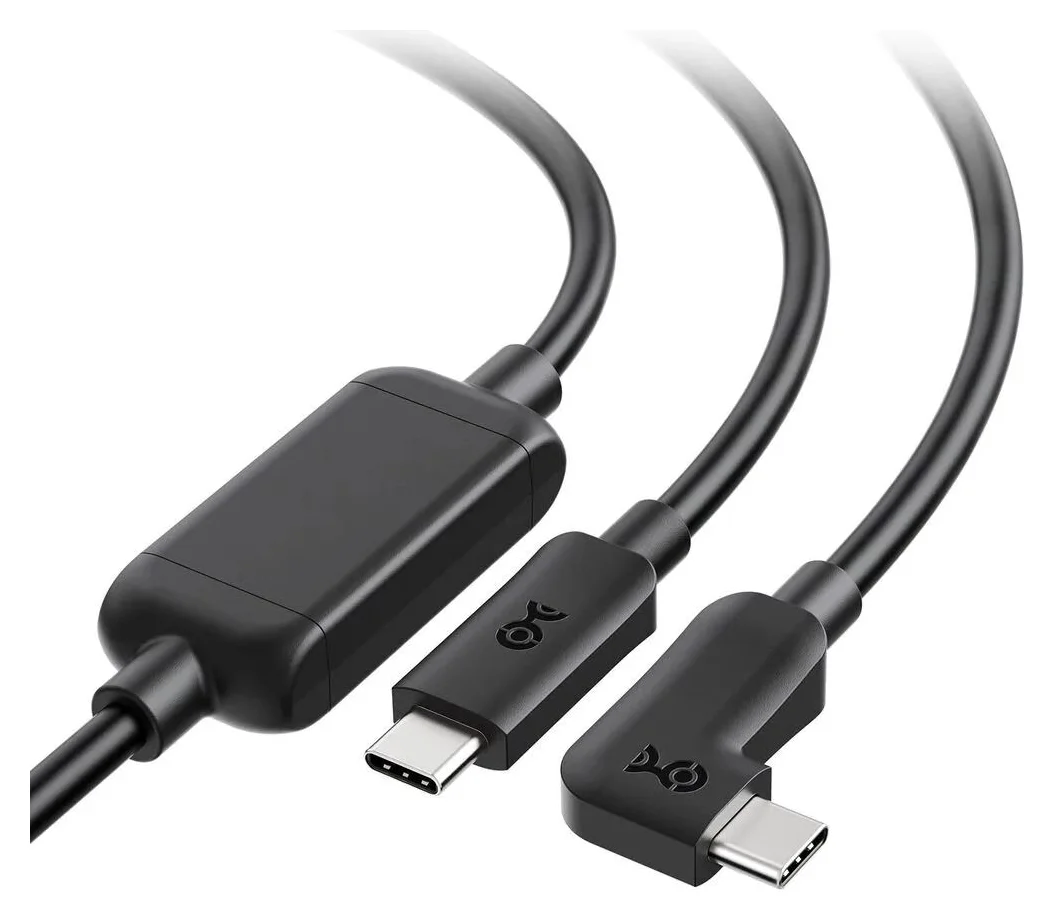
A 5 m active USB-C to USB-C cable rated for 5Gbps, purpose-built for Oculus Link with Oculus Quest and Quest 2 headsets, with a 90-degree USB-C connector at the headset end.
- 5 Gbps data
- 2 ports
Once you go past a few meters, copper USB cables lose signal, which is why Cable Matters' 5-meter cable is active: "Active chipset of the USB C cable boosts the signal to ensure flawless video, audio, and tracking support for intense VR sessions." The result is "a 5-meter (16.4-foot) cable" that still runs "a data transfer rate of up to 5Gbps."
Two details show it was designed for VR rather than adapted from a general-purpose cable. The headset end uses a 90-degree USB-C plug that sits out of the way, and the direction is fixed: "Uni-directional active USB cable host connector connects to laptops and desktop PCs, and the 90-degree USB-C connector connects to VR headsets," so the host plug must go to the PC. It also "functions as a standard USB 3.1 Gen 1 5Gbps cable for phones, tablets, and other USB-C peripherals" when you're not in VR. The limitation to know before buying: it "does not support USB Power Delivery Charging," so the headset drains while you play, and the maker's compatibility copy is written around the Oculus Quest 2 and original Quest era rather than naming the newest headsets.
Cable Matters Active USB-A (201084) — best for PCs with only USB-A ports
Cable Matters
Cable Matters Active USB-A to USB-C Cable for VR Headsets (24.6 ft / 7.5 m)
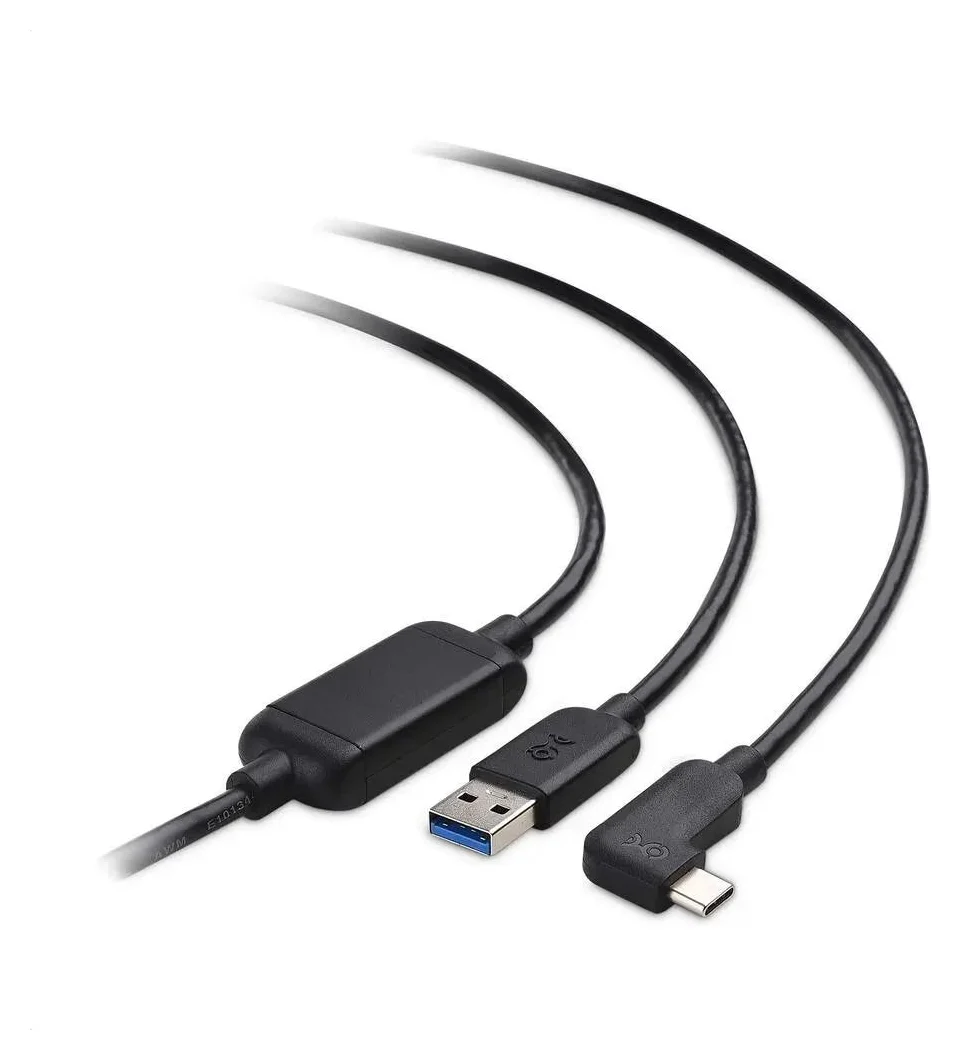
A 7.5 m active USB-A to USB-C cable rated for 5Gbps, purpose-built for Oculus Link with Oculus Quest and Quest 2 headsets, with a 90-degree USB-C connector at the headset end.
- 5 Gbps data
- 2 ports
Meta tells you to use a USB 3.2 port, but plenty of gaming PCs and older laptops have their fastest spare ports on the USB-A side. Cable Matters' sibling cable exists for exactly that: its "USB-A source plug connects to a desktop PC or laptop," the page specifies it "supports connecting to PCs with USB-A 3.0 ports," and the same active repeater chipset is specified to keep "5Gbps speed and error-free performance at the full 24.6-foot length."
At "a 7.5-meter (24.6-foot) cable," it's the longest pick here, aimed at large play spaces where you want distance from the PC, monitor and desk. Like its USB-C sibling it is uni-directional, with the 90-degree USB-C plug at the headset, and it doubles as a standard USB 3.1 Gen 1 5Gbps cable for other devices. It is not a charging link: Cable Matters' own advice is to "disconnect the cable from the computer and connect it to a USB wall charger for faster charging" after a session.
Source: Maker product pages; Meta's PC requirements page
How we choose
Every pick here is judged against Meta's published requirements rather than seat-of-the-pants impressions: the 5 Gbps USB-C 3.2 minimum, the USB 3.2 port guidance, the data-and-power requirement and the 3-meter length recommendation all come from Meta's own help articles, and every cable fact comes from the maker's product page, including connector geometry, charging behavior and compatibility lists. We include only cables whose makers publish data-rate specs; a cable whose page can't state 5 Gbps-capable data doesn't qualify for Link. Where a maker's page is written around older headset names, we say so rather than assuming newer compatibility. We deliberately excluded brands whose current catalogs don't list a qualifying Link cable, rather than recommend products whose official pages have gone quiet.
Buying advice
Match the PC port first. A USB-C 3.2 port with a USB-C 3.2 cable is the default path. If your spare ports are USB-A, choose the active USB-A cable and confirm the port is a fast USB-A 3.0 one, not an old USB 2.0 port, which can't reach the required rate.
Choose length by play space, not by "longer is better." Meta's floor is 3 meters (10 feet). A desk setup is fine at 13 feet; a room-scale space with a PC in the corner is where 16.4- or 24.6-foot active cables earn their keep. Beyond roughly 5 meters, prefer active cables with a repeater chipset over passive ones.
Decide whether charging matters. If your sessions run past a couple of hours, a charge-while-playing design like the L1 Plus avoids the mid-session battery problem. If not, a data-only active cable is simpler and cheaper to deploy.
Check the plug at the headset. A 90-degree USB-C plug keeps the cable from sticking straight out of the headset into your shoulder. It's a small thing that makers who build specifically for VR get right. Our types of USB-C cables explained guide breaks down what separates those cables.
Don't buy a cable whose data speed isn't stated. "USB-C" on a listing says nothing about data; plenty of USB-C cables are USB 2.0 charge-only. Require an explicit 5 Gbps (USB 3.2 Gen 1 / USB 3.1 Gen 1 / USB 3.0) figure. For background on why USB naming is so tangled, see our USB-A to USB-C adapter guide; for general USB-C cable selection, our USB-C cable picks cover the same connector family, and our charger and cable bundles guide helps when you're buying the charging side too.
Plug the host end into a USB 3.2 port on the PC
Don't use a USB 2.0 port; the port speed caps the link.
Plug the 90-degree USB-C end into the headset
It only fits one way on uni-directional cables; host plug to the PC.
Enable Link in the headset software
The PC's Meta software recognizes the headset automatically, no extra cable software needed.
If using the L1 Plus, add a charger
Connect a compatible charger to the dedicated 18 W charging port to maintain headset power.
Verdict
Buy the Meta Quest Link Cable if you want the zero-friction answer from the headset maker itself. Buy the KIWI design L1 Plus if long sessions make charging the deciding factor — it's the only pick here that actively maintains headset power while playing. Buy the Cable Matters Active USB-C for a 5-meter USB-C run, or the Active USB-A when your PC's fast ports are all USB-A. In every case the rule is the same and it's Meta's, not ours: 5 Gbps over USB-C 3.2 (or an equivalent fast USB-A setup with an active cable), data plus power, and at least 3 meters so you can actually move.
Frequently asked questions
What cable does Meta require for Link?
Meta's setup guide says you need a USB-C 3.2 cable that supports a minimum of 5 Gbps, plugged into a USB 3.2 port on your PC. Its PC requirements page adds that the cable must support data and power and should be at least 3 meters (10 feet) long for a comfortable play space. Meta sells its own Link Cable but explicitly allows third-party cables.
Can I charge my Quest while using Link?
Only with a cable built for it. Standard Link cables like the Cable Matters active cables do not carry USB Power Delivery charging, and Cable Matters instead advises unplugging and moving the headset cable to a wall charger after playing. The KIWI design L1 Plus solves this with a dedicated 18 W charging port that maintains headset power during a session when paired with a compatible charger.
Do I need the official Meta Quest Link Cable?
No. Meta's own help article on accessories says you can purchase the Meta Quest Link Cable from the meta.com store, and that you can also use a third-party cable. Any cable meeting Meta's published requirements, a USB-C 3.2 cable supporting at least 5 Gbps with data and power, does the job.
Will a USB-A to USB-C cable work for Link?
Yes, if it meets the speed requirement and your PC's USB-A port is a fast one. Cable Matters' active USB-A to USB-C VR cable is built exactly for this: a USB-A source plug for PCs with USB-A 3.0 ports, an active repeater chipset holding 5 Gbps over its full 24.6-foot length, and a 90-degree USB-C plug at the headset.
Is a 5 Gbps cable actually fast enough for Quest Link?
It is what Meta asks for: the minimum for Link is a USB-C 3.2 cable supporting 5 Gbps. KIWI design notes that when its 5 Gbps cable is connected to a Quest, real bandwidth reaches 2.5–3.2 Gbps depending on your computer's performance, so the headroom in the requirement is deliberate.
What's the difference between Link and Air Link?
Link is the wired connection between headset and PC over a USB cable, which is what every pick here is for. Air Link is the wireless alternative covered on the same Meta setup page, trading a cable for Wi-Fi performance. This guide covers the wired side, where a qualifying USB-C 3.2 5 Gbps cable is the requirement.
Best USB-C long cable: Cable Matters Active USB-C 201094
Cable Matters Active USB-C to USB-C Cable for VR Headsets (16.4 ft / 5 m)
Related guides
Anker 100W vs Baseus 100W USB-C Cables: Which Should You Buy?
Compare Anker A8758 10 ft with Baseus CAWJ020001 3.3 ft: charging, data, lengths, pack sizes and variant traps, plus how to judge an Anker 100W USB-C cable deal.
Updated November 5, 2026Read
Beats USB-C vs Apple USB-C Cable: Which Should You Buy?
Choose between the Beats USB-C woven cable (60W, USB 2.0) and a full-feature Thunderbolt 5 USB-C cable: charging, data, docks, displays and the exact SKUs.
Updated November 5, 2026Read
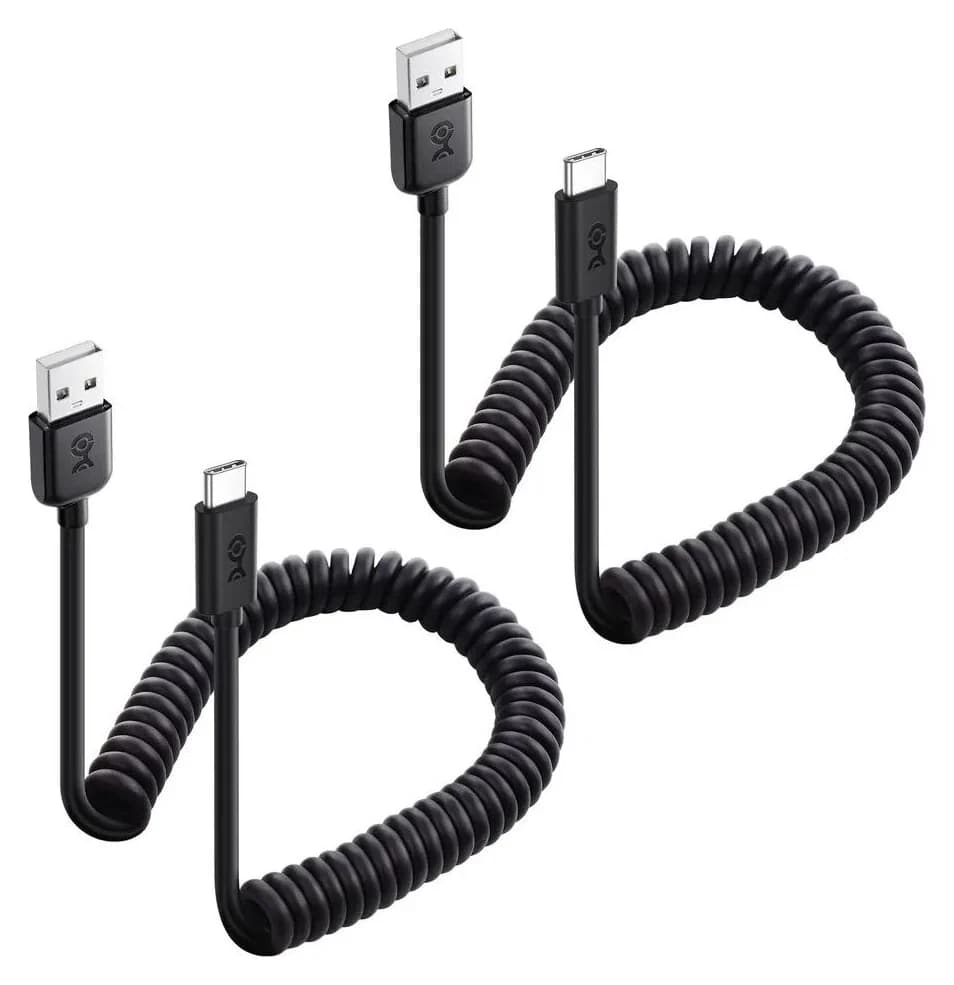
The 5 Best USB-A to USB-C Cables (and Which to Avoid)
Which USB-A to USB-C cable to buy for charging, data or the car: why none of them do Power Delivery or video, and the exact picks for each port.
Updated November 8, 2026Read