Black Friday: the specs to check before you buy
Buying guide
Updated November 3, 2026Pixel Watch USB-C Charging Cables: Which Version Fits?
Short answer
The Google Pixel Watch USB-C Magnetic Charging Cable is the replacement for the original Pixel Watch. For Pixel Watch 2 or 3, buy Google's USB-C Fast Charging Cable; for Pixel Watch 4 or 5, buy the Quick Charge Dock. Google's charger compatibility guidance separates these families, so choose the watch connector before the USB-C plug at the power end.
Our picks at a glance
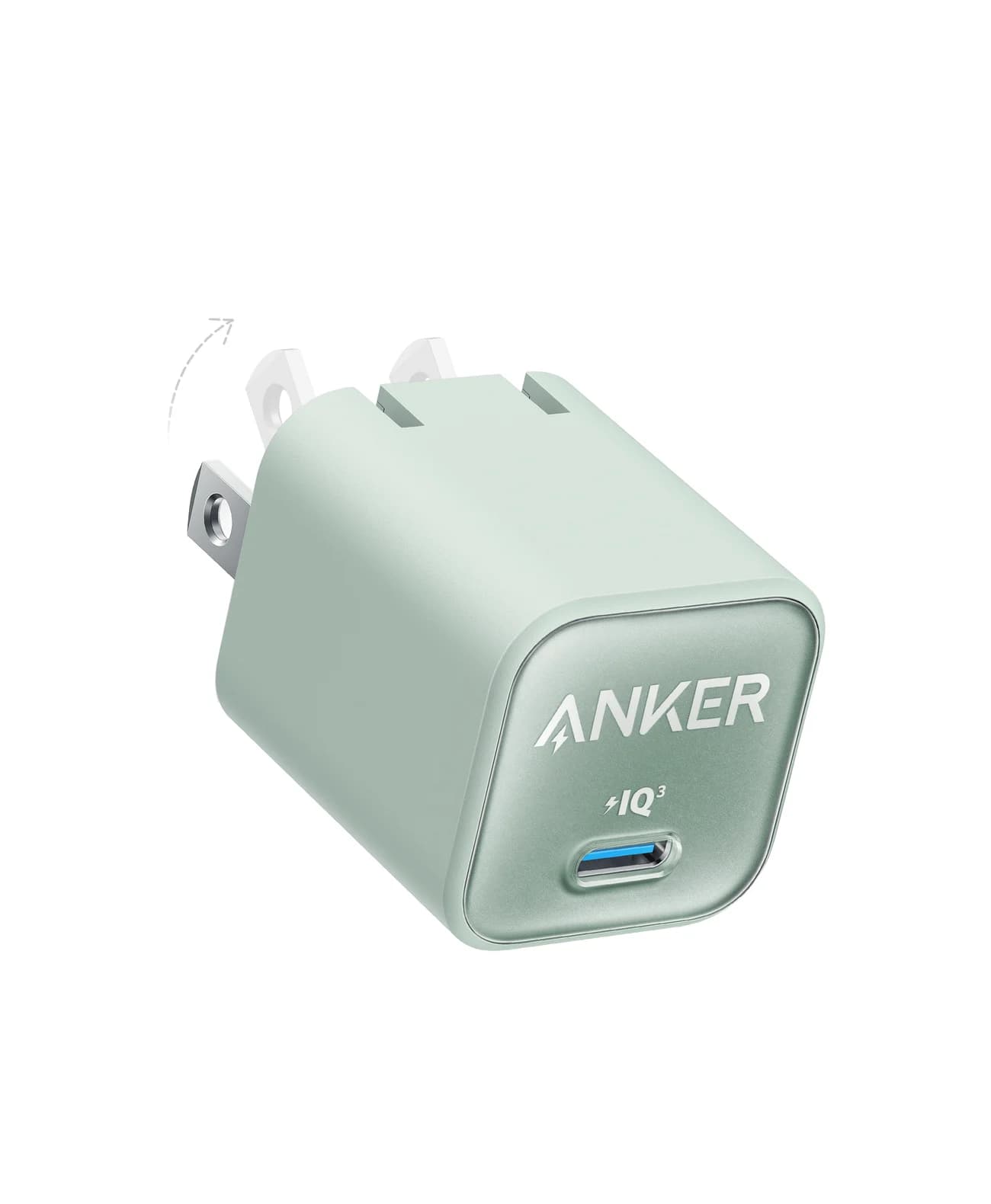
Optional wall adapterAnker
Anker Nano Charger (30W)
- max output
- 30W
- port
- 1
- Choose
- The Anker Nano 30W A2147 supplies 5V at up to 3A through one USB-C port, meeting these accessories' stated power requirements on paper.
- Limit
- Single port, so one device at a time
Quick picks: the compatible replacement and complete kit
| Your watch | Exact Google replacement | Watch connector and official hardware model | Included cable; power adapter to add |
|---|---|---|---|
| Original Pixel Watch | USB-C Magnetic Charging Cable | Wireless magnetic puck, 33 mm; G943M/G77PA | 1 m; USB-C PD adapter, sold separately; cable rated 5W |
| Pixel Watch 2; Pixel Watch 3, 41 mm or 45 mm | USB-C Fast Charging Cable | Four-pin magnetic puck, 29 mm; GQ6H2 | 1 m; USB-C adapter, minimum 5W, sold separately |
| Pixel Watch 4 or 5, 41 mm or 45 mm | Quick Charge Dock | Magnetic-pin dock; GYH71 | 1 m; USB-C adapter, minimum 7.5W, sold separately |
The linked Google documents supply hardware model numbers, useful for identifying the charging accessory. Regional retail part numbers are unconfirmed in the official pages used here; match the product name, hardware model and supported watch together.
Other useful picks: the Wasserstein On-the-Go Charger accepts a separate USB-C cable for Watch 4 and 5. The Anker Nano 30W is our optional power-supply companion; it does not replace the watch cable or dock.
Identify your watch before ordering
If the watch works, open Settings → System → About to find its model details, following Google's instructions. If it is flat, check your original order or packaging for the generation before shopping. Record the generation and case size together, then match that description to the table.
Google's charging instructions show the physical difference: Watch 2 and 3 use four contacts on the back, aligned with four charger pins; Watch 4 and 5 sit in the Quick Charge Dock with the crown facing up. The Store lists the original cable as a magnetic charger and the later cables/dock as magnetic-pin chargers. A listing that says only “magnetic USB-C Pixel Watch charger” leaves the essential question unanswered.
Reverse wireless charging from Pixel phones is unsupported, according to Google. The useful compatibility shortcuts are:
- Yes: Pixel Watch 2 and either Pixel Watch 3 size share Google's Fast Charging Cable
- Yes: Both sizes of Pixel Watch 4 and 5 share Google's Quick Charge Dock
- No: The original Pixel Watch cable is not the replacement for the later watch families
- No: Reverse wireless charging from a Pixel phone is unsupported
For Pixel Watch 2 and 3: Google USB-C Fast Charging Cable
This is the pick for owners searching for a magnetic replacement for Watch 2 or Watch 3. Google's current product page names both generations and both Watch 3 sizes. You do not need a different cable for the larger Watch 3.
The cable is 1 m, with a 29 mm magnetic-pin head. Google identifies the Watch 2 cable as GQ6H2 in its safety guide and uses that same model for the Watch 3 cable in its declaration linked in the table. That is stronger identification than a listing photograph alone.
Google's naming is inconsistent: its Watch 2 accessory specifications call the box contents a “USB-C magnetic charging cable,” while the current Store calls the shared Watch 2 and 3 product a “USB-C Fast Charging Cable.” Resolve that wording by matching the pin connector, generation list and hardware model. It does not make the original wireless puck interchangeable.
The Store specifies a minimum 5W USB-C power adapter, excluded from the package. Google's Watch 2 safety instructions also call for USB-C PD, so a compatible PD adapter is the conservative choice. Keep the crown pointing in the cable's direction when aligning the pins, as Google explains.
Check the Google Fast Charging Cable and availability
For the original Pixel Watch: Google USB-C Magnetic Charging Cable
Choose this exact name for the first Pixel Watch. Google's Store specifications list a 33 mm magnetic head, 1 m cable, 5W rating and a USB-C PD adapter required separately. Its wireless magnetic charging arrangement differs from the magnetic-pin products above.
Google's original-watch regulatory guide names G943M/G77PA as charging-cable models. Those identifiers belong to this family; they are not the watch's own model number. Keep that distinction when checking a replacement package or asking the seller to identify it.
Buy this to replace an original cable, rather than buying a newer charging accessory as an upgrade. Google's generation-specific compatibility guidance assigns the newer watches their own chargers.
Check the original Google Magnetic Charging Cable and availability
For Pixel Watch 4 and 5: Google Quick Charge Dock
Google's current dock listing explicitly covers Watch 4 and Watch 5, each in 41 mm and 45 mm sizes. It is the straightforward official replacement for either generation. The dock's hardware model is GYH71.
The package includes the dock with its 1 m USB-C cable and excludes the power adapter. Google specifies a minimum 7.5W USB-C adapter. Place the watch with its crown upward, as shown in Google's charging instructions; clear the surrounding area if the watch cannot sit properly in the dock.
If a listing still calls it a “Pixel Watch 4 dock,” check its actual compatibility against Google's current shared listing. Conversely, a Watch 2 and 3 magnetic-pin puck is the wrong charger family even though its power plug is also USB-C.
Check the Google Quick Charge Dock and availability
Alternative for Pixel Watch 4 and 5: Wasserstein On-the-Go
Choose this when you prefer to supply a separate USB-C cable. Wasserstein's product page identifies it as Made for Google, supports Watch 4 and 5 in both sizes, and excludes the original Watch, Watch 2 and Watch 3. Its published SKU is WAPORCHGPIXWAT4US.
Account for the whole kit: USB-C cable and power adapter/power bank are excluded, and the dock has no built-in battery. “On-the-Go” describes the dock, not stored power. Bring a cable and an external power source.
Wasserstein lists 5V/1.5A input while separately instructing 5V/2A or above for the supply. Follow the stronger supply instruction when selecting an adapter. Neither statement establishes Google's charge-time figures for this alternative.
Google's troubleshooting guidance starts with its supplied charger; its dock safety guide also recognizes compatible accessories with Google's “made for” badge. That supports considering this documented alternative, rather than treating every magnetic lookalike as compatible. The official Google dock remains our default replacement.
Check the Wasserstein On-the-Go Charger and kit requirements
Optional wall adapter: Anker Nano 30W (A2147)
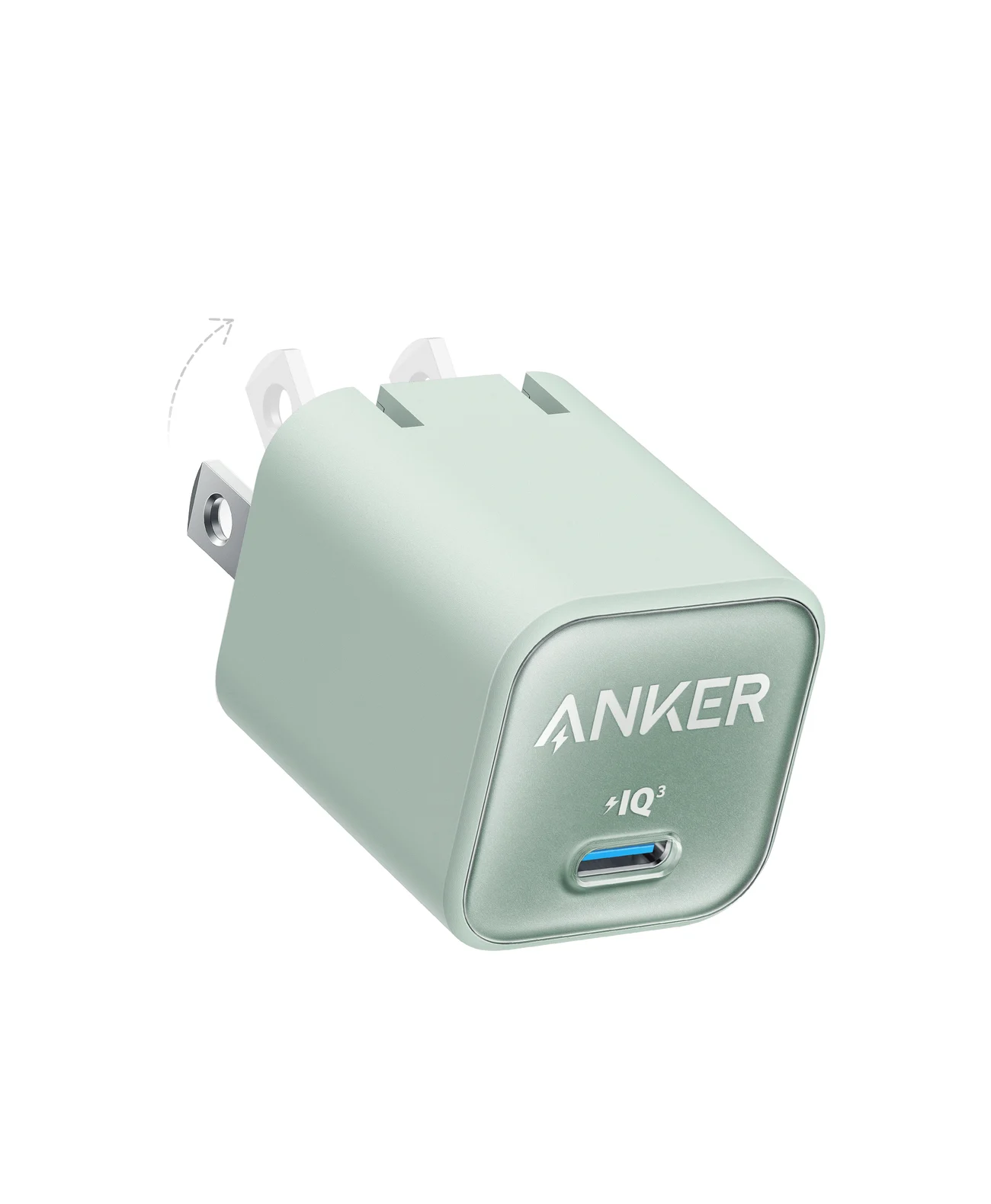
Anker
A single-port 30W USB-C GaN wall charger with a foldable plug, sized for phones, tablets and light laptops.
- 30W max output
- 1 port
Add this only if you need a wall supply. Anker specifies one USB-C port, up to 30W, including 5V/3A output, and confirms Power Delivery support for A2147. That meets the accessories' stated power requirements on paper, including Wasserstein's stronger supply instruction; it is a specification match, not a claim that Google has certified this exact pairing.
The single port powers one charging accessory at a time. Pair it with the correct Google cable/dock, or with the Wasserstein dock and your separate USB-C cable. Our USB-C charger guide covers options if you also need to charge other devices.
Buying advice: adapter ratings, speed claims and listing checks
Separate the accessory minimum from Google's charging test setup. The Fast Charging Cable's 5W minimum is an adapter requirement, not a claim that the watch draws 5W. Google's charging footnotes use a 30W adapter for Watch 2 and 3 and an 18W adapter for the original Watch. They even specify up to 2.5W fast wired charging for Watch 2. Do not interpret a wall adapter's headline wattage as power delivered to the watch.
Google's timing pages disagree. For the 45 mm Watch 5 at 80%, the technical specifications say about 30 minutes, while charging troubleshooting says about 35 minutes. The general charging article instead advertises 20 minutes to 80% for Watch 5 without that size distinction. These conflicting figures do not change the agreed dock compatibility; we would not choose a replacement on a promised time.
Before ordering, match generation, physical connector, hardware model, cable length and box contents. Check the seller and return terms yourself. If comparing offers, compare the usable kit: all the Google options include their cable but exclude a wall adapter; Wasserstein excludes both. Keep your existing compatible supply if it already satisfies the requirement.
For cable terminology beyond this watch-specific connector, see our USB-C cable types guide.
If the correct replacement still will not charge
Google says a completely depleted watch may need 10 more minutes on its correct charger before the display responds. It also directs owners to check alignment and clean, undamaged pins; its charging guide says not to charge a wet watch. Follow this order before buying another replacement:
Confirm the family
Match your generation to Google's cable or dock in the table.
Reseat the watch
Watch 2 and 3: align the four contacts and pins, crown toward the cable. Watch 4 and 5: crown up, with space around the dock.
Check the contact surfaces
Make sure the watch and charger are dry; check for dirt or stuck or damaged pins.
Allow a depleted watch time
Leave it on the correct charger for 10 more minutes, following Google's troubleshooting guidance.
Use Google's charging troubleshooting page for the remaining checks and support if that does not resolve it.
How we choose
These picks come from official product specifications, compatibility lists, regulatory model identifiers and setup instructions. We have not physically evaluated the chargers. We prioritize an explicit watch-generation match, then the complete usable kit; the optional Anker pairing is an assessment of published power specifications. We disclose the conflicting Google timing claims and Wasserstein's differing input/supply figures instead of using either as a speed promise.
Verdict
Buy Google's Fast Charging Cable for Watch 2 and 3, its original Magnetic Charging Cable for the first Watch, or its Quick Charge Dock for Watch 4 and 5. Choose Wasserstein On-the-Go for Watch 4 and 5 when supplying your own USB-C cable suits your kit. Add the Anker Nano 30W only if you need a compatible wall supply; the correct watch connector is the purchase that matters first.
Frequently asked questions
Which Google Pixel Watch USB-C magnetic charging cable do I need?
Choose by watch generation. The original Pixel Watch uses Google's USB-C Magnetic Charging Cable. Pixel Watch 2 and both Pixel Watch 3 sizes share the USB-C Fast Charging Cable. Both sizes of Pixel Watch 4 and 5 use the Quick Charge Dock. A USB-C plug at the power end does not establish compatibility at the watch end.
Can Pixel Watch 2 and Pixel Watch 3 use the same charger?
Yes. Google's current USB-C Fast Charging Cable explicitly supports Pixel Watch 2 and Pixel Watch 3 in both sizes. Google's documents identify the cable as model GQ6H2. Align its four pins with the contacts on the watch, with the crown pointing in the same direction as the cable. The original Pixel Watch magnetic wireless cable is a different product.
Does the Pixel Watch 4 charger work with Pixel Watch 5?
Yes. Google's current Quick Charge Dock listing explicitly supports Pixel Watch 4 and Pixel Watch 5, each in 41 mm and 45 mm sizes. The dock's regulatory model is GYH71. Its USB-C cable is included, but the power adapter is separate; Google specifies a USB-C adapter rated at least 7.5W.
Do replacement Pixel Watch chargers include a wall plug?
None of the three official Google replacement chargers here includes a wall power adapter. Each includes a one-metre cable. The original cable requires a USB-C PD adapter; the Fast Charging Cable lists a 5W minimum and the Quick Charge Dock a 7.5W minimum. Add a compatible adapter only if you lack one already.
Can I charge a Pixel Watch from my Pixel phone wirelessly?
Google explicitly says reverse wireless charging from Pixel phones is unsupported. Buy the cable or dock matching your watch generation instead. Google's troubleshooting guidance distinguishes the original wireless magnetic cable, the Pixel Watch 2 and 3 Fast Charging Cable, and the Pixel Watch 4 and 5 Quick Charge Dock. Magnetic attachment alone is not a compatibility check.
Related guides
Best Link Cables for Meta Quest 3: USB-C Specs That Actually Work
The best link cable for Quest 3 and older Quest headsets: Meta's own fiber cable, a charge-while-playing pick, and long active cables, per Meta's USB rules.
Updated November 8, 2026Read
Anker 100W vs Baseus 100W USB-C Cables: Which Should You Buy?
Compare Anker A8758 10 ft with Baseus CAWJ020001 3.3 ft: charging, data, lengths, pack sizes and variant traps, plus how to judge an Anker 100W USB-C cable deal.
Updated November 5, 2026Read
Beats USB-C vs Apple USB-C Cable: Which Should You Buy?
Choose between the Beats USB-C woven cable (60W, USB 2.0) and a full-feature Thunderbolt 5 USB-C cable: charging, data, docks, displays and the exact SKUs.
Updated November 5, 2026Read