Black Friday: the specs to check before you buy
Comparison
Updated November 3, 2026Samsung T7 Shield vs T9: Which SSD Should Gamers Buy?
Short answer
For a gaming PC with a 10Gbps USB port, or a console, make the Samsung T7 Shield 2TB your default; choose the Samsung T9 2TB when your PC explicitly supports USB 3.2 Gen 2x2 at 20Gbps and you regularly move large libraries. The T9 has the higher sequential speed rating, but that alone does not establish faster game loading.
Our picks at a glance
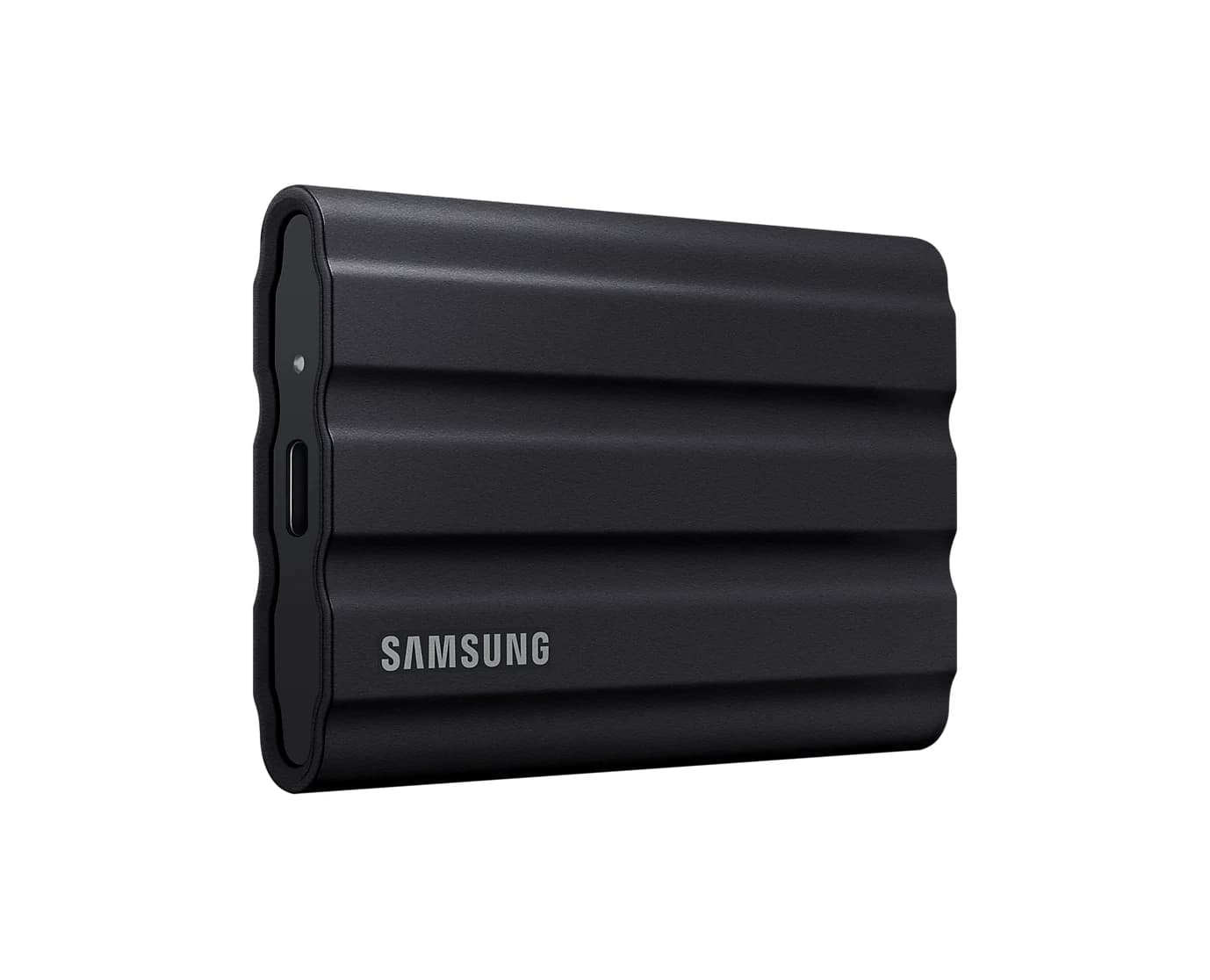
Default for 10Gbps ports and consolesSamsung
Samsung T7 Shield Portable SSD (2TB, Black)
- data
- 10 Gbps
- port
- 1
- host link
- USB-C
- Choose
- A 10Gbps interface, IP65 protection and both cable types make the T7 Shield the default when the host cannot use Gen 2x2.
- Limit
- 10Gbps interface caps it at about 1,050MB/s; 20Gbps and USB4 drives are faster on hosts that support them
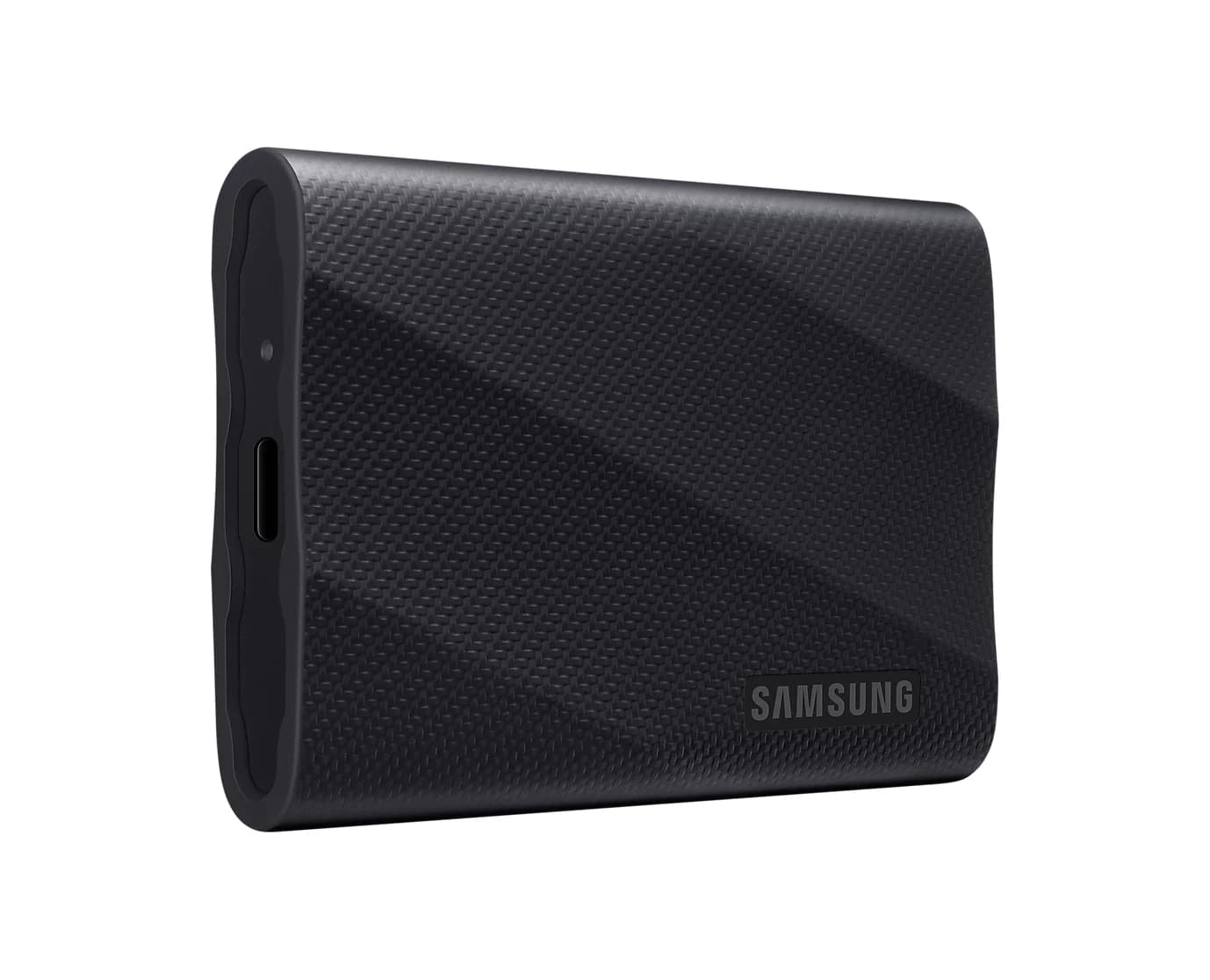
Upgrade for confirmed Gen 2x2 PCsSamsung
Samsung T9 Portable SSD (2TB, USB 3.2 Gen 2x2)
- data
- 20 Gbps
- port
- 1
- host link
- USB-C
- Choose
- The T9 offers up to 2,000MB/s reads over USB 3.2 Gen 2x2 and a five-year limited warranty.
- Limit
- Macs don't support USB 3.2 Gen 2x2, so on a Mac (or an iPhone 15 Pro or later) it runs at 10Gbps, about T7-class speed
Looking for the best external SSD for gaming across brands? Start with our portable SSD buying guide; this comparison settles the capacity-matched Samsung upgrade decision.
Quick picks: match the drive to your host
| Your device and use | Exact 2TB pick | Complete usable kit | Why choose it | Current offer |
|---|---|---|---|---|
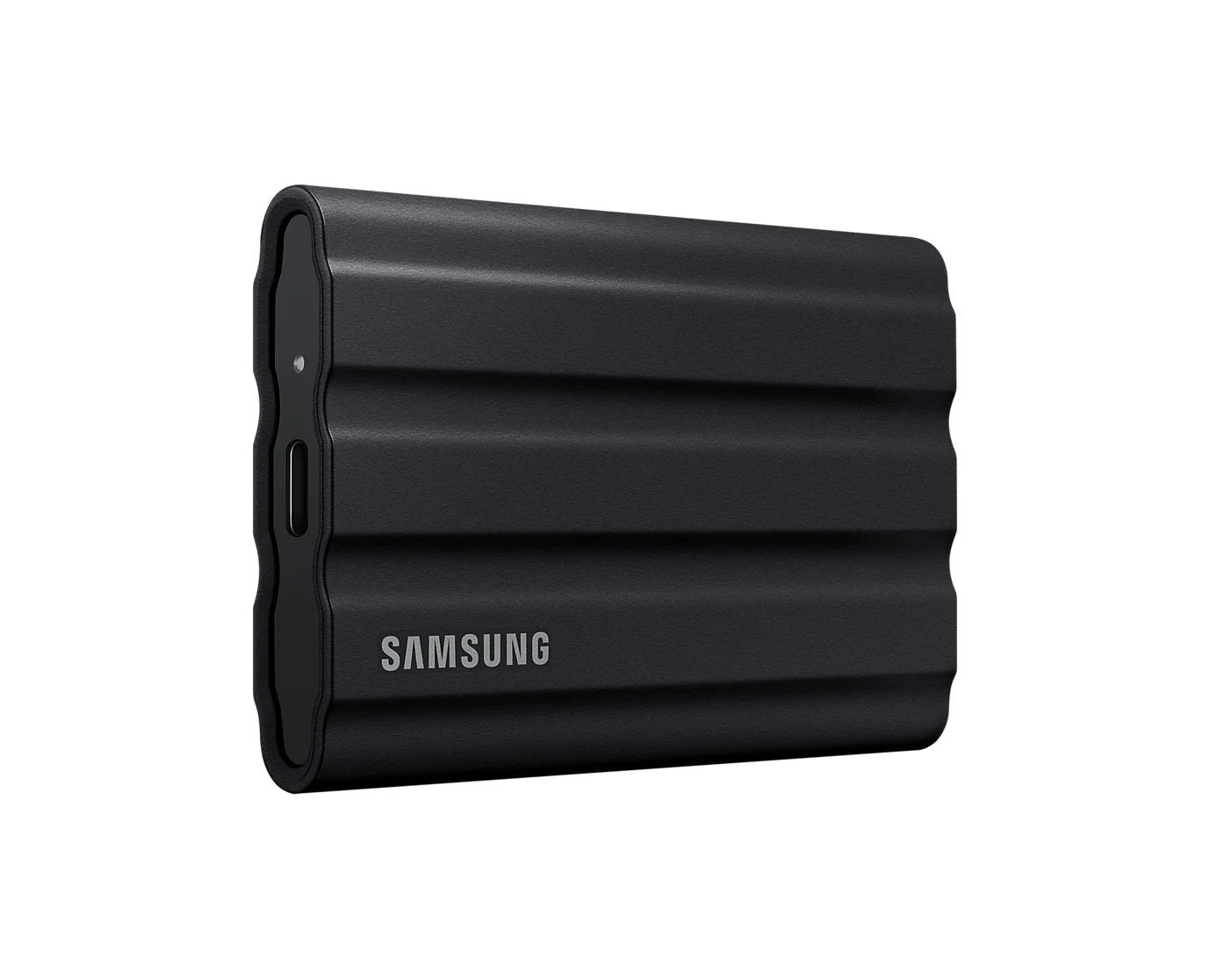
| PC with 10Gbps USB; PS5 or Xbox USB storage | T7 Shield, MU-PE2T0S/AM | Drive plus supplied C-to-C or C-to-A cable | Default when Gen 2x2 speed is unavailable; IP65 protection | Check price on Amazon |
| PC with confirmed 20Gbps Gen 2x2; frequent library copies | T9, MU-PG2T0B/AM | Drive plus supplied C-to-C cable | Higher sequential ceiling and longer limited warranty | Check price on Amazon |
Both standard packages include both cable types, according to Samsung's T7 Shield data sheet and T9 data sheet. Console game restrictions still apply; an interface-compatible drive does not automatically become playable storage for every game.
T7 Shield vs T9: the 2TB comparison
| Specification | Samsung T7 Shield 2TB | Samsung T9 2TB |
|---|---|---|
| Black US model | MU-PE2T0S/AM | MU-PG2T0B/AM |
| USB interface | USB 3.2 Gen 2, 10Gbps | USB 3.2 Gen 2x2, 20Gbps |
| Sequential read, up to | 1,050MB/s | 2,000MB/s |
| Sequential write, up to | 1,000MB/s | 1,950MB/s; see discrepancy below |
| Limited warranty | Three years | Five years |
| Water and dust protection | IP65 | No IP rating specified in cited data sheet |
| Drop resistance, up to | 3m | 3m |
| Listed weight | 98g | 122g |
| Included data cables | USB-C to C and USB-C to A | USB-C to C and USB-C to A |
These are manufacturer specifications, not measured results. Samsung makes maximum speeds conditional on the host and cable, with UASP enabled; both drives require the USB mode listed above for their respective maximums. The T7 Shield product page and T9 product page spell out those conditions.
Source: Samsung's T7 Shield data sheet and T9 data sheet; not game-loading benchmarks
Default for 10Gbps ports and consoles: Samsung T7 Shield 2TB
Samsung
Samsung T7 Shield Portable SSD (2TB, Black)
A rugged, rubber-coated 2TB NVMe portable SSD over USB 3.2 Gen 2 with IP65 water and dust resistance.
- 10 Gbps data
- 1 port
Buy the Shield when you cannot identify a usable Gen 2x2 port. USB-IF says USB devices operate at their lowest common speed capability, so paying for the T9's interface cannot overcome a slower connection.
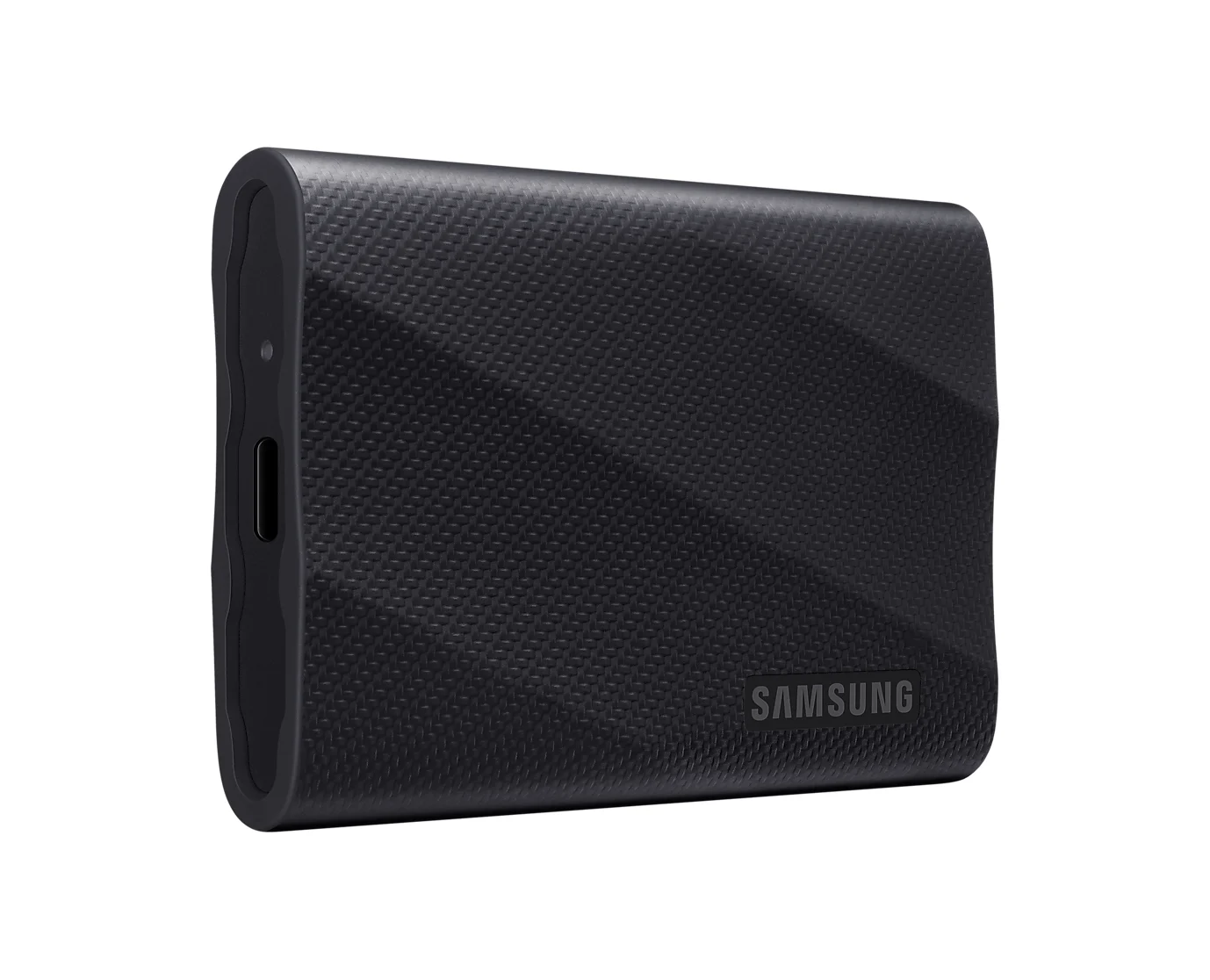
The Shield also has the clearer protection specification for a drive that travels: Samsung lists IP65 water and dust resistance and drop resistance up to 3m. Its data sheet lists 98g, compared with the T9's 122g. Those are reasons to choose it for a bag, even when the T9's offer is tempting.
Treat the protection as a margin, not insurance. Samsung excludes liquid, dust and drop damage from the Shield's warranty, and says its supplied cables are not waterproof. Dry them fully before use. The tradeoff is a three-year limited warranty versus the T9's five years.
Check that the order names T7 Shield, with MU-PE2T0S/AM for this black US model. This recommendation is for that exact product, not a listing that only says “T7.”
Check price on Amazon for the T7 Shield 2TB
Upgrade for confirmed Gen 2x2 PCs: Samsung T9 2TB
Samsung
Samsung T9 Portable SSD (2TB, USB 3.2 Gen 2x2)
A 2TB NVMe portable SSD rated up to 2,000MB/s over USB 3.2 Gen 2x2 (20Gbps), with USB-C and USB-A cables included.
- 20 Gbps data
- 1 port
Choose the T9 when you can use its 20Gbps interface and library copying is a recurring job. Samsung rates this capacity at up to 2,000MB/s sequential reads and 1,950MB/s sequential writes in its detailed specification table. That gives it more transfer headroom on paper; it does not quantify time saved in a particular game.
Use the supplied C-to-C cable and the confirmed Gen 2x2 port. The C-to-A cable is useful for compatibility, but USB-A ports and cables support at most 10Gbps, as explained in Seagate's connection guidance.
The five-year limited warranty can also justify choosing the T9 when offers are close. Its up-to-3m drop specification does not establish water resistance: the cited data sheet publishes no IP rating, and excludes physical damage from warranty coverage.
Samsung's write-speed discrepancy: the US 2TB headline says 2,000MB/s write, while the data sheet and Ireland 2TB specification table say 1,950MB/s. We use the capacity-specific figure and preserve the disagreement.
Check price on Amazon for the T9 2TB
How we choose
This is a comparison based on official documents, without physical product testing. We match the capacity and model, distinguish USB link speed from drive performance, and apply Sony's and Microsoft's rules before recommending console storage. The recommendations are editorial judgments from those specifications; the peak-speed chart is not a gaming benchmark. Customer comments embedded on manufacturer pages are not used as performance evidence.
Buying guide: ports, game libraries and complete-kit value
Check the exact port before choosing the T9
USB-IF defines Gen 1 as 5Gbps, Gen 2 as 10Gbps and Gen 2x2 as 20Gbps; the USB-C connector shape does not establish the transfer rate. Look up the specific port in your computer or motherboard manual, including its location.
Do not infer Gen 2x2 from a Thunderbolt or USB4 bandwidth label. Seagate specifically warns that many Thunderbolt and USB 40Gbps ports run Gen 2x2 storage at up to 10Gbps instead. Mac owners should check the USB mode too: for example, Apple lists the Mac mini (2024)'s front USB-C ports as USB 3 at up to 10Gbps. The T9's 20Gbps capability cannot bypass that limit.
Read the host specification
Confirm explicit Gen 2x2 support before choosing the T9 for speed.
Use the supplied data cable
Connect directly for the initial setup; check any dock separately.
Match the game-storage role
Decide whether the library will run here or must be copied back to console storage.
PC libraries: move games through the launcher
Valve's instructions let you create an alternate Steam library on any drive through Settings > Storage, then move existing games with Move. Keep the Steam client itself on the computer: Valve cautions against installing it on an external drive because of possible performance issues. Check individual games' requirements before treating either Samsung as your only installation location.
PS5: PS4 playback, PS5 archiving
Sony requires SuperSpeed USB at 5Gbps or later and capacity from 250GB to 8TB. Both 2TB models fit those published interface and capacity requirements, although Sony does not guarantee every device. Before console setup, Samsung says to disable password protection; back up existing files before formatting, which Sony says erases the drive.
PS4 games can play directly from USB extended storage; PS5 games must be copied back to console storage. For additional storage that plays PS5 games, Sony supports a compatible internal M.2 SSD.
Sony explicitly says Gen 2x2 devices connect at 10Gbps on PS5, so the T9 cannot use its full interface there. Connect directly: Sony forbids a USB hub for extended storage. Its port guide lists the rear USB-A ports at 10Gbps across the listed model groups; use a SuperSpeed port rather than a Hi-Speed port.
Xbox Series X/S: distinguish archive from play
Microsoft lists USB 3.1 Gen 1 ports for both consoles: that interface is 5Gbps. Neither Samsung can use its full rated interface here, so do not pay a T9 speed premium for this connection.
Xbox's storage guidance allows compatible Xbox One, Xbox 360 and original Xbox games to play from USB storage. For Series X/S games that require Xbox Velocity Architecture, plan on USB archiving and transferring back to the internal SSD or a compatible Storage Expansion Card to play. Neither portable Samsung replaces that expansion card.
What the speed claims leave unanswered
Samsung says maximum transfer rates come from internal testing with the enclosed cable and vary with the host and environment. Its Shield material discusses sustained performance, and its T9 material describes thermal management; neither establishes the winner in a capacity-matched game-loading comparison.
There are also general reasons a long copy may differ from its initial speed: Seagate explains cache effects, slower transfers of small files, and limits imposed by the source drive. That is background, not a measured T9-versus-Shield result. The cited Samsung documents do not supply a comparable full-drive write curve, so we do not invent sustained speeds, loading times or frame-rate gains.
Variants and holiday offers: compare the complete kit
Both families offer 1TB, 2TB and 4TB capacities. Keep this comparison at 2TB: the T9 data sheet assigns its up-to-2,000MB/s write specification to the 4TB, versus 1,950MB/s for the smaller capacities. Check MU-PE2T0S/AM against MU-PG2T0B/AM, plus capacity, condition, seller and applicable warranty; do not assume another regional package is equivalent for warranty service.
Compare the drive plus any missing cable or required port hardware. Both standard kits already include C-to-C and C-to-A cables, so there is no automatic cable purchase to add. For a replacement, match the data specification; USB-IF treats USB Power Delivery separately from transfer speed. Our USB-C cable explainer helps decode the labels.
Our offer rule: on a slower host, choose the lower complete-kit total unless the Shield's IP65 rating or T9's longer warranty matters more. On a confirmed Gen 2x2 PC, consider a T9 premium for frequent copies, without assuming a game-loading benefit. Already own a Shield? Keep it unless the faster usable interface solves a recurring transfer problem. For a recipient, verify the host first; our USB gifts for gamers guide covers other buying jobs.
Verdict
Choose the T7 Shield 2TB by default for slower ports, console USB libraries or published IP65 protection. Choose the T9 2TB for a confirmed Gen 2x2 PC and frequent transfers, or when its offer and longer warranty make it preferable. Buy for the host and storage role you have; Samsung's sequential ratings alone do not settle game-loading performance.
Frequently asked questions
Is the Samsung T7 Shield or T9 better for gaming?
Choose the T7 Shield for a 10Gbps PC port or a console unless the T9's current offer or longer warranty changes the decision. Choose the T9 for frequent library transfers on a PC with confirmed USB 3.2 Gen 2x2 support. Its higher sequential speed rating does not establish a game-loading advantage: the cited Samsung specifications are not game benchmarks.
Can the T7 Shield or T9 play PS5 games directly?
Neither can play PS5 games directly over USB. Sony allows PS5 games to be stored on USB extended storage, then copied back to console storage to play. PS4 games can play directly from USB extended storage. For extra storage that plays PS5 games, Sony supports a compatible internal M.2 SSD. Buying the T9 does not change these rules.
Will the T9 run at full speed on a Mac or Thunderbolt port?
A Thunderbolt or USB4 speed label alone does not establish USB 3.2 Gen 2x2 support. Samsung requires that exact mode for the T9's maximum speed. On a port limited to 10Gbps USB operation, the T9 cannot use its 20Gbps interface fully. For example, Apple lists the front USB-C ports on the Mac mini (2024) as USB 3 at up to 10Gbps.
Do I need to buy a cable with either SSD?
Both standard packages include USB-C to C and USB-C to A cables. Use the supplied C-to-C cable with a confirmed Gen 2x2 port for the T9's maximum speed; USB-A does not provide its 20Gbps connection. If buying a replacement cable, check its data capability against the drive's interface requirement. USB-IF distinguishes data speed from USB Power Delivery, so a charging rating alone is insufficient.
Does the T9 2TB write at 1,950MB/s or 2,000MB/s?
Samsung's US 2TB product headline says 2,000MB/s write, but its capacity-specific data sheet and Ireland 2TB specification table say up to 1,950MB/s. The data sheet assigns up to 2,000MB/s writes to the 4TB model. This guide uses the capacity-specific 2TB figure and flags the disagreement. Neither number is a guaranteed sustained-write speed or a game-loading result.
Related guides

Best External CD DVD Drives in 2026
The best external CD DVD drives for laptops and Macs: official specs compared, with picks for Windows 11, MacBook Air, USB-C and M-DISC backups.
Updated November 7, 2026Read
Best SSD Enclosures in 2026: Turn NVMe and SATA Drives into Portable SSDs
The SSD enclosure that matches your drive: dual-protocol 10Gbps M.2 picks, a 40Gbps USB4 option, and a 2.5-inch SATA case, all from official spec sheets.
Updated November 7, 2026Read
Samsung T9 vs SanDisk Extreme V2: Which 2TB External SSD for Gaming?
Samsung T9 vs SanDisk Extreme V2 at 2TB, from the makers' own spec pages: real speeds on gaming laptops, Steam Deck, PS5 and Xbox, included cables, and which to buy.
Updated November 5, 2026Read