Black Friday: the specs to check before you buy
Best picks
Updated November 3, 2026Best Docks for Mac mini: Thunderbolt or an SSD Stand?
Short answer
For a Mac mini Thunderbolt dock, choose the UGREEN Revodok Max 208 for its three downstream Thunderbolt 4 ports and USB-A expansion, subject to the compatibility limits below. For an M4 or M4 Pro desk that mainly needs accessible ports and tucked-away storage, consider Satechi ST-GNMMES, a USB-only stand with a 10Gbps NVMe bay. For a separate storage upgrade, choose the OWC Express 1M2 80G enclosure plus an SSD, connected directly to the Mac.
Our picks at a glance
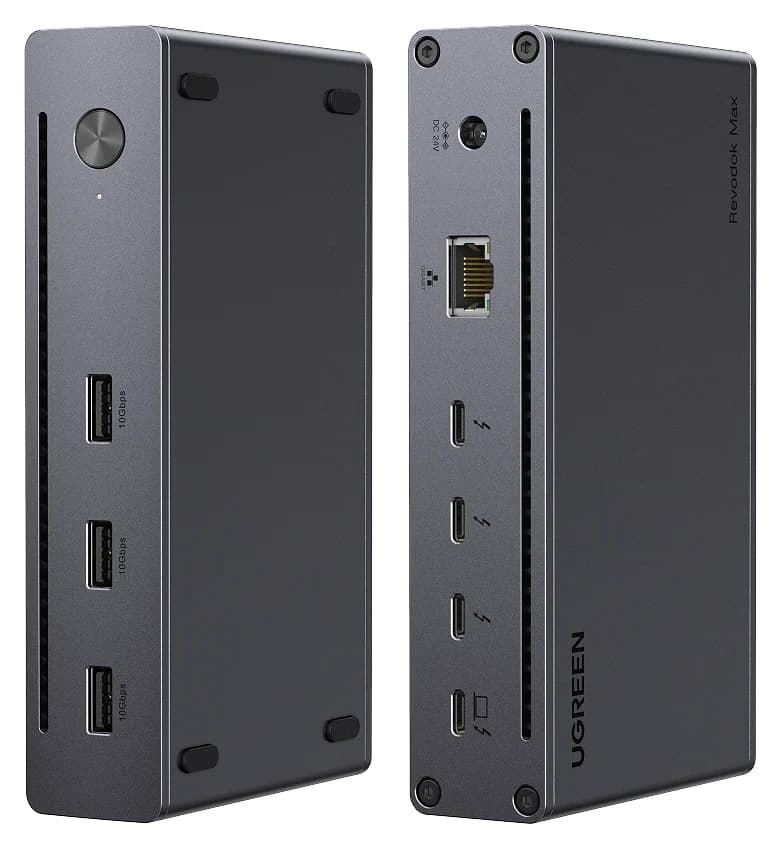
Best for Thunderbolt expansionUGREEN
UGREEN Revodok Max 208 Thunderbolt 4 Dock (8-in-1)
- to laptop
- 85W
- data
- 40 Gbps
- video
- 4K
- Choose
- Three downstream Thunderbolt 4 ports, three USB-A 10Gbps ports and Gigabit Ethernet expand a compatible Mac mini's connections.
- Limit
- No HDMI or DisplayPort; monitors need USB-C or adapters
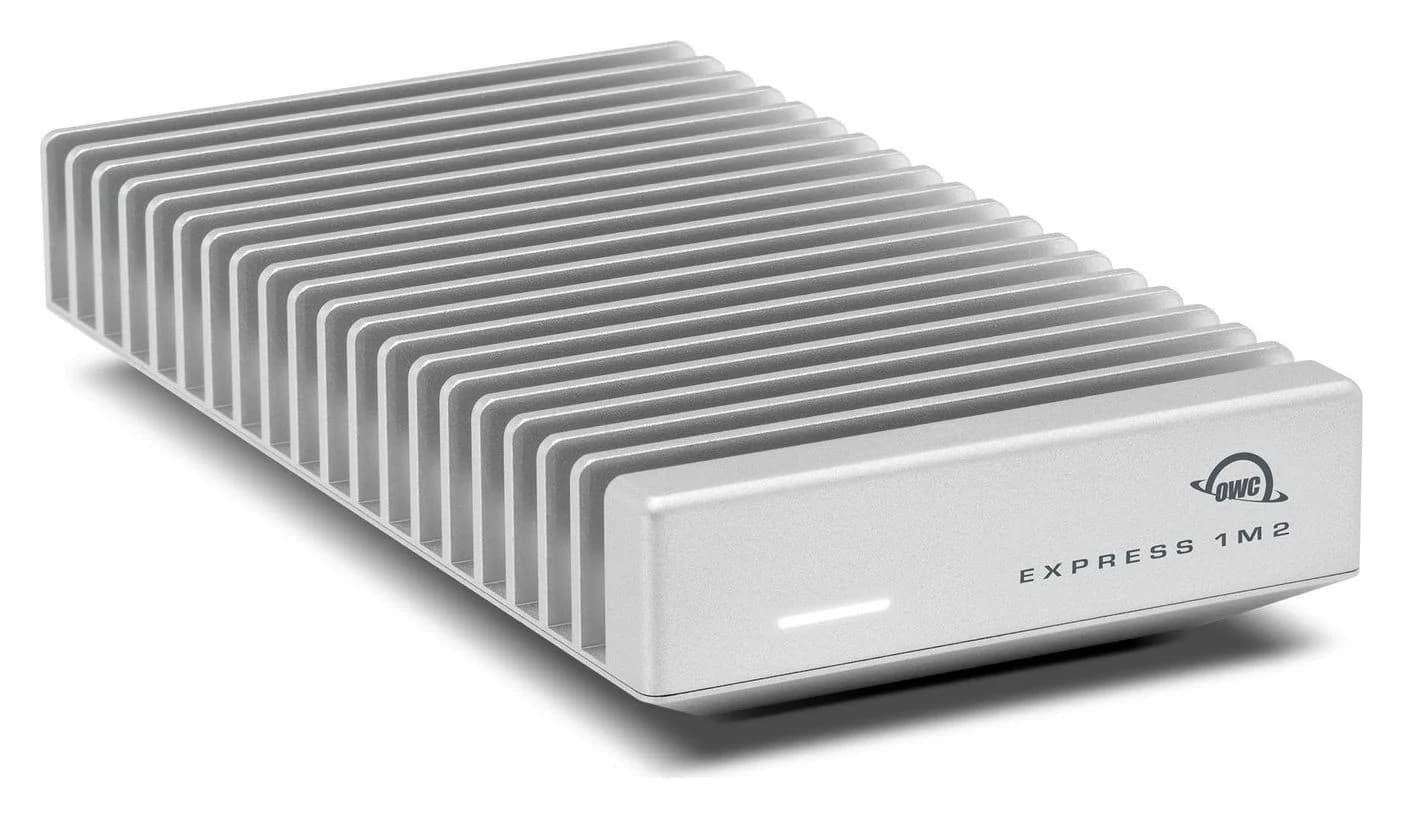
Best separate storage alternativeOWC
OWC Express 1M2 80G USB4 80Gb/s NVMe M.2 SSD Enclosure (Enclosure Only)
- data
- 80 Gbps
- port
- 1
- Choose
- A USB4 80Gb/s enclosure for a replaceable NVMe SSD, with an included USB4 cable; it supplies storage rather than hub ports.
- Limit
- Enclosure only: you supply the NVMe SSD
Quick choice: Thunderbolt dock or storage stand?
- More Thunderbolt connections: UGREEN; keep its power adapter connected. Its maker explicitly excludes the Intel Mac mini from 2018.
- A fitted stand with storage: Satechi, provided your enclosure and SSD match. It supplies USB-A and SD access, without downstream Thunderbolt.
- Storage without a hub: OWC, especially when you can use a Pro model's Thunderbolt 5 port directly.
Both SSD enclosures need a drive when bought bare. A dock alone does not complete either storage kit.
Identify your Mac mini enclosure and host ports
Start with Apple menu → About This Mac, as Apple's model identification guide instructs. Match the chip as well as the case:
| Mac mini | Case and relevant connections | Stand decision |
|---|---|---|
| M4 or M6 | 5-inch-square case; three rear Thunderbolt 4 ports; two front USB-C 10Gb/s ports | Satechi lists both; its older FAQ wording needs care on M6 |
| M4 Pro or M5 Pro | 5-inch-square case; three rear Thunderbolt 5 ports; two front USB-C 10Gb/s ports | Satechi lists both; its older FAQ wording needs care on M5 Pro |
| M1 | Larger case; two Thunderbolt / USB4 ports supporting Thunderbolt 3 | ST-GNMMES excluded |
| M2 or M2 Pro | Larger case; two Thunderbolt 4 ports on M2, four on M2 Pro | ST-GNMMES excluded |
Apple documents these connections in its M4 specifications, M6/M5 Pro specifications, M1 specifications and M2 specifications. Use a rear Thunderbolt port for the Thunderbolt dock or OWC enclosure; the front ports on the smaller minis are USB 3 connections.
Compare form factor, host link and ports
| Product | Placement | Maximum host link | Useful expansion | SSD requirement |
|---|---|---|---|---|
| UGREEN Revodok Max 208, model 25053 | Separate desktop unit | Thunderbolt 4, 40Gbps | Three downstream Thunderbolt 4; three USB-A 10Gbps; Gigabit Ethernet | No integrated SSD bay |
| Satechi ST-GNMMES | 5 × 5-inch stand | USB-C 3.2 Gen 2, 10Gbps | Two USB-A 10Gbps; one USB-A 480Mbps; UHS-II SD reader | Single-sided NVMe, no heatsink; drive extra |
| OWC Express 1M2 80G, enclosure only | Separate storage enclosure | USB4 80Gb/s | Single USB-C host connection; no peripheral hub | NVMe 2242 or 2280; single- or double-sided; no heatsink; drive extra |
These are link ratings, not promised file-copy speeds. USB-IF explains that a connection scales to the devices' best mutual capability, with data and display traffic sharing aggregate bandwidth.
Source: Manufacturer specifications; these are not measured SSD speeds
Best for Thunderbolt expansion: UGREEN Revodok Max 208
UGREEN
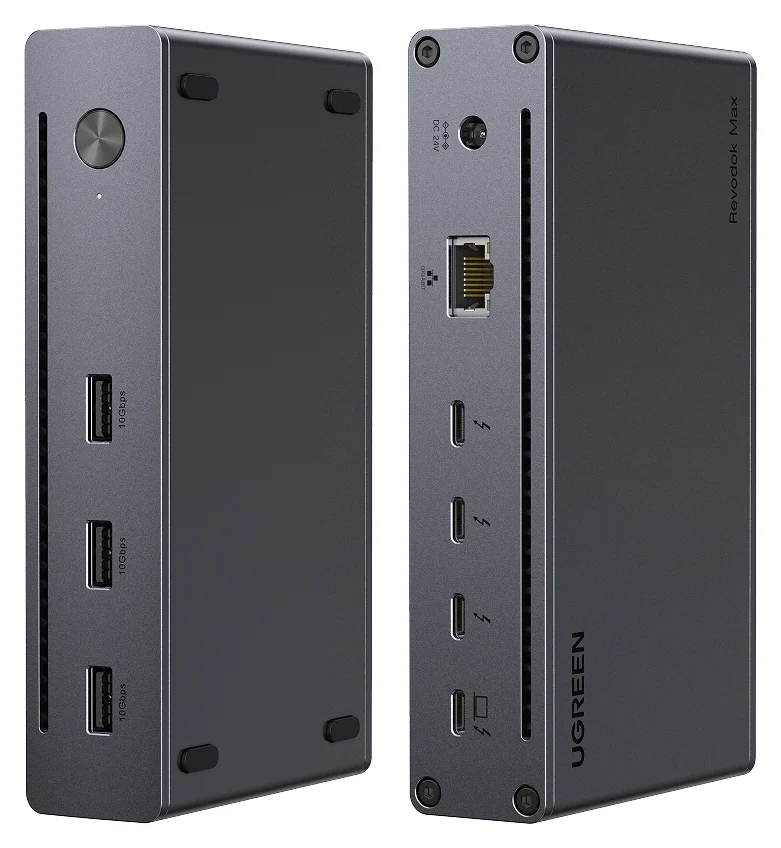
UGREEN Revodok Max 208 Thunderbolt 4 Dock (8-in-1)
A Thunderbolt 4 hub-style dock with three downstream Thunderbolt 4 ports, three 10Gbps USB-A ports, Gigabit Ethernet and 85W laptop charging.
- 85W PD passthrough
- 40 Gbps data
- 4K video
- 8 ports
Choose this when your shopping list says Thunderbolt peripherals, rather than an SSD hidden under the computer. UGREEN's model 25053 page confirms the port mix above and an included 140W power adapter, which the dock needs to operate. Its advertised 85W laptop charging is not a reason to choose it for a desktop Mac mini: keep the Mac's own power cord connected.
There is no HDMI or DisplayPort socket in its documented port list. Budget a suitable display cable or adapter when your monitor cannot connect through a downstream Thunderbolt port. For docks with different display sockets, use our Thunderbolt dock comparison.
Documentation conflict: UGREEN's sales page says macOS 11.4 or later and excludes Mac mini 2018; its support center specifies macOS 15.0 or later and Thunderbolt 4/5 hosts. We recommend it here for minis with Thunderbolt 4/5 on macOS 15 or later; confirm older host/OS combinations with UGREEN.
Storage stand to consider: Satechi ST-GNMMES
The Satechi stand is the tidy-storage route for the smaller case. Its fixed host cable is 8cm long, and its cutout keeps the Mac's power button accessible. The SSD bay runs at up to 10Gbps, even when plugged into Thunderbolt.
Check ST-GNMMES, not just a listing titled “Mac mini hub.” Satechi lists M4, M4 Pro, M6 and M5 Pro compatibility, excludes 2018–2023 minis, and supplies the enclosure screw, screwdriver and thermal pad; the SSD is extra. Its FAQ still says “specifically designed for the M4 mac mini,” conflicting with the expanded compatibility list. Confirm the newer pairing with Satechi before buying for M6 or M5 Pro.
The manual also gives an important limit: with an SSD installed, connecting more than one high-powered peripheral or external storage device can cause unmounting. The sales page is stricter, recommending one bus-powered device at a time. Choose a powered Thunderbolt dock for a desk full of drives.
SSD for the DIY kits: Kingston NV3 2TB
Our fit-based choice is the Kingston NV3 2TB, SNV3S/2000G, in its bare M.2 2280 version. Kingston's datasheet specifies a single-sided PCIe 4.0 x4 NVMe design measuring 22 × 80 × 2.3mm. Those specifications meet Satechi's published requirements; this is an on-paper match, rather than a maker-validated pairing.
Satechi accepts 2230, 2242, 2260 and 2280 NVMe drives up to 4TB. It excludes SATA, double-sided drives and fitted heatsinks. Kingston also sells a shorter 2230 NV3 family: check the exact part number above rather than assuming every NV3 listing is identical.
- Yes: Single-sided NVMe board in a supported length
- Yes: Bare drive, using the stand's supplied thermal pad
- No: SATA M.2 drive
- No: Double-sided board or an SSD with a fitted heatsink
The same 2280 drive meets OWC's published form-factor and interface requirements. Kingston's internal-PCIe speed specification does not predict its speed through either enclosure.
Best separate storage alternative: OWC Express 1M2 80G
OWC
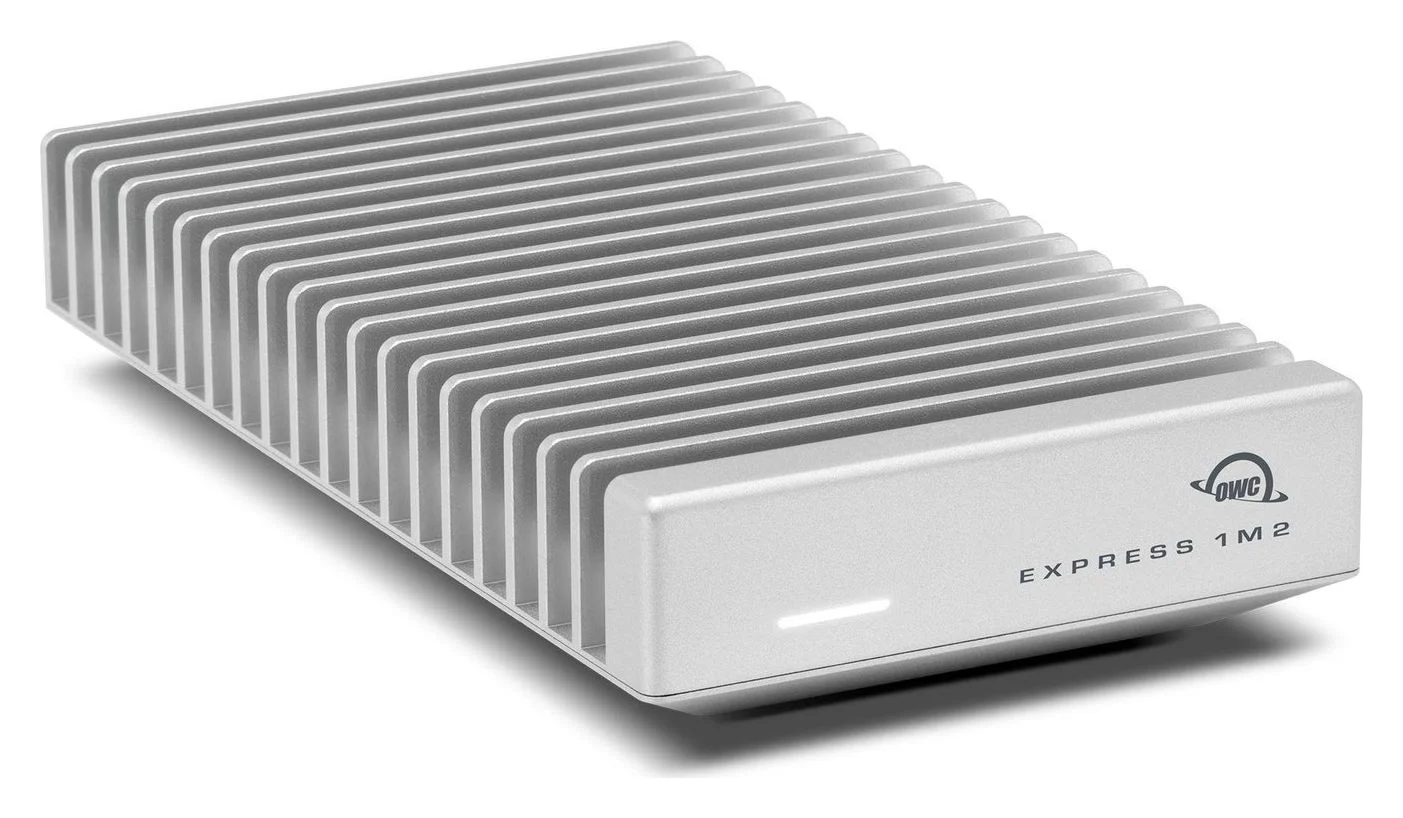
OWC Express 1M2 80G USB4 80Gb/s NVMe M.2 SSD Enclosure (Enclosure Only)
A bus-powered, fanless USB4 80Gb/s enclosure for a user-installed NVMe M.2 SSD, rated over 6,000MB/s on Thunderbolt 5 and USB4 80Gb/s hosts.
- 80 Gbps data
- 1 port
Buy the 80G enclosure-only version, not the original Express 1M2 40Gb/s or a preassembled capacity bundle. OWC's product page supports user-installed 2242 and 2280 NVMe drives, including double-sided boards; its manual excludes drives with heatsinks.
This is storage, with no extra peripheral ports. Connect it directly to a compatible rear port to avoid the UGREEN dock's slower link. On M4 and M6 minis, the rear Thunderbolt 4 link limits this enclosure to 40Gb/s; buy the 80G for its replaceable storage or a future faster host, rather than expecting its full link rate there. OWC's quoted performance exceeding 6000MB/s used its own Aura IV SSD; it is not a promise for the Kingston build. OWC specifies macOS 14 or later, with macOS 15.3 or later for Thunderbolt 5 and macOS 15 or later for Thunderbolt 3 connections.
The kit includes a 0.3m USB4 cable and screwdriver, and the assembly instructions use the enclosure's thermal pad. An inconsistent manual note calls the cable “40Gb/s,” but explicitly says it supports 80Gb/s over USB4 Version 2.0; the package section likewise specifies 80Gb/s capability. Keep the supplied cable with this enclosure.
There is also a unit conflict: OWC's store subtitle says “80GB/s,” while its product specification says “80Gb/s.” Do not read the store subtitle as an SSD transfer-speed promise.
How we choose
This is manufacturer-documentation research, without physical testing. We compare exact model numbers, host links, enclosure fit, SSD sidedness and box contents, then check Apple compatibility and USB-IF bandwidth guidance. Recommendations are our interpretation of those specifications. We flag contradictory maker wording and do not use buyer anecdotes as compatibility evidence.
Buying guide: compare the complete storage kit
Compare the same capacity at checkout. No fixed price comparison is useful when one basket contains a bare enclosure and the other already includes a drive.
| Route | Complete shopping basket | Cable, thermal items and power |
|---|---|---|
| Integrated stand | ST-GNMMES + Kingston NV3 2TB SNV3S/2000G | Attached host cable, thermal pad, screw and screwdriver supplied; observe Satechi's bus-power limits |
| Separate storage only | Express 1M2 80G enclosure-only + the same Kingston SSD | Supplied USB4 cable, screwdriver and enclosure thermal pad; bus-powered |
| Thunderbolt expansion plus storage | Max 208 + OWC enclosure-only + the same Kingston SSD | UGREEN power adapter plus OWC's supplied storage accessories; account for the dock's upstream cable separately |
The UGREEN text we could verify confirms the power adapter but does not establish its US upstream-cable bundle. Confirm a cable is included, or add a certified replacement such as the Plugable TBT5-240W1M, which its maker confirms works with Thunderbolt 4. A screen needing an adapter adds another basket item. If you want storage without assembly, see our portable SSD picks.
Display and peripheral limits
The Satechi port list has no display output, Ethernet or downstream USB-C. Its USB ports are for data, not charging, and Apple SuperDrive is unsupported. Connect displays to the Mac itself.
UGREEN's display notes describe MacBooks, without an exact Mac mini matrix. Apple's supported display count is a computer-wide allowance, not a promise for this dock. In particular, the M1 mini supports a display over Thunderbolt plus another over HDMI; do not transfer base-MacBook rules to that desktop. For an uncertain monitor pairing, use the Mac's native connections and reserve the dock for peripherals.
Assemble and connect
Both enclosure manuals require formatting a newly installed SSD. The Satechi instructions say to remove the thermal pad's protective films; OWC says to close its housing with the pad over the SSD. Apple's Disk Utility instructions specify GUID Partition Map and warn that erasing deletes existing data. Eject the volume before disconnecting either enclosure.
Check the board
Match the part number, sidedness and enclosure requirements before assembly.
Fit the thermal pad
Follow the chosen enclosure's installation instructions.
Initialize a new drive
Use Disk Utility; protect existing files before erasing.
Eject before unplugging
Unmount the storage volume before disconnecting its host cable.
Final choice by Mac mini and task
| Your setup | Buy or shortlist |
|---|---|
| M4/M4 Pro; USB-A, SD and tucked-away storage | Satechi ST-GNMMES + Kingston NV3 2TB |
| M6/M5 Pro; same tidy-storage goal | Confirm Satechi's conflicting compatibility wording before ordering |
| Compatible Apple-silicon mini; more Thunderbolt ports | UGREEN Max 208; check the OS caveat |
| Pro mini; separate storage using its faster port | OWC 80G + SSD, directly connected |
| M1/M2-family mini; storage or extra connections | Separate enclosure or compatible dock; skip ST-GNMMES |
| Intel mini from 2018 | Neither the Satechi stand nor this UGREEN dock |
Verdict
Choose UGREEN for Thunderbolt expansion, Satechi plus an SSD for an M4-family storage stand, or OWC plus an SSD for independent storage. Buy the complete kit, and keep an OWC storage connection direct when speed matters.
Frequently asked questions
Is the Satechi Mac mini stand hub a Thunderbolt dock?
No. ST-GNMMES uses a USB-C 3.2 Gen 2 host connection, and its SSD enclosure is limited to 10Gbps. Connecting it to a Thunderbolt port does not upgrade that link. Choose the UGREEN Revodok Max 208 if you need downstream Thunderbolt ports; choose the Satechi for its fitted stand, USB-A connections, SD reader and internal SSD bay.
Which SSD fits the Satechi Mac mini hub?
Satechi specifies single-sided NVMe M.2 drives in 2230, 2242, 2260 or 2280 sizes, up to 4TB. SATA drives, double-sided boards and drives with heatsinks are excluded. The Kingston NV3 2TB SNV3S/2000G meets the published interface, size and sidedness requirements on paper. That is a specification match, not a claim that Satechi has validated this exact pairing.
Can the Satechi stand connect a monitor?
Its documented connections are USB-A data ports, an SD reader and the NVMe enclosure; it has no documented display output. Connect your monitor to the Mac mini's HDMI or rear Thunderbolt ports instead. The stand does not add to Apple's supported display count, and Satechi says its USB ports are for data and peripherals rather than charging.
Should I connect the OWC enclosure through a Thunderbolt dock?
For the highest available storage link, connect the Express 1M2 80G directly to a compatible rear port. Putting it behind the Revodok Max 208 introduces a 40Gbps Thunderbolt 4 link, so it cannot retain its 80Gb/s connection. The dock remains useful for peripherals. OWC's actual transfer figures also depend on the installed SSD and application.
Related guides
Best External GPU Enclosures in 2026: Thunderbolt eGPUs That Still Exist
The current Thunderbolt eGPU enclosures from maker pages: Sonnet's Breakaway Box 850 T5 and 750ex and Razer's Core X V2, plus the Mac compatibility truth and what to check before buying.
Updated November 7, 2026Read
OWC Thunderbolt Go vs CalDigit TS4: Which Thunderbolt Dock Should You Buy?
The Go Dock packs its own power for travel; the TS4 anchors a desk with 18 ports and 98W charging. Compare full kits, monitors and which to buy.
Updated November 5, 2026Read
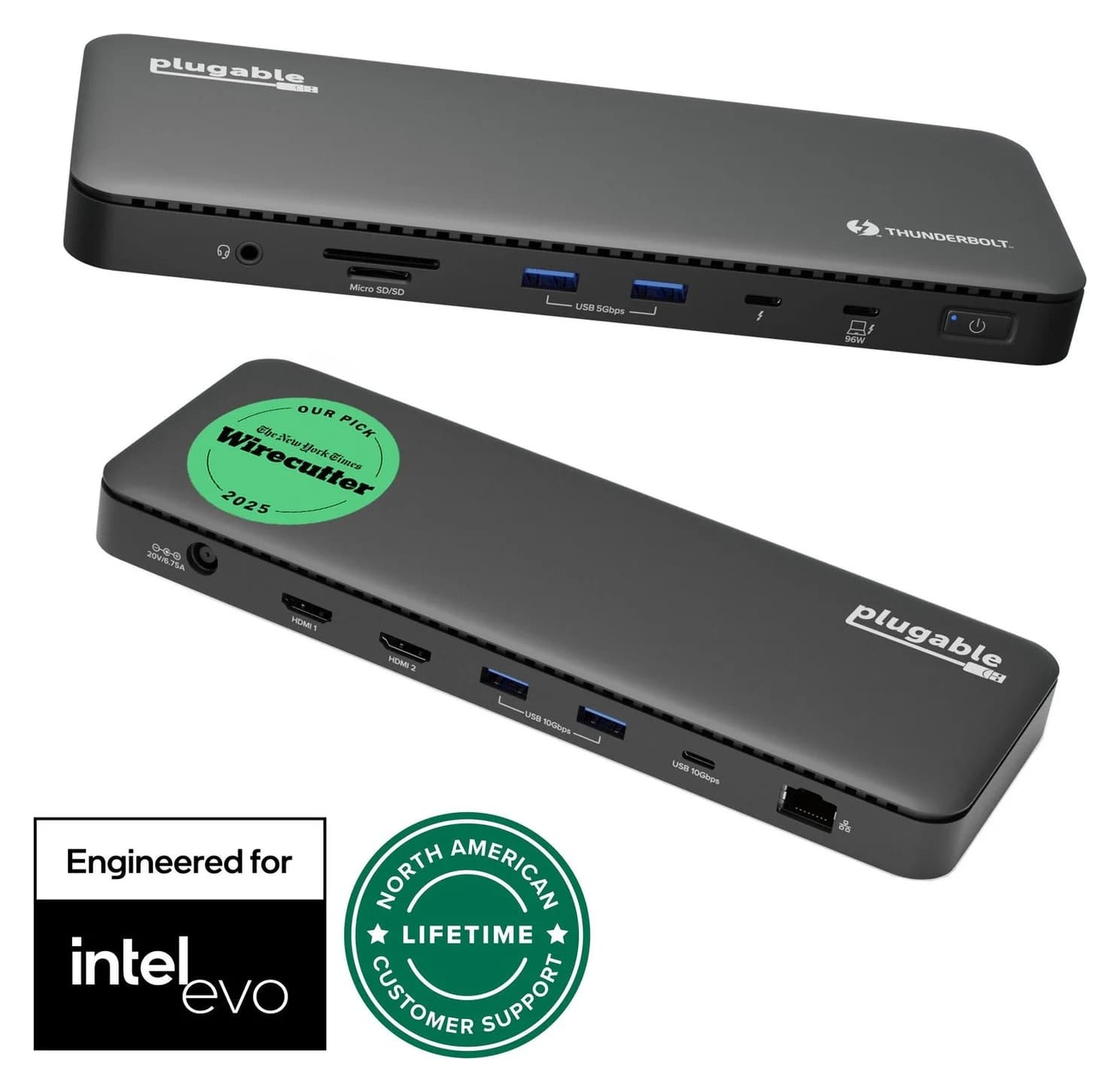
Plugable TBT4-UD5 vs UD-3900PDH: Which Dock for Dual Monitors?
Choose between Plugable's TBT4-UD5 Thunderbolt 4 dock and UD-3900PDH DisplayLink dock: which laptop ports they need, display counts, charging and software.
Updated November 5, 2026Read