Black Friday: the specs to check before you buy
Comparison
OWC Thunderbolt Go vs CalDigit TS4: Which Thunderbolt Dock Should You Buy?
The Go Dock packs its own power for travel; the TS4 anchors a desk with 18 ports and 98W charging. Compare full kits, monitors and which to buy.
By thisUSB EditorialUpdated November 5, 202610 min read2 picks
Our picks at a glance
Best value Thunderbolt 4 kitUGREEN
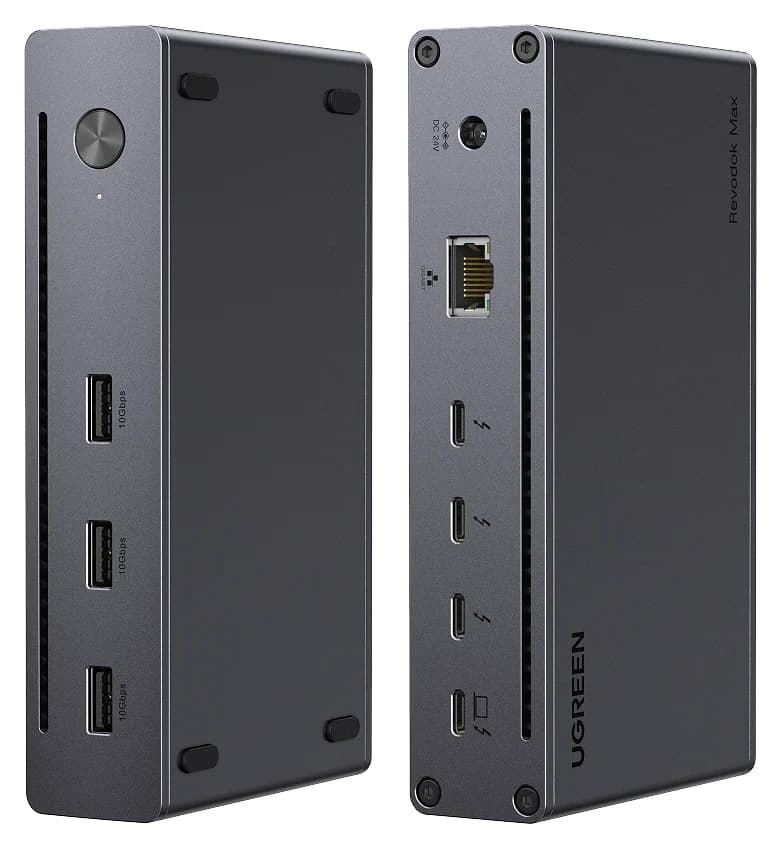
UGREEN Revodok Max 208 Thunderbolt 4 Dock (8-in-1)
- to laptop
- 85W
- data
- 40 Gbps
- video
- 4K
- Choose
- A complete Thunderbolt 4 kit — 140W GaN adapter included, three downstream Thunderbolt 4 ports and dual 4K at 60Hz — with the extras other docks build in left out.
- Limit
- No HDMI or DisplayPort; monitors need USB-C or adapters
Buy the CalDigit TS4 if this dock lives on a desk, and the OWC Thunderbolt Go Dock if it lives in a bag. The TS4 wins the permanent setup with 18 ports, a DisplayPort 1.4 output, 2.5 Gigabit Ethernet and 98W of laptop charging from a 230W supply that CalDigit says never drops. The Go Dock's trick is the built-in power supply: one standard figure-8 mains cord replaces a power brick, which is why it travels better. A third option, the UGREEN Revodok Max 208, is the budget route into a complete Thunderbolt 4 kit if you can route your monitors through its Thunderbolt ports. No unit was physically handled for this page — every figure is quoted from OWC's, CalDigit's and UGREEN's official pages.
- 18Ports on the CalDigit TS4, the most featured on any Thunderbolt dock CalDigit tracks
- 90WLaptop charging the OWC Go Dock advertises with its built-in power supply
- 1477gWeight UGREEN lists for the Max 208 dock body alone, before its 140W adapter
Quick picks
| Your setup | Our pick | Why |
|---|---|---|
| The dock stays on a desk | CalDigit TS4 | 18 ports, DisplayPort 1.4, 2.5GbE, 98W laptop charging |
| The dock travels with the laptop | OWC Thunderbolt Go Dock | Built-in power supply; a common figure-8 cord replaces a power brick; HDMI 2.1 output |
| Smallest complete-kit budget | UGREEN Revodok Max 208 | 140W GaN adapter included; three downstream Thunderbolt 4 ports; dual 4K at 60Hz |
Exact models and the full kit each one needs
The three docks are the CalDigit TS4 (Thunderbolt Station 4, sold by CalDigit directly and via the Amazon listing linked from its own product page), the OWC Thunderbolt Go Dock (the original Thunderbolt 4 model), and the UGREEN Revodok Max 208 (8-in-1, SKU 25053 in the US, 25053UK and 25053EU in other regions). What the specs do not show is the box: this is where the travel comparison is actually decided.
| In the kit | CalDigit TS4 | OWC Thunderbolt Go | UGREEN Max 208 |
|---|---|---|---|
| Dock body | 1.41 lbs (0.64 kg) | Weight not published by OWC | 1477 g, 152 x 84 x 32 mm |
| Power supply | External, 230W | Built into the dock | External 140W GaN adapter |
| Mains cord | Included | Standard 2-prong figure-8 cord | Included with the adapter |
| Host cable | Thunderbolt 4 cable, 0.8m | Certified 0.7m Thunderbolt (USB-C) cable | Not stated as included |
| Video connection | DisplayPort 1.4 port on the dock; HDMI needs an adapter | HDMI 2.1 port on the dock | None; use Thunderbolt ports |
The packing logic falls out of that table. The TS4 is a heavy dock with a heavy supply, and it is shaped for a desk. The Max 208's dock body is heavier than the TS4 (1477 g versus 0.64 kg on the makers' pages), but its 140W adapter is smaller than the TS4's 230W supply. The Go Dock's weight is the one number OWC does not publish on the product page, so treat "lightest full kit" as a claim to verify at checkout rather than a settled spec — the dock is aluminum, fanless and travel-shaped, but a built-in supply adds mass somewhere.
Source: CalDigit specifications, OWC specifications and UGREEN specifications
Best for a permanent desk: CalDigit TS4
The TS4's pitch is port count and sustained power. CalDigit specifies 3 x Thunderbolt 4/USB4 (one host, two downstream at 40Gb/s), 3 x USB-C 10Gb/s, 5 x USB-A 10Gb/s, DisplayPort 1.4, SD 4.0 and microSD 4.0 card readers (both UHS-II), 2.5 Gigabit Ethernet, three 3.5mm audio ports, a security lock slot and a rear-facing host port for cleaner cable runs. Its 230W supply delivers up to 98W to the laptop, and CalDigit states that number holds with devices attached, where other docks reallocate host power. Small touches matter on a desk: one front USB-C port supplies 20W for a MagSafe charger, and several ports charge phones offline with no host connected.
Charging caveats from CalDigit's own page: the USB-C and USB-A ports are data only — monitors must use the spare Thunderbolt ports or the DisplayPort connector — and Ethernet works on Thunderbolt hosts and USB4 hosts with PCIe. None of these docks reaches a 16-inch MacBook Pro's 140W fast-charge level, but CalDigit says the TS4's 98W powers and charges that laptop in most scenarios; for CPU/GPU-intensive work with bus-powered Thunderbolt devices, it recommends adding the MacBook's own charger. For a deeper look at desk docks for Macs, see our best dock for MacBook Pro guide.
Check the CalDigit TS4 price on Amazon
Best for a desk you pack up: OWC Thunderbolt Go Dock
The Go Dock's differentiator is the built-in power supply. OWC's page is explicit about the packing problem it solves: "our built-in power supply means one lightweight power cable replaces a heavy adapter," and the cord itself is a standard 2-prong figure-8 type you can borrow or replace in any local store if you lose it. For a dock that flies, that also simplifies regional travel: figure-8 mains cords are common worldwide, though OWC's page does not specify which regional cords ship in which kit, so confirm the plug before ordering abroad.
The rest of the kit is documented: a certified 0.7m OWC Thunderbolt (USB-C) host cable comes in the box. Connectivity is 11 ports in total, advertised with 90W laptop charging, full 40Gb/s Thunderbolt performance, 2.5Gb/s Ethernet, an SD card reader, a headphone/microphone combo jack and an HDMI 2.1 port with full HDR. OWC's display table tops out at one 8K display at 60Hz, dual 4K at 60Hz, or up to dual 6K at 60Hz on Apple Pro Display XDR, host depending — and OWC itself recommends verifying your host's DisplayPort version, since some Thunderbolt ports are limited to DisplayPort 1.2 and drop refresh rates. The page does not break the 11 ports down by type and speed; OWC's specs page is the place to confirm the USB-A/USB-C split before you count ports for your gear.
See the Thunderbolt Go Dock on OWC
Best value complete kit: UGREEN Revodok Max 208
UGREEN
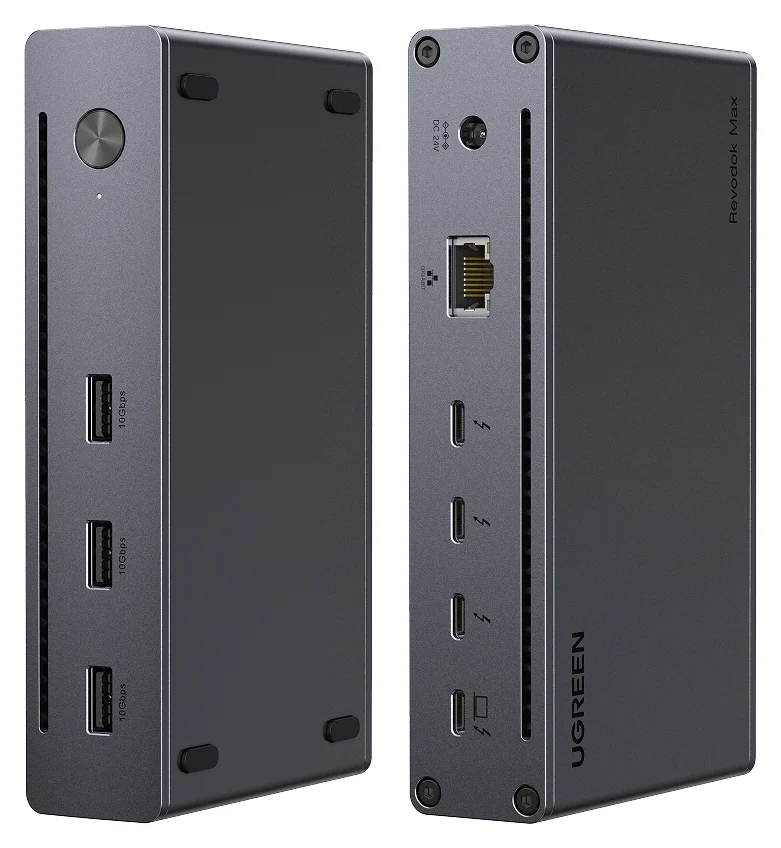
UGREEN Revodok Max 208 Thunderbolt 4 Dock (8-in-1)
A Thunderbolt 4 hub-style dock with three downstream Thunderbolt 4 ports, three 10Gbps USB-A ports, Gigabit Ethernet and 85W laptop charging.
- 85W PD passthrough
- 40 Gbps data
- 4K video
- 8 ports
The Max 208 is the budget route into a full Thunderbolt 4 kit. UGREEN's port list is precise: 1 x USB-C Thunderbolt 4 upstream (40Gbps), 3 x USB-C Thunderbolt 4 downstream (40Gbps), 3 x USB-A at 10Gbps and an RJ45 Gigabit port — eight ports, with a 140W GaN adapter in the box that powers the laptop at up to 85W. Displays route through the downstream Thunderbolt ports: UGREEN specifies up to two displays, single 8K at 30Hz or dual 4K at 60Hz, with no triple-display support.
Its gaps are the reason it is cheaper. There is no built-in video connector (every HDMI monitor needs a USB-C to HDMI cable or adapter), no card reader and no audio jack — UGREEN's own customer reviews on its store page ask for that audio port. Ethernet is 1Gbps, not 2.5. And the box contents are the least documented of the three: neither the US store page nor UGREEN's support data state that a Thunderbolt host cable is included, so treat one as a possible extra line in the basket. It is sold under regional SKUs — 25053 in the US, 25053UK and 25053EU elsewhere — which mainly changes the mains plug on the adapter.
Check the UGREEN Revodok Max 208 price on Amazon
Monitor paths and the adapters each setup consumes
The cheapest dock is not the cheapest kit once video is counted. The TS4's DisplayPort 1.4 port means a DisplayPort monitor plugs straight in, but an HDMI monitor needs an active DisplayPort-to-HDMI adapter or a USB-C to HDMI adapter on a spare Thunderbolt port. The Go Dock's HDMI 2.1 port is the only native HDMI output among the three. The Max 208 routes everything through Thunderbolt, so each monitor is a USB-C to HDMI/DisplayPort purchase. For any of them, the monitor cable is rarely in the dock's box.
| Your monitor | TS4 | Go Dock | Max 208 |
|---|---|---|---|
| HDMI | Active DP→HDMI adapter or USB-C→HDMI adapter | HDMI cable only | USB-C→HDMI cable or adapter |
| DisplayPort | DP cable to the dock's DP 1.4 port | USB-C→DP cable or adapter | USB-C→DP cable or adapter |
| USB-C / Thunderbolt | Thunderbolt port + USB-C cable | Thunderbolt port + USB-C cable | Thunderbolt port + USB-C cable |
- Yes: TS4: native DisplayPort 1.4 output on the dock
- Yes: Go Dock: native HDMI 2.1 output on the dock
- No: Max 208: no video connector at all; every monitor needs a Thunderbolt-port cable or adapter
- Partly: HDMI on the TS4: only via an adapter CalDigit specifies
Mac users have a separate limit: UGREEN's Max 208 troubleshooting notes say some Apple models, including base M1 or M2 computers, support only one external display. The dock cannot change that; check Apple's specifications for your exact Mac. The dock cannot change that; check your Mac before buying any dual-monitor kit.
Ethernet, cards, audio and laptop charging
| Feature | CalDigit TS4 | OWC Go Dock | UGREEN Max 208 |
|---|---|---|---|
| Ethernet | 2.5 Gigabit | 2.5Gb/s | 1Gbps (RJ45) |
| Card reader | SD 4.0 + microSD 4.0, both UHS-II | SD reader | None |
| Audio | 3x 3.5mm (front combo, rear in and out) | Headphone/mic combo jack | None |
| Laptop charging | Up to 98W | 90W advertised | Up to 85W |
| Downstream Thunderbolt | 2 x 40Gb/s, 15W each | Extra Thunderbolt ports; count not itemized | 3 x 40Gbps |
| Power supply | External 230W | Built into the dock | External 140W GaN, included |
The pattern: the TS4 is the completeness winner on everything except a native HDMI port, the Max 208 strips the reader and audio to hit its price, and the Go Dock sits between them while carrying the unique power arrangement. On charging, all three cover a 14-inch MacBook's 96W fast-charge line except the Max 208's 85W, which falls just short of it.
Regional mains and the travel kit
For a kit that crosses borders, the question is what the bundle must include. The Go Dock needs only a figure-8 cord in the local plug shape, and OWC's page sells that as a feature. The TS4 and Max 208 each need their own supply brick plus a regional mains cord — CalDigit includes a power cord, and UGREEN sells the dock in US, UK and EU variants with different plugs (25053, 25053UK, 25053EU), so order the variant that matches where you will use it.
List your monitor inputs
Each video path above decides which cables or adapters the order still needs.
Count the power items
Dock, supply if external, and a mains cord with the right regional plug.
Confirm the Go Dock's numbers
Weight and the exact port split are not on OWC's product page; check before a weight-sensitive purchase.
Compare complete baskets
Dock plus every cable and adapter, not the bare dock price.
When none of these is the right buy
If the laptop is the only thing that travels and the peripherals stay home, a small USB-C hub is the cheaper tool — see our portable USB hub guide. If nothing travels and you want the widest port selection, a dedicated desktop dock roundup is the better starting point: our best Thunderbolt docks guide covers the field, including the Plugable TBT4-UD5 compared head-to-head with the Go Dock in our OWC vs Plugable comparison. And if your monitors are HDMI and your budget leads, the Max 208 plus two USB-C to HDMI cables is the most defensible low-cost route here.
How we choose
This comparison is built entirely from the makers' official pages: CalDigit's TS4 product page for its interface list, power delivery, box contents and weight; OWC's Thunderbolt Go Dock page for its power arrangement, host cable, display table and 90W claim; and UGREEN's US store page and support data for the Max 208's port list, dimensions, weight and regional SKUs. Where a maker does not publish a number — OWC's kit weight and per-port breakdown, UGREEN's box contents — we say so instead of filling it in from a reseller. We have not physically tested any of these docks; every claim above is spec-sheet based, and buyer-reported patterns (like the Max 208's missing audio jack) are limited to reviews published on UGREEN's own store page.
Verdict
The TS4 is the strongest dock on pure specifications, and it is the one to buy for a desk that never moves: nothing else here matches 18 ports, 2.5GbE, UHS-II readers, three audio jacks or sustained 98W charging. The Go Dock earns its place the other way — it is the only one of the three whose power supply is inside the case, which makes it the natural pick for a workstation that travels, and its HDMI 2.1 port saves an adapter with an HDMI monitor. The Max 208 is the value pick when the extras it drops (reader, audio, native video) do not matter and its 85W charging is enough. Whichever you choose, buy the kit, not the dock: write down the monitor cables, the regional mains cord and any adapter first, then compare complete baskets.
Frequently asked questions
Is the OWC Thunderbolt Go Dock better than the CalDigit TS4?
They solve different problems. The TS4 is the desk dock: 18 ports, a DisplayPort 1.4 output, 2.5 Gigabit Ethernet, UHS-II SD and microSD readers, and up to 98W of laptop charging that CalDigit says never drops as you add devices. The Go Dock is the travel dock: OWC builds the power supply into the dock so you carry a standard figure-8 power cord instead of a power brick, and it adds an HDMI 2.1 output the TS4 lacks. OWC does not publish a weight for the whole kit, so do not count the TS4 out for travel until you compare everything you would carry.
Can I use a Thunderbolt 3 dock with a Thunderbolt 4 laptop?
Yes. OWC and CalDigit state backwards compatibility: OWC lists Thunderbolt 4, Thunderbolt 3 and USB4 hosts for the Go Dock, and CalDigit lists Thunderbolt 3 and USB4 computers among the TS4's minimum requirements. A Thunderbolt 3 dock also works on a Thunderbolt 4 computer. What changes is features, not the plug: a Thunderbolt 3 dock generally tops out at lower host charging, and on Macs the external-display count depends on the laptop's chip, not the dock.
Does the TS4 have an HDMI port?
No. The TS4 has one DisplayPort 1.4 output, and monitors otherwise connect to its two spare Thunderbolt 4/USB4 ports. CalDigit says an HDMI monitor needs an active DisplayPort-to-HDMI adapter or a USB-C to HDMI adapter. The Go Dock is the one of the pair with a native HDMI output, an HDMI 2.1 port with up to 8K at 60Hz on a supporting host; the UGREEN Max 208 has no video port at all and routes displays through its three downstream Thunderbolt ports.
Which dock charges a laptop the fastest?
The TS4, on paper: CalDigit specifies up to 98W to the host and says its 230W power supply sustains that even with devices attached. The Go Dock is advertised at 90W laptop charging, and the UGREEN Max 208 gives the laptop up to 85W from its included 140W GaN adapter. All three are enough for a 14-inch MacBook Pro, which Apple says fast charges from 96W. A 16-inch MacBook Pro with a Max chip includes a 140W adapter, and CalDigit says the TS4's 98W still powers and charges it in most scenarios; for CPU/GPU-intensive work with bus-powered Thunderbolt devices, CalDigit recommends connecting the MacBook's own charger.
Do I need to buy anything extra with these docks?
Possibly a video cable or adapter. CalDigit includes a 0.8m Thunderbolt 4 cable, power supply and power cord with the TS4, but HDMI monitors need an adapter because its video port is DisplayPort. OWC includes a 0.7m certified Thunderbolt (USB-C) cable and a standard figure-8 power cord; a DisplayPort or USB-C monitor may need its own cable or adapter. UGREEN includes the 140W adapter but no video connection, so budget a USB-C to HDMI or DisplayPort cable for each HDMI monitor.
Related guides
Best External GPU Enclosures in 2026: Thunderbolt eGPUs That Still Exist
The current Thunderbolt eGPU enclosures from maker pages: Sonnet's Breakaway Box 850 T5 and 750ex and Razer's Core X V2, plus the Mac compatibility truth and what to check before buying.
Updated November 7, 2026Read
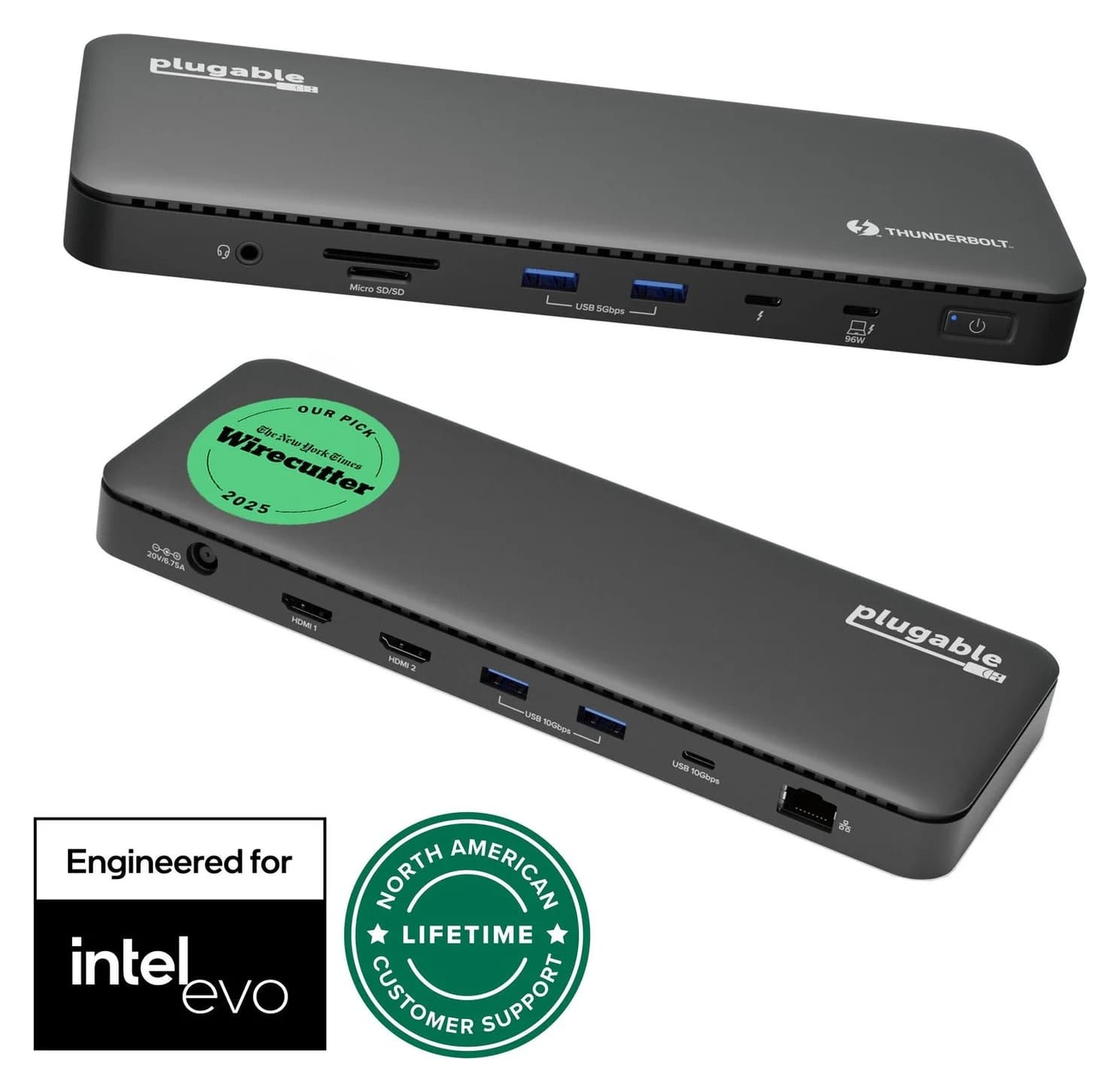
Plugable TBT4-UD5 vs UD-3900PDH: Which Dock for Dual Monitors?
Choose between Plugable's TBT4-UD5 Thunderbolt 4 dock and UD-3900PDH DisplayLink dock: which laptop ports they need, display counts, charging and software.
Updated November 5, 2026Read
UGREEN Revodok Max 208 vs Belkin Connect Pro TB4: Which Thunderbolt 4 Dock?
A spec-sheet comparison of the UGREEN Revodok Max 208 and Belkin CONNECT Pro TB4 dock: ports, dual 4K displays, charging and the complete kit you actually buy.
Updated November 5, 2026Read