Black Friday: the specs to check before you buy
Best picks
Updated November 3, 2026Best Power Banks for MacBook Pro: Model, Output and Cable
Short answer
The best power bank for most 14-inch MacBook Pro owners is the Anker Laptop Power Bank A1695 (25K, 165W): its built-in USB-C cables deliver up to 100W, above Apple's 96W fast-charge specification. For a 16-inch, choose the Anker Prime A110A (26K, 300W) for up to 140W from one USB-C port; the UGREEN Nexode 20,000mAh 130W, SKU 35524, is the lighter, lower-capacity alternative for a 14-inch. These recommendations match manufacturer specifications, with the cable and shared-output limits explained below.
Our picks at a glance
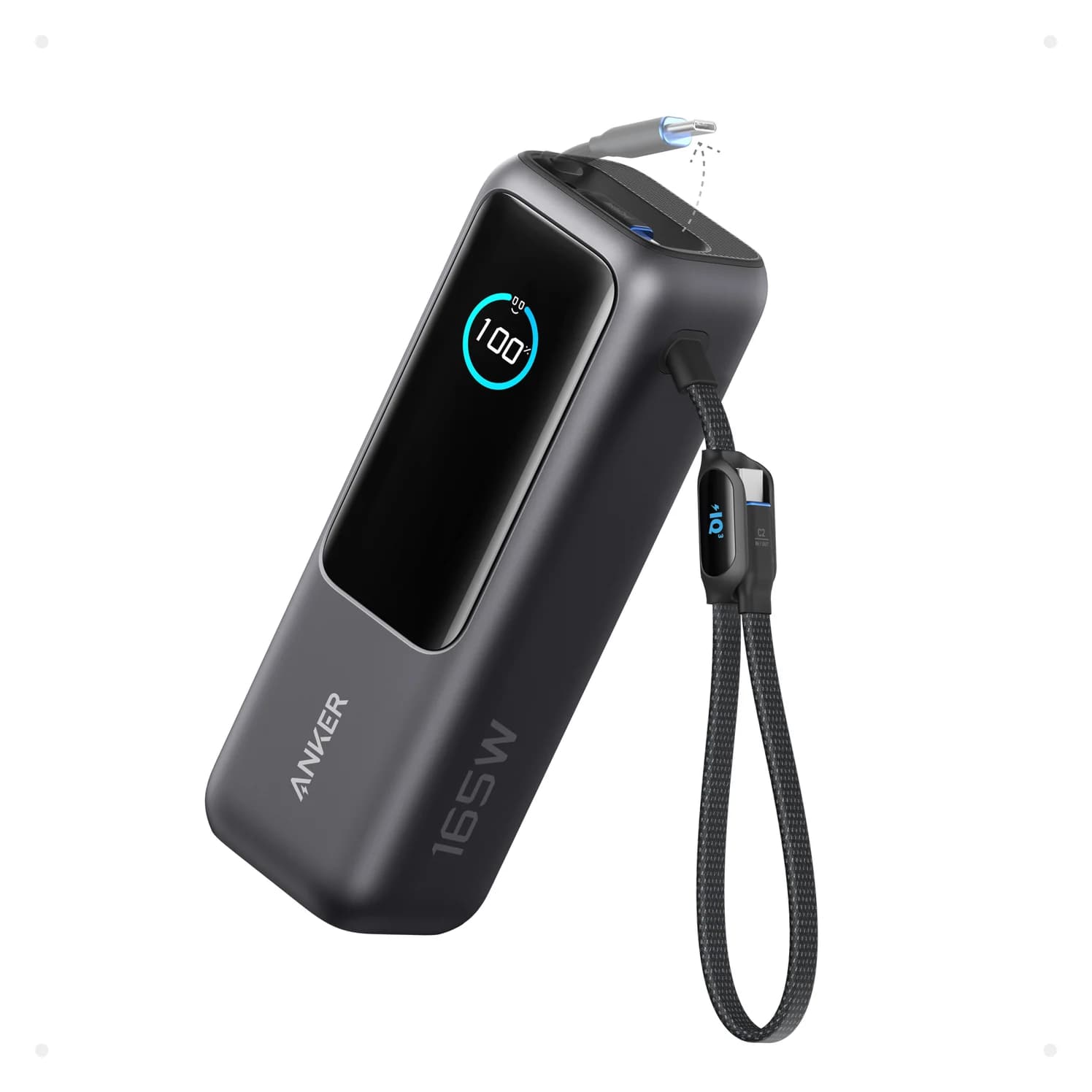
Best overall for a 14-inchAnker
Anker Laptop Power Bank (25K, 165W, Built-In and Retractable Cables)
- max output
- 100W
- ports
- 4
- Choose
- The A1695 has two built-in USB-C cables, each capable of 100W, and a 90Wh battery.
- Limit
- At 21 oz it is heavy for a pocket or small sling
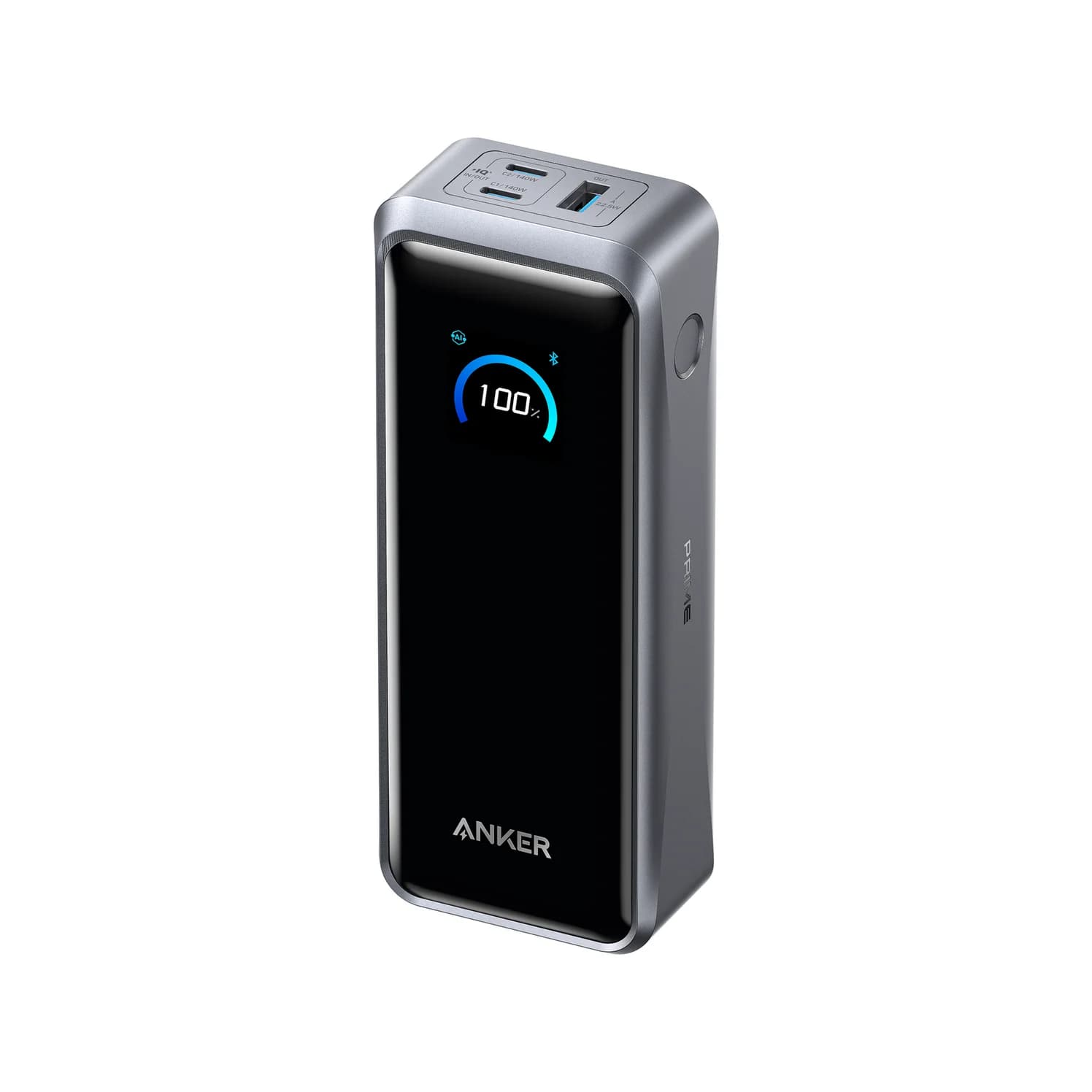
Best for a 16-inchAnker
Anker Prime Power Bank (26K, 300W)
- max output
- 140W
- ports
- 3
- Choose
- The A110A provides up to 140W per USB-C port and includes a 240W USB-C cable.
- Limit
- At 600 g it's a bag item, not a pocket one
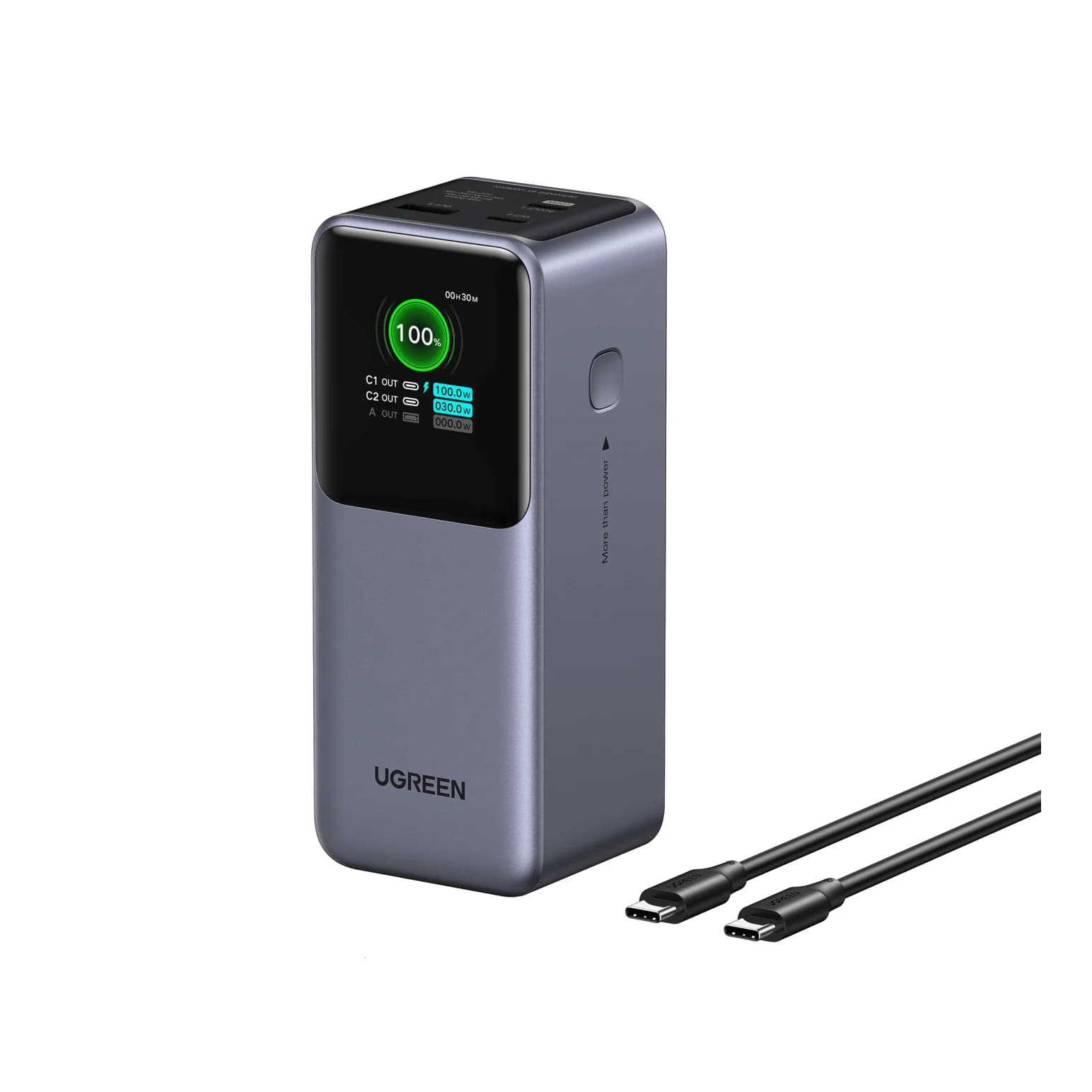
Best lighter alternativeUGREEN
UGREEN Nexode Power Bank 20000mAh 130W with Smart Digital Display
- max output
- 100W
- ports
- 3
- Choose
- UGREEN SKU 35524 combines a 100W USB-C1 output with a smaller 72Wh battery.
- Limit
- Only one port reaches 100W; the second USB-C port tops out at 30W
- 96WApple's fast-charge power specification for the current 14-inch
- 140WApple's fast-charge power specification for the current 16-inch
Quick picks: buy the complete setup
| Your use | Exact pick | Laptop cable kit | Buy |
|---|---|---|---|
| Everyday backup for a 14-inch | Anker A1695, 25K/165W | Use either built-in USB-C cable | Check price on Amazon |
| A 16-inch, especially during demanding work | Anker Prime A110A, 26K/300W | Included 240W USB-C cable; 2021/early-2023 models need MagSafe for fast charging | Check price on Amazon |
| A lighter pack for shorter top-ups | UGREEN Nexode 20K/130W, SKU 35524 | USB-C1 plus a verified 100W or 240W cable | Check price on Amazon |
Compare power, capacity and recharging
| Bank | Maximum to one Mac | Shared output | Labeled energy | Maximum USB-C recharge input |
|---|---|---|---|---|
| Anker A1695 | 100W from either built-in cable or USB-C socket | 165W with two devices; 130W with three or four | 90Wh | 100W |
| Anker Prime A110A | 140W from either USB-C port | 300W total; allocation adjusts dynamically | 99.75Wh | 140W through one USB-C port with USB PD, or 150W with compatible Anker Protocol hardware and a supported cable; 250W using both USB-C ports |
| UGREEN SKU 35524 | 100W from USB-C1; USB-C2 stops at 30W | 130W advertised; 100W + 30W USB-C combination | 72Wh | 65W through USB-C1 |
These are manufacturer maxima, not sustained-output measurements. Sources: Anker A1695, Anker A110A, its manual, and UGREEN's US specifications and EU output description.
Match your MacBook Pro and cable
Apple's fast-charge support page distinguishes the connection by size and generation. Its Liquid Retina XDR specifications and PROLED XDR specifications retain the same fast-charge power requirements: 96W for a 14-inch and 140W for a 16-inch.
| Your MacBook Pro | Bank to choose | Complete connection |
|---|---|---|
| 14-inch, 2021 or later, including M6 and M5 Pro/Max | A1695; UGREEN for a smaller reserve | A1695's built-in USB-C cable, or UGREEN USB-C1 with a 100W/240W cable; MagSafe 3 is another option |
| 16-inch, 2021 or early 2023 | Prime A110A for the 140W specification | Bank USB-C → your USB-C to MagSafe 3 cable → Mac |
| 16-inch, November 2023 or later | Prime A110A | Included 240W USB-C cable → Mac USB-C, or your MagSafe 3 cable |
| USB-C 13-inch, 15-inch and 2019 16-inch models | Start with a 100W pick and compare your original adapter | USB-C to USB-C; do not buy a MagSafe 3 cable for an older MagSafe port |
Apple says MacBook Pros introduced in 2016 or later can charge through USB-C. That establishes charging compatibility, not a fast-charge promise for older models. For the wall adapter and model-specific requirements, see our MacBook Pro charger guide.
Cable rule: a known 100W cable supports the 100W setup; for 140W over USB-C, use a 240W Extended Power Range (EPR) cable. A 60W cable is a bottleneck. USB-IF describes the older 100W configuration as 20V at 5A, and its cable compliance rules distinguish 60W and 240W markings.
Topping up, working and fast charging are different jobs
Topping up: Apple allows USB PD sources with higher or lower wattage than its recommended adapter. A smaller source can therefore be useful when charging speed is secondary, but Apple warns that a low-wattage source may run a Mac without charging its battery. Apple's adapter guidance, charging troubleshooting.
Working under load: video editing and games can use more power than the source supplies, according to Apple. Our recommendation is to favor the Prime for a demanding 16-inch workload, while treating a 100W bank as a compromise. Even Apple's 94W minimum recommendation for the 16-inch M5 Pro is separate from its 140W fast-charge specification; neither number guarantees that every workload leaves power for the battery.
Fast charging: Apple's documented figure is up to 50% in around 30 minutes with an appropriate source and cable. Its specifications allow a qualifying USB PD source, but its timed tests use specified equipment. The Prime's 28V/5A output meets the 16-inch's power requirement on paper; we do not promise Apple's time from a third-party bank. Apple's configurations and test conditions.
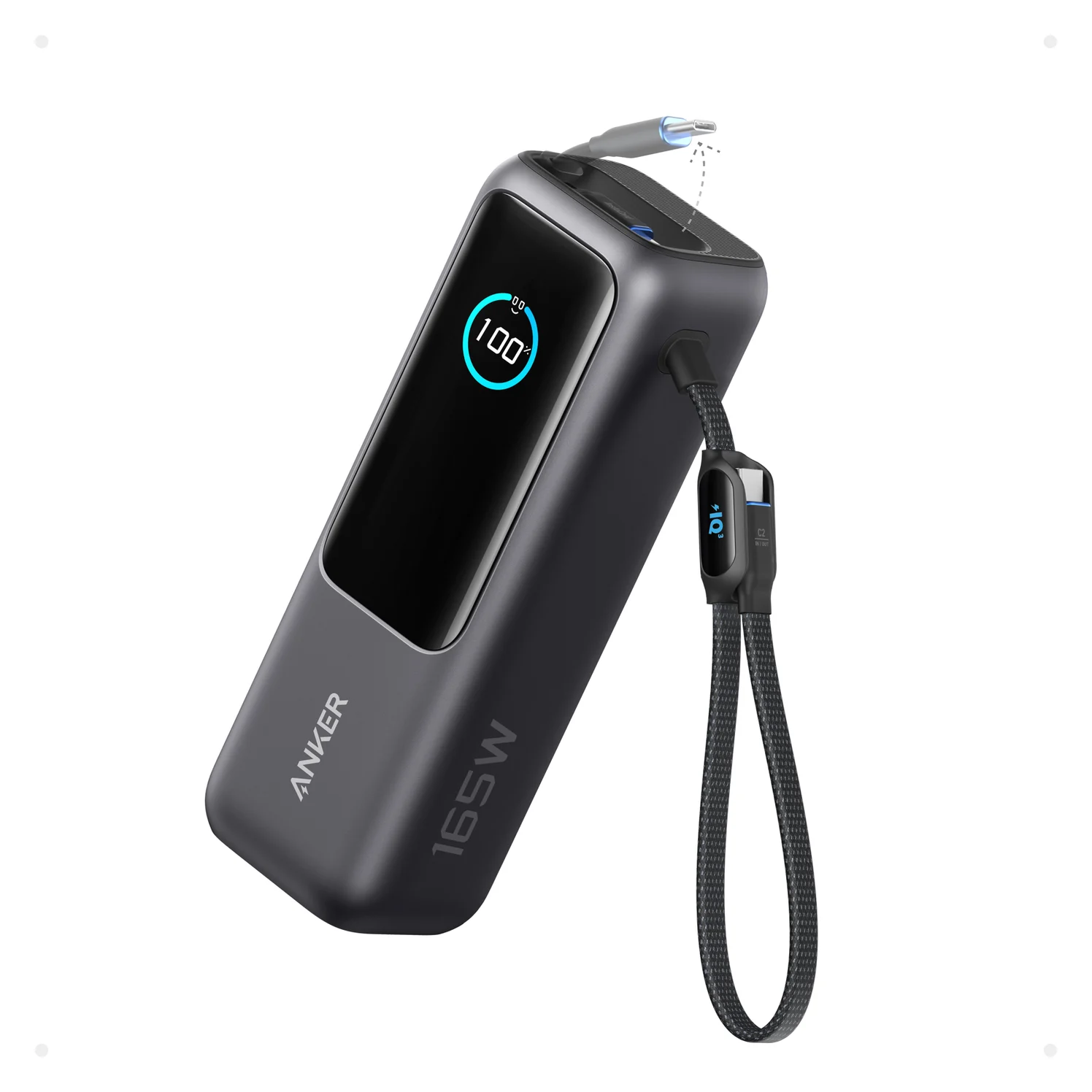
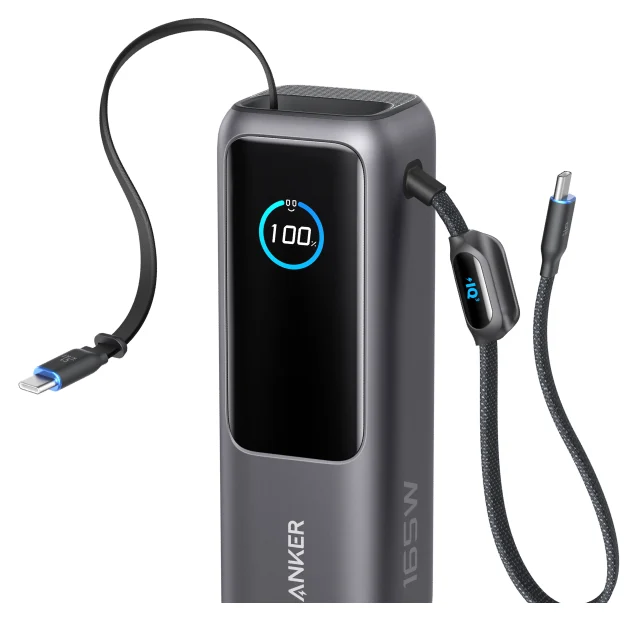
Best overall for a 14-inch: Anker Laptop Power Bank A1695
Anker
Anker Laptop Power Bank (25K, 165W, Built-In and Retractable Cables)
A 25,000mAh (90Wh) laptop power bank with two built-in USB-C cables, a USB-C port and a USB-A port, rated up to 165W total.
- 100W max output
- 4 ports
Choose this for the simplest charging kit. It has two built-in USB-C cables plus a USB-C socket, each capable of 100W at 20V/5A. Its 90Wh capacity gives a larger reserve than the UGREEN's 72Wh, although at 595g it belongs in a bag. Those specifications make it our default 14-inch choice.
For a Mac and phone, use the built-in cables: Anker allows up to 165W across any two USB-C outputs, with each still capped at 100W. Connecting three or four devices reduces total output to 130W. Do not read the product's 165W name as power available to one laptop.
Refilling is up to 100W, with Anker estimating about two hours using a 100W-or-higher charger under its stated conditions. The same page says peak recharge power applies only above 25% bank charge. Keep your existing suitable wall charger; a larger advertised output does not remove that limitation. A1695 specifications and FAQ.
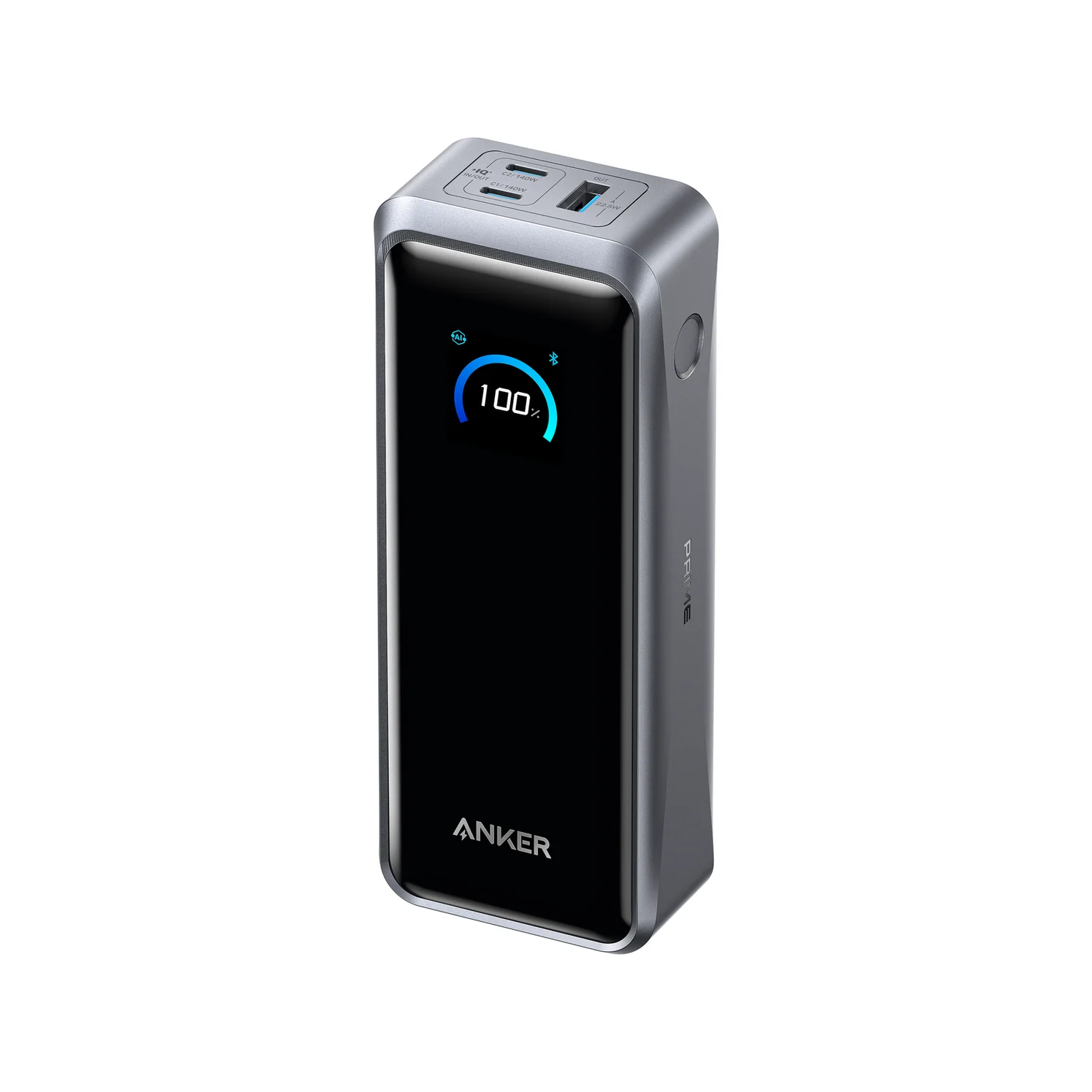
Best for a 16-inch: Anker Prime Power Bank A110A
Anker
Anker Prime Power Bank (26K, 300W)
A 26,250mAh (99.75Wh) power bank with two 140W USB-C ports and a USB-A port, rated up to 300W total and 250W recharge input.
- 140W max output
- 3 ports
Buy this when the 140W port matters. Both USB-C ports support up to 140W, with 300W total across the bank's outputs. The capacity is 99.75Wh and the weight is 600g: the appeal over the A1695 is higher output and more energy, not a lighter carry.
Anker includes a 3.3 ft 240W USB-C cable. Use that for a November-2023-or-later 16-inch, or connect your MagSafe 3 cable for a 2021/early-2023 16-inch's documented fast-charge route. The optional charging base is unnecessary for either laptop connection. Anker's product and box contents.
For laptop-plus-phone use, put the Mac on a USB-C port and the phone on the other. Anker's manual describes dynamic allocation and an app custom mode; it does not make every device draw its port maximum. Check the offered power again after connecting the phone, especially if you change charging modes. Recharging can reach 140W through one USB-C port with USB PD, or 150W with compatible Anker Protocol hardware and a supported cable. Dual-port recharging reaches up to 250W; Anker specifies two 140W chargers and suitable cables, so buying that refill kit is a separate decision.
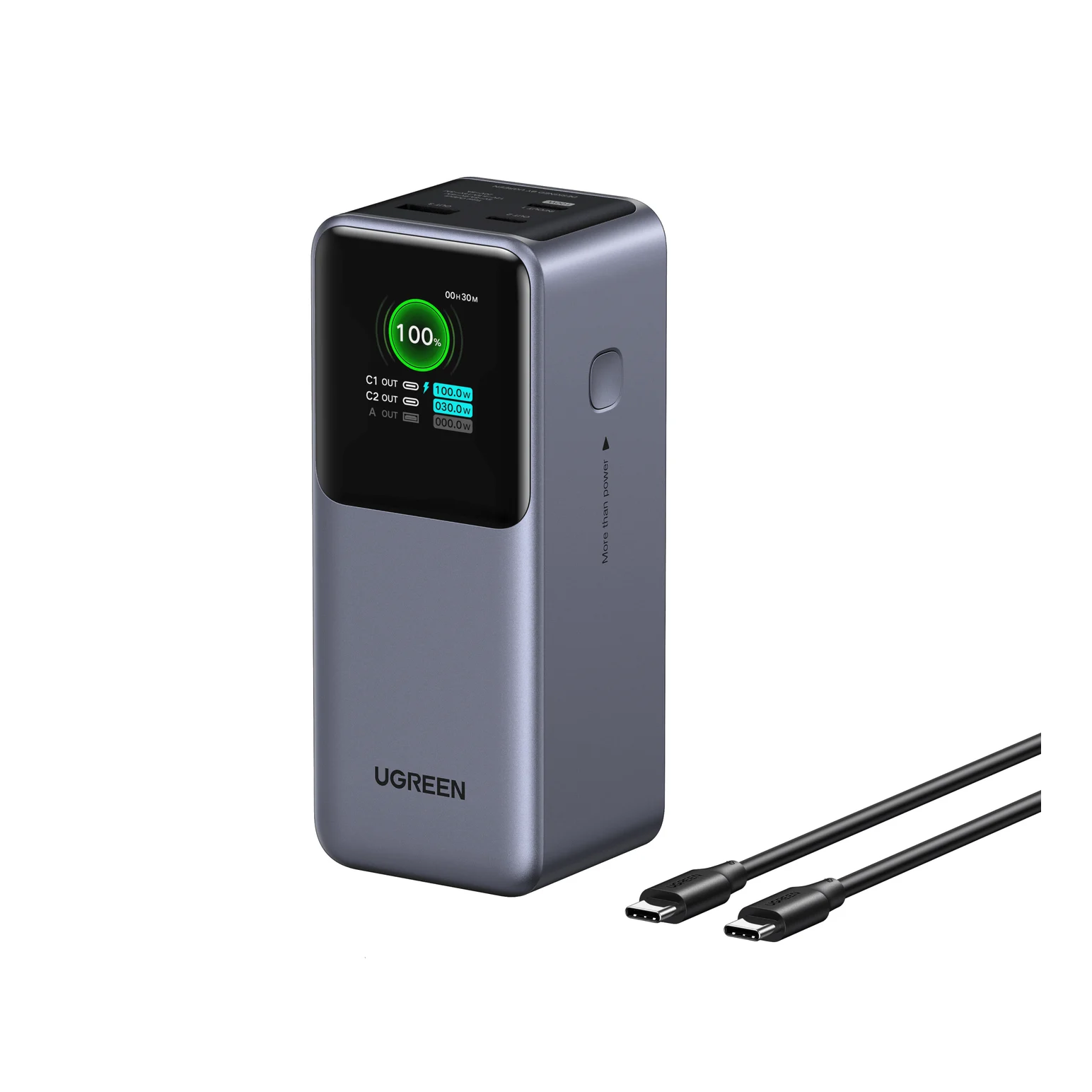
Best lighter alternative: UGREEN Nexode 20K/130W, SKU 35524
UGREEN
UGREEN Nexode Power Bank 20000mAh 130W with Smart Digital Display
A 20,000mAh (72Wh) three-port power bank with a 100W USB-C port, a 30W USB-C port, a USB-A port and a color status display, rated 130W total.
- 100W max output
- 3 ports
Choose this for a shorter backup session when reducing carried weight matters more than maximizing stored energy. Use USB-C1, which supports 100W at 20V/5A; USB-C2 tops out at 30W. UGREEN advertises the 100W + 30W combination for laptop-and-phone use. Recharging is limited to 65W through USB-C1.
There is a small conflict in UGREEN's own weight figures: its US specification table says 476g, while the EU description says 480g. Either is lighter than the Anker picks; we would not choose between listings on that difference. Both pages identify a 72Wh pack. US specifications, EU description.
Match SKU 35524 and the Smart Digital Display name when shopping. For the usable kit, budget for a known 100W or 240W USB-C cable unless your selected package explicitly includes one. If you need spares, the Anker A82E2 two-pack is a 240W option; check the selected lengths. Its manufacturer specifications list 480Mbps data and no screen mirroring, so it is a charging accessory, not a display cable.
How we choose
This is a research-based shortlist, with no physical testing behind the recommendations. We compare Apple's charging requirements with official bank specifications, manuals, cable standards and box contents. We prioritize a complete usable setup and disclosed limitations. We do not infer sustained output, workload endurance or battery refills from a product's headline wattage. Our broader power bank guide covers other device types.
Capacity, flights and comparing the whole kit
Buy watt-hours, not a promised charge count. Anker estimates about 63–70Wh usable output from the A1695's 90Wh cells. That is less than the 72.4Wh battery Apple lists for the 14-inch M6, before allowing for running the Mac. Treat these as reserves for your workload, not guaranteed empty-to-full refills. Anker's capacity explanation, Apple's battery specification.
Source: The manufacturer capacity specifications linked above
Flying: all three labeled capacities sit below the FAA's 100Wh threshold. Carry power banks in cabin baggage, protect against short circuits, and remove them if your bag is gate-checked. Carrying permission is separate from permission to use one: the UK CAA's ICAO summary sets a maximum of two, prohibits recharging on board and says they should not charge other devices on board. Check the carrier; our power bank flight guide explains the restrictions.
Sale comparison: compare the exact model and the whole usable kit. For the A1695, the laptop cable is built in; the Prime includes a suitable USB-C cable, while a 2021/early-2023 16-inch needs your MagSafe cable for fast charging. For UGREEN, verify the package's cable rating. Add any missing phone cable and suitable wall charger to the comparison before deciding which offer is better. Our charging cable guide helps with replacements.
Check your setup: Apple says to hold Option while opening Apple menu → System Information, choose Power, then read AC Charger Information. That reports offered wattage, rather than a promise that the battery is receiving that power continuously. Apple also identifies “Charging On Hold” as a battery-management state. Power information, charging status messages.
Check the connection
Use the correct bank output and the model-appropriate USB-C or MagSafe cable from the matrix.
Check offered power
Read AC Charger Information in System Information, then recheck after adding your phone.
Check battery status
A charging hold is different from an inadequate source; heavy work can also consume the supplied power.
Verdict
Buy the A1695 for a 14-inch and a ready-to-use cable kit. Choose the Prime A110A for a 16-inch's 140W requirement, using the correct cable for its generation. Pick UGREEN SKU 35524 when a lighter, smaller reserve is enough; keep the Mac on USB-C1 and verify the cable before ordering.
Frequently asked questions
What is the best power bank for a MacBook Pro?
For a 14-inch, choose the Anker Laptop Power Bank A1695 for its built-in 100W USB-C cables. For a 16-inch, choose the Anker Prime A110A: its 140W USB-C output meets Apple's fast-charge power requirement on paper. Use MagSafe 3 for a 2021 or early-2023 16-inch; Apple's USB-C fast-charge configuration applies to November 2023 models or later.
Is a 100W power bank enough for a 16-inch MacBook Pro?
It can charge one, but it falls below Apple's 140W fast-charge specification. For example, Apple recommends at least 94W to charge the 16-inch M5 Pro, separately from fast charging. Heavy work can consume more power than a source supplies, so 100W does not guarantee a rising battery percentage during every workload. Choose the Prime A110A for more output headroom.
Will a 20,000mAh power bank fully charge a MacBook Pro?
Don't assume so. The UGREEN 20,000mAh model here stores 72Wh before conversion losses; Apple's 14-inch M6 has a 72.4Wh battery. Even Anker estimates only about 63–70Wh of usable output from its larger 90Wh A1695. Using the Mac while charging consumes some of that energy too. Compare watt-hours and treat these as backup packs rather than promised full refills.
Can I charge my MacBook Pro and phone at the same time?
Yes, but check the port allocation. The A1695 allows up to 165W across two USB-C outputs, with a 100W ceiling on each; three or four devices reduce total output to 130W. UGREEN advertises 100W plus 30W across its USB-C ports. The Prime A110A has two 140W-capable USB-C ports and adjusts allocation dynamically. Those figures describe capabilities, not what every connected device will draw.
Do I need a 240W cable for a MacBook Pro power bank?
For 140W over USB-C, choose a 240W EPR cable, such as the one included with the Prime A110A. A known 100W, 5A cable is sufficient for a 100W output to a 14-inch; a 60W cable limits that setup. For a 2021 or early-2023 16-inch, use the USB-C to MagSafe 3 cable for Apple's documented fast-charge connection.
Can I take these MacBook Pro power banks on a plane?
Their labeled capacities—72Wh, 90Wh and 99.75Wh—are below the FAA's 100Wh threshold, but that does not grant permission to use them during a flight. Power banks belong in carry-on baggage with protection against short circuits. The UK CAA's summary of ICAO rules limits passengers to two and prohibits recharging them on board. Check your airline's current restrictions before departure.
Best overall for a 14-inch
Anker Laptop Power Bank (25K, 165W, Built-In and Retractable Cables)
Related guides
Baseus PicoGo Qi2 5K vs UGREEN MagFlow 5K: The Honest Answer in 2026
No UGREEN MagFlow 5K exists — the real Qi2 5K showdown is Baseus PicoGo vs Belkin BoostCharge Pro 10K. Here are the picks, specs, and gotchas.
Updated November 5, 2026Read
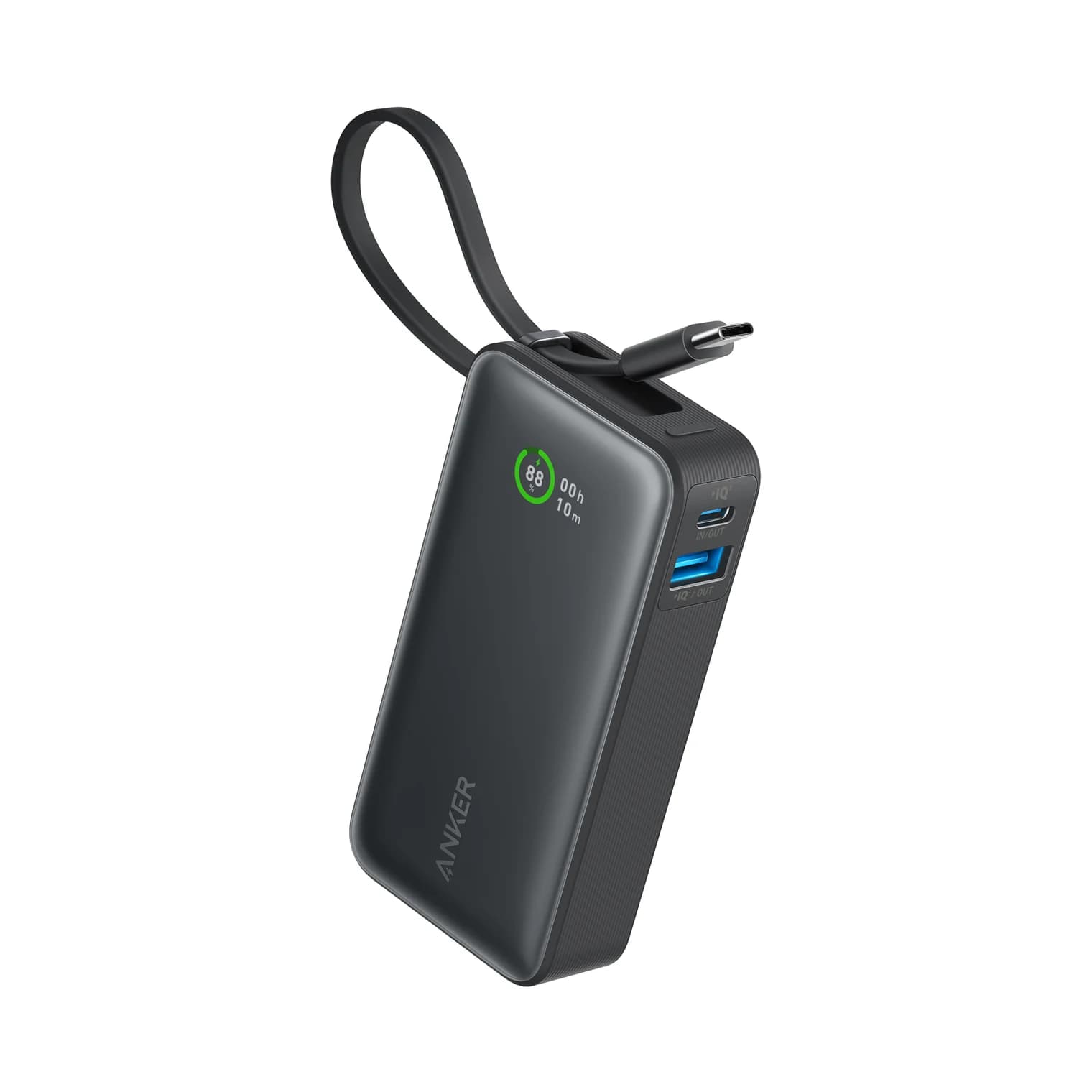
Anker Zolo 10K Power Bank Review: A1688 vs the Nano 10K
Anker Zolo 10K vs Nano 10K: compare built-in cable length, 30W charging, shared output, refill speed and the complete kit, from the makers' own documents.
Updated November 5, 2026Read
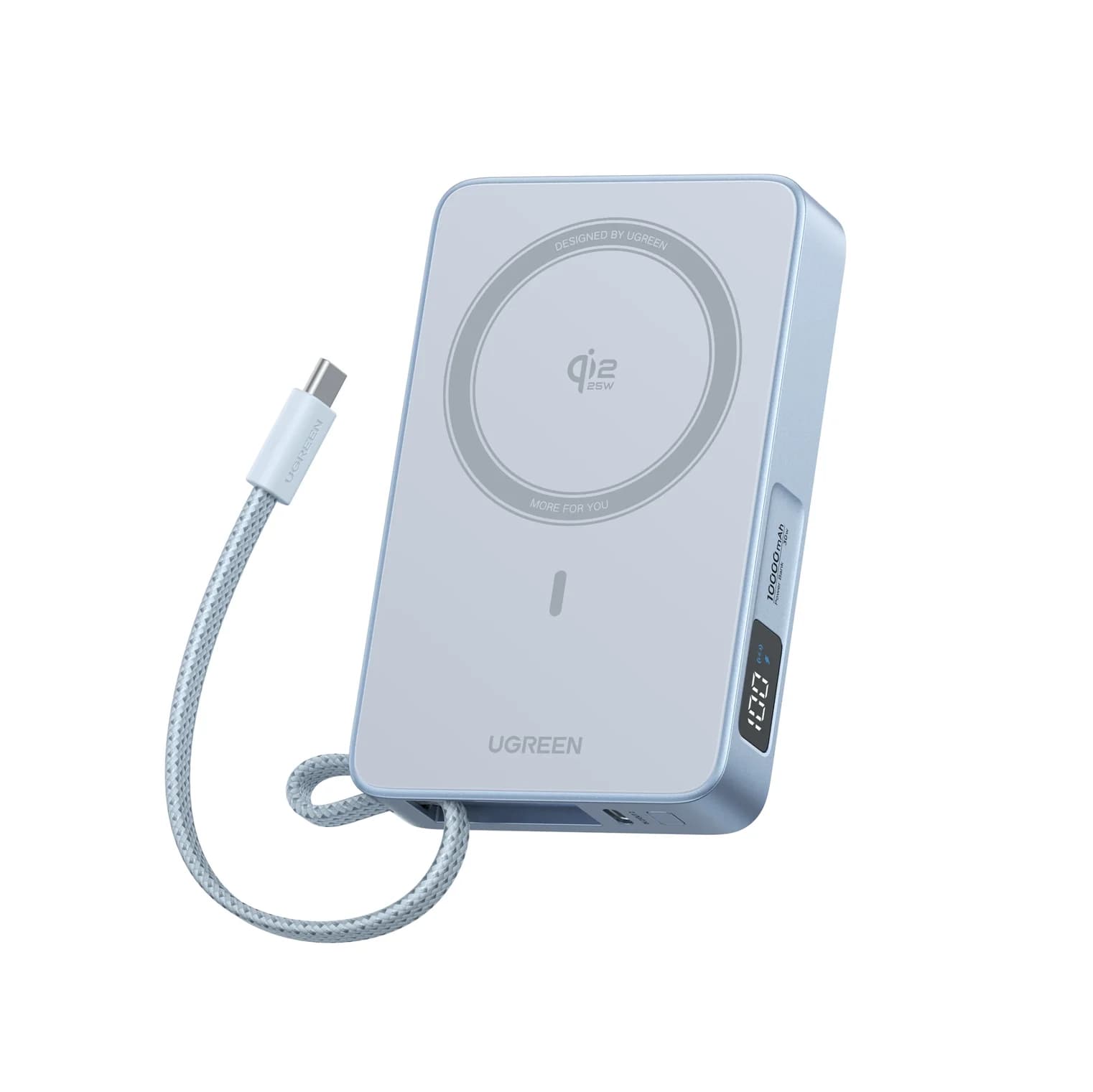
Anker Nano MagGo Slim 5K vs UGREEN MagFlow 10K: Which Magnetic Power Bank?
The Anker MagGo Slim 5K is the 8.6 mm pocket card; the UGREEN MagFlow 10K adds Qi2 25W and a built-in cable. Exact specs, phone fit and honest capacity.
Updated November 5, 2026Read