Black Friday: the specs to check before you buy
Comparison
Updated November 4, 2026Plugable UD-6950PDH vs USBC-6950M: Dock or Adapter?
Short answer
Buy the Plugable UD-6950PDH DisplayLink docking station for a permanent dual-monitor desk if you want charging and peripherals through the same laptop cable. Choose the USBC-6950M when you already have a charger and only need two HDMI screens in a travel bag. Both use DisplayLink and add two external displays, but the dock's current mode table separates its DisplayPort 4K/60 entry from its HDMI 3840×1600/60 entry, while the adapter advertises two HDMI 4K/60 displays.
Our picks at a glance
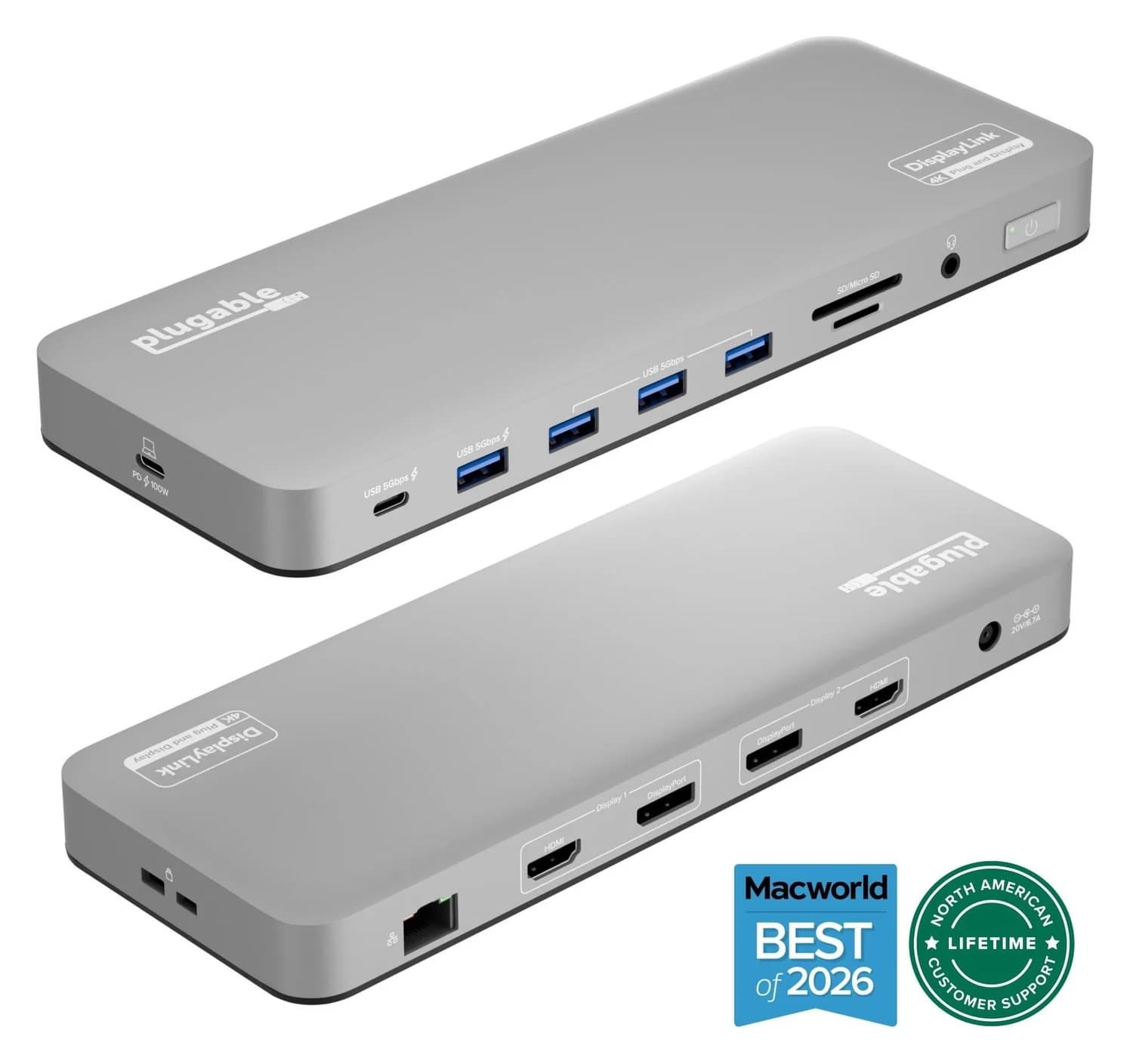
Best for a permanent deskPlugable
Plugable UD-6950PDH USB-C Dual 4K DisplayLink Dock (100W Charging)
- to laptop
- 100W
- data
- 5 Gbps
- video
- 4K60
- Choose
- Two external displays, up to 100W laptop charging and peripheral ports, with the power supply and host cable included.
- Limit
- Requires the DisplayLink Manager app on macOS, plus Screen Recording permission
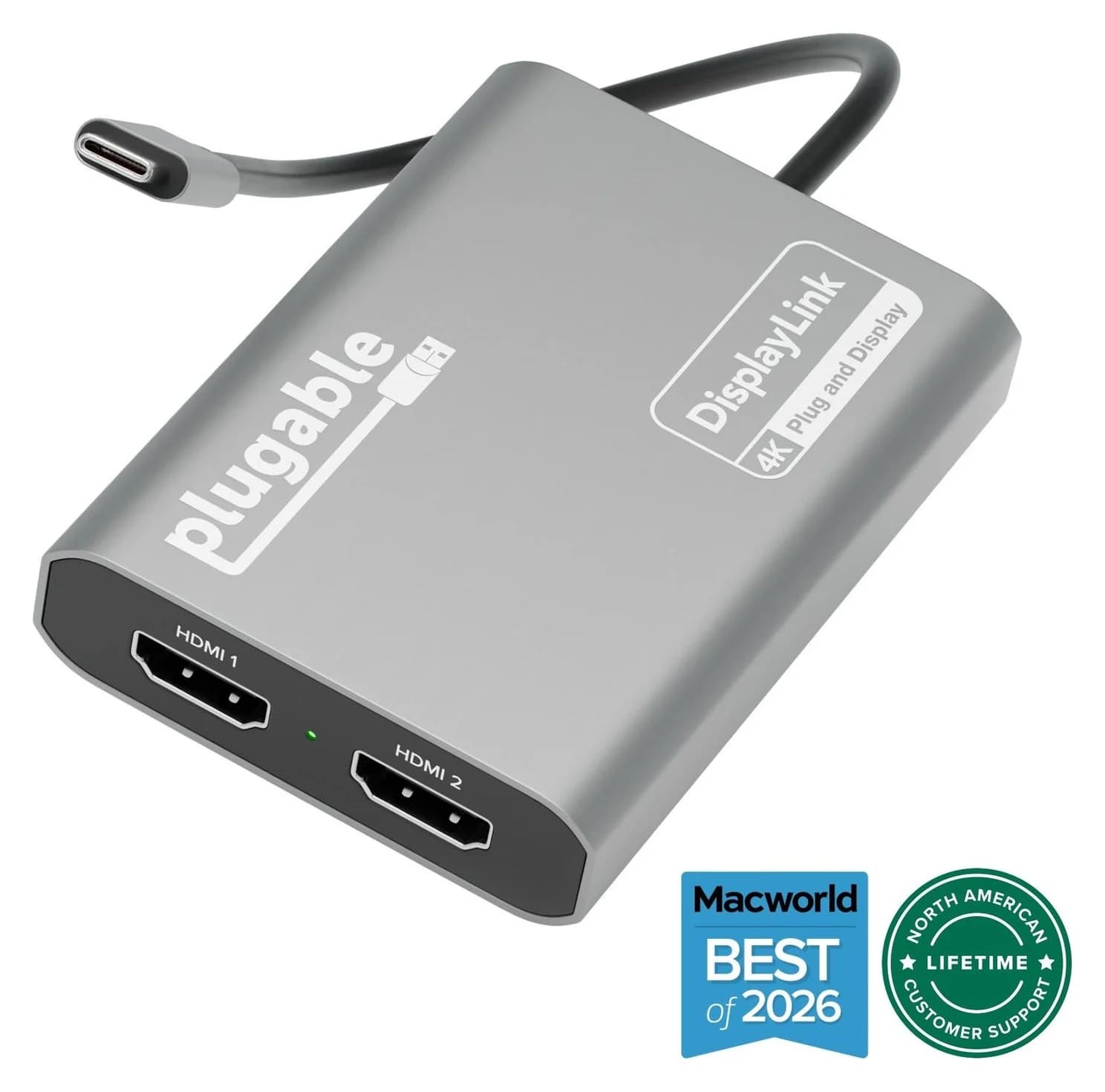
Best portable display adapterPlugable
Plugable USBC-6950M USB-C to Dual HDMI DisplayLink Adapter (4K@60Hz)
- video
- 4K60
- ports
- 2
- host link
- USB-C
- Choose
- An 85-gram adapter for two extended 4K 60Hz HDMI displays when you already have charging and other ports covered.
- Limit
- Requires the DisplayLink Manager app and macOS Screen Recording permission
Quick picks
Best desk setup: UD-6950PDH. Choose it for wired accessories, mixed HDMI/DisplayPort monitors and up to 100W laptop charging.
Best portable option: USBC-6950M. Choose it for two HDMI monitors when charging and peripherals are already covered.
Check native video first. If your laptop already supports your required screens, consider its native display connections before buying either software-driven option. Our MacBook dual-monitor guide has the host matrix; the Windows docking-station guide covers native alternatives.
Side-by-side: the exact hardware
This table covers the updated aluminum UD-6950PDH; the original has five USB-A ports, separate audio input/output, and no power button or K-Lock security slot.
| What matters | UD-6950PDH dock | USBC-6950M adapter |
|---|---|---|
| External displays | Two; current DisplayPort table entry: 3840 × 2160 at 60Hz, adjacent HDMI entry: 3840 × 1600 at 60Hz | Two, up to 3840 × 2160 at 60Hz each; extended or mirrored |
| Video outputs | Two configurable HDMI 4K or DisplayPort++ channels; two active screens total | 2× HDMI; HDMI-input monitors required |
| Laptop charging | Up to 100W USB-C PD | None; no PD pass-through |
| Peripheral USB | 4× USB-A + 1× USB-C, all 5Gbps | None |
| Network, cards, headset | Gigabit Ethernet, UHS-II SD, UHS-I microSD, 3.5mm headset | None of these connections |
| Host connection | USB-C, 5Gbps | USB-C, 5Gbps |
| Host cable | Separate 1m USB-C cable included | Captive 0.22m USB-C cable |
| Power in the box | 130W external power supply | No separate power supply; adapter and guide only |
| Body dimensions | 22.5 × 8.5 × 2.45cm | 8 × 6 × 1.5cm |
| Body weight | 465g | 85 grams |
Sources: Plugable's dock specifications and adapter specifications. Body weights are not complete-kit weights: the dock also needs its external supply, and the adapter setup may need your charger and a hub.
Source: Plugable's product specification tables
Best for a permanent desk: Plugable UD-6950PDH
Plugable
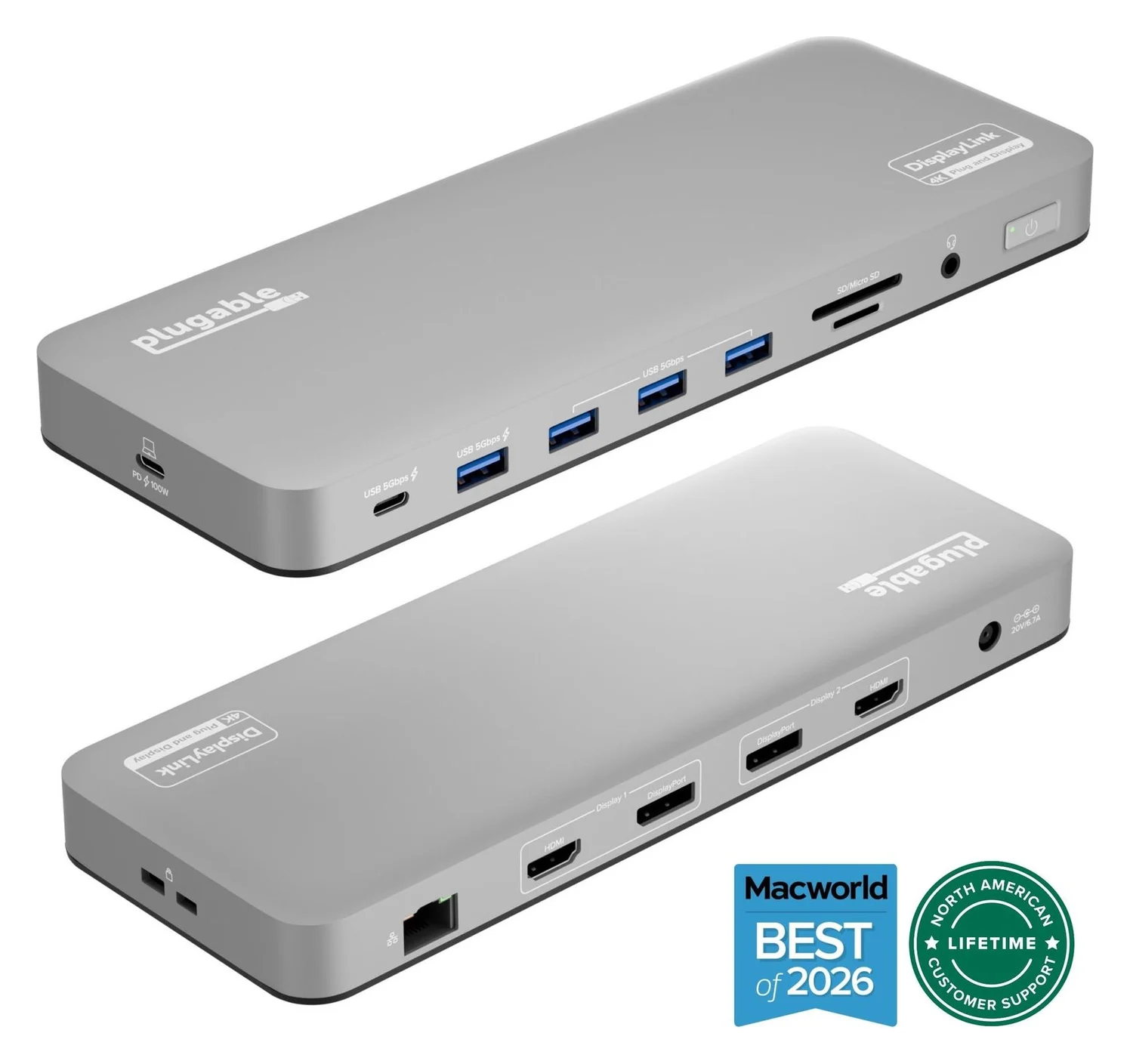
Plugable UD-6950PDH USB-C Dual 4K DisplayLink Dock (100W Charging)
A 14-in-1 DisplayLink USB-C dock that adds two extended 4K@60Hz displays over HDMI or DisplayPort, plus 100W laptop charging, Gigabit Ethernet, SD readers and five USB ports.
- 100W PD passthrough
- 5 Gbps data
- 4K60 video
- 14 ports
Choose the dock if you want to arrive, connect one host cable and regain your monitors, wired network and USB accessories. Its included 130W power supply supports up to 100W to a compatible USB-C PD laptop; 130W is the brick's rating, not the laptop's charging rate.
Compare that 100W ceiling with your laptop's required input before treating the dock as a charger replacement. The front USB-C port and charging USB-A port each provide up to 7.5W for peripherals, not the host's 100W.
The dock's two video output channels can be configured for HDMI or DisplayPort, within Plugable's two-display limit; check the exact connector configuration before buying cables. That flexibility is a reason to consider this dock for an existing DisplayPort desk rather than replacing displays to fit an HDMI-only adapter.
Watch the host port: on the aluminum version, connect the laptop to the side USB-C port labeled PD 100W; the front USB-C is for accessories. The host link is 5Gbps even though the included cable is specified for 10Gbps, so a faster host port does not turn this into a faster USB dock.
Check the UD-6950PDH price on Amazon
Best portable option: Plugable USBC-6950M
Plugable
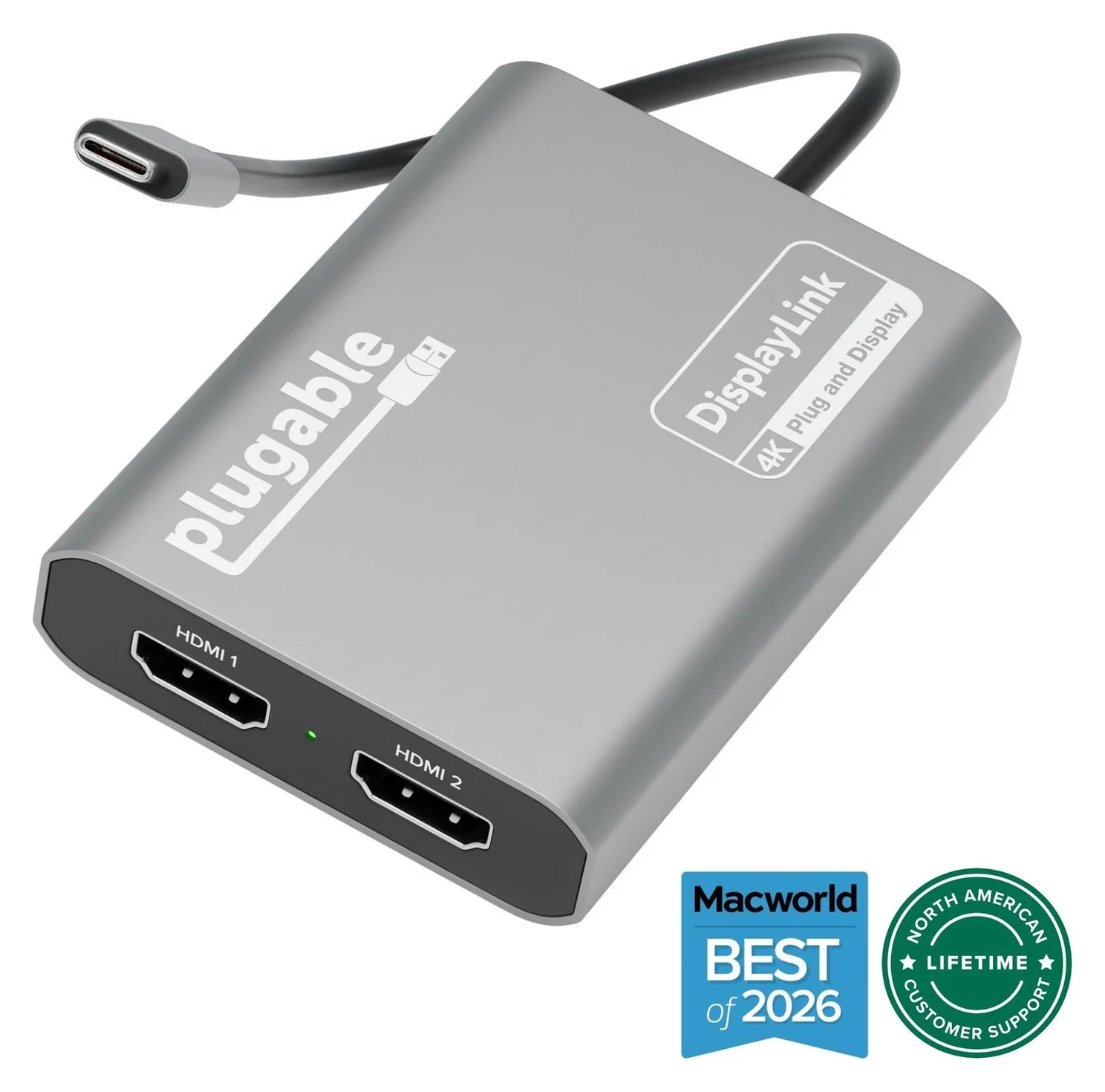
Plugable USBC-6950M USB-C to Dual HDMI DisplayLink Adapter (4K@60Hz)
A compact DisplayLink adapter that adds two extended HDMI displays, each up to 4K@60Hz, from one USB-C or Thunderbolt port, with no charging or extra ports.
- 4K60 video
- 2 ports
The adapter makes sense for a second desk with HDMI monitors and an existing laptop charger. Its 85-gram body and attached cable are easy to pack, but it provides no laptop charging, USB data ports, Ethernet or separate audio connection. Plugable requires HDMI-to-HDMI connections; it does not support feeding USB-C or Thunderbolt monitor inputs.
Connect it directly to the computer: Plugable warns that another hub, dock, KVM or monitor pass-through can reduce performance or cause unreliable behavior. If you need wired peripherals too, plan a separate hub on another available laptop connection.
Check your laptop's spare ports: if your only usable USB-C port is also your only charging input, the adapter's lack of pass-through prevents it from providing a charging-and-display connection by itself. For that setup, choose the powered dock if your laptop meets its USB-C PD requirements.
Check the USBC-6950M price on Amazon
Compare the complete kit before checkout
Neither box includes monitor cables: the dock lists a host cable, power adapter and guide; the adapter lists the graphics adapter and guide. For the adapter, Plugable recommends HDMI 2.0 displays and cables for best results.
| Your setup | Dock basket | Adapter basket |
|---|---|---|
| HDMI screens, owned charger, no wired extras | Dock + two HDMI cables | Adapter + two HDMI cables + your existing charger |
| Wired keyboard, mouse and Ethernet | Dock + display cables + network cable | Adapter + charger/charge cable + separate USB/Ethernet hub + display/network cables; needs another host connection |
| DisplayPort-only monitor inputs | Dock + matching DisplayPort cables | Choose another solution; native HDMI inputs are required |
| Closed-lid MacBook workspace | Dock + display cables + external keyboard/mouse | Adapter + display cables + external power + keyboard/mouse connections |
Add only missing items to each basket. An owned charger is not a new purchase; a charger you need to leave at another desk is. Compare the delivered total, seller, exact hardware revision, included accessories and return terms at checkout, using the price links above.
Our recommendation is the adapter when your existing kit already covers power and ports, and the dock when you would otherwise assemble charging, network and peripheral connections around it.
Versions and look-alikes worth checking
UD-6950PDH revisions: Plugable dates the updated version to August 2024, starting with serial number 4157. The original had five USB-A ports and separate audio input/output; the update has four USB-A ports, a front USB-C port and a headset jack. Both retain 100W host charging and dual DisplayLink video. Match photos and box contents before choosing an older or refurbished offer.
HDMI labeling conflict: the dock's video specifications say HDMI 2.0, while its revision FAQ says HDMI 1.4 for both versions. Its advertised display ceiling remains two 4K 60Hz screens; ask Plugable about any HDMI-version-dependent feature you need rather than assuming the labels agree.
USBC-6950M versus USBC-6950U: the U adds an attached USB-A host adapter. Although the cross-model grid lists macOS for the U, the U model's own FAQ says Apple systems are not recommended and directs Mac buyers to the M. For a Mac purchase, follow that model-specific recommendation.
Software and supported laptops: check before buying
Both devices add displays through DisplayLink software rather than relying solely on the computer's native display outputs. On a base M1 or M2 MacBook Air, that addresses the native one-external-display limit. Use the linked MacBook matrix for your exact chip and lid position before deciding you need DisplayLink.
There is another marketing inconsistency: the adapter description groups M4/M5 Macs with one-display models, while Plugable's attached support article says base M4/M5 chips support two native external displays. Check the host specification rather than buying solely on that marketing sentence.
| Platform | What to expect |
|---|---|
| macOS | Install DisplayLink Manager, allow screen access and keep the app running |
| Windows 10/11 | DisplayLink software required; usually installed through Windows Update; installation needs administrator permission |
| ChromeOS 100+ | DisplayLink support built in; no driver download required |
Older macOS conflict: product copy says macOS 11+, but Plugable's current support article explicitly excludes macOS 11–13 and says legacy DisplayLink builds are unsupported. Check the current macOS download list and get confirmation from Plugable before buying for those older systems. On a managed laptop, confirm IT allows the installation and required permissions.
DisplayLink trade-offs that can change the pick
Plugable recommends these products for office and general productivity; its dock guidance discourages games, graphics-intensive applications and video editing. Two 4K 60Hz outputs describe the supported display mode, not a promise of native-GPU performance.
The dock page also says HiDPI/Retina scaling is unsupported on its DisplayLink screens, limiting a 4K screen to native 4K or 1080p without Retina scaling. If comfortable text sizing or protected entertainment is essential, confirm your exact monitor/software combination or choose a supported native-video configuration.
Setup order that avoids the common blank-screen trap
Follow Plugable's macOS installation guide; the app must be running and have screen-access permission. For a closed-lid MacBook setup, Plugable also requires external power, a keyboard and a mouse.
Connect the host correctly
Use the dock's PD 100W host port or connect the adapter directly to the computer.
Install the software
Use the official DisplayLink download for your operating system; Windows may install it automatically.
Allow macOS screen access
Grant the requested permission, then quit and reopen DisplayLink Manager when prompted.
Check the app and displays
Keep DisplayLink Manager running and confirm the monitor inputs and supported display mode.
How we choose
This is a specification-based comparison, with no physical performance measurements. We checked Plugable's model pages, box contents, revision notes and compatibility guidance, plus Synaptics' official software downloads. We distinguish rated display modes from workflow suitability, flag conflicting manufacturer claims and compare the accessories each setup needs. Current seller terms belong in your checkout decision.
Official support: macOS software, Windows software and Mac setup instructions.
Verdict
Buy the UD-6950PDH for a permanent productivity desk with charging and wired accessories. Buy the USBC-6950M for carrying dual-HDMI capability between desks with existing power and peripherals. If your laptop supports the screens natively and you prioritize games, video work or protected playback, start with a native-video setup instead.
Frequently asked questions
Which is better: Plugable UD-6950PDH or USBC-6950M?
Choose the UD-6950PDH for a permanent desk: it includes a power supply, up to 100W laptop charging, USB ports and Ethernet. Choose the USBC-6950M for carrying between desks when you already have a charger and HDMI cables. Both add two external displays through DisplayLink software; check the dock's mode table because its current HDMI entry differs from its DisplayPort 4K/60 entry.
Does the Plugable USBC-6950M charge a MacBook?
No: it has no Power Delivery pass-through or laptop charging, and it adds no USB data ports or Ethernet. Use your laptop's separate charging connection and charger. Plugable recommends connecting the adapter directly to the computer, so budget another port for any hub; the UD-6950PDH combines those functions through its host cable.
Can the UD-6950PDH run four monitors from its four video sockets?
No: Plugable specifies two additional displays, using two configurable HDMI/DisplayPort output channels. Treat the socket choices as connection options within that two-display limit, not four independent outputs. Check Plugable's mode table before buying; its current HDMI and DisplayPort resolution entries differ.
Do both Plugable products need DisplayLink Manager on a Mac?
Yes: both require DisplayLink Manager and the macOS screen-access permission, commonly labeled Screen Recording. The app must remain running for the DisplayLink screens to work. Plugable says the permission lets the software generate the external display image without storing a screen recording. On a managed work Mac, check that IT will allow the installation and permission before buying.
Is the USBC-6950M the same as the USBC-6950U?
No: the USBC-6950U offers an attached USB-A host adapter for older computers, while the USBC-6950M has a captive USB-C cable. For a Mac, the U model's own FAQ recommends the USBC-6950M. Do not transfer specifications from neighboring products in Plugable's output selector or comparison grid; check the exact model code and its model-specific compatibility notes.
Best for a permanent desk
Plugable UD-6950PDH USB-C Dual 4K DisplayLink Dock (100W Charging)
Related guides
Best External GPU Enclosures in 2026: Thunderbolt eGPUs That Still Exist
The current Thunderbolt eGPU enclosures from maker pages: Sonnet's Breakaway Box 850 T5 and 750ex and Razer's Core X V2, plus the Mac compatibility truth and what to check before buying.
Updated November 7, 2026Read
OWC Thunderbolt Go vs CalDigit TS4: Which Thunderbolt Dock Should You Buy?
The Go Dock packs its own power for travel; the TS4 anchors a desk with 18 ports and 98W charging. Compare full kits, monitors and which to buy.
Updated November 5, 2026Read
Plugable TBT4-UD5 vs UD-3900PDH: Which Dock for Dual Monitors?
Choose between Plugable's TBT4-UD5 Thunderbolt 4 dock and UD-3900PDH DisplayLink dock: which laptop ports they need, display counts, charging and software.
Updated November 5, 2026Read