Black Friday: the specs to check before you buy
Explainer
Updated November 5, 2026UGREEN Thunderbolt 4 Dock Versions: Max 208 vs Max 213
Short answer
For a UGREEN Thunderbolt 4 docking station, buy the Revodok Max 213 for a complete desk: DisplayPort, 2.5Gb Ethernet, card readers and up to 90W laptop charging. Choose the Max 208 when you need three downstream Thunderbolt ports and up to 85W charging. Neither has built-in HDMI; the monitor connections and supplied kit matter as much as the model name. Sources: UGREEN's Max 213 specifications and Max 208 specifications.
Our picks at a glance
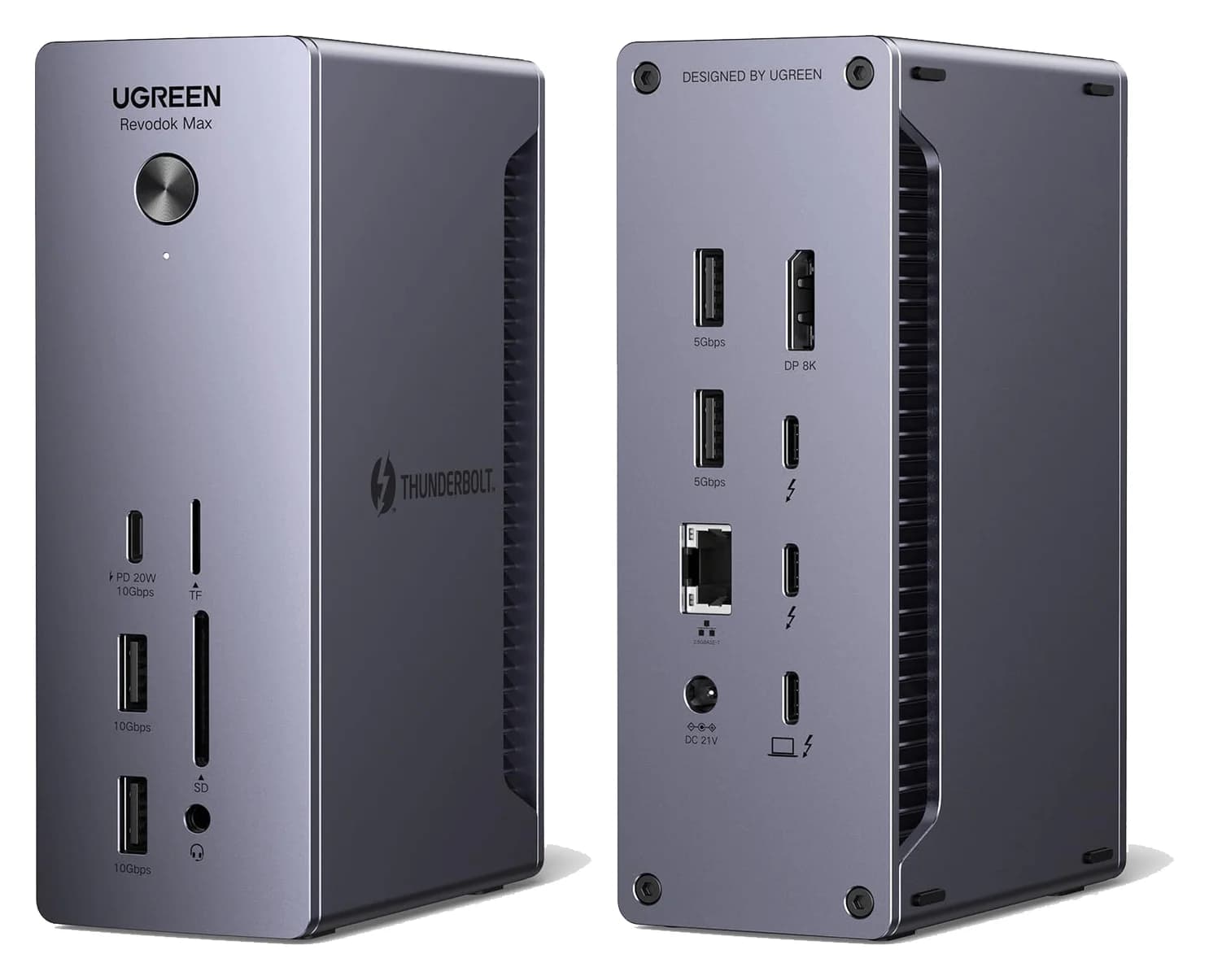
Best UGREEN dock for a complete deskUGREEN
UGREEN Revodok Max 213 Thunderbolt 4 Dock (13-in-1)
- to laptop
- 90W
- data
- 40 Gbps
- video
- 4K
- Choose
- The Max 213 combines DisplayPort 1.4, 2.5Gb Ethernet, SD/TF readers and up to 90W laptop charging.
- Limit
- No HDMI port
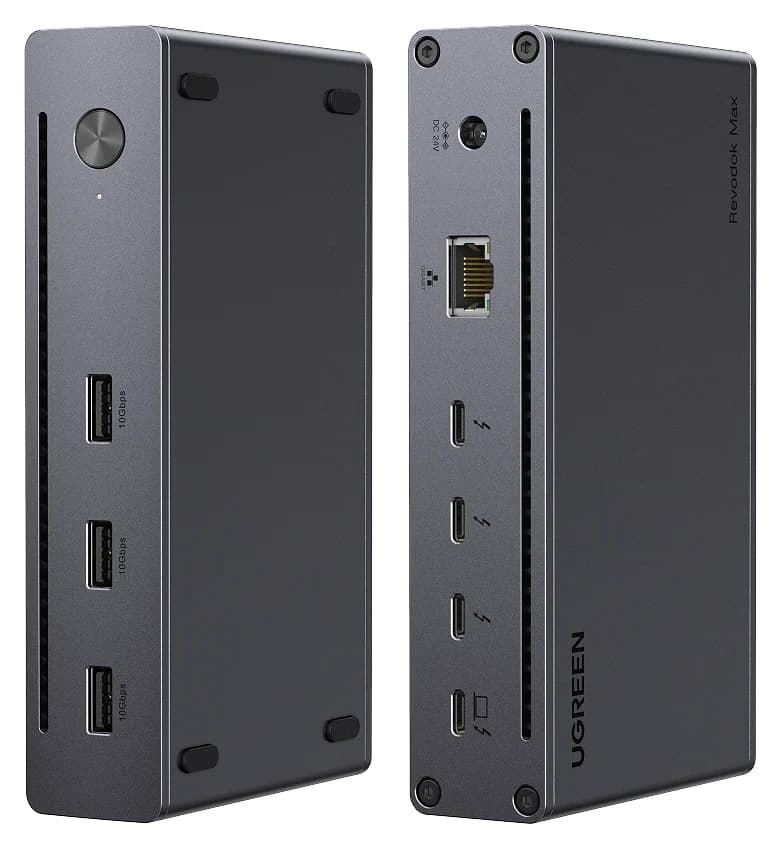
Best for more Thunderbolt connectionsUGREEN
UGREEN Revodok Max 208 Thunderbolt 4 Dock (8-in-1)
- to laptop
- 85W
- data
- 40 Gbps
- video
- 4K
- Choose
- The Max 208 has three downstream Thunderbolt 4 ports and three 10Gbps USB-A ports, with up to 85W laptop charging.
- Limit
- No HDMI or DisplayPort; monitors need USB-C or adapters
Quick picks: choose the usable kit
| Your desk | Exact model to look for | Complete kit to obtain | Why choose it | Offer |
|---|---|---|---|---|
| DisplayPort monitor, cards and wired networking | Max 213, 25054 / 25054A | Dock, supplied 180W power adapter, local mains lead, Thunderbolt host cable and DisplayPort monitor cable | Built-in DisplayPort, SD/TF readers and 2.5Gb Ethernet | Check price on Amazon |
| Thunderbolt storage and USB-C displays | Max 208, 25053 | Dock, supplied 140W power adapter, local mains lead, Thunderbolt host cable and compatible display cables | Three downstream Thunderbolt ports | Check price on Amazon |
These are shopping checklists, not promises about every seller's box. UGREEN explicitly includes the power adapters on its product pages; confirm the host cable and local mains connection on the exact offer. The display-cable plan below identifies what else to obtain. For cross-brand choices, use our best Thunderbolt docks guide.
Max 208 vs Max 213: ports and charging
Both use a Thunderbolt 4 host connection rated up to 40Gbps. The downstream ports below are separate from that host connection. This table uses each model's own specification and port list, rather than neighboring products in a comparison carousel. Sources: 208, 213, and the US 213 speed table.
| Feature | Revodok Max 208 | Revodok Max 213 |
|---|---|---|
| Maker SKU on US product page | 25053 | 25054; Canadian page says 25054A |
| Downstream Thunderbolt 4 | 3, up to 40Gbps / 15W each | 2, up to 40Gbps / 15W each |
| Ordinary USB-A | 3 × 10Gbps | 2 × 10Gbps plus 2 × 5Gbps |
| Ordinary USB-C | None separate from Thunderbolt | 1 × 10Gbps / 20W |
| Built-in monitor socket | None; use downstream Thunderbolt | 1 × DisplayPort 1.4; also downstream Thunderbolt |
| Built-in HDMI | None | None |
| Ethernet | 1Gbps | 2.5Gbps |
| Card readers / audio | None | SD/TF 4.0; 3.5mm audio |
| Maximum laptop charging | 85W | 90W |
| Included power adapter | 140W GaN | 180W GaN |
UGREEN distinguishes the adapters' ratings from laptop output: the 140W supply powers an 85W host connection, and the 180W supply powers a 90W host connection. Compare those host figures with your laptop maker's charging requirement.
Best for a complete desk: Revodok Max 213
UGREEN
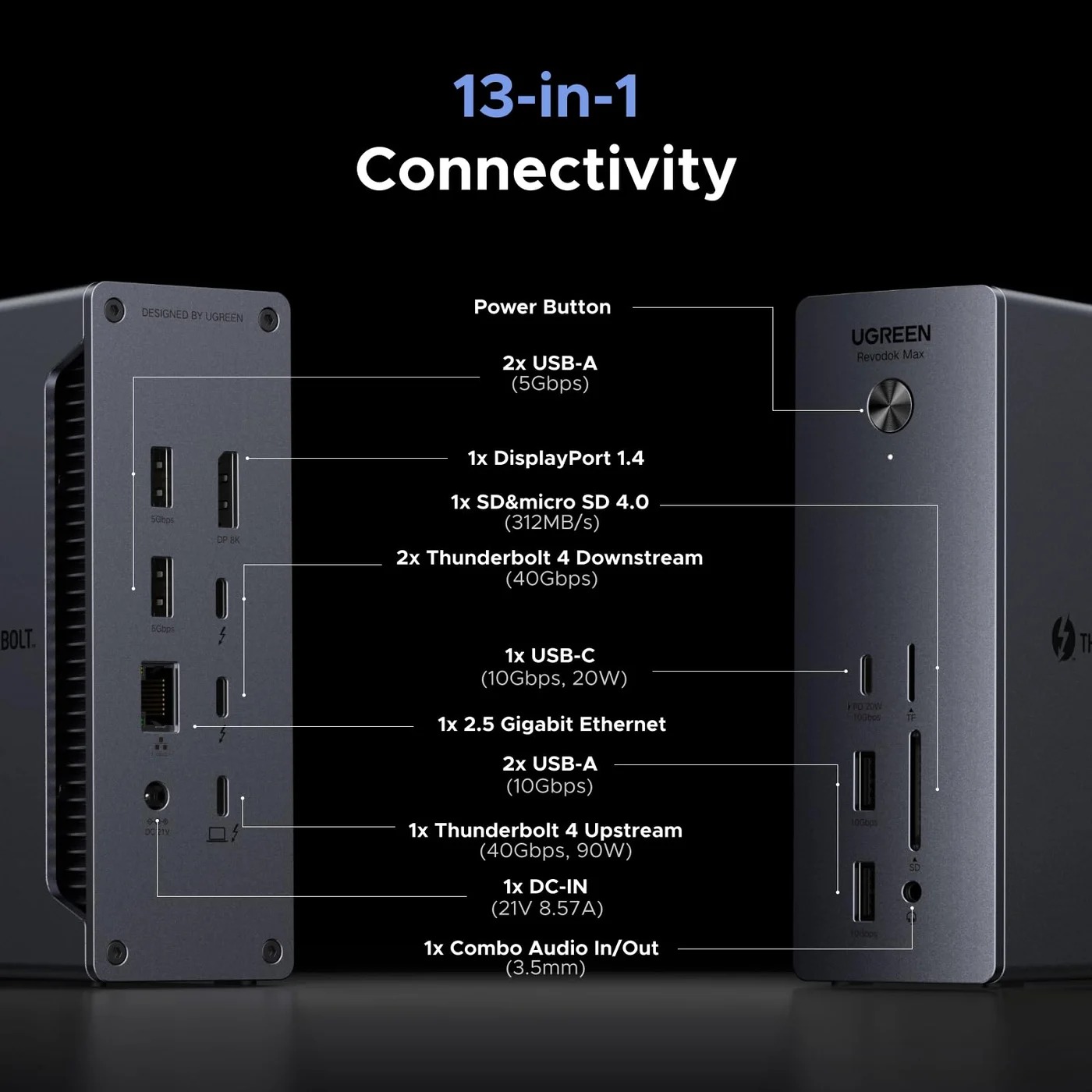
UGREEN Revodok Max 213 Thunderbolt 4 Dock (13-in-1)
A 13-in-1 Thunderbolt 4 dock with DisplayPort 1.4, 2.5GbE, SD/TF 4.0 readers and 90W laptop charging.
- 90W PD passthrough
- 40 Gbps data
- 4K video
- 13 ports
Choose the Max 213 if you would otherwise add a card reader, audio adapter or faster network adapter. Its DisplayPort 1.4 socket, SD/TF readers, 3.5mm audio and 2.5Gb Ethernet consolidate those connections. You still get two downstream Thunderbolt ports, plus a separate USB-C port rated for 10Gbps data and 20W charging. UGREEN lists these ports individually.
For storage, use its 10Gbps USB connections before assigning a fast drive to one of the 5Gbps USB-A ports. For a DisplayPort monitor, using the dedicated DisplayPort socket preserves the Thunderbolt connections for other equipment. This is the practical reason to buy the 213; decide whether its added ports solve your desk's needs before paying for them.
Card-reader caution: the current page calls the readers SD/TF 4.0, while UGREEN Japan's original model 25054 announcement specified up to 104MB/s for each card slot. Those documents do not establish a tested speed or explain a reader upgrade in 25054A. Buy for the documented slot support; seek exact throughput confirmation if card offloads drive your decision. UGREEN Japan's manufacturer-issued announcement supplies the older specification.
Best for more Thunderbolt connections: Revodok Max 208
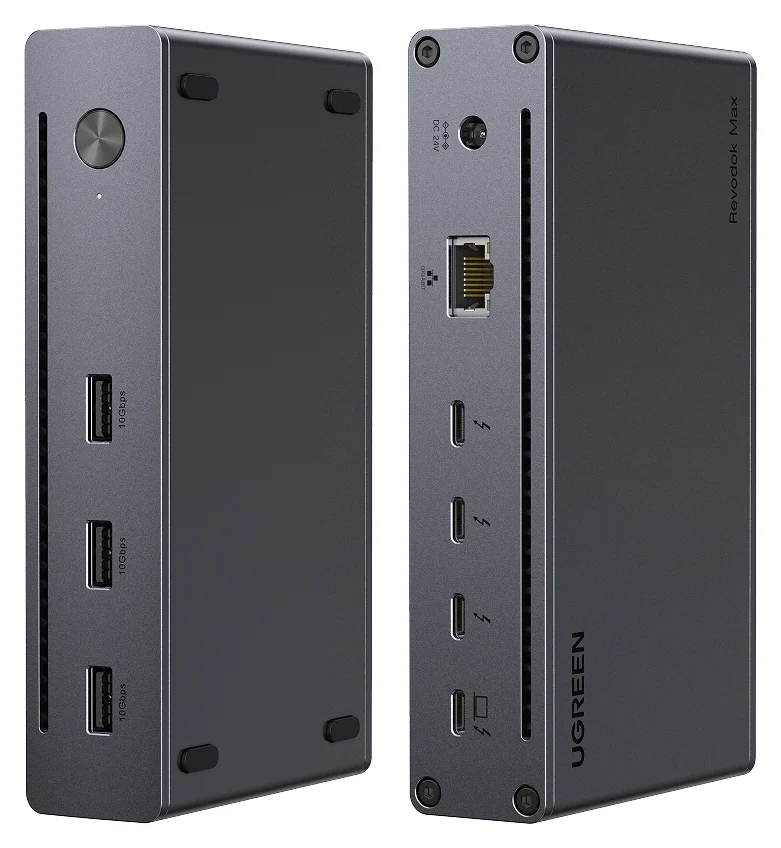
UGREEN
UGREEN Revodok Max 208 Thunderbolt 4 Dock (8-in-1)
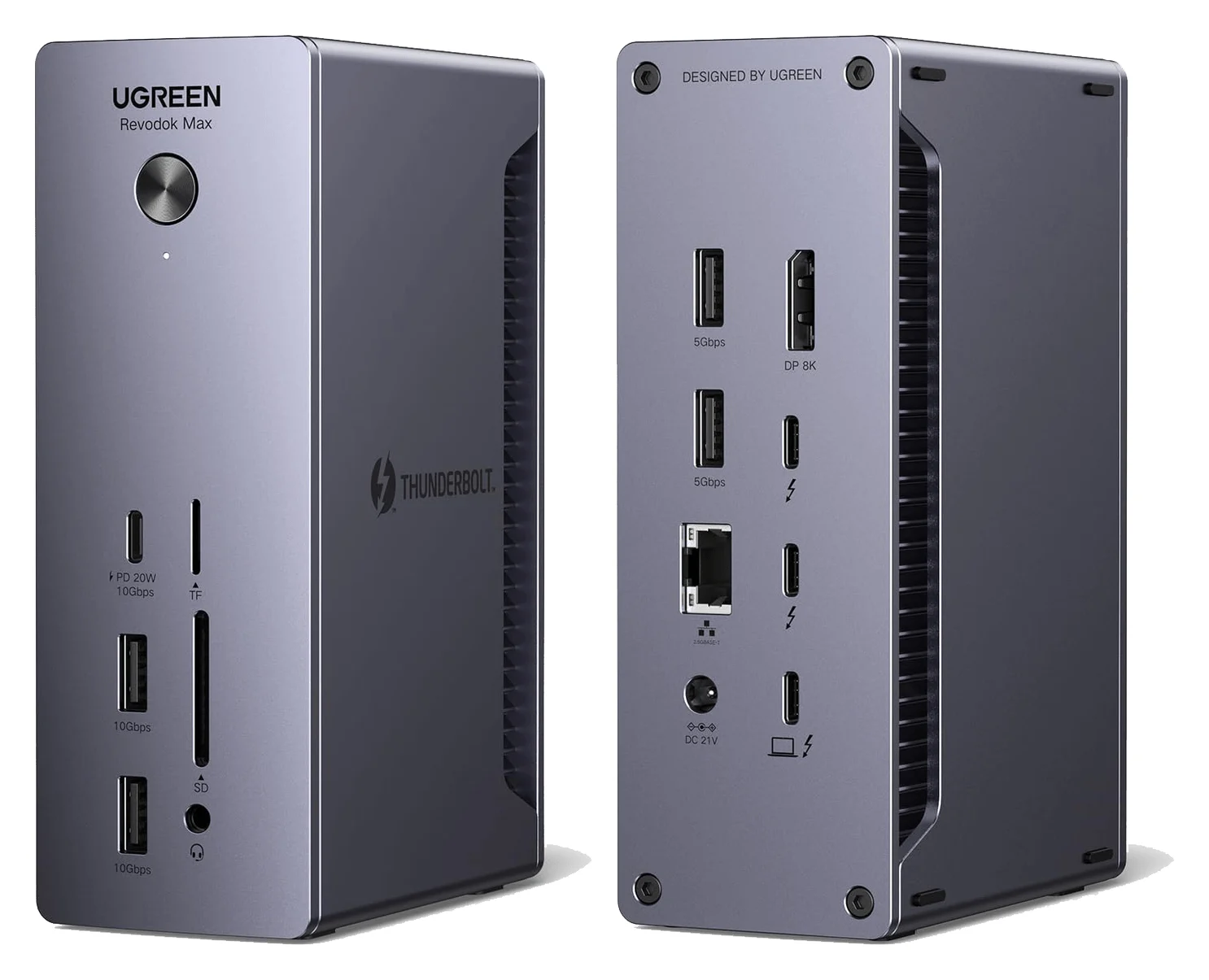
A Thunderbolt 4 hub-style dock with three downstream Thunderbolt 4 ports, three 10Gbps USB-A ports, Gigabit Ethernet and 85W laptop charging.
- 85W PD passthrough
- 40 Gbps data
- 4K video
- 8 ports
Choose the Max 208 for equipment that already connects through Thunderbolt or USB-C. UGREEN specifies three downstream Thunderbolt ports and three 10Gbps USB-A ports, alongside Gigabit Ethernet. Its complete port list has no separate DisplayPort, HDMI, card reader or audio connection. UGREEN's 208 page documents the layout.
The extra Thunderbolt socket matters when displays occupy the others. With two displays connected separately through Thunderbolt, the 208 leaves one downstream Thunderbolt port free; the 213 leaves none if both its Thunderbolt ports serve displays. That is a port-count calculation, not a promise of extra display support.
More sockets also do not provide independent full-speed links to the computer. Thunderbolt docks share bandwidth among displays, USB, networking and storage, as Plugable explains in its docking-technology guide. Choose the 208 for connection flexibility; sustained drive performance needs separate evidence.
Retail versions: 25054, 25054A and alternate ASINs
25054A is not a documented performance upgrade. UGREEN's US Max 213 page identifies SKU 25054, its Canadian page identifies 25054A, and its Max 213 support entry groups 25054, 25054A, 25054EU and 25054UK under U710. UGREEN's pages provide no suffix-by-suffix hardware changelog.
For the 208, UGREEN's support entry U708 groups 25053, 25053EU and 25053UK. Its European store identifies 25053EU and still specifies 85W laptop charging with a 140W supply. A regional code is a reason to check the supplied mains connection, not evidence of faster Thunderbolt.
B0CM2X8ZNS has a manufacturer link to the Max 213: UGREEN Japan's launch announcement associates that identifier with model 25054 and lists a Thunderbolt cable, 180W GaN adapter and AC cable. That historical Japanese package does not verify a current US offer's stock, plug or contents. We therefore retain the site's existing Max 213 buying link rather than presenting the alternate ASIN as another recommendation.
Also check the full name. UGREEN lists a separate Revodok Max 2131 Thunderbolt 5 family and separate USB-C docking stations in its support catalog. Match the model code, Thunderbolt generation and port layout before ordering.
Choose cables for your monitors
Start with the dock, its correct power adapter, a local mains connection and a Thunderbolt host cable. The table adds the display connections; it assumes your computer supports the requested display count. These plans follow the docks' port lists and Apple's HDMI and DisplayPort adapter guidance.
| Monitor inputs | Max 208: add or reuse | Max 213: add or reuse |
|---|---|---|
| One HDMI | USB-C-to-HDMI cable from downstream Thunderbolt | USB-C-to-HDMI cable from downstream Thunderbolt |
| Two HDMI | Two USB-C-to-HDMI cables, using separate Thunderbolt ports | Two USB-C-to-HDMI cables, using both Thunderbolt ports |
| One DisplayPort | USB-C-to-DisplayPort cable | DisplayPort-to-DisplayPort cable |
| Two DisplayPort | Two USB-C-to-DisplayPort cables | DisplayPort cable plus USB-C-to-DisplayPort cable |
| DisplayPort plus HDMI | USB-C-to-DisplayPort and USB-C-to-HDMI cables | DisplayPort cable plus USB-C-to-HDMI cable |
| Thunderbolt or video-capable USB-C displays | Compatible display cables from downstream Thunderbolt | Compatible display cables from downstream Thunderbolt |
An adapter plus the monitor's existing HDMI or DisplayPort cable can replace an integrated conversion cable. Match the adapter and cable to the intended resolution and refresh rate; for UGREEN's advertised dual 4K@60Hz setup, specify that capability throughout the connection. Use the downstream Thunderbolt ports for these USB-C display paths. The 213's separate USB-C port is listed for 10Gbps data and 20W charging.
Check the host before ordering a dual-monitor kit
UGREEN advertises dual 4K@60Hz or single 8K@30Hz on Windows, subject to the host's capabilities; its 213 page specifies Thunderbolt 4/3 or USB4 with DisplayPort 1.4 support. Both product pages limit full-function ordinary USB-C hosts to a single display and exclude the Intel Mac mini 2018. 208 compatibility; 213 compatibility.
Mac limits require more care. UGREEN's 213 page lists dual 4K@60Hz for M1/M2/M3 Pro/Max and Intel Macs, but single 4K@60Hz for base M1/M2/M3. Apple's newer documentation allows two displays on a base M3 MacBook Pro with its lid closed and on M4/M5 MacBook Air with the built-in display active. Those are computer capabilities, not confirmation of every UGREEN dock configuration. Confirm the precise dock, Mac, software and cable combination when those newer capabilities determine the purchase. Our MacBook Pro dock guide covers alternatives.
UGREEN's support specifications cap both docks at two displays and explicitly exclude triple display. Treat the 213's DisplayPort and Thunderbolt sockets as connection options within that ceiling.
- Yes: Windows dual-display plan: verify the host's Thunderbolt/USB4 and DisplayPort capabilities
- Partly: Ordinary full-function USB-C host: UGREEN specifies a single display
- Partly: Mac dual-display plan: check the exact chip and the dock's compatibility notes
- No: Intel Mac mini 2018: excluded by UGREEN
- No: Three displays through either dock: unsupported in UGREEN's support specifications
How we choose
This is a specification-based buying guide. We compare UGREEN's individual product pages, regional listings and support specifications, Apple's host display limits, and documented cable requirements. Recommendations reflect port fit and the equipment needed for a working desk. Manufacturer conflicts stay visible; unsupported revision, throughput and regional-package assumptions do not become specifications.
Black Friday and Cyber Monday: compare the same kit
Use this order checklist when comparing offers. Give a bundle's added cable value only after checking its purpose and compatibility.
Match the identity
Check the full model code, Thunderbolt generation and pictured port layout.
Confirm power and host cable
Obtain the correct supplied power adapter, local mains connection and Thunderbolt host cable.
Complete the monitor kit
Include every display cable or adapter required by your monitor inputs.
Check the offer terms
Compare the same equipment, seller, returns and regional support before choosing.
Verdict
The Max 213 is our UGREEN pick for DisplayPort, card readers, audio and 2.5Gb networking. The Max 208 suits a desk that benefits from three downstream Thunderbolt connections. Choose the exact documented kit and monitor paths; the 25054A suffix and a power supply's wattage alone cannot settle the purchase.
Frequently asked questions
Which UGREEN Thunderbolt 4 docking station should I buy?
Choose the Revodok Max 213 for DisplayPort, 2.5Gb Ethernet, card readers and audio at a fixed desk. Choose the Max 208 when you need its three downstream Thunderbolt ports more than those built-in extras. Both require external power. Neither has a built-in HDMI socket, so include the appropriate monitor cables or adapters in your order.
What is the difference between UGREEN 25054 and 25054A?
UGREEN's US store lists the Max 213 as SKU 25054, while its Canadian product page lists 25054A. Its support center groups both codes with 25054EU and 25054UK under model U710. Those sources provide no revision changelog explaining the A suffix. Choose by the exact listed ports, supplied power adapter and regional package; the suffix alone does not establish an upgrade.
Can the UGREEN Max 213 support three monitors?
UGREEN's support specification limits the Max 213 to two displays and explicitly says triple display is unsupported. Its DisplayPort socket and two downstream Thunderbolt sockets provide connection choices within that limit. Your computer can impose a lower limit: UGREEN identifies base M1 and M2 Macs as single-display hosts. Check the exact Mac model before buying a dual-monitor kit.
Does the UGREEN Thunderbolt dock deliver 180W to the laptop?
The Max 213 includes a 180W GaN power adapter, but UGREEN specifies up to 90W charging to the laptop. The Max 208 includes a 140W adapter and supplies up to 85W to the laptop. Compare host charging separately from the power supply rating, and check whether your laptop's own recommended charging power exceeds the dock's output.
Do the Max 208 and Max 213 need drivers?
UGREEN's support entries describe both as Plug and Play, while warning that system or network driver updates may be required. Start with the model's official support page if a connection fails. Older operating systems need particular care: the store pages list macOS 11.4 or later, but the current support data lists macOS 15.0 or later. Ask UGREEN to confirm your exact older configuration.
Best UGREEN dock for a complete desk
UGREEN Revodok Max 213 Thunderbolt 4 Dock (13-in-1)
Related guides
Best External GPU Enclosures in 2026: Thunderbolt eGPUs That Still Exist
The current Thunderbolt eGPU enclosures from maker pages: Sonnet's Breakaway Box 850 T5 and 750ex and Razer's Core X V2, plus the Mac compatibility truth and what to check before buying.
Updated November 7, 2026Read
OWC Thunderbolt Go vs CalDigit TS4: Which Thunderbolt Dock Should You Buy?
The Go Dock packs its own power for travel; the TS4 anchors a desk with 18 ports and 98W charging. Compare full kits, monitors and which to buy.
Updated November 5, 2026Read
Plugable TBT4-UD5 vs UD-3900PDH: Which Dock for Dual Monitors?
Choose between Plugable's TBT4-UD5 Thunderbolt 4 dock and UD-3900PDH DisplayLink dock: which laptop ports they need, display counts, charging and software.
Updated November 5, 2026Read