Best picks
Best Laptops with Thunderbolt in 2026 (Thunderbolt 5, Thunderbolt 4 and USB4)
Laptops picked for their ports: Thunderbolt 5 and 4 speeds, USB-C charging wattage, external monitors, and which still keep USB-A and HDMI. Mac and Windows.
By thisUSB EditorialUpdated October 22, 20268 min read3 picks
Our picks at a glance
- See on Amazon1
Best for most people
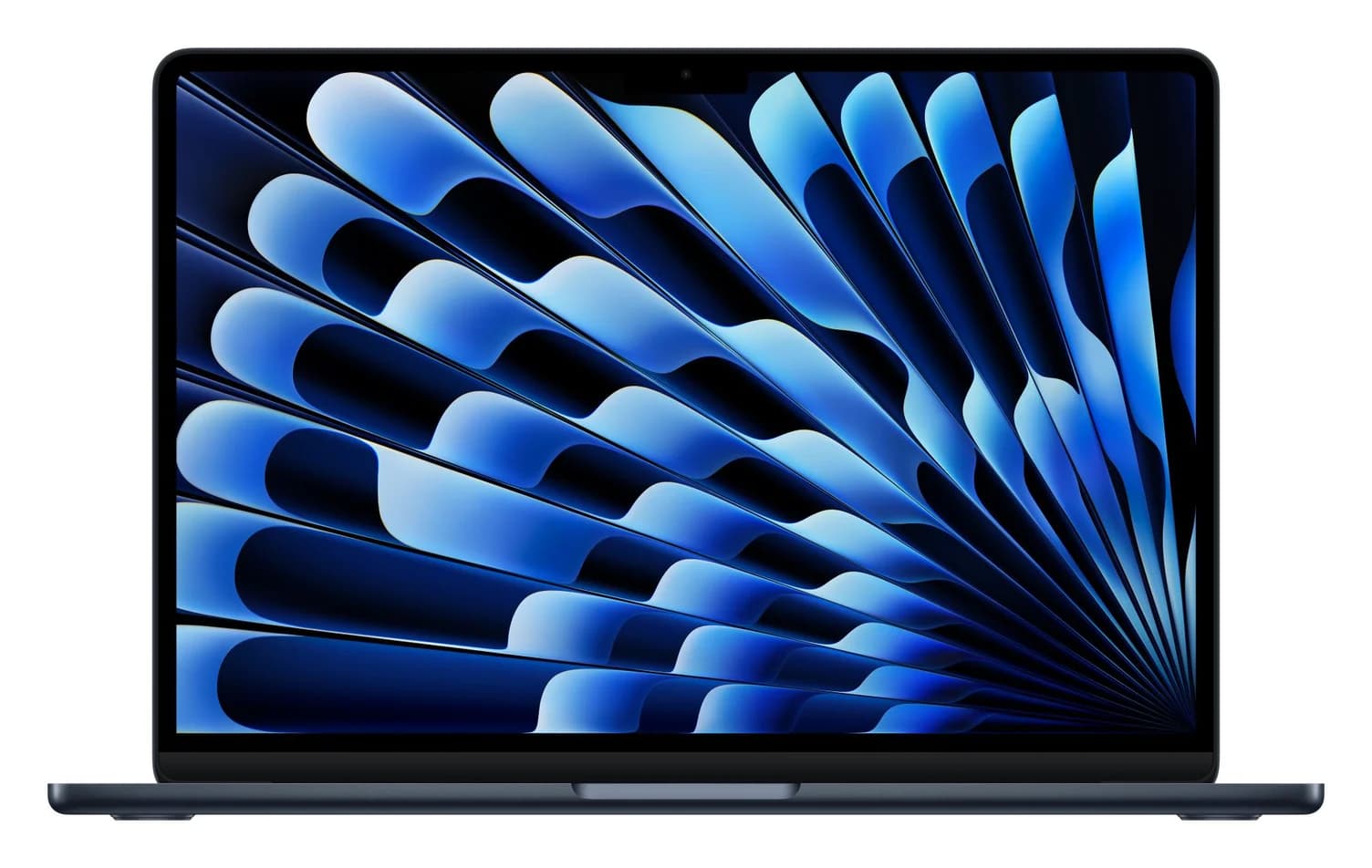
Apple MacBook Air 13-inch (M5, 16GB, 512GB, Midnight)70W charger · 40 Gbps data · 4K144 video · 4 ports
- See on Amazon2
Best Thunderbolt 5 laptop
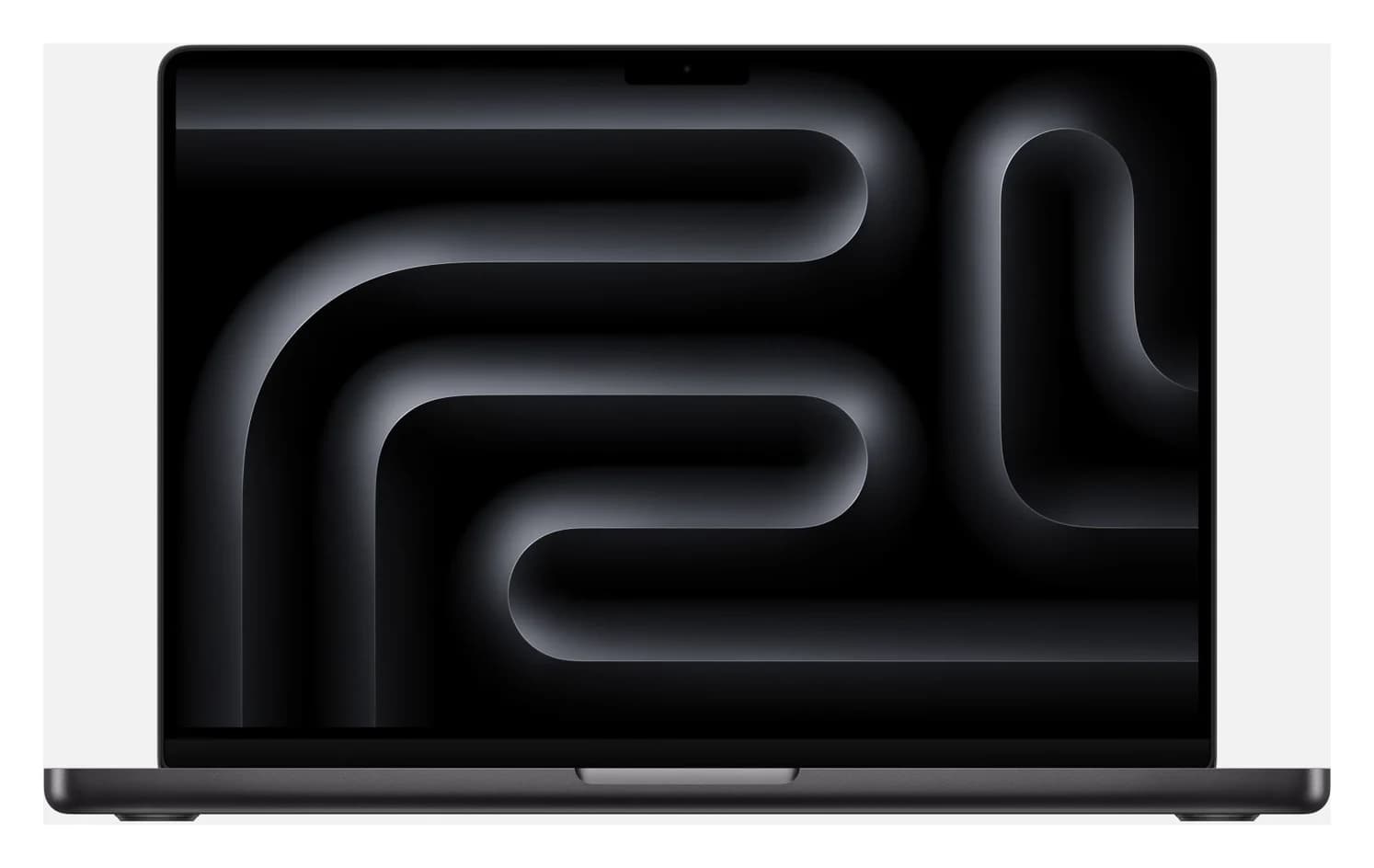
Apple MacBook Pro 14-inch (M5 Pro, 15-core CPU, 24GB, 1TB, Space Black)96W charger · 120 Gbps data · 4K144 video · 7 ports
- See on Amazon3
Best Windows laptop that keeps USB-A and HDMI
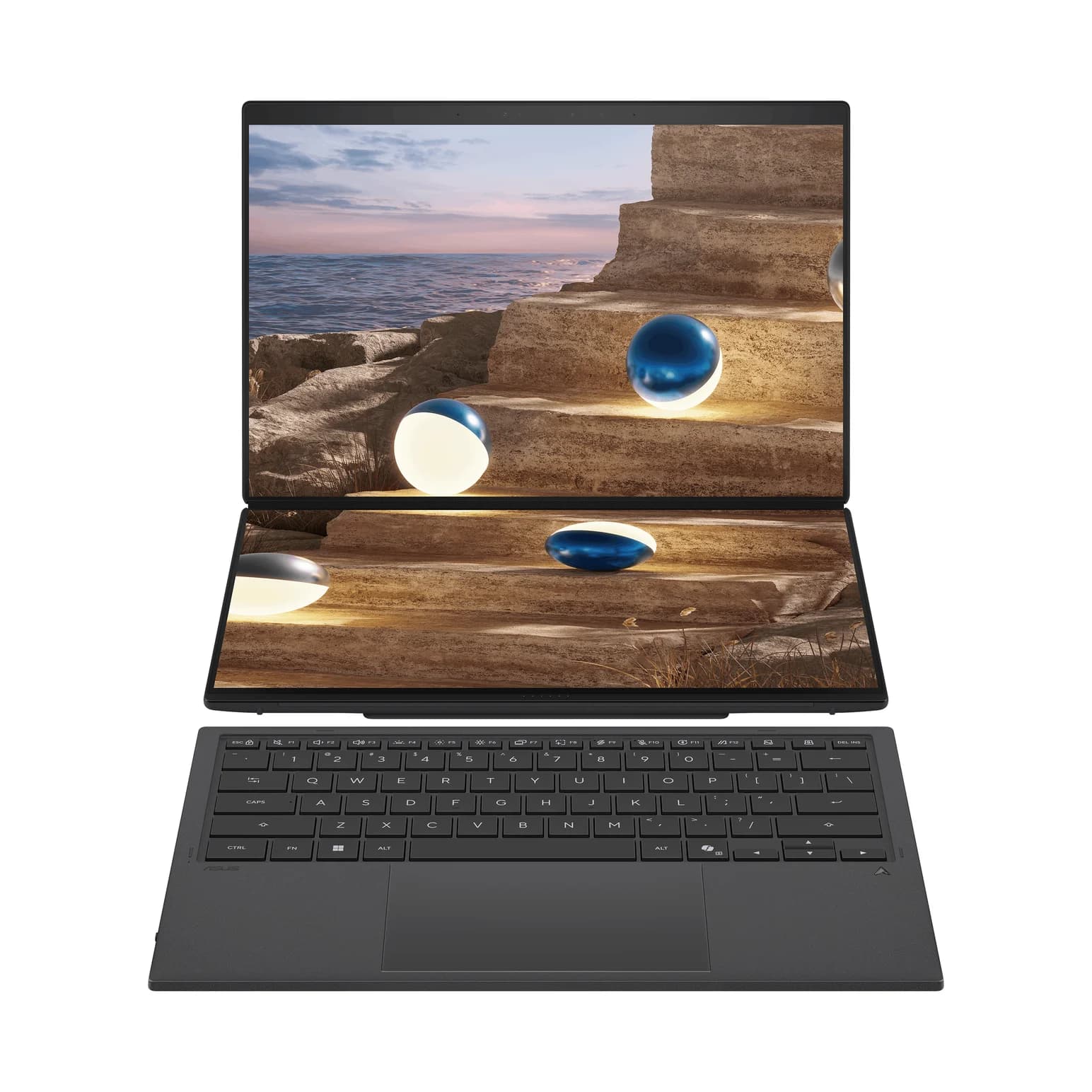
ASUS Zenbook DUO (2026) UX8407AA-DS99T (Intel Core Ultra 9 386H)100W charger · 40 Gbps data · 4K60 video · 5 ports
If you want one laptop that handles docks, fast drives and monitors without fuss, get the MacBook Air 13-inch with M5: two 40Gbps Thunderbolt 4 ports, a separate MagSafe charging port, and two external displays with the lid open. Step up to the MacBook Pro 14-inch with M5 Pro for Thunderbolt 5, built-in HDMI and an SD slot. On Windows, the ASUS Zenbook DUO (2026) pairs Thunderbolt 4 with USB-A and HDMI, and the Razer Blade 16 (2026) brings Thunderbolt 5.
We picked these laptops for their ports, using Apple's, ASUS's, LG's and Razer's spec pages and Intel's Thunderbolt requirements. We have not physically handled them, and where a maker doesn't publish a figure, we say so instead of guessing.
Quick picks
| Laptop | Best for | Thunderbolt / USB4 | USB-A, HDMI, SD | External displays | Full-speed charging |
|---|---|---|---|---|---|
| MacBook Air 13" M5 | Most people | 2x Thunderbolt 4 + MagSafe | None | 2 (up to 6K@60Hz) | 70W USB-C or MagSafe |
| MacBook Pro 14" M5 Pro | Thunderbolt 5, creators | 3x Thunderbolt 5 + MagSafe | HDMI, SDXC | 3 (up to 6K@60Hz) | 96W USB-C or MagSafe |
| ASUS Zenbook DUO (2026) | Windows with older ports | 2x Thunderbolt 4 | USB-A 10Gbps, HDMI 2.1 | 2x 4K@60Hz over Thunderbolt | 100W USB-C |
| LG gram Pro 17 (2026) | A big screen that travels | 2x Thunderbolt 4 / USB4 | 2x USB-A 5Gbps, HDMI | Not published | 65W USB-C |
| Razer Blade 16 (2026) | Thunderbolt 5 on Windows | 1x Thunderbolt 5, 1x Thunderbolt 4 | 3x USB-A 10Gbps, HDMI 2.1, UHS-II SD | Not published | 280W adapter (own connector) |
Laptop deals move fast before the holidays, so check current prices on Amazon. The LG and Razer links go to the makers' pages for now, while we confirm their Amazon listings.
Thunderbolt 5, Thunderbolt 4 and USB4: what the labels guarantee
All three use the same USB-C connector. What differs is what the laptop maker must deliver. Intel's Thunderbolt comparison lists these minimums:
| Thunderbolt 5 | Thunderbolt 4 | USB4 | |
|---|---|---|---|
| Minimum speed | 80Gbps, up to 120Gbps with Bandwidth Boost | 40Gbps | 20Gbps |
| PCIe for drives and docks | 64Gbps | 32Gbps | Not guaranteed |
| Laptop charging | Required on at least one port | Required on at least one port | Varies |
| Power for accessories | 15W per port | 15W per port | 7.5W |
| Certification | Mandatory | Mandatory | Optional |
A "USB4 40Gbps" port on a current laptop usually behaves like Thunderbolt 4 with docks and SSDs, but only the spec sheet can confirm it. Thunderbolt 5 earns its keep with Thunderbolt 5 docks, several high-resolution monitors on one cable, or very fast external storage. Everything is backward compatible: a Thunderbolt 4 dock in a Thunderbolt 5 port runs at 40Gbps.
Best for most people: MacBook Air 13-inch (M5)
Apple
Apple MacBook Air 13-inch (M5, 16GB, 512GB, Midnight)
Apple's 13.6-inch MacBook Air with the M5 chip, two 40Gbps Thunderbolt 4 ports, a separate MagSafe 3 charging port and support for two external displays.
- 70W charger
- 40 Gbps data
- 4K144 video
- 4 ports
The M5 MacBook Air has only two USB-C ports, but both are full 40Gbps Thunderbolt 4 with charging, DisplayPort and USB4, and charging has its own MagSafe 3 port. Plug the charger into MagSafe and both Thunderbolt ports stay free for a dock, a monitor or a fast SSD.
Displays are the big change from older Airs. Apple lists two external displays at up to 6K@60Hz or 4K@144Hz with the lid open, and says both can run through a single Thunderbolt port with a supported hub or daisy-chain. For one-cable desk setups, see our best USB-C hubs for MacBook Air.
Charging: Apple includes a 40W Dynamic Power Adapter (60W max). Fast charging needs a 70W or higher USB-C PD source, such as the UGREEN Nexode 100W, and Apple's fast-charge list for MacBook Air includes monitors that supply 85W.
Watch out for: No USB-A, HDMI or SD slot, so most desks need a hub. It's Thunderbolt 4, not 5, and macOS doesn't support DisplayPort MST, so dual-HDMI USB-C hubs mirror rather than extend.
See the MacBook Air 13-inch M5 on Amazon
Best Thunderbolt 5 laptop: MacBook Pro 14-inch (M5 Pro)
Apple
Apple MacBook Pro 14-inch (M5 Pro, 15-core CPU, 24GB, 1TB, Space Black)
Apple's 14-inch MacBook Pro with the M5 Pro chip, three Thunderbolt 5 ports, HDMI, an SDXC slot, MagSafe 3 and support for three external displays.
- 96W charger
- 120 Gbps data
- 4K144 video
- 7 ports
The M5 Pro MacBook Pro has the most capable ports here. Apple lists three Thunderbolt 5 ports rated up to 120Gb/s with native DisplayPort 2.1 speeds, plus an HDMI port, an SDXC slot, a headphone jack and MagSafe 3. Two of the Thunderbolt ports are on the left and one on the right, so a charger, a dock and a drive can all connect without a hub.
It drives up to three external displays at up to 6K@60Hz or 4K@144Hz, and Apple says all three can share one Thunderbolt port through a supported dock. Pair it with a Thunderbolt 5 dock like the CalDigit TS5, which has three 80Gb/s downstream ports and 140W host charging, or browse our best Thunderbolt docks.
Charging: This 15-core configuration ships with a 70W adapter, below Apple's 96W fast-charge threshold. A 100W charger such as the Anker Prime 100W fast-charges it over USB-C or MagSafe.
Watch out for: No USB-A or Ethernet. You need Thunderbolt 5 docks, drives and cables to see the extra speed. Thunderbolt 4 gear works, at 40Gbps.
See the MacBook Pro 14-inch M5 Pro on Amazon
Best Windows laptop that keeps USB-A and HDMI: ASUS Zenbook DUO (2026)
ASUS
ASUS Zenbook DUO (2026) UX8407AA-DS99T (Intel Core Ultra 9 386H)
ASUS's dual-screen 14-inch laptop with two 3K OLED touchscreens, two Thunderbolt 4 ports, USB-A, HDMI 2.1 and 100W USB-C charging.
- 100W charger
- 40 Gbps data
- 4K60 video
- 5 ports
The Zenbook DUO is best known for its two 14-inch 3K OLED touchscreens, but its ports suit a mixed desk too. ASUS lists two 40Gbps Thunderbolt 4 ports, one on each side, plus a 10Gbps USB-A port and HDMI 2.1. ASUS rates the Thunderbolt ports for two 4K@60Hz or one 8K@60Hz external displays.
It charges from a 100W USB-C adapter, so any 100W USB-C PD charger can stand in, and ASUS quotes 60% in 49 minutes from its 99Wh battery. For a one-cable desk, a Thunderbolt dock with dual HDMI like the Plugable TBT4-UD5 adds monitors, Ethernet and up to 96W of certified charging.
Watch out for: Only two USB-C ports, and the charger takes one unless you use a dock. No SD reader or Ethernet. ASUS's spec table omits HDMI, though its overview page and port photos show HDMI 2.1. At 1.65kg it's heavier than single-screen 14-inch laptops.
See the ASUS Zenbook DUO (2026) on Amazon
Best big-screen laptop for a light bag: LG gram Pro 17 (2026)
The gram Pro 17 puts a 17-inch 2560 x 1600 screen in a 3.04-pound body without dropping the older ports. LG lists two USB4 40Gbps ports with Thunderbolt 4, Power Delivery and DisplayPort, plus two USB-A ports and HDMI. LG's box-contents photo also shows a USB-C to Ethernet adapter in the box.
It charges from a 65W USB-C adapter with a separate USB-C cable, so a compact 65W charger like the Anker 715 (Nano II 65W) covers it on the road.
Watch out for: The USB-A ports run at 5Gbps, so plug fast SSDs into the Thunderbolt ports. LG doesn't publish the HDMI version or how many external displays it supports. There's no SD slot. Wherever you buy, check that the model number reads 17Z90U-G.AU87U1, the 2026 configuration described here.
See the LG gram Pro 17 (2026) at LG
Best Windows laptop with Thunderbolt 5: Razer Blade 16 (2026)
Thunderbolt 5 is still rare on Windows laptops, and the 2026 Blade 16 is a well-known way to get it. Razer lists one Thunderbolt 5 port (80Gbps, up to 120Gbps with Bandwidth Boost) and one Thunderbolt 4 port, both with DisplayPort and power delivery. It also has three 10Gbps USB-A ports, HDMI 2.1 FRL for high-refresh monitors and TVs, and a UHS-II SD reader rated at 312MB/s.
That port mix means it rarely needs a dongle, and the Thunderbolt 5 port is ready for docks like the CalDigit TS5.
Charging: Full performance comes from Razer's 280W adapter on its own connector. Razer lists power delivery on both USB-C ports but doesn't publish a USB-C charging wattage, so treat a USB-C dock or charger as a top-up, not a replacement.
Watch out for: Only one of the two USB-C ports is Thunderbolt 5. It weighs 2.14kg, has no Ethernet port, and Razer doesn't state a maximum number of external displays. This configuration (RTX 5080, 64GB, 1TB) is part number RZ09-05818EN4-R3U1; Razer sells several others.
See the Razer Blade 16 (2026) at Razer
How we choose
We don't physically test laptops. For this guide we judged them only on their ports and charging:
- Maker spec pages. Port counts, speeds, display limits and adapter wattages come from Apple, ASUS, LG and Razer, linked in each product card.
- Standards. We check claims against Intel's Thunderbolt 4 and 5 requirements and the USB4 spec, including 40 vs 80Gbps and what USB4 leaves optional.
- Charging facts. Fast-charge thresholds come from the makers, including Apple's support page on which adapters and monitors fast-charge each MacBook.
- Known buyer patterns. The usual surprises are a charger that takes the only spare port, dual-HDMI hubs that mirror on a Mac, and a USB-C port that charges but doesn't carry video.
We also check that each Amazon listing matches the maker's model number. Where we couldn't confirm a listing, for the LG and the Razer, we link the maker's own page instead. The Dell XPS 14 and ThinkPad X1 Carbon (2026) were strong candidates, but we couldn't match their current models to Amazon listings.
Buying guide
Count ports by side. Two ports on one side means the charger takes one. MagSafe on MacBooks, or a Thunderbolt dock that charges the laptop, frees it again.
Match the charger to the laptop. Look up the full-speed wattage: 65W for the LG, 70W for the MacBook Air, 96W for the 14-inch MacBook Pro, 100W for the Zenbook. A bigger USB-C charger is safe because the laptop only draws what it needs. See our best USB-C chargers.
Plan your monitors. The chip sets the display limit, not the dock. A USB-C monitor with power delivery can charge the laptop and carry video over one cable; see our best USB-C monitors.
Use the speed you paid for. A USB4 SSD like the SanDisk Extreme PRO with USB4, rated up to 3,800MB/s, needs a 40Gbps port to reach that speed. Our best portable SSD guide covers cheaper 10Gbps drives too.
Windows docks. Thunderbolt and USB4 docks need no drivers on Windows 11, but some docks get firmware updates. For lighter options, see our best USB-C hubs for Windows laptops.
Verdict
Most people should get the MacBook Air 13-inch (M5): two Thunderbolt 4 ports, MagSafe and two-monitor support cover nearly every desk. For Thunderbolt 5, HDMI and an SD slot on a Mac, choose the MacBook Pro 14-inch (M5 Pro) and pair it with a 100W charger. On Windows, the ASUS Zenbook DUO (2026) keeps USB-A and HDMI next to Thunderbolt 4, and the LG gram Pro 17 does the same on a big, light laptop. If you want Thunderbolt 5 on Windows, the Razer Blade 16 (2026) has it, along with the port mix of a desktop.
Frequently asked questions
Is USB4 the same as Thunderbolt 4?
Not quite. Both use USB-C and top out at 40Gbps, and Thunderbolt 4 is built on USB4. The difference is what's guaranteed. Intel requires Thunderbolt 4 laptops to run at 40Gbps, support two 4K displays, provide 32Gbps PCIe for fast drives and docks, and pass certification. USB4 only requires 20Gbps, and video and PCIe support vary by laptop. A USB4 40Gbps port usually works with Thunderbolt docks, but check the spec sheet.
Do I need Thunderbolt 5?
Only if you'll use what it adds. Thunderbolt 5 runs at 80Gbps, up to 120Gbps in one direction with Bandwidth Boost, which matters for Thunderbolt 5 docks, several high-resolution monitors on one cable, and very fast external SSDs. For one monitor, a hub and a portable SSD, Thunderbolt 4 is plenty. Thunderbolt 4 docks and drives work in Thunderbolt 5 ports at Thunderbolt 4 speed.
How many external monitors can a MacBook Air M5 run?
Two. Apple lists two external displays at up to 6K at 60Hz or 4K at 144Hz each with the lid open, or one at up to 8K at 60Hz, 5K at 120Hz or 4K at 240Hz. Apple also says both can run through a single Thunderbolt port with a supported hub or daisy-chain. macOS doesn't support DisplayPort MST, so a cheap dual-HDMI USB-C hub mirrors instead of extending.
What charger does a MacBook Pro M5 Pro need?
Apple says the 14-inch MacBook Pro with M5 or M5 Pro fast-charges from a 96W or higher USB-C Power Delivery source, over MagSafe 3 or USB-C. The 15-core M5 Pro configuration ships with a 70W adapter, so it charges, just not at full speed. A 100W USB-C charger closes the gap. The 16-inch model needs 140W.
Can I charge a laptop from any USB-C port?
On most current laptops, yes. All the MacBooks here charge from any Thunderbolt port as well as MagSafe, and the ASUS and LG laptops charge over USB-C with their included adapters. Gaming laptops are the exception: the Razer Blade 16 runs at full power only from its 280W adapter on a separate connector, and Razer doesn't publish a USB-C charging wattage.