Black Friday: the specs to check before you buy
Best picks
Updated November 7, 2026Best SD Card Readers in 2026: USB-C Picks for Every Workflow
Short answer
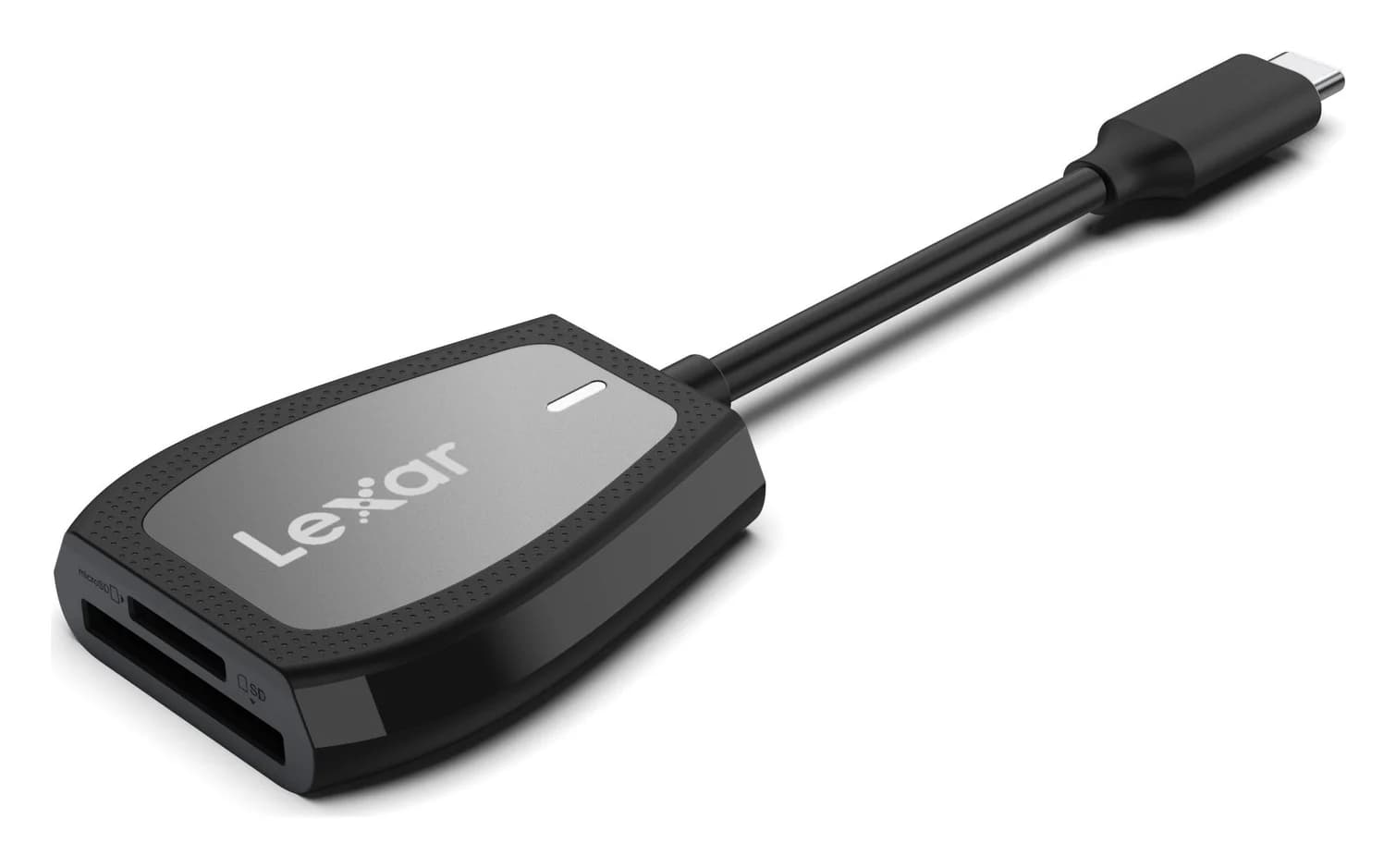
The best SD card reader for most people is the Lexar Professional USB-C Dual-Slot Reader: per Lexar's own spec page, it works with SD and microSD UHS-II cards and reads at up to 312MB/s, with a reversible USB-C plug and a pocketable body. If you mostly shoot UHS-I cards, you don't need that speed — a hub with a card reader built in, like Anker's USB-C Hub (7-in-1), reads them at their ceiling and adds HDMI, USB-A ports and 85W charging. And if your offload target is an iPhone, iPad or a USB-C Mac, Apple's USB-C to SD Card Reader is the one made for exactly that.
Our picks at a glance
- Find on Amazon4
best for a desk setup
ProGrade PG08 Dual-Slot Reader
- Find on Amazon
best hub with a card reader
Anker USB-C Hub (7-in-1)
- 312MB/sLexar's rated read speed for UHS-II cards in its Professional USB-C Dual-Slot Reader
- 85WLaptop charging the Anker 7-in-1 hub passes through while reading cards
Quick picks
| Pick | Best for | Key spec (maker's page) |
|---|---|---|
| Lexar Professional USB-C Dual-Slot Reader | Best overall | SD + microSD UHS-II, up to 312MB/s read, USB-C |
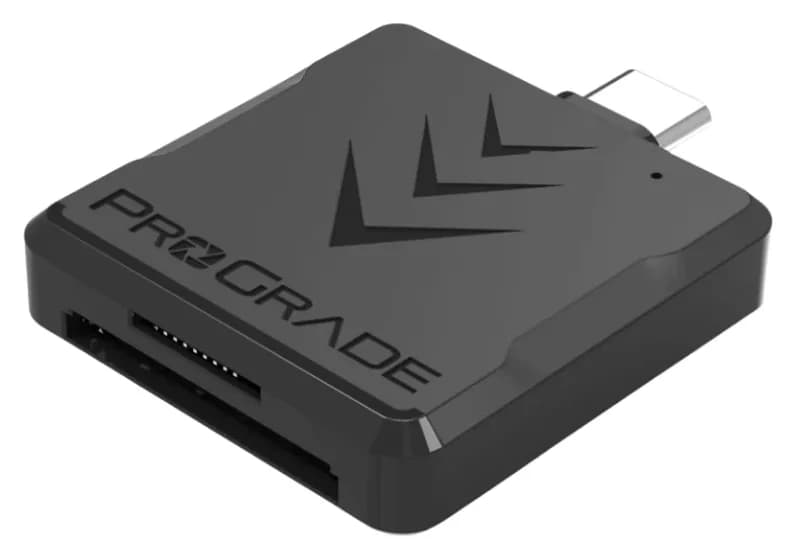
| ProGrade PGM0.5 Dual-Slot Mobile Reader | Best travel reader | USB-C 3.2, SDXC + microSDXC UHS-II, protective cover |
| Apple USB-C to SD Card Reader | Best for iPhone, iPad and Mac | UHS-II speeds, USB-C, Mac/iPad/iPhone |
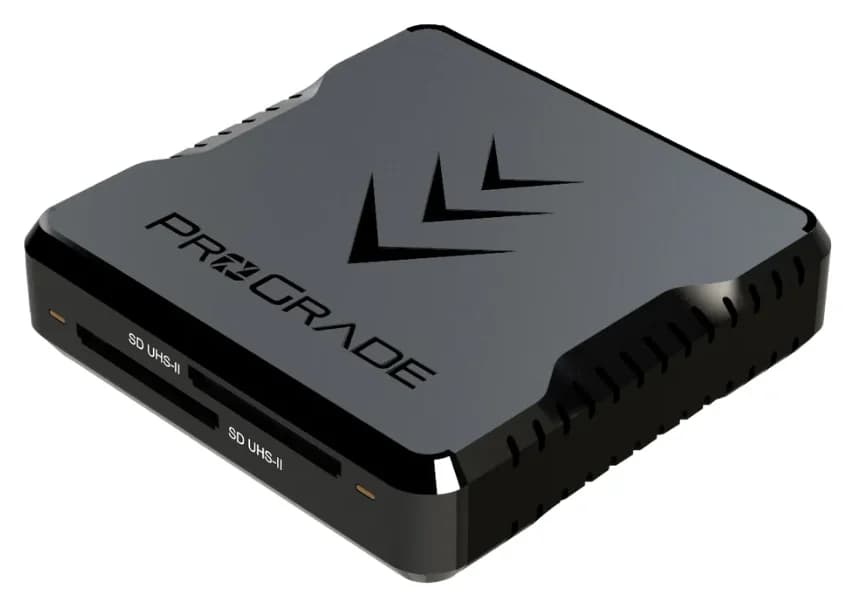
| ProGrade PG08 Dual-Slot Reader | Best for a desk setup | USB 3.2 Gen 2, dual SDXC UHS-II, A-C and C-C cables |
| Anker USB-C Hub (7-in-1) | Best hub with a card reader | SD/microSD slots, 5Gbps data ports, 85W charging |
Which reader for your gear?
| Your situation | Our pick | Why |
|---|---|---|
| Camera cards, fast offload | Lexar Professional USB-C Dual-Slot | UHS-II in both slots, up to 312MB/s |
| Travel-light kit with drone or action-cam cards | ProGrade PGM0.5 | SD + microSD UHS-II, protective USB-C cover |
| iPhone or iPad with USB-C | Apple USB-C to SD Card Reader | Made for USB-C Mac, iPad and iPhone |
| Desk and laptop-lid mounting | ProGrade PG08 | USB 3.2 Gen 2, metal mounting plate in the box |
| One-cable laptop setup | Anker USB-C Hub (7-in-1) | Reader plus HDMI, USB-A and 85W charging |
Lexar Professional USB-C Dual-Slot Reader — best overall
The Lexar Professional USB-C Dual-Slot Reader is the rare reader that checks every box on its own spec page: it works with SD and microSD UHS-II cards, reads at up to 312MB/s, is backwards compatible with UHS-I cards, and connects with a reversible USB-C plug. It is also, per the same page, small enough that photographers and videographers "can slip it in your pocket and go."
Speed is the headline. UHS-II is what separates a fast reader from a slow one: Lexar rates this one at up to 312MB/s read, which is the kind of number that empties a set of V90 wedding cards while the couple is still at the venue. Both slots run at that class, so the microSD cards from a drone or an action camera get the same treatment as the full-size camera cards.
The interface is USB 3.2 Gen 1, which Lexar notes is backwards compatible with USB 3.1 and 2.0 ports — handy if you borrow an older machine. An LED activity light shows when transfers are done, which is the polite way of telling you it is safe to pull the card.
- Slots: one SD, one microSD, both UHS-II
- Speed: up to 312MB/s read (Lexar's spec page; results may vary based on system configuration and card speed)
- Host: USB-C, USB 3.2 Gen 1, backwards compatible with USB 3.1 and 2.0
- Extras: LED activity light; plug and play
See the Lexar Professional USB-C Dual-Slot Reader on Amazon
ProGrade PGM0.5 — best travel reader
ProGrade's PGM0.5 (the PG-M0.5 in its quick-start guide) is the one to throw in a camera bag: a USB-C 3.2 dual-slot mobile reader that takes microSDXC UHS-II cards in one slot and SDHC/SDXC UHS-II cards in the other, and it ships with a protective USB-C cover so the connector survives the bottom of a bag.
The two-slot layout matters more than it sounds. Travel kits tend to mix card formats — an SD card in the camera, a microSD in the drone, another in a dash cam — and the PGM0.5 reads both at UHS-II class without adapters. The guide's one operational warning is the same one that saves cards: make sure the LED is not flashing before ejecting or removing the media card, so no write is cut off mid-flight.
ProGrade also supports its readers with Refresh Pro, its own software for card health monitoring and sanitizing, if you like your cards factory-fresh between shoots.
- Slots: one SDXC/SDHC UHS-II, one microSDXC UHS-II
- Host: USB-C, USB 3.2
- In the box: reader and a protective USB-C cover
- Warranty: ProGrade readers carry a warranty from the maker
See the ProGrade PGM0.5 on Amazon
Apple USB-C to SD Card Reader — best for iPhone, iPad and Mac
If your offload target is a USB-C device from Apple, the reader Apple makes for it is the safe choice. Apple's spec: the USB-C to SD Card Reader "transfers high-resolution photos and videos at UHS-II speeds to your USB-C enabled Mac, iPad, or iPhone," it works with UHS-II SD cards, and it is backward compatible with other SD cards and adapters.
Two details make it the right pick for Apple gear. First, the compatibility line is explicit: Mac, iPad and iPhone, so it covers everything from a MacBook to an iPhone with USB-C. Second, Apple says it is designed so it won't block your other ports — a real annoyance on a laptop with ports on one side, where a chunky reader can crowd out a charger cable.
It is single-slot and SD-only, so this is not the pick for microSD cards or simultaneous offloads. For a phone-first or tablet-first workflow, that is a fair trade for UHS-II speeds in a first-party accessory.
- Slots: one SD, UHS-II
- Host: USB-C
- Works with: USB-C Mac, iPad and iPhone; backward compatible with other SD cards and adapters
- Design: shaped not to block adjacent ports
See the Apple USB-C to SD Card Reader on Amazon
ProGrade PG08 — best for a desk setup
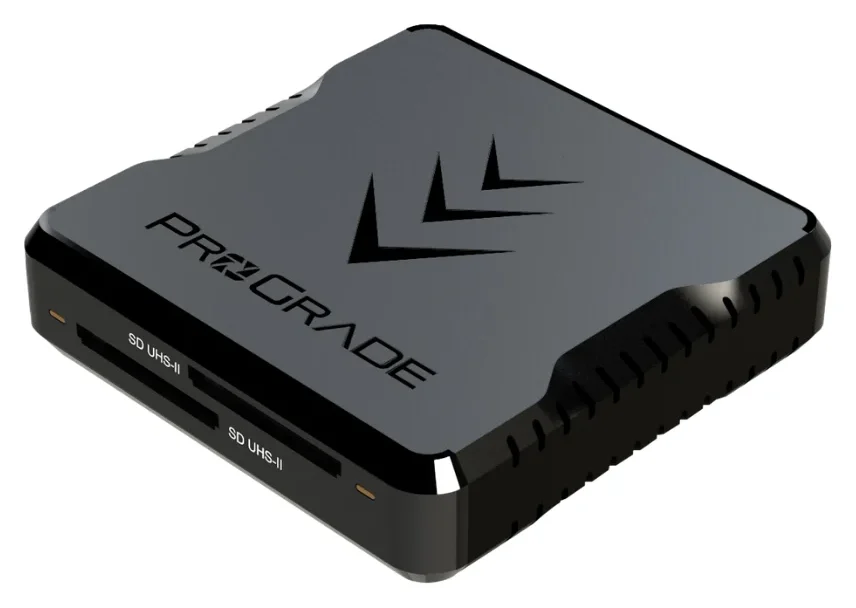
The PG08 is ProGrade's desk-bound dual-slot reader: a USB 3.2 Gen 2 reader for SDXC UHS-II cards, with the two things a tethered workstation wants — both cables in the box (a USB 3.1 Gen 2 A-to-C and a USB 3.1 Gen 2 C-to-C) and a metal mounting plate ProGrade says lets you mount the reader to the back of your laptop or notebook screen so it stays put.
The Gen 2 interface means 10Gbps-class headroom over the wire, more than any single SD card can fill, and the dual SD slots let you copy from two cards back to back without swapping. The quick-start guide also describes an LED that flashes while the reader is actively reading or writing, so you know when a card is safe to eject.
One quirk worth knowing before you park it: ProGrade's manual warns that the reader incorporates a magnetic base, and recommends keeping it away from hard drives and optical drives for that reason. On a desk with a spinning-backup NAS nearby, give it a few inches.
- Slots: dual SDXC UHS-II
- Host: USB 3.2 Gen 2, with USB-A and USB-C both supported via included cables
- In the box: A-C cable, C-C cable, metal mounting plate
- Caution: magnetic base; keep away from hard and optical drives
See the ProGrade PG08 on Amazon
Anker USB-C Hub (7-in-1) — best hub with a card reader
Sometimes the best reader is the one that's already in the hub you carry. Anker's USB-C Hub (7-in-1) includes SD and microSD (TF) card slots alongside its other ports, and per Anker's spec page the hub's data ports run at 5Gbps.
The reader slots are the value end of this roundup, and Anker publishes no UHS class or speed rating for them on this hub's page — but the rest of the hub is the point. You get HDMI at 4K@60Hz for a monitor or projector (only the HDMI port supports video projection), USB-A ports for older card docks and thumb drives, and 85W charging passed through to the laptop from a 100W USB-C power input. On a one-port machine, that is the whole desk in one cable, cards included.
For photographers whose cards are UHS-I, or anyone whose card use is occasional (backups, firmware updates, getting files off a friend's camera), the hub's card slots are enough, and the money not spent on a UHS-II reader buys the rest of the port selection.
- Slots: one SD, one microSD (TF); Anker publishes no slot speed rating for this hub
- Data: 5Gbps on the two USB-A 3.0 ports and the USB-C data port
- Video: HDMI 4K@60Hz
- Charging: 100W in, up to 85W to the laptop
- Warranty: 18-month warranty from Anker
See the Anker USB-C Hub (7-in-1) on Amazon
How we choose
We didn't test these readers; we compared what their makers publish. Every pick above is chosen from official spec pages and quick-start guides from Lexar, ProGrade, Apple and Anker: slot formats, UHS class, interface generation, read-speed ratings, what's in the box and the compatibility lines. We favored name-brand readers that are current in the maker's lineup, have real specs on the maker's own domain, and cover the formats people actually carry — full-size SD and microSD — at the UHS class their cards need. Speeds quoted are the makers' ratings; Lexar notes results may vary based on system configuration and card speed, and every reader is limited by the slowest thing in the chain: the card, the reader, the cable or the port.
- Yes: UHS-II cards get full speed in a UHS-II reader (Lexar, ProGrade, Apple picks)
- Yes: microSD cards fit the dual-slot picks without an adapter
- Yes: UHS-I cards work in every reader here (all are backward compatible)
- No: UHS-II cards do not get UHS-II speed in a UHS-I-only reader (Anker hub)
- Partly: USB-A-only computers need the PG08's A-C cable or a USB-C-to-A adapter
Buying advice: match the reader to the card and the port
Start with your cards, not the reader. UHS-I cards top out at 104MB/s, so a UHS-II reader cannot make them faster; a UHS-II reader only pays off with UHS-II cards (V60, V90). Check the card itself — the class is printed on it.
Then check your host. USB-C is the common denominator across our picks, and it is the only option for an iPhone or iPad. The Lexar and PGM0.5 hang directly off a USB-C port; the PG08 includes both A-C and C-C cables so it fits older USB-A laptops too; the Anker hub's attached cable ends in USB-C. Lexar notes its Gen 1 interface is backwards compatible with USB 3.1 and 2.0 ports, so port generation rarely blocks you — it just caps your ceiling.
Two slots beat one for mixed formats. A single SD slot is fine for one camera. Add a drone, an action cam or a Nintendo Switch and you're carrying microSD cards, which need their own slot or a full-size adapter. The Lexar, PGM0.5 and Anker picks have both.
Decide whether you want a reader or a hub. If the laptop also needs video, USB-A and charging, a hub with a UHS-I slot covers cards as a bonus and saves a port. If offload speed is the job, a dedicated UHS-II reader is the tool.
Mind the small print. Eject only when the activity LED has stopped flashing (ProGrade's guides make this explicit), and keep the PG08's magnetic base away from spinning hard drives.
Related reading: if you're building a whole desk around one cable, see our USB-C hub roundup and hubs for MacBook; for moving the offloaded files, our portable SSD guide and USB-C flash drive picks cover the fast lane.
Verdict
For most people the Lexar Professional USB-C Dual-Slot Reader is the buy: UHS-II in both its SD and microSD slots, up to 312MB/s reads, and a reversible USB-C plug, all confirmed on Lexar's own spec page. Travel light with the ProGrade PGM0.5, keep your Apple devices happy with Apple's USB-C to SD Card Reader, park a PG08 on the desk, or let the Anker USB-C Hub (7-in-1) read cards as a side job while it charges the laptop. The one mistake to avoid is paying UHS-II money when your cards are UHS-I — 104MB/s is their ceiling in any reader.
Frequently asked questions
Do I need a UHS-II card reader?
Only if your cards are UHS-II. A UHS-II reader with a UHS-II card reads at up to 312MB/s on Lexar's spec sheet, but a UHS-I card tops out at 104MB/s in any slot. If you shoot on UHS-I cards or use a reader mostly for occasional backups, a UHS-I reader or a hub's built-in slot does the job; UHS-II pays off when you offload large V60 or V90 card loads regularly.
Will an SD card reader work with a USB-C iPhone or iPad?
Yes, if it connects over USB-C. Apple's own USB-C to SD Card Reader is the safe pick: Apple says it transfers high-resolution photos and videos at UHS-II speeds to a USB-C enabled Mac, iPad or iPhone. Third-party USB-C readers generally also work with iPadOS and recent iPhones, which open the Files and Photos apps when a card is inserted.
What is the difference between USB 3.2 Gen 1 and Gen 2 for card readers?
Speed headroom. Gen 1 runs at 5Gbps and Gen 2 at 10Gbps over the wire, and UHS-II card speeds (up to 312MB/s, about 2.5Gbps) fit comfortably under either, so a Gen 1 UHS-II reader is not automatically slower with one card. Gen 2 matters when a reader serves multiple slots at once or when you want room to grow into faster cards.
Can a card reader also charge my laptop?
A plain reader, no. A hub with a card reader can: Anker's USB-C Hub (7-in-1) takes 100W in over USB-C and passes up to 85W through to the laptop while its SD and microSD slots, USB-A ports and HDMI port stay live. That makes it a better travel pick than carrying a separate reader and charger.
Are microSD and SD slots the same thing?
No, they are different physical slots, and some readers only have one. The Lexar Professional USB-C Dual-Slot Reader and ProGrade's PGM0.5 each have one SD-sized slot and one microSD-sized slot, both UHS-II, so drones, action cams and Nintendo Switch cards work alongside full-size camera cards without an adapter.
best overall
Lexar Professional USB-C Dual-Slot Reader
Related guides
Best KVM Switches: Two Computers, One Keyboard, Mouse and Monitor Set
Pick the right KVM switch for two PCs, laptops, dual monitors, gaming or USB-only sharing. Compare HDMI, DisplayPort and USB-C models, docks and Mac limits.
Updated November 7, 2026Read
The Best USB Wi-Fi Adapters for Mac (The macOS Compatibility Truth)
Which USB Wi-Fi adapters actually support a Mac? The verified models, the macOS version limits, the USB-C problem on modern Macs, and the Ethernet workaround.
Updated November 10, 2026Read
Plugable UGA-4KHDMI vs StarTech USB32HDPRO: Which Should You Buy?
Compare Plugable UGA-4KHDMI and StarTech USB32HDPRO for office monitors: resolution, drivers, Mac permissions, included cables, and when to choose native USB-C.
Updated November 4, 2026Read