Black Friday: the specs to check before you buy
Best picks
Updated November 10, 2026The Best USB Wi-Fi Adapters for Mac (The macOS Compatibility Truth)
Short answer
The honest answer first: there is no name-brand USB Wi-Fi adapter we can verify for a Mac running current macOS. macOS ships with no generic USB Wi-Fi drivers, and the makers' own download pages show it: TP-Link's Mac drivers stop at Mac OS 10.15, and its whole Wi-Fi 6 and Wi-Fi 7 USB line, ASUS's current nano adapters and D-Link's DWA-X1850 publish Windows and Linux packages only. What we can verify are four TP-Link AC adapters with published Mac drivers — the Archer T3U Plus is the best of them — for an Intel Mac kept on macOS 10.15 or earlier. On a modern Mac, a USB-C Gigabit Ethernet adapter such as the Plugable USBC-E1000, driver-free from macOS 10.15 on, is the more useful USB network upgrade.
Our picks at a glance
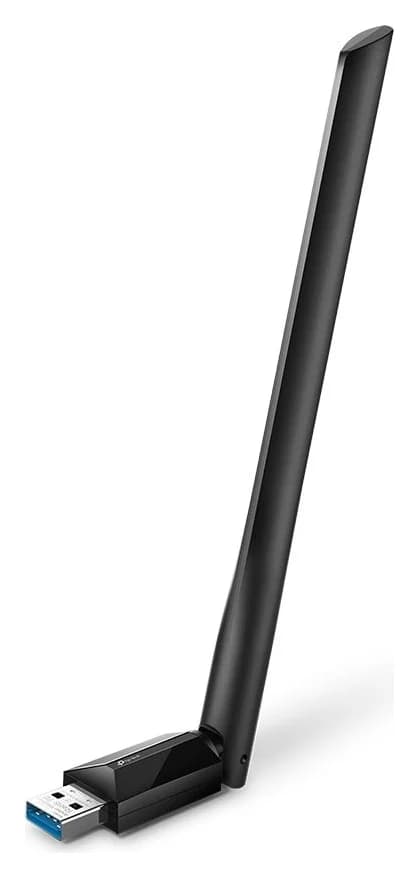
Best for an Intel Mac on macOS 10.15 or earlierTP-Link
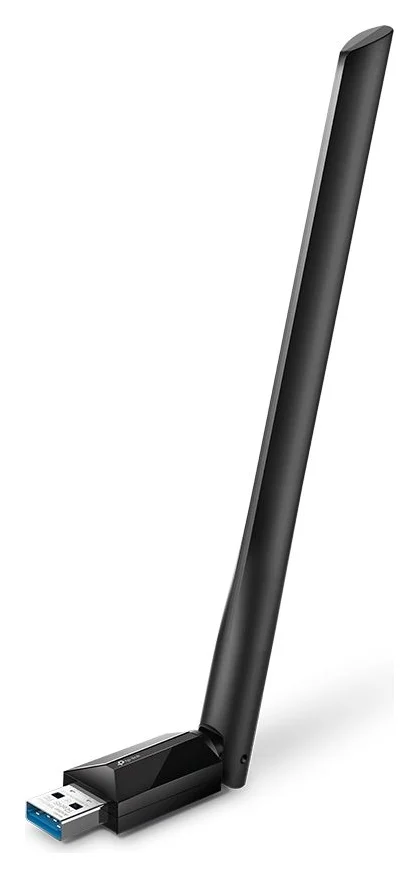
TP-Link Archer T3U Plus AC1300 High Gain Wireless Dual Band USB Adapter
- data
- 5 Gbps
- port
- 1
- host link
- USB 3.0
- Choose
- TP-Link publishes a macOS driver for the AC1300 Archer T3U Plus, plus a USB 3.0 interface and a high-gain antenna for desk use.
- Limit
- System requirements list Windows only, so macOS use needs the driver TP-Link provides on its download page (the guide picks it for Intel Macs on macOS 10.15 and earlier)
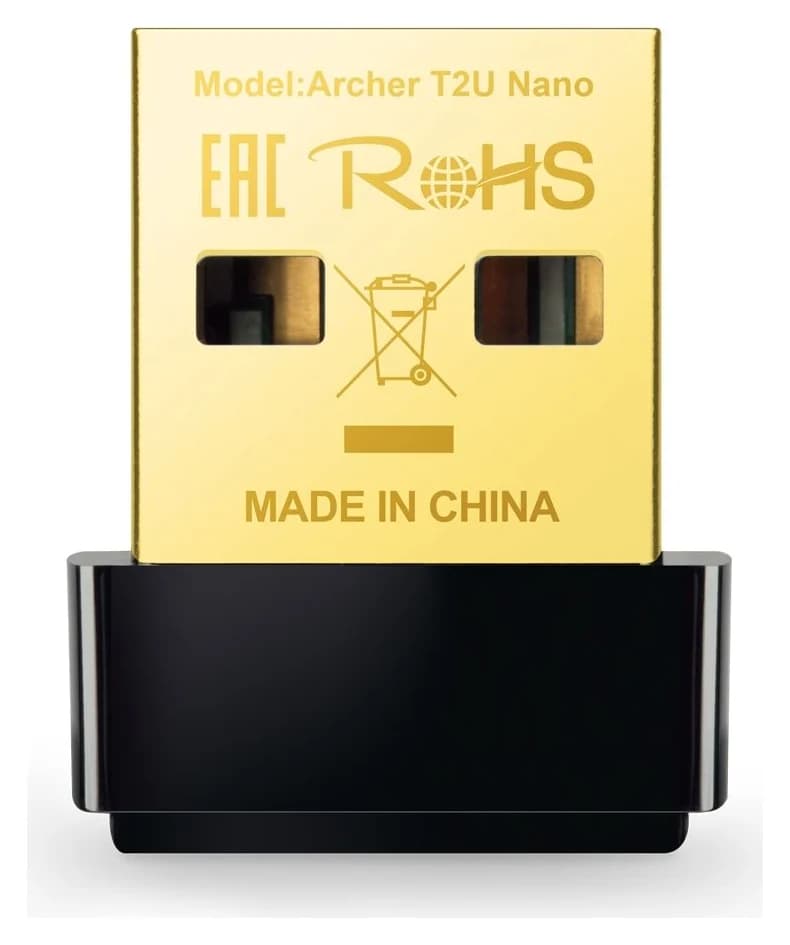
Smallest macOS-verified adapterTP-Link
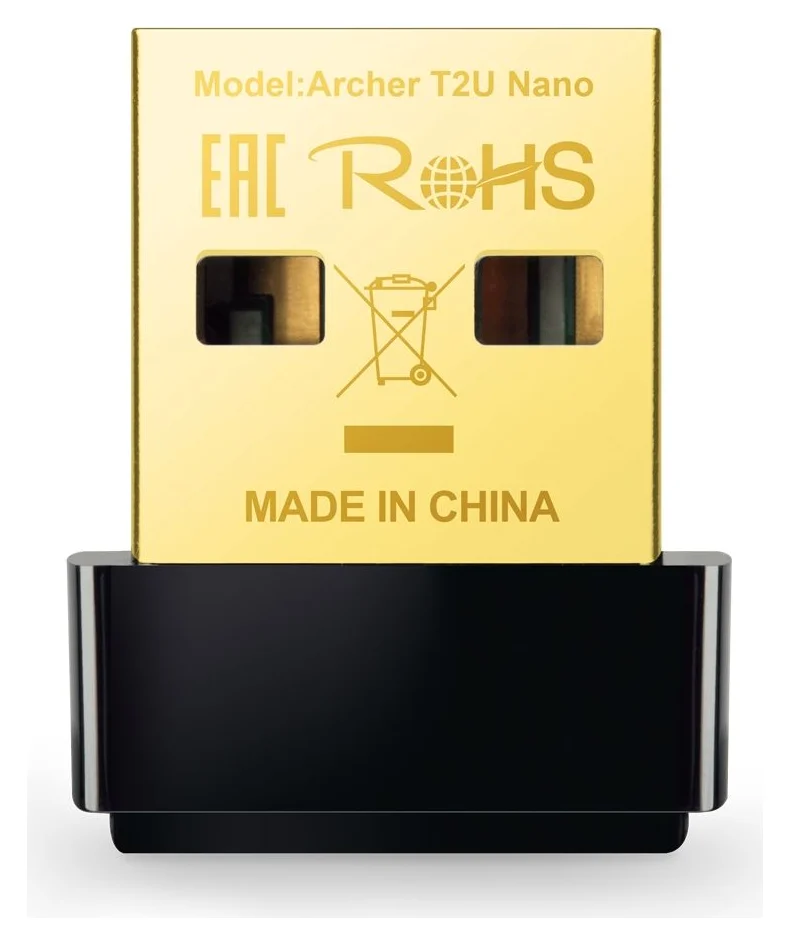
TP-Link Archer T2U Nano AC600 Nano Wireless USB Adapter
- port
- 1
- host link
- USB 2.0
- Choose
- The AC600 Archer T2U Nano is TP-Link's tiniest adapter with a published Mac driver, at 15 × 7.1 × 18.6 mm.
- Limit
- USB 2.0 interface caps real-world throughput well below the AC600 rating
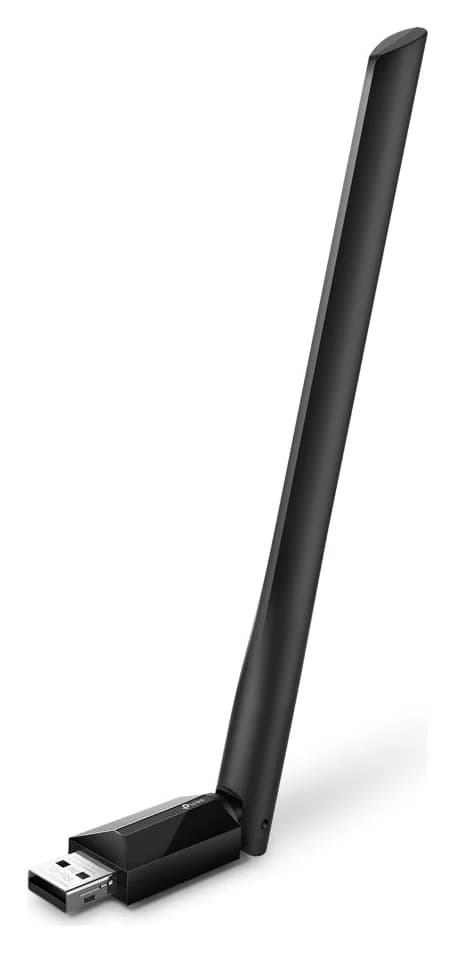
Best range on macOS 10.15 or earlierTP-Link
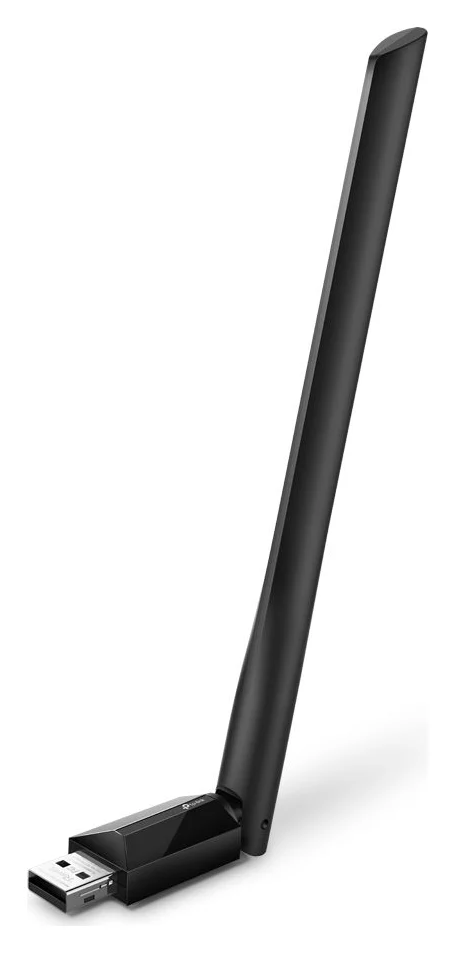
TP-Link Archer T2U Plus AC600 High Gain Wireless Dual Band USB Adapter
- port
- 1
- host link
- USB 2.0
- Choose
- The AC600 Archer T2U Plus pairs its published Mac driver with a 5dBi high-gain external antenna you can aim.
- Limit
- USB 2.0 interface caps real-world throughput well below the AC600 rating
- See on Amazon4
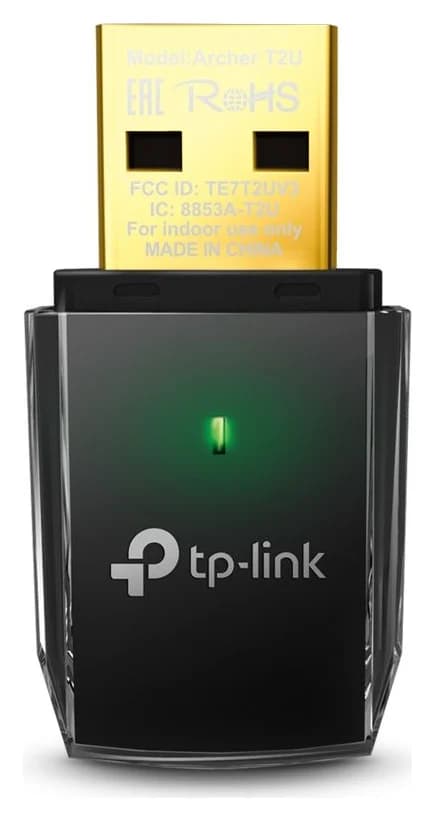
Budget fallback
TP-Link Archer T2U AC600 Wireless Dual Band USB Adapter
1 port
- See on Amazon5
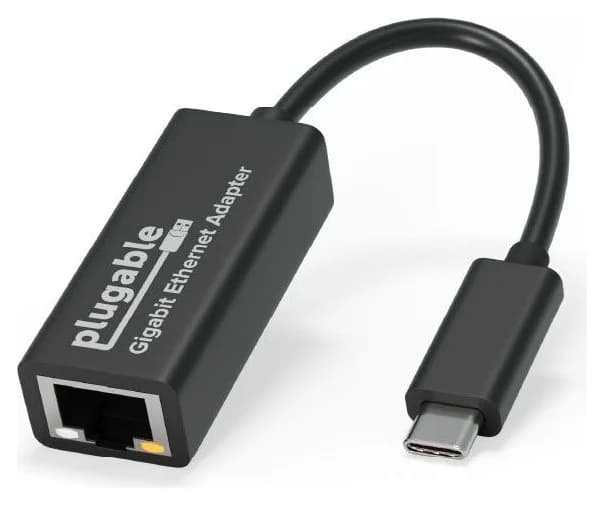
Best when Wi-Fi is the problem — get Ethernet instead
Plugable USB-C Gigabit Ethernet Adapter (USBC-E1000)
1 port
- Mac OS 10.15The newest macOS TP-Link's published USB Wi-Fi adapter drivers support
- 4TP-Link adapters with an official Mac driver on the US support site
- 10.15The oldest macOS Plugable's USB-C Ethernet adapter needs — with no driver download
- Wi-Fi 7The wireless class Apple's current Mac mini and iMac spec pages list
Quick picks
| Pick | Best for | Mac support, per the maker's pages |
|---|---|---|
| TP-Link Archer T3U Plus | Intel Mac on macOS 10.15 or earlier | Mac driver for 10.11–10.15, USB 3.0 |
| TP-Link Archer T2U Nano | The smallest Mac-verified adapter | Mac drivers for 10.9–10.15, USB 2.0 |
| TP-Link Archer T2U Plus | Weak signal on an old Mac | Mac drivers for 10.9–10.15, USB 2.0, 5dBi antenna |
| Plugable USBC-E1000 | Any Mac from 10.15, when Wi-Fi is the problem | Driver-free Gigabit Ethernet |
Why Mac Wi-Fi adapters often fail
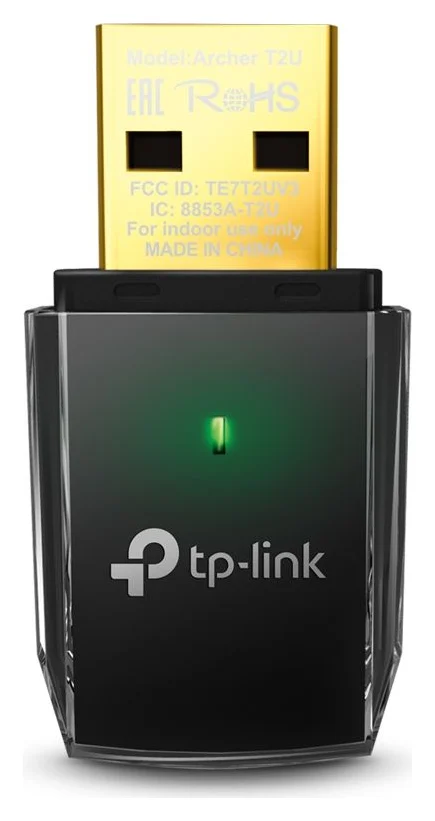
Plug a random USB Wi-Fi adapter into a Windows PC and it usually works: Windows bundles drivers for the common Realtek, MediaTek and Intel USB radio chips. Plug the same adapter into a Mac and nothing happens, because macOS ships no USB Wi-Fi driver at all. Every USB Wi-Fi adapter on a Mac depends on a driver the maker wrote and maintains for that exact hardware revision.
The second problem is age. TP-Link's published Mac drivers cover Mac OS X 10.9–10.15, an Intel-only era: the T2U family reaches back to 10.9–10.14, while the T3U Plus package covers 10.11–10.15. On the US V1.60 support pages, the Archer TX20U Plus lists Windows only, the TXE70UH lists Windows and Linux, and the TX20U Nano lists Windows and Linux; none has a Mac package. The Wi-Fi 7 Archer TBE400U is the same. ASUS's current USB-AX57 Nano and USB-BE92 Nano and D-Link's Wi-Fi 6 DWA-X1850 document Windows only. That's the whole story behind "Mac compatible" claims in listings: the page might say "and macOS" while the maker's own driver list ends at Mac OS 10.15 or names no Mac package at all — TP-Link's Archer T3U Plus product page is a live example of that mismatch, and its download page is the one to trust.
The third problem is the port: every Mac laptop Apple sells today, and the current Mac mini and iMac, have only USB-C ports, so a USB-A adapter needs a hub or a dongle anyway.
- Yes: TP-Link Archer T3U Plus / T2U Plus / T2U Nano / T2U on macOS 10.15 or earlier: driver published
- Yes: Plugable USBC-E1000 Ethernet on macOS 10.15 or later: no driver needed
- Partly: TP-Link product pages that mention "macOS": check the driver page, not the blurb
- No: TP-Link Wi-Fi 6/7 USB adapters on any Mac: no Mac driver published
- No: ASUS USB-AX57 Nano, USB-BE92 Nano and D-Link DWA-X1850 on a Mac: Windows only
Best for an Intel Mac on macOS 10.15 or earlier: TP-Link Archer T3U Plus
TP-Link
TP-Link Archer T3U Plus AC1300 High Gain Wireless Dual Band USB Adapter
An AC1300 MU-MIMO dual-band USB 3.0 Wi-Fi adapter with an adjustable external high-gain antenna, for Windows and Mac computers that need fast, long-range Wi-Fi.
- 5 Gbps data
- 1 port
The T3U Plus is the strongest adapter on TP-Link's US support site with a published Mac driver — the only one of our Wi-Fi picks on a USB 3.0 interface, with an AC1300 class (up to 867 Mbps on 5 GHz or 400 Mbps on 2.4 GHz, per TP-Link's signal-rate specs) and a single external high-gain antenna. TP-Link lists its dimensions as 57.8 × 18 × 173.4 mm; it does not state whether that measurement includes the antenna.
TP-Link's US download page lists the driver as Archer T3U Plus(US)_V1.6_mac10.10_10.15_191204, covering mac10.11–10.15 — so it fits an Intel Mac on Catalina, but nothing newer. Install it from the support page for your exact revision (V1.60), and note the package is notarized for an era before Apple-silicon Macs existed: it's an Intel-Mac pick, full stop.
Check price on Amazon
Smallest macOS-verified adapter: TP-Link Archer T2U Nano
TP-Link
TP-Link Archer T2U Nano AC600 Nano Wireless USB Adapter
A nano-sized AC600 dual-band USB Wi-Fi adapter that stays nearly flush with a USB-A port while adding 802.11ac Wi-Fi to a Windows or Mac computer.
- 1 port
The T2U Nano is the one to leave in a bag: 15 × 7.1 × 18.6 mm, AC600 class (433 Mbps on 5 GHz, 200 Mbps on 2.4 GHz), USB 2.0. TP-Link's product page lists Mac OS X 10.9–10.14, and the US V1.60 driver page adds a Mac OS 10.15 package. At the time of checking, the US V2.60 page listed a Linux package only, so check the version printed on the unit before you buy.
With USB 2.0 and an AC600 class, treat it as a connectivity spare, not a speed upgrade: TP-Link says the host controller, hubs and other devices sharing the connection can affect throughput. Our all-OS USB Wi-Fi adapter guide covers where the T2U Nano fits for Windows and Linux machines.
Check price on Amazon
Best range on macOS 10.15 or earlier: TP-Link Archer T2U Plus
TP-Link
TP-Link Archer T2U Plus AC600 High Gain Wireless Dual Band USB Adapter
An AC600 dual-band USB Wi-Fi adapter with an adjustable 5dBi external high-gain antenna for better reception and range on a Windows or Mac computer.
- 1 port
The T2U Plus matches the Nano's AC600 class but adds one 5dBi high-gain external antenna you can aim at the router — TP-Link positions it for reception throughout the home. Same Mac driver situation: the product page lists Mac OS X 10.9–10.14, the US driver page adds the Mac OS 10.15 package, and there's a separate 10.9–10.14 package for older Intel Macs still on Mavericks to Mojave. Interface is USB 2.0, dimensions 57.8 × 18 × 173.4 mm.
Its real job on an old Mac is rescuing a weak connection: a directional antenna on a USB 2.0 stick will outperform a nano adapter in a far room, on paper and in practice, because antenna gain is a physical property of the part.
Check price on Amazon
Budget fallback: TP-Link Archer T2U
TP-Link
TP-Link Archer T2U AC600 Wireless Dual Band USB Adapter
An AC600 dual-band USB Wi-Fi adapter that adds 802.11ac Wi-Fi to a Windows or Mac computer over a USB 2.0 port.
- 1 port
The plain T2U is the same AC600 radio and USB 2.0 interface as the T2U Plus, in a plain full-size body at 41 × 19.5 × 8.7 mm with an internal omnidirectional antenna. Its product page lists "Windows & MacOS" as system requirements, and its US V3.6 driver page publishes the Archer T2U(US)_V3.6_200105_Mac10.15 package for Mac OS 10.15. Pick it when the Nano's tiny body and the T2U Plus's antenna both cost more than you need.
Best when Wi-Fi is the problem: Plugable USBC-E1000 Ethernet
Plugable
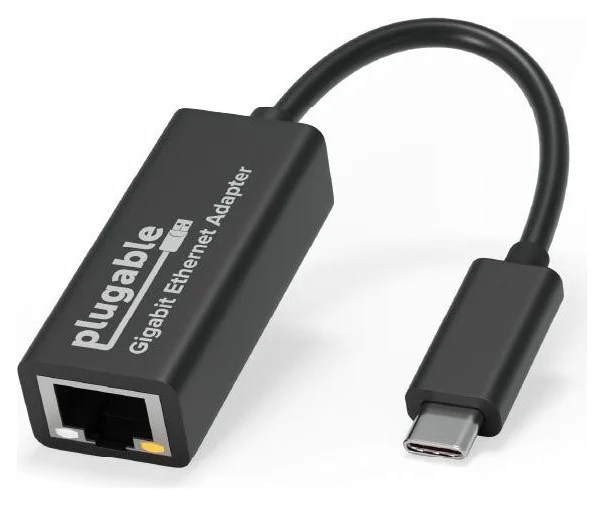
Plugable USB-C Gigabit Ethernet Adapter (USBC-E1000)
A small bus-powered adapter that adds a gigabit Ethernet (RJ45) port through a USB-C, USB4 or Thunderbolt port, with built-in driver support on ChromeOS, Windows 10/11, macOS and iPadOS.
- 1 port
Most people shopping a "Wi-Fi adapter for Mac" actually want a better network connection. On any Mac from macOS 10.15 or later — including every Apple-silicon Mac — the most direct upgrade is wired: Plugable's USBC-E1000 adds a Gigabit Ethernet port over USB-C, is compatible per Plugable with Windows 10 and newer, macOS 10.15 or later, iPhone 15 / Pro / Pro Max, ChromeOS and Linux kernel 3.9 or newer, and with its upgraded ASIX AX88179B chipset "there is no driver to download." It reaches up to 1000 Mbps on a supported gigabit network — more than any USB Wi-Fi adapter's real-world throughput, and steadier. The box holds the adapter and a quick start guide; you supply the network cable.
The catch is the wire: you need router or wall access. For that case, an Ethernet cable plus this adapter is the fix we can actually verify on modern macOS.
See the Plugable USBC-E1000 on Amazon
USB-C versus USB-A on modern Macs
Apple's own spec pages show how little room USB-A has left:
- Every MacBook Air, MacBook Pro and MacBook Neo in Apple's current lineup lists two or three USB-C-class ports (Thunderbolt 4/5 or USB 4) — no USB-A. The last MacBooks with USB-A ports were the Intel models; current iMacs and the Mac Studio retain USB-A, while current Mac laptops and the Mac mini do not.
- The current Mac mini has two USB-C ports on the front, three rear Thunderbolt 4 (USB-C) ports on the M6 model or three Thunderbolt 5 (USB-C) ports on the M5 Pro model, and a 2.5Gb Ethernet port configurable to 10Gb. The current iMac offers two or four Thunderbolt/USB 4 ports, with Ethernet configurable.
So a USB-A Wi-Fi adapter on a modern Mac means a hub or adapter dongle in the chain — one more thing a driver must tolerate. A USB-C Wi-Fi adapter would skip the dongle, but the only USB-C wireless adapter we can verify with a real Mac driver story is none we found; TP-Link's USB-C Wi-Fi 7 TBE400U is Windows-driver-only. USB-C to USB-A adapters are cheap and fine for USB 2.0 sticks like the T2U family. Our USB-C versus USB-A explainer covers the connector trade-offs, and the MacBook Air hub guide picks hubs that add USB-A ports.
Driver installation and what to double-check
Check the hardware revision
The version (V1.6, V2.60, V3.6) is printed on the adapter's label; driver packages are revision-specific.
Open the maker's driver page
TP-Link's US support download page for that model and revision must list a Mac package covering your macOS version.
Download it on another Mac
Save the package before you disconnect or disable your working connection.
Install, then approve
Run the installer, use "Open Anyway" if macOS blocks it as from an unidentified developer, and restart to finish; re-check support after any macOS update.
Two habits prevent most dead ends. First, trust the driver download page over any marketing line: the T3U Plus page claims macOS support while its requirements row lists Windows only, and only its download page shows the real Mac driver and its 10.11–10.15 range. Second, match the hardware revision: TP-Link's download page warns that "model and hardware version availability varies by region," and a V2.60 T2U Nano has a different driver list from the V1.60.
Speed expectations and antenna placement
Published numbers first: the T3U Plus is an AC1300-class adapter (up to 867 Mbps on 5 GHz), the T2U family is AC600 (433 Mbps on 5 GHz). Those are airlink signal rates at the radio, not throughput — USB 2.0's interface caps the T2U family lower, and TP-Link itself notes the host controller, hubs and other devices sharing the connection can affect throughput. Real internet speeds will sit well below both class labels, and the adapter cannot exceed what the router and the internet plan deliver.
Placement is the free upgrade. The T2U Plus's 5dBi external antenna can be aimed at the router; nano adapters depend entirely on where the laptop sits. USB 3.0 hardware can also radiate noise into the 2.4 GHz band — Intel's white paper hosted by USB-IF documents interference between USB 3.0 devices and 2.4 GHz receivers — so keep an adapter away from busy USB storage gear, or favor the 5 GHz band, which none of these radios' Mac drivers struggle with. Our USB Wi-Fi adapter guide covers placement for the cabled Windows picks in more depth.
What to buy if your Mac has no compatible adapter
Running macOS 11 or later on Apple silicon? Our honest ranking of the alternatives:
- USB-C Gigabit Ethernet (Plugable USBC-E1000 above) — verified from macOS 10.15 with no driver, up to 1000 Mbps on a gigabit network.
- Fix the built-in Wi-Fi instead. Apple's current Mac mini and iMac spec pages list Wi-Fi 7 (802.11be), while the still-sold Mac Pro M2 Ultra shows Wi-Fi 6E on Apple's compare page; laptops carry modern built-in radios that outclass every USB 2.0 AC600 stick here.
- A Wi-Fi travel router in bridge mode, creating a wireless hop into a wired or USB connection — useful in hotels, though we have no Mac-verified USB pick to attach to it.
- Service or a replacement Wi-Fi module if the Mac's radio itself is dead; on Apple-silicon Macs this is often cheaper in time than any driver chase.
How we choose
We have not tested these adapters. Every claim here comes from the makers' own pages, fetched and checked for this guide:
- Driver pages, not marketing lines. A model only made our Mac list if its maker's official US support download page publishes a Mac driver, and we quote each package's supported macOS range.
- Official spec sheets. Speeds, interfaces, antennas, dimensions and box contents come from TP-Link's and Plugable's product and support pages, and Apple's Mac comparison and specs pages.
- Honest gaps. Where makers contradict themselves (the T3U Plus page claiming macOS while its requirements list Windows), we say so rather than pick the flattering reading — the same rule our all-OS USB Wi-Fi adapter roundup follows.
Buying tips
- Check the revision before paying. TP-Link driver packages are per hardware version; the label on the unit is the source of truth.
- Verify on the maker's support site, not the store listing. "Compatible with macOS" in a listing has no meaning without a driver package to back it.
- Keep the driver file. Save the Mac package before you need it; TP-Link support pages reorganize over time.
- Know when to walk away. On macOS 11 or later, no pick on this page's Wi-Fi section qualifies; buy the Ethernet adapter instead.
Verdict
If your Intel Mac runs macOS 10.15 or earlier, the TP-Link Archer T3U Plus is the best USB Wi-Fi adapter we can verify for it — USB 3.0, AC1300, a published Mac driver. Prefer the T2U Nano for a bag, or the T2U Plus when the antenna matters more than size. If your Mac runs anything newer, the truthful pick isn't a Wi-Fi adapter at all: it's the Plugable USBC-E1000, a driver-free USB-C Gigabit Ethernet adapter covering macOS 10.15 and every version since.
Frequently asked questions
Do USB Wi-Fi adapters work on Mac?
Only specific models. macOS includes no generic drivers for USB Wi-Fi adapters, so a model only works if the maker publishes a Mac driver for it. Our shortlist is built from verified driver pages: TP-Link's US support site offers Mac drivers for the Archer T3U Plus, T2U Plus, T2U Nano and T2U. The catch is version support: those drivers list Mac OS X 10.9–10.14 or Mac OS 10.15, so they fit an Intel Mac kept on an older macOS. On an Apple-silicon Mac running a current macOS, we have not found a name-brand USB Wi-Fi adapter with a published, current Mac driver — Ethernet is the practical route.
Can I get a Wi-Fi 6 or Wi-Fi 7 USB adapter for a Mac?
Not with a published macOS driver from a major brand, as far as we can verify. On the US V1.60 support pages, the TP-Link Archer TX20U Plus lists Windows only, the TXE70UH lists Windows and Linux, and the TX20U Nano lists Windows and Linux; none has a Mac package. The Wi-Fi 7 Archer TBE400U is the same. ASUS's current nano adapters and D-Link's DWA-X1850 likewise document Windows only. Check your Mac's spec page before relying on built-in Wi-Fi 7.
Why does the Wi-Fi adapter I bought show nothing on my Mac?
Because macOS has no built-in driver for USB Wi-Fi chips. The adapter appears in System Information under USB, but not in Network settings, unless the maker's Mac driver is installed. Even then, the driver has to match the hardware revision printed on the adapter's label, and TP-Link warns that model and hardware version availability varies by region. Check the maker's support download page for your exact revision before buying, and note that the newest Macs have no USB-A port to plug most adapters into.
My Mac's Wi-Fi is broken. What's the fastest fix?
Usually Ethernet. A USB-C to Gigabit Ethernet adapter such as Plugable's USBC-E1000 works on macOS 10.15 or later with no driver download and delivers up to 1000 Mbps on a supported gigabit network — faster and steadier than any USB Wi-Fi adapter on this page. If you need wireless, the picks here cover Intel Macs on macOS 10.15 or earlier. On Apple silicon with broken Wi-Fi, USB Wi-Fi adapters with published, current Mac drivers are effectively unavailable, and we'd suggest checking service options or a Wi-Fi travel router.
What about a USB-C Wi-Fi adapter so I don't need a USB-A dongle?
USB-C alone doesn't make an adapter Mac-compatible — the driver is what matters, and TP-Link's Wi-Fi 7 Archer TBE400U, which connects over USB-C or USB-A, publishes Windows drivers only. On the driver side, the USB-C products we can verify for Mac are Ethernet adapters like Plugable's USBC-E1000, which uses the ASIX AX88179B chipset that macOS handles without a download. For the Mac-verified Wi-Fi picks here, use a USB-C to USB-A adapter or a hub; note their drivers still stop at Mac OS 10.15.
How do I install the Mac driver for these TP-Link adapters?
Download the Mac package from the TP-Link US support page for your exact hardware revision (V1.60 for these models) before you disconnect anything, and keep a copy on another computer. TP-Link's support site also carries a written guide, "How to Install a TP-Link Adapter Driver Manually on macOS." If macOS blocks the installer as being from an unidentified developer, use Security and Privacy (or System Settings on macOS Ventura or later) and click "Open Anyway"; then restart to finish the installation. If the adapter stops working after an upgrade, check whether the driver version still covers your macOS version — each package lists its supported range.
Best for an Intel Mac on macOS 10.15 or earlier
TP-Link Archer T3U Plus AC1300 High Gain Wireless Dual Band USB Adapter
Related guides
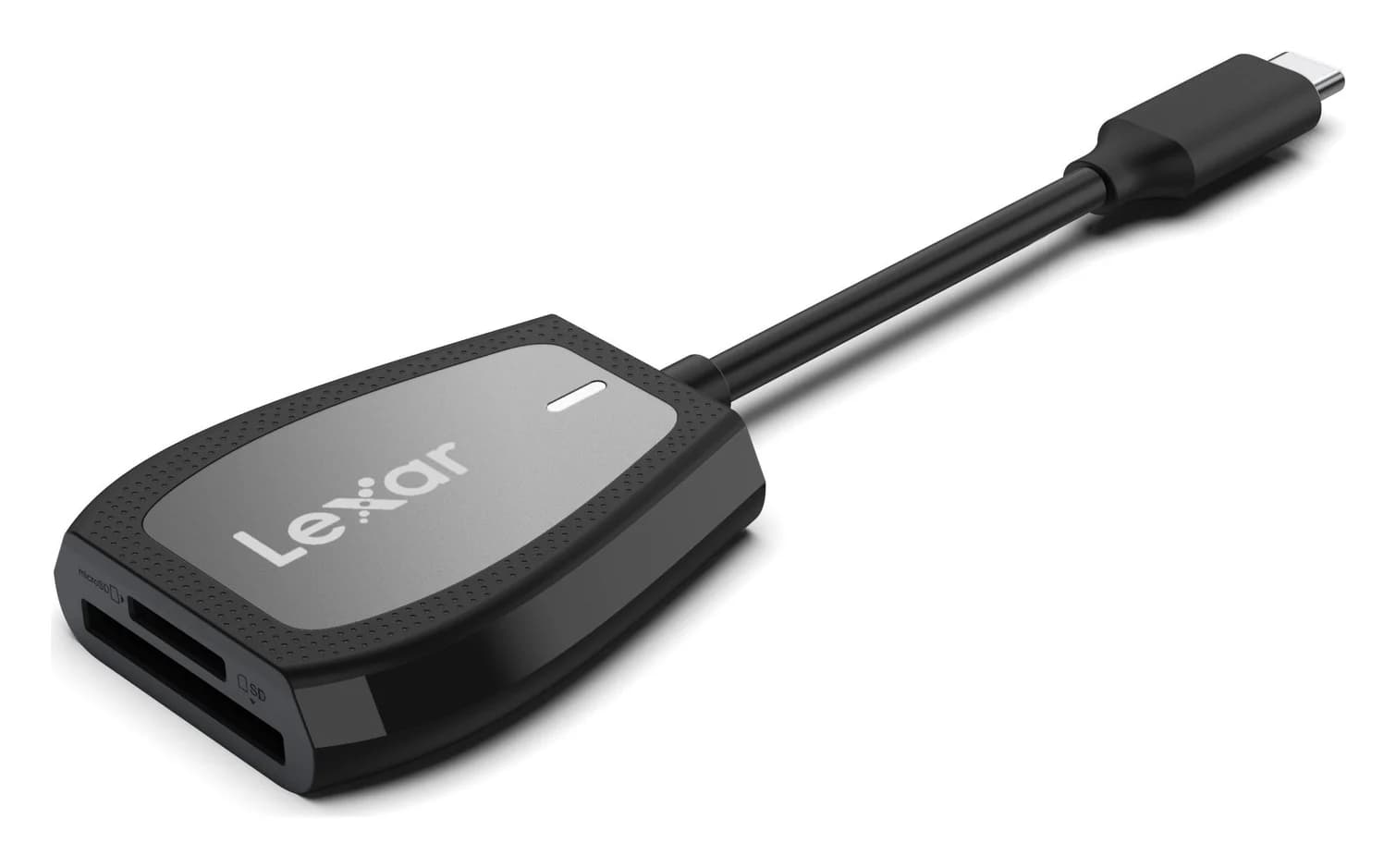
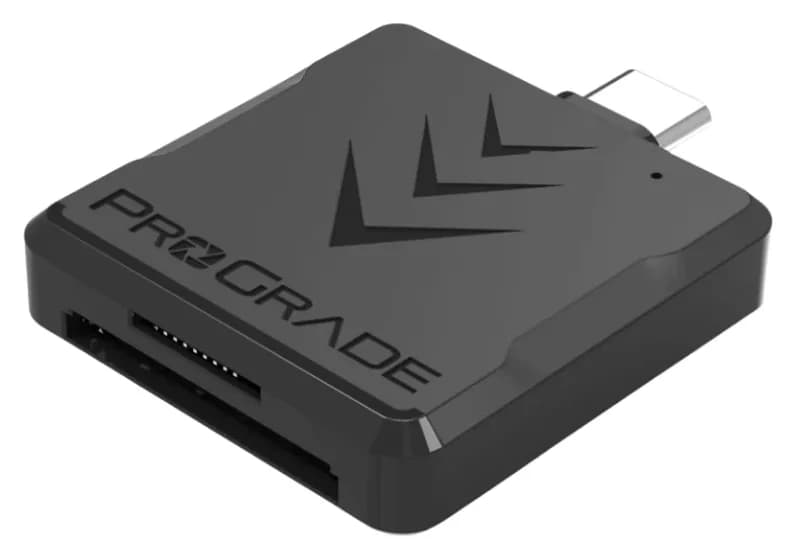
Best SD Card Readers in 2026: USB-C Picks for Every Workflow
The SD card readers worth buying, from makers' spec sheets: UHS-II dual-slot picks from Lexar and ProGrade, Apple's USB-C reader, and an Anker hub that reads cards too.
Updated November 7, 2026Read
Best KVM Switches: Two Computers, One Keyboard, Mouse and Monitor Set
Pick the right KVM switch for two PCs, laptops, dual monitors, gaming or USB-only sharing. Compare HDMI, DisplayPort and USB-C models, docks and Mac limits.
Updated November 7, 2026Read
Plugable UGA-4KHDMI vs StarTech USB32HDPRO: Which Should You Buy?
Compare Plugable UGA-4KHDMI and StarTech USB32HDPRO for office monitors: resolution, drivers, Mac permissions, included cables, and when to choose native USB-C.
Updated November 4, 2026Read