Black Friday: the specs to check before you buy
Best picks
Updated November 5, 2026USB-C Docks for Mac Pro: Choose the Right Desktop Kit
Short answer
For a Mac Pro desktop that needs more accessible USB data ports, our first pick is the StarTech HB31C2A2CB: two USB-C and two USB-A ports over a shared 10Gbps link. For HDMI monitors on a 2023 Mac Pro, the Plugable TBT4-UD5 is our specification-based dock candidate, although Plugable's Mac chip list omits M2 Ultra. Choose the UGREEN Revodok Max 213 for a card-reader and peripheral station, after checking the host requirements below.
Our picks at a glance
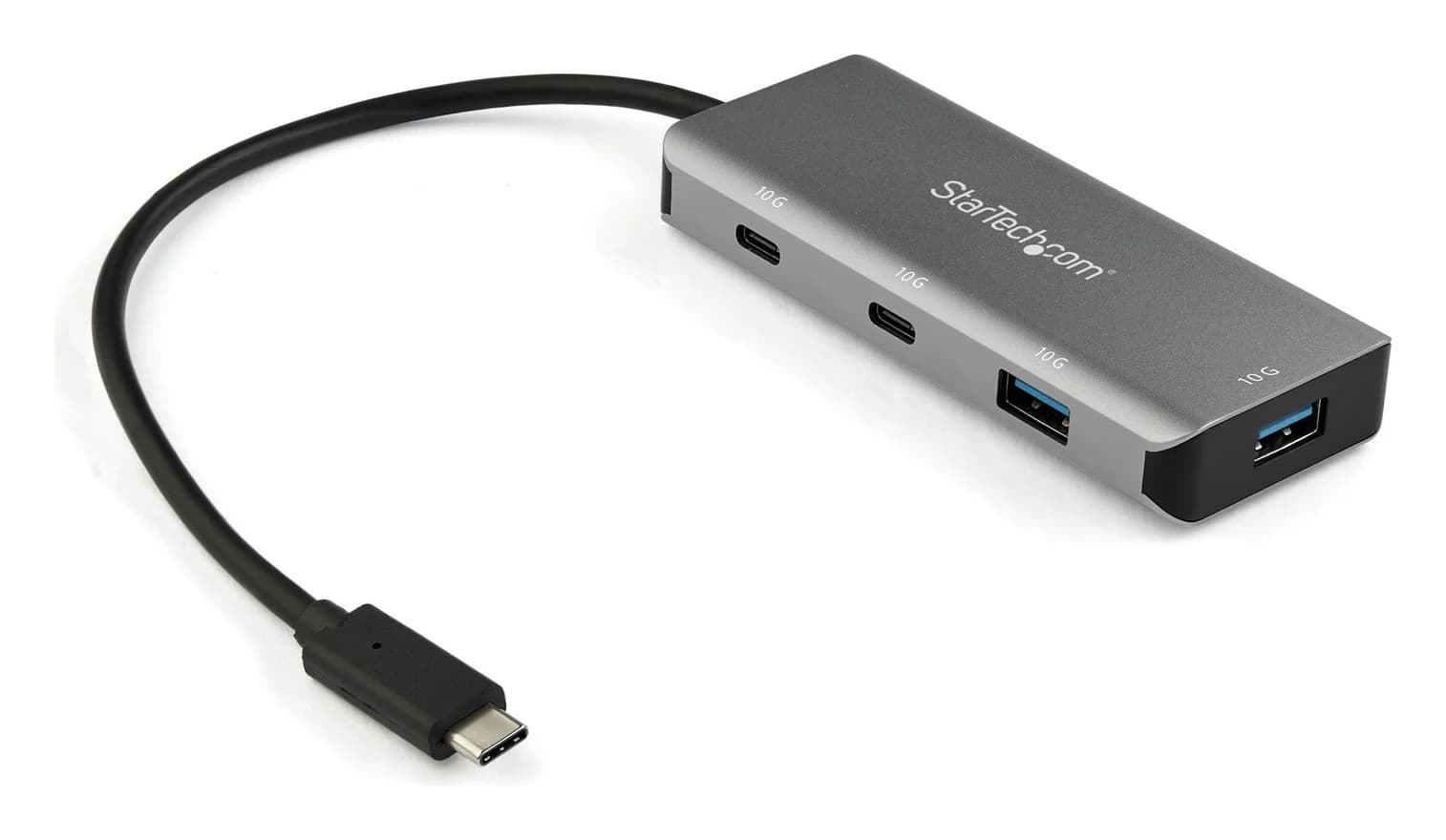
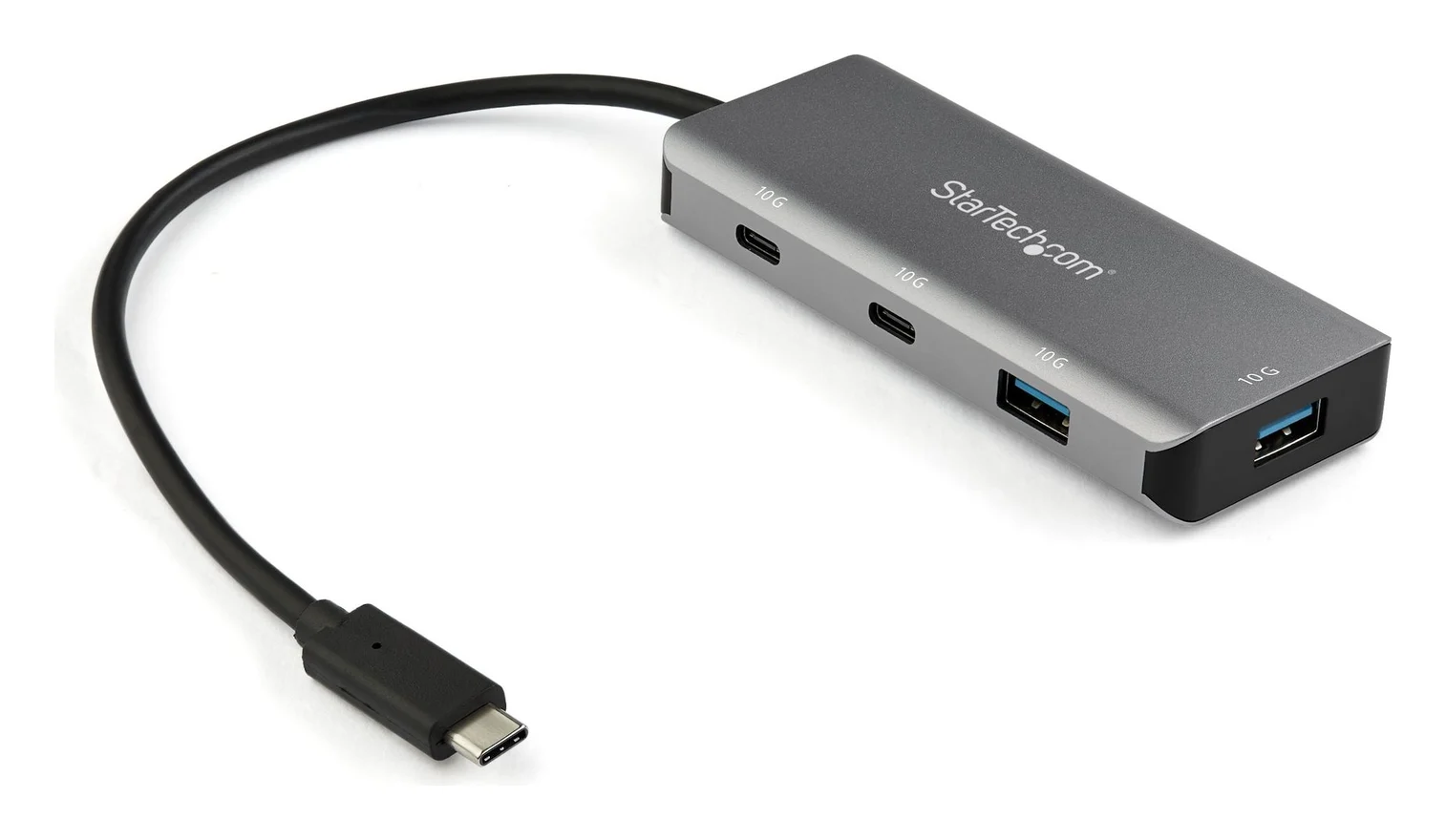
Best for adding USB data portsStarTech.com
StarTech.com 4-Port USB-C Hub 10Gbps (2x USB-C + 2x USB-A)
- data
- 10 Gbps
- ports
- 4
- host link
- USB-C 3.2 Gen 2
- Choose
- The HB31C2A2CB adds two USB-C and two USB-A data ports over a shared 10Gbps connection, without an external power adapter.
- Limit
- No video output: the USB-C ports do not support DisplayPort Alt Mode
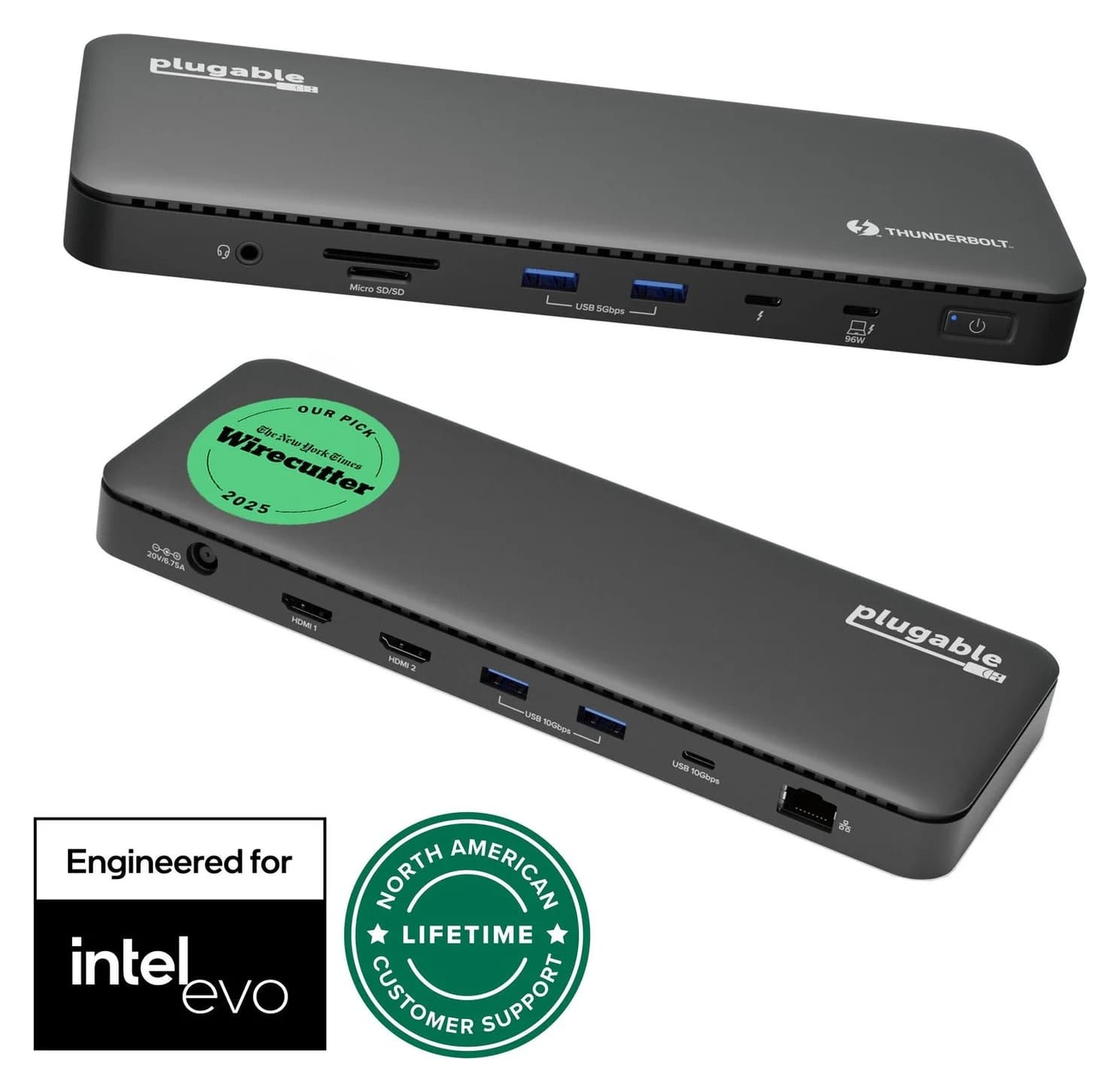
Best HDMI dock candidate for Mac Pro 2023Plugable
Plugable Thunderbolt 4 Dock (TBT4-UD5)
- to laptop
- 96W
- data
- 40 Gbps
- video
- 4K
- Choose
- Two HDMI outputs rated up to 4K at 60Hz match the 2023 Mac Pro's Thunderbolt 4 connection on paper; Plugable's Mac chip list omits M2 Ultra.
- Limit
- Gigabit (not 2.5GbE) Ethernet
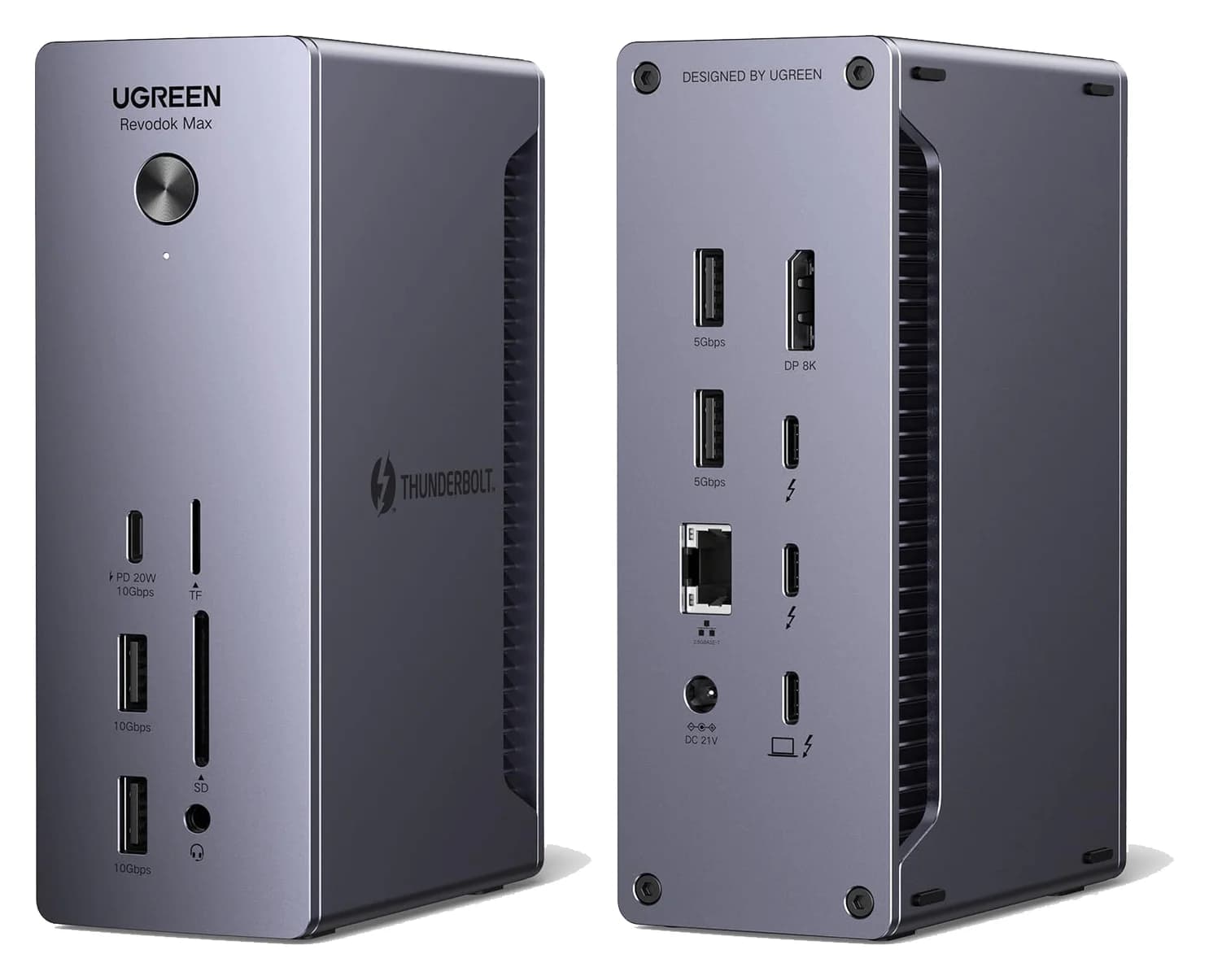
Best for a card-reader and peripheral stationUGREEN
UGREEN Revodok Max 213 Thunderbolt 4 Dock (13-in-1)
- to laptop
- 90W
- data
- 40 Gbps
- video
- 4K
- Choose
- The Max 213 combines SD/TF 4.0 readers, two downstream Thunderbolt 4 ports and a 10Gbps USB-C port; older-host support needs confirmation.
- Limit
- No HDMI port
Quick picks
| Your missing connection | Exact pick | Why choose it | Buying link |
|---|---|---|---|
| USB data ports; monitors already connected | StarTech HB31C2A2CB | Bus-powered; no separate supply | Check price on Amazon |
| HDMI monitors on a 2023 Mac Pro | Plugable TBT4-UD5 | Two built-in HDMI outputs; read the compatibility caveat | Check price on Amazon |
| Accessible card readers and Thunderbolt peripherals | UGREEN Revodok Max 213, 25054A family | SD/TF 4.0 and two downstream Thunderbolt ports | Check price on Amazon |
If your monitors and network already work, buy only the missing USB connections. For a laptop, use our MacBook Pro dock guide; this page addresses the desktop.
Match the Mac Pro before choosing the dock
Choose Apple menu > About This Mac, as Apple's model identification guide explains. The year and installed hardware matter more than a listing's generic “Mac compatible” label.
| Your Mac Pro | Native connections relevant to this purchase | Sensible starting point |
|---|---|---|
| 2023, M2 Ultra; Mac14,8 | Eight Thunderbolt 4 ports, up to 40Gbps; USB4 up to 40Gbps; USB 3.1 Gen 2 up to 10Gbps; two external USB-A ports up to 5Gbps; two HDMI; two 10Gb Ethernet | StarTech for USB data; consider Plugable for an HDMI desk |
| 2019, Intel; MacPro7,1 | Two Thunderbolt 3 ports on the I/O card and two on top of the tower, up to 40Gbps; USB-C data up to 10Gbps; two USB-A up to 5Gbps; two 10Gb Ethernet | StarTech for data; confirm a dock's exact display configuration |
| Late 2013; MacPro6,1 | Four USB 3 ports and six Thunderbolt 2 ports | A USB-A host hub; none of these picks connects directly |
Sources: Apple's 2023 specifications, 2019 specifications and Late 2013 specifications. The 2023 model also has an internal USB-A port; don't count that as an accessible desk connection. On the 2019 model, additional Thunderbolt and HDMI connections depend on the installed MPX graphics module.
Both newer desktops already have 10Gb Ethernet. Neither the Plugable's 1Gbps Ethernet nor UGREEN's 2.5Gbps Ethernet is a speed upgrade; use the Mac's own network connection when that matters.
Source: Apple's model specifications and the dock makers' specifications linked in this guide
Best for adding USB data ports: StarTech HB31C2A2CB
StarTech.com
StarTech.com 4-Port USB-C Hub 10Gbps (2x USB-C + 2x USB-A)
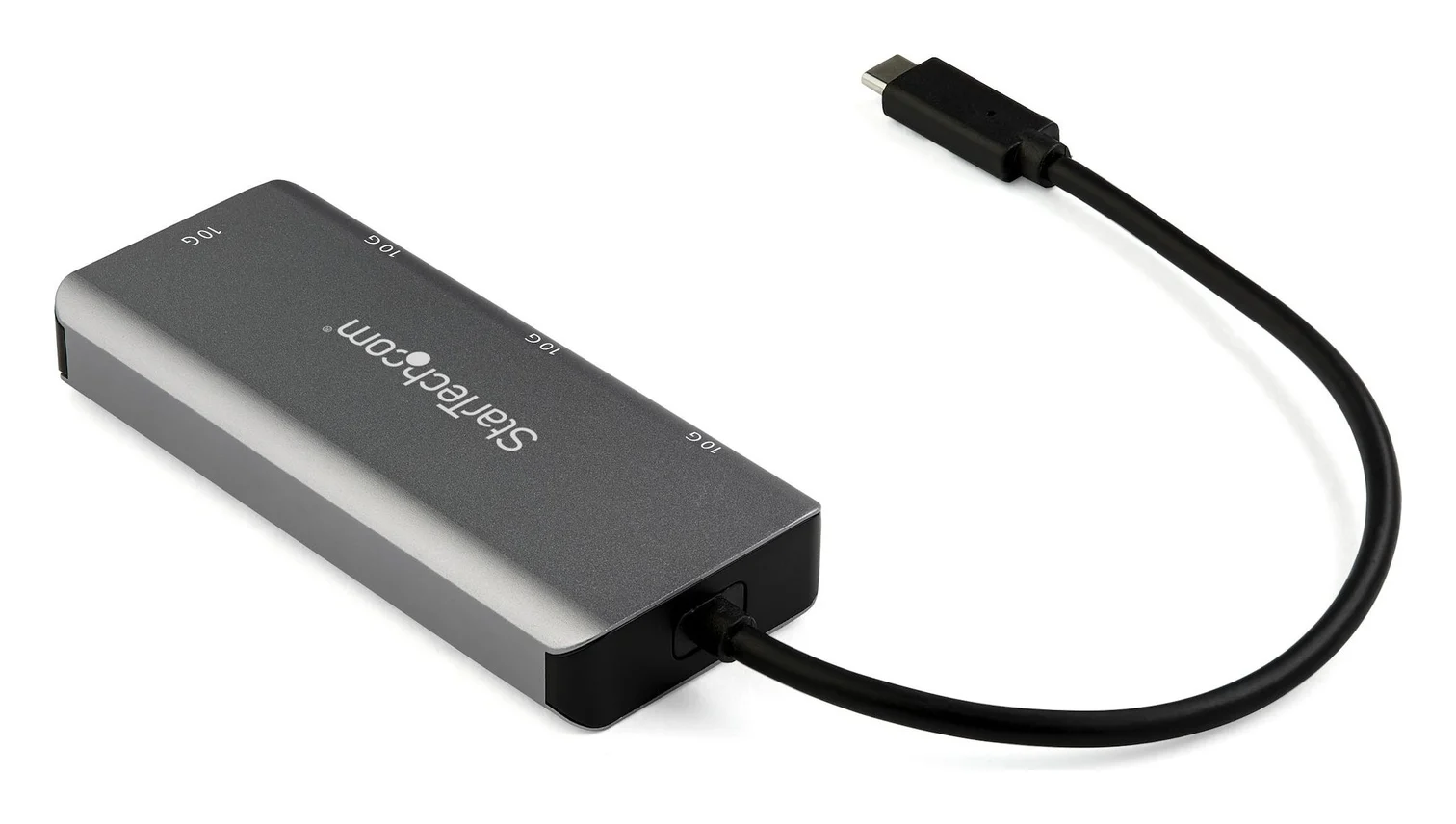
A small aluminum USB-C data hub that turns one USB-C or Thunderbolt 3 port into two USB-C and two USB-A ports at up to 10Gbps, on a 25cm attached cable.
- 10 Gbps data
- 4 ports
Buy this when displays already connect to the Mac and you want accessible sockets for drives, a keyboard or a card reader. StarTech's official datasheet specifies two USB-C and two USB-A downstream ports, rated up to 10Gbps, with a fixed 25cm host cable. It explicitly supports USB-C desktops and Thunderbolt 3 hosts, with driverless macOS setup. Matching those USB capabilities to Apple's specifications makes this our straightforward data-expansion choice for the 2019 and 2023 Mac Pro.
All attached devices share the hub's upstream 10Gbps connection. Four sockets do not mean four independent full-speed links. StarTech also specifies up to 15W shared power, dependent on the host, and 4.5W per downstream port. For several power-hungry devices, consider a powered USB hub instead of treating this as a charging station.
The decisive limitation: its USB-C ports do not support DisplayPort Alt Mode video. A USB-C monitor will not acquire video through this hub. There is also no PD pass-through connection.
Complete kit: the hub and your existing peripheral cables. No external power supply is required. Measure the 25cm reach from the Mac's port to the intended hub position before ordering; its attached cable cannot be exchanged for a longer host lead.
Best HDMI dock candidate for Mac Pro 2023: Plugable TBT4-UD5
Plugable
Plugable Thunderbolt 4 Dock (TBT4-UD5)
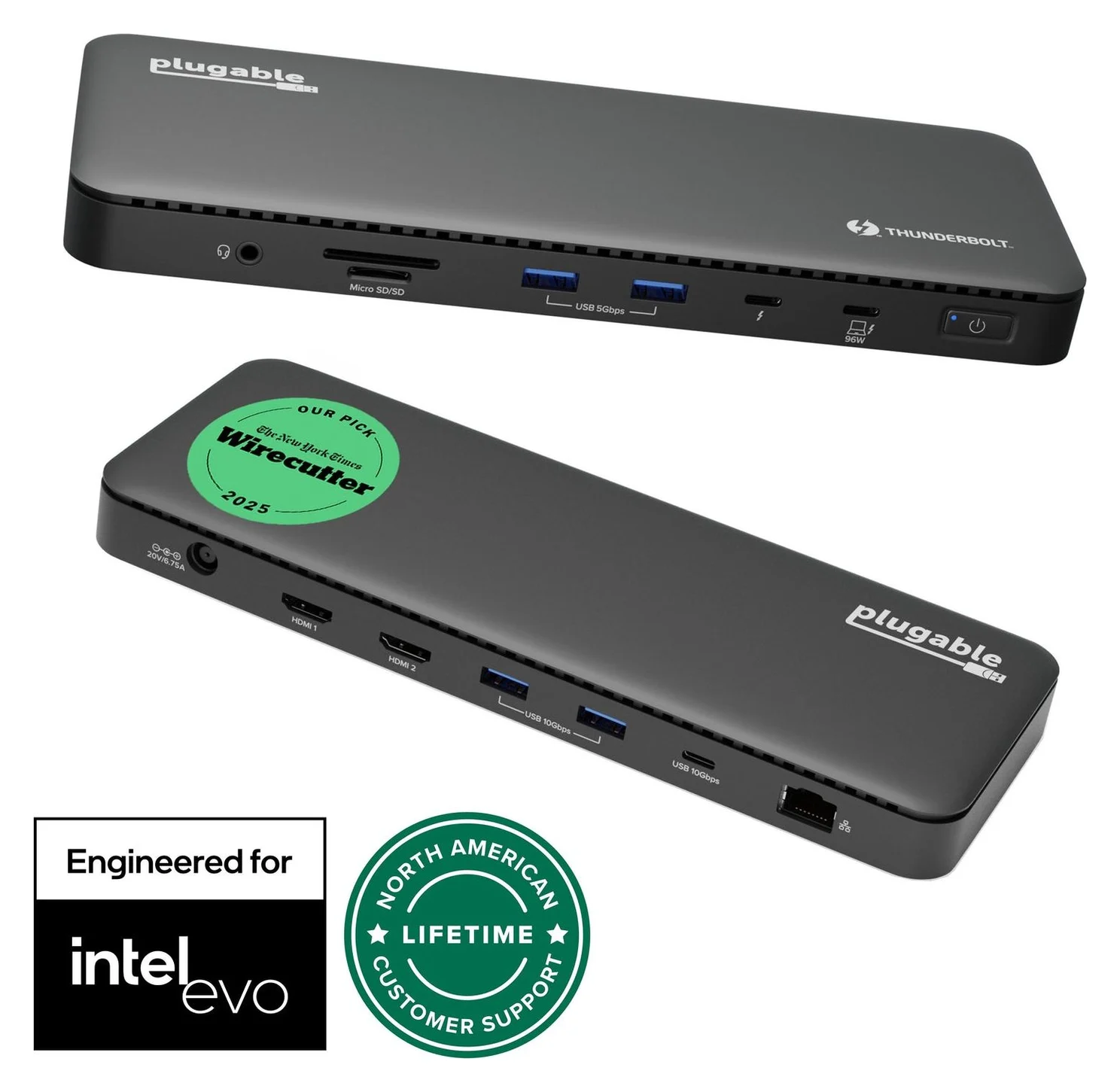
A Thunderbolt 4 dock with dual HDMI, 100W laptop charging (96W certified), Gigabit Ethernet and an SD/microSD reader.
- 96W PD passthrough
- 40 Gbps data
- 4K video
- 13 ports
The TBT4-UD5 specification lists two HDMI 2.0 outputs, each up to 4K at 60Hz, plus a downstream Thunderbolt 4 port. You also get two USB-A ports at 10Gbps, two at 5Gbps, a 10Gbps USB-C port, UHS-II SD/microSD readers and Gigabit Ethernet.
Why the qualified recommendation? Apple documents Thunderbolt 4 and supported dual-display hubs on the M2 Ultra Mac Pro; Plugable's generic Thunderbolt 4 host FAQ supports two displays. That is a capability match on paper. However, Plugable's separate Mac compatibility list names Pro/Max processors and omits Ultra. Get written confirmation for your monitor pair if the purchase depends on that pair working; we cannot call it explicitly certified for Mac Pro.
For the 2019 Mac Pro, Plugable's documents conflict: the video-mode table permits two displays from a two-stream Thunderbolt 3 host, while its system requirements and display FAQ say Thunderbolt 3 hosts get one. Plan around one through this dock until Plugable confirms your configuration, and connect another monitor directly to the Mac.
Even on a qualifying host, the dock supports two displays total. Using both HDMI outputs leaves the downstream Thunderbolt port available for data, but not a third display. This is the UD5; avoid substituting the similarly named UDZ from the manufacturer's comparison table.
Complete kit: Plugable lists its power supply, power cable and 1m Thunderbolt 4 host cable in the box. Add the HDMI leads your monitors require. Its supply is specified as 134W; the advertised 100W host charging is 96W certified. Those charging figures offer no reason to choose it for a desktop.
Best for a card-reader and peripheral station: UGREEN Revodok Max 213
UGREEN
UGREEN Revodok Max 213 Thunderbolt 4 Dock (13-in-1)
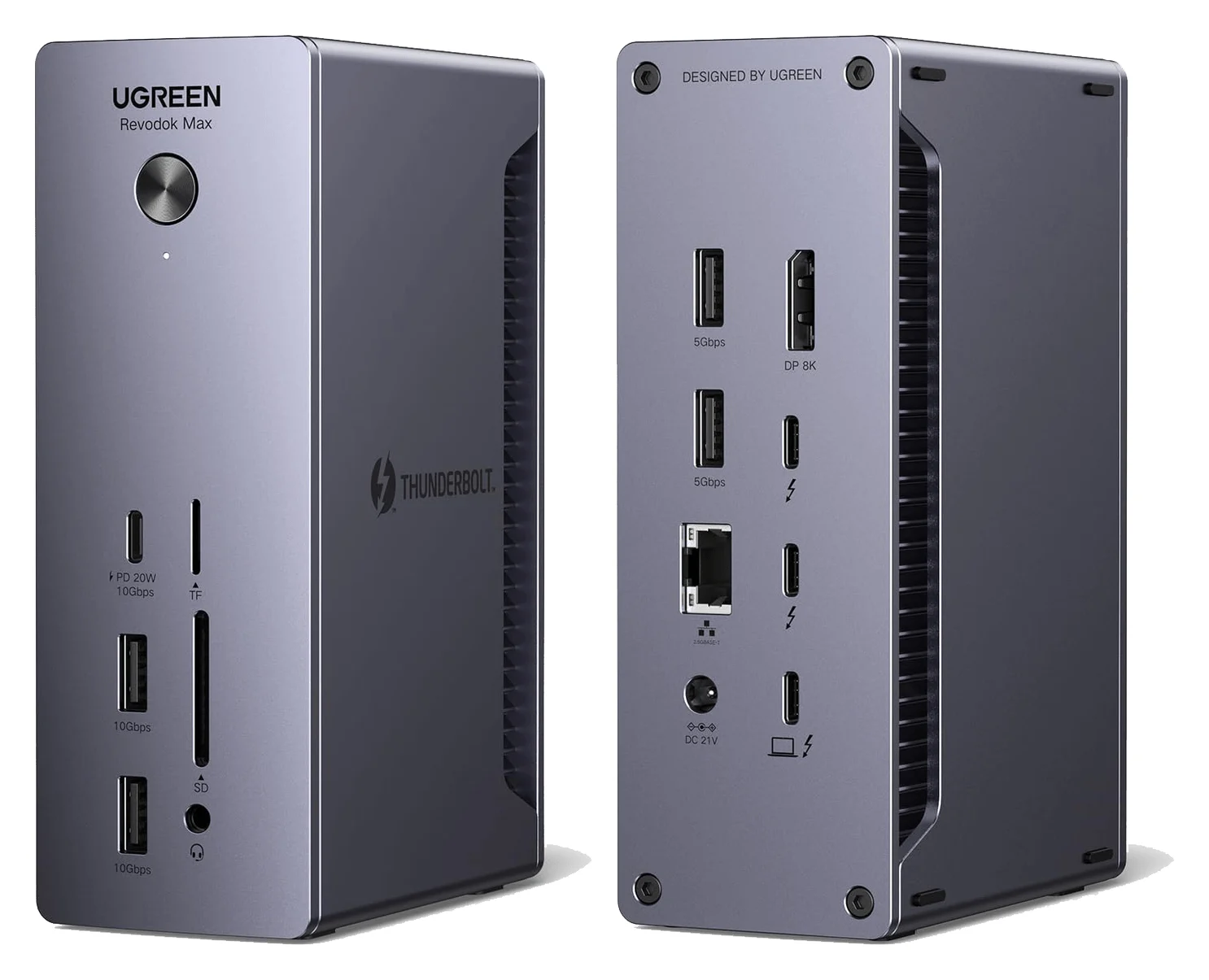
A 13-in-1 Thunderbolt 4 dock with DisplayPort 1.4, 2.5GbE, SD/TF 4.0 readers and 90W laptop charging.
- 90W PD passthrough
- 40 Gbps data
- 4K video
- 13 ports
The Max 213 product page lists SD/TF 4.0 readers, two downstream Thunderbolt 4 ports rated 40Gbps/15W, DisplayPort 1.4, 2.5Gb Ethernet and a 10Gbps USB-C port with up to 20W device charging. The US specifications add two 10Gbps USB-A and two 5Gbps USB-A ports. Choose it to bring that mix within reach while leaving monitors connected directly to the Mac.
Compatibility needs attention. The store page includes Thunderbolt 3 and macOS 11.4+, but the U710 support center specifications list Thunderbolt 4/5 hosts and macOS 15.0 or later. These are conflicting requirements, not evidence that a 2019 Mac Pro is confirmed. Ask UGREEN about that exact host and macOS version before buying; for a 2023 Mac Pro, check the installed OS against the newer requirement too.
UGREEN advertises dual 4K at 60Hz for selected Macs, but its store text does not name M2 Ultra. We therefore choose this for its peripheral connections rather than promise a Mac Pro dual-monitor arrangement. Its support specifications say plug and play, with possible system or network driver updates.
Complete kit: the included 180W GaN adapter, a certified Thunderbolt 4 host cable, and any display cable you intend to use. The product text on UGREEN's page confirms the adapter but does not itemize an included host cable: verify the regional package or add the cable separately. There is no HDMI socket in its port list; an HDMI-only monitor needs a compatible video adapter/cable, or can stay connected directly to the Mac.
The US store identifies this as 25054; the Canadian page uses 25054A. UGREEN's support center groups those with 25054EU and 25054UK under U710. Confirm the Max 213 model, regional power cord and box contents together.
Build the smallest sufficient kit
Keep the Mac on its own AC power cord. Rank docks by accessible ports, downstream device power and compatible displays. Plugable explains that USB Power Delivery negotiates with the host and does not force unsupported higher-voltage charging onto it. Its 96W-certified laptop output and UGREEN's 90W laptop output do not improve the Mac Pro purchase.
Keep bandwidth expectations realistic. The StarTech has one 10Gbps upstream link; these Thunderbolt docks advertise 40Gbps. Treat those as shared connection ceilings, not simultaneous throughput guarantees for every drive, reader and display. For critical storage, our recommendation is a direct Mac connection where practical, with less demanding peripherals on the hub. Port labels alone cannot predict sustained copy speed.
Keep demanding displays on native outputs. On the 2023 Mac Pro, Apple's display configuration guide divides outputs into two groups supporting up to four displays each. An HDMI display at 8K/60Hz or 4K/240Hz consumes the bandwidth of two displays in its group. A supported hub can carry up to two displays on one Thunderbolt connection, but cannot raise the Mac's overall display limit. Plugable's HDMI outputs are specified up to 4K/60Hz; the Mac's native HDMI capabilities are broader.
Place it first
Check the attached StarTech cable or the dock's host-cable reach before choosing a desk position.
Power the dock
Connect the dock's matching supply; keep the Mac's AC power connected.
Use the host connection
Plug the Thunderbolt cable into the dock's computer/host port and a suitable Mac port.
Add devices gradually
Establish the display connection first, then attach peripherals; keep the Mac's built-in Ethernet for its higher link ceiling.
How we choose
This is a specification-based comparison, without physical product testing. We matched Apple's host specifications and display rules to manufacturer port lists, power requirements, box contents and support documentation. The recommendations distinguish documented capabilities from host-specific inferences and preserve conflicting requirements. We reused existing catalog identities; no new retail identifier was guessed. Our Thunderbolt dock guide covers the broader category.
Verdict
Buy the StarTech HB31C2A2CB for uncomplicated USB data expansion on a 2019 or 2023 Mac Pro. Consider the Plugable TBT4-UD5 for an HDMI-focused 2023 desk after resolving the M2 Ultra compatibility gap. Choose the UGREEN Max 213 for accessible cards and peripherals after checking its host requirements and complete regional kit. Keep working native display and Ethernet connections wherever they already solve the job.
Frequently asked questions
What is the best USB-C dock for Mac Pro?
For extra USB data ports on a 2019 or 2023 Mac Pro, choose the StarTech HB31C2A2CB. For HDMI monitors on a 2023 model, the Plugable TBT4-UD5 is our specification-based candidate, with the M2 Ultra documentation gap explained below. Choose UGREEN's Max 213 for accessible card readers and peripherals after checking its conflicting host requirements. Start with the missing connection, rather than laptop charging wattage.
Does a Thunderbolt 4 dock work with a 2019 Mac Pro?
Check the particular dock. Apple's 2019 Mac Pro has Thunderbolt 3. Plugable's TBT4-UD5 requirements and FAQ limit Thunderbolt 3 hosts to one display, despite a conflicting two-stream specification row. UGREEN's Max 213 store page includes Thunderbolt 3, but its support specifications list Thunderbolt 4/5. For a display-dependent purchase, get manufacturer confirmation for your Mac, graphics module, macOS version and monitors before ordering.
Can a USB-C dock charge a Mac Pro?
Keep the Mac Pro connected to its own AC power cord. A dock's laptop Power Delivery rating should not decide this desktop purchase. Plugable explains that a compatible dock does not force higher-voltage charging onto a computer that cannot accept USB-C charging. The dock can still provide supported data and display functions, and a powered dock still needs its own supply.
Can I connect two monitors through a Mac Pro dock?
Apple says a supported hub can carry up to two displays over a single Thunderbolt port, without increasing the Mac's total display limit. The 2023 Mac Pro has two display port groups, each supporting up to four displays. That host capability does not certify every dock: match the dock's outputs and monitor timings, and check the maker's Mac-specific restrictions. The StarTech data hub does not output video.
Will these USB-C docks connect directly to a Late 2013 Mac Pro?
No. Apple lists four USB 3 ports and six Thunderbolt 2 ports on the Late 2013 Mac Pro, rather than a native USB-C host connection. These picks use USB-C upstream connections. For straightforward USB expansion, choose a hub with a USB-A host connection. Treat any Thunderbolt adapter chain as a separate compatibility project that needs explicit support from the dock maker.
Best for adding USB data ports
StarTech.com 4-Port USB-C Hub 10Gbps (2x USB-C + 2x USB-A)
Related guides
Best External GPU Enclosures in 2026: Thunderbolt eGPUs That Still Exist
The current Thunderbolt eGPU enclosures from maker pages: Sonnet's Breakaway Box 850 T5 and 750ex and Razer's Core X V2, plus the Mac compatibility truth and what to check before buying.
Updated November 7, 2026Read
OWC Thunderbolt Go vs CalDigit TS4: Which Thunderbolt Dock Should You Buy?
The Go Dock packs its own power for travel; the TS4 anchors a desk with 18 ports and 98W charging. Compare full kits, monitors and which to buy.
Updated November 5, 2026Read
Plugable TBT4-UD5 vs UD-3900PDH: Which Dock for Dual Monitors?
Choose between Plugable's TBT4-UD5 Thunderbolt 4 dock and UD-3900PDH DisplayLink dock: which laptop ports they need, display counts, charging and software.
Updated November 5, 2026Read