Black Friday: the specs to check before you buy
Best picks
Updated November 5, 2026Best Thunderbolt 4 Dock for MacBook Air M4: Complete Desk Kits
Short answer
For an M4 MacBook Air desk with HDMI monitors, buy the Plugable TBT4-UD5: Plugable explicitly supports M4 dual displays, its two HDMI outputs reach 4K at 60Hz each, and laptop charging is certified at 96W. The UGREEN Revodok Max 213 is our alternative for a DisplayPort desk with faster Ethernet; choose the Max 208 when downstream Thunderbolt connections matter most, subject to the Mac display caveat below.
Our picks at a glance
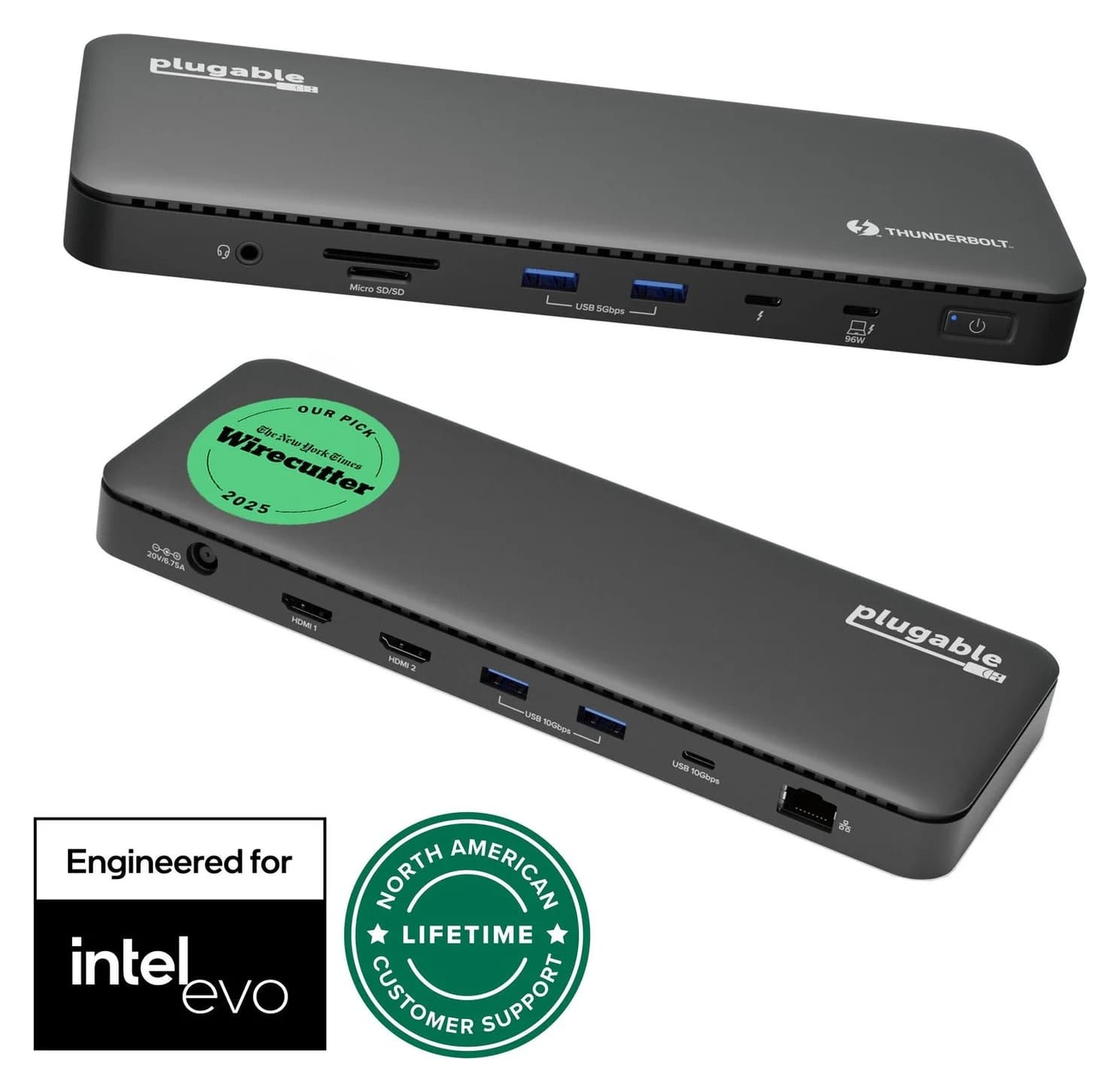
Best overall and for two HDMI monitorsPlugable
Plugable Thunderbolt 4 Dock (TBT4-UD5)
- to laptop
- 96W
- data
- 40 Gbps
- video
- 4K
- Choose
- Plugable explicitly supports M4 dual displays, with two built-in 4K60 HDMI outputs and 96W certified laptop charging.
- Limit
- Gigabit (not 2.5GbE) Ethernet
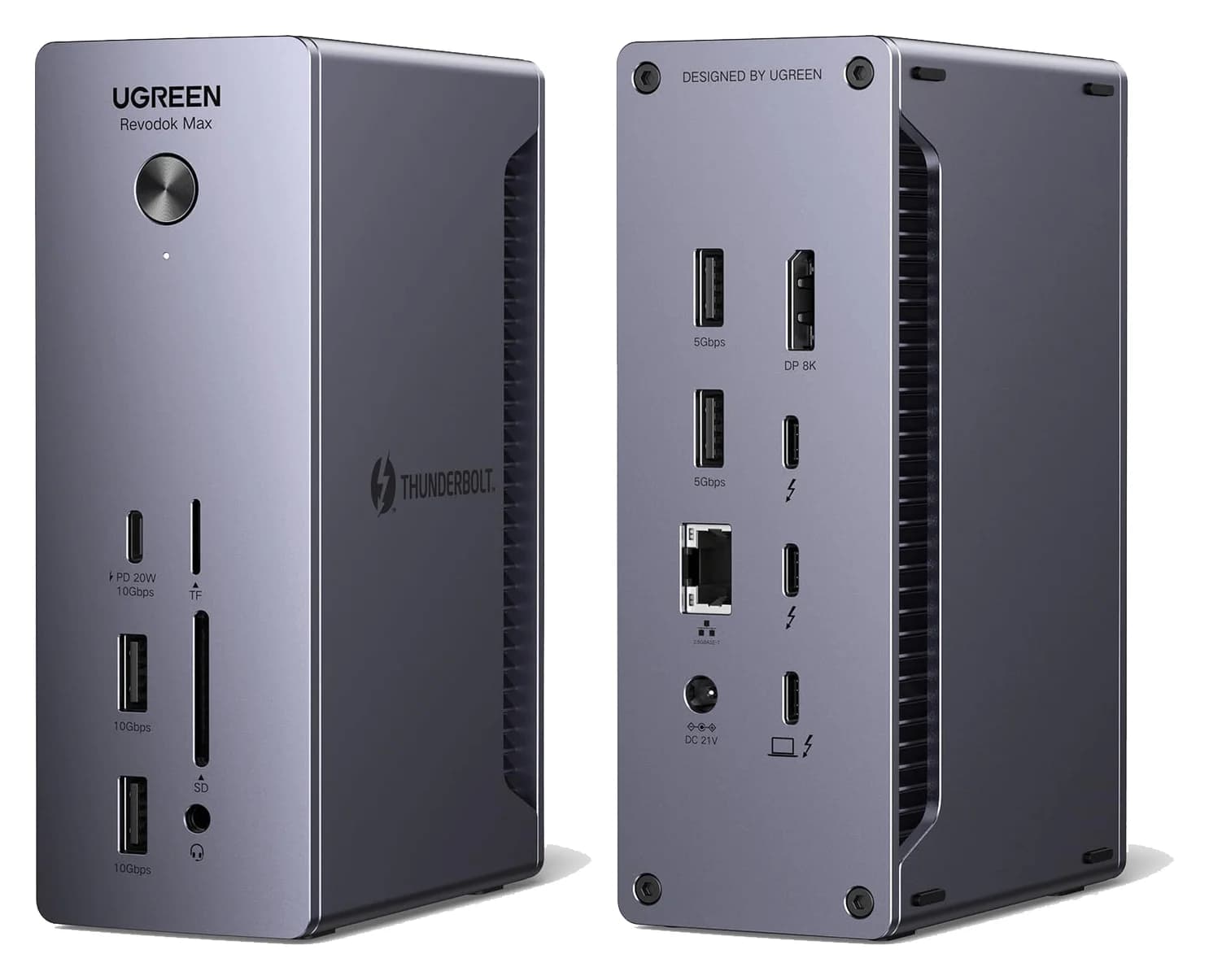
Best for a DisplayPort desk and faster EthernetUGREEN
UGREEN Revodok Max 213 Thunderbolt 4 Dock (13-in-1)
- to laptop
- 90W
- data
- 40 Gbps
- video
- 4K
- Choose
- DisplayPort, 2.5GbE, SD/TF readers and 90W charging suit a single-monitor desk; M4 dual-display documentation is less explicit.
- Limit
- No HDMI port
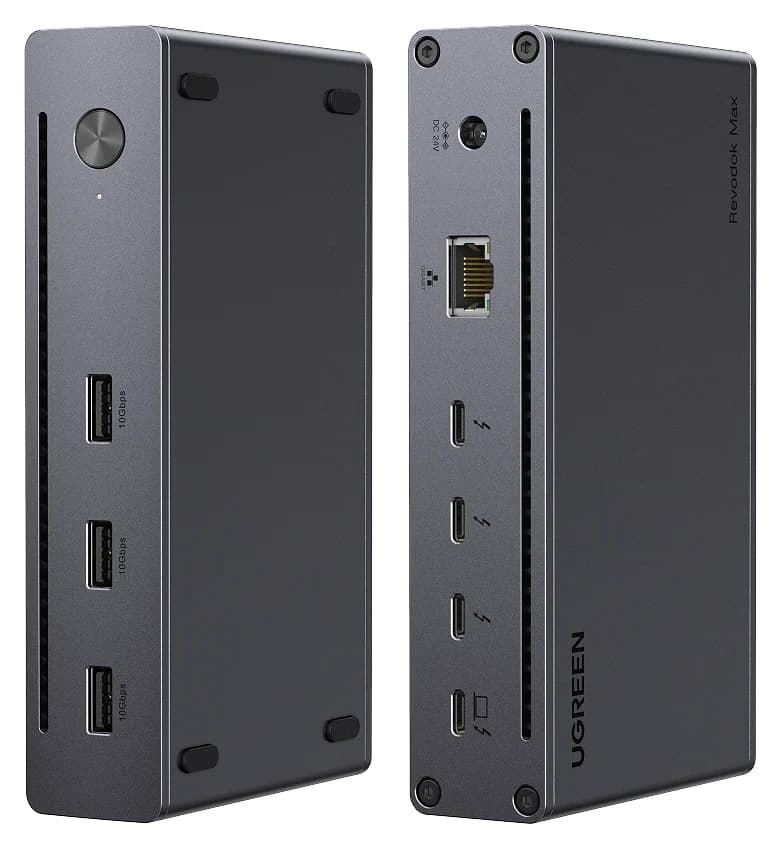
Best for Thunderbolt accessoriesUGREEN
UGREEN Revodok Max 208 Thunderbolt 4 Dock (8-in-1)
- to laptop
- 85W
- data
- 40 Gbps
- video
- 4K
- Choose
- Three downstream Thunderbolt 4 ports and 85W laptop charging suit a USB-C monitor and storage; check the Mac display caveat below.
- Limit
- No HDMI or DisplayPort; monitors need USB-C or adapters
Quick picks for the M4 Air desktop
| Your desk | Pick | Main trade-off |
|---|---|---|
| Two HDMI monitors | Plugable TBT4-UD5 | Gigabit Ethernet; one downstream Thunderbolt port |
| One DisplayPort monitor, cards and faster networking | UGREEN Max 213 | No built-in HDMI; less explicit M4 dual-display guidance |
| One USB-C monitor plus Thunderbolt accessories | UGREEN Max 208 | No built-in HDMI, DisplayPort, card reader or audio jack |
These are powered desktop docks. Their rated laptop outputs are 96W certified for Plugable, 90W for the Max 213 and 85W for the Max 208; the external power supply is part of the purchase. This page compares the whole connection plan. For smaller carry-along choices, use our MacBook Air hub guide.
What your exact M4 Air supports
Apple identifies the 13-inch M4 Air as Mac16,12 and the 15-inch as Mac16,13 in its model list. Both have two Thunderbolt 4 USB-C ports at up to 40Gb/s, supporting charging and DisplayPort. Apple's 13-inch and 15-inch specifications support two external displays up to 6K at 60Hz alongside the built-in screen.
Apple's display support page confirms that a supported hub can carry two displays over one Thunderbolt port. Closing the M4 Air's lid does not increase its external-display limit. Treat the Mac's display ceiling and the dock's output specification as separate checks: this shortlist's clearest documented M4 dual-monitor route is Plugable's two 4K60 HDMI outputs.
- 2External displays supported alongside the M4 Air's built-in screen
- 40Gb/sMaximum Thunderbolt 4 link rate on either M4 Air size
Compare monitor connections before buying
| Dock | Physical monitor connections | HDMI monitor needs | DisplayPort monitor needs | Other downstream Thunderbolt ports |
|---|---|---|---|---|
| Plugable TBT4-UD5 | Two HDMI 2.0; one Thunderbolt 4 | HDMI cable per screen; no converter | USB-C-to-DisplayPort adapter/cable from Thunderbolt | One, if both screens use HDMI |
| UGREEN Max 213 | One DisplayPort 1.4; two Thunderbolt 4 | USB-C-to-HDMI adapter/cable from Thunderbolt | DisplayPort cable for the built-in output | Two, if the screen uses DisplayPort |
| UGREEN Max 208 | Three downstream Thunderbolt 4; no dedicated video socket | USB-C-to-HDMI adapter/cable from Thunderbolt | USB-C-to-DisplayPort adapter/cable from Thunderbolt | Two after one USB-C display connection |
Use USB-C-to-HDMI or USB-C-to-DisplayPort adapters/cables rated for your intended resolution and refresh rate, in the direction USB-C source to monitor input. Budget one per screen that lacks a matching dock socket. For a USB-C monitor, use its video-capable USB-C connection from a downstream Thunderbolt port; the docks' ordinary USB data ports are not the monitor connections in this table.
UGREEN's documentation needs caution. Its Max 208 product page says basic M-chip MacBooks get a single 4K60 display, without distinguishing M4. Its Max 213 page names base M1/M2/M3 for single-display support but does not name M4. Their support specifications advertise dual 4K60 with host/OS qualifications, rather than an explicit M4 Air pairing. That leaves a documentation gap, not proof that the M4 itself supports only one screen. Our UGREEN recommendations here assume one 4K60 screen; choose Plugable for the better-documented dual-HDMI purchase.
Best overall: Plugable TBT4-UD5
Plugable
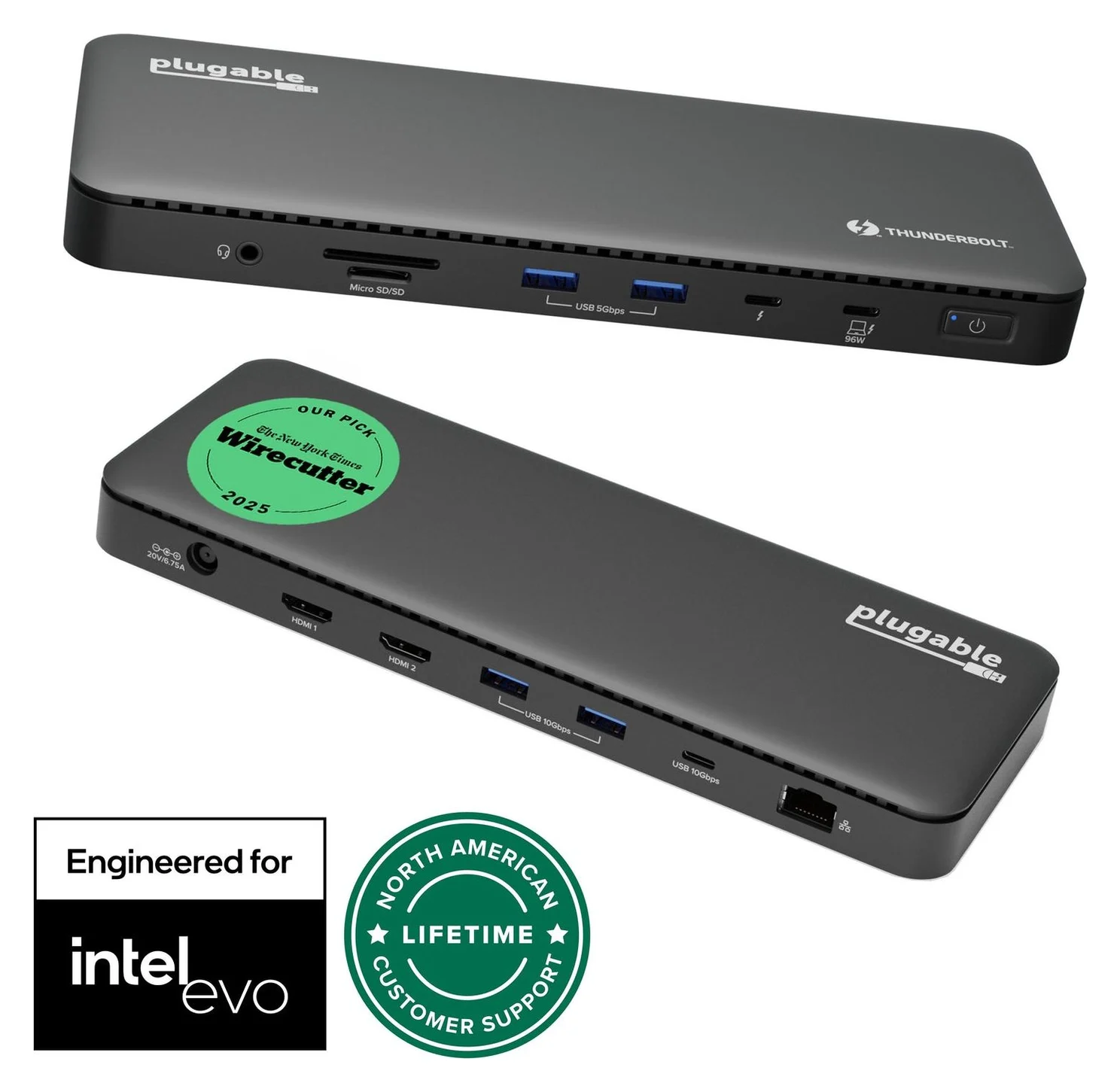
Plugable Thunderbolt 4 Dock (TBT4-UD5)
A Thunderbolt 4 dock with dual HDMI, 100W laptop charging (96W certified), Gigabit Ethernet and an SD/microSD reader.
- 96W PD passthrough
- 40 Gbps data
- 4K video
- 13 ports
This is the easiest complete dock purchase for an HDMI office. Its product and support page explicitly lists M4 dual-display compatibility and two HDMI outputs up to 4K60 each. You can leave the downstream Thunderbolt 4 port available for storage while both HDMI sockets are occupied. The dock supports a maximum of two displays, so that Thunderbolt socket does not add a third external screen.
Peripheral coverage is practical: two USB-A ports at 10Gbps, two USB-A at 5Gbps, one USB-C at 10Gbps, Gigabit Ethernet, UHS-II SD/microSD readers and a combo audio jack. Skip it if faster-than-Gigabit networking is the priority. Its built-in HDMI outputs also stop at 60Hz; choose around that limit if you own a high-refresh monitor.
Plugable markets charging as 100W, 96W certified; its detailed power table gives 96W to the host. We use the certified figure. The box lists a 1m Thunderbolt 4 cable, power supply and power cable. Its power table rates the supply at 134W: that is the dock's input budget, not laptop output.
Best for DisplayPort and faster Ethernet: UGREEN Max 213
UGREEN
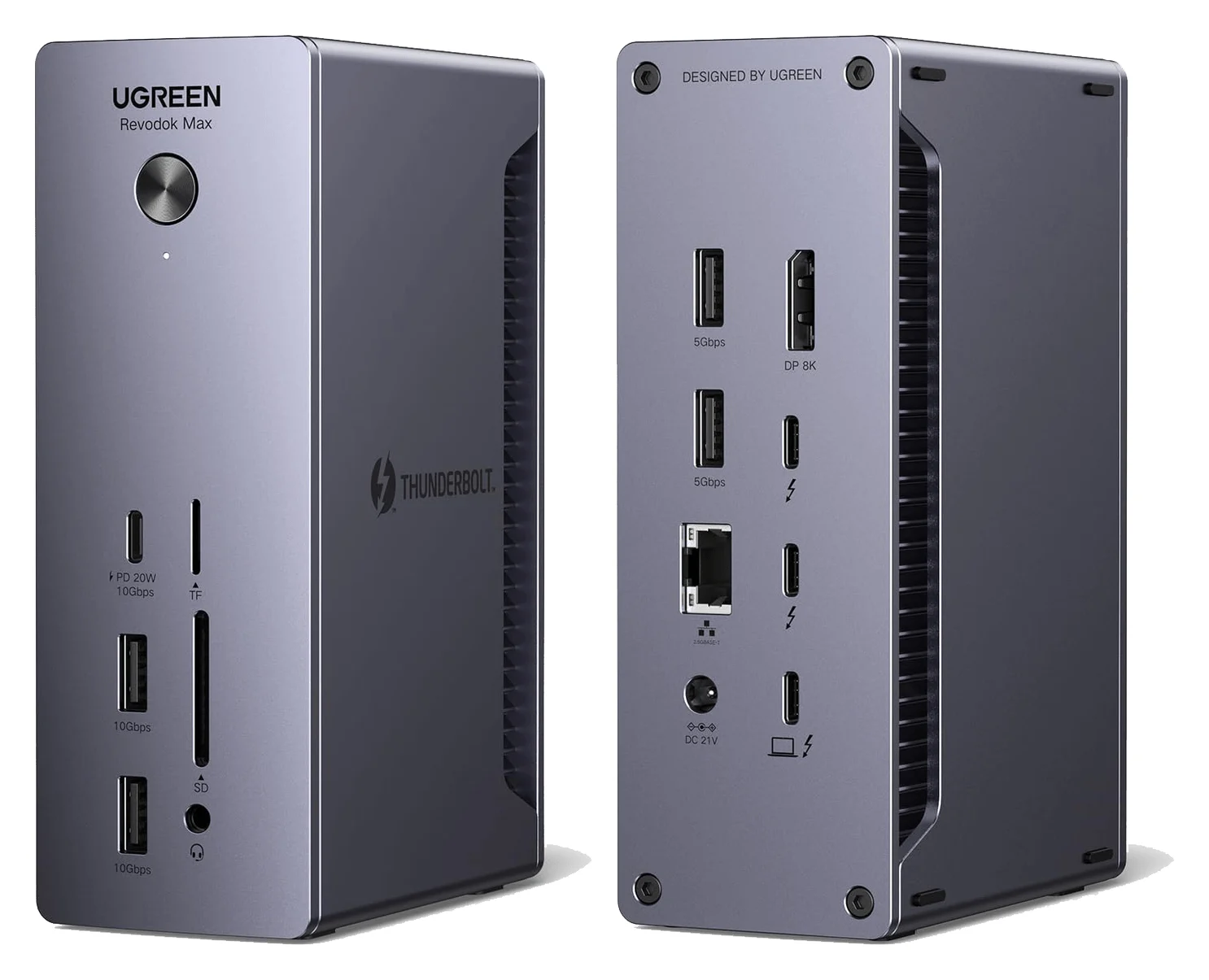
UGREEN Revodok Max 213 Thunderbolt 4 Dock (13-in-1)
A 13-in-1 Thunderbolt 4 dock with DisplayPort 1.4, 2.5GbE, SD/TF 4.0 readers and 90W laptop charging.
- 90W PD passthrough
- 40 Gbps data
- 4K video
- 13 ports
Choose the Max 213 for a single DisplayPort monitor, card imports and a network that can use its 2.5GbE connection. The built-in DisplayPort socket avoids a monitor converter, while two downstream Thunderbolt 4 ports remain available. UGREEN lists SD/TF 4.0 readers, audio, two 10Gbps USB-A ports, two 5Gbps USB-A ports and a 10Gbps USB-C port rated for 20W charging.
The US page identifies SKU 25054, while the Canadian page identifies 25054A. UGREEN's support record groups those with the regional EU/UK identifiers; check the exact supplied mains lead. Laptop output is up to 90W, with an included 180W GaN adapter. There is no built-in HDMI socket, so an HDMI-only desk adds converters. Buy the Plugable instead when documented M4 dual-HDMI operation is the deciding feature.
Best for Thunderbolt accessories: UGREEN Max 208
UGREEN
UGREEN Revodok Max 208 Thunderbolt 4 Dock (8-in-1)
A Thunderbolt 4 hub-style dock with three downstream Thunderbolt 4 ports, three 10Gbps USB-A ports, Gigabit Ethernet and 85W laptop charging.
- 85W PD passthrough
- 40 Gbps data
- 4K video
- 8 ports
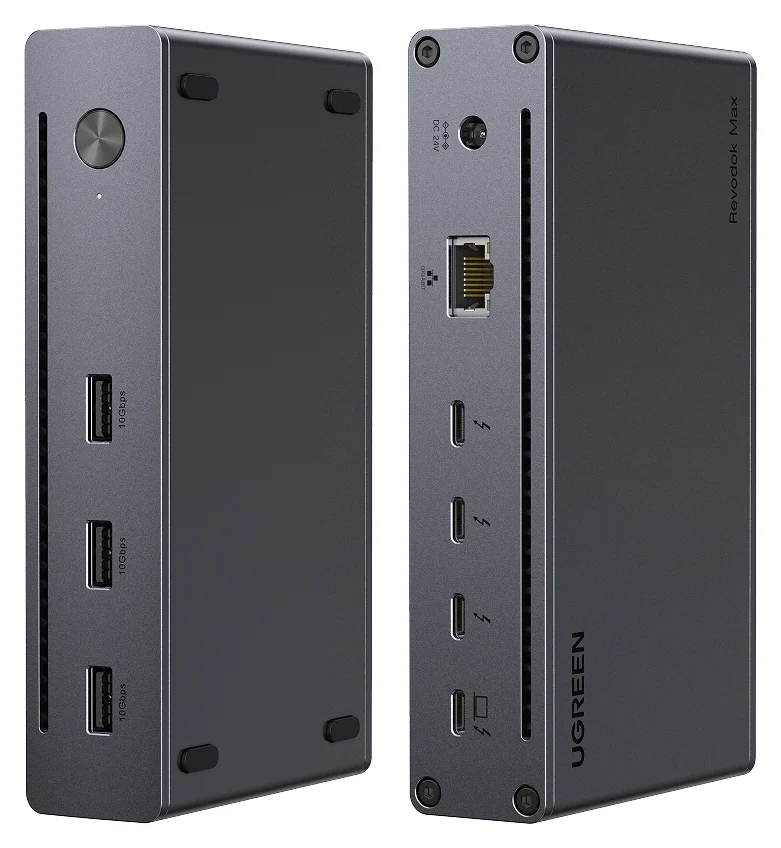
The Max 208, SKU 25053, suits a desk built around USB-C displays and Thunderbolt peripherals. Its port specification gives one upstream and three downstream Thunderbolt 4 ports, plus three 10Gbps USB-A ports and Gigabit Ethernet. One USB-C display connection leaves two downstream Thunderbolt sockets for other devices.
The included 140W GaN adapter supplies the dock; laptop charging reaches 85W. The support port list has no HDMI, DisplayPort, card reader or audio jack. That makes it a poor fit if you would immediately add several adapters. Its generic basic-M-chip display wording also makes it a less certain dual-monitor purchase than the Plugable, despite the M4 Air's own two-display capability.
Charging, power supplies and the host cable
Both M4 Air sizes list fast charging with Apple's 70W USB-C Power Adapter. All three docks clear that adapter rating on paper, so our decision favors useful ports over the largest wattage. Apple's fast-charge page does not certify charging times for these docks; rated output alone is not a measured charging result.
| Dock | Rated laptop charging | Included external power supply | Host cable evidence |
|---|---|---|---|
| Plugable TBT4-UD5 | 96W certified | 134W | 1m Thunderbolt 4 explicitly listed |
| UGREEN Max 213 | Up to 90W | 180W GaN | Confirm the exact package's cable contents |
| UGREEN Max 208 | Up to 85W | 140W GaN | Confirm the exact package's cable contents |
UGREEN's product listings confirm the power adapters but do not itemize a host cable. Allow for a certified Thunderbolt cable if the package does not include one; a power rating alone is not sufficient cable selection. Our USB-C cable guide covers replacement choices.
UGREEN also has an OS requirement conflict: the product pages say macOS 11.4+, while the support specifications say macOS 15.0 or later. Use the stricter support requirement when checking a purchase. The support records call both docks plug and play but say system or network driver updates may be required. Plugable calls its dock driverless.
Two complete example desk kits
These are connection plans based on specifications, not tested bundles. They use the ASUS ProArt PA279CRV, a 27-inch 3840×2160, 60Hz monitor with HDMI 2.0, DisplayPort 1.4 and USB-C video. ASUS's US specifications list HDMI, DisplayPort and USB-C cables plus a power cord, with accessories varying by region; confirm your box before buying duplicates.
Dual-HDMI office kit: Plugable TBT4-UD5, its supplied PSU/mains lead and 1m Thunderbolt host cable, plus two PA279CRV monitors. Connect each monitor's HDMI input directly to a dock HDMI output using an HDMI cable from its box. Each monitor also needs its own mains power. This targets two extended 4K60 screens plus the Air's screen, with no display adapters. Add your existing USB keyboard/mouse and network cable to the dock as needed.
Single-DisplayPort creator kit: UGREEN Max 213, its included 180W PSU and the correct regional mains lead, plus one PA279CRV with its own power cord and a DisplayPort cable. Connect dock DisplayPort to monitor DisplayPort input. For a host cable whose specification is independently documented, allow a Plugable TBT5-240W1M if UGREEN's exact box contents cannot be confirmed: Plugable specifies 1m, 240W, Thunderbolt certification and Thunderbolt 4 backward compatibility. The Air remains a 40Gb/s host. No display adapter is needed; connect your existing Ethernet cable and compatible network equipment to use the dock's 2.5GbE port.
Final purchase and setup checks
Before checkout, match model, monitor inputs, regional power lead and host cable. Count the Thunderbolt ports left after connecting displays, then allocate storage. For storage planning, use the Air's 40Gb/s host specification as your ceiling rather than adding the downstream port labels together. Put connector convenience ahead of a headline port count.
For setup, Plugable's instructions specify powering the dock first, then connecting the supplied host cable and approving the accessory in macOS. Keep that sequence:
Power the dock
Attach its external PSU and mains lead.
Connect the Mac
Use the Thunderbolt host socket and a suitable Thunderbolt cable; approve the accessory prompt.
Connect the displays
Use the paths above and select the matching input on each monitor.
If a screen stays dark, check its selected input and cable path before buying another adapter. UGREEN's support guidance recommends checking connections, choosing the correct monitor input and reconnecting or restarting the dock. For broader laptop options, see our MacBook Pro dock guide.
How we choose
Our recommendations come from Apple's host specifications and the dock makers' product pages, support specifications and box-content lists. We compare native monitor connections, remaining peripheral ports, laptop output and the parts needed to finish a desk. These are research-based picks without physical testing. Where UGREEN's pages disagree or leave the M4 pairing unspecified, we preserve that uncertainty instead of promising the most favorable configuration.
Verdict
Buy the Plugable TBT4-UD5 for the clearest M4 dual-HDMI desk purchase. Choose the UGREEN Max 213 for a single DisplayPort screen, card readers and 2.5GbE, or the Max 208 for a USB-C screen and more downstream Thunderbolt sockets. Include the PSU, mains lead, host cable and monitor cables in your final kit check.
Frequently asked questions
What is the best Thunderbolt 4 dock for MacBook Air M4?
The Plugable TBT4-UD5 is our first choice for a desk with HDMI monitors. Plugable explicitly includes M4 Macs in its dual-display support, and its two HDMI outputs each support up to 4K at 60Hz. It also includes a power supply and a 1m Thunderbolt 4 host cable, with laptop charging certified at 96W. Choose around your monitor connectors before counting extra ports.
Can an M4 MacBook Air run two monitors through one dock with the lid open?
Yes, with a supported dock. Apple supports two external displays alongside the M4 Air's built-in display and says a supported hub can carry two displays through one Thunderbolt port. The dock still has to support that connection: Plugable explicitly documents M4 dual displays on the TBT4-UD5, up to 4K60 per HDMI output. A dock does not increase the Mac's maximum external-display count.
Does the 15-inch M4 MacBook Air need a different dock from the 13-inch?
No separate dock class is needed. Apple's specifications give both sizes two Thunderbolt 4 USB-C ports, charging through those ports, and support for two external displays up to 6K at 60Hz alongside the built-in screen. Both also list fast charging with Apple's 70W adapter. Choose the dock by its monitor outputs, host charging and peripheral ports; the dock may support less than the Mac's display ceiling.
Is an 85W dock enough to charge an M4 MacBook Air?
On paper, 85W exceeds the 70W adapter rating Apple lists for fast charging both M4 Air sizes. The UGREEN Max 208 supplies up to 85W to the laptop, rather than the full 140W printed for its included power adapter. That is adequate rated charging headroom, but Apple's published charging combinations do not certify a charging time for this dock. Check the power actually negotiated if charging seems slow.
Do these docks need DisplayLink Manager on a Mac?
These are native Thunderbolt choices. Plugable calls the TBT4-UD5 driverless; UGREEN's support specifications call the Max 208 and Max 213 plug and play, while allowing for system or network driver updates. DisplayLink software is not part of the connection plans here. Approve the accessory when macOS prompts, and connect the Mac to the dock's host port rather than a downstream USB-C port.
Related guides
Best External GPU Enclosures in 2026: Thunderbolt eGPUs That Still Exist
The current Thunderbolt eGPU enclosures from maker pages: Sonnet's Breakaway Box 850 T5 and 750ex and Razer's Core X V2, plus the Mac compatibility truth and what to check before buying.
Updated November 7, 2026Read
OWC Thunderbolt Go vs CalDigit TS4: Which Thunderbolt Dock Should You Buy?
The Go Dock packs its own power for travel; the TS4 anchors a desk with 18 ports and 98W charging. Compare full kits, monitors and which to buy.
Updated November 5, 2026Read
Plugable TBT4-UD5 vs UD-3900PDH: Which Dock for Dual Monitors?
Choose between Plugable's TBT4-UD5 Thunderbolt 4 dock and UD-3900PDH DisplayLink dock: which laptop ports they need, display counts, charging and software.
Updated November 5, 2026Read